
25 Best Tools for Startups (Analyzed and Reviewed)
December 18 2025
Business development platforms streamline repetitive work, simplify progress tracking, and help sales teams maintain clean, usable data.
I compared 15+ best business development software to discover which works best for businesses of different sizes and niches. The table below lists my personal top-five list of effective tools for business growth. Click on each solution for quick navigation to its more precise description.
| Tool | Best for | Core features | Pricing | G2 rating |
|---|---|---|---|---|
| Snov.io | Sales automation, lead generation, CRM deal management, all in one place |
| $39/month* | 4.6/5 |
| LinkedIn Sales Navigator | Lead generation and prospecting on LinkedIn |
| $119.99/month | 4.3/5 |
| Lusha | Lead generation and prospecting |
| $29/month | 4.3/5 |
| Pipedrive | Sales CRM and pipeline management |
| $24/month | 4.3/5 |
| CloudTalk | Cold calls |
| $34/month | 4.4/5 |
* Pricing is subject to change. Always check the provider’s website for accurate pricing information.
If you’re interested in exploring all the tools I’ve analyzed, keep on reading.
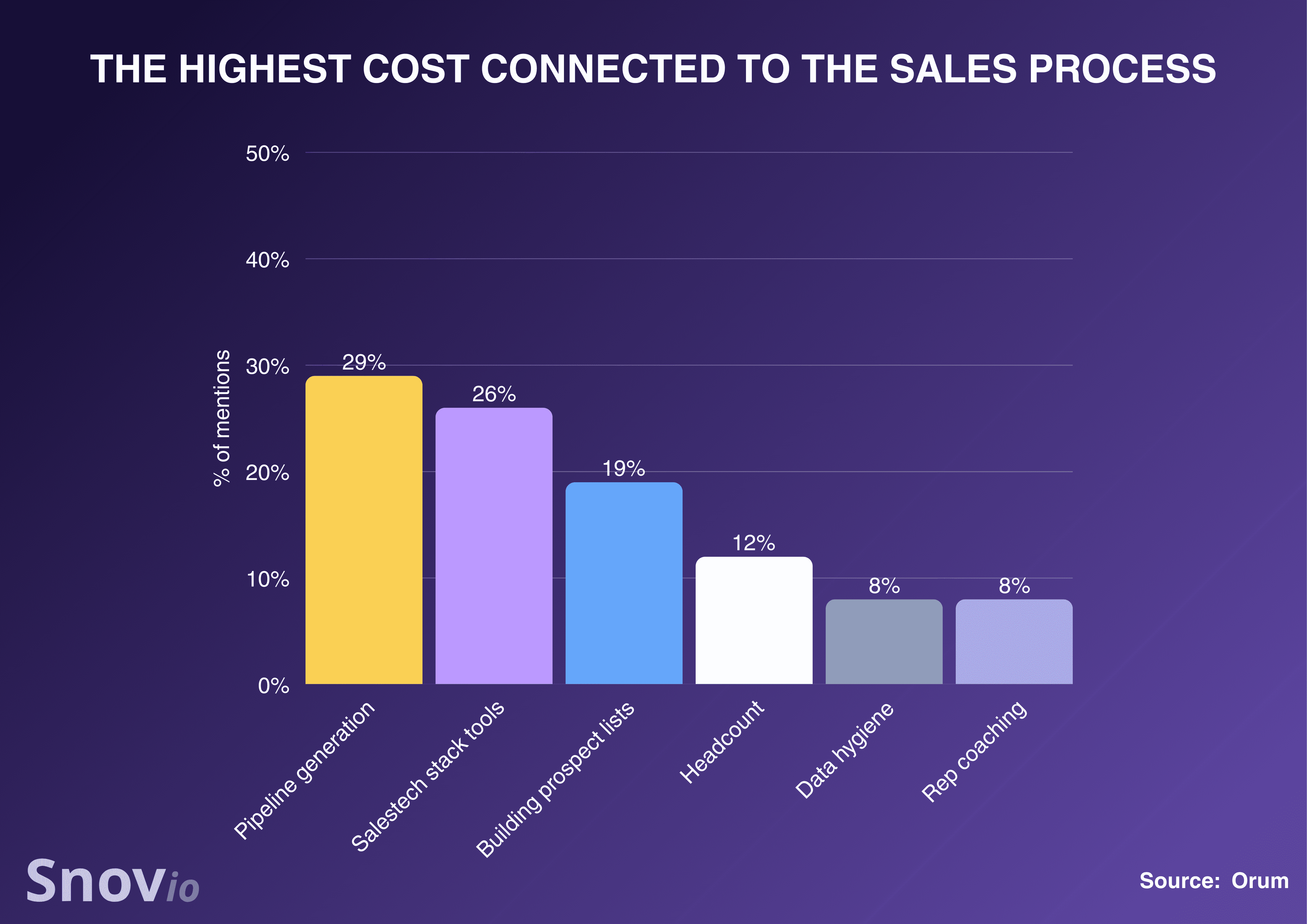
For most companies, the real struggle isn’t finding people to sell to – it’s doing it efficiently. Business development tools help companies tackle these problems, yet, according to recent research, using an effective sales tech stack is one of the most expensive aspects of the sales process:
Hence, the key problem sales teams face in 2026 is finding business development tools that fit their sales workflows perfectly without overpaying.
In this article, I analyzed 15+ of the best tools for business growth with a single thought in mind: I wanted to make your choice easier. I do hope my honest review will help you spend less time wrestling with software, so you can focus more on real selling.
Outline:
Since every company’s processes look a little different, I focused on broad criteria when reviewing business development software. Here’s what I assessed:
Many B2B tools promise efficiency but require complex onboarding or IT support. If your team has to spend days learning how to use a tool or needs constant training, adoption may fail. I prioritized platforms that you can start implementing right away, without a steep learning curve.
A clean, logical interface is crucial for an efficient process of leveraging the tool’s features. So, I paid attention to navigation, UI elements, i.e., whether a tool is user-friendly.
That was my key aspect of analysis. A good business development tool should enhance prospecting, outreach, deal management, and other company growth strategies simultaneously. So, I examined how tailored each platform’s capabilities are to day-to-day sales workflows.
Most teams already use a CRM, email automation tool, or analytics platform. The best business development software should fit seamlessly into that ecosystem. I prioritized platforms that offer a variety of native integrations plus flexible APIs for smooth connections.
Even the best software can become a headache if support is slow or scripted. When your outreach or pipeline data is on the line, you need someone to fix problems fast. Therefore, I tested the level of support each solution provides.
Before you resort to purchasing any software, it’s logical to find out what existing users say about it. So I looked through one of the most popular user-review platforms, G2, to see real customer opinions on various tools for business growth, plus their average rating.
Business development relies on handling sensitive client data, so GDPR and CCPA compliance are non-negotiable. I checked how each platform handles encryption, data storage, as well as user permissions to ensure it meets modern security standards.
Many tools hide vital functions behind premium plans, making them inaccessible for small teams. I evaluated what’s included in entry-level pricing to see whether the essential business development features are available without costly upgrades. Besides, I assessed whether platforms offer freemium or free-trial options for users to test their core features.
My goal wasn’t to crown a single “best” tool. I aimed to show which platforms meet the fundamental needs of different sales teams, depending on particular needs, e.g., prospecting, others on automation or data management.
Therefore, I’ve broken my overview of business development tools into logical categories to show which tools are best for a) sales automation, b) lead generation, c) cold calling, and d) CRM deal management.
Sales automation tools let teams reach more qualified prospects, follow up consistently, and move deals through the pipeline faster without adding more people. Here are the sales automation tools I found worth looking into.
Best for: Startups, small to mid-sized B2B teams, agencies, or solopreneurs who want an all-in-one tool for business growth, from prospecting and outreach automation to deal management.
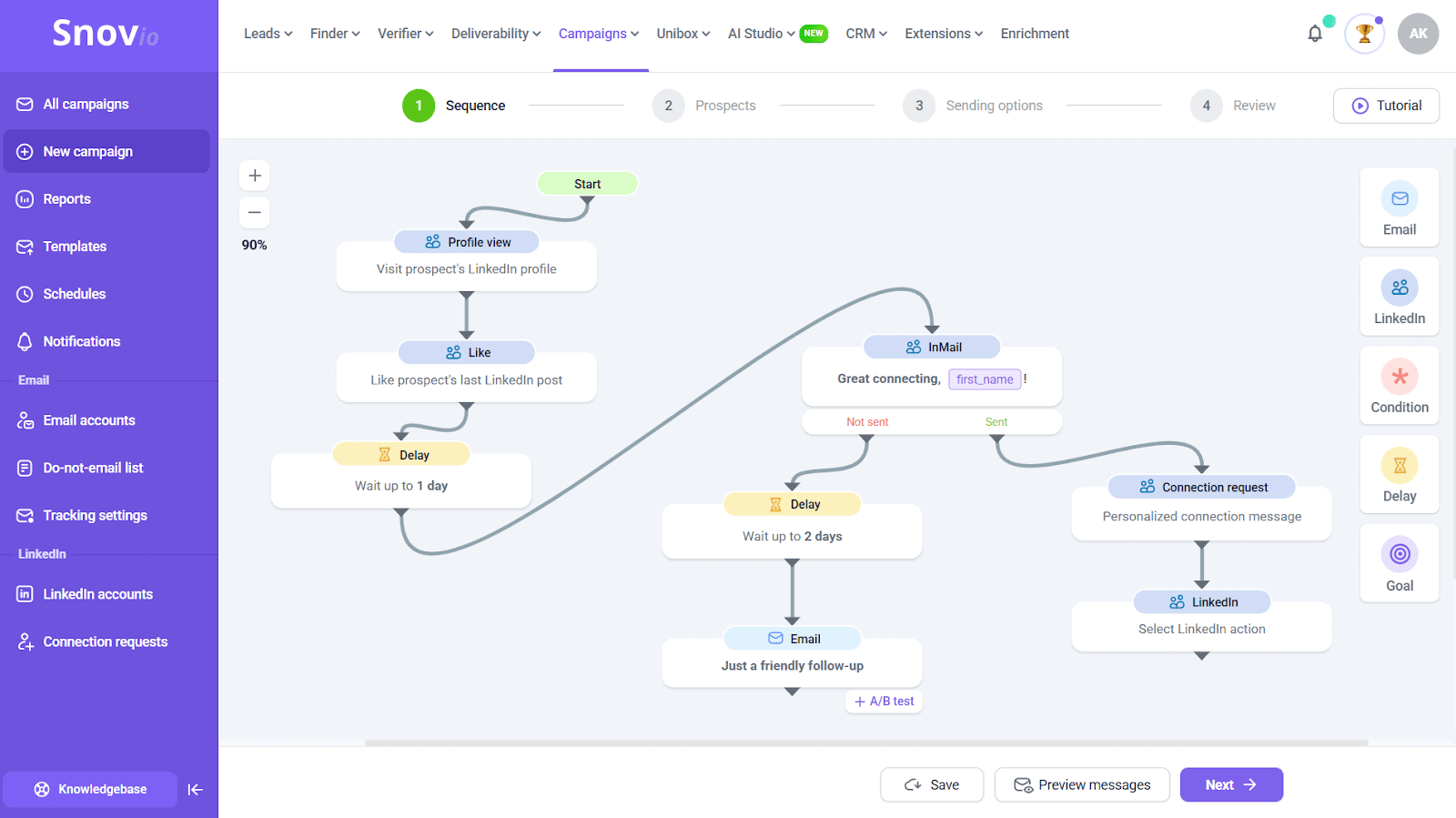
Snov.io combines email discovery, email validation, multichannel outreach, and CRM into one suite. You can build prospect lists, enrich data, verify leads, boost deliverability, run multistep AI-powered automated campaigns, track replies, and manage pipelines – all at an affordable price without switching between multiple tools.
🤔 See how Pearl Lemon has hacked their initial chaos in just 6 weeks using Snov.io tools for business growth:
Key Snov.io features:
Pros:
Cons:
Pricing: a forever-free plan; paid plans are from $39/month
⭐ G2 rating: 4.5/5
What users say:
Users love Snov.io for its versatile toolset for business growth – lead generation, cold outreach, campaign tracking, etc.
My final opinion: Is Snov.io worth the price?
Absolutely. With a free sales CRM included with each plan, an affordable price, and a versatile toolset, this platform has all the capabilities solopreneurs, SMBs, and agencies need to start growing. Plus, Snov.io fits into almost any tech stack due to its robust integration capabilities.
Best for: B2B teams that already use HubSpot’s CRM or marketing stack, or companies seeking an enterprise-grade tool for business growth without a cluttered interface.
HubSpot Sales Hub brings sales engagement, pipeline management, and CRM functionality into one platform. You can prospect, track contact activity, automate follow-ups, generate quotes, monitor your pipeline, etc, all under one roof.
Key HubSpot features:
Pros:
Cons:
Pricing: offers a free plan; paid plans are from $15/month
⭐ G2 rating: 4.4/5
What users say:
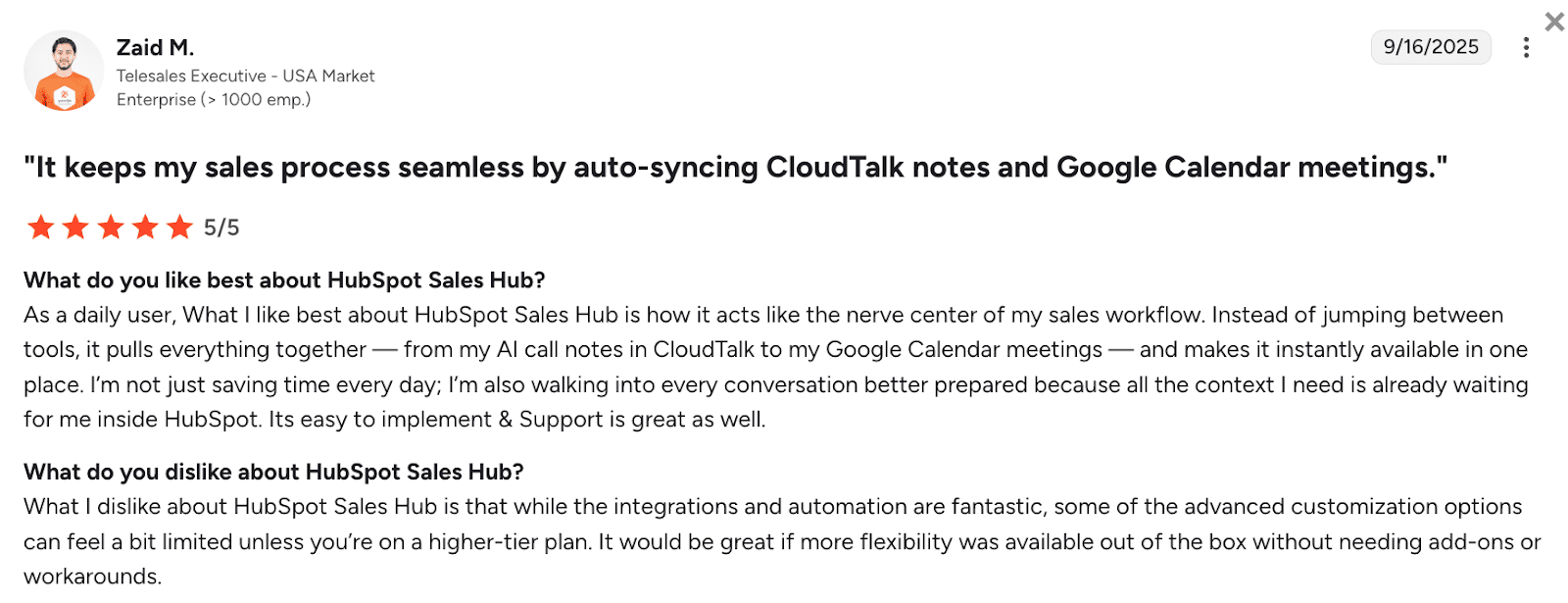
Overall, users appreciate HubSpot for keeping all business tasks together in one place. Besides, people are satisfied with its responsive support team. However, some point out that HubSpot’s advanced customization options can feel rather limited unless you’re on a higher-tier plan.
My final opinion about HubSpot Sales Hub:
This platform is price-worth unless you’re looking for business development software with deep customization capabilities. Otherwise, you should be ready for costly pricing plans. For smaller teams, I’d recommend other solutions to launch personalized outreach campaigns or have deeper insights into sales processes.
Best for: Large B2B companies with complex sales processes or businesses that are already using Salesforce products.
Sales Cloud is Salesforce’s core sales platform, represented by a CRM that provides strong automation, customization, as well as analytics features. Users can manage leads, accounts, or contacts, monitor various sales processes, and drive insights from their data with AI.
Key Sales Cloud features:
Pros:
Cons:
Pricing: starts from $25/month; a free plan is available
⭐ G2 rating: 4.4/5
What users say:
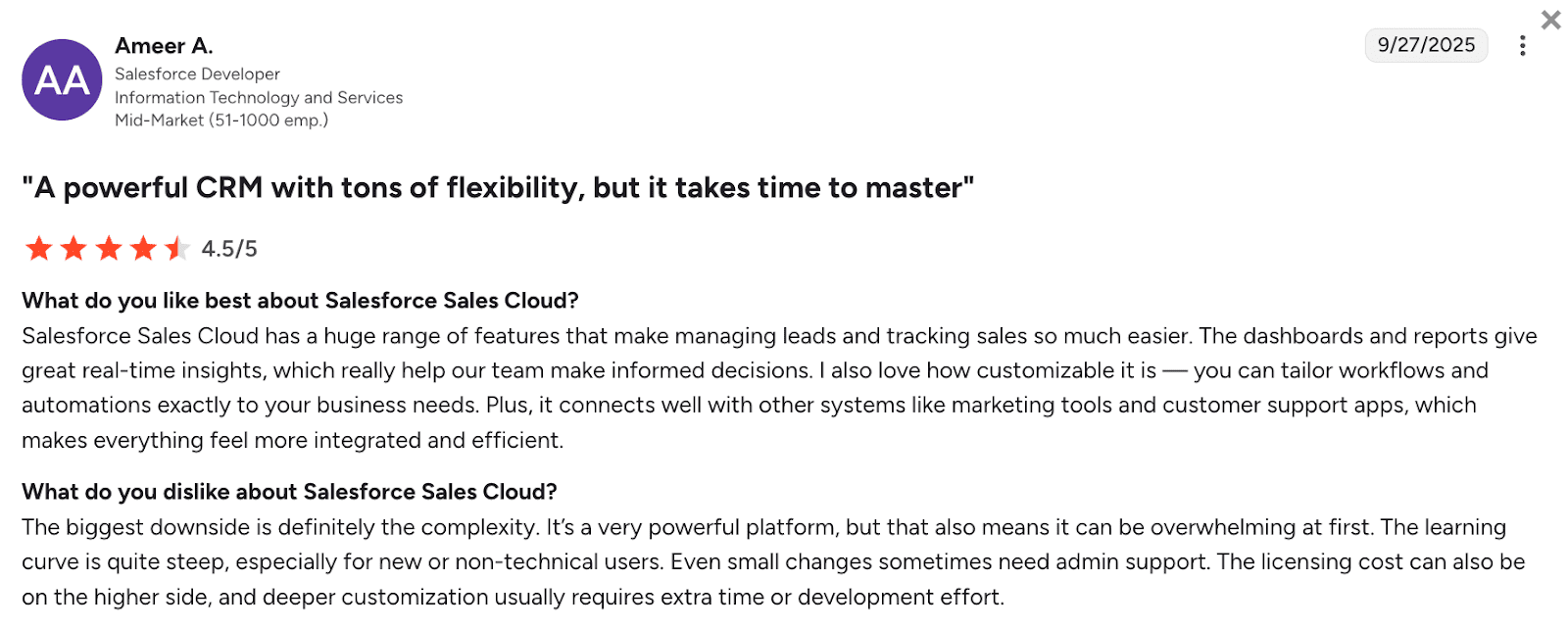
Users love Salesforce Sales Cloud for a wide range of features, useful reports, as well as customization opportunities. Yet, some customers note this platform is too complex, especially for beginners. High pricing is also often named among the tool’s key downsides.
My final opinion about Salesforce:
Salesforce is worth its price, but mostly for large organizations. This business development software offers numerous advanced features that can be very useful for enterprises. Smaller businesses, however, might not have enough time or resources to invest in this tool, which could result in lower ROI.
Best for: Large or fast-growing sales teams that want to separate revenue operations from outreach but keep them tightly linked.
In the fall of 2025, Clari and Salesloft merged into one platform to offer the Predictive Revenue System. This merge provides users with revenue intelligence as well as pipeline insights and strong sales engagement opportunities all in one place.
Key features of Clari+Salesloft merge:
Pros:
Cons:
Pricing: not publicly available; you need to book a demo.
⭐ G2 rating:
4.5/5 for Salesloft
4.6/5 for Clari
What users say:
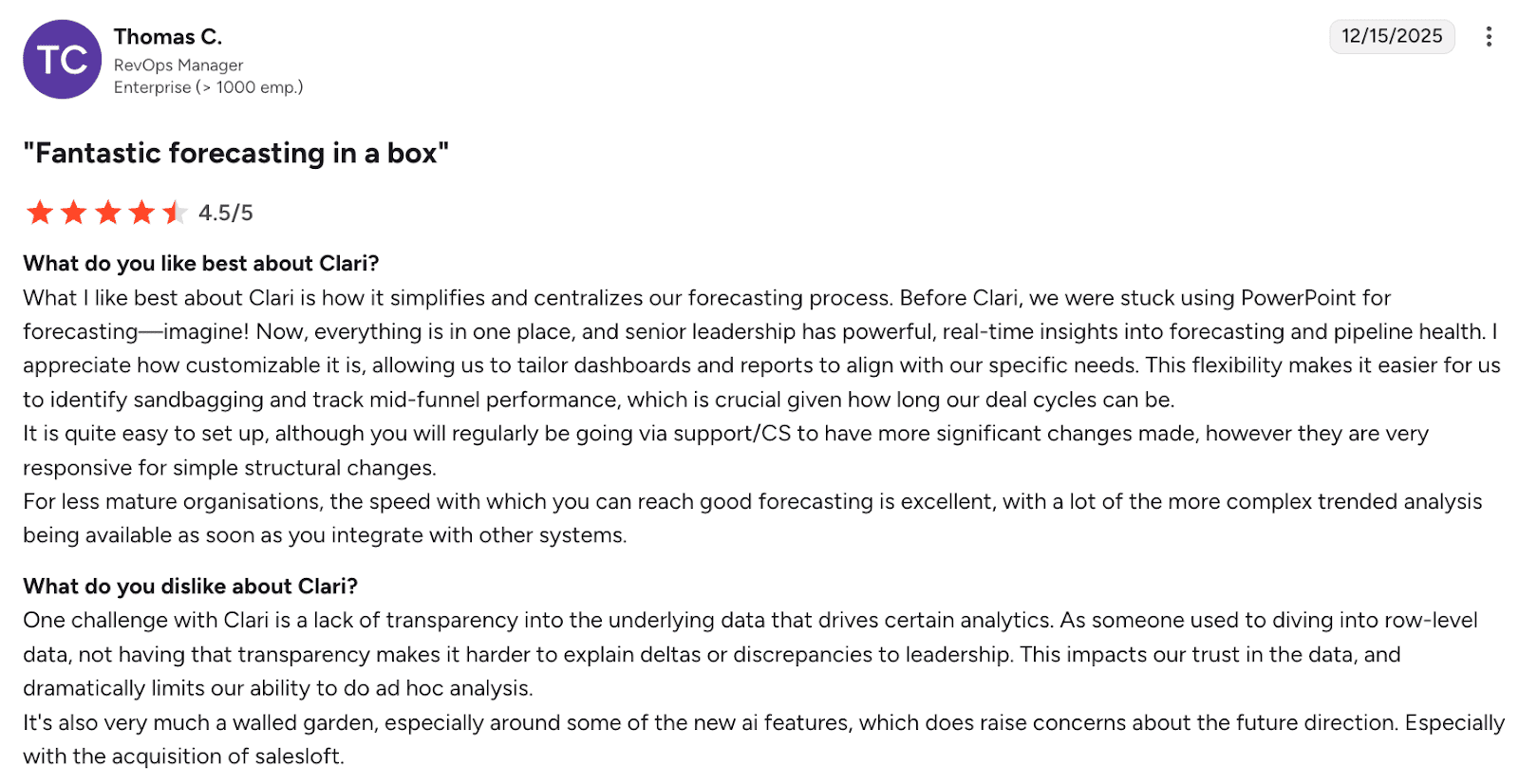
Customers like Clari for making forecasts easy, centralized, and fast to set up. As drawbacks, however, users mention limited data transparency, worrying that after Clari+Salelof merge, the platform may become even less flexible.
As for Salesloft, users report effective functionality, especially for tight-budget companies, top-notch customer support, as well as customization opportunities. On the other hand, people note that the learning curve can be steep.
My final opinion about Clari + Salesloft combo:
In my point of view, Clari+Salesloft works best for teams that need reliable forecasting closely tied to sales activity and coaching – all within long or complex sales cycles. Smaller teams, or those that rely heavily on deep customer analysis, may find this combo not flexible enough for the price, especially if they don’t fully adopt Clari+Salesloft workflows.
Best for: B2B teams that want robust marketing capabilities tied to customer signals.
DotDigital is a business platform for marketing automation and customer engagement with cross-channel campaign capabilities. Its strengths include segmentation, behavioral triggers, as well as lifecycle marketing.
Key DotDigital features:
Pros:
Cons:
Pricing: not publicly available; you need to request a demo
⭐ G2 rating: 4.4/5
What users say:
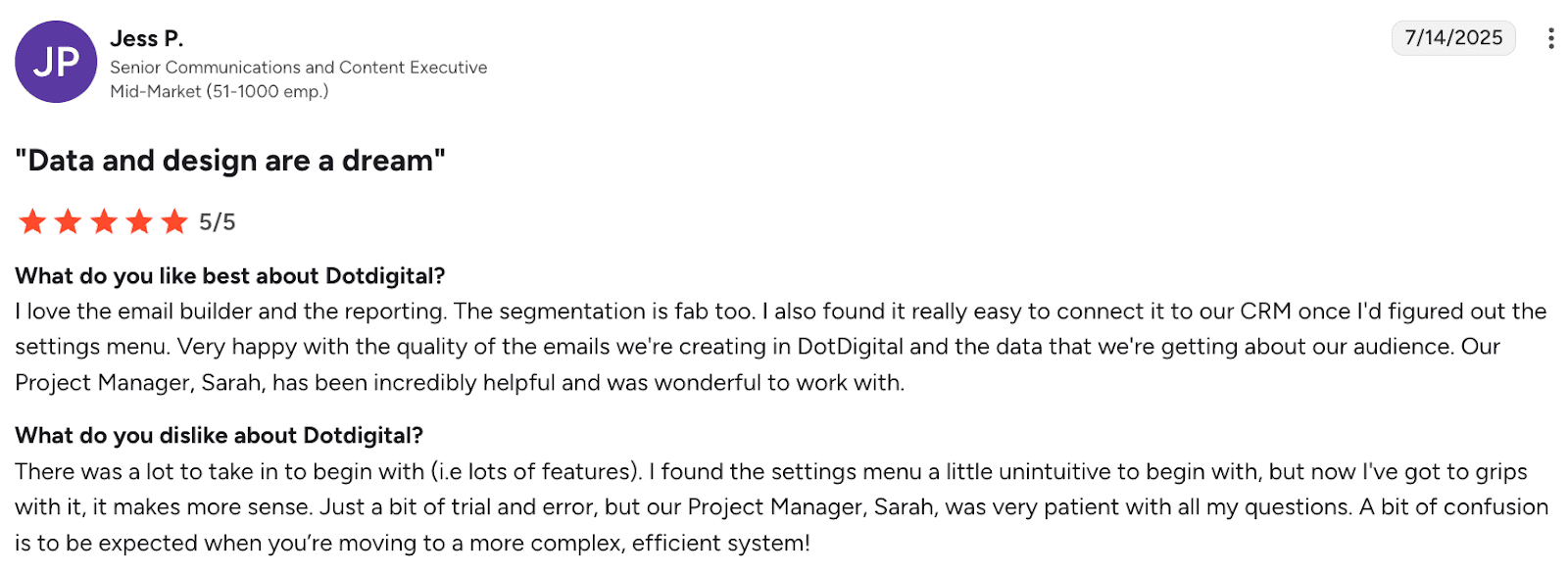
DotDigital is loved for its email builder, reporting, and segmentation, along with strong CRM integration and support. Meanwhile, users note that the initial settings are not intuitive due to the platform’s features-rich complexity.
My final opinion about DotDigital:
Even though I personally dislike it when services are not transparent about their pricing tiers, I would say DotDigital is a strong business development software. It is especially suited for marketing teams that need reliable automation without a steep technical burden. But if you want more than just an outreach platform, I recommend trying other tools for business growth.
Best for: Companies that emphasize personalization and multi-step journeys in e-commerce outreach.
Insider One is mainly known as a customer engagement and growth marketing platform. It can support audience targeting, segmentation, behavioral triggers, and multichannel messaging.
Key Insider One features:
Pros:
Cons:
Pricing: not publicly available; you need to request a demo to learn the pricing information
⭐ G2 rating: 4.8/5
What users say:
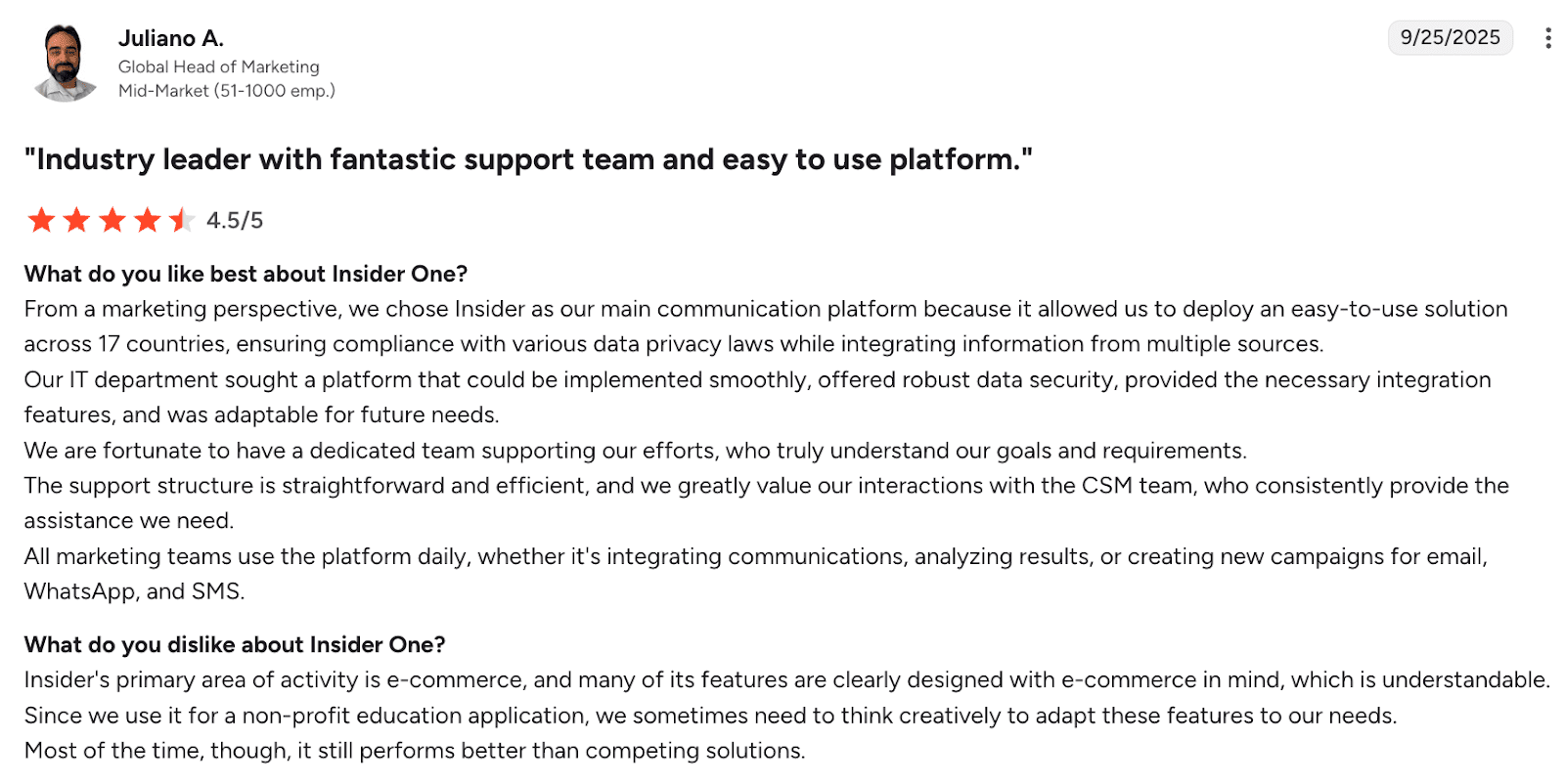
People like Insider One for its ease of use at scale, strong data security, and integrations. On the other hand, users note that this platform is best suited for e-commerce, so businesses outside the e-commerce field might need to adapt its features to their needs.
My final opinion about Insider One:
Insider One looks like a good business development software for e-commerce businesses with strong personalization capabilities. However, for companies in other niches, I would recommend trying another platform with clear pricing options, plus features tailored to their B2B outreach.
Best for: Sales teams that want a lightweight but powerful tool to reach prospects via email, SMS, and push messaging campaigns.
Omnisend is an omnichannel marketing automation tool focused on email, SMS, and web push messaging. It helps businesses grow by handling effective cold outreach or lead-nurturing campaigns across channels.
Key Omnisend features:
Pros:
Cons:
Pricing: offers a free plan; paid plans are from $16/month
⭐ G2 rating: 4.6/5
What users say:
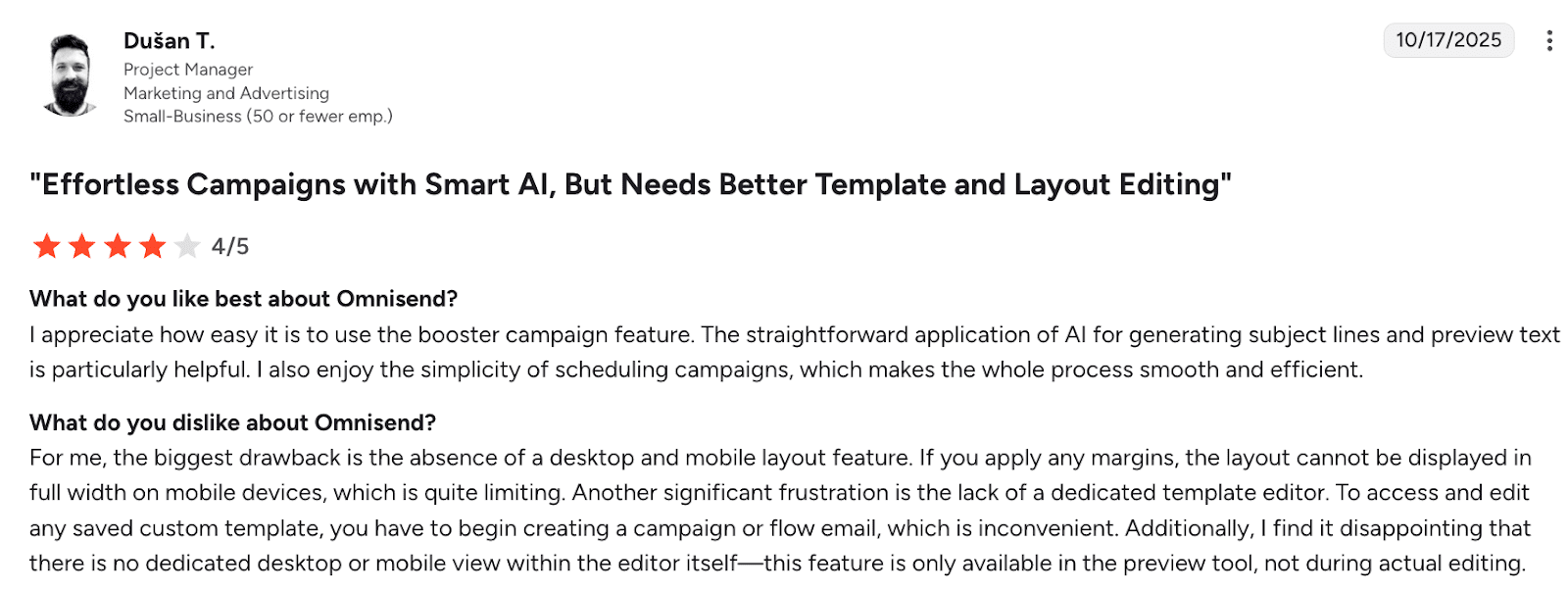
People love Omnisend for its AI features as well as simple campaign scheduling, but are frustrated by limited layout control. Among other downsides is the lack of a dedicated template editor.
My final opinion about Omnisend:
If you need a business development tool focused primarily on multichannel marketing outreach, Omnisend is the way to go. Take into account, however, that you will need to pay extra for other companion apps if you don’t already have them.
In my opinion, Snov.io checks all of the boxes for the best sales automation solution category. It’s intuitive, easy to integrate into different ecosystems, covers all of the essential business development features starting from the lowest tier, and is highly flexible.
Lead generation tools help teams find and qualify the right prospects faster. Below is the list of the top four business development software that I believe can shorten your sales cycle.
Best for: Teams that rely on LinkedIn for prospecting, or sales reps who want to engage with prospects using social signals and network connections.
LinkedIn Sales Navigator offers advanced search, account insights, and outreach tools inside the LinkedIn platform. It enables users to discover decision-makers, monitor activity, send InMails, i.e., feed leads into your pipeline without leaving the LinkedIn environment.
Key LinkedIn Sales Navigator features:
Pros:
Cons:
Pricing: from $119.99/month; free trial is available
⭐ G2 rating: 4.3/5
What users say:
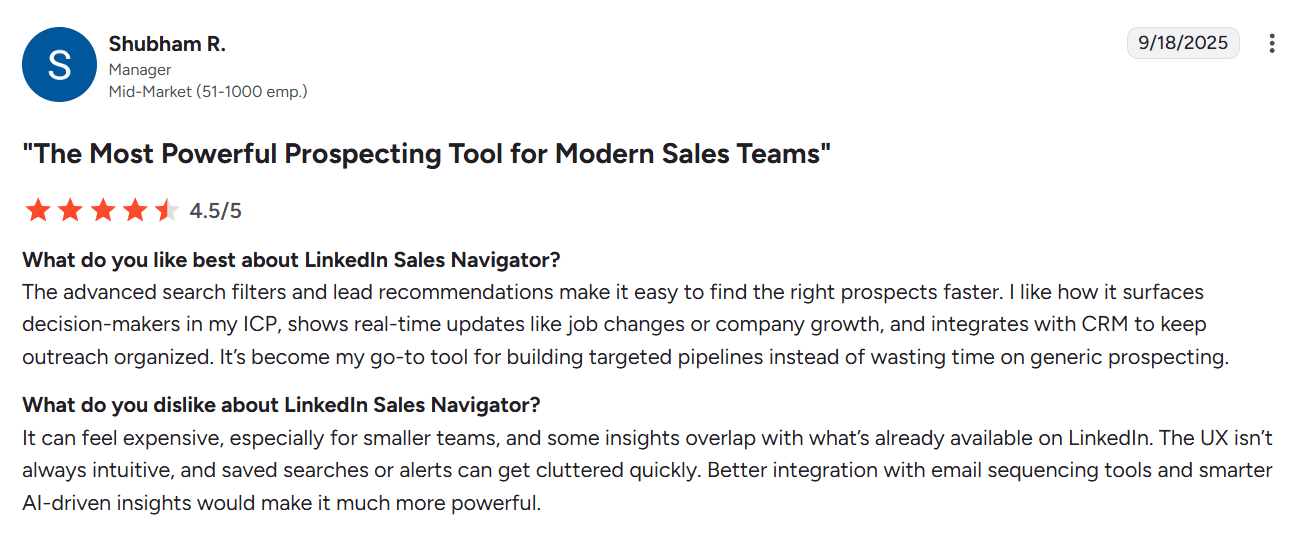
People value Sales Navigator for fast, targeted prospecting with advanced filters, real-time lead signals, as well as CRM integration. Yet users wish this tool had a less cluttered design and more AI capabilities.
My final opinion about LinkedIn Sales Navigator
No other tool has such deep integration with LinkedIn, so if your goal is to generate leads from this social media platform, you’ll get the best results with Sales Navigator. Keep in mind, though, that it needs to be complemented by other business development tools for a full stack. Moreover, the tool’s pricing isn’t low for startups or small businesses.
Best for: Large B2B teams that need enterprise-grade data quality and intend to run high-volume outreach across multiple channels.
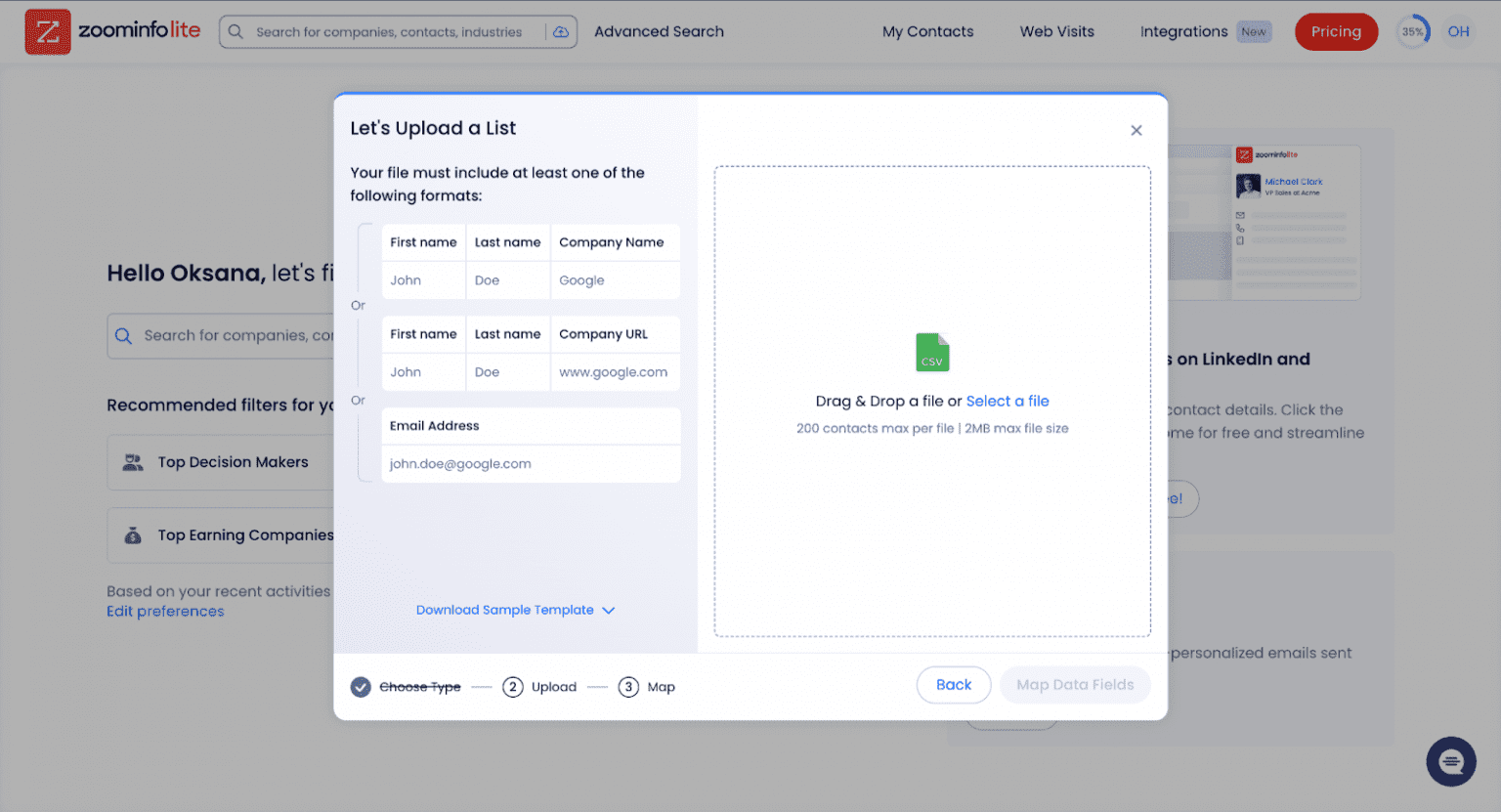
ZoomInfo is a business sales intelligence platform that helps teams build high-quality lead lists, enrich contacts, and automate workflows.
Key ZoomInfo Sales features:
Pros:
Cons:
Pricing: not publicly available; you need to contact Sales for pricing information
⭐ G2 rating: 4.5/5
What users say:
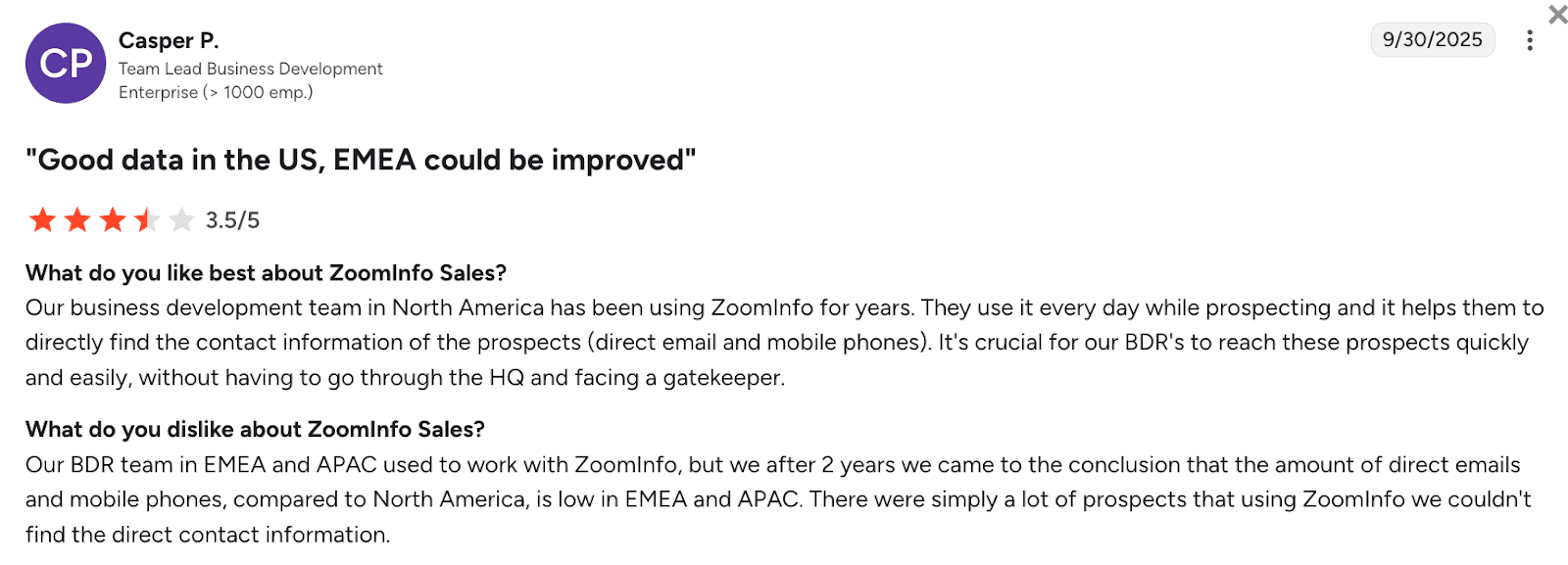
People find ZoomInfo effective for fast, direct prospecting thanks to reliable contact data. However, users highlight that information can be weak when it comes to regions outside the U.S.
My final opinion about ZoomInfo Sales:
ZoomInfo Sales can indeed provide you with robust data on your leads, which makes it an effective business development software, but mostly for enterprise-level teams. Its pricing tiers are not cheap, which makes this tool not cost-effective for small teams.
Best for: SMB to mid-market sales teams that want a budget-friendly prospecting app with AI-enhanced filtering capabilities.
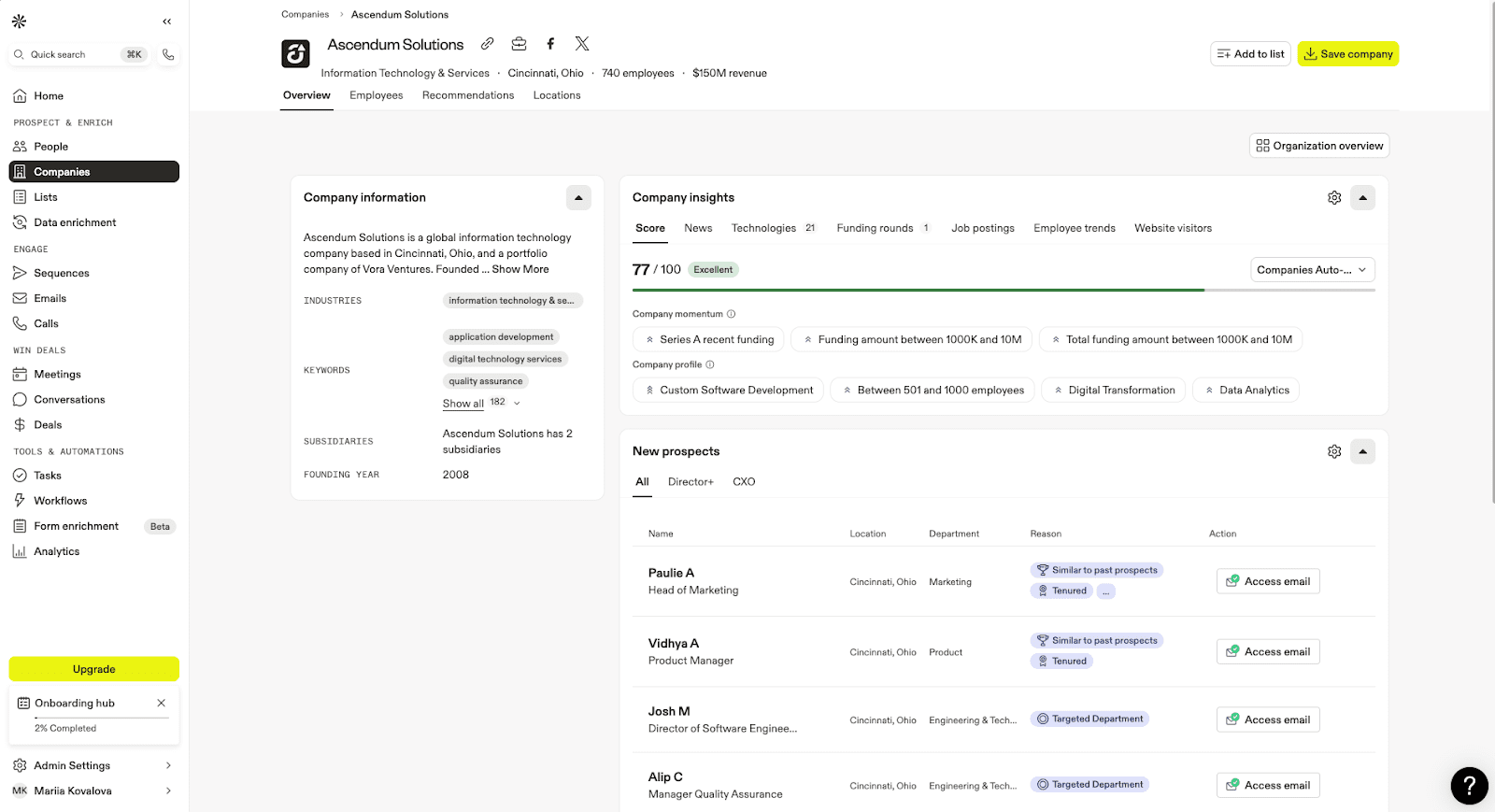
Apollo.io is a lead generation and engagement platform. Its business growth capabilities range from contact search, lead segmentation, and data enrichment to cold calling, sending email sequences, and monitoring outreach performance.
Key Apollo.io features:
Pros:
Cons:
Pricing: offers a free plan; paid plans are from $59/month
⭐ G2 rating: 4.7/5
What users say:
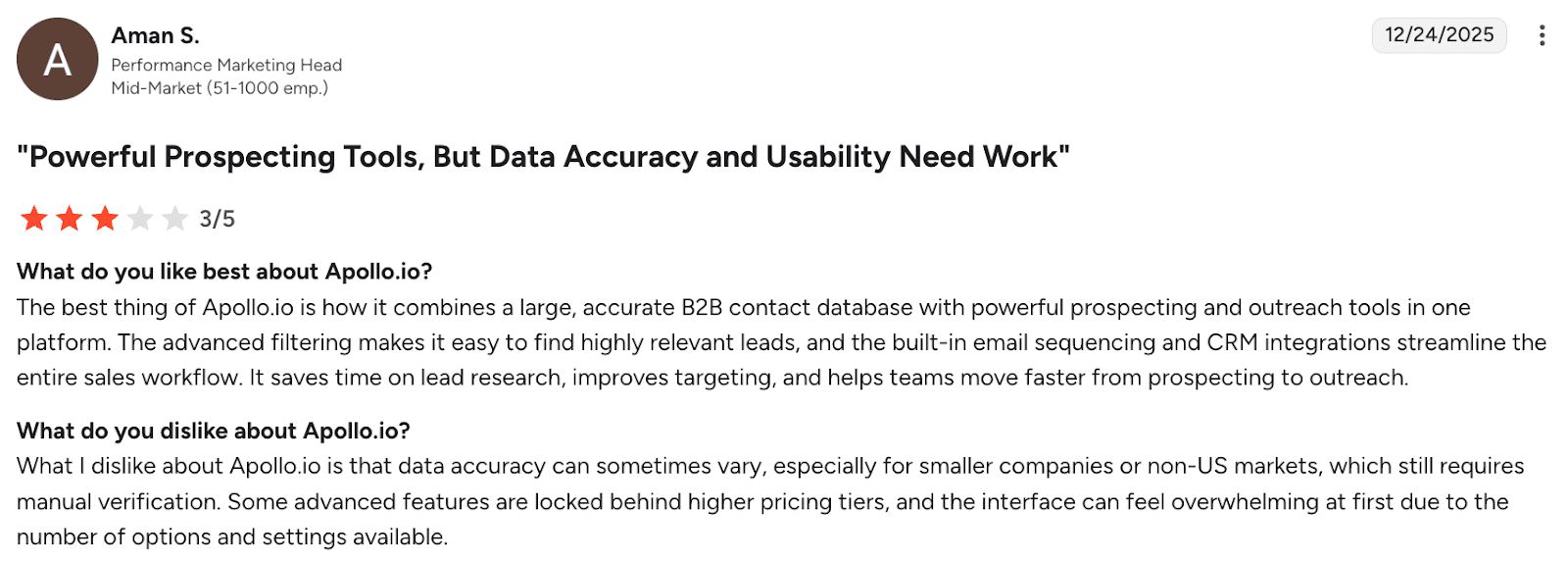
Apollo.io is appreciated for combining a large B2B database with strong prospecting, outreach, and CRM integrations that help users speed up their sales workflow. However, people often note troubles with data accuracy. Apart from this, users point out that the platform has a steep learning curve with more advanced features being gated behind higher pricing tiers.
My final opinion about Apollo.io:
If you’re after AI-enhanced prospecting and data enrichment, Apollo.io is a good choice. But for day-to-day lead generation and sales tasks, there are other, more cost-efficient tools for business growth.
25 Best Tools for Startups (Analyzed and Reviewed)
December 18 2025
How to Generate Leads: Proven Strategies That Work in 2026
December 22 2025
Best for: Small teams or solopreneurs who need fast access to verified lead contact info.
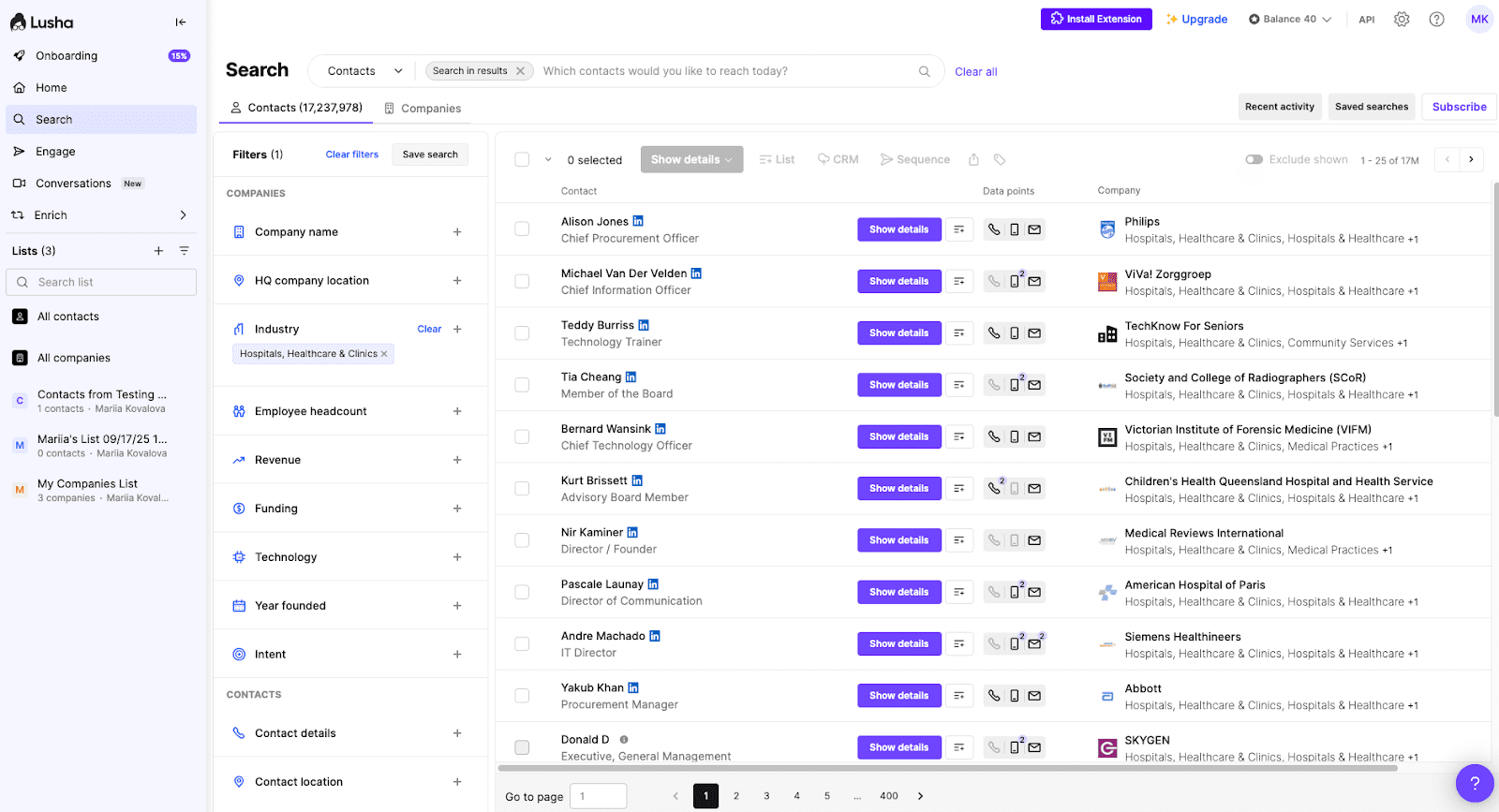
Lusha is a sales lead generation tool that helps your business grow through direct contact data lookup and enrichment.
Key Lusha features:
Pros:
Cons:
Pricing: offers a free plan; paid plans are from $29/month
⭐ G2 rating: 4.3/5
What users say:
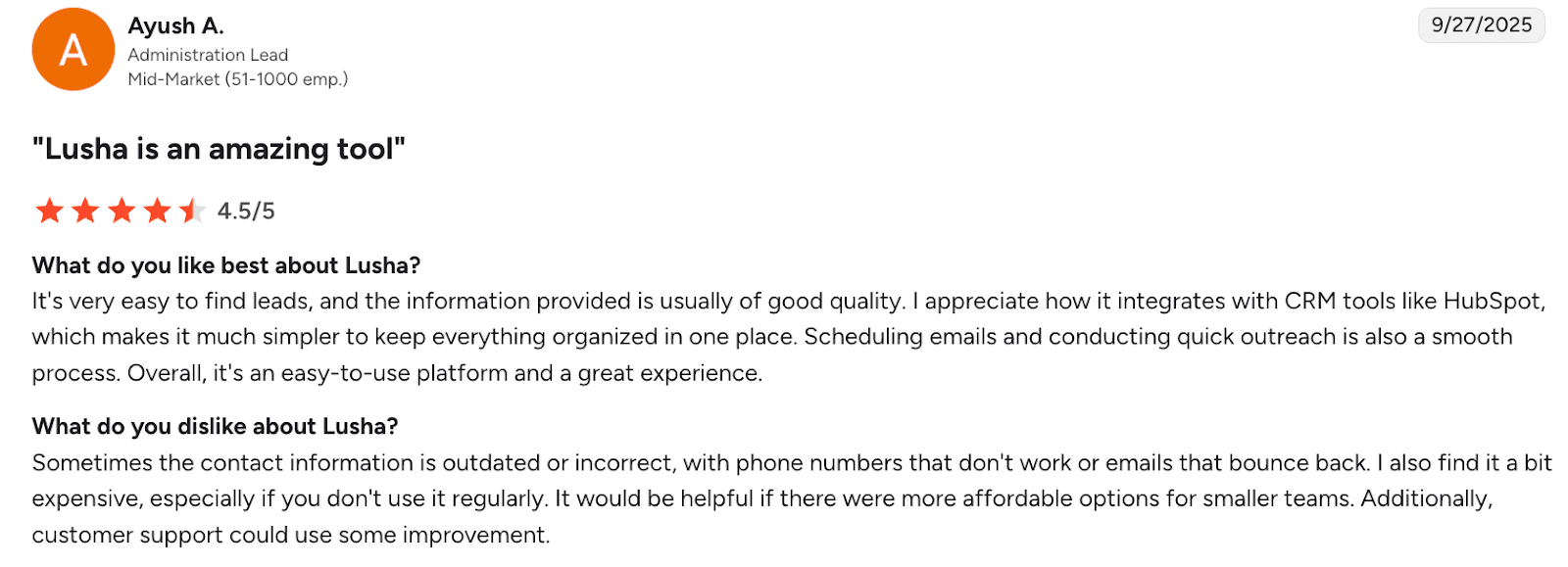
Customers love Lusha for its ease of use, lead quality, smooth CRM integration, and simple outreach features. Yet, users point out occasional outdated contact data, high cost for infrequent use, and some troubles with customer support.
My final opinion about Lusha:
If you need a simple yet effective business development software to look up emails and phone numbers, Lusha is a good solution. Its pricing system is very flexible, which can especially benefit smaller businesses.
In my opinion, LinkedIn Sales Navigator is your best choice if your growth strategy depends heavily on social selling. At the same time, if you need to acquire emails and phone numbers regularly, Lusha looks like the most cost-effective solution.
Let’s take a look at solutions that, in my opinion, can enable you to have more conversations per hour and provide better visibility into what’s working in your cold calling outreach.
Best for: Sales teams that want to scale calling and messaging without juggling multiple outreach tools for business growth.
Kixie combines power dialing, SMS, and conversation intelligence into a single platform that helps sales teams engage with prospects more efficiently and convert them more quickly.
Key Kixie features:
Pros:
Cons:
Pricing: starts with a 7-day free trial; paid plans are not publicly available
⭐ G2 rating: 4.8/5
What users say:
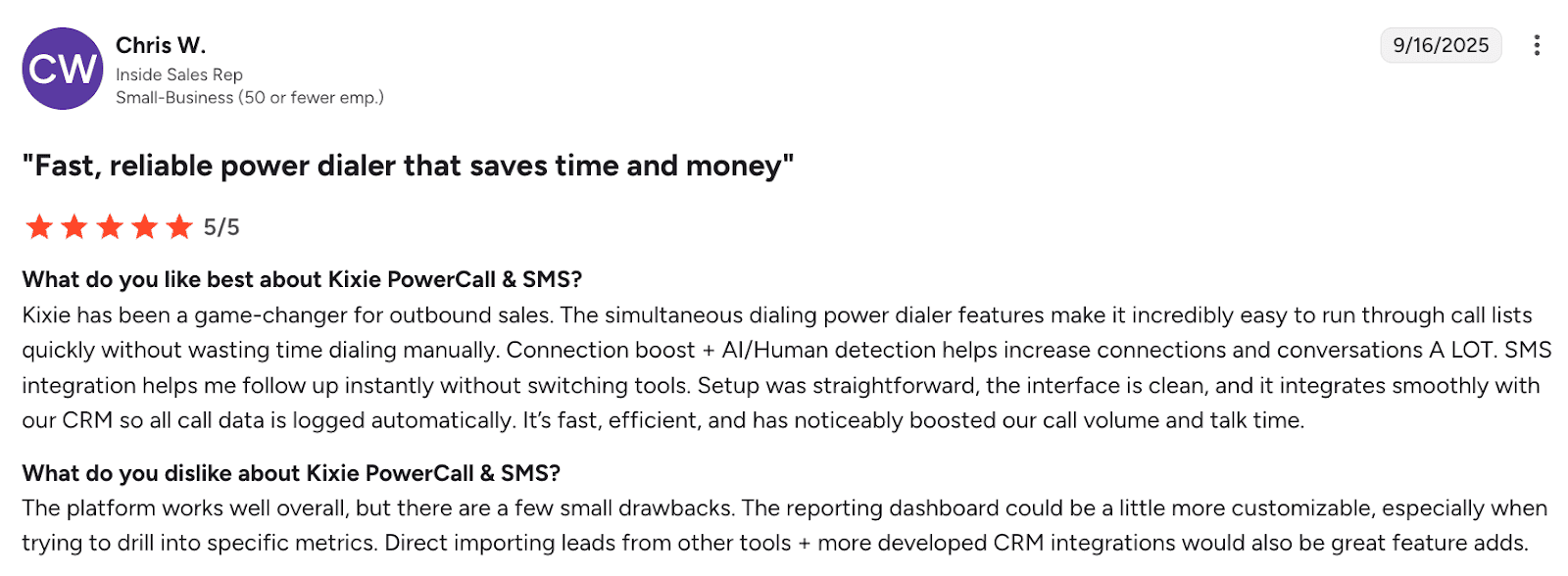
According to reviews, Kixie helps users speed up outbound calling with a power dialer, AI/human detection, as well as built-in SMS follow-ups. Meanwhile, customers want more customizable reporting and stronger lead import.
My final opinion about Kixie:
Overall, in my experience, the app is easy to use. What troubles me, however, is the number of users reporting bugs and glitches. So I would recommend that before choosing this tool for business growth, you sign up for a free trial to see if it fits your requirements. Although Kixie doesn’t provide explicit info about its pricing, luckily, you can test it for free without a credit card.
Best for: B2B sales teams, as well as customer support specialists and remote or distributed businesses that need a scalable voice solution.
CloudTalk is a cloud-based platform for cold calling designed to handle voice workflows, empowering outreach tasks for your business development.
Key CloudTalk features:
Pros:
Cons:
Pricing: from $34/month; free trial is available
⭐ G2 rating: 4.4/5
What users say:
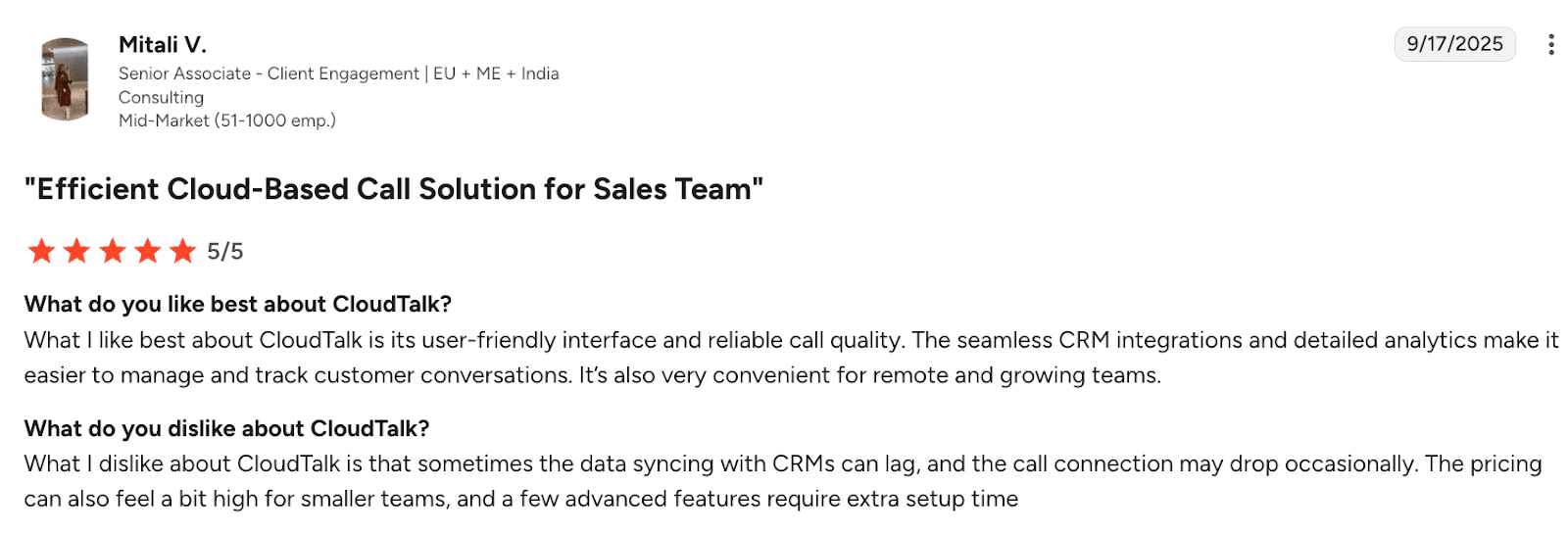
CloudTalk is praised for its user-friendly interface and convenience, especially for remote teams. Yet, users report that sometimes, the call connection is not stable. Plus, advanced features are less affordable for small teams.
My final opinion about CloudTalk:
The tool boasts a sufficient feature set, flexible pricing, and high-quality customer support, which is paramount. Still, users report occasional connection troubles, so I recommend subscribing to a free trial first to explore the solution on your own.
My advice is to start with CloudTalk, as it appears to be more transparent in its pricing and offerings. You can always cancel during the free trial and move on to other tools for business growth if it doesn’t cover your needs.
CRM tools improve pipeline organization and visibility. Here, I explore the top CRM software that can become the single source of truth for all your sales activities and business development.
Best for: Small to mid-sized sales teams looking to enhance communication and increase efficiency.
Close is a sales-focused CRM that bundles email, calling, SMS, and workflow automation. It enables sales professionals to manage contacts, run outreach, and log interactions with leads automatically, moving deals forward smoothly.
Key Close features:
Pros:
Cons:
Pricing: from $9/month; free trial is available
⭐ G2 rating: 4.7/5
What users say:
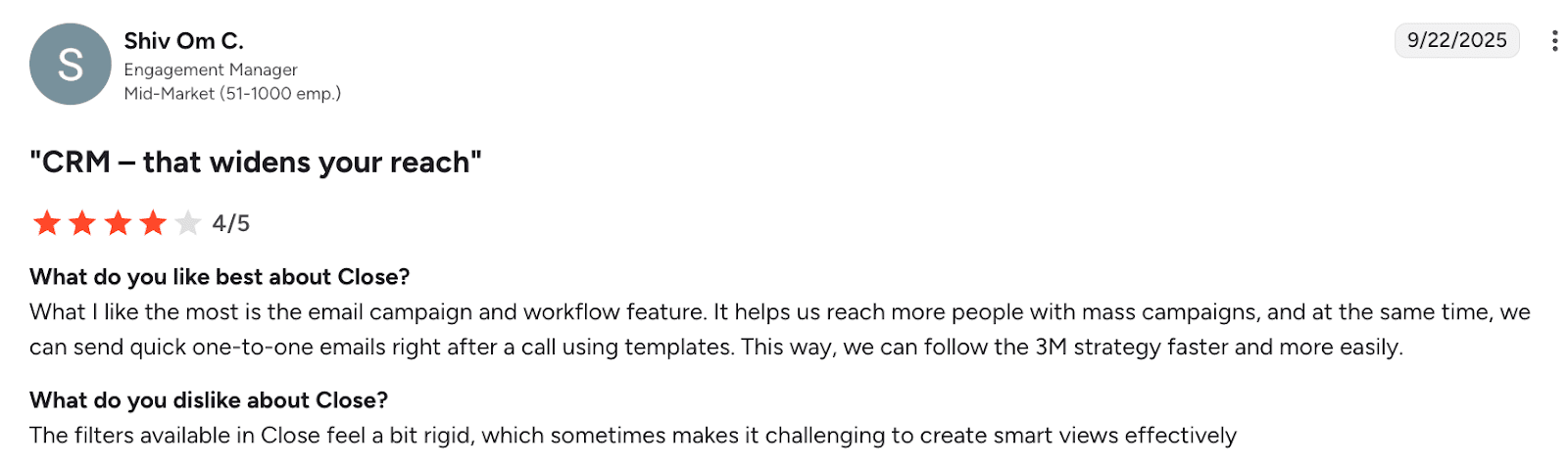
Close CRM is loved for its possibility of syncing outreach with business workflows. At the same time, users state they lack filter flexibility.
My final opinion about Close:
The platform can be really effective, especially for solopreneurs and small teams. It has all the essential CRM features and costs less than similar tools for business growth. Keep in mind, however, that its cost climbs as you need more advanced features or seats.
Best for: Sales teams looking for a tool built by sales professionals to facilitate workflows.
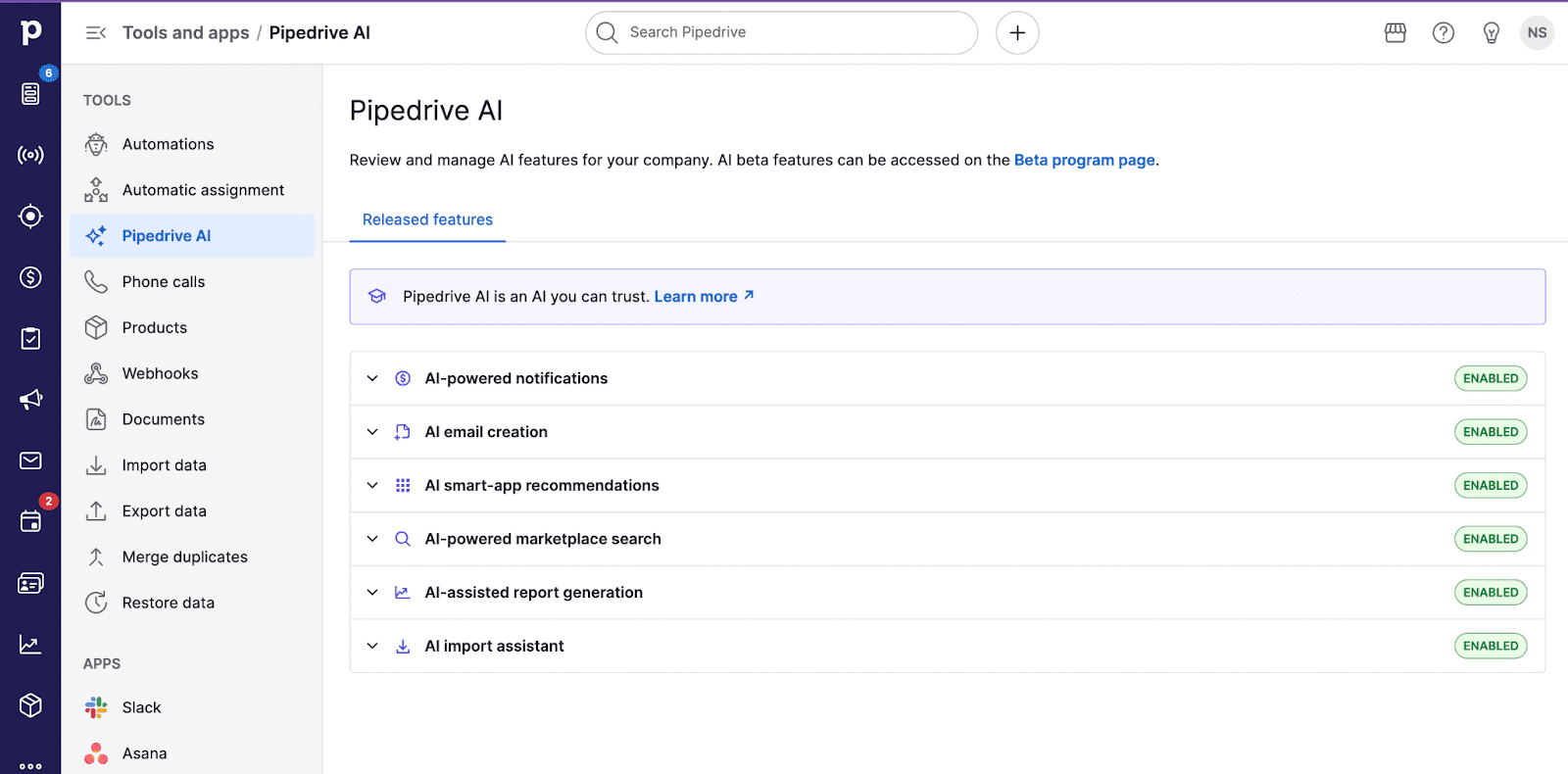
Pipedrive is a sales CRM designed to enhance visibility of the sales pipeline. It allows users to store contacts, move deals through stages, and automate business development tasks.
Key Pipedrive features:
Pros:
Cons:
Pricing: from $24/month; free trial is available
⭐ G2 rating: 4.3/5
What users say:
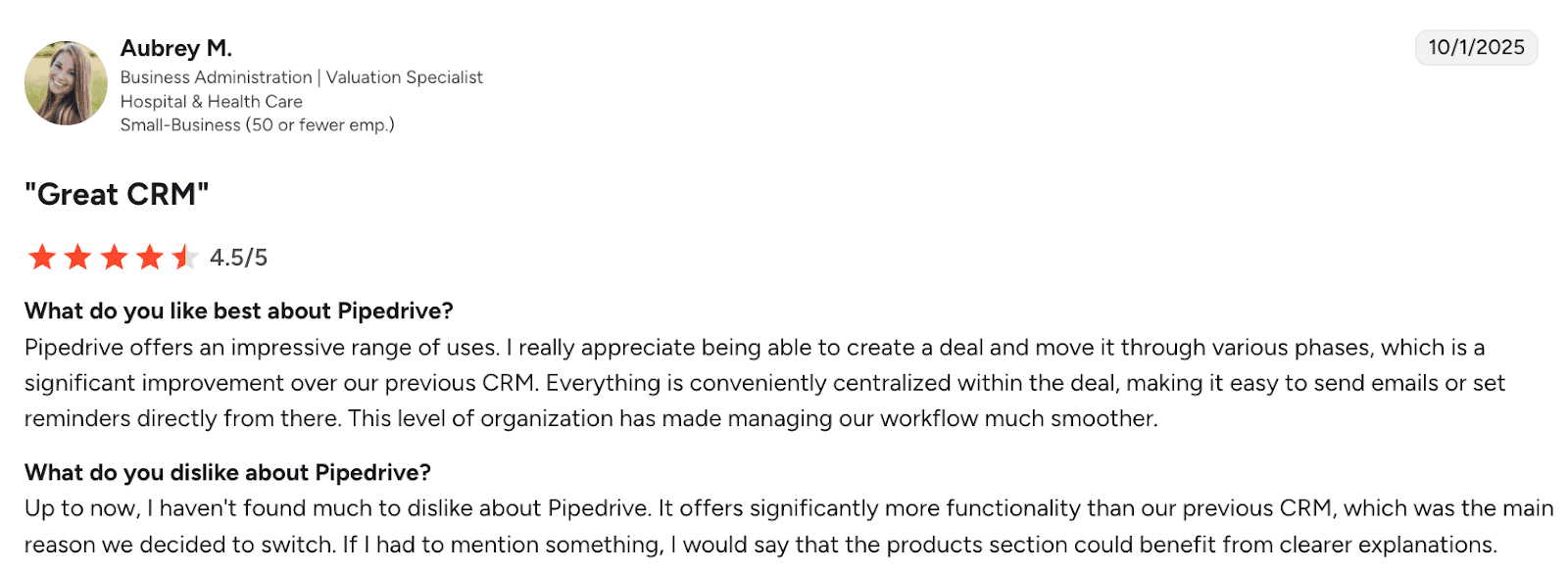
Pipedrive is valued for its clear, deal-focused workflow that centralizes emails, reminders, and pipeline stages, improving process organization. Among the key drawbacks users name is the lack of explanations for some sections, e.g., products.
My final opinion about Pipedrive:
Pipedrive is a great choice for small and medium-sized organizations. It combines a wide range of business development features with flexibility in integrations and pricing.
Best for: Businesses that want a flexible, extensible CRM that can be used by all departments.
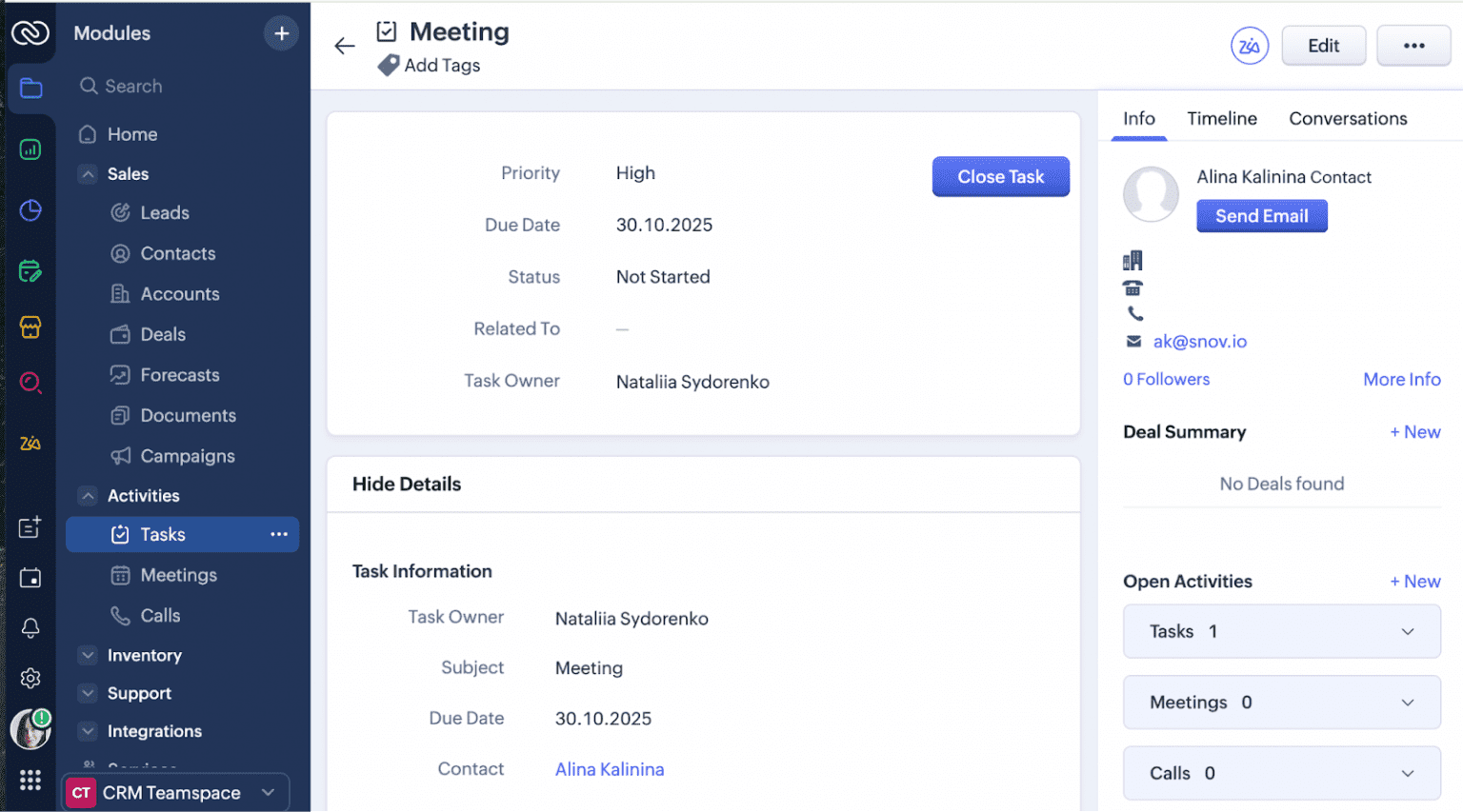
Zoho CRM is a highly configurable CRM. It enables users to manage contacts, set up campaigns, automate workflows, generate quotes, and perform other sales operations.
Key Zoho features:
Pros:
Cons:
Pricing: offers a free trial; paid plans start from $20/month
⭐ G2 rating: 4.1/5
What users say:
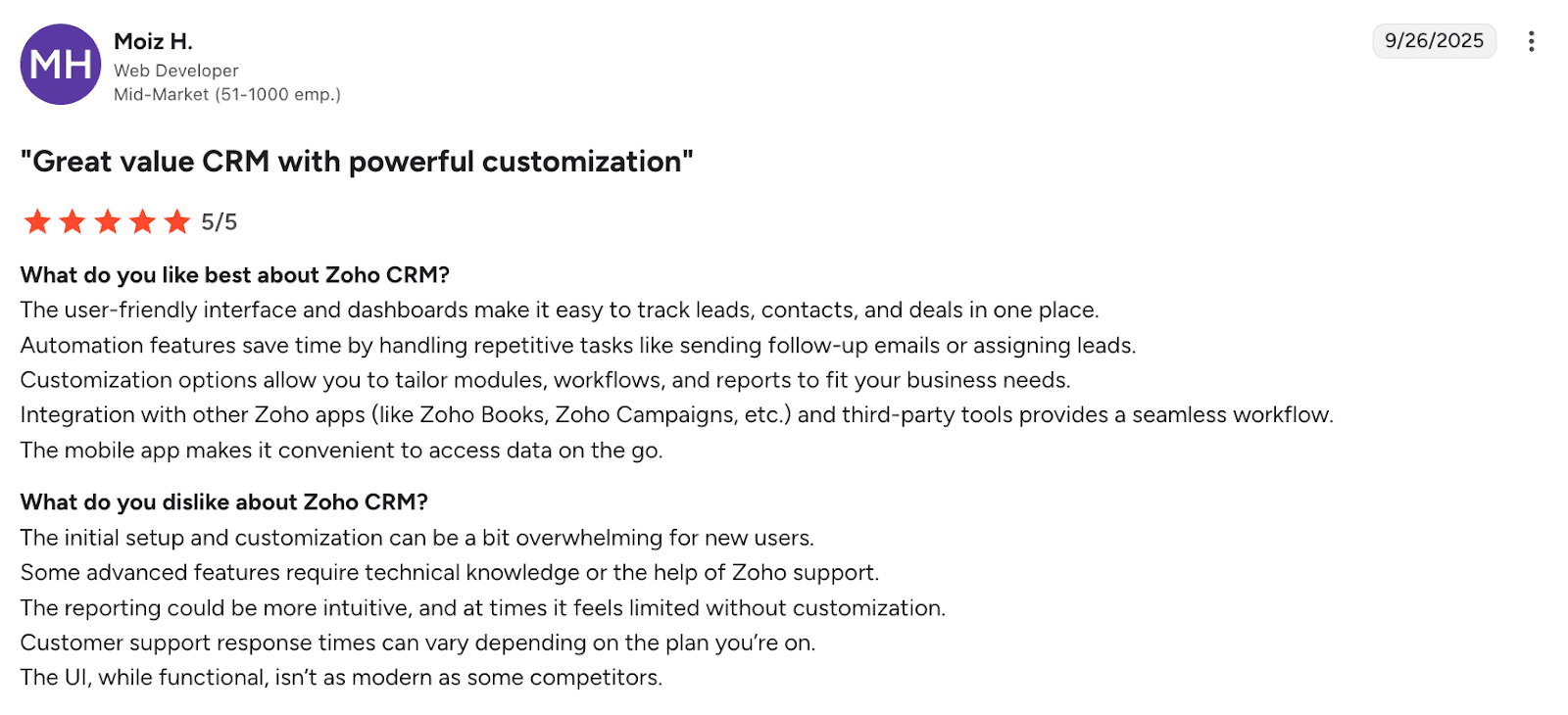
Customers appreciate Zoho CRM’s centralized dashboards, automation, and deep customization, but note a steep learning curve, less intuitive reporting, and a slightly outdated interface compared to competitors.
My final opinion about Zoho:
Zoho can come in handy if you need a simple, budget-friendly CRM. Still, it’s not as intuitive as Pipedrive or Close, in my personal viewpoint. Plus, many users report occasional performance issues, in particular, with complex workflows.
In my opinion, Pipedrive is the most balanced of the CRM tools. It combines flexibility in pricing and integrations with a sophisticated feature set. Though it may not be powerful enough for enterprises, for SMBs, Pipedrive can be very effective.
💡Already using Pipedrive CRM and need a lead generation or outreach platform? Discover the Pipedrive and Snov.io native integration.
The right tool for you depends entirely on your day-to-day challenges. Some teams struggle with building accurate lead lists. Others need better tracking, outreach automation, or simpler reporting.
To help you sort through your options and choose a tool that supports growth, I’ve compiled a list of recommendations shared by Snov.io experts:
Start by identifying what eats most of your time. Do you spend hours finding new prospects, organizing data across spreadsheets, or manually following up with leads? Write down the parts of your process that feel repetitive or inefficient.
💡 Example: “I want to spend less time researching leads so I can get more time talking to qualified prospects.”
Take a look at how your sales process currently runs. Do you handle prospecting, outreach, and deal tracking separately? Would you like a single tool that connects it all, or keep things as is? Your structure affects which platform fits best.
💡 Example: “Right now, we spend a lot on our tech stack that consists of three separate apps. We need a platform that replaces them.”
A business development tool should seamlessly integrate into your existing stack if you don’t plan to replace it. Test how easily shortlisted solutions connect with your CRM, email provider, or analytics tools. Also, make sure your team can start using it without weeks of training.
💡Example: “We need a platform that connects with Pipedrive and lets new users onboard in 1-3 days.”
If you decide to go with a particular tool, don’t subscribe out of the gate – always do a trial first. And don’t just click around – run a real test. Spend a couple of days performing your usual tasks using the new software. That’s the best way to spot whether this tool actually saves time.
💡Example: “I’ll test it with 100 leads to see if it cuts our manual research time in half.”
Double-check what you actually get at each pricing tier. Sometimes, a mid-priced tool with fewer features provides more value than an expensive “all-in-one” solution packed with functionality you’ll never actually use.
On the other hand, some tools may seem cheap at a glance, but then you realize essential features are locked behind costly add-ons.
Business development involves handling personal and corporate data, so the platform must meet standards like GDPR or CCPA. Always check how it stores, shares, and protects your customer information.
💡 Example: “Since we contact EU-based clients, we need verified GDPR compliance.”
The bottom line is: don’t choose based on someone else’s experience. Test, compare, and select software that best fits your team’s workflows.
Choosing the right business development tools comes down to the feature set and ecosystem fit. In this post, I’ve reviewed 15+ solutions, dividing them into specific categories. Let’s recap, which tools suit best based on particular scenarios:
Still hesitating which solution to start with? If you need one workspace for lead generation, verification, engagement, and tracking, you can get on board with Snov.io. It will help you scale in your tempo, minimizing the spent resources and maximizing ROI.
Start your business growth for free right away!
Learn how we tripled conversions by sending 3,000 personalized cold outreach emails with Snov.io’s AI…
Explore the top AI email marketing tools that boost replies in 2026. Learn each tool’s…
Learn how to use LinkedIn QR Codes to connect faster and grow your professional network…
Discover the 17 best B2B sales tools to accelerate your pipeline in 2026. Compare their…
Unlock growth and visibility with expert tips on building a personal brand through a smart…
Learn how to get phone numbers from LinkedIn with tools like Snov.io. Up your B2B…