
Prospecting, outreach, follow-ups, sales proposals – today’s B2B sales teams should manage every stage to close a deal. Yet, doing it all manually drains time, depriving the ability of scalable growth.
The solution? Automate all the busywork and keep momentum with dedicated B2B sales software.
I’ve tested and reviewed the 17 best sales tools that can power your pipeline in 2026. Explore how each solution can support your team at different stages of the sales process. Plus, get actionable tips on how to choose the right one for your goals and budget.
Key points of this article:
TL;DR: Top B2B sales tools for 2026 (expertly compared)
Here is the curated shortlist of B2B sales platforms that will streamline your workflow, scale outreach, and help you close more deals in 2026.
*Please note that the pricing for the listed B2B sales tools may change. Always confirm current details on the vendor’s website.
Read the full article to dive into each tool and get expert advice on choosing the best B2B sales software for your team.
How I evaluated B2B sales platforms
I’ve selected tools that consistently earn positive reviews from B2B sales teams and deliver a real impact on revenue. Here are the criteria I’ve used to evaluate all B2B sales solutions provided:
Feature range
Handling too many tools can also feel as inconvenient as doing everything by hand. That’s why I prioritized platforms that provide features to cover multiple stages of the sales cycle.
I looked at B2B sales tools that let your team automate routine tasks, enhance prospecting, and free more time for conversations that drive results.
User reviews
When evaluating B2B sales tools, I also looked at real customer feedback. It helped me assess whether the tool actually fits B2B workflows, what team size it suits, its pros and cons, as well as other nuances. For this research, I’ve used trusted platforms, such as G2 and Capterra.
Pricing
Every sales team wants to optimize not only workflows but also expenses. So I’ve selected tools that provide real value at an affordable cost.
Beyond price, I also checked if these B2B sales platforms offer free plans and how functionality scales with paid options. It’s always good to know your sales stack upgrades as your needs grow.
Integration capabilities
Your team probably already uses a sales CRM as well as outreach or billing tools. So, any new software should seamlessly slot into your tech stack. When evaluating B2B sales platforms, I looked at tools that provide solid native integrations, letting you easily sync processes.
Support quality
It’s natural that during onboarding or when implementing new features into your sales cycle, you might have questions. Plus, let’s be real: no one is immune to tech hiccups, arising right when you need them least.
So, it’s great to have someone helpful on the other side. That’s why I included assistance quality as one of the important criteria for evaluating B2B sales tools.
Effectiveness for B2B sales
Of course, I assessed each solution by its actual impact on B2B teams. I considered the following questions:
- Does the platform provide accurate prospecting tools to identify high-quality leads?
- Can teams use this B2B outreach software to run effective multichannel campaigns?
- Do these sales engagement tools provide actionable analytics to guide next steps?
Simply put, I looked for dedicated sales productivity software that offers robust features for generating B2B leads and converting them into paying customers.

My honest review of the 17 best B2B sales tools
Let’s move to the most interesting part. Here are the 17 best B2B sales tools with my helpful take on what they do and which teams they’re best suited for.
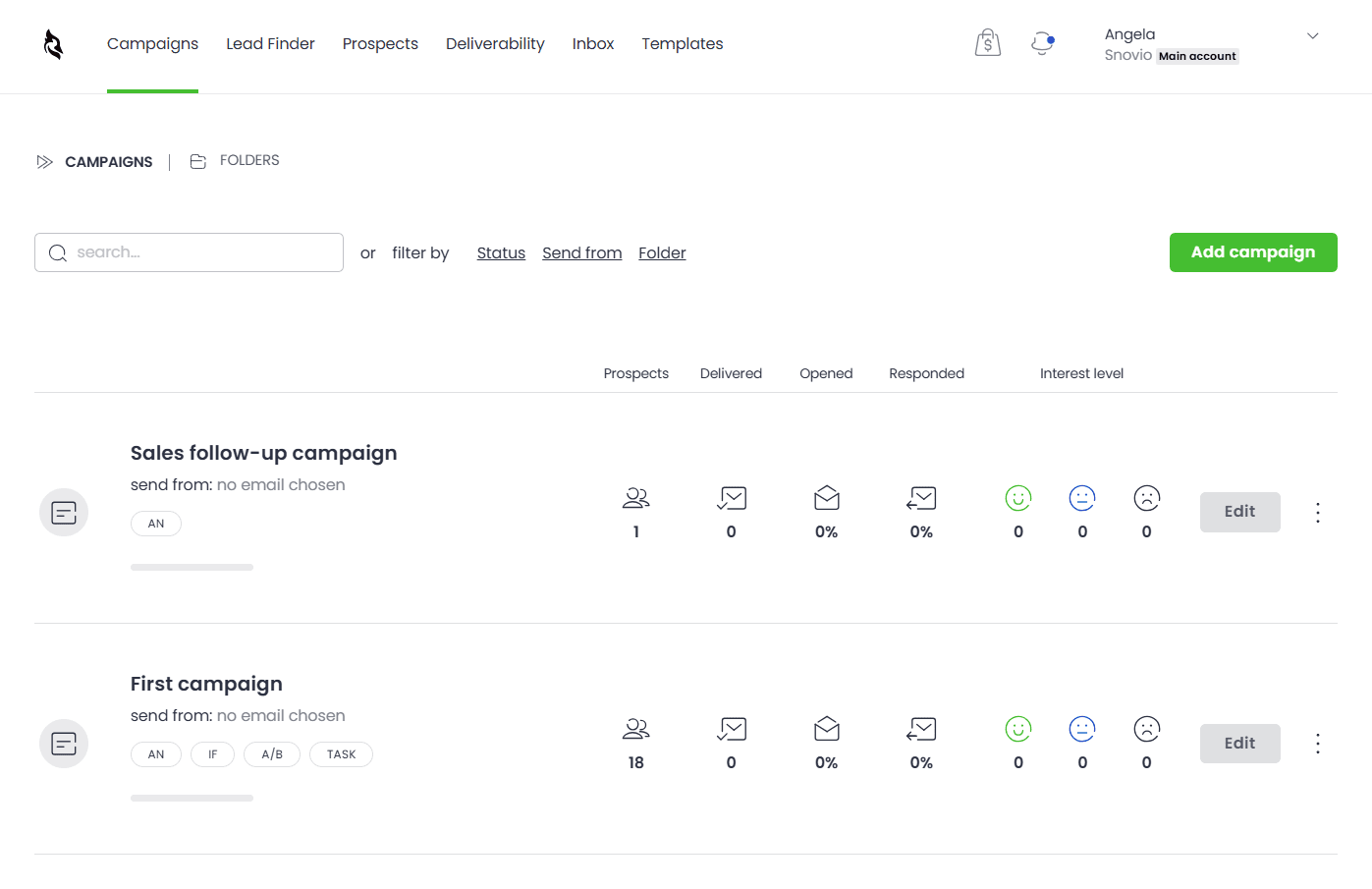
1. Snov.io
Capterra rating: ⭐️ 4.5
G2 rating: ⭐️ 4.5
Best for: Outbound-focused B2B teams, founders, small sales teams, or agencies seeking a compact tool that covers the main sales cycle operations.
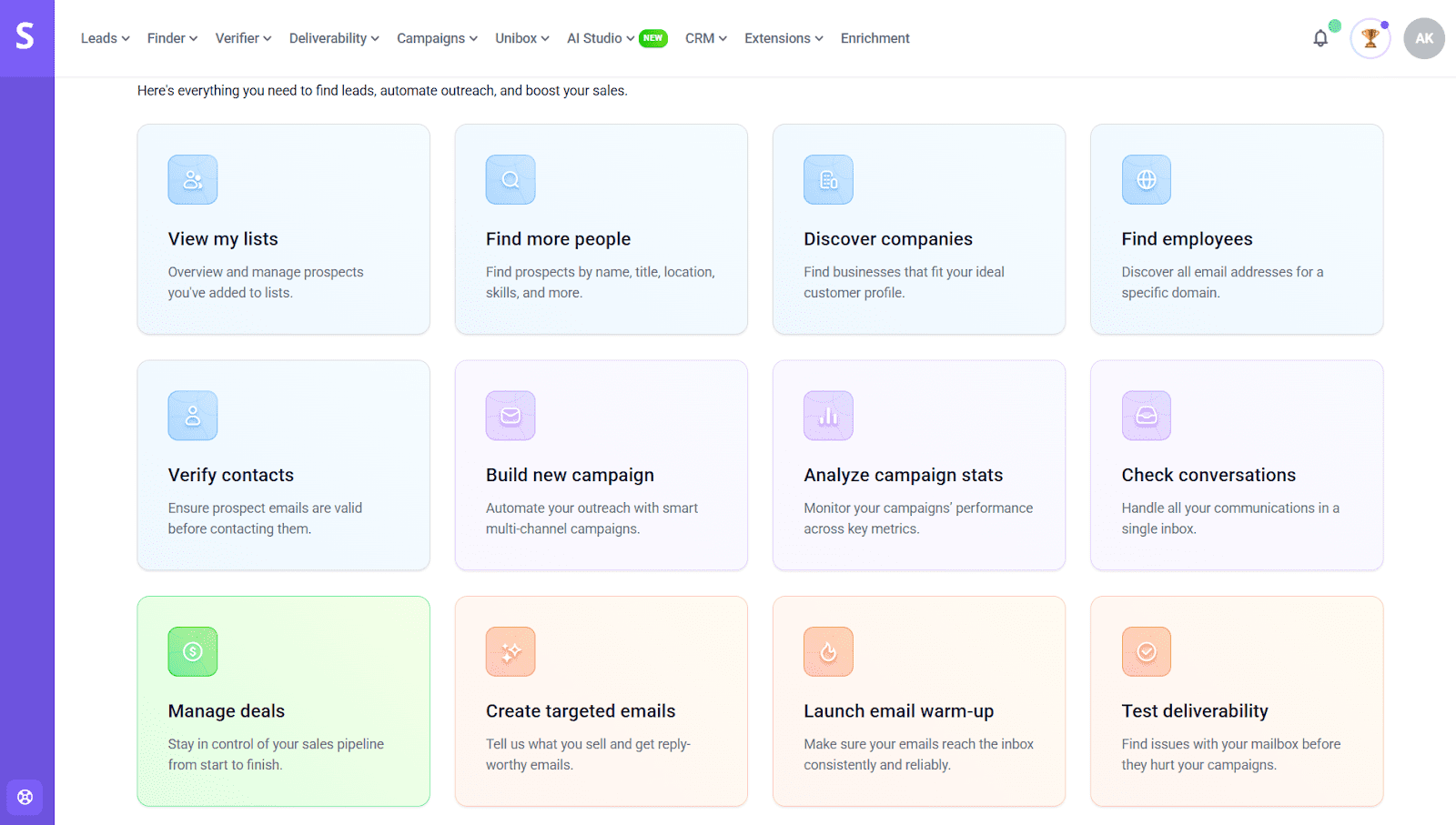
Snov.io is a cold outreach automation software built for B2B sales professionals. It helps you find high-quality leads, run multichannel outreach sequences, and track deals in a built-in CRM.
Snov.io’s main features:
- Targeted prospecting (Email Finder, LinkedIn Email Finder, domain search)
- 50M+ database of B2B prospects
- Email verification
- Deliverability tools with an Email Warmup
- Cold email campaigns
- ICP based email builder
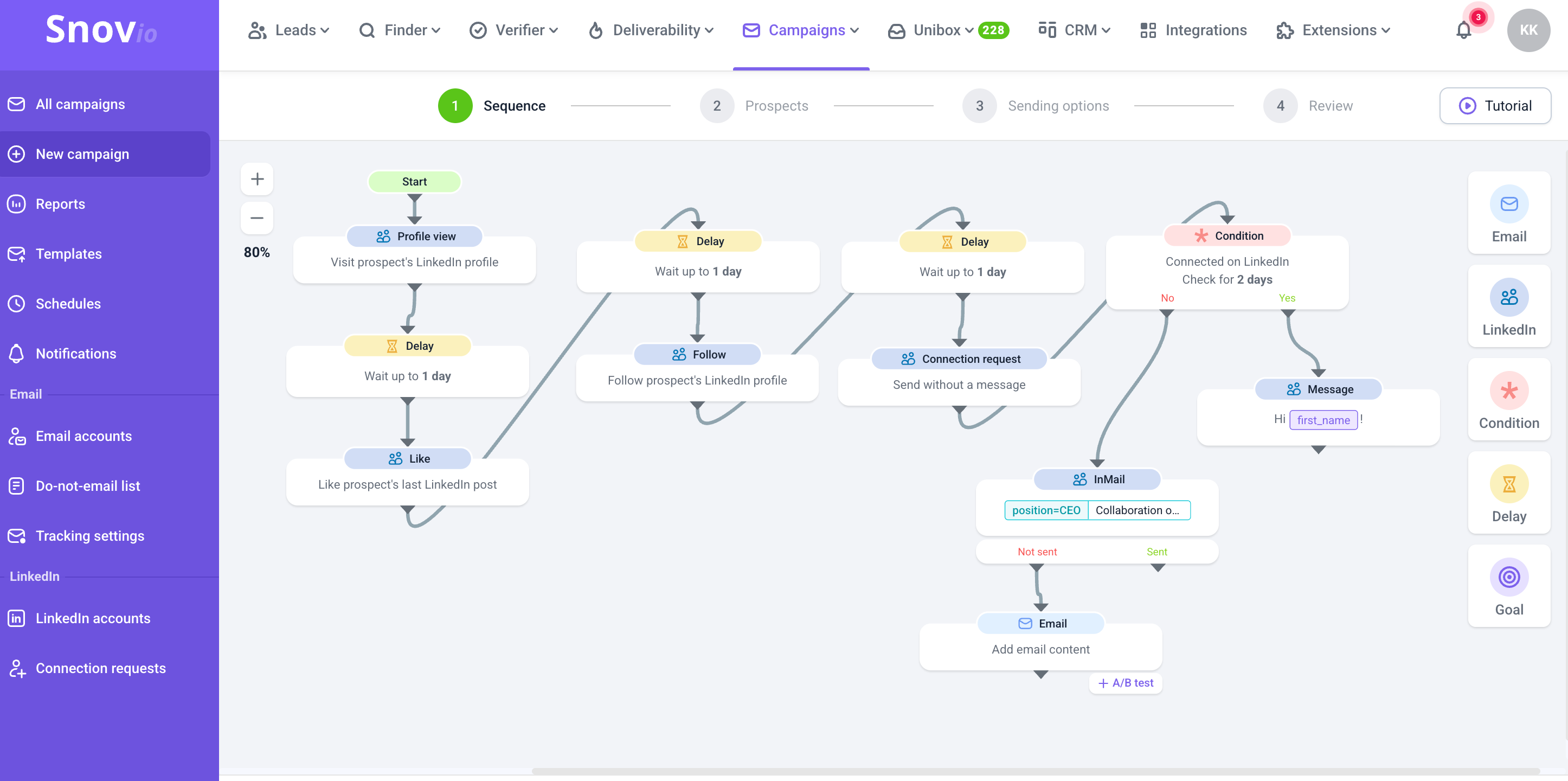
- LinkedIn automation tool
- Free sales CRM
- Multichannel outreach
- Built-in analytics
- Native integrations with popular CRMs, calendars, email services, and meeting apps
Pricing: A forever-free trial; paid plans start at $39 per month.
What users say:
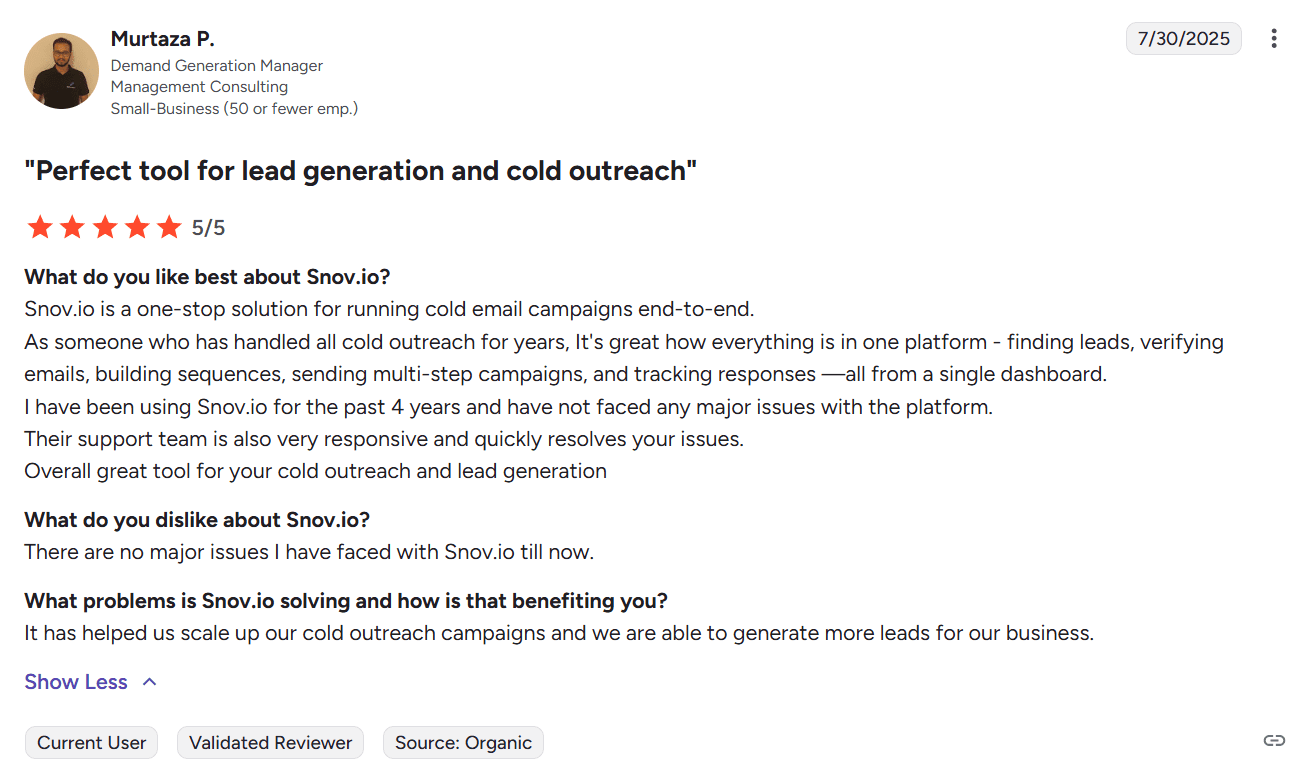
Users like having prospecting, email verification, and sales outreach tools in one place. Many also praise Snov.io’s support, noting that agents are very responsive and helpful.
My testing take:
The setup felt straightforward. The interface is super intuitive. I personally like that Snov.io provides pre-made templates for various scenarios, which can help new sales reps to launch campaigns fast. Plus, using a drag-and-drop builder, you can easily set up custom multichannel sequences – no complicated onboarding required.
I do recommend Snov.io for teams who want to enhance B2B prospecting. Beyond email finding capabilities, the platform features a database of over 50 million prospects. You can filter them by location, industry, job title, or other criteria, and build a highly targeted lead list.
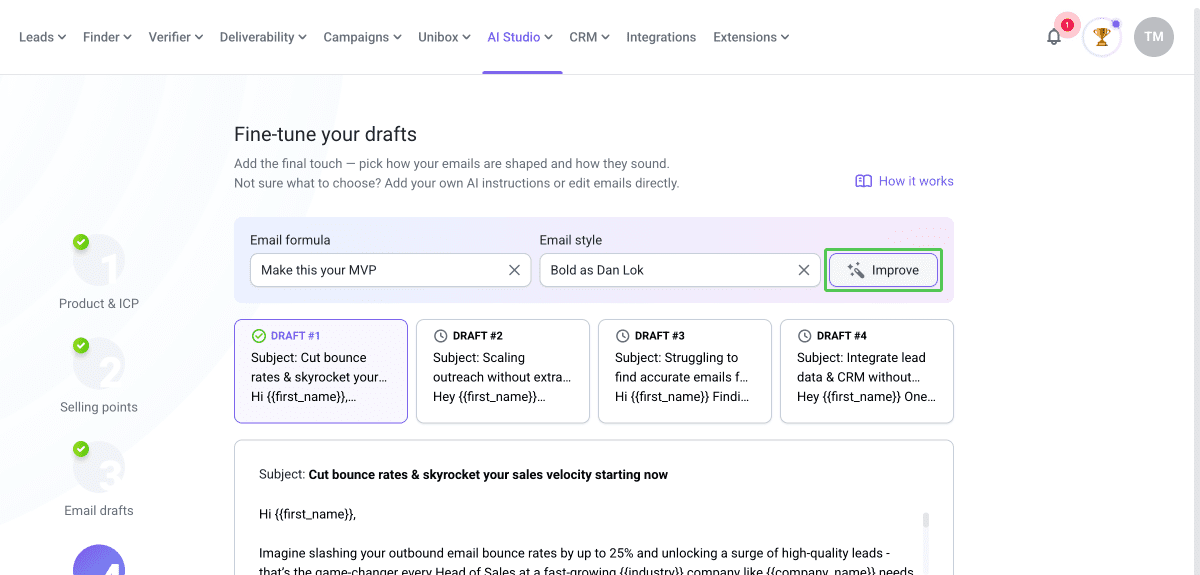
What I also like about Snov.io B2B sales software is its AI email builder, which helps you create highly tailored emails based on your Ideal Customer Profile. All you need is to briefly describe your product, then add details of your ICP, and let the platform generate compelling email templates for you.
Another advantage of this B2B sales platform is its DFY cold email infrastructure setup. It helps you prepare your domain for bulk email sending, maintain high deliverability, and boost your reply rates.
Today, many tools provide assistance using AI bots, which sometimes can’t handle urgent issues. That’s not about Snov.io. During my test, I turned to support via the chat widget and was connected to a real customer rep within a minute. So, using Snov.io, you can rely on fast and responsive assistance.

2. Lemlist
Capterra rating: ⭐️ 4.6
G2 rating: ⭐️ 4.5
Best for: Small teams or agencies that need a tool with multichannel cold outreach campaigns and native calling capabilities.
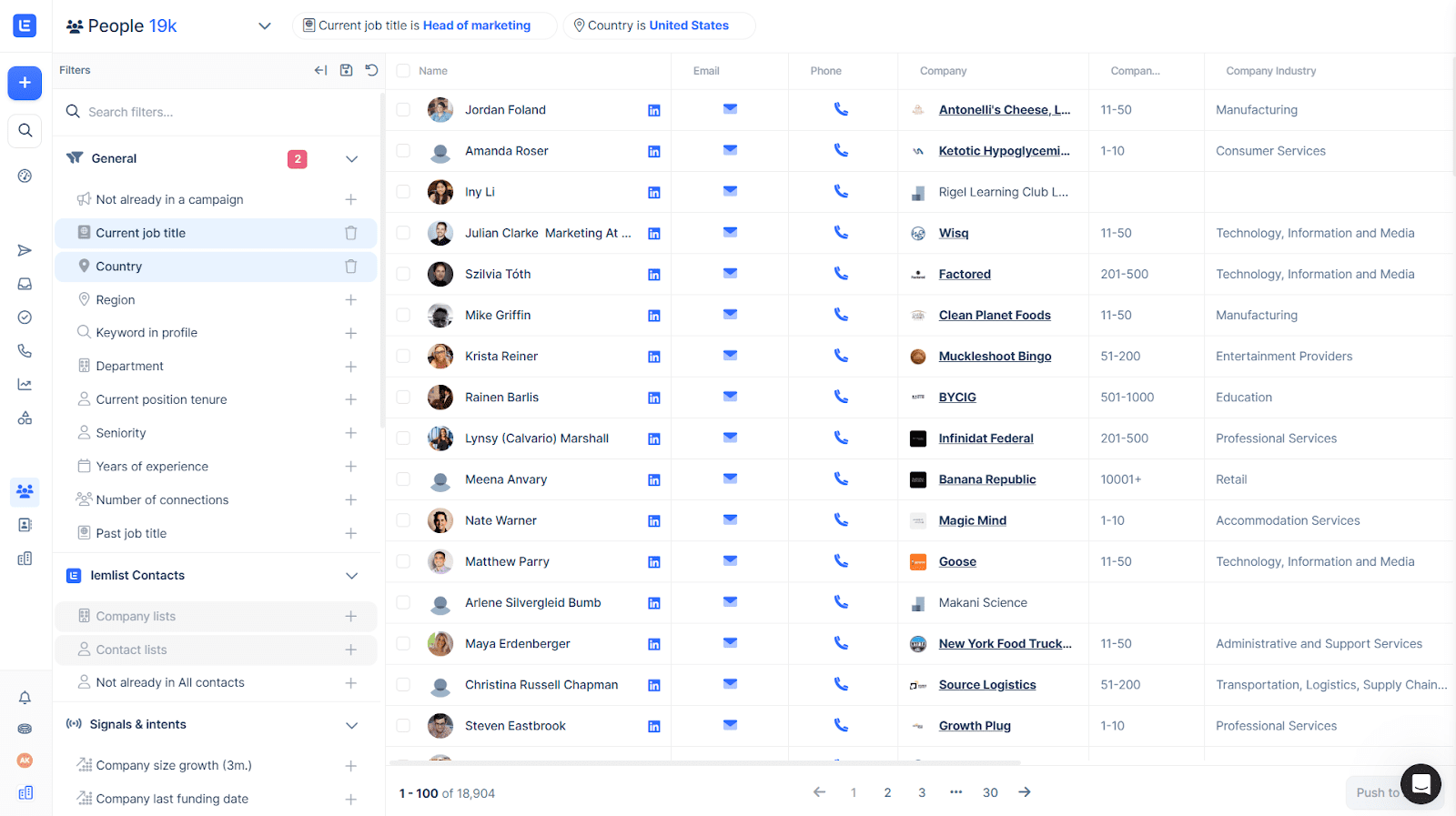
Lemlist is an outreach platform featuring a toolset for multichannel campaigns, including emails, LinkedIn touches, WhatsApp messages, and calls. This B2B sales platform also offers email finding tools, an extensive lead database, as well as campaign analytics.
Lemlist’s main features:
- Cold email campaigns
- Multichannel outreach
- Phone Finder and in-app calling
- Prospecting tools (email finder, verifier, database search)
- Basic deliverability features
- AI-powered personalization
Pricing: 14-day free trial; paid tiers start at $69/month.
What users say:
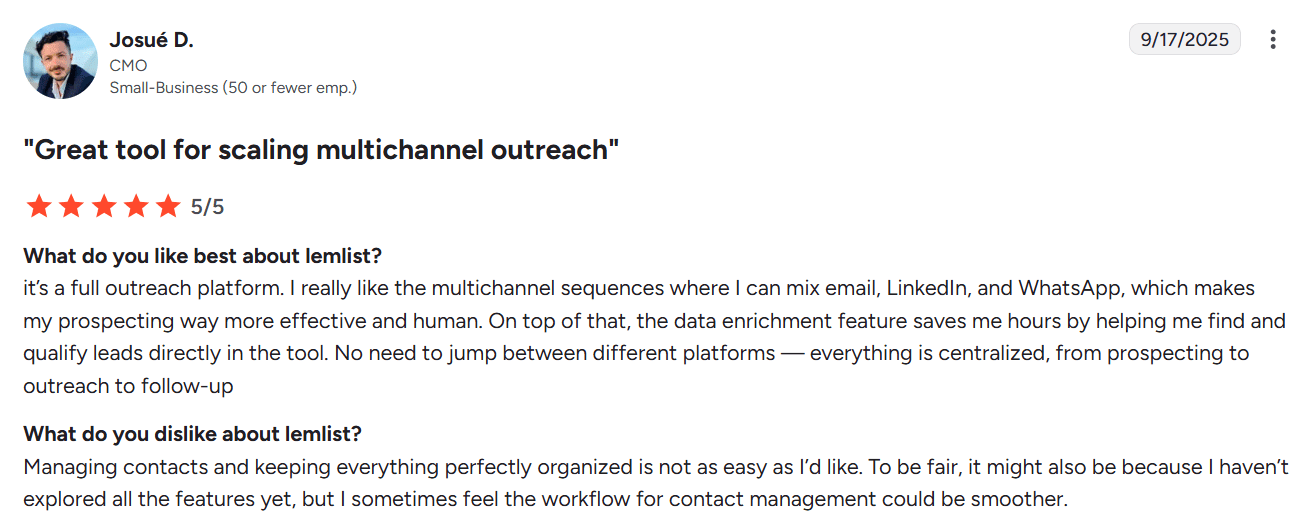
Users consider Lemlist helpful for omnichannel outreach as it covers email, WhatsApp, LinkedIn, and phone touches. Reviewers also like the built-in data enrichment; however, the database information isn’t always up to date. Also, some mention a steep learning curve as you move to contact management features.
My testing take:
The setup process is straightforward. Besides, the platform provides onboarding tips in each product section, making it easy to get started. However, expect that handling more advanced features, such as multichannel sequencing (including calls) or deliverability setup, may be hard.
As for support, this platform offers assistance through a chat widget, allowing you to connect with both AI and human agents. However, please note that the support team’s working hours are 08:00-00:00 CET, Monday to Friday.
From my experience, I contacted support around 5 p.m. and waited 2 hours before being connected to a human representative. Outside the team’s working hours, you can get help from an AI agent. However, during my test, it suddenly stopped responding, so I couldn’t complete the request until a human agent became available.
3. Outreach.io
Capterra rating: ⭐️ 4.4
G2 rating: ⭐️ 4.3
Best for: Mid-market or enterprise revenue teams who need strict controls, standardized workflows, plus deep sales analytics.
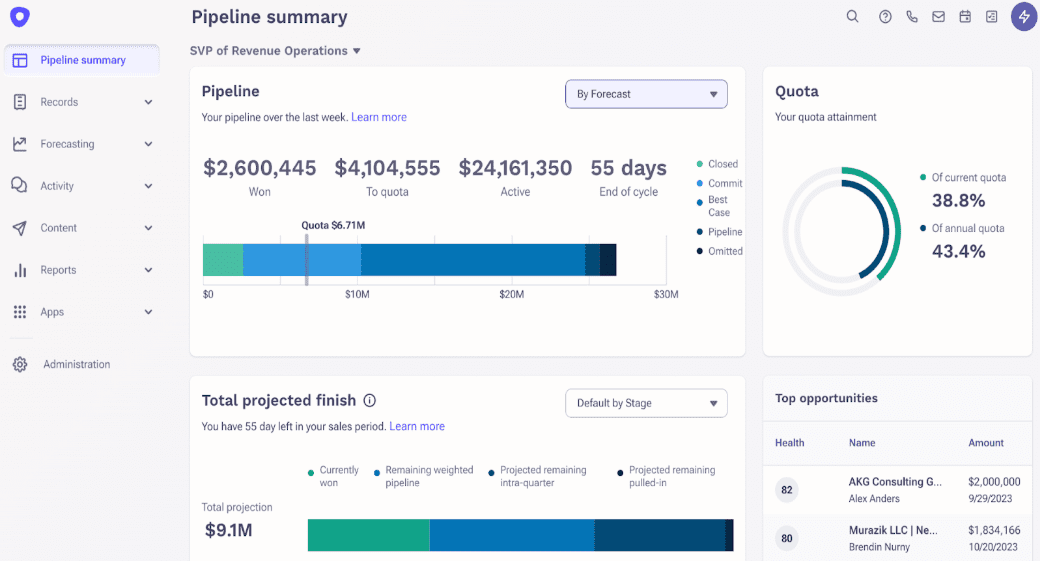
Outreach.io is a B2B sales platform that unifies prospect engagements, account management, conversation intelligence tools, and forecasting. It helps revenue teams build pipelines, track deals, and predict outcomes.
Outreach.io’s main features:
- Prospect engagement through multiple channels (emails, LinkedIn, calls)
- Pipeline management
- Sales forecasting and pipeline insights
- Conversation intelligence tools
- Account management
- Sales rep coaching
Pricing: The platform doesn’t offer an instant free trial; pricing information is available upon request.
What users say:
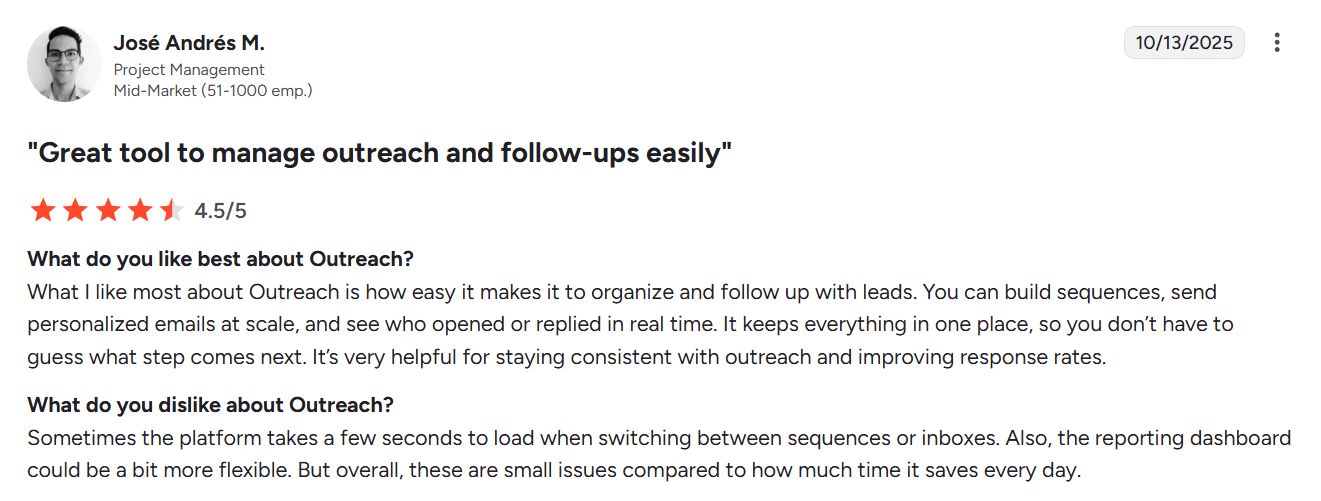
Reviewers like the seamless integration of their CRMs with the platform. They also praise the tool for its ability to send personalized emails and track results in one place. However, many note that analytics dashboards lack customization.
My testing take:
I think this platform isn’t suitable for small sales teams or founders who typically seek lightweight B2B sales solutions to support their lead generation efforts. The setup is quite heavy, so you need a good deal of time to learn the functionality. Also, based on reviews, the pricing tag may be too high for teams with limited budgets.
However, this B2B sales software is a good fit for mid- or large-sized sales teams. Despite the interface that may feel complex, the platform handles scale well. Outreach.io also provides in-depth insights into pipelines, making it easier to forecast sales.
The platform offers human customer service, but it is only available to registered users, plus working hours vary by region. You can use the AI bot outside those times; however, in my experience, its answers were not always clear.
4. Woodpecker
Capterra rating: ⭐️ 4.5
G2 rating: ⭐️ 4.4
Best for: Agencies or small sales teams primarily focused on email outreach.
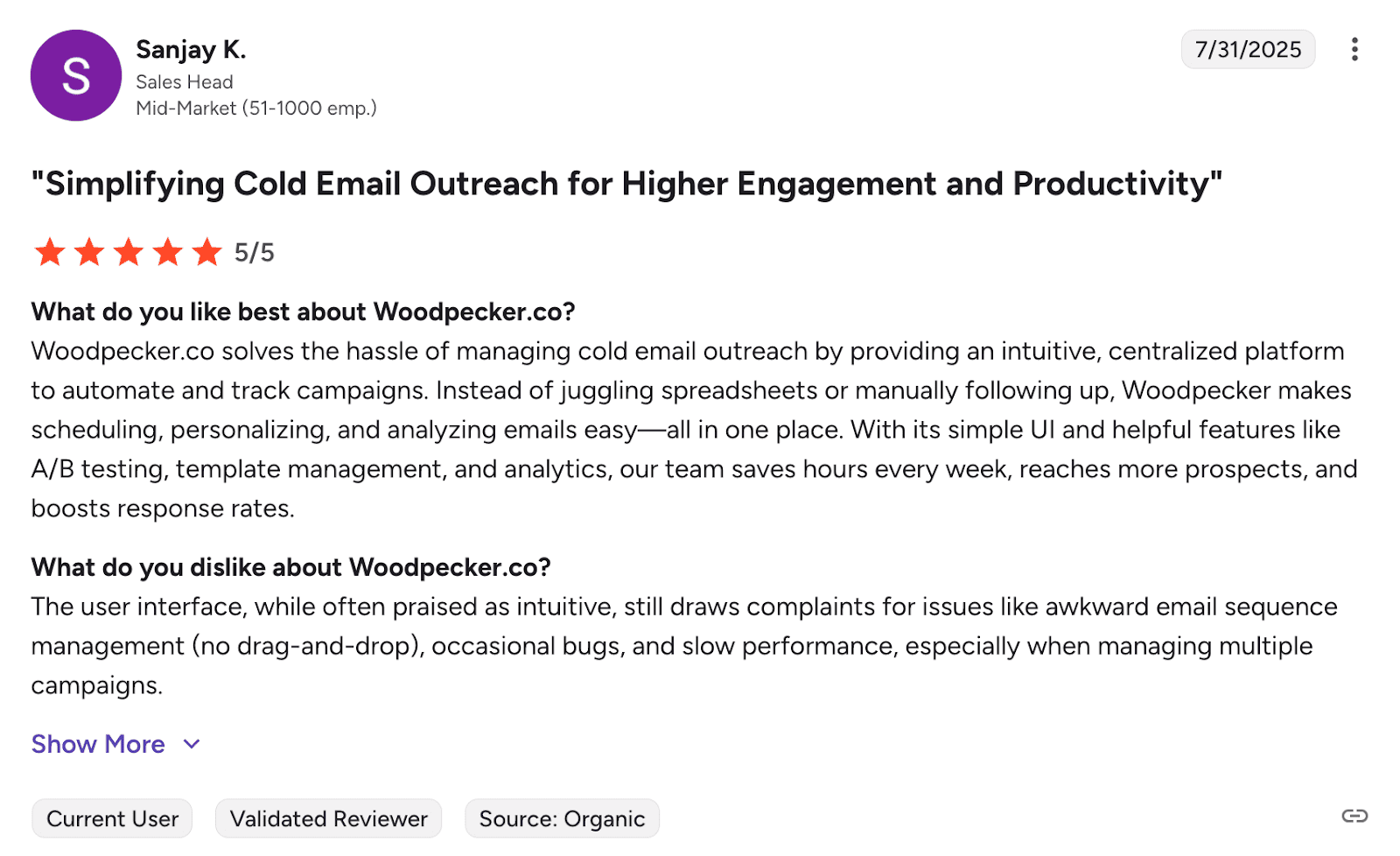
Woodpecker is a B2B outreach software for sending automated email sequences, tracking campaign results, and improving deliverability with a built-in warm-up tool.
Woodpecker’s main features:
- Cold email automation
- In-app domain purchase
- Dedicated agency panel for client management
- Deliverability tools
- Database of B2B leads
- Native integrations with CRMs and scheduling platforms
Pricing: a 7-day free trial; paid plans start from $35/month.
What users say:
People appreciate the platform’s clean, email-first workflow with multi-step sequencing and A/B testing. Users also love the software’s intuitive interface, which makes campaign management easy. However, some note that the vertical sequence builder isn’t very convenient for managing many steps.
My testing take:
The setup process was straightforward. I quickly connected my email and imported prospects as a CSV file. Woodpecker also provides the option to add them manually, from Lead Finder, or through integrations, such as CRM.
I personally consider Woodpecker’s vertical campaign builder less convenient than a drag-and-drop one, as it doesn’t provide an overall view of the steps. However, the interface is generally user-friendly.
After testing many email outreach tools, the platform’s capabilities seemed somewhat limited to me. That said, for straightforward email outreach, this B2B sales platform truly covers the essentials.
Regarding support, you can receive human assistance via the chat widget when the team is online. However, during my test, I received the reply only the next day, even though I reached out during their working hours.
5. Instantly
G2 rating: ⭐️ 4.8
Best for: Startups or agencies that want to send campaigns in high volumes, using cold emails as their primary outreach channel.
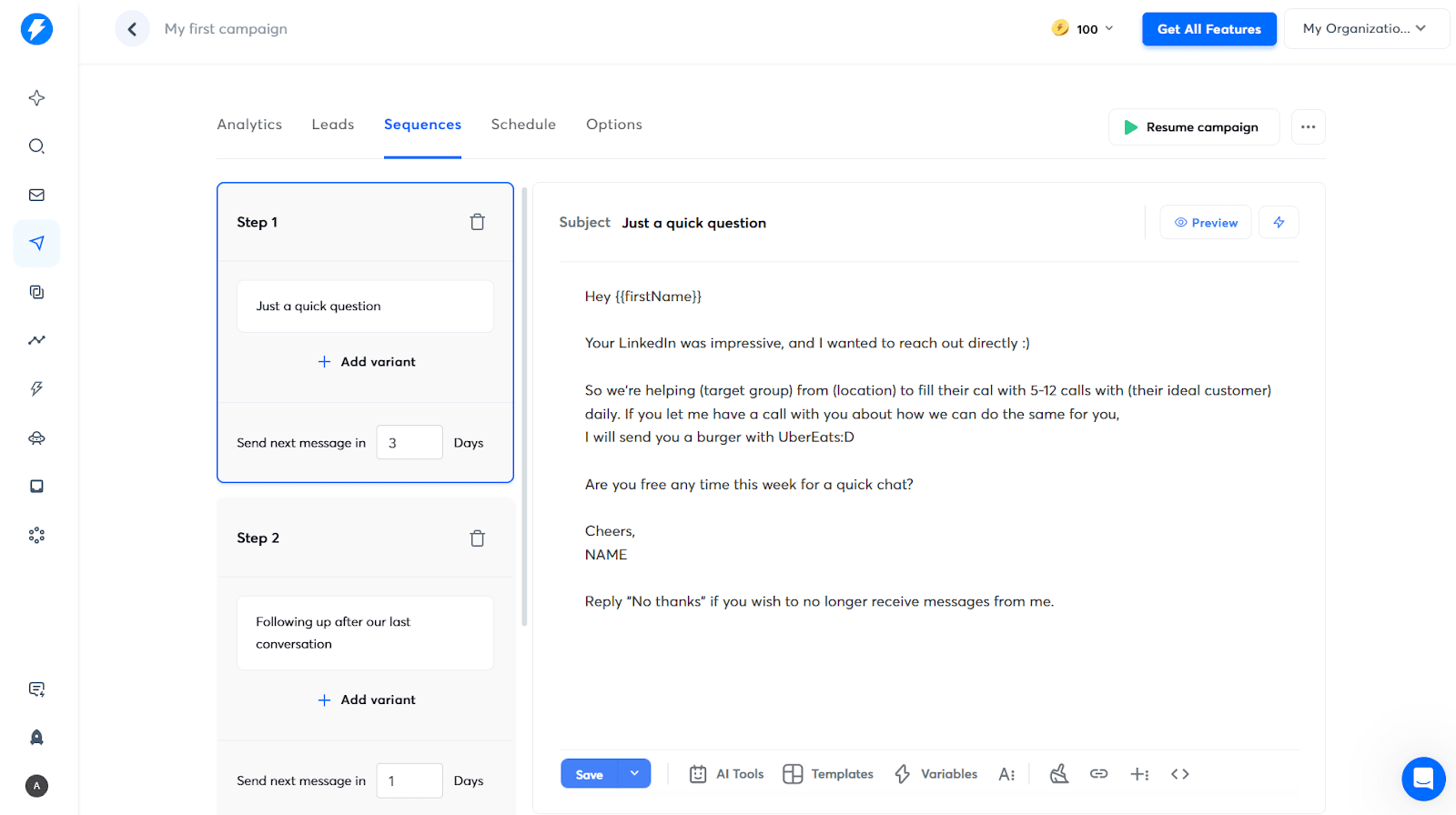
Instantly is a B2B outreach software for launching and scaling outbound email campaigns. The platform allows you to connect multiple accounts, create simple sequences with automated follow-ups, plus track campaign performance in one dashboard.
Instantly’s main features:
- Cold email sequences
- Inbox management
- Campaign tracking
- Deliverability tools with the email warm-up
- Built-in CRM
- Lead database (SuperSearch)
- AI Copilot
- Website visitor identification
Pricing: No permanent free plan; you can test some of the paid options for 14 days. Paid plans start from 37$/month.
What users say:
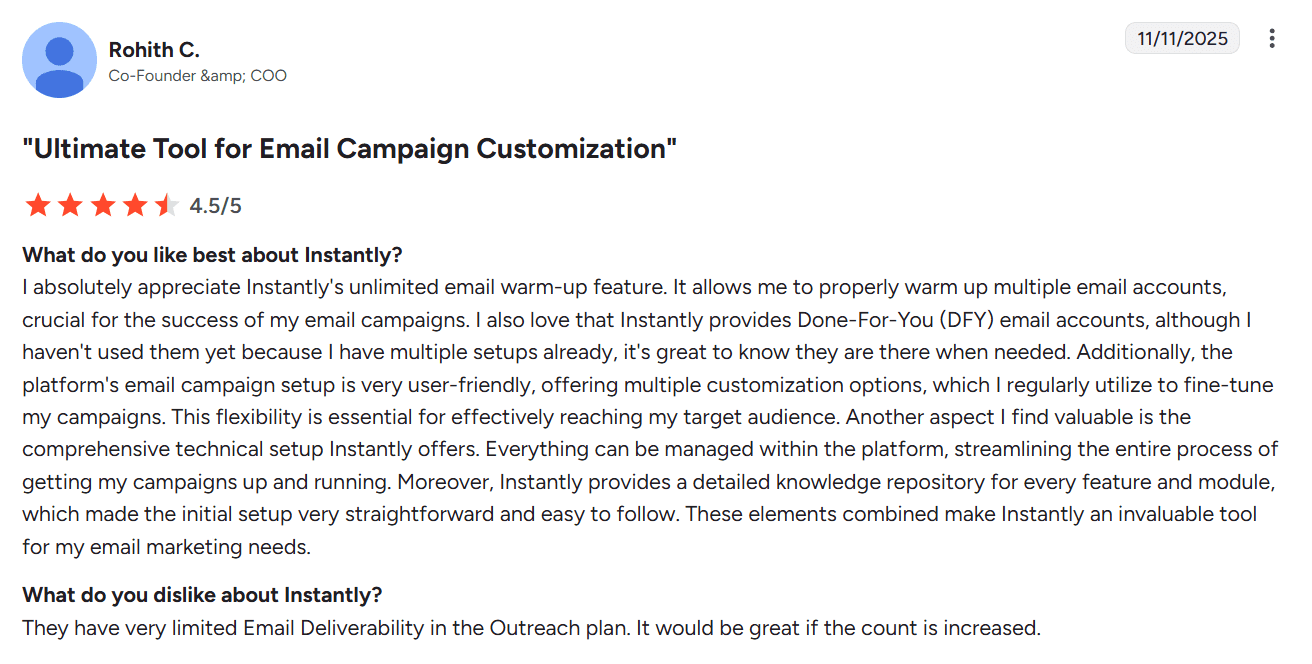
People like quick setup and straightforward UI. Users also praise the platform for the ability to run high-volume cold email campaigns. However, some reviewers consider the tool a bit pricey, reporting its limited capabilities on basic paid plans.
My testing take:
Instantly is really fast to start. The interface is intuitive, so it won’t take new sales reps much time to learn how to navigate the platform. Regarding support, if you need to contact a human agent, expect a response within a few hours on weekdays, rather than an immediate reply.
What I actually don’t like about Instantly is its pricing model. Covering outreach, prospecting, and CRM means multiple subscriptions.
Another disadvantage, in my opinion, is that the platform doesn’t offer automated domain setup. I mean, though Instantly provides the email warm-up, other infrastructure elements are still dependent on manual effort.
💡 Running cold outreach? This video will help you avoid the top 3 cold email pitfalls (and keep your $10K):
6. LinkedIn Sales Navigator
Capterra rating: ⭐️ 4.5
G2 rating: ⭐️ 4.3
Best for: Account executives, SDRs, or founders who prospect heavily on LinkedIn.
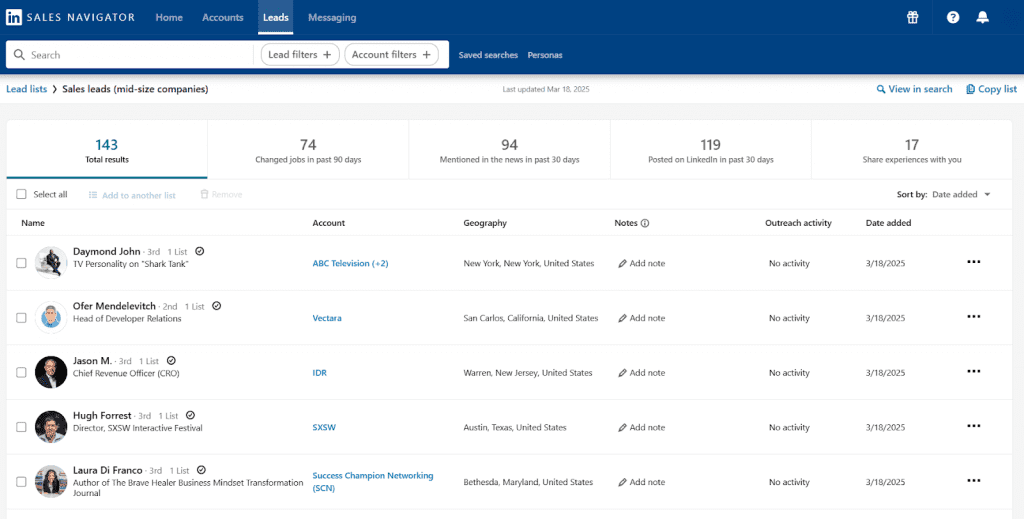
Sales Navigator is the LinkedIn Premium feature that companies use as a separate B2B sales software. It helps businesses find the right prospects on the platform by using advanced filtering options. The tool also provides prospect engagement features as well as personalized lead recommendations.
LinkedIn Sales Navigator’s main features:
- 50+ advanced filters, including seniority level, job changes, buyer intent, etc.
- Saved searches
- Lead and account recommendations
- Lead management tools
- Prospect engagement features
- Automated alerts on saved leads and accounts
- CRM sync
Pricing: Personalized pricing that depends on location, account type, and other criteria. In my case, for instance, the pricing starts at $89.99/month. If you’re a user of a free LinkedIn account who has never tried Sales Navigator before, you may be offered a 1-month free trial.
What users say:
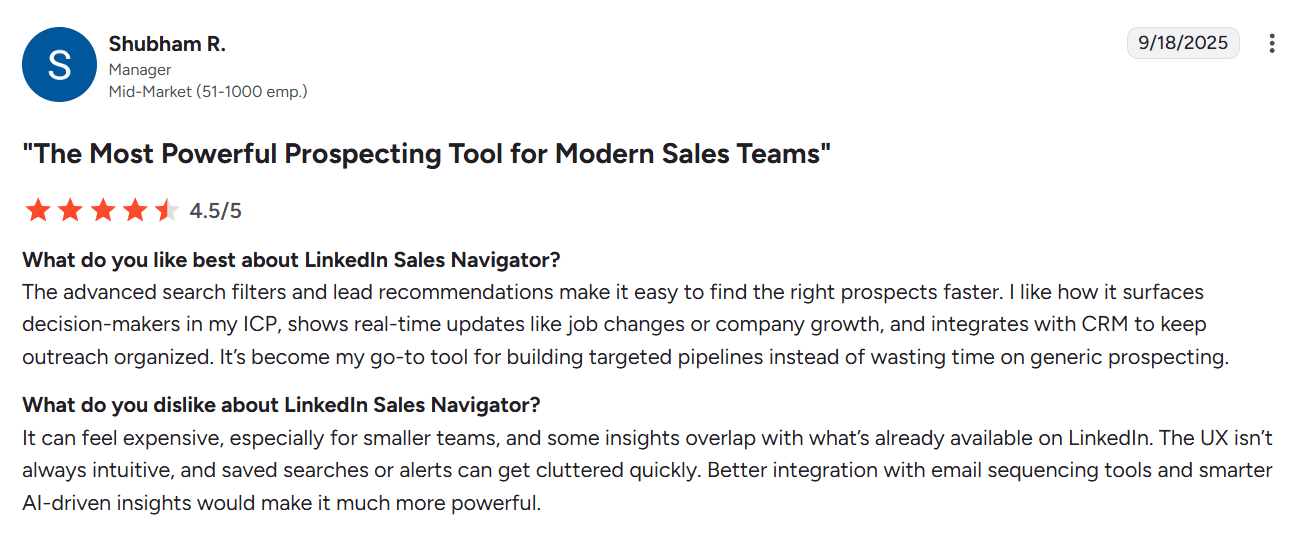
LinkedIn Sales Navigator is widely praised for its numerous filtering options as well as saved searches. People also like real-time alerts that let reps time outreach more effectively. However, many users consider the tool expensive, especially for small teams, noting that you still need additional software for the outreach.
My testing take:
With its advanced filters, Sales Navigator is the strongest option LinkedIn offers for sales. I personally like that you can save searches and receive notifications whenever new leads match your criteria.
Although the platform feels busy at first glance, it is quite easy to navigate after a quick investigation tour. Therefore, I recommend allocating a little time to explore all the features this B2B sales tool has to offer.
What can also be beneficial for sales is real-time alerts on leads’ activity, such as job changes, new posts, etc. Using this feature, you can find warm paths to cold leads through timely follow-ups, driving conversions.
Some concerns relate to customer support, as many users report delays of days between human responses. Also, you must be signed in to use the live chat and stay logged in to keep access to the same conversation thread. Alternatively, you can submit a form or rely on the AI assistant or Help Center articles.
My personal experience shows that the most effective approach is to pair LinkedIn Sales Navigator with outreach tools, for example, Snov.io. You can extract contact details from your search results with LinkedIn Email Finder and create compelling multichannel campaigns to convert leads faster.


7. Kaspr
Capterra rating: ⭐️ 3.3
G2 rating: ⭐️ 4.4
Best for: SDRs who need a quick way to scrape contact information from LinkedIn.
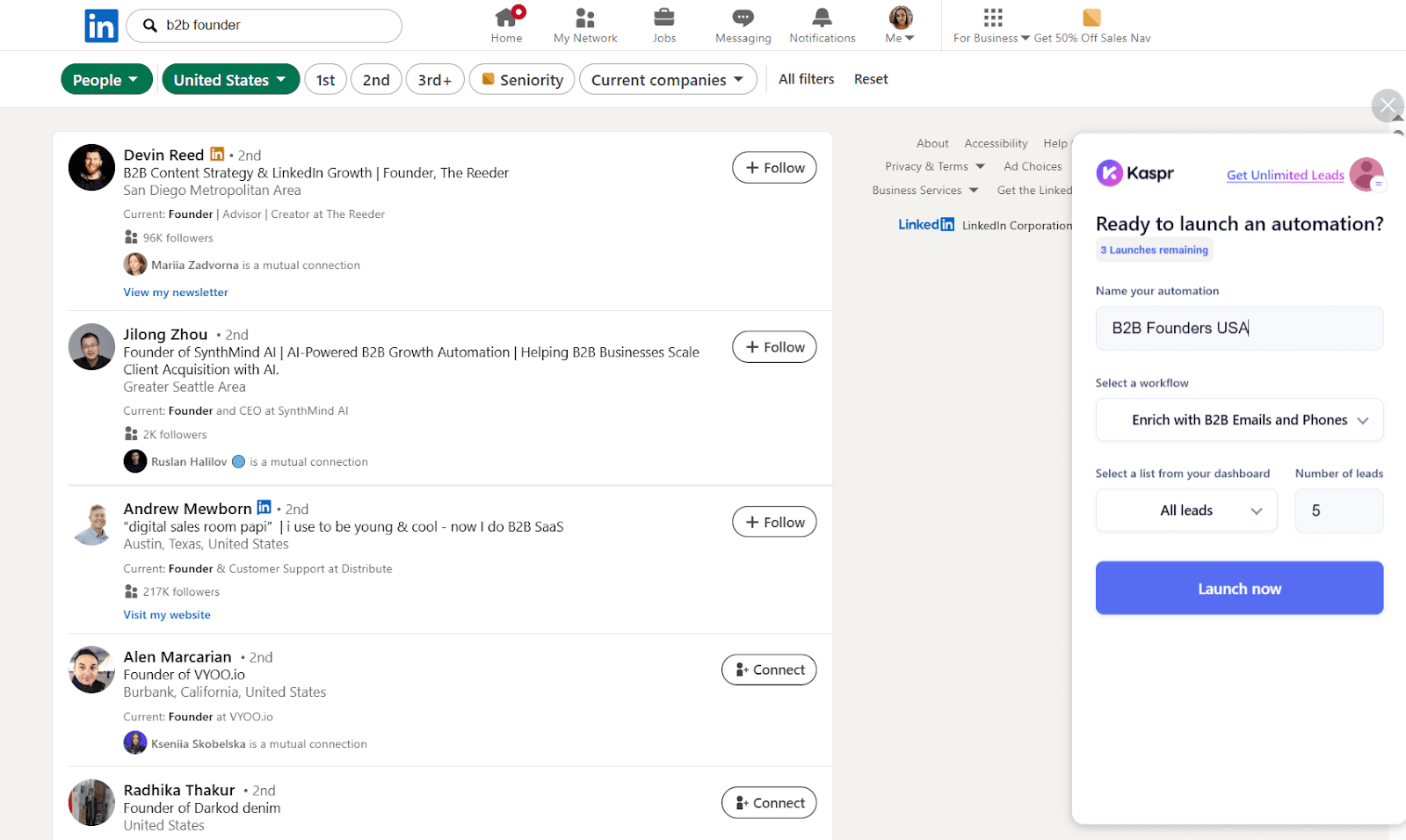
Kaspr is a LinkedIn prospecting solution that you may try as a B2B sales tool. It allows you to extract business emails and phone numbers from LinkedIn and Sales Navigator pages, save profiles to lists, plus export these contacts right to your CRM.
Kaspr’s main features:
- Chrome extension for LinkedIn scraping
- Email and phone finder
- Lead list building
- Team workspace
- Bulk contact export to CRM
- Integrations with external CRMs
Pricing: Basic free plan with limited contact credits. Paid subscriptions start from $59/month.
What users say:
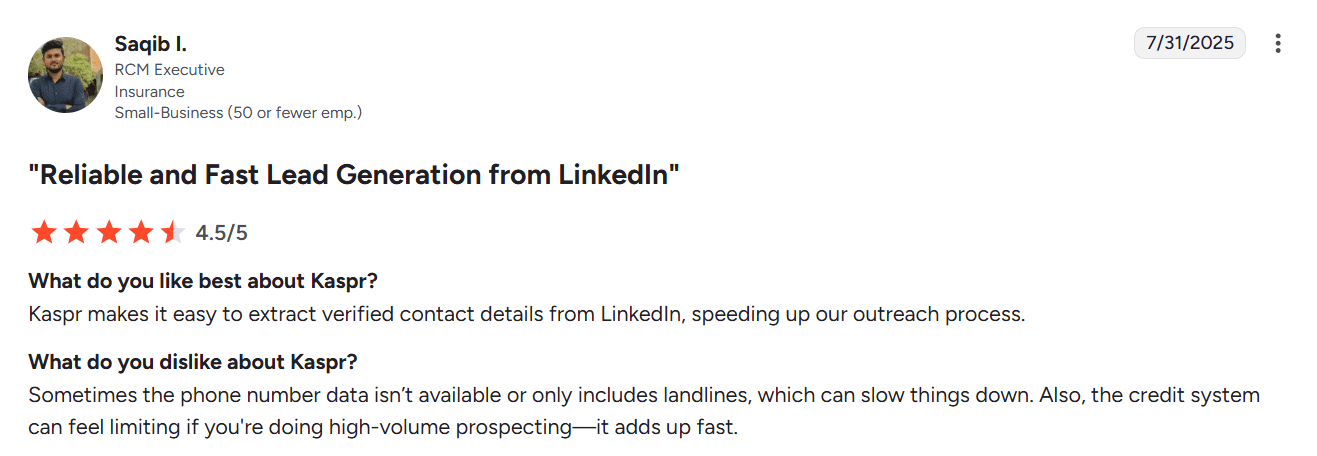
Users consider Kaspr an easy-to-use service, which provides quick access to emails and phone numbers across most LinkedIn pages. However, some report that contact data is occasionally inaccurate, while credit-based pricing may be less suitable for high-volume prospecting.
My testing take:
If you’re looking for affordable sales prospecting tools for LinkedIn, Kaspr may be a good pick, though not the cheapest one. The setup process is fast and easy. Once you register on the platform, you’ll be redirected to install the Chrome extension and connect your LinkedIn account.
When I applied Kaspr to my LinkedIn profile and search results pages, the tool collected the first leads for me within minutes. Once the contacts are gathered, you access the main dashboard, where you can build lead lists, add team members, or integrate CRM platforms for data enrichment.
If you need help, you can ask an AI assistant via the in-app widget or contact Kaspr’s support team from the same chat within their working hours, which are Friday to Monday, 9 am to 7 pm (UTC +1 in winter, UTC+2 in summer). You can also reach out to them by email.
You can effectively use Kaspr as a B2B sales tool for LinkedIn prospecting, especially if you already have an outreach platform. However, I recommend running additional email verification before contacting leads to avoid bounces and protect your sender reputation.

8. Hunter.io
Capterra rating: ⭐️ 4.6
G2 rating: ⭐️ 4.4
Best for: Startups and agencies that need an effective prospecting tool that pairs with their existing CRM or B2B outreach software.
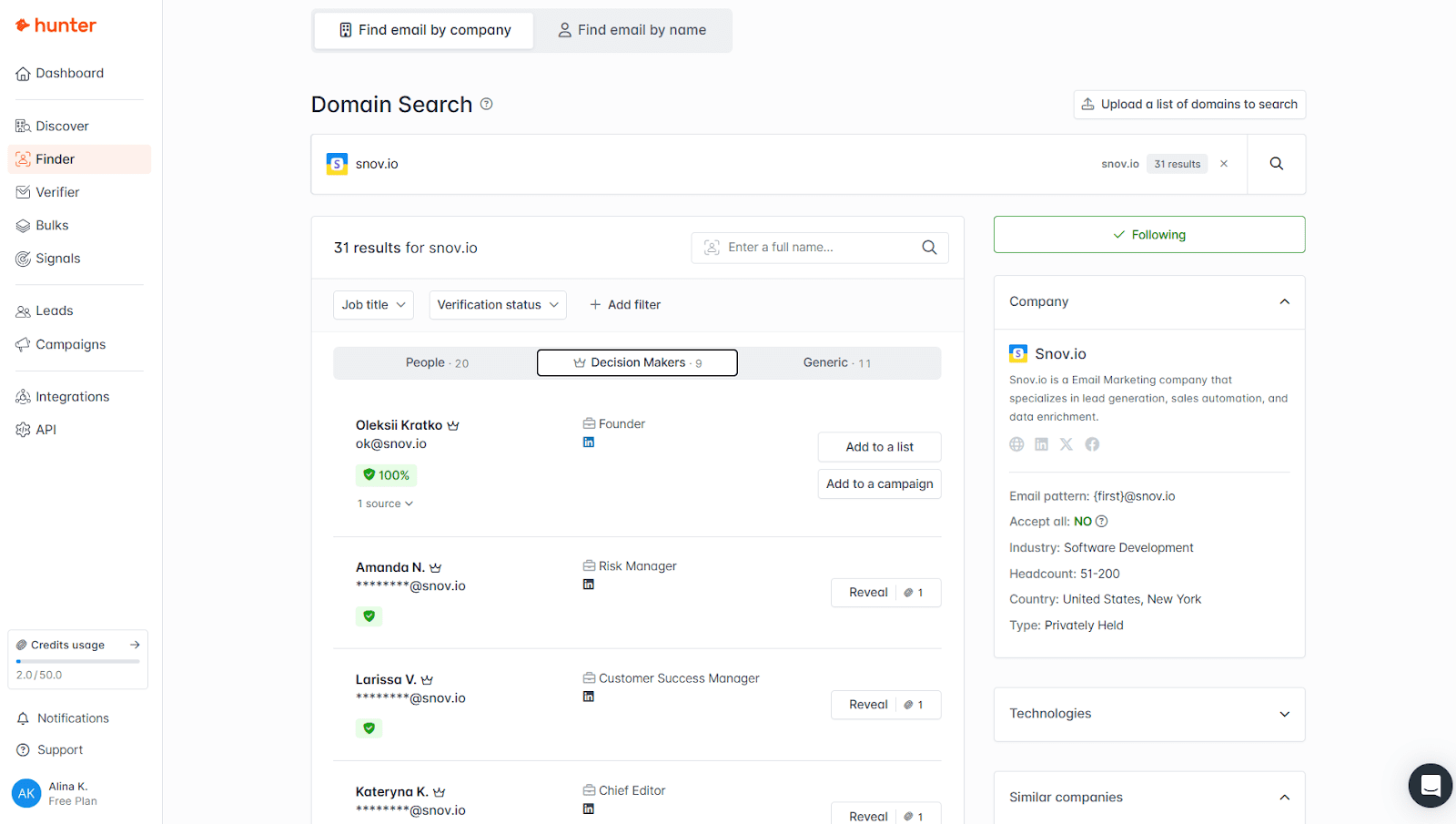
Hunter.io is a B2B lead generation tool that helps sales teams find, verify, and connect with prospects. The platform provides tools for finding and verifying professional email addresses, as well as a basic campaign sender for outreach purposes.
Hunter.io’s main features:
- Email finder and verifier
- Domain search
- Cold email campaigns
- B2B company database (Hunter Discover)
- A lightweight CRM to organize leads
Pricing: Forever-free plan with basic features; paid plans start from $49/month.
What users say:
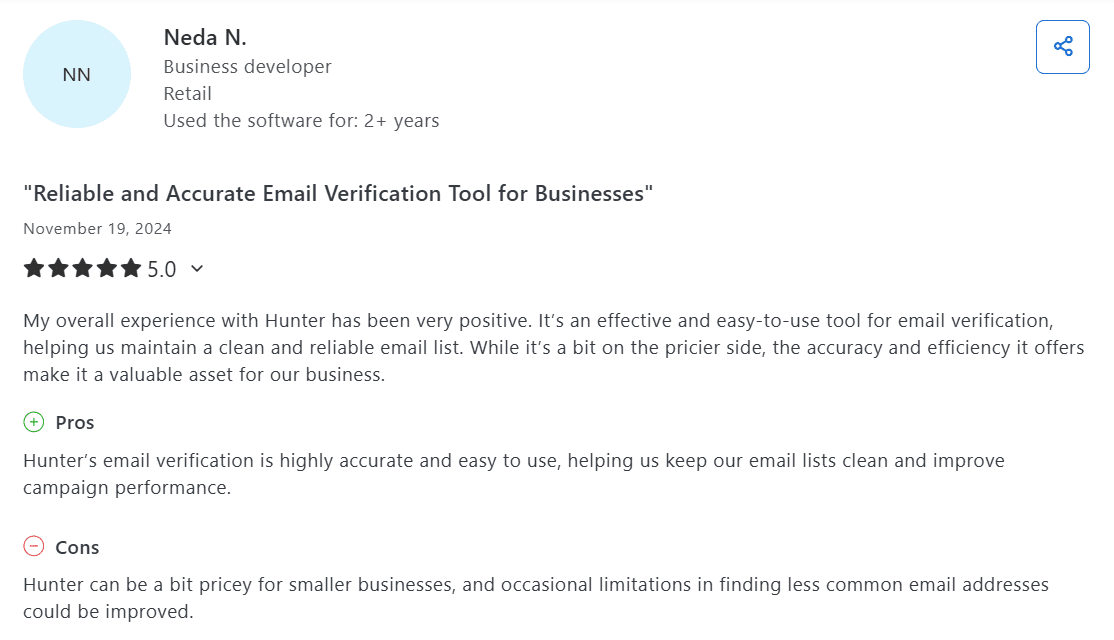
Customers value the platform for its ease of use, fast and accurate email search, as well as a built-in verifier. Some people criticize the tool for its limited free plan and lack of advanced outreach features.
My testing take:
The platform offers a straightforward setup and a smooth onboarding process. I only had a minor issue with the verification code, which didn’t arrive a few times. I had to log in repeatedly until I finally accessed my account.
The interface is easy to navigate, even for those who are new to cold email outreach tools. It took me around 10 minutes to create my first campaign.
I also tried to find an email by company, and the platform instantly surfaced verified contacts. However, searching by name didn’t return my own professional email (I tested with mine 🙂).
The support team is helpful and responsive; however, expect to wait a few hours for a reply. You can use the AI assistant for quicker guidance if your issue allows it. Generally, Hunter.io can be a good choice for startups that don’t need a full-fledged B2B outreach software at the initial stages.
✨ Just starting out?
Explore the best startup tools we recommend to launch faster and spend less.
9. Cognism
Capterra rating: ⭐️ 4.7
G2 rating: ⭐️ 4.5
Best for: B2B sales teams seeking high-quality, compliant phone data, especially in the EMEA region.
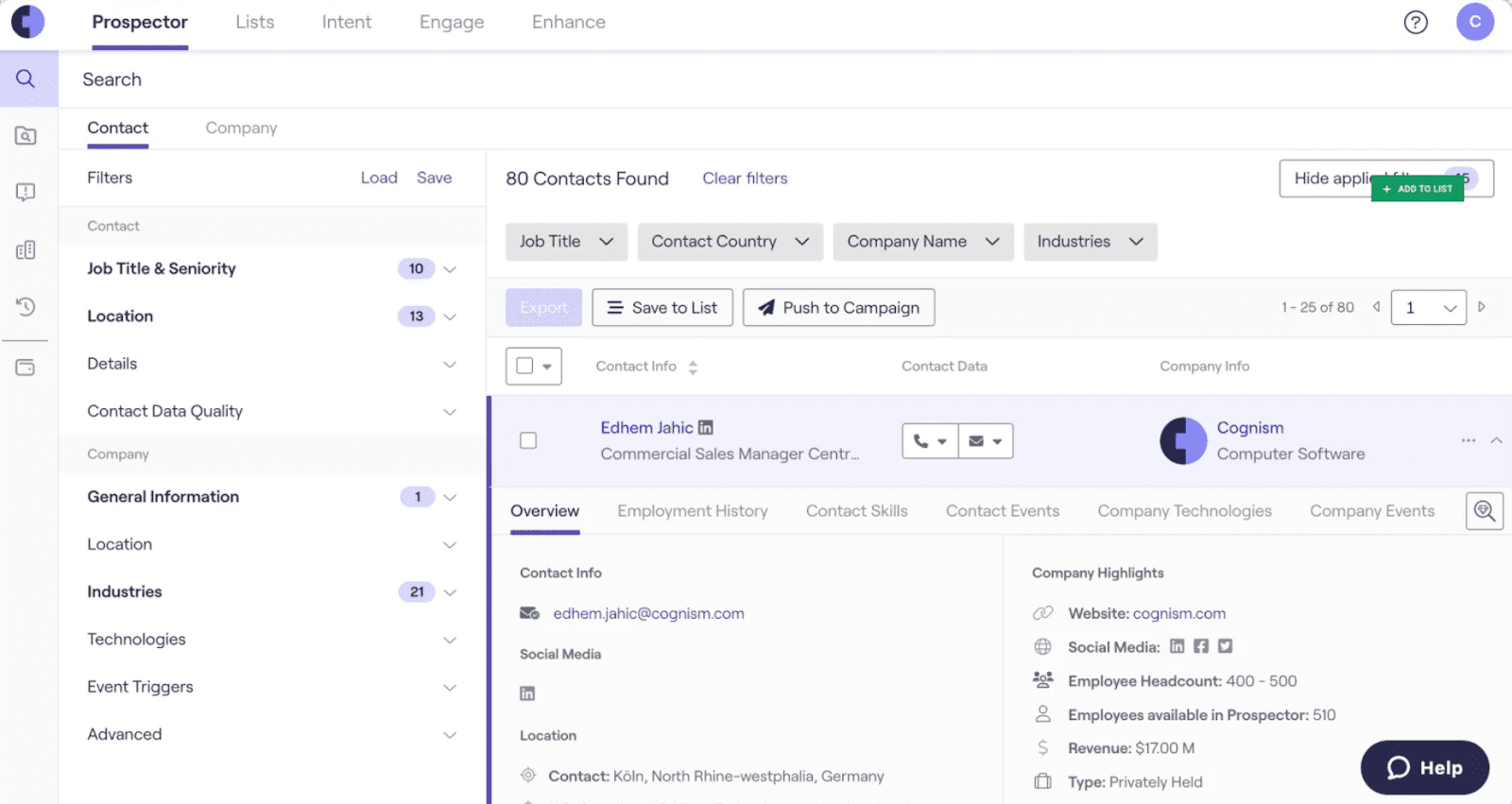
Cognism is a popular sales intelligence tool that provides compliant B2B contact data, including professional email addresses and phone numbers. The platform also offers phone-verified direct dials, bulk enrichment, and sales insights.
Cognism’s main features:
- Compliant, verified B2B contact database
- Diamond Data (phone-verified mobile numbers and direct dials)
- Chrome extension for LinkedIn and Sales Navigator
- Seamless CRM integration
- Intent insights
- CSV and API data enrichment
Pricing: No traditional free trial is offered; pricing is not published openly. You can get the information as a custom quote after a booked demo based on your business needs.
What users say:
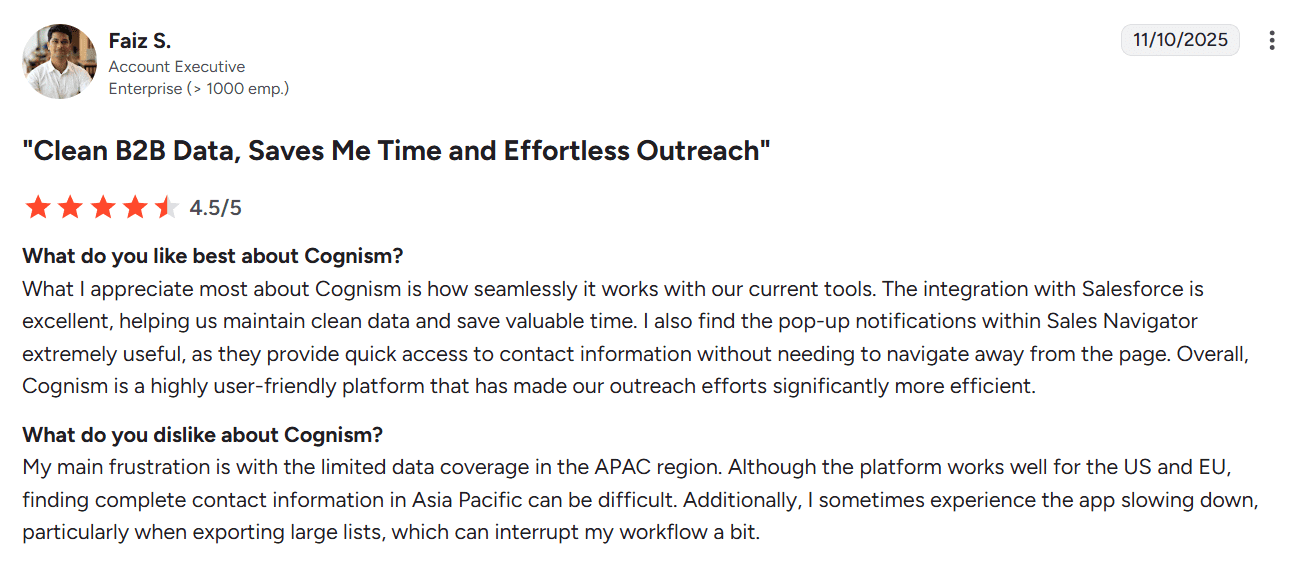
People highlight compliant data, strong direct-dial coverage, and smooth CRM sync. However, some users report that accuracy can vary by region or sector, noting that an additional validation tool may be needed.
My testing take:
The setup process, as well as onboarding, is smooth due to proactive support that regularly checks for any issues. Although the platform initially appears somewhat overloaded with prospecting and sales intelligence tools, it is easy to navigate after a quick tour.
Please note that the data accuracy may vary by region. Many users who leverage this sales intelligence tool to get direct dials report mixed results. Therefore, I recommend revalidating key contacts to ensure maximum confidence.
10. Salesforce CRM
Capterra rating: ⭐️ 4.8
G2 rating: ⭐️ 4.4
Best for: Mid-sized to large sales teams or businesses with complex sales processes that need a highly customizable CRM with advanced reporting, analytics, and collaboration capabilities.
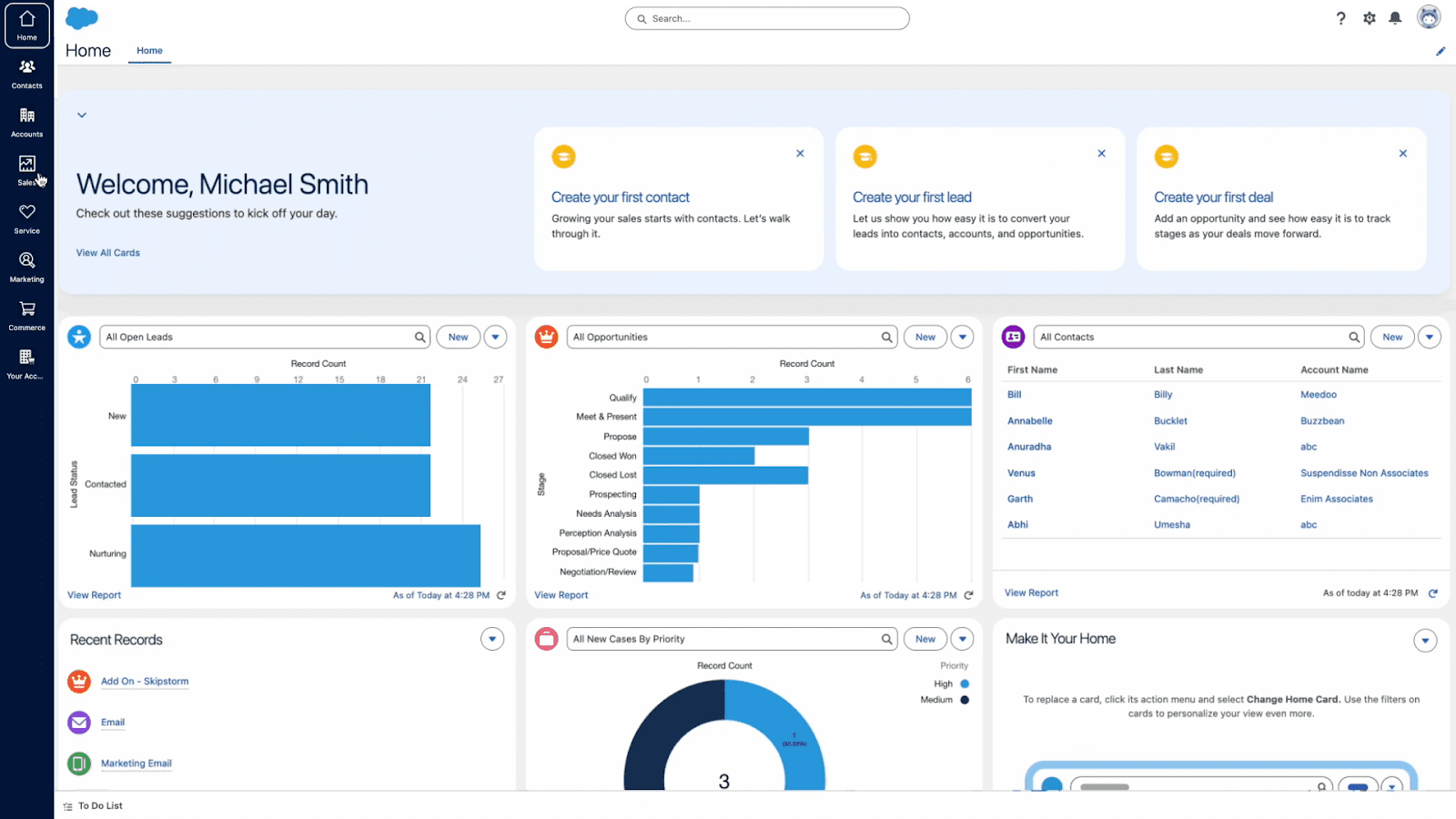
Salesforce is a sales productivity software that centralizes accounts, data, and deals in one place. The platform offers sales pipeline management, workflow automation, forecasting, and a robust ecosystem for scaling processes.
Salesforce’s main features:
- Cloud-based CRM for B2B sales
- Lead and sales pipeline management
- Email and calendar sync
- Team workspace (role-based permissions, sharing rules, etc.)
- Built-in sales engagement tools
- Robust analytics
- Workflow automation
- Built-in AI features
Pricing: A 30-day free trial; paid tiers start from $25/month.
What users say:
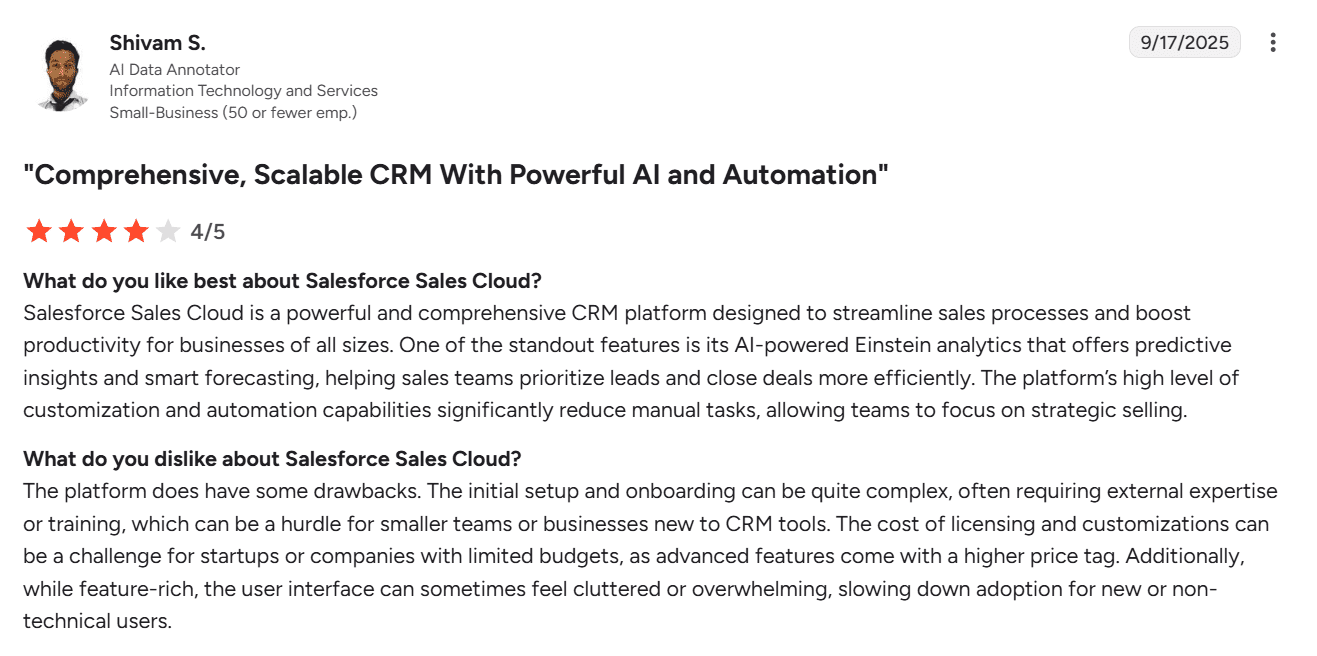
Most users consider Salesforce CRM a powerful platform with deep customization and built-in automation. People also like its extensive integration options as well as robust reporting dashboards for insights, forecasts, and analytics. However, many note the high price tag and a steep learning curve.
My testing take:
Setting up Salesforce CRM wasn’t a simple task. Due to its numerous customization options, this B2B sales software requires training for your team. Therefore, expect the initial steps to take time, even though Salesforce provides helpful onboarding hints.
Once you’ve configured your account, day-to-day use becomes surprisingly smooth. However, many of the advanced features still require some technical background. Anyway, I personally like that Salesforce provides an extensive selection of helpful materials that guide you through the product step by step.
Support options are based on your plan type. You can address a chatbot, docs, or Community on any paid option. However, 24/7 human support is only available on higher-priced tiers. Regarding the AI assistance, during my test, the AI chatbot appeared somewhat unhelpful, providing irrelevant information.
11. Pipedrive
Capterra rating: ⭐️ 4.5
G2 rating: ⭐️ 4.3
Best for: Small to mid-sized teams looking for a straightforward, pipeline-centric CRM for B2B sales with quick setup.
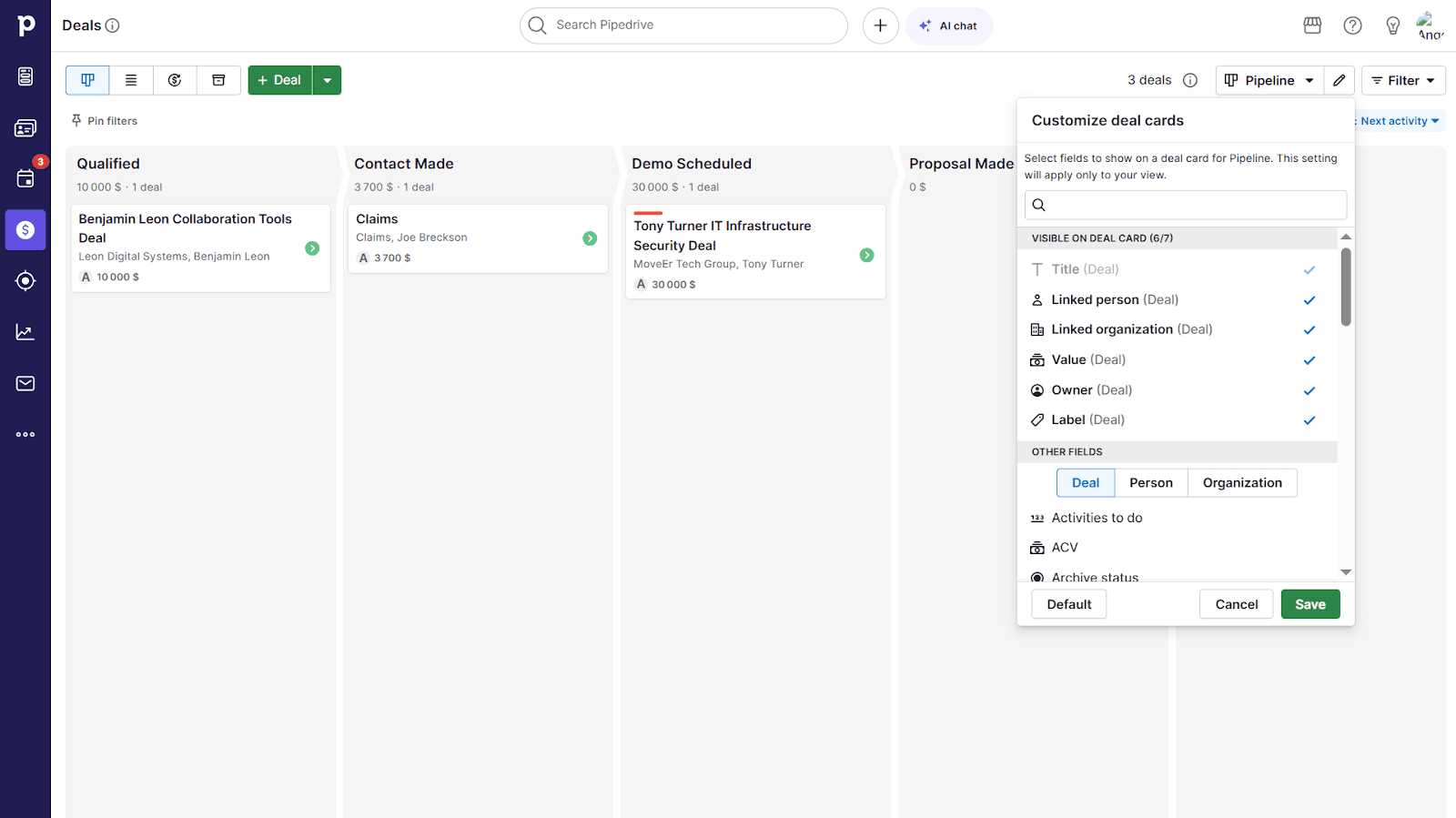
Pipedrive is a sales CRM software that allows teams to visualize pipelines, store customer data, and track deals. The platform includes functionality for lead management, sales automation, and basic email marketing outreach.
Pipedrive’s main features:
- Visual sales pipeline management
- Workflow automation
- Built-in database of prospects’ profiles (Prospector)
- Lead generation tools (Leadbooster)
- Email marketing campaigns
- Reporting and forecasting
- AI sales assistant
- Live chat feature
Pricing: A 14-day free trial; paid options start from $24/month.
What users say:
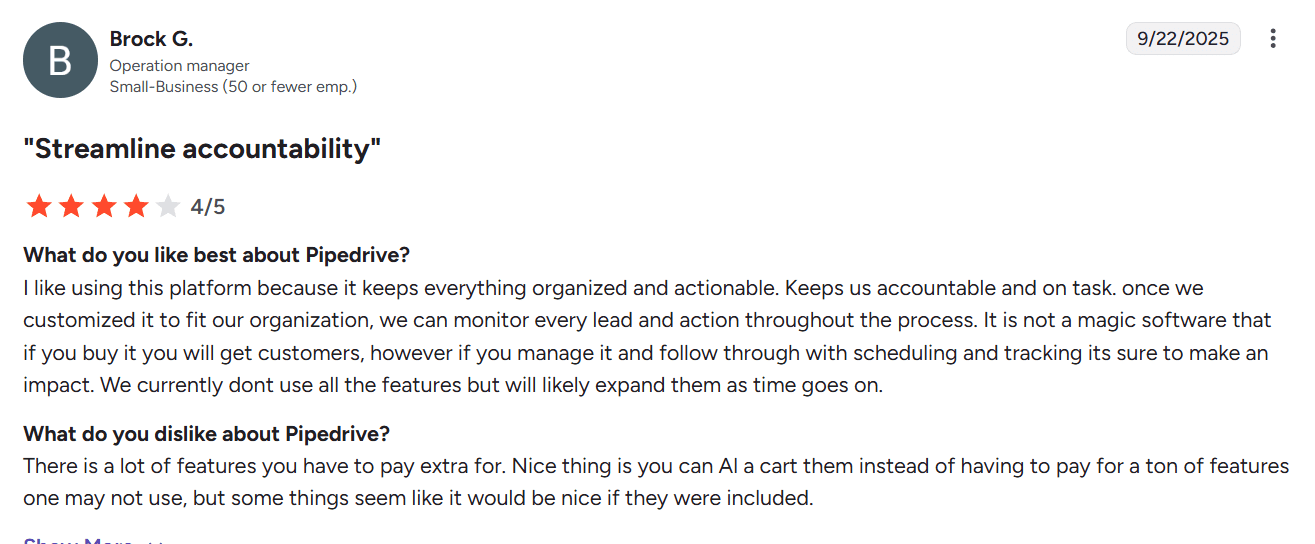
Customers praise the platform for its simple, visual pipeline and overall ease of use. People also note that this CRM is especially good for small and mid-sized teams. However, some dislike that many useful features and add-ons require extra payments.
My testing take:
When it comes to B2B sales CRM functionality, the platform is quite easy to navigate and quick for new sales representatives to pick up. I also like that each feature section includes a helpful, concise video that truly speeds up onboarding, making even advanced functions accessible.
Although human support is available, you’re routed through an AI bot first, where you need to answer several questions.
During my test, the response time ranged from 5 to 20 minutes. I personally didn’t like the answers that linked to help centers or other website pages with limited context, rather than providing tailored guidance. Also, keep in mind that support availability varies by plan. Overall, responses felt a bit slow.
12. HubSpot CRM (Sales Hub)
Capterra rating: ⭐️ 4.5
G2 rating: ⭐️ 4.4
Best for: Growing B2B sales teams that want a free-to-start, comprehensive CRM with the ability to scale.
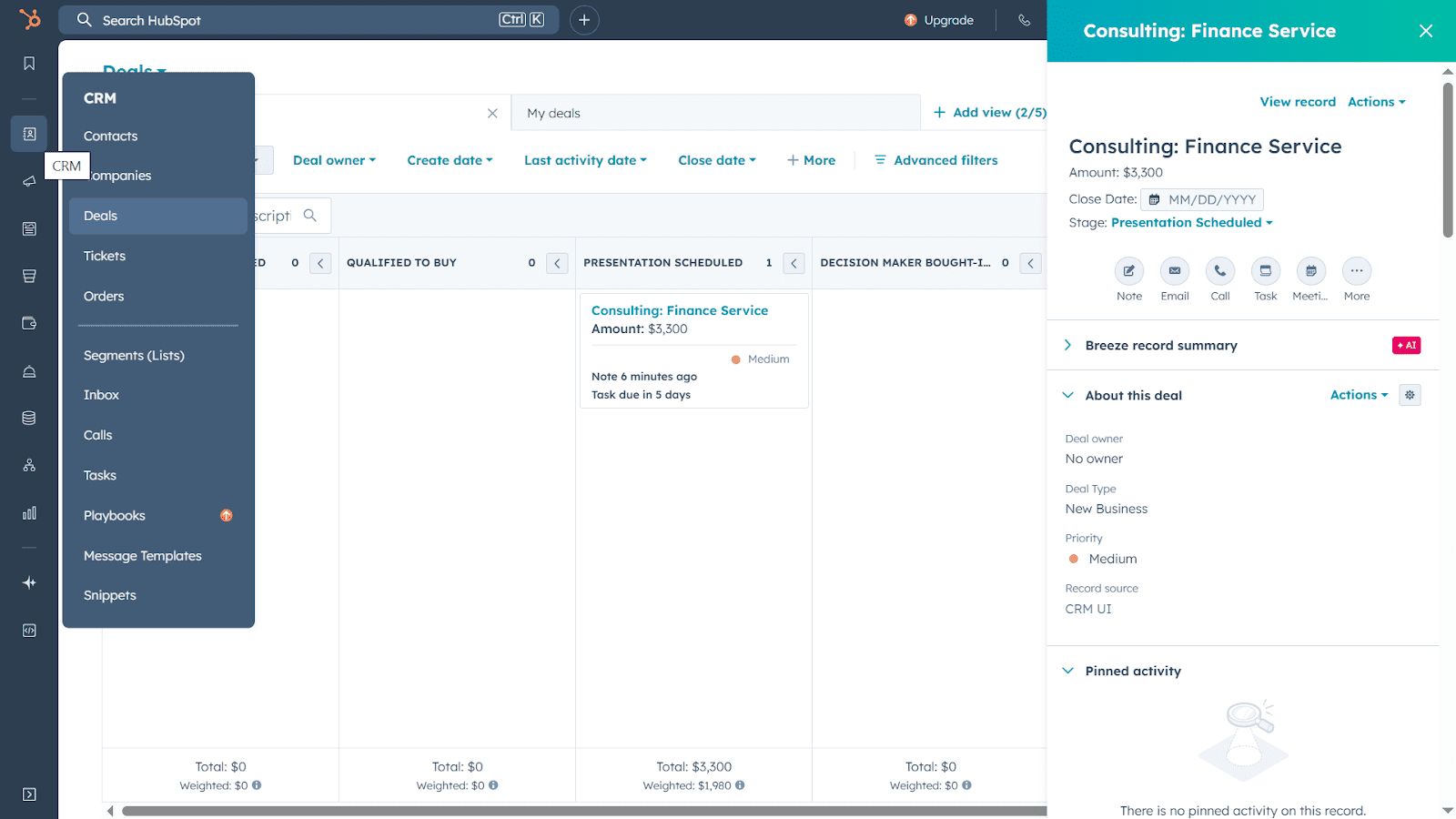
HubSpot offers a dedicated sales CRM that stores contacts, companies, and deals in one place. The platform provides sales pipeline management, automatic activity logging, deal tracking, workflow automation, and reporting capabilities. Plus, the CRM integrates with popular B2B sales tools as well as HubSpot’s Marketing, Sales, and Service Hubs.
HubSpot’s main features:
- Contact management
- CRM import
- Sales pipeline management
- Deal tracking
- Task management
- Sales analytics and reporting dashboards
- Team collaboration tools
- Multiple integrations and email/calendar sync
Pricing: A free CRM with basic yet robust features; paid plans start from $10/month. Professional CRM is an additional cost.
What users say:
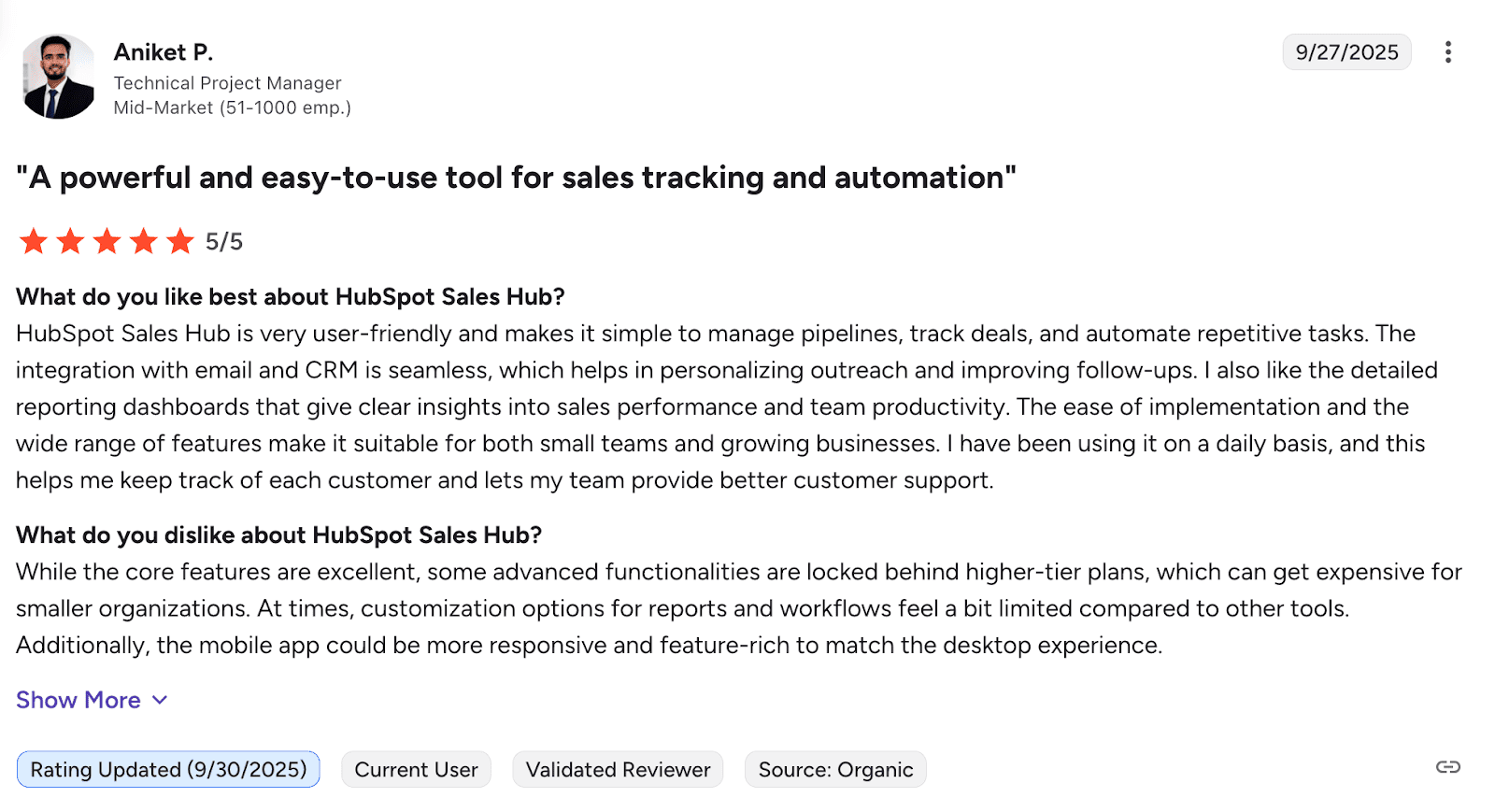
People like the CRM for its easy setup, user-friendly UI, and smooth email and calendar integrations. Users also praise the platform for its free version, suitable for startups or small teams. Meanwhile, some mention that advanced automation and reporting require higher-tier plans.
My testing take:
The platform is easy to get started. I personally like the user guides provided on the main dashboard to help you set up your account quickly. Besides, this B2B sales software offers all essential CRM features, even on the free plan. Therefore, I consider this solution totally beginner-friendly.
The interface is clean, with all features categorized, making it easy to find the necessary functionality. Another good point is the ability to customize your sales dashboard by applying filters or adding fields. This makes sales pipeline management and deal tracking more efficient.
Some users report that the platform can be buggy. Honestly, in my test, I noticed it once when trying to import contacts from my computer, when the button just stopped being clickable.
Regarding support options, users with free plans can only leverage the Community or help center articles. On paid plans, you can choose from live chat, email, or phone, based on your tier. The good news is that you can leverage an AI bot even on a free plan, which appeared quite helpful during my test.
13. Zoho CRM
Capterra rating: ⭐️ 4.3
G2 rating: ⭐️ 4.1
Best for: Small or mid-sized businesses that need an affordable sales CRM with extensive features and light admin.
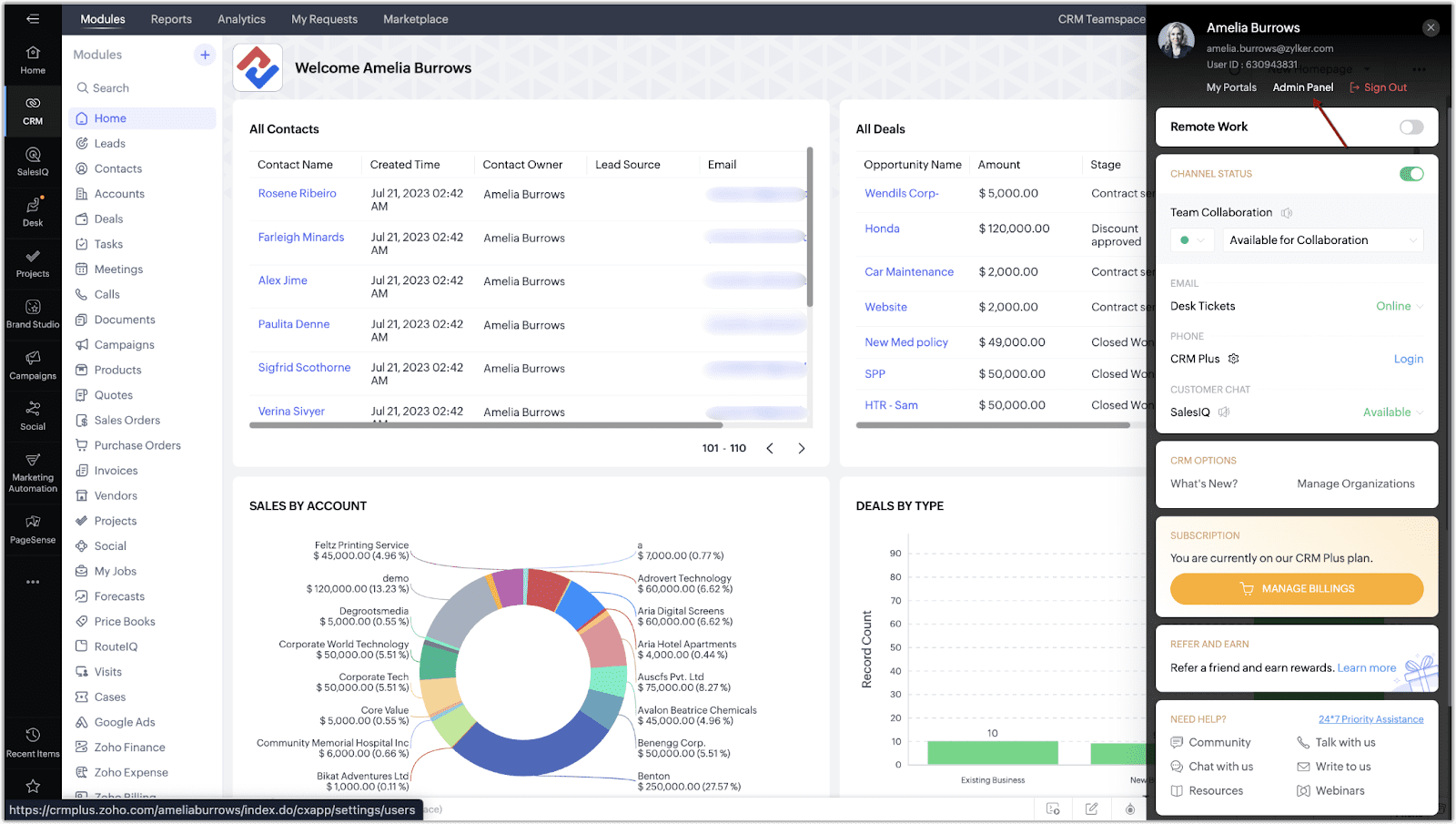
Zoho CRM is a comprehensive B2B sales platform that helps manage leads, organize contacts, track activity, and automate workflows. This sales CRM provides email and phone integrations, reporting tools, an app marketplace, as well as the broader Zoho suite.
Zoho CRM’s main features:
- Lead and contact management
- Sales pipeline management
- Activity tracking
- Omnichannel inbox
- Email and phone integrations
- Reports and forecasting
- Marketing and sales automation tools
Pricing: A 15-day free trial; paid plans start from $20/month.
What users say:
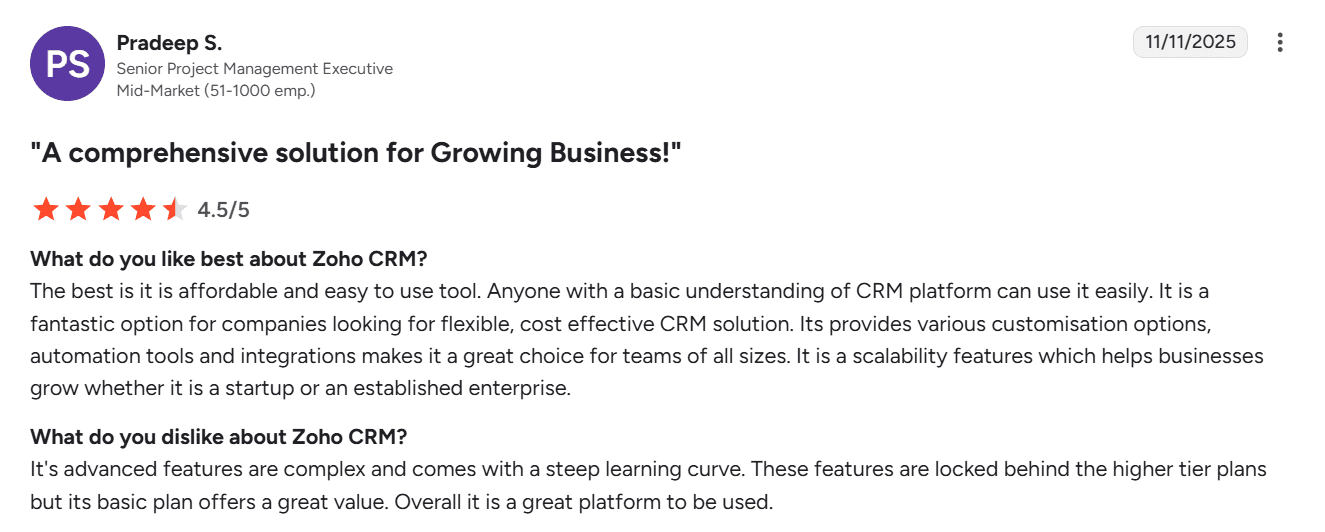
People like Zoho CRM for its robust customization options. Many users find the platform easy to use, even though the interface may feel busy at first. However, some reviewers note that advanced functionality comes with a steep learning curve.
My testing take:
The setup process is straightforward: you just need to create an account and provide company-specific details to get started. The interface feels a bit cluttered, and navigation is not as intuitive as in simpler B2B sales CRM platforms. There are a lot of menus and icons, so expect a long learning curve.
However, it can be compensated for with Zoho’s various capabilities plus customization options. You can set team permissions, tailor pipeline stages, add custom fields, and much more. Also, in my opinion, the reporting dashboards are quite solid even in basic plans.
The platform quickly syncs with email providers. I also like that this CRM includes sales automation tools to optimize the workflow.
The support options vary by plan: on the Classic tier, the availability is limited, plus the initial response time is up to 8 hours. On paid plans, you can reach out via live chat, email, or phone (by requesting a call from a support team). However, there’s no chatbot or AI assistant to help with minor issues outside working hours, which is a downside.
14. Calendly
Capterra rating: ⭐️ 4.7
G2 rating: ⭐️ 4.7
Best suited for: Solo B2B sales professionals or small to mid-sized businesses that require a self-service scheduling tool to automate bookings.
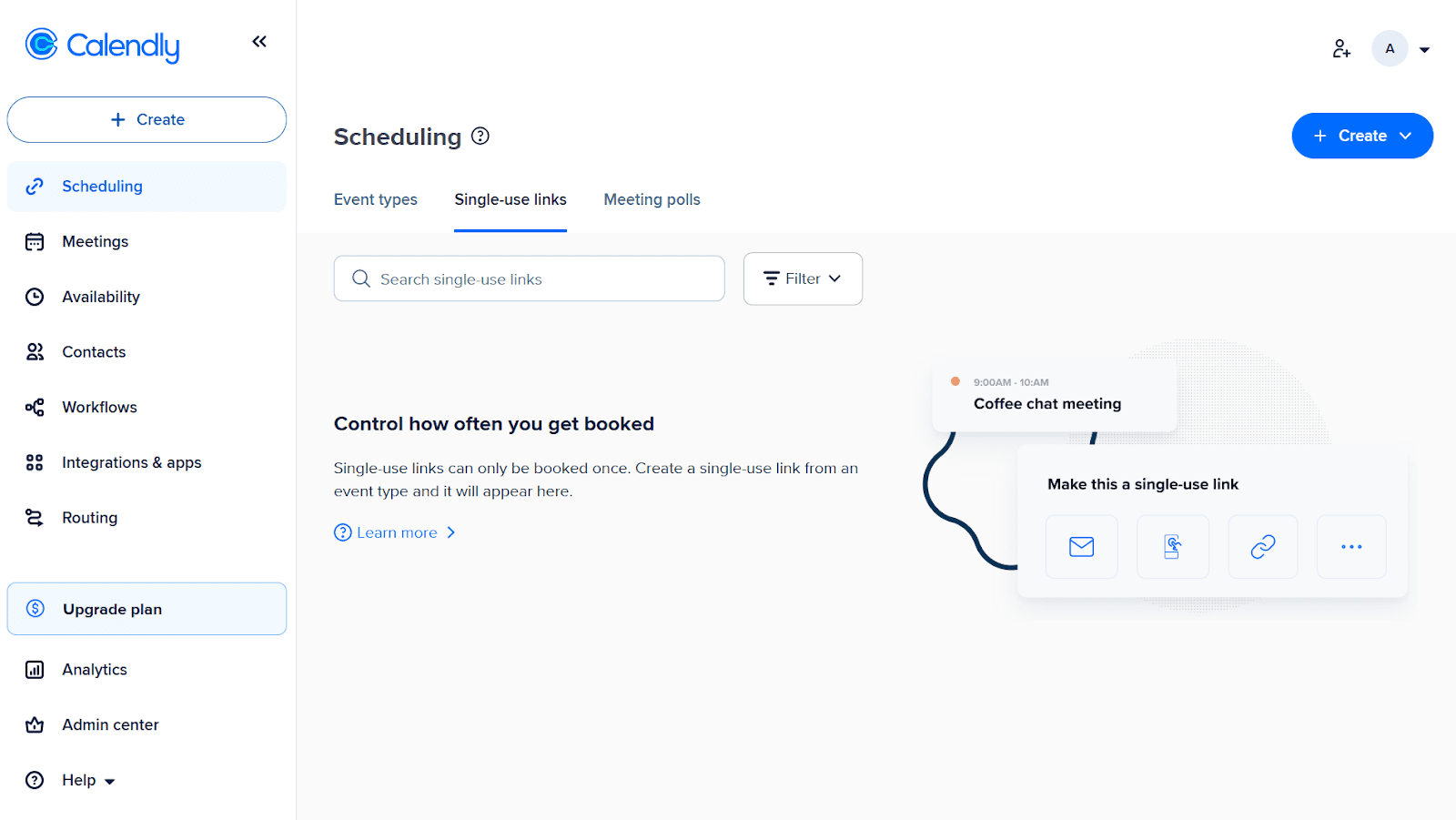
Calendly is a scheduling automation platform that helps sales reps eliminate back-and-forth emails or book more meetings by allowing prospects to pick a convenient time from their live availability. It supports both individual and team bookings, as well as calendar integrations and automated reminders.
Calendly’s main features:
- Automated scheduling
- Online booking links
- Automated workflow (reminders, follow-ups, confirmations)
- Embedded booking
- Time zone detection
- Integration with various B2B sales tools
- SSO and security features
- Analytics and reporting
Pricing: Forever-free plan with 1 event type and 1 connected calendar. Paid plans start at $12/month per seat.
What users say:
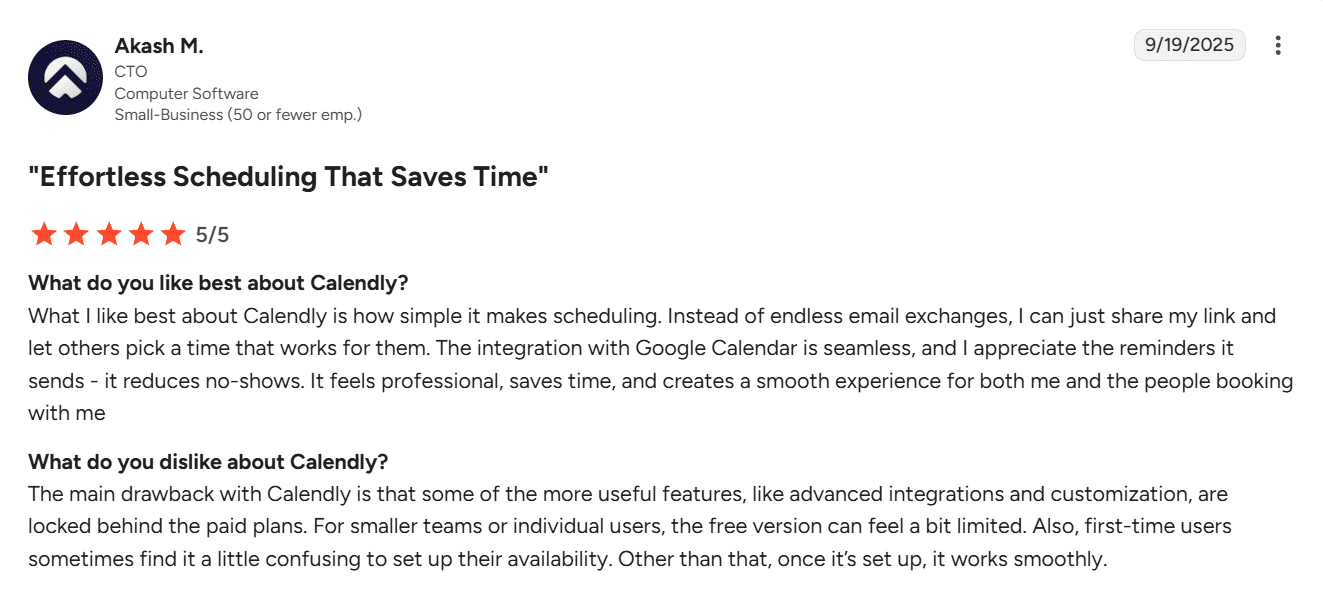
Users claim that the platform is very helpful for scheduling and significantly reduces back-and-forth. People also mention its ease of use and smooth integrations with popular calendars. But according to some reviews, many useful features are available only on higher plans.
 My testing take:
The setup was straightforward and fast. Once you log in, the platform walks you through the onboarding process with helpful videos and initial tasks. The UI is intuitive and consistent, so you can start using the tool without extra training.
You can customize your schedule, add contacts, quickly schedule different event types, and create website forms to book leads. I also like that email, calendar, CRM, and other sales productivity tools can be easily integrated. For instance, you can sync Calendly with Snov.io with just a click. However, I didn’t see a native option to upload contacts in bulk.
The platform also supports team collaboration with role-based permissions. The admin center offers numerous monitoring tools, including security management features such as planned data deletion, activity logs, and mandatory email verification for invitees.
Calendly provides both AI and human assistance. To be honest, I truly like their support quality. The team is available 24/7. It took me a couple of minutes to ask the AI bot to connect me with an agent and receive the first message from them. You can also contact a human support representative via email.
15. Zoom
Capterra rating: ⭐️ 4.6
G2 rating: ⭐️ 4.5
Best for: B2B sales teams that need a reliable platform for video meetings, such as sales calls or demos, with the ability to integrate conversation intelligence tools or CRM systems.
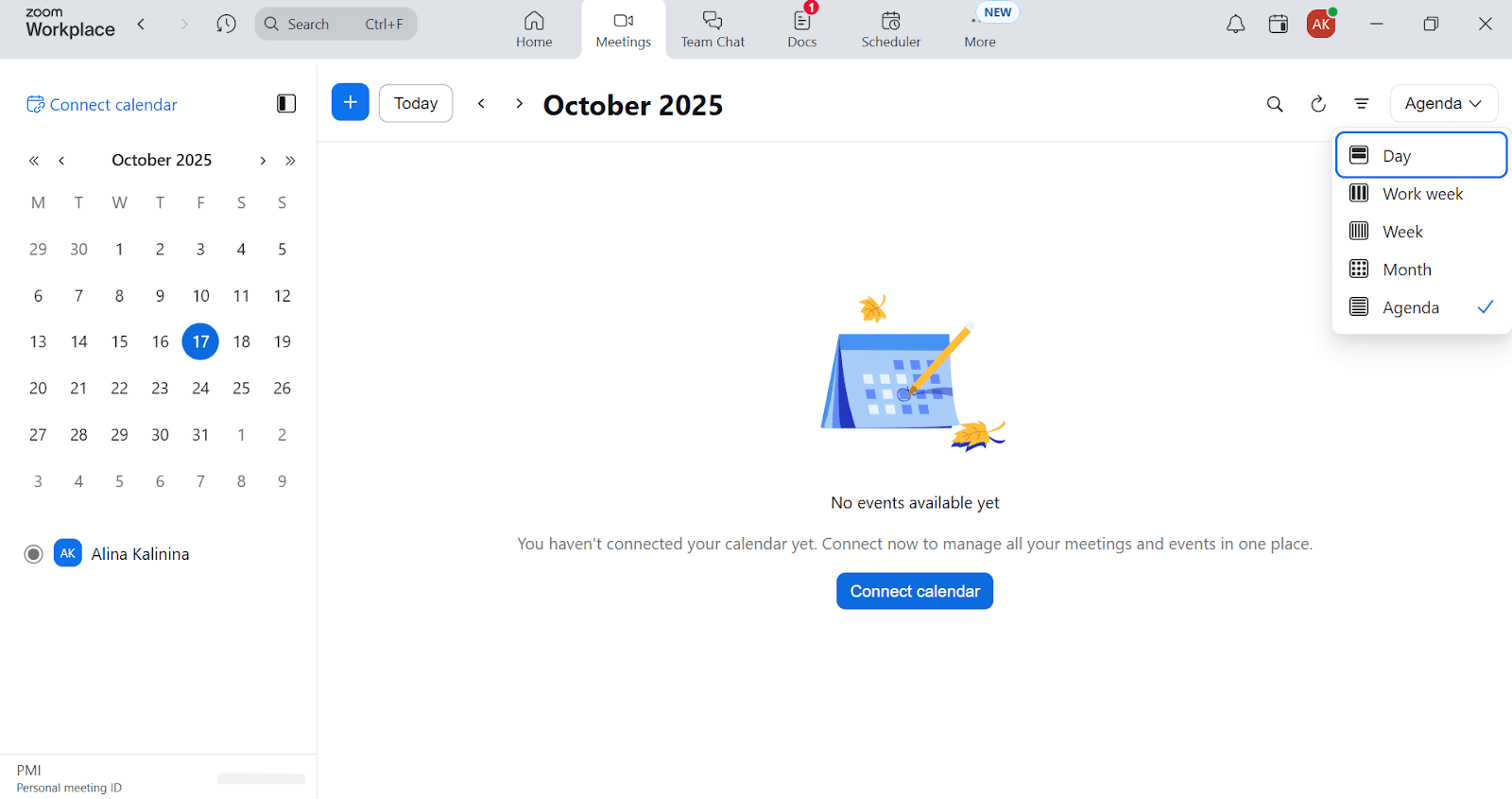
Zoom is a video meeting platform that is widely used as B2B sales software for demos, calls, or webinars. It offers screen sharing, event recording, transcriptions, and notes. Besides, the platform provides a built-in AI assistant for summarizing meetings or writing custom emails.
Zoom’s main features:
- Video and audio meetings support
- Virtual backgrounds, effects, filters
- Recording features and meeting notes
- Screen sharing
- Ability to create polls during meetings
- Built-in cloud-based phone system
- Automatic transcription
- Zoom AI Companion
Pricing: A forever-free basic plan with limited features; paid options start from $16.99/month.
What users say:
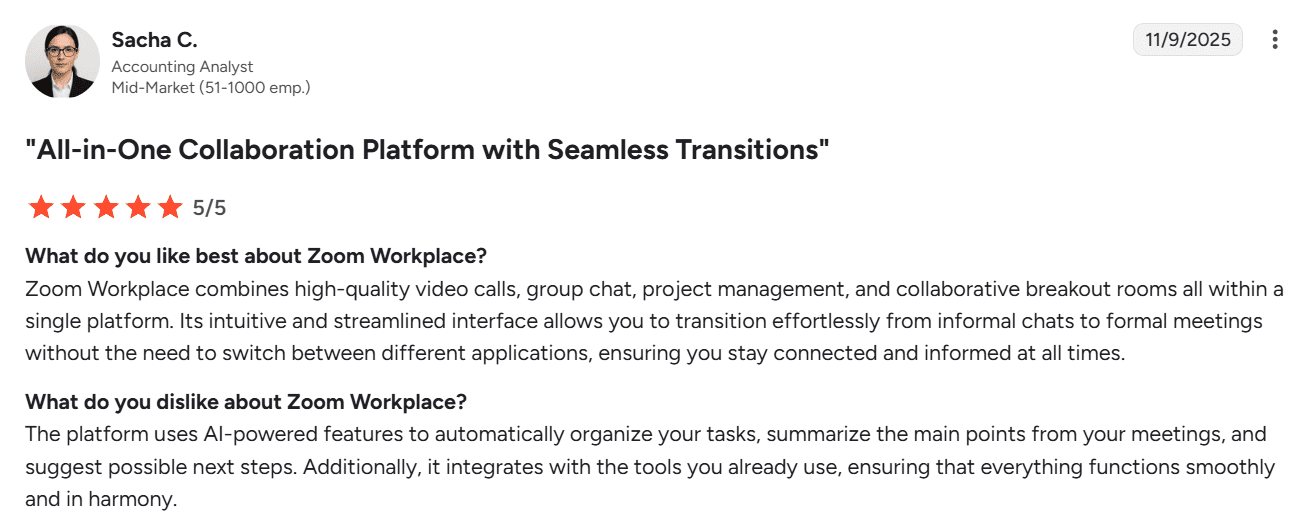
Users praise Zoom for its reliable call quality, easy joining, and different screen-sharing options for organizing sales demos. People also like Zoom’s real-time translation in chats and recording capabilities.
My testing take:
I’ve been using Zoom for calls and demos many times. What I like most is that this B2B sales platform is reliably easy for prospects to join – one link, and they’re at the meeting. Screen sharing always works smoothly, and remote control is great for live presentations.
I also like the recording feature and transcripts, which help capture the major points and plan actions after a call. Seamless calendar integration makes it easy to schedule meetings, and the ability to connect via web also comes in handy when a prospect can’t install the app for some reason.
What drives me a bit crazy is the pricing sprawl. Multiple tiers and add-ons spread related features across different sections, making it hard to navigate and choose the right setup. It’s also worth noting that live chat support is only available with paid subscriptions.
16. Chili Piper
Capterra rating: ⭐️ 4.4
G2 rating: ⭐️ 4.6
Best for: Inbound-heavy sales teams using HubSpot or Salesforce CRM that want a B2B outreach software to automate lead routing, qualification, and meeting scheduling.
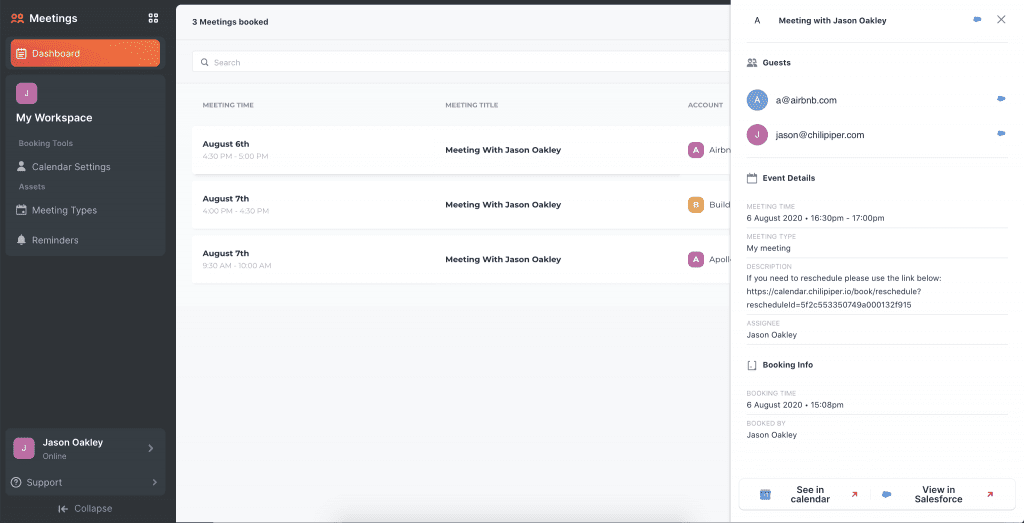
Chili Piper is a B2B sales platform that enables teams to schedule appointments with prospects automatically. The tool offers instant booking via forms or chat AI, smart lead routing, and seamless CRM integration.
Chili Piper’s main features:
- Instant meeting scheduling
- Smart routing
- Automated calendar booking
- Integration with sales productivity tools, CRMs, email platforms, and more
- Workflow automation (reminders, follow-ups)
- Analytics and reporting
Pricing: No free trial; paid plans start from $45 billed monthly.
What users say:
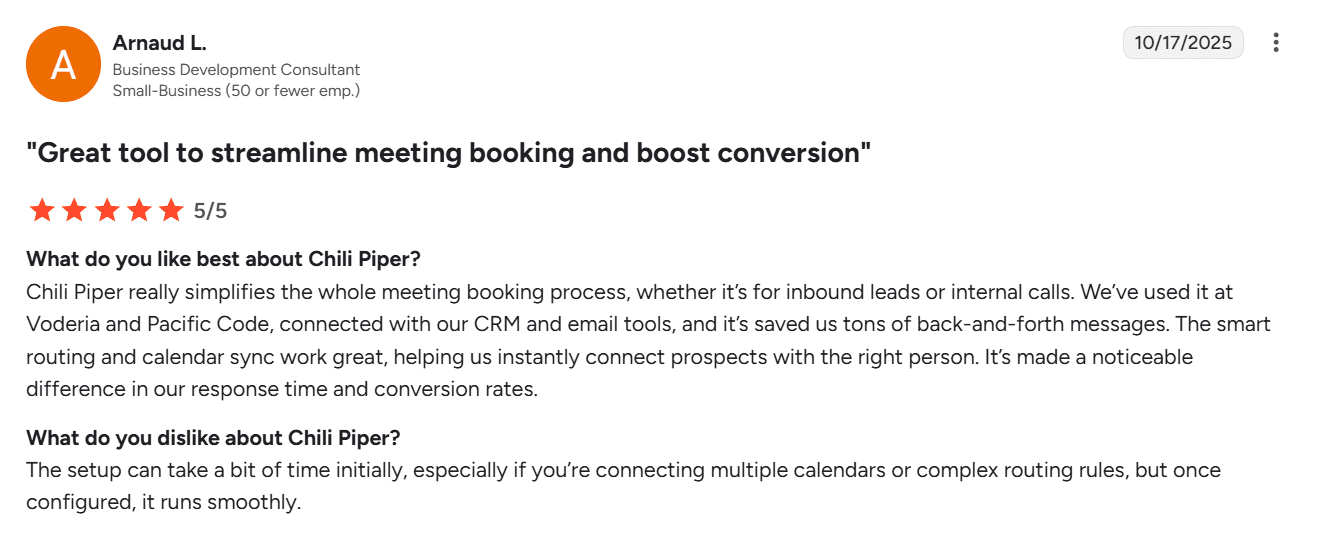
Users report that the platform simplifies meeting scheduling with automation and calendar integrations. Practitioners also praise Chili Piper’s advanced rules for contact forms, ensuring each lead is redirected to the correct rep.
My testing take:
The setup process isn’t fast and requires a few steps before you can fully explore the platform. You’ll need to connect your CRM, set up a workspace, and tune the routing logic for your product.
The interface is clean. However, the settings are spread across several menus, so the learning curve isn’t short. So, expect to spend time clicking through sections to understand how everything works. Luckily, the platform provides very detailed documentation with screenshots in Chili Hub.
Human-agent support is available via ticket forms or email. You can also use the in-app chatbot that replies immediately. However, in my experience, answers often link to help center articles rather than provide me with an actionable guide. In case of real issues, it’s best to contact the support team.
17. Gong
Capterra rating: ⭐️ 4.8
G2 rating: ⭐️ 4.7
Best for: Large B2B sales teams that want robust conversation intelligence tools with deep analysis, data-driven coaching, revenue forecasting, and clear pipeline risk signals.
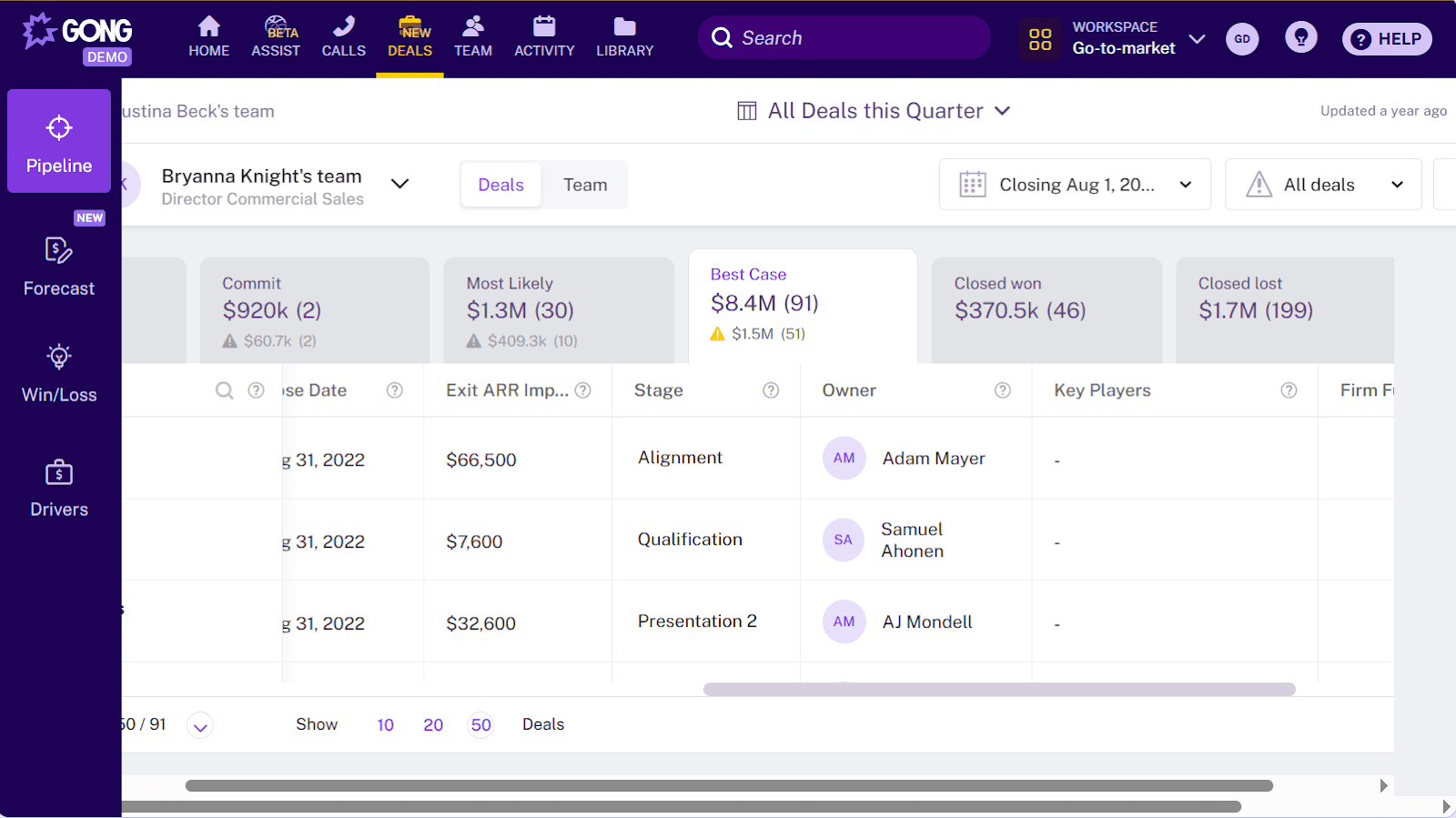
Gong is a conversation intelligence tool that records calls and meetings, converting them into searchable transcripts. Due to its built-in AI features, this B2B sales software analyzes customer interactions and delivers actionable insights to sales reps, including deal risks, next steps, and coaching opportunities.
Gong’s main features:
- Call and meeting recording
- Searchable transcripts and call summaries
- AI-driven customer interaction analysis
- Deal and pipeline health insights
- Revenue forecasting
- Sales engagement tools (Gong Engage)
Pricing: Not published openly; you must fill out a form to request a customized proposal.
What users say:
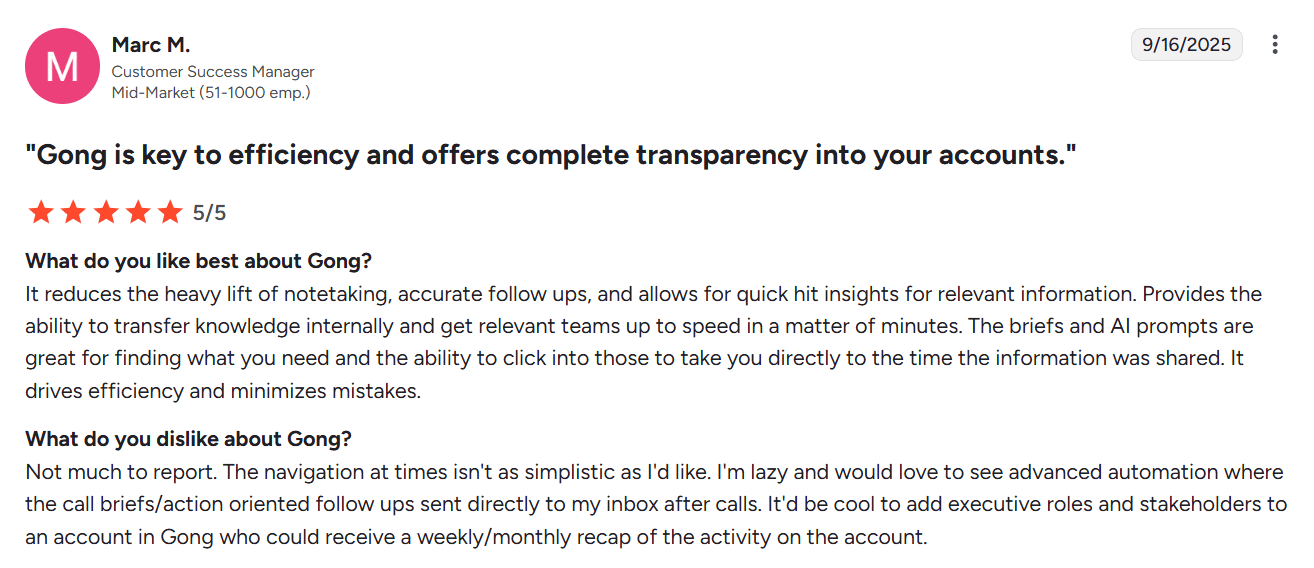
Users praise Gong for its powerful AI-driven insights, particularly for sales coaching, deal risk assessment, and capturing customer feedback. People also like its accurate call recording and transcripts, which make follow-ups faster. However, many report a steep learning curve and a fairly high price tag.
My testing take:
This B2B sales platform provides truly powerful conversion intelligence tools. I also like comprehensive sales dashboards with deal amd pipeline insights tied to real conversations. However, the setup is complex, and it will take time to learn the functionality and navigation.
Frankly, I am not very satisfied with the support options. Although the AI bot is fast and helpful, it’s not that easy to connect with a human agent. To receive help from Gong’s support team, you must fill out a detailed form to submit a ticket and wait until an agent reaches out to you via email.
Unfortunately, pricing isn’t listed publicly, making it harder to define if these conversion intelligence tools are worth investing in for your team’s volume. However, I’ve discovered that the cost depends on the number of users and the features you need. The price includes payment for the license (per user) plus the platform fee (also based on the number of users).

How to choose the right B2B sales tool
I hope navigating through all existing B2B sales platforms has become easier with this list. However, now you may think, “How should I choose one from these 17 best B2B sales tools?” No worries, I’ve got you covered.
Here are my recommendations on how to select the right sales productivity software to support your growth.
Define your tech stack needs
Start with the main questions: “What do I need a tool for?” and “What tasks should my sales stack cover?” Define 2-3 main points and search for platforms that meet your requests. For example, if you need a tool to automate outbound sequences and follow-ups, look for reliable B2B outreach software.
Whether you want to enhance lead generation, focus on sales prospecting tools offering email search, LinkedIn sourcing, and easy export options. If you need effective sales pipeline management, consider a CRM for B2B sales, featuring customizable stages, calendar synchronization, and reporting capabilities.
Assess the functionality
Expanding upon the previous point, evaluate the feature set of the B2B sales tools you’re choosing from. Do the platform’s capabilities actually cover your key goals without forcing you to use extra software? From my practical experience, I recommend checking for the following features:
- If it is a B2B outreach software, it should offer multichannel sequences (emails, calls, LinkedIn, or other social media), personalization, tracking options, A/B testing, as well as analytics features.
- If you’re considering a CRM for B2B sales, check if it provides customizable pipelines, email and calendar sync, and native integrations with your existing sales tech stack.
- If you evaluate sales prospecting tools, prioritize fresh and compliant data, rich filters to identify high-value leads, and convenient exporting options to enrich your CRM.
- If it is a solution for calls or meetings, check for easy booking, calendar integration, recording options, quality of AI notes (for conversation intelligence tools), and a CRM sync.
Simply put, define the features you need for an effective workflow, and check if the tools you’re choosing from actually provide them. Then, evaluate and compare like-for-like functionality (accuracy, speed, usability, or price) to select the best fit.
Evaluate integration with your existing tools
Besides being efficient and helpful, your sales automation tool should also seamlessly fit into your tech stack. Look for native integrations with your CRM, email services (such as Google or Microsoft), and meeting apps (like Calendly or Zoom). If you use custom-made solutions, check whether the platform provides an open API.
Compare usability and support options
Ensure your team can navigate the new B2B sales tool without any friction. Look for clear documentation, a searchable help center, and in-app onboarding steps. To avoid hiccups, review the support options: coverage hours, available channels, and access to a dedicated customer manager if needed.
💡 Expert tip
If the platform provides a free trial, I recommend testing the learning curve. To do so, give a new sales rep, for example, an hour to import contacts, connect their inbox, and launch a simple sequence. If they get stuck or need a playbook, consider an easier tool to truly optimize the workflow.
Review pricing and scalability
Consider the budget you can allocate to B2B sales software and choose the tool that meets most of your requirements at this cost (or even lower). Prioritize platforms that combine multiple workflows, so you get more value with a single tool.
Besides, check if the B2B sales platform offers favorable scale-up pricing. Your team and volume will grow, and it’d be better to upgrade within the same product than to switch to a new one every time you need more capacity or features.
💡 Expert tip
If you’re looking for sales automation tools, prioritize safety first. Whatever you plan to automate – emails, LinkedIn touches, or prospecting – ensure the software safeguards your activity. Look for guardrails, such as sending limits, deliverability tools, role permissions, and human-like pacing.
For example, here’s how Snov.io takes care of your outreach safety :
✔️ Built-in email warm-up ramps your inboxes gradually, protecting your sender reputation and helping you avoid getting flagged as spam.
✔️ Deliverability test helps you audit domain health, spot blacklists, and improve inbox placement via personalized recommendations.
✔️ Safe LinkedIn automation with a location-based proxy, default safety limits, plus smart delays, and cloud-based execution protects your business data.
✔️ Mailbox and account rotation allow you to increase your outreach volume while staying within safe limits for emails and LinkedIn actions.
In a nutshell, before purchasing, check if the tool’s feature depth, usability, pricing, scalability options, and integrations match your sales stack needs and align with your goals.
Why use B2B sales tools in 2026
And if you still hesitate whether B2B sales software is worth adding to your workflow in 2026, look through the key benefits it brings to your business:
Optimize team resources
Just imagine that today’s sales reps, on average, spend only 30% of their week selling. The rest is eaten by administrative tasks that can be easily eliminated with sales automation tools. B2B sales platforms automate manual routine, freeing up the time of your sales team for actually selling and closing.
Move the pipeline faster
Sales engagement tools allow you to map a clear process and run routine touches on autopilot. You can schedule follow-ups, auto-create reminders and tasks, include an instant booking link in your messages, etc. These timely and relevant touchpoints help accelerate your pipeline, moving deals from lead to close faster.
Besides, the best B2B sales tools help you minimize potential mistakes, ensuring no step is missed.
Centralize data for effective pipeline tracking
A good CRM for B2B sales lets you keep contacts, activities, and deals in one place with a reliable sync to email, calendar, or meeting apps. Thus, everyone on your team can see the current status for each prospect, including notes, past interactions, or planned next steps. Clear visibility makes handoffs smoother and sales pipeline management more effective.
Enhance results with data-driven solutions
The best B2B sales tools provide built-in analytics that help you understand what works well and where deals stall. Using these insights, you can review your approach to create a sales strategy that drives steady gains in meetings, win rates, and revenue.
🧐 Need more reasons? Let’s see what the numbers say:
- According to the latest HubSpot Sales Trends Report, a sales rep spends, on average, one hour per day on administrative tasks.
- Meanwhile, a typical sales manager spends 18% of their time manually entering customer or sales information and researching prospects every week.
- Just think, all this work can be easily automated with B2B sales platforms, saving time for more priority tasks and high-value conversations. For example, AI tools save sales reps 2 hours per day.
- This is one of the reasons why 56% of B2B teams will keep on prioritizing AI-powered automation in 2026.
- Sales automation tools help businesses drive more sales, and a recent Omnisend analysis proves this: during the study, 37% of all campaign sales came from automated emails, which made up only 2% of the total sends.
And some stats from a real Snov.io case study:
Since adding Snov.io to our sales stack, our revenue has grown by 18%, and our account managers now reach 40% more leads on average.
Automation & Customer Success Specialist at SpotOn

Key takeaways
So, what is the best B2B sales tool for your team? Honestly, I still can’t answer this question for you. In this article, I provided tips that should help you select the most winning option.
But I can provide my sum-up recommendations here, taking into account such factors as your business size, product type, budget, etc.
- If you’re looking for a robust yet affordable CRM for B2B sales, Zoho will be a good fit. If you’re just starting out or don’t have complex sales processes, HubSpot, with its free CRM, is what you need.
- Need a reliable tool to schedule demos? Consider Calendly, which allows you to add slots directly in your emails to prospects. You can leverage Zoom for the demo itself, especially if your volume is not that big, and 40-minute calls, included in its free plan, are enough.
- Whether you drive most sales from LinkedIn, Sales Navigator is a must. With this sales prospecting tool, you can find high-value leads that perfectly match your ICP.
- For cold outreach, you have a kaleidoscope of options: Lemlist, Instantly, Hunter.io, Woodpecker, or any other tool that fits your needs, experience, and volume.
And if you need a B2B outreach software, combining sales engagement tools, multichannel campaigns, strong deliverability features, AI-powered personalization (and all that at an affordable price 😏), look no further – Snov.io has you covered.