TL;DR: What is Lemlist, and is it worth it?
Lemlist is a sales engagement platform designed for running multichannel outreach campaigns across email, LinkedIn, calls, and WhatsApp.
Lemlist at a glance:
My take: Lemlist rewards teams who are particularly interested in customization. It also makes sense if your team uses phone or WhatsApp outreach daily. But I’d lean toward Lemlist alternatives if LinkedIn safety, data costs, and quicker onboarding matter more to your team.

Creating a successful multichannel strategy remains a challenge for 53% of marketers. Lemlist is a service that may help teams solve this problem, offering its automation and personalization functionality.
May, but can it?
I tested the platform hands-on to share my honest opinion on the tool. In this Lemlist review, I’ll break down the most relevant Lemlist features, outline the real Lemlist pros and cons, explain Lemlist pricing, and compare Lemlist vs Snov.io – one of the best Lemlist alternatives.
Key points of my Lemlist review:
How I tested Lemlist
I signed up for Lemlist’s 14-day trial and read G2 reviews to see whether my experience matched what other users were saying.
What I focused on:
- Core Lemlist features: I built sequences, tested personalization tools, searched the contact database, and tracked enrichment costs.
- Usability: I checked whether Lemlist automation is safe for a LinkedIn account and explored the interface to see how easy it is to find all the features.
- User feedback: Read G2 reviews to spot patterns in what users like and what frustrates them.
This Lemlist review combines my own experience with this platform with patterns I noticed from people who’ve been using it longer.
So, let’s dive deeper.
What is Lemlist?
Lemlist is a multichannel outbound tool built around one main idea: sending automated outreach that does not actually look automated. You can combine email, LinkedIn, calls, and WhatsApp in one sequence, where each next message is triggered by the prospect’s behavior.
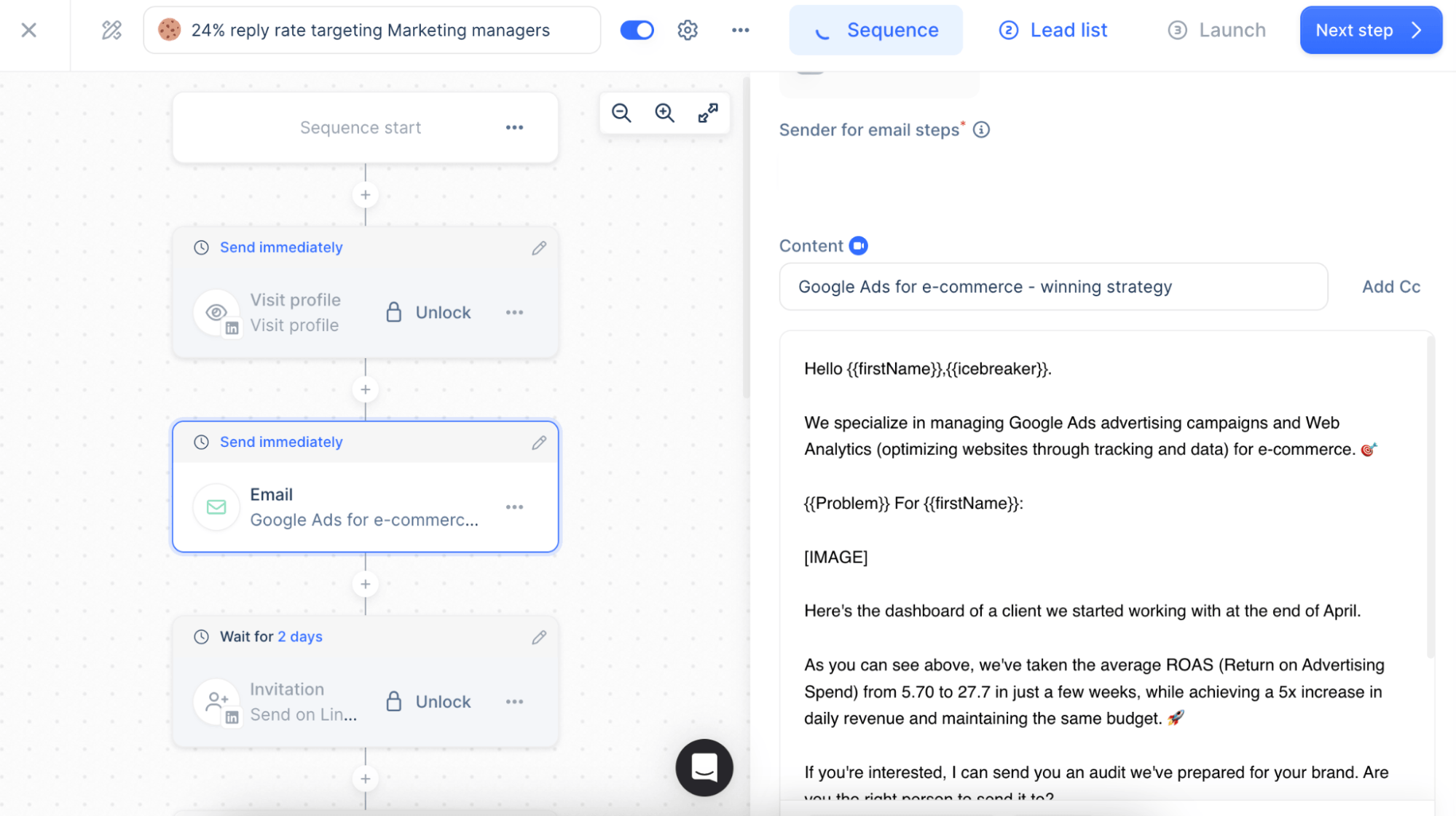
Lemlist prioritizes personalization over volume. Messages shift based on job title, company type, time of day, or engagement, thanks to liquid syntax, spin text, plus AI variables.
Its features also include lead discovery, built-in deliverability tools, plus CRM integrations with Salesforce, HubSpot, Pipedrive, etc. From a cost perspective, Lemlist pricing sits in the mid-to-high range.
What is Lemlist’s reputation?
Lemlist is rated 4.6/5 on G2. Users appreciate this tool for its easy-to-use interface, professional support, and strong automation functionality. Besides, people highlight personalization among the key Lemlist features, reporting that it helps them not only streamline their multichannel outreach but also make it targeted.
On the other hand, some users say the credit system can be rather expensive, while others complain about template customization and limited analytics features.
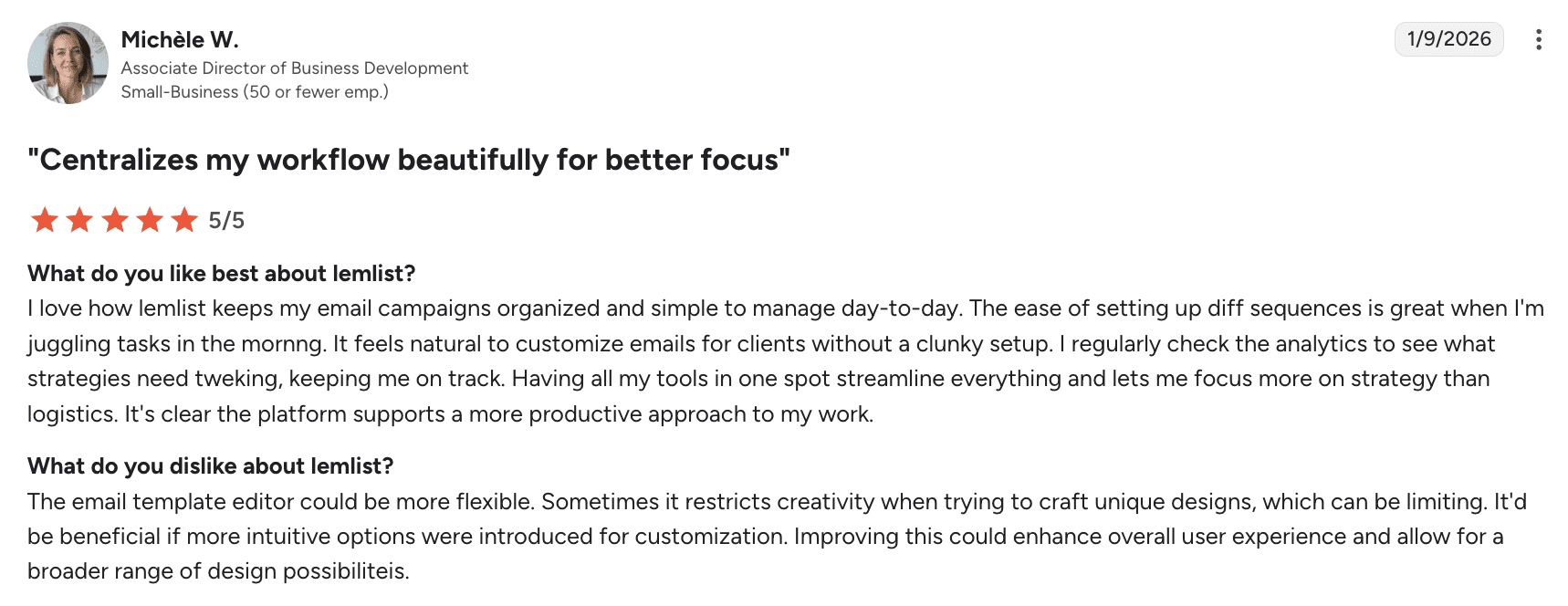 I’ve also noticed some comments about responsiveness: people wish the service Lemlist optimized its mobile experience to make the app more user-friendly.
Who can benefit from using Lemlist?
Looking at G2 reviews, I’ve noticed that most users are:
- SDRs doing cold outbound
- Sales managers building repeatable workflows
- Early B2B companies setting up their first outbound process
- Agencies managing client campaigns
They’re mostly at smaller SaaS or tech companies that rely on outbound outreach. In most cases, users switched to Lemlist because personalization wasn’t enough, and they wanted email, LinkedIn, and calls in one place.
Lemlist features: my honest analysis
For this Lemlist review, I’ve closely analyzed some of the key Lemlist features to provide a practical, hands-on overview.
Multichannel outreach
Lemlist allows users to combine email, WhatsApp, and LinkedIn steps into a single sequence. As far as I opened the campaign section, I was presented with two options: create manually or with AI, which feels refreshing.
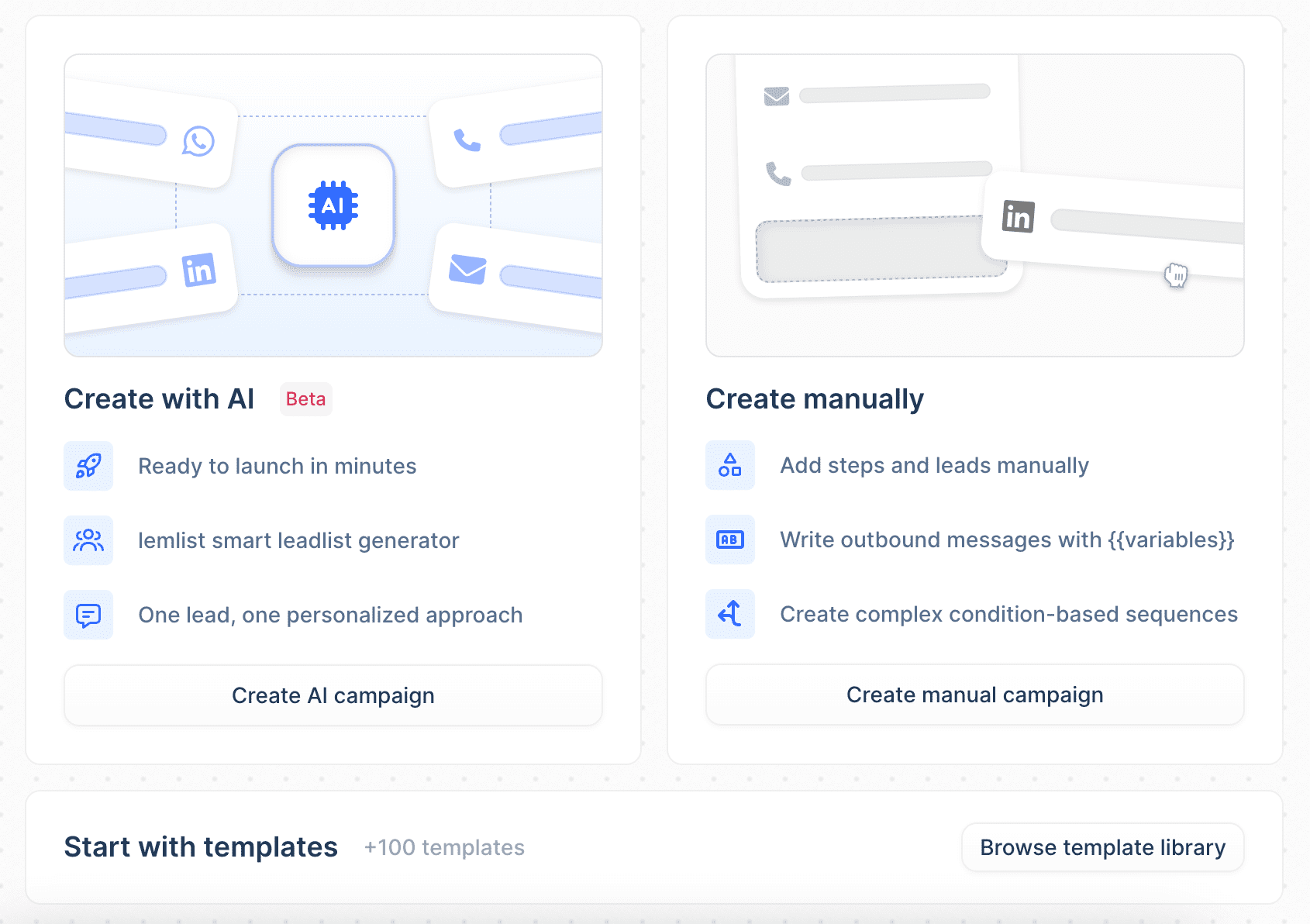
The campaign setup itself seems straightforward (add steps, set delays, import leads, configure schedules). Sure, there’s definitely a lot to navigate once you dig in.
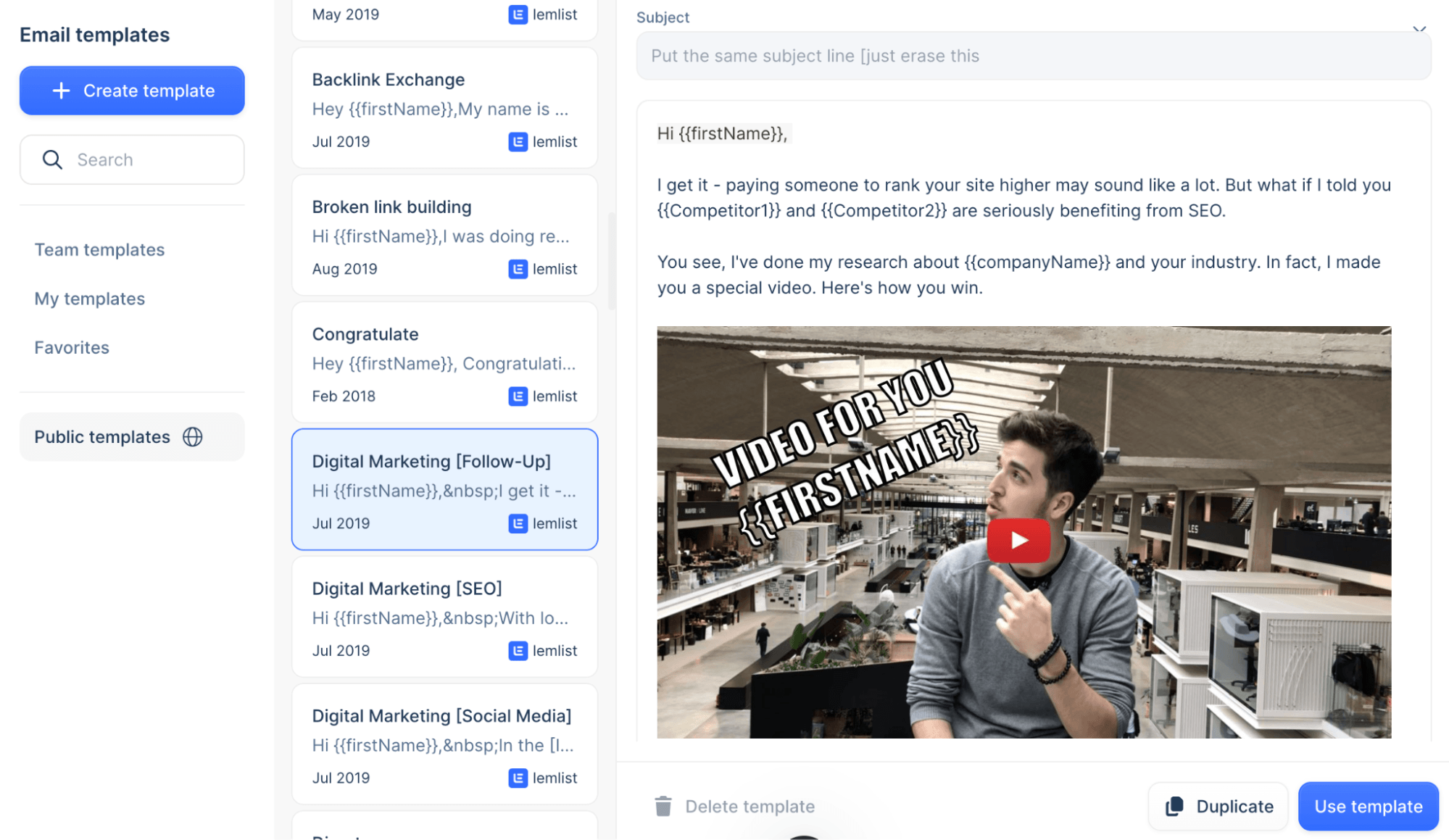
I also came across a template library, not huge but decent-sized, where I could browse templates in several languages. I personally find this helpful for getting started.
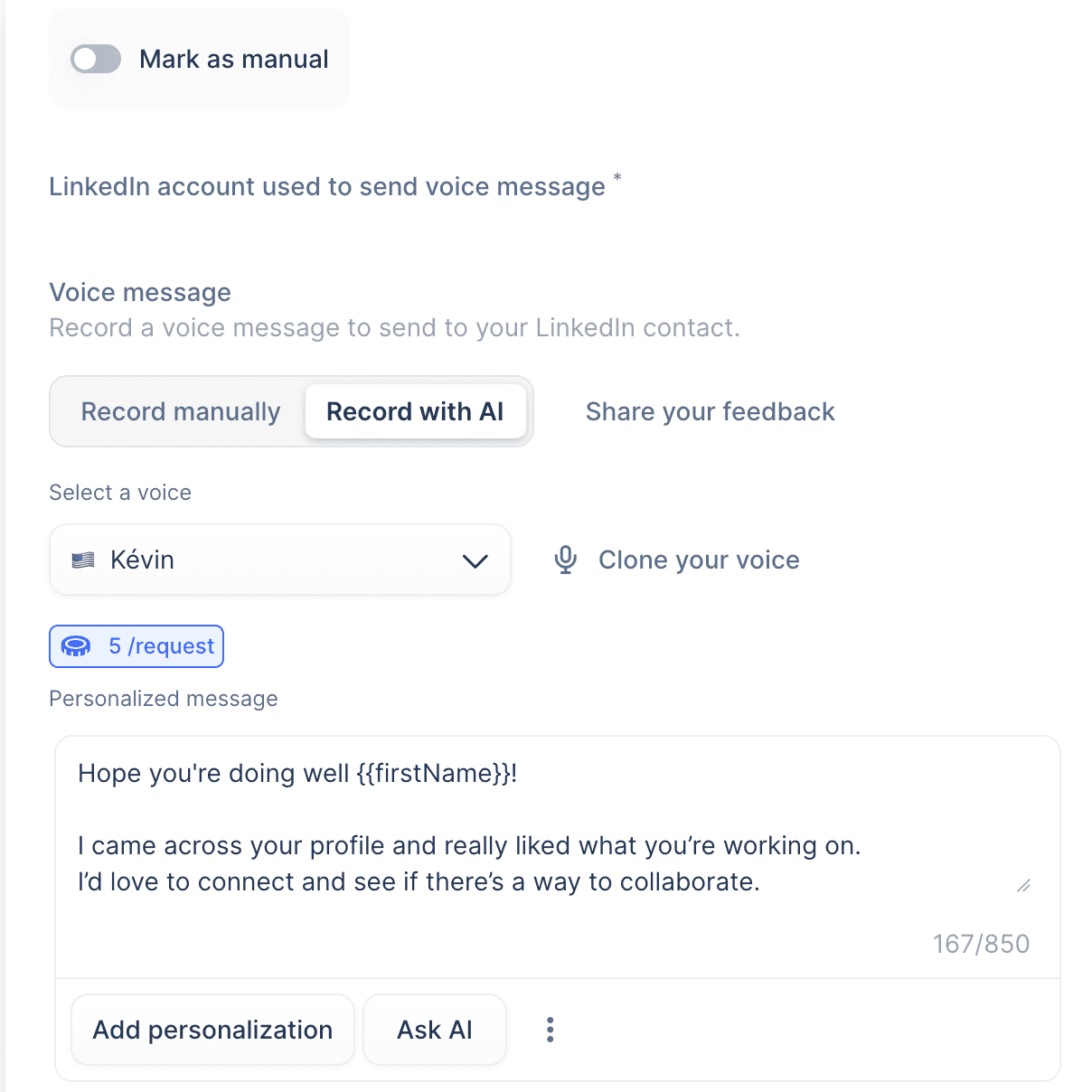
One feature that stood out to me is AI-powered LinkedIn voice messages. You can record them yourself or use AI-generated voices in languages like English, Dutch, German, etc. But keep in mind that this is not a free functionality.
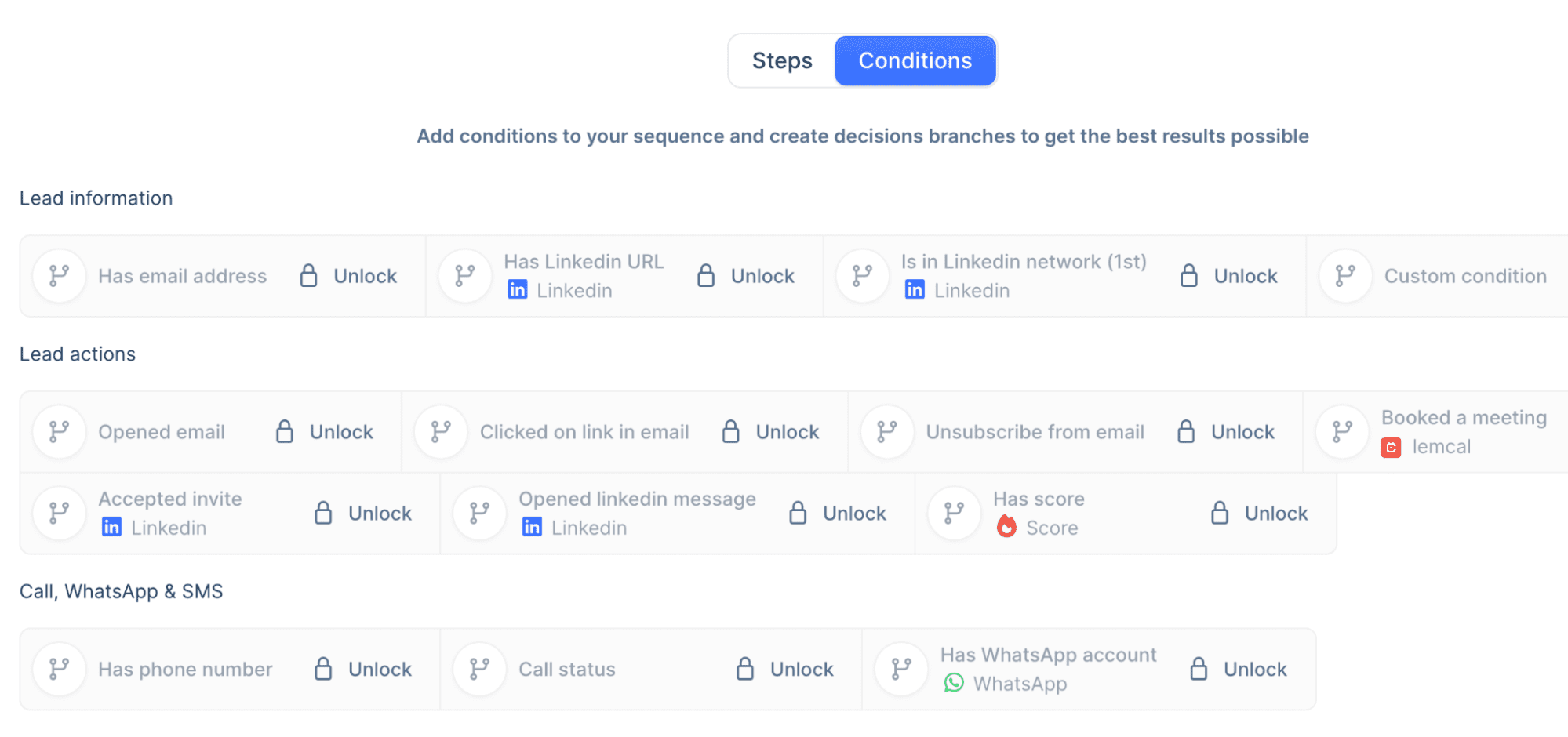
I spent some time with the conditions feature, which is split into categories such as lead information (has an email address) and lead actions (opened an email, booked a meeting). As a person who’s tested plenty of outreach automation tools, frankly, I felt a bit overwhelmed at this point.
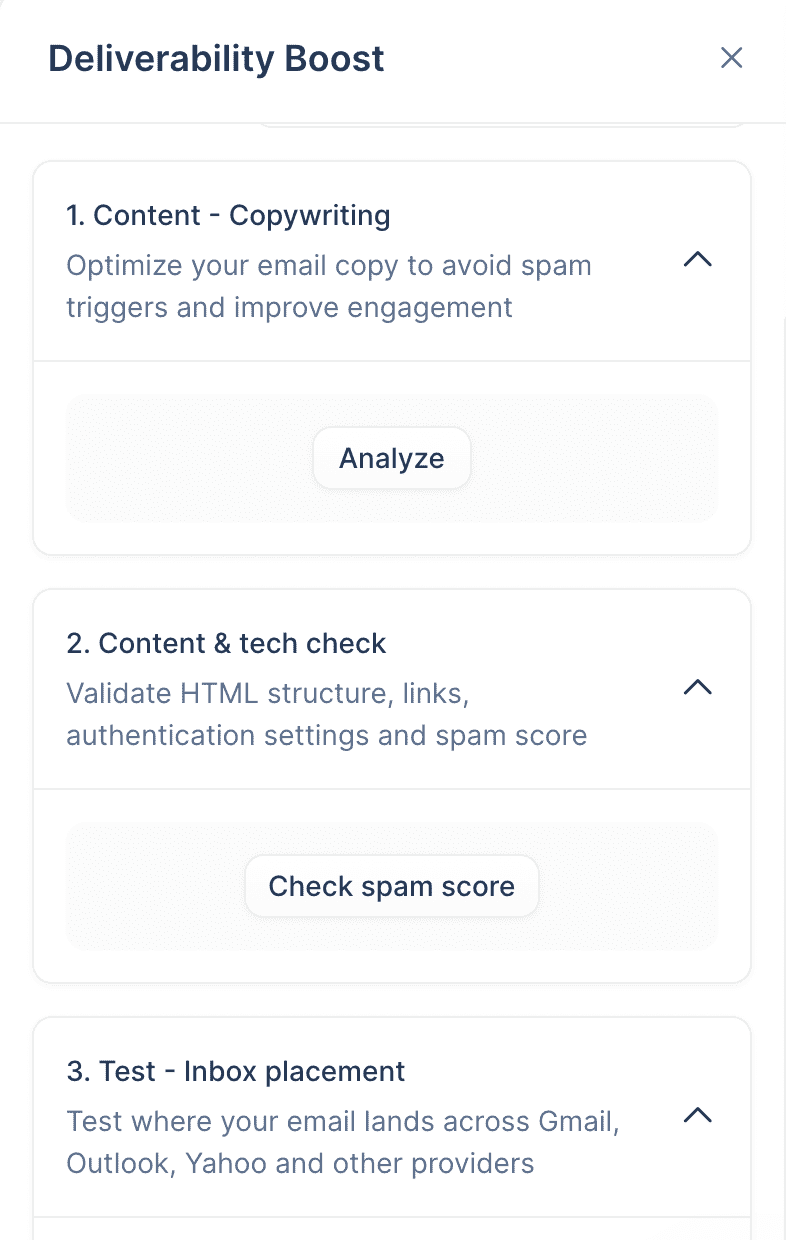
What I found really useful, however, is a Deliverability Boost functionality embedded right into your campaigns, which lets you optimize your email copy, check your spam rate, and test inbox placement in real time.
Overall, Lemlist campaigns are rich in necessary features, but you need some time to get familiar with all of them to be able to create your first effective sequence.
Lead generation
Looking at the lead sourcing options, Lemlist offers several ways to add prospects to your campaigns. You can do standard CSV imports or use their AI lookalike finder, which lets you paste a LinkedIn profile URL for your best prospect. Then it searches for similar contacts based on role, seniority, and company attributes.
Related posts:


There’s also LinkedIn importing via their Chrome extension and access to their database with 600+ million contacts. The database is organized into two sections: companies and people. Company search includes filters like size, growth, funding date, and technologies. Meanwhile, people search covers job title, country, seniority, years of experience, etc.
That said, I found the filtering process a bit clunky when I was trying to search for multiple people and companies at once. Out of 15 specific contacts, I found only 9 in the database.
What is helpful, in my view, is Lemlist’s Signals feature, which lets you generate leads based on company insights, such as visiting your website, hiring for specific positions, raising funds, etc.
The Chrome extension integrates with LinkedIn, Gmail, HubSpot, and Salesforce, so you can enroll, enrich, and personalize without jumping between tabs. The catch is that it only works on these platforms, not on other websites, which puts real limits on how you can get leads.

Personalization
I have also been testing Lemlist’s personalization features, and the level of depth is a real strength. They are more sophisticated than I initially expected.
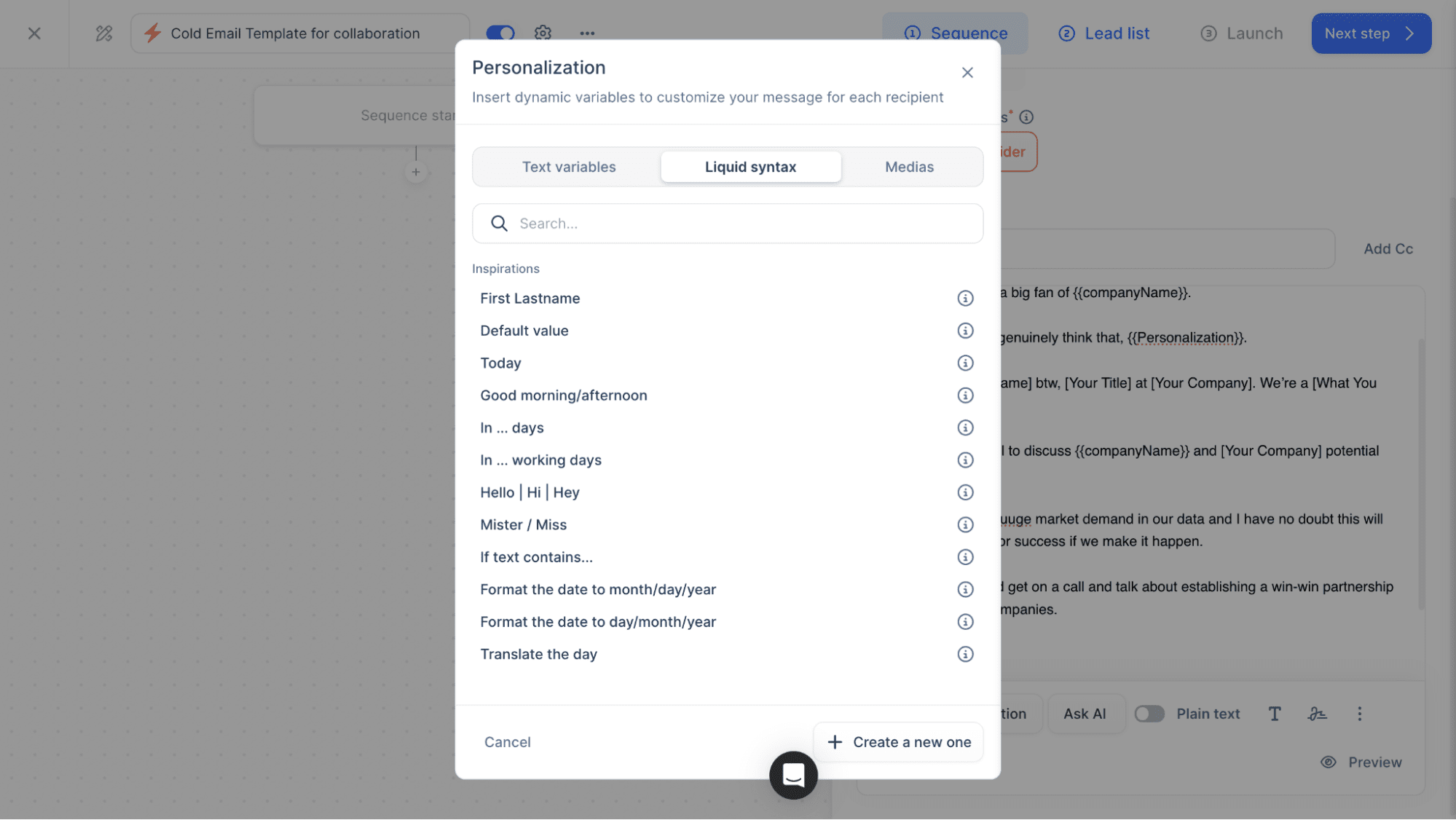
The liquid syntax looked intimidating at first, but it’s quite powerful. You can write a single email that automatically adjusts greetings based on the time of day or swaps content depending on whether someone’s a founder or a manager.
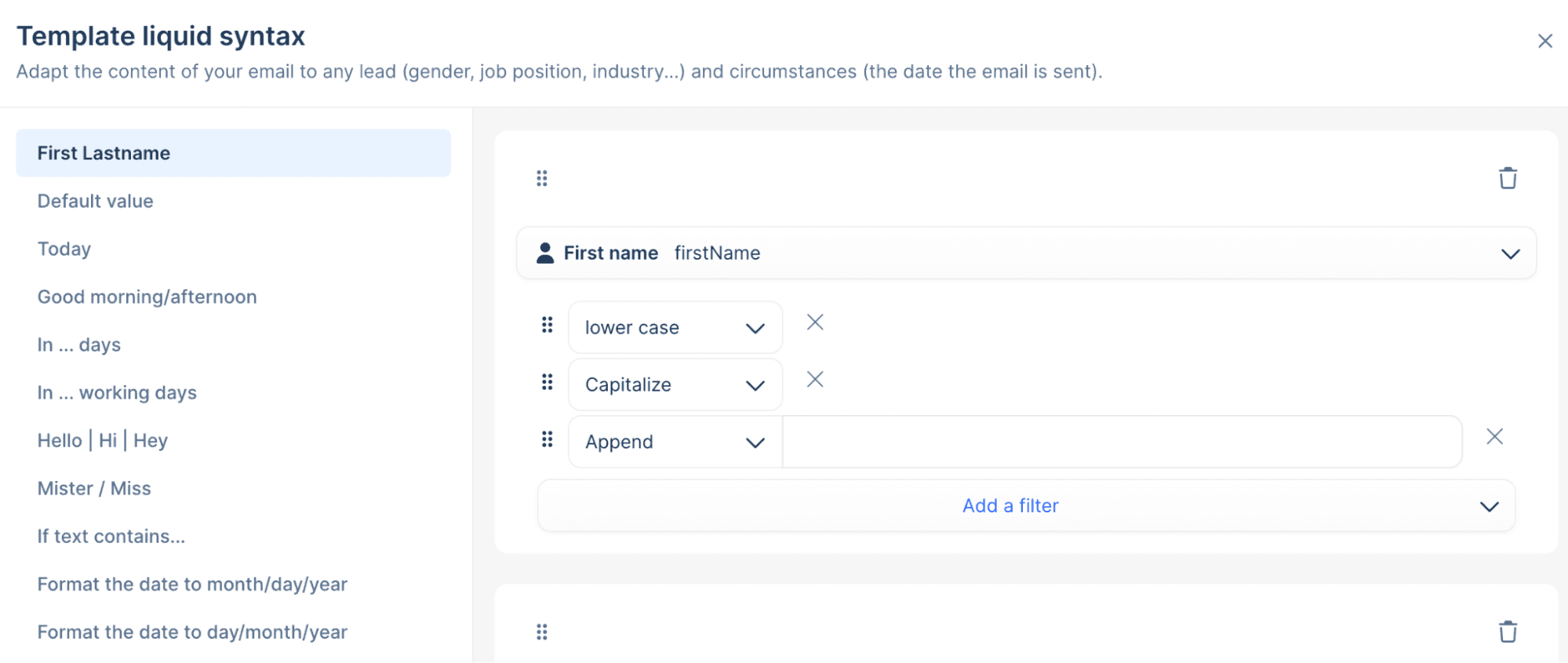
Meanwhile, the spin syntax is smart about avoiding a mass-email look. If multiple people at the same company receive your outreach, they’ll each see different wording.
What would genuinely save time is the AI variables. This feature helps when you’re dealing with messy lead data. If your list contains job titles with emojis or inconsistent formatting, you can set up an AI column that standardizes it in under a minute instead of manually editing each row.
You can also use AI variables to generate personalized intro lines, standardize company names, and write messages based on lead information.
To be honest, there’s a learning curve with conditional logic. But once you understand it, you can build fairly sophisticated personalization without manually customizing every single email.
Analytics and reporting
As for analytics and reporting, lemlist provides a separate dashboard for campaign performance with several widgets, including lead funnel over time, lead funnel overview, etc., all tracking status changes for leads first contacted during your selected date range.
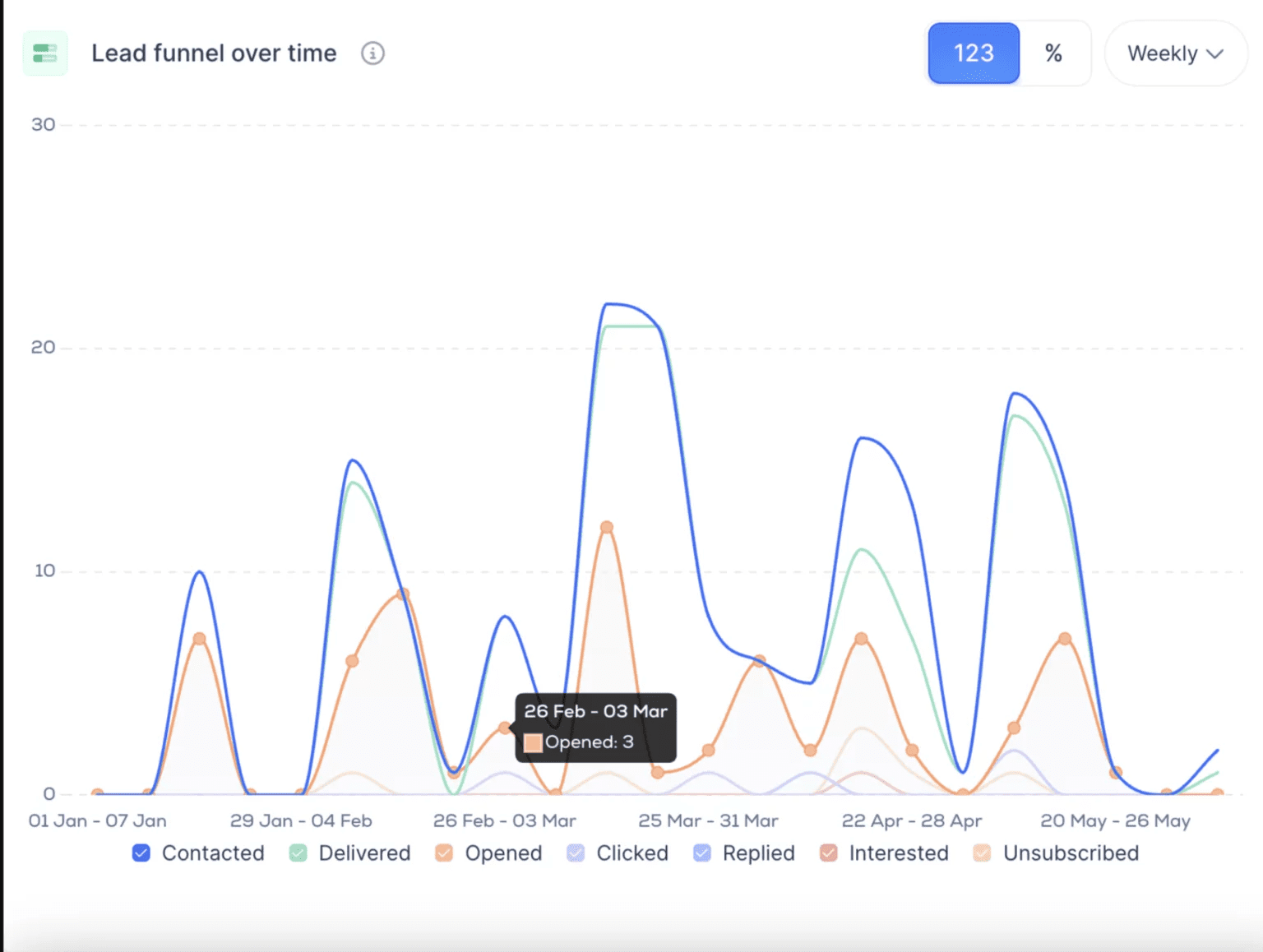
Needless to say, when I was looking through what users say about the Lemlist pros and cons, analytics was among the weakest points. According to user feedback, the platform doesn’t provide the in-depth insights they need for comprehensive campaign analysis.
Yet, now I see that the platform is expanding its reporting capabilities to tracking warm-up, outreach metrics, inbox placement, and alerts, all wrapped up into the Deliverability hub.
Integrations and other features
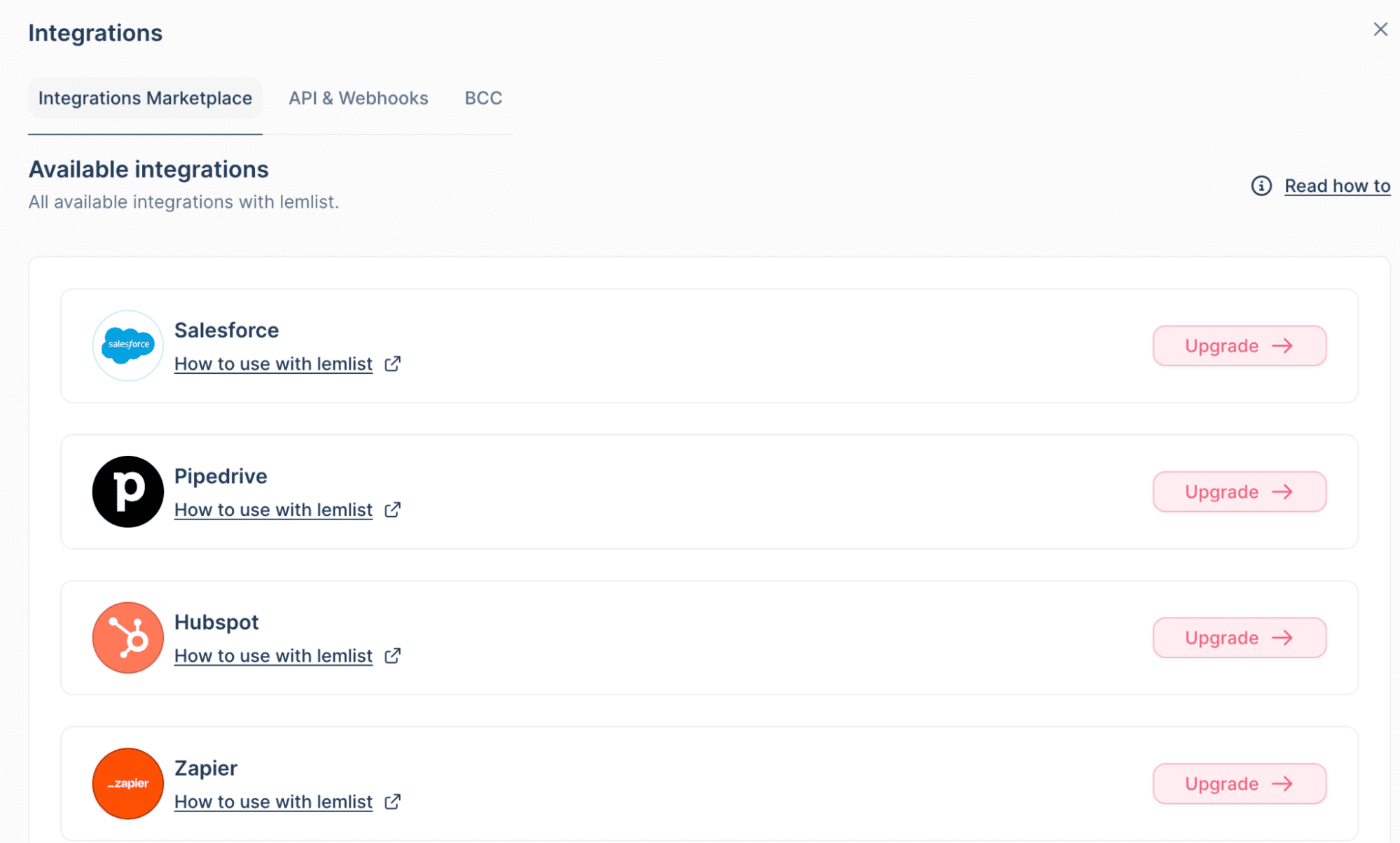
Lemlist offers integrations with popular tools across different categories. For example, CRM platforms like HubSpot or Salesforce, pipeline automation tools, data enrichment services like Apollo and Lusha, and engagement add-ons.
They cover the basics that most sales teams need. But if you’re using less popular tools, you might run into gaps. The selection works well for mainstream tools, but it’s not as deep as some other all-in-one platforms.
Among other Lemlist features, I would also name Tasks, which help you organize your daily activities, as well as meeting recordings, though the latter is available only via the Lemlist-Claap integration.
How much does Lemlist cost?
Lemlist pricing is split into three main plans:
Email Pro starts at $79 per user per month. You get 3 email senders per user, 200 free enrichment credits monthly, unlimited email follow-ups, access to their 600M+ lead database, AI personalization, CRM integrations, and email warm-up tools. This plan is best if your focus is strictly on email outreach.
Multichannel Expert is their most popular plan at $109 per user per month. It includes everything in Email Pro, plus 5 email senders per user, 400 enrichment credits per month, LinkedIn automation, and a built-in call dialer. WhatsApp automation is available as an add-on. This plan opens up the full multichannel experience, but costs increase with more users.
Enterprise pricing is custom and requires contacting sales. You get at least 5 email senders per user, 400+ enrichment credits monthly, CRM access, custom user roles, a dedicated account manager, priority support, and 1:1 onboarding. This plan works for teams of 5+ who need dedicated support and tighter control.
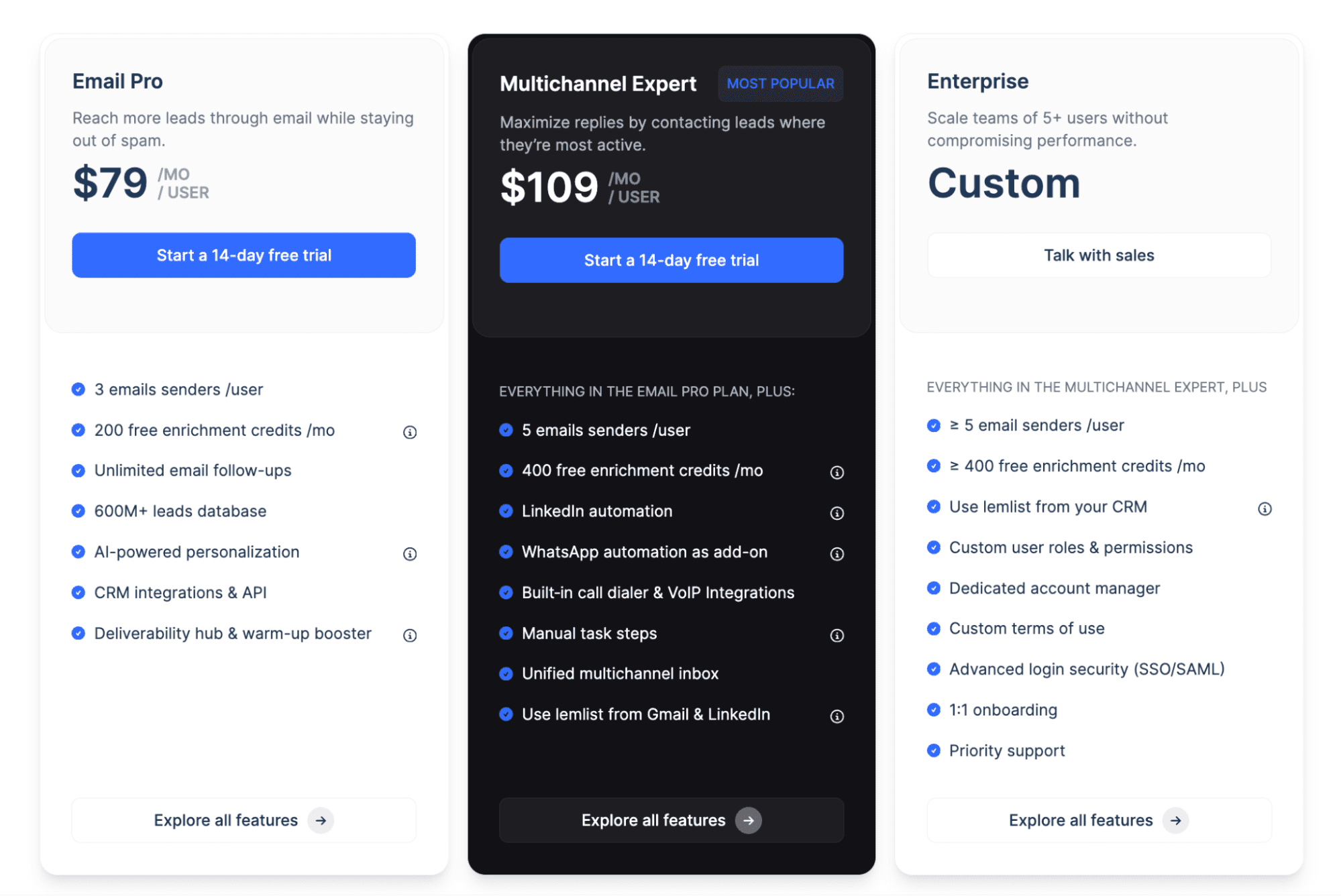
The platform also offers quarterly (10% off) and yearly (20% off) discounts if you pay upfront.
Overall, considering multiple-channel outreach, deep personalization, the Deliverability hub, plus CRM integrations, Lemlist pricing looks fair. Multichannel Expert is the sweet spot if you combine email, LinkedIn, and calls on a regular basis. For teams that are mostly focused on email or on keeping costs low, other options may offer better value.
However, you should keep in mind that enrichment can get expensive: 5 credits per email and 20 per phone.
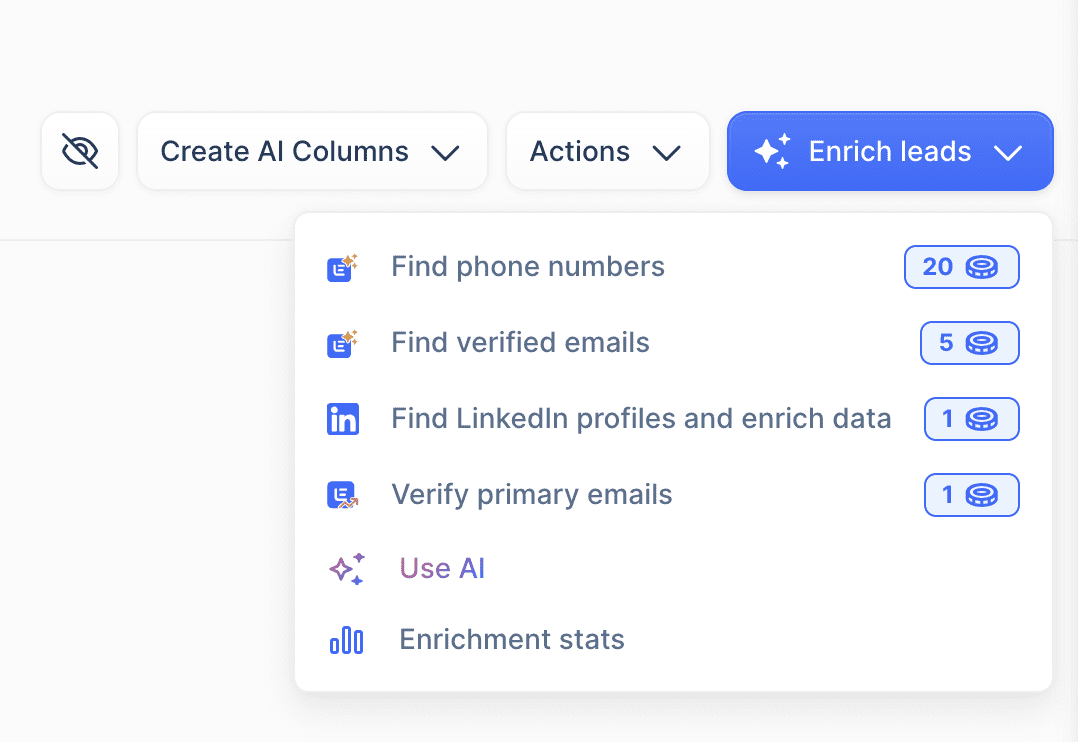 Based on this breakdown, I can infer that costs add up quickly when building large prospect lists, compared to Lemlist alternatives, which typically charge 1 credit per search.
One more thing to mention, while assessing Lemlist pricing, is that its 14-day free trial is limited to email outreach. Access to full Lemlist features, including LinkedIn and WhatsApp, requires a paid plan.
Lemlist pros and cons
After testing Lemlist and reviewing G2 feedback, I summarized the key Lemlist pros and cons, so you have a clear picture of your potential benefits and are prepared for the limitations.
Let’s start with the positives.
Lemlist pros
Your team will surely like this service for the following reasons:
✅ Effective multichannel execution
With Lemlist, email, phone, WhatsApp, and LinkedIn touches can be combined into a single workflow without switching platforms. You can pull prospects from LinkedIn, add them to a sequence, and handle morning tasks smoothly.
✅ Responsive support
The support team is helpful and practical. They explain how features work instead of just pointing to generic docs, and users often praise them for quick, clear answers.
✅ Scalable personalization
You can personalize campaigns at scale without losing efficiency. It helps overcome the usual personalization bottleneck in outbound outreach.
Lemlist cons
Based on my experience and user feedback, I can highlight the following downsides of this tool:
❌ Steep learning curve
Getting started with Lemlist takes time, especially if you are new to this type of tool. The first week with multiple sequences and teammates feels overwhelming until you learn the layout. Some settings are not very intuitive, and small mistakes can affect whole campaigns. I felt this as well during testing.
❌ Database gaps
The built-in database has notable coverage gaps. To be more specific, users mention Singapore, New Zealand, and the UAE. If these markets matter to you, this limitation is worth considering upfront.
❌ Costs add up quickly
Pricing is reasonable for the value, but adding users, multichannel steps, and enrichment increases costs as credits expire quickly. This can be a challenge for small teams.
My Lemlist review would be shallow if I didn’t tell a word about its alternatives that may better meet your needs, especially where Lemlist has its limitations.
Lemlist alternatives: Lemlist vs Snov.io
You may find dozens of tools on the market with functionality similar to Lemlist’s, such as Instantly.ai, Salehandy, Snov.io, Reply.io, etc.
Snov.io is worth considering because it’s a robust lead generation and cold outreach automation software that supports multichannel campaigns, offers AI features, a deliverability toolkit, plus a free CRM all under one roof at a very affordable price. The basic plan costs $39/month, with LinkedIn automation coming as an add-on.
Its focus on lead discovery and automated outreach is similar to what Lemlist offers, but there are some differences. Take a quick look at this table for Lemlist vs Snov.io comparison:
While Lemlist emphasizes a variety of outreach channels, including calls and WhatsApp, Snov.io focuses on robust lead discovery, offering email finding and verification, plus multichannel outreach (email+LinkedIn automation).
With Snov.io, you get more lead finder methods: domain search, database search, LinkedIn lookup, both single and in bulk.
In addition, Snov.io offers DFY email infrastructure, deliverability tools, and an AI ICP generator for sharper targeting.
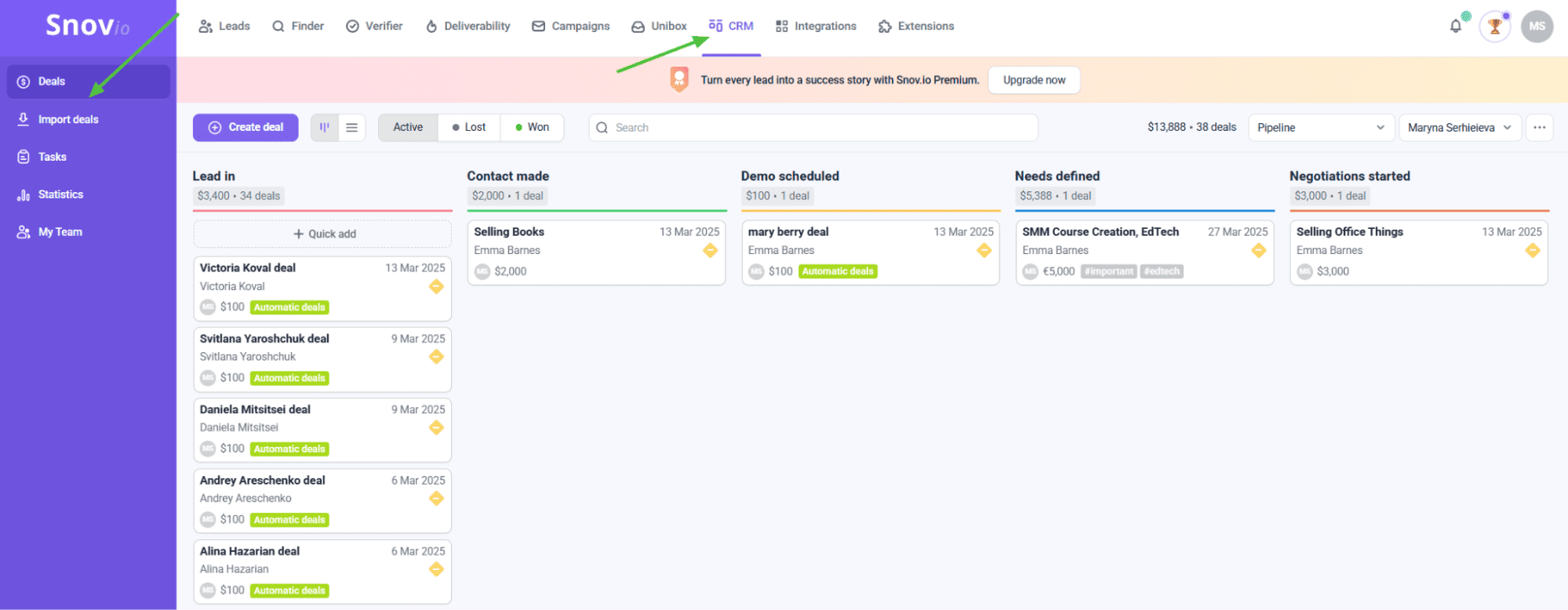
On top of that, unlike Lemlist, which only provides the Tasks feature, Snov.io offers its own free sales CRM where you can manage leads, tasks, and deals, and coordinate your team.
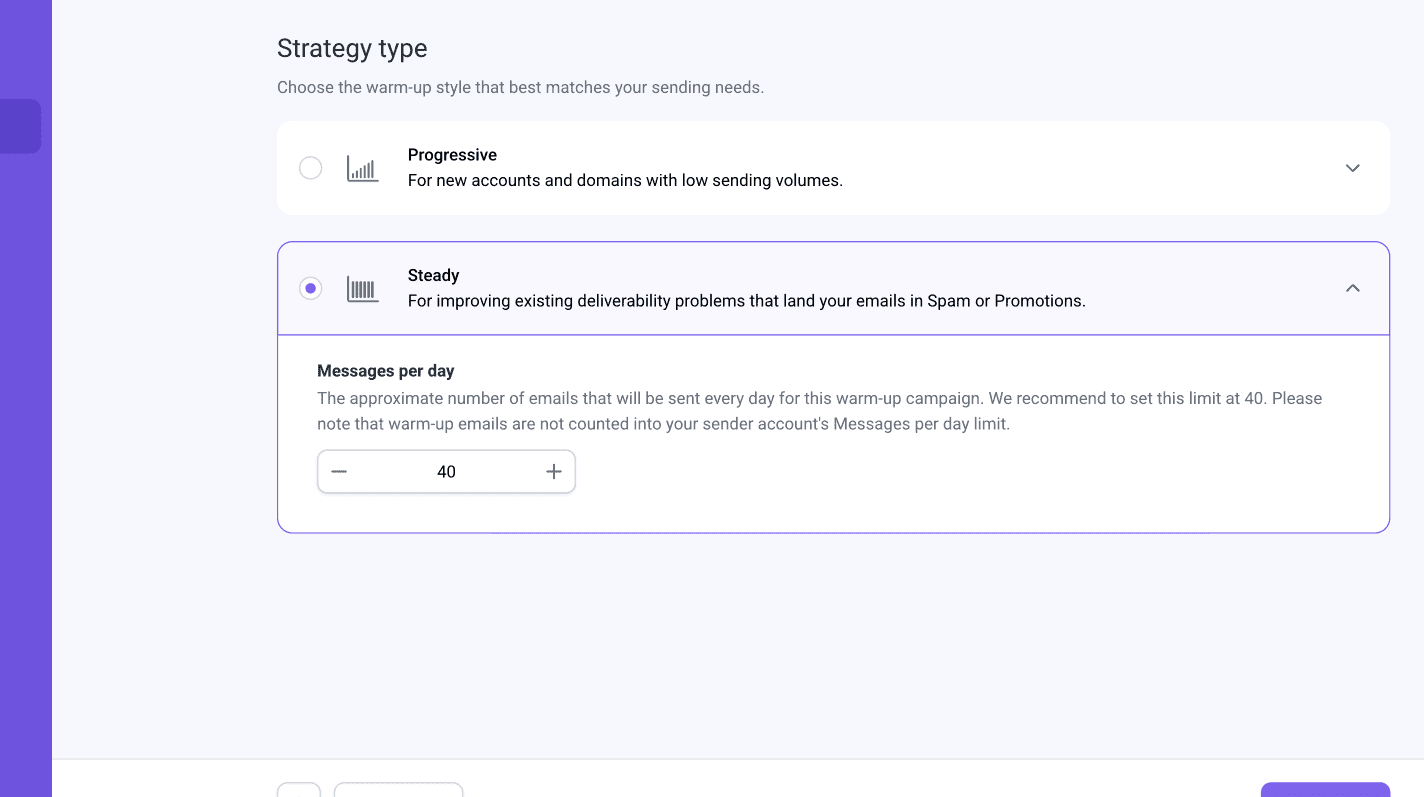
Both Lemlist and Snov.io provide an email warm-up solution. However, while the former presents it as a standalone tool (Lemwarm) that you need to purchase separately, the latter includes its Email Warm-up in each pricing plan.
LinkedIn safety is another area where Snov.io takes things more seriously. While Lemlist only provides basic recommendations around activity limits, Snov.io offers:
- Location-matched IP addresses for natural login patterns
- Proxy support for additional security layers
- Safety limits designed around LinkedIn’s SSI (Social Selling Index) scoring system
- Activity warm-up to mimic natural usage patterns
By opting for Snov.io, you get to automate LinkedIn actions without risking your account.

Finally, Snov.io integrates with far more tools than Lemlist, making it straightforward to sync data with your existing CRMs, spreadsheets, and automation platforms.
Lemlist vs Snov.io: which one to opt for?
I am here to share my experience, not to promote or persuade, so if you ask me, I would choose Snov.io if you look for flexible ways to find contacts, want LinkedIn safety features that actually protect your account, prioritize email deliverability, need your own CRM, or want more integrations.
I would recommend you go with Lemlist if calls and WhatsApp are part of your outreach strategy, and you need creative personalization across multiple channels.
My key takeaways: Is Lemlist worth it?
Ending my Lemlist review, I can honestly say that the platform is worth it if you need a solution for multichannel sequencing, especially with calls and WhatsApp included. Its personalization capabilities, owing to liquid syntax and AI variables, are genuinely strong.
Nevertheless, after testing the features and exploring the Lemlist pros and cons, I concluded that there are issues users should be prepared for.
First of all, enrichment costs climb quickly, with phone numbers requiring 5 times as many credits as email searches. The contact database has noticeable gaps depending on your prospect locations. Plus, the LinkedIn safety policy is not clear enough.
After comparing Lemlist vs Snov.io as one of its alternatives, I can say that the latter offers stronger options for boosting email deliverability, better contact discovery, and a more transparent LinkedIn safety policy.
So, if email and LinkedIn are enough for your outreach and you need an affordable tool with a mild credit policy, don’t hesitate to start with Snov.io.