


Spring is here, Q2 is underway, and we’ve been heads down on things that make your day a little less tedious.
This month brings big and small updates: in-app LinkedIn filters, Google-driven mailboxes, and expanded bulk actions.
Below is the full picture.
New releases:
LinkedIn Search by filters in-app
Your LinkedIn prospecting workflow just got a permanent home in Snov.io. We’ve also brought LinkedIn search in-app, with the filters you’d reach for anyway.
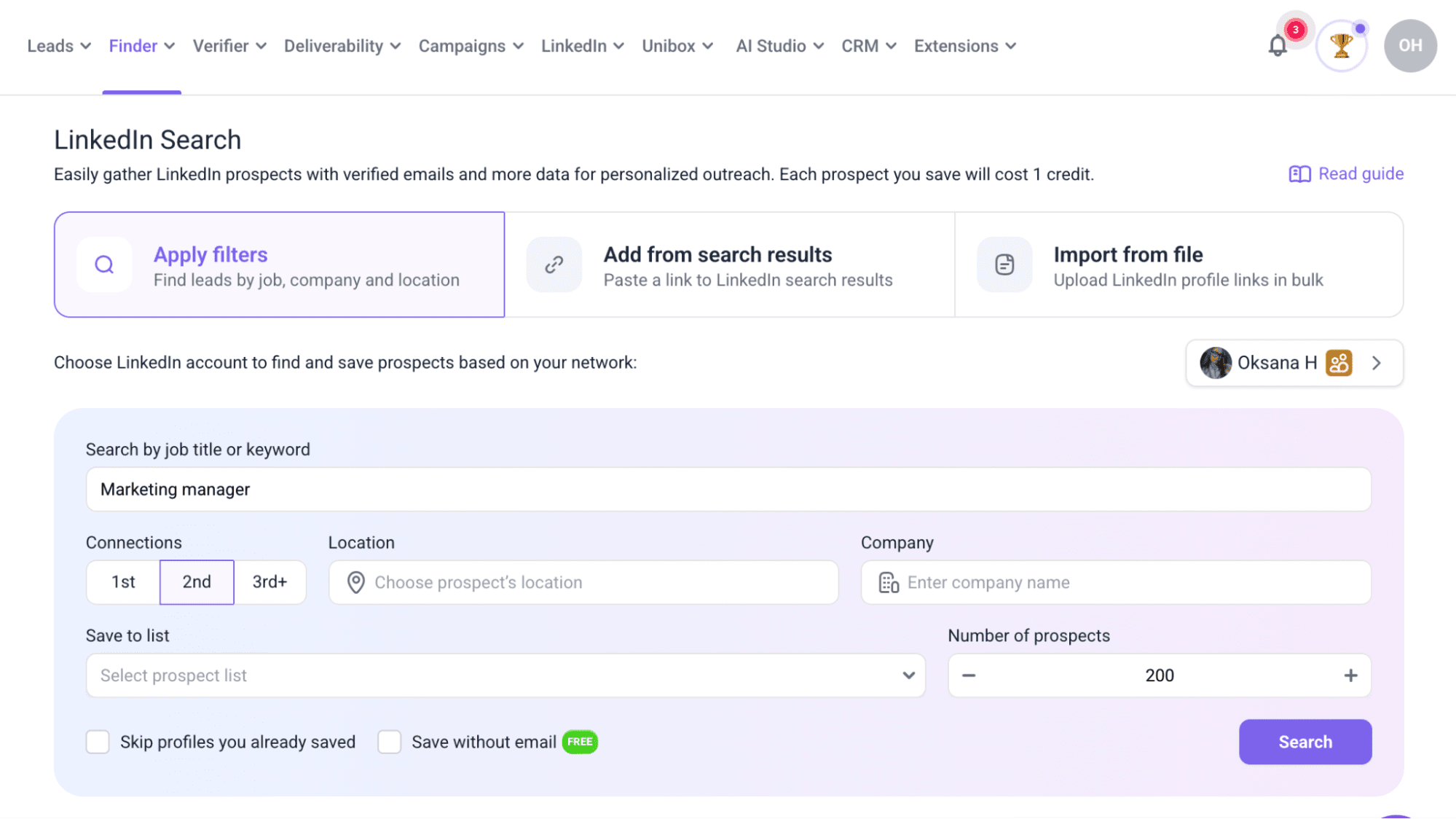 What you can do now:
- Look up people by job title or keywords to find the right leads.
- Focus on specific regions by filtering results by location.
- Get a full list of a company’s employees or narrow it down to certain roles.
- Prioritize warmer leads based on connection strength within your LinkedIn network.
- Choose how many contacts you want to add to your list.
To try it out, head to LinkedIn Search in your account. You’ll need the LinkedIn add-on active and a LinkedIn account connected. From there, a keyword and a prospect list are all it takes to run your very first search.
👉Check our step-by-step setup guide
Pre-configured Google Mailboxes (Done-for-you)
Cold email infrastructure sounds simple until you’re 2 hours deep in DNS (Domain Name System) settings used to verify your email domain. We’ve taken that off your plate with DFY mailboxes, now running on Google.
What’s included:
- Google-powered mailboxes with better deliverability from the start
- Automatic domain configuration
- Bulk creation for teams running multiple mailboxes
- A sending setup that requires no manual work on your end
💡 Pro tip: Before you send your first campaign, run Email Warm-up for at least 2 weeks. Your mailboxes are pre-configured, but sender reputation still needs to be built gradually.
👉This setup guide walks you through the whole process.
Bulk actions on the Campaigns dashboard
If you’re running a lot of campaigns, you know the pain of managing their statuses one by one. This Snov.io update fixes that.
You can now select multiple campaigns and act on all of them at once. Launch, pause, resume, complete, archive, delete — pick what you need and apply it across everything you’ve selected.
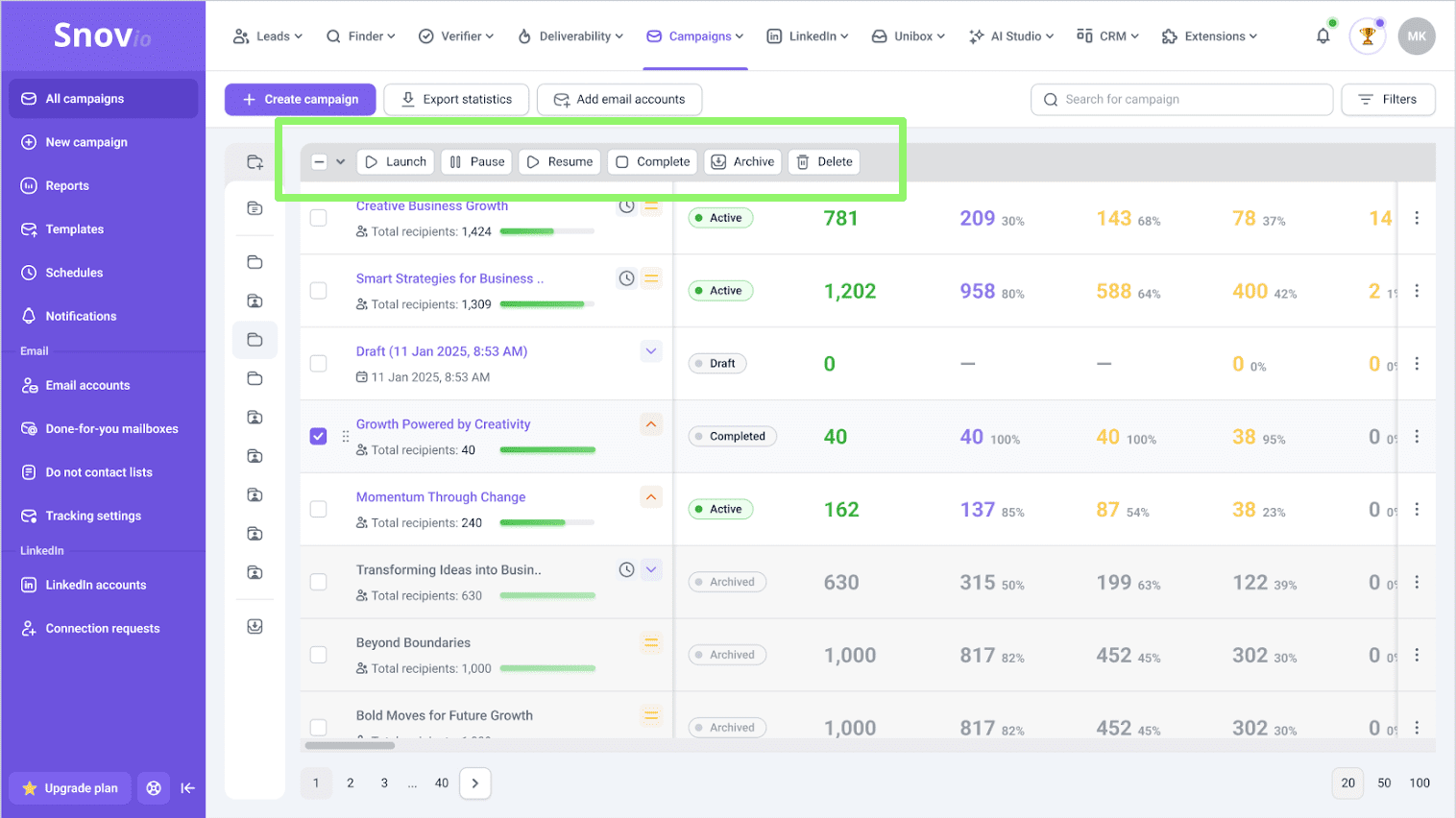
👉 Read our article for full details on bulk campaign actions.
Unibox bulk sync for email accounts
If you manage a lot of mailboxes, updating their settings used to mean going into each one individually.
Those days are over. Bulk configuration in Email accounts now covers Unibox settings too — sync status, team visibility, and non-Snov.io email syncing.
Select the accounts you need, hit Edit in the top bar, and apply changes across all of them at once.
Learn key sales automation problems and how to fix them from this video:
Provider matching
Snov.io now automatically detects which email service provider (such as Gmail, Outlook, or Yahoo) your leads use and displays this information in the Prospects dashboard.
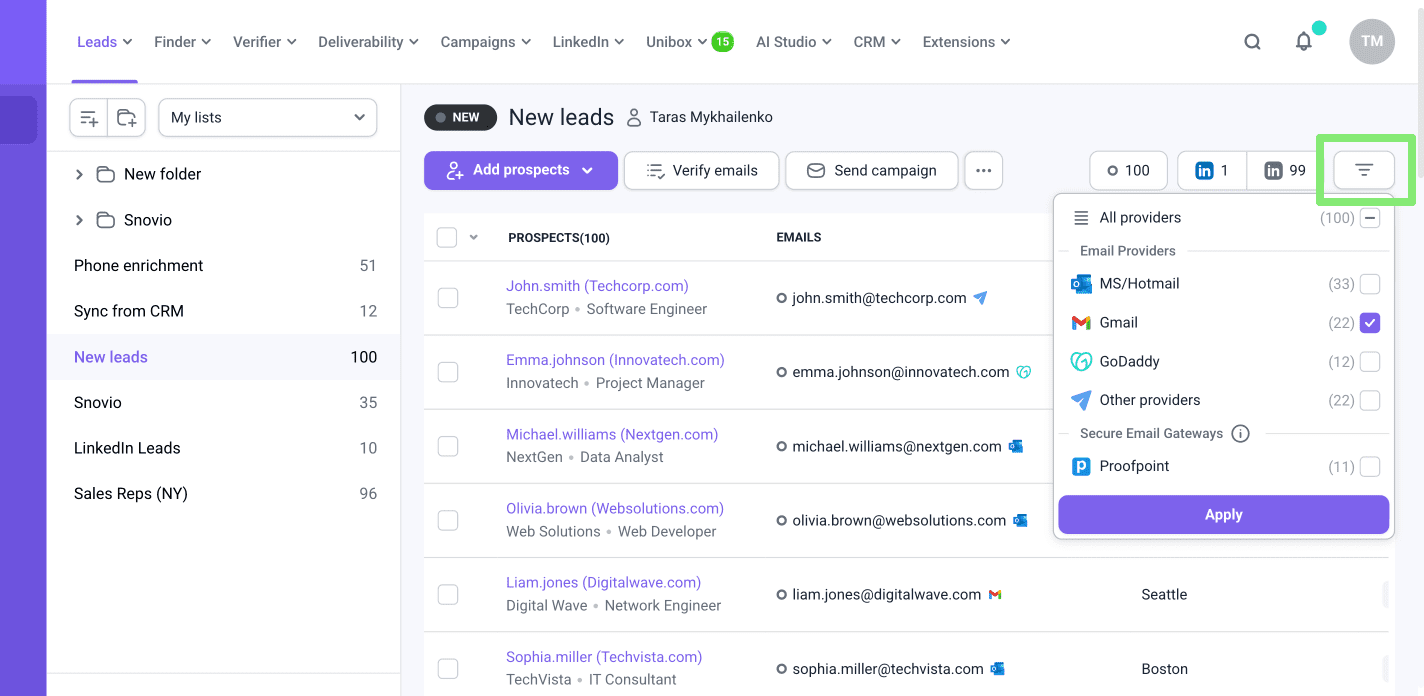
From there, 2 things become easy:
- Filter your list by provider to see how it breaks down across Gmail, Outlook, and other providers.
- Then pair that with Provider matching in your campaigns to make sure you’re sending from a mailbox that matches your recipient’s provider.
It’s a straightforward thing that helps with inbox placement (the likelihood that an email lands in the recipient’s main inbox, not spam or promotions).
💡Extra tip: Provider matching is one small piece of a bigger puzzle. DNS authentication, sender reputation, and email content carry most of the weight when it comes to deliverability. Nail those first, then add provider matching on top.
👉 Use the quick tutorial to turn on Provider matching.
That’s everything for March. More coming next month.
With love,
Snov.io Team