
This guide explains how Database Search filters work, what each of the 14 prospect filters does, and how to combine them into searches that match your ICP.

How filters work
Filters are in the Search filters panel on the left. The Prospects tab searches for people and has 14 filters. The Companies tab searches for companies and has the 7 company filters.
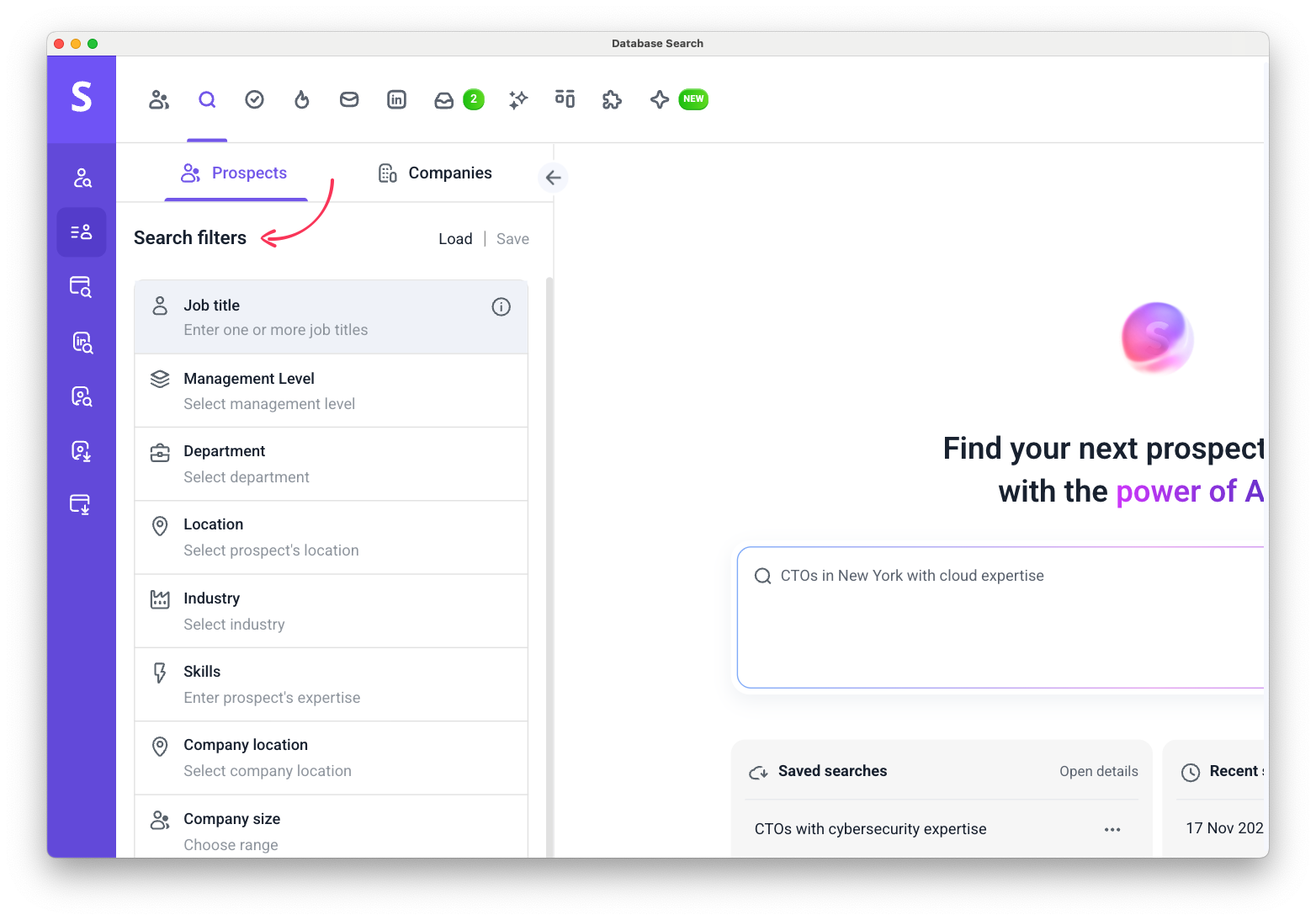
Click a filter, choose or type a value, and click Search. Click Reset filters to start over. These four rules decide what you see:
| Rule | What it means | Example |
|---|---|---|
| Filters narrow | A prospect must match every filter you set | Job title CEO plus Location Germany returns only CEOs in Germany |
| Values in one filter widen | A prospect can match any value in the same filter | CEO and CTO in Job title return both CEOs and CTOs |
| Exclude removes | Excluded values are removed from the results and appear in red | Exclude Intern in Job title |
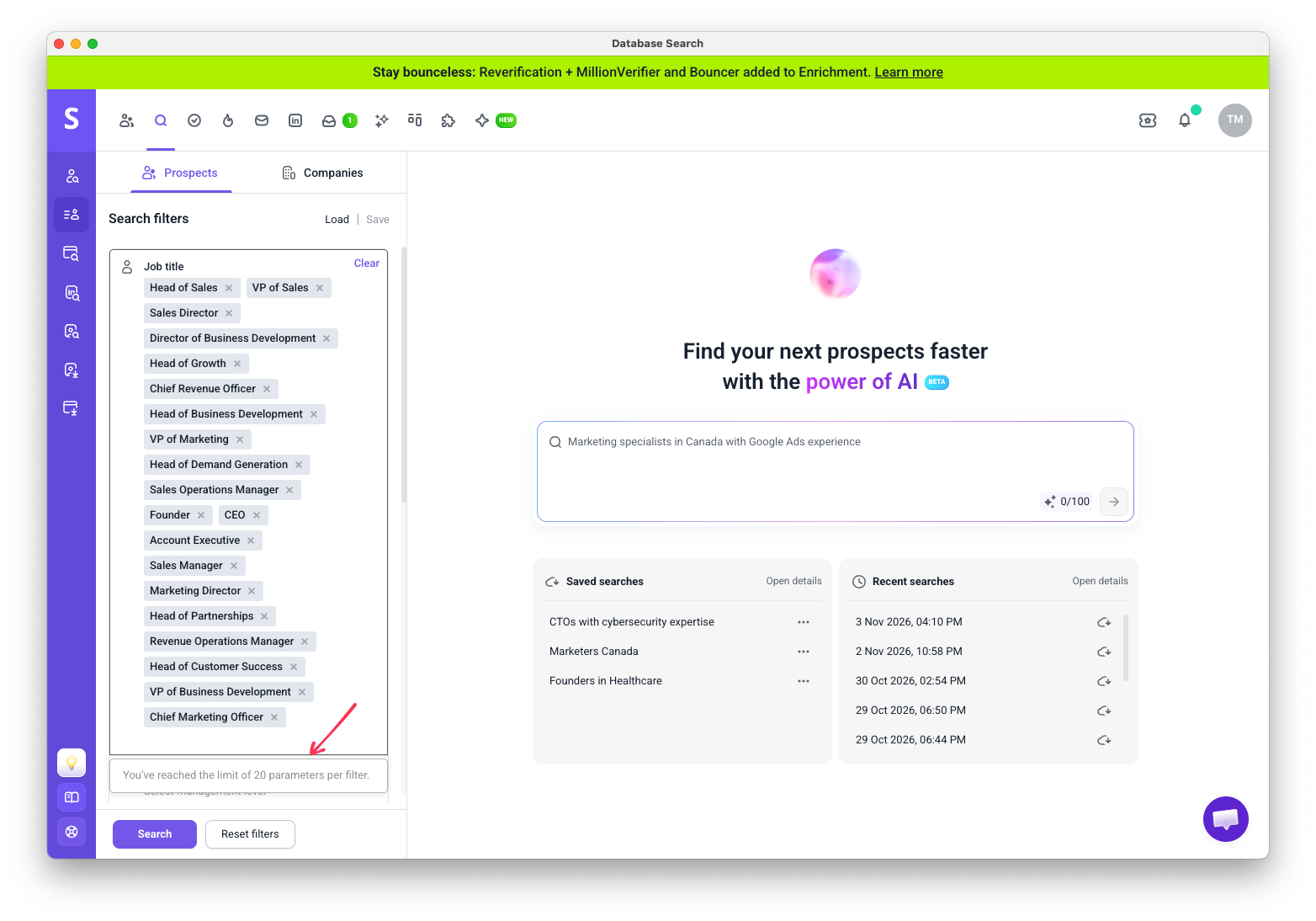
| 20 parameters per filter | Each filter that accepts several values takes up to 20 parameters | 20 job titles, 20 locations, and 20 industries in one search |
Include and Exclude
Filters with an Include and Exclude switch let you remove matches as well as keep them. The switch is at the top of the dropdown in Job title, Management Level, Department, Location, Skills, Company location, Industry, and Company name or domain.
To find marketing leaders without interns, include Marketing Director and exclude Intern in Job title.
The 20 parameter limit
When you reach 20 parameters in a filter, the filter shows a limit message. Remove a parameter to add a new one.
Save and load searches
Click Save in the panel header to keep your current filters as a preset. Click Load to run a saved search again.
Start with AI search
The search box above the filters turns a plain description into filters. Type who you want to find, such as CEOs of fintech companies in Berlin with 200+ employees, and click Apply.
You get 100 free AI prompts. Hover over the counter in the search box to see how many you have left.
Check the filters that AI sets before you click Search. Add, remove, or exclude values to fit your ICP, because every filter stays editable.
Filter reference
Use this table to find the right filter fast. Both tabs means the filter works in Prospects and Companies. In the Prospects tab, company filters narrow prospects by the company they work for.
| Filter | Where | What you enter | Include and Exclude | Finds |
|---|---|---|---|---|
| Job title | Prospects | Suggestions or your own text | Yes | Prospects by role |
| Management Level | Prospects | 5 levels | Yes | Prospects by seniority |
| Department | Prospects | 9 departments | Yes | Prospects by team |
| Location | Prospects | Region, country, state, or city | Yes | Prospects by where they are based |
| Skills | Prospects | Suggestions | Yes | Prospects by profile skills |
| First name, Last name | Prospects | Text, then Apply | No | A specific person |
| Company location | Both tabs | Region, country, state, or city | Yes | Companies by headquarters |
| Industry | Both tabs | List of industries | Yes | Companies by broad category |
| Company size | Both tabs | Employee ranges | No | Companies by headcount |
| Revenue | Both tabs | From and To | No | Companies by annual revenue |
| Specialties | Both tabs | Suggestions | No | Companies by niche keywords |
| Founded | Both tabs | From and To years | No | Companies by age |
| Company name or domain | Both tabs | Company from suggestions | Yes | A specific company |
Filter details
These filters behave in ways the table cannot show.
Job title
Start typing to see related job titles. Choose a title from the list for an exact match: head of sales from the list returns only prospects with that exact title. Type your own value to find every title that contains it: typing head of sales also returns titles such as Head of Sales Operations, and typing sales returns titles such as Sales Manager.
Add several variations of one role to cover more of your ICP in a single search, such as Head of Sales, VP of Sales, and Sales Director.
Management Level and Department
Management Level has C-level, VP, Director, Manager, and Staff. Department has Engineering, Human Resources, IT & IS, Finance & Administration, Marketing, Operations, Sales, Support, and Other.
Use them together when job titles vary between companies. Sales plus Director finds sales directors even when their titles are not standard.
Location and Company location
Location is where the prospect is based. Company location is where the company is based. A prospect who lives in Berlin and works for a company in the United States matches Location Berlin and Company location United States.
Both filters accept regions, such as Europe or Western Europe, as well as countries, states, and cities.
Industry and Specialties
Industry is a broad category, such as Computer Software or Banking. Related industries overlap, so add a few neighboring ones to cover your market.
Specialties are the keywords companies use to describe their work, such as SaaS or B2B SaaS. Use them when Industry is too broad for your ICP.
Company size, Revenue, and Founded
Company size uses employee ranges: Self, 1-10, 11-50, 51-200, 201-500, 501-1000, 1001-5000, 5001-10000, and 10001+. You can select several ranges.
Revenue and Founded use From and To values. Choose both, then click Set. For example, choose 1M and 10M in Revenue, or 2018 and the current year in Founded to find young companies.
Company name or domain
Start typing and choose a company from the suggestions. Include a company to find the prospects who work there. Exclude a company to remove its prospects, such as your competitors or current customers.
Example searches
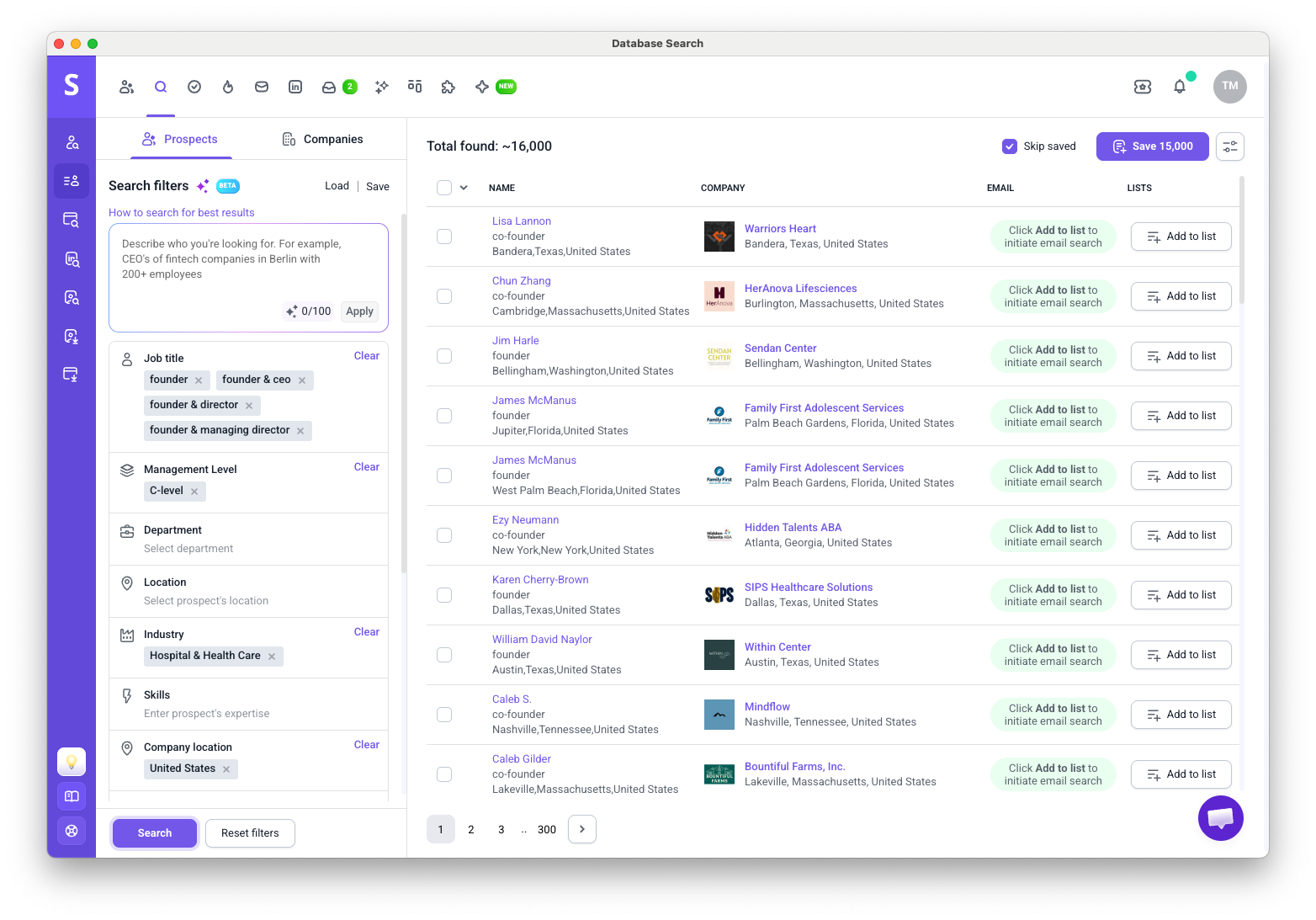
Start with the filters that define your ICP most clearly. Add more only if the results are still too broad. The third example is shown in the screenshot below.
| Goal | Filters | Why it works |
|---|---|---|
| HR leaders at mid-size European companies | Department: Human Resources Management Level: Director, VP Company location: your target countries Company size: 201-500, 501-1000 |
Department and level find the role even when titles differ |
| Marketing managers at young SaaS companies | Department: Marketing Management Level: Manager Specialties: SaaS Founded: 2018 to the current year |
Specialties narrows a broad industry to your niche |
| Founders of healthcare companies in the United States | Job title: founder Management Level: C-level Industry: Hospital & Health Care Company location: United States |
Title variations and seniority keep founders and co-founders in one search |
Troubleshooting
| Problem | What to try |
|---|---|
| No results | Remove the narrowest filter first, such as Founded, Revenue, or Specialties. Widen Company size to a neighboring range |
| Too many results | Add Management Level, Department, or Company location |
| Wrong job titles in the results | Choose exact titles from the suggestions instead of typing a short word. Exclude the titles that keep appearing |
| Right company, wrong people | Use Company name or domain with Department and Management Level |
Next steps
When your filters return the right prospects, save them to a list. Read this guide to build a prospect list with Database Search, including the 15,000 prospect save limit and how credits are charged.


Sorry about that 😢
How can we improve it?