


In the blink of an eye, summer has come to an end. But before we leave August behind, there’s one more thing it has in store for you.
This month, we’ve been working on new ways to fill the gaps in your prospect data, uncover insights from across the web, and leave even more of the repetitive work to AI.
New releases:
- Bulk email search
- AI web data enrichment
- AI-powered data cleaning
Find missing prospect emails in bulk
We talk non-stop about writing better emails. And for good reason: 57% of B2B buyers still prefer email for that first contact from a salesperson, according to LinkedIn.
But there’s just one teeny-tiny problem: sometimes you’ve got the perfect prospect, their company, their role… and no email.
We’ve made that easier to fix with our new bulk email search feature.
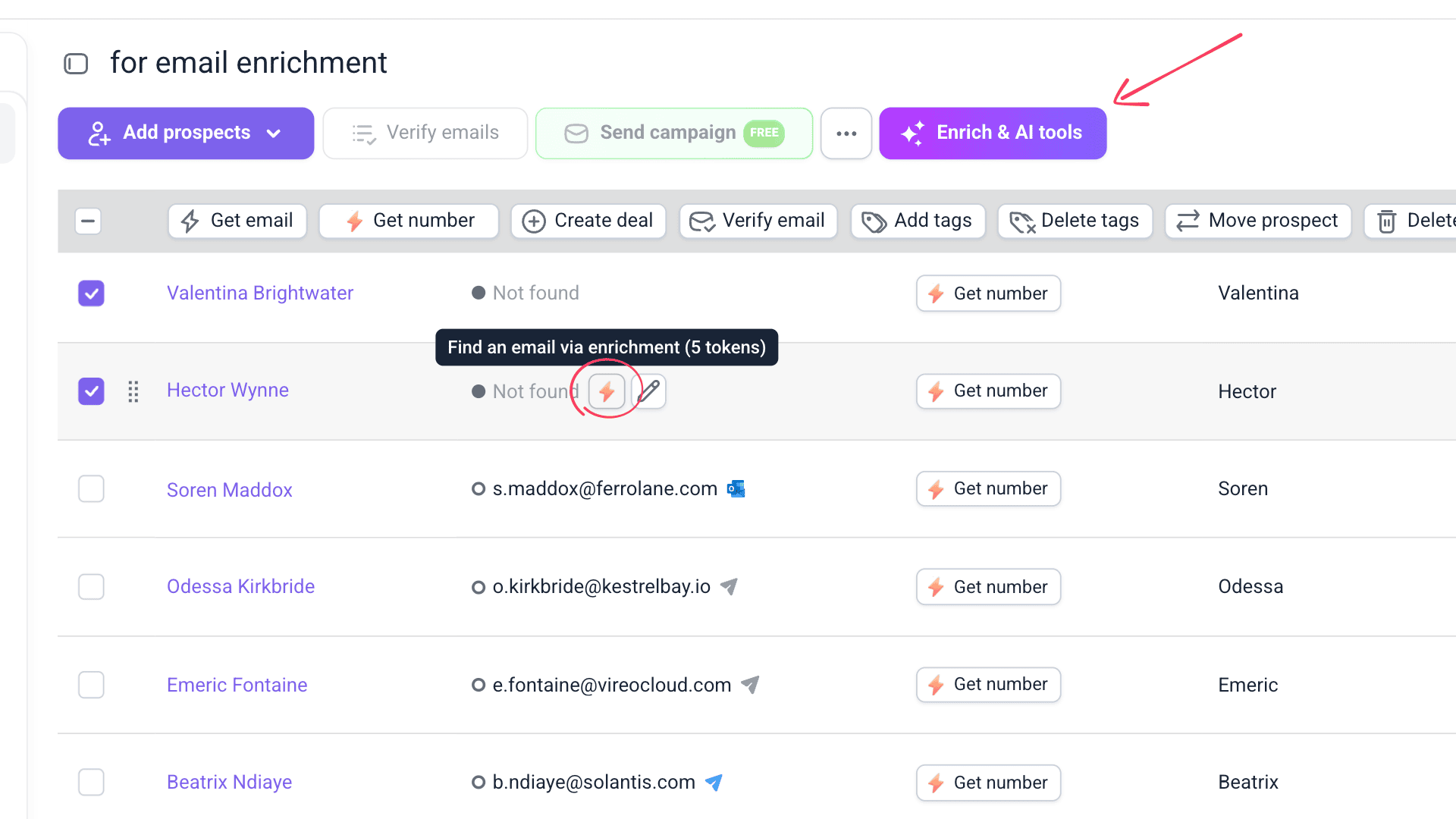
Here are some cases where it can come in handy:
- You have a prospect’s name and company but no email.
- You want to find an additional email for an existing prospect.
- You have a yellow email and want another result.
- Your prospect has a No email found status, and you want to run another search through enrichment.
Ready to try bulk email search?
Simply open Prospects, select the profiles you want to enrich, and click Enrich & AI tools.
The feature works independently of a Sales Suite subscription and uses enrichment tokens. You’re only charged for successful results, just like with Phone Number Enrichment. Speaking of which, you can always use it when you need to add a prospect’s number to the mix.
Give yourself a head start. Check that your prospect names and company domains are complete before you begin searching.
👉 Our enrichment tokens guide explains exactly how token usage works.
Enrich prospects with web data using AI
Another thing we probably sound like a broken record about? Personalization.
Good personalization needs context, and sometimes the details you need just aren’t in your prospect data. Now, AI can help you find them.
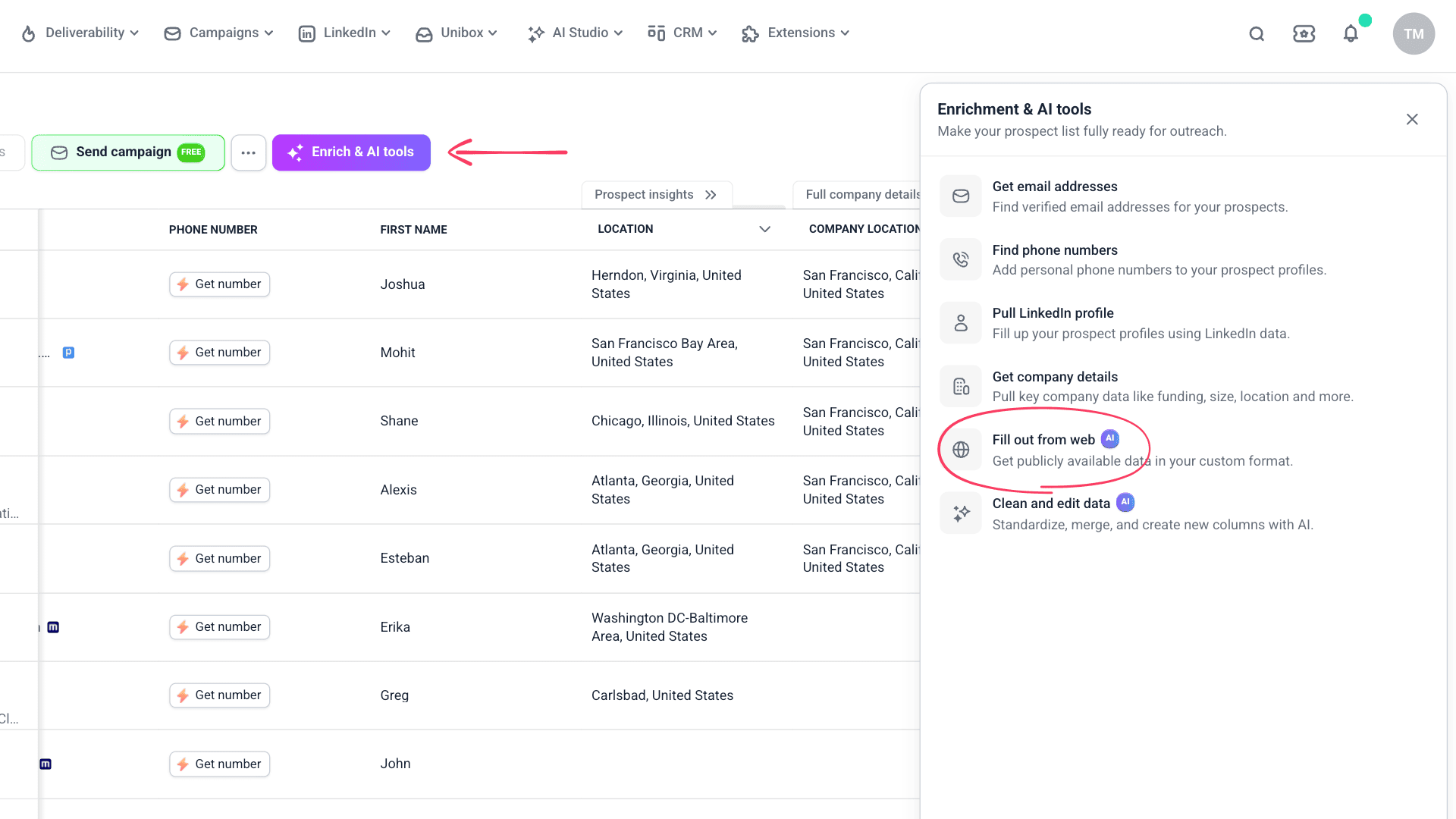
With Fill out from web, you can search publicly available web data for the insights you need and save them straight to your prospect list. Just describe what you want AI to find, and it’ll take care of the rest.
To give you a few ideas, you could look for:
- A company’s recent funding or expansion
- Technologies it uses
- Recent company news
- Details relevant to a prospect’s role
Excited about trying web enrichment?
Go to your prospect list and select Enrich & AI tools → Fill out from web to get started.
You can research prospects found in Snov.io, previously enriched, or uploaded from a file, and choose between built-in OpenAI, Gemini, and Anthropic models. As for the cost, web enrichment uses tokens based on the model you choose and the size of your list.
Give AI a little direction. A broad “Research this company” leaves plenty of room for interpretation. Asking for concrete details, like the company’s latest publicly announced funding round, gives you a much more useful result.
👉 Follow the step-by-step guide to start enriching prospects with AI web search.
Clean and edit prospect data using AI
We know, we know. It’s been AI this, AI that lately, but bear with us for one last AI update. We promise this one’s useful.
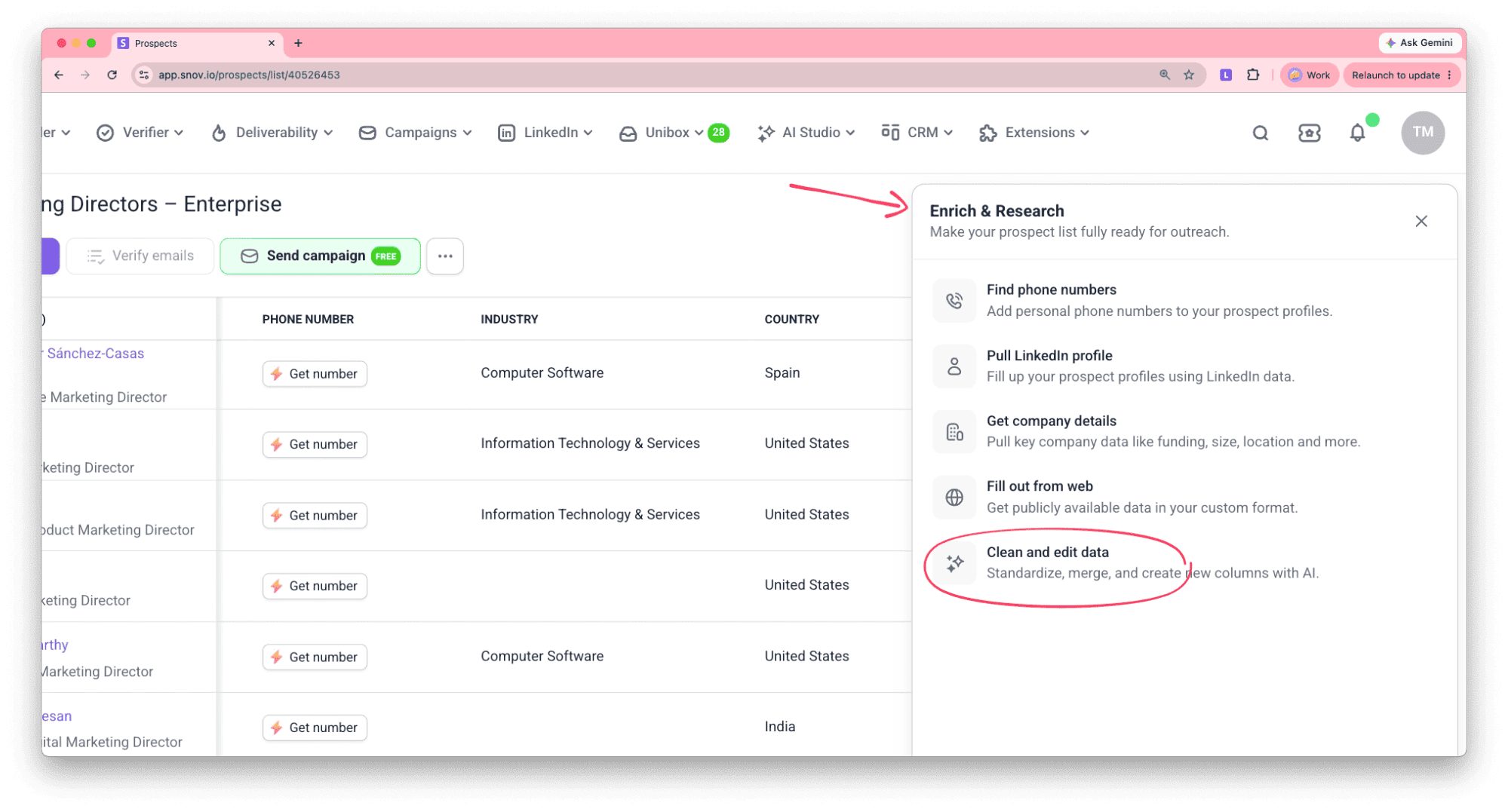
And by useful, we mean taking care of the repetitive prospect-data tasks you’d normally have to handle yourself. That’s exactly what Clean and edit is for.
There’s quite a lot you can hand over to it. For example:
- Extract specific information from larger fields, like a company name from a website URL
- Convert data into another format, like turning a company name into a website URL
- Clean up messy data, such as removing unnecessary suffixes from company or prospect names
- Summarize information across multiple fields, like combining experience and education into a prospect background summary
Ready to get your data in order?
Add or open a prospect list, select Enrich & AI tools → Clean and edit data, and describe what you want changed.
A few more things worth knowing:
- The feature works with data you’ve found, enriched, or imported into Snov.io.
- You can use prompts to update and organize prospect data while referencing existing columns with {} variables.
- Just like with web enrichment, you can choose from built-in OpenAI, Gemini, and Anthropic models.
Test your prompt on a small group of prospects before applying it to a large list. Check that the output follows the format you want, refine the instructions if necessary, and only then run it at scale.
👉 Learn more with our AI data management guide.
That’s it for August, but there’s plenty happening behind the scenes that we can’t wait to share. See you next month!
With love,
Snov.io Team