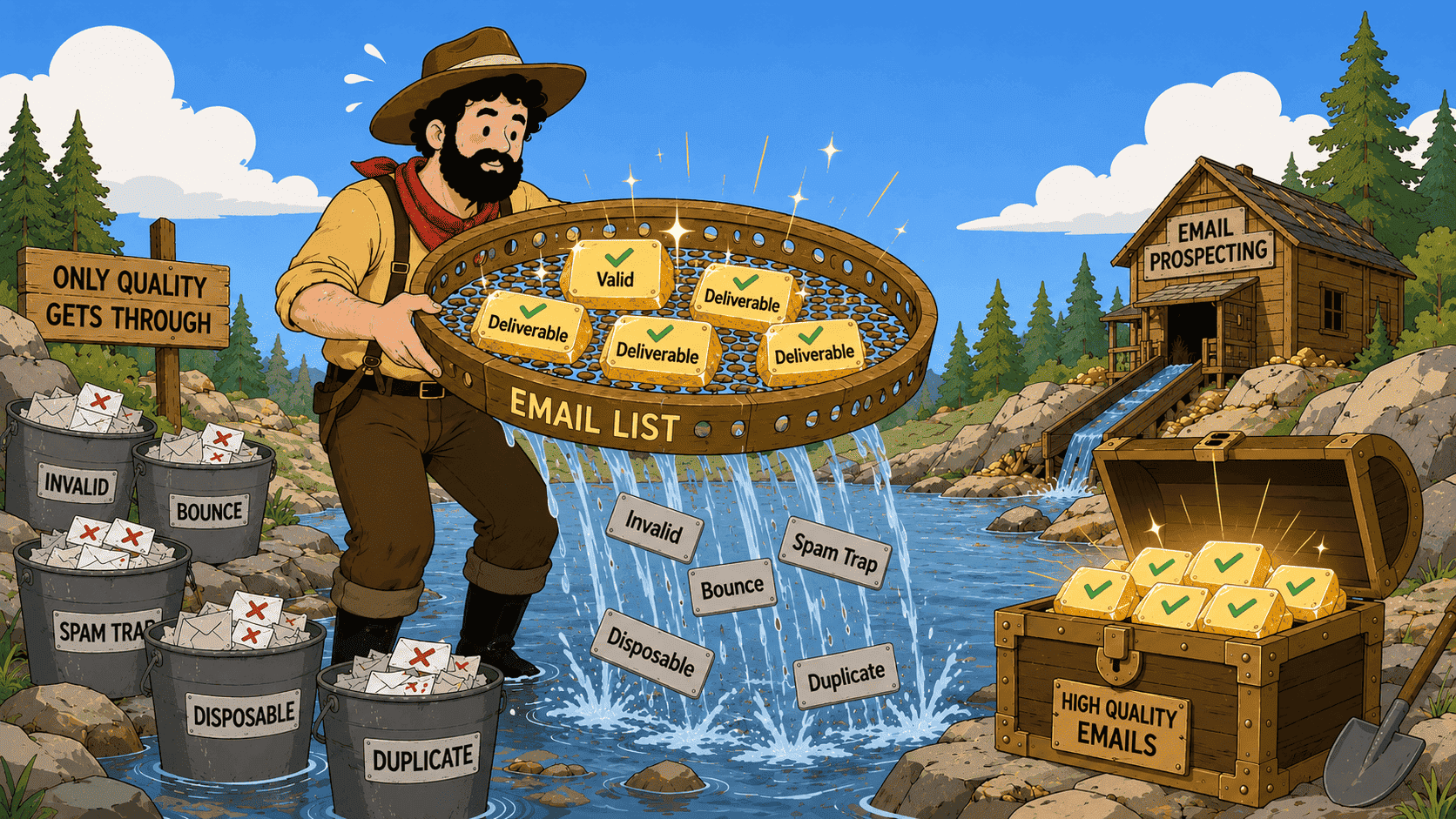
Invalid emails cost you time, campaigns, and trust with ISPs. Real-time verification catches them as they enter your workflow — without you having to give it a second thought.
But what goes on behind the curtain to make that happen? Let’s break it down.
TL;DR
Here’s the practical version of what real-time email verification comes down to:
- Real-time email validation checks emails as they enter your workflow, using signals such as syntax, domain and MX records, SMTP responses, mailbox availability, and catch-all or disposable status.
- The most common use cases are signup and lead capture forms, B2B prospecting, CRM automation, and transactional emails.
- You can build real-time verification directly into your workflow with the Snov.io API, whether that’s a signup form or CRM flow.
- An unknown result isn’t a verdict on the address. Sometimes the verifier simply can’t get a clear answer because the server times out, blocks the check, returns a temporary SMTP error, or uses a catch-all setup.
- A verification result won’t stay reliable forever. Snov.io’s deliverability expert recommends verifying your database every 3–6 months and checking contacts before campaigns.
Read on for a clearer picture of how real-time email verification works.

Format
Type
Server status
Auto-generated
Catch-all
How does real-time email verification work?
Real-time email verification works by checking an email address as soon as it enters your workflow. The verifier gathers whatever evidence is available (from the address format and MX records to the receiving server’s response) and uses it to determine the address status. 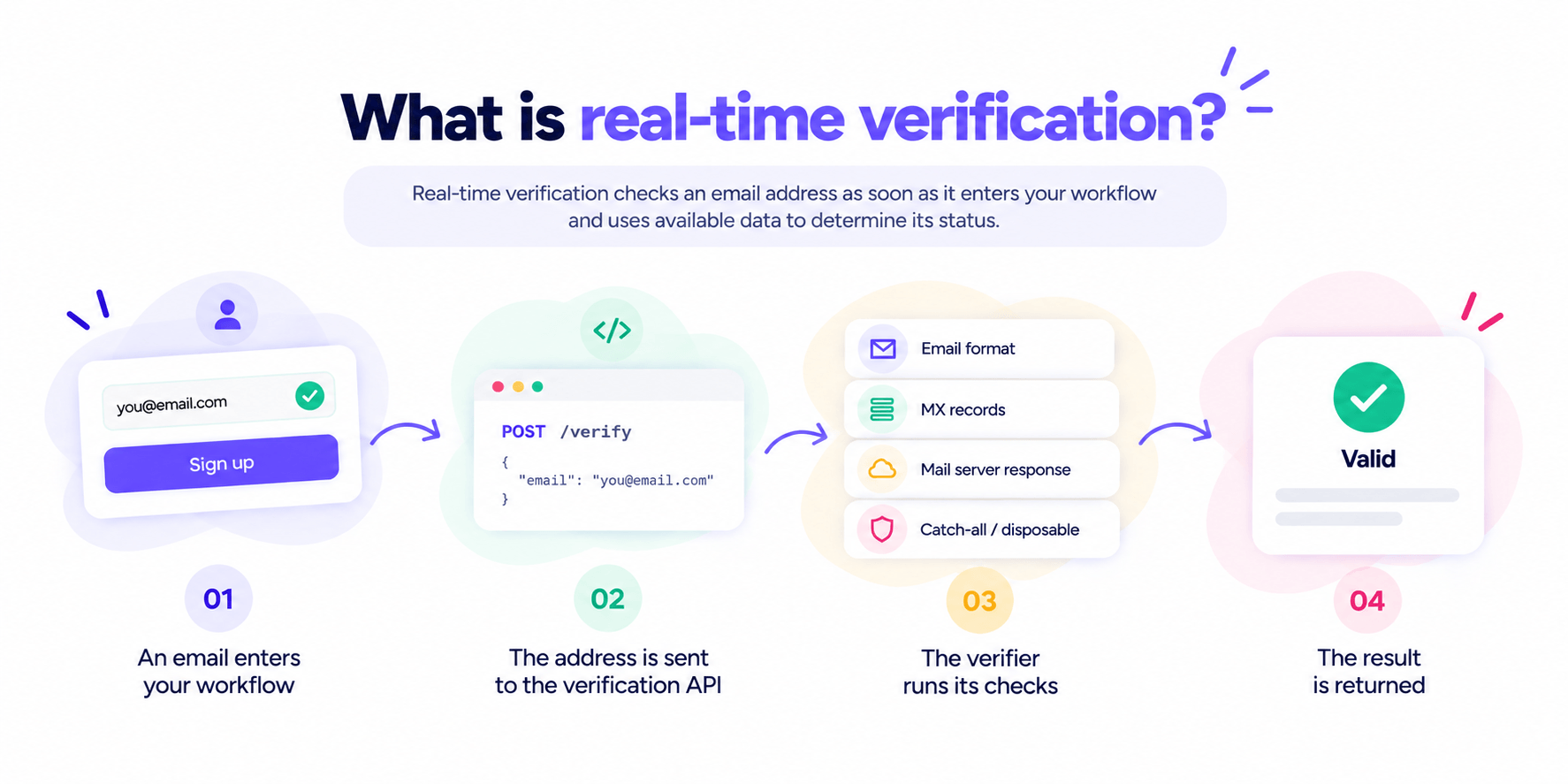
Unlike bulk verification, which checks addresses already collected in a list, real-time verification catches problematic addresses on the way in.
“Real-time” describes when the verification is triggered. Depending on the provider and the receiving mail server, a result may be available immediately or take a little longer to complete.
Real-time email verification process step by step
Real-time verification runs much the same checks as regular email verification, only at the moment they’re needed in your workflow. But the exact checks can vary between providers, so if you’re curious about those differences, we’ve compared the most popular verifiers.
When it comes to the actual real-time verification flow, though, it tends to look quite similar:
Step 1: An email address enters your workflow
A new email enters through a form, CRM, prospecting tool, or another source, triggering verification.
Step 2: The address is sent to the verification API
Your website, CRM, or app sends the address to the verification service through an API.
Step 3: The verifier runs its checks
The verifier checks the address format, domain and MX records, mail server response, and signals such as catch-all email status.
Step 4: The result is returned
The verifier returns a status such as valid, invalid, or unknown for your workflow to handle.
Where is real-time email verification most useful?
Real-time email address validation is most useful when an address needs to be checked before it enters your database or triggers another action. Common cases include sign-up and lead capture forms, B2B prospecting, CRM automation, and transactional email workflows. 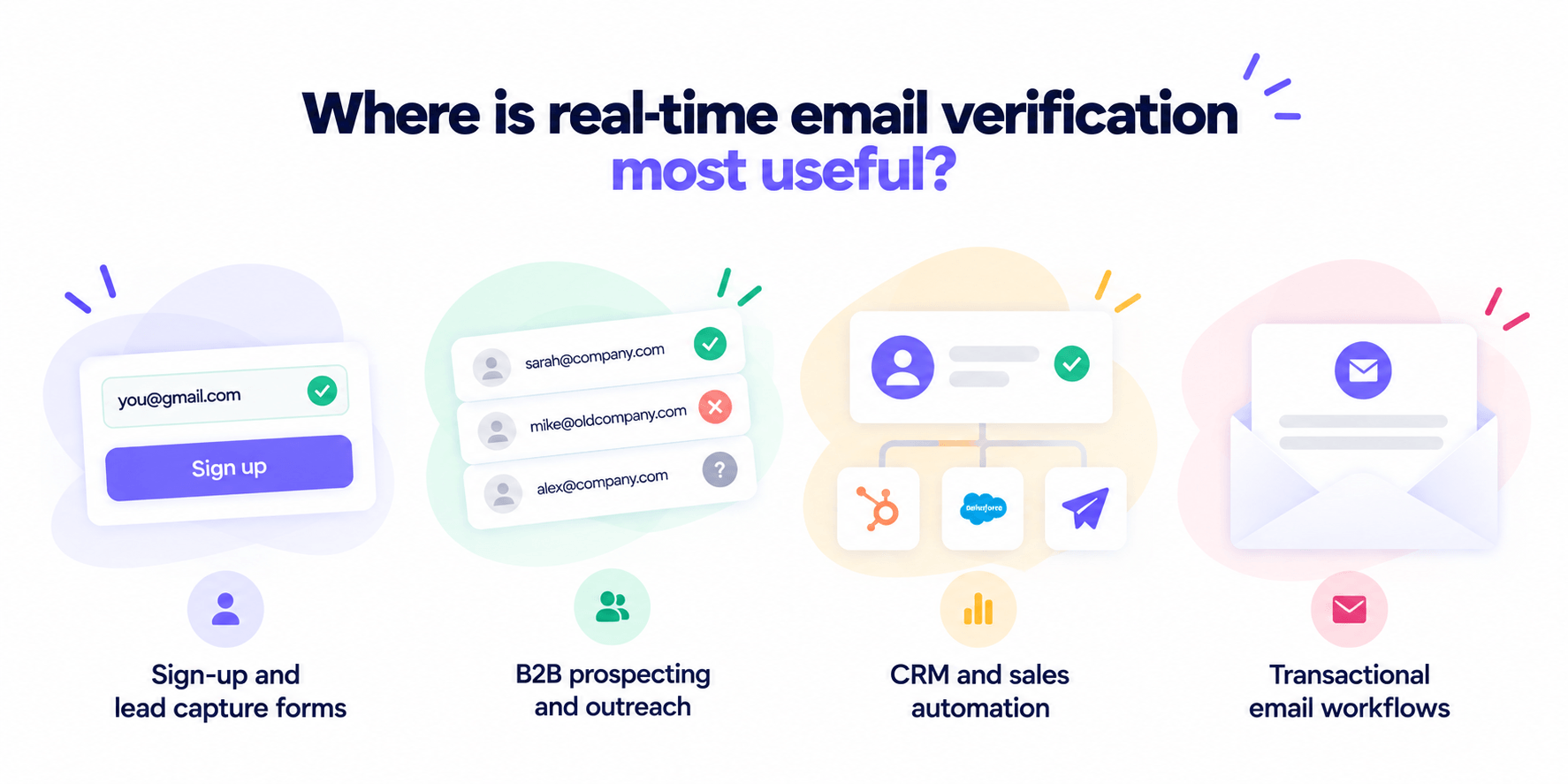
Sign-up and lead capture forms
Forms are a natural fit for real-time verification because low-quality addresses can slip in for all sorts of reasons.
Sometimes, it’s just a typo, and according to ZeroBounce, those caught in sign-up forms in 2025 could have resulted in more than 10 million bounces. Other times, people deliberately use disposable or invalid addresses to access a free trial, webinar, or gated download.
Real-time verification catches those before they make it into your database.
B2B prospecting and outreach
B2B prospecting is another natural use case, especially since business contact data can change quickly as people move between roles.
In a study of 140,000 + US sales leaders, Lusha found that 12.25% moved into roles within a year and 25.67% within two years.
And when people change roles, contact databases don’t always catch up right away. This means even an address you found recently may already be outdated, which is why I’d verify it close to the actual send.
CRM and sales automation
Real-time verification can also check an address before a contact is created in your CRM or enrolled in an automated sequence. This prevents invalid addresses from being synced to other tools, assigned to sales reps, or triggering unnecessary automations.
And this one is important because data quality is already a considerable challenge for CRM teams. In a global survey of 600 + CRM administrators, Validity found that 24% said less than half of their CRM data was accurate and complete.
Transactional email workflows
Real-time verification also makes sense when an email address is collected right before an important transactional message is triggered, such as during account registration, checkout, or password recovery.
Checking it at that point gives the user a chance to correct a typo before a confirmation, receipt, or recovery email is sent to the wrong address.
What does real-time email verification check?
Real-time email validation typically checks email syntax, domain and MX records, SMTP responses, mailbox availability, catch-all configuration, etc. The exact combination of checks varies by provider, as I mentioned earlier.
With that in mind, let’s take a closer look at what each check is responsible for.
Email syntax
Email syntax validation checks whether an address follows basic email formatting rules, including the parts before and after the @ and the characters used. It can catch missing @ symbols, invalid characters, extra spaces, and common domain typos such as gmial.com.
Email syntax verification is a useful first filter, but that’s really all it is. An address can look perfectly correct and still point to a domain or mailbox that doesn’t exist.
Domain and MX record check
Domain and MX checks determine whether the domain after the @ exists and is configured to receive email. If the domain doesn’t exist or has no valid mail setup, the address isn’t able to receive messages.
But that says nothing yet about the specific recipient. Valid MX records for company.com don’t prove that alex@company.com exists.
SMTP and mailbox verification
SMTP verification gets closer to checking the individual mailbox. The verifier communicates with the receiving mail server to see whether it appears willing to accept mail for the address, without actually sending a message.
But a positive response doesn’t completely settle the question. Some servers limit the information they reveal, while others time out, temporarily reject verification attempts, or accept addresses broadly.
Catch-all detection
Catch-all detection identifies domains that accept emails regardless of whether the specific mailbox exists.
For example, a server might accept both alex@company.com and a made-up address like notarealperson123@company.com. In that case, an accepted request tells us very little about Alex’s mailbox. The verifier spots this behavior and accounts for the uncertainty in the final result.
Disposable email detection
Disposable email detection spots addresses created through temporary email services. These inboxes may work perfectly fine when checked, even though they could disappear shortly afterward.
To catch them, verifiers compare the domain against databases of known disposable email providers. This helps identify temporary addresses that might otherwise pass syntax, domain, and mailbox checks just like regular ones.
How long does an email stay verified?
A previously valid address can become invalid quicker than expected if the mailbox gets deleted, an employee leaves a company, or the domain or mail server configuration changes. For this particular reason, Snov.io’s deliverability expert recommends a full database verification every 3–6 months. 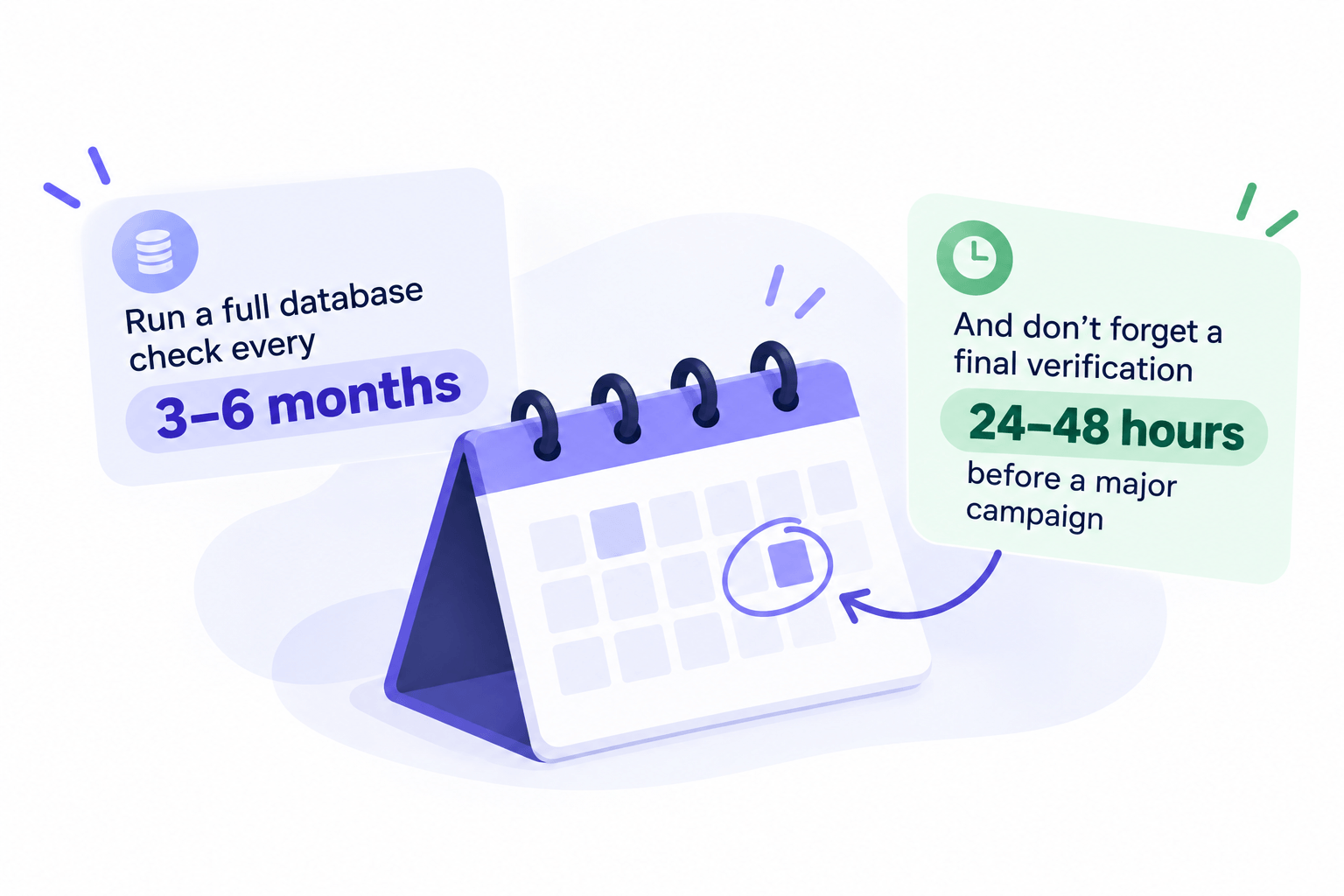
I’d use that just as a practical baseline, leaving some room for judgment. If a list hasn’t been used for several months or email bounce rates begin to increase, those are good reasons to verify it sooner.
At Snov.io, we also recommend verifying contacts before every campaign. And I’d follow the same logic here. The closer verification happens to the actual send, the more reliable your verification results will be.
Verification is important and useful, but it’s not a Band-Aid for every issue. Underneath, there could be other problems at play, such as weak email authentication, a damaged sender reputation, or a flagged IP.
I highly recommend running a deliverability test to see how your emails actually perform once they’re sent. And be very careful if you see that your inbox placement is below 90%.
How to set up real-time email verification
Before connecting anything, I’d do a little planning around what you actually need verification to do. For example, should it run the moment someone submits a form or only before the address enters your CRM? And what should your system do with the result?
With that sorted, here’s how to set it up using the Snov.io API. It’s available on all Sales Suite plans, while free users can request test access from support.
1. Get your access token
Open the API tab in your account settings to find your API User ID and API Secret. Use them to generate an access token through the Authentication method.
The token is valid for one hour and needs to be included in the Authorization header of each API request.
2. Connect verification to your trigger
Now connect the event you chose earlier to the Email Verifier API. For example, if you’re verifying new signups, submitting the form should start the verification request.
Send a POST request to /v2/email-verification/start and add the address as an emails[] parameter. You can send up to 10 addresses in the same request.
3. Choose how to get the result
If you add a webhook_url to the request, Snov.io will send the results there when they’re ready.
Without a webhook, the initial request gives you a task_hash. Think of it as the ID for that particular verification task. Pass it to /v2/email-verification/result to get the result.
If verification is still running, the request returns in_progress. Once it’s done, you’ll see completed.
4. Check what Snov.io found
The main field to look at is smtp_status. It can return valid, not_valid, or unknown.
The response also shows whether the address:
- has a valid format
- is disposable
- is webmail
- contains random or meaningless characters
For an unknown result, look at unknown_status_reason to see why Snov.io couldn’t give a definite answer. Possible reasons include banned, catchall, connection_error, greylist, and hidden_by_owner.
5. Turn the result into an action
Finally, decide what your workflow should do with each result. A valid address might continue to the next step, while a not_valid one can be stopped before it reaches your CRM or campaign.
I wouldn’t automatically reject unknown addresses; check the reason first. A connection error or greylisting, for example, doesn’t mean the mailbox doesn’t exist.
How to choose a real-time email verification tool
After spending quite a bit of time comparing top tools for real-time email verification, these are the things I’d personally look at before choosing one:
- Verification checks: Does it check syntax, domains, MX records, mailboxes, catch-all domains, and the other signals you need?
- Response time: Is verification fast enough for the workflow where you plan to use it?
- Timeout handling: What happens when the receiving mail server doesn’t respond?
- API limits: What request and rate limits apply?
- Integrations: Can it work with your CRM, forms, automation platform, or existing sales stack?
- Pricing: Are you charged per verification, request, or credit?
- Data handling: How is submitted email data processed and protected?
Test your top choices on the same mix of valid, invalid, catch-all, and unknown addresses, then compare the results and response times.

What do real-time email verification results mean?
Once the checks are complete, the verifier puts the signals together and assigns the address a status. The labels vary by provider, but they essentially tell you whether the mailbox was confirmed, rejected, or couldn’t be verified with enough confidence.
| Result | What is means | What to do |
|---|---|---|
| Valid | The available checks indicate the address is valid and the mailbox can receive email | Safe to use |
| Invalid | The verifier found evidence that the address can’t receive email, such as a nonexistent mailbox or domain | Remove the address |
| Unknown | The verifier couldn’t confidently confirm or reject the address | Retry or check it later |
Once your contacts are verified, you can move them straight into a Snov.io automated sequence.
Why can real-time email verification return an unknown result?
If an address comes back as unknown, it means something prevented the verifier from confirming whether the mailbox can receive emails.
Usually, it’s one of these:
- Server timeouts: the receiving server doesn’t respond within the verification window.
- Temporary SMTP errors: the server temporarily refuses or delays the request, which doesn’t necessarily mean the mailbox is invalid.
- Restricted verification: some mail servers don’t reveal whether individual recipients exist.
- Catch-all configuration: the server accepts addresses broadly, making individual mailbox existence difficult to confirm.
I wouldn’t turn a blind eye to unknown results, but there’s no need to treat them as invalid either.
A better approach is to retry the verification, flag the address for review, or come back to it later, depending on your workflow.
Key takeaways
Real-time verification gives you a chance to catch a low-quality email while it’s still entering your workflow, not when it bounces days or weeks later. The earlier you check it, the less cleanup you leave for yourself.
If that sounds useful, try Snov.io real-time verification on your own data and see what gets caught.