
TL;DR:
To help you choose the most effective solution among the best email sequence tools, I tested and reviewed 15 platforms by myself, comparing their features, usability, and user feedback. Below are my top recommendations based on what I’ve found:
| Tool | Best for | Price | Unique feature |
|---|---|---|---|
| Snov.io | Personalized email sequences with multichannel touchpoints and a strong deliverability suite | Free plan with unlimited email drip campaigns; Paid options start from $39/month* | Visual drag-and-drop sequence builder + DFY cold email infrastructure setup |
| Woodpecker | Deliverability-safe cold email follow-ups | From $35/month | Built-in catch-all email verification + sending controls |
| Saleshandy | AI-generated cold email cadences | From $36/month | AI Sequence Copilot |
| Instantly | High-volume cold email outreach | From $47/month | Unlimited email accounts and warm-ups on any tier |
| SmartReach.io | Cold email sequences with multichannel steps | From $29/month | Multichannel drip campaigns |
| Lemlist | Personalized sequences with in-app calling | From $69/month | Solid personalization features + AI for generating sequences |
| QuickMail | Email + LinkedIn sequences from multiple accounts | From $9/month | Unlimited email and LinkedIn senders with rotation |
| GMass | Google Workspace sequences | From $39.95/month | Mail merge + email sequencing directly in Gmail |
* Note that the pricing may change, so always verify details on the provider’s pricing page for the most up-to-date information.
In 2026, email automation is one of the top marketing tactics: about 58% of professionals use email sequence platforms to turn the outreach into a structured flow.
Indeed, email drip tools help you build, schedule, and track cadences in one place, ensuring timely automated follow-ups. But how to choose a reliable solution that supports smart cadence logic, relevant steps, and clear analytics?
I’ve tested and compared 15 email sequence tools and shared my guidelines to help you pick the right option for your team.
Key points of this guide:
How to choose the right email sequence tool
Today’s market is packed with email sequence tools, so it’s easy to get lost in feature lists, promising banners, and pricing pages. That’s why I’ve prepared some recommendations based on my team’s experience. Feel free to use these tips as a checklist to find the right pick for your needs.
Features to consider
No matter whether you look for a sales, marketing, recruiting, or agency outreach platform, there are a few must-have features that make a good email sequence tool. Before comparing advanced add-ons, make sure these basics are strong:
- Flexible email sequence builder: Check if you can map your follow-up flow with custom delays, conditions, and triggers based on recipient actions (opening an email, clicking a link, etc.)
- Time-zone support and scheduling options: Look for email drip tools that let you set a desired schedule to ensure your automated follow-ups are sent at the right time across regions
- Deliverability safeguards: Explore how the cold email software you’re considering maintains your sender reputation and helps reduce spam risks (built-in warm-up, spam checks, sending limits, etc.)
- Personalization options: The best email automation tools let you easily customize content based on recipient data with dynamic fields, variables, or AI features
- Multichannel support: I recommend looking for email sequence tools that support channels beyond email so you can enhance your outreach with other touchpoints, such as SMS, LinkedIn messages, calls, and more
- Analytics and reporting: See what metrics you can track with your cold email software to optimize your drip campaign performance
- A/B testing: Opt for tools that let you test subject lines, sending times, and other elements to identify the most performing options and improve the overall effectiveness of your cold email sequences
A/B testing is crucial for optimizing cold email sequences. Even a tiny tweak, like an exclamation mark or a period in a subject line, can impact reply rates. I recommend testing one variable at a time on similar ICPs to spot what actually shifts results.
VP GTM at Salesforge

Last but not least, I recommend exploring integrations. Consider your current tech stack, for example, CRM or existing sales outreach tool, and check if the cold email software integrates with it. This way, you can sync your pipeline data, contact lists, and other details without manual admin work.

Selection criteria: team size, role, and outreach volume
Beyond the general functionality to look for, I recommend considering specific features and add-ons depending on your team’s size and goals:
- Solopreneurs or small teams: Look for clear onboarding, ready-to-customize templates, and an intuitive visual email sequence builder so you can launch campaigns fast without a steep learning curve.
- Growing SDR or AE teams: Prioritize team collaboration features (roles, shared dashboards, permissions), performance reporting, multichannel outreach support, and CRM integrations.
- Agencies or mid-to-large businesses with high-volume outreach: Focus on built-in deliverability controls, inbox management, and mailbox rotation to scale sending volume without risking your sender reputation.
- Marketing-led outbound: Choose email sequence tools that offer strong segmentation, robust personalization features, A/B testing, and comprehensive analytics.
- Recruitment teams: Look for email automation platforms with fast cadence setup, LinkedIn steps in sequences, and dynamic variables to personalize messages with candidates’ data. Also, check if the tool provides ATS/CRM integrations and calendar sync to schedule interviews quickly.
In short, the best email sequence tool is the one that matches your workflow today and offers strong features to support the next stage as your outreach scales.
How I picked and analyzed email sequence tools
My goal was not just to shortlist email sequence tools, but to provide clear breakdowns so you can find the best fit from the strongest options. I didn’t want my guide to be another article with a random set of tools. So, to keep my list practical, I’ve used specific criteria to select and evaluate the platforms:
Automation workflows
I included email drip tools that offer robust sequencing automation, not just basic follow-ups. I explored what elements can be automated and how flexible the cadence settings are (scheduling, delays, branching). I also looked at the personalization features email sequence tools offer to see whether you can automatically tailor your messages at scale.
Ease of use
Since sequences are usually part of your day-to-day workflow, I prioritized email drip tools that feel straightforward. I checked how quickly you can set up a cadence, edit steps, and manage campaigns. I also evaluated the onboarding process to see whether your team can start using the tool right away or if additional training is required.
Multichannel outreach support
When reviewing email sequence tools on my list, I checked whether the solution supports multichannel outreach. Leveraging several platforms for outreach helps warm up prospects and convert them into clients more effectively. So, I looked at what channels are supported natively, making it easy to include those steps in your email cadences (e.g., LinkedIn touches, calls, or SMS).
Real user feedback
For my list, I selected email cadence tools with strong user ratings on trusted platforms, like G2 and Capterra. I looked through real user reviews to see what value each tool can bring in real practice. Real-world feedback also helped me identify the most common issues before recommending the platform.
Extra feature set
Finally, I looked for additional functionality to help you achieve better results with your email sequences. This can include AI writing tools, built-in analytics, or deliverability toolkits that ensure your messages land in prospects’ inboxes. I also looked at CRM integrations so you can easily sync the email sequence tool with your current stack.
Now, let’s see what came out of it.
Best email sequence tools in 2026
Here are 15 email sequence tools I found worth considering for 2026, with key features, pricing, and my testing insights.
Snov.io
Best for: Solopreneurs and small-to-mid B2B teams (sales, recruiting, marketing) that want personalized email sequences with LinkedIn touches in a convenient visual builder.
G2: ⭐ 4.5
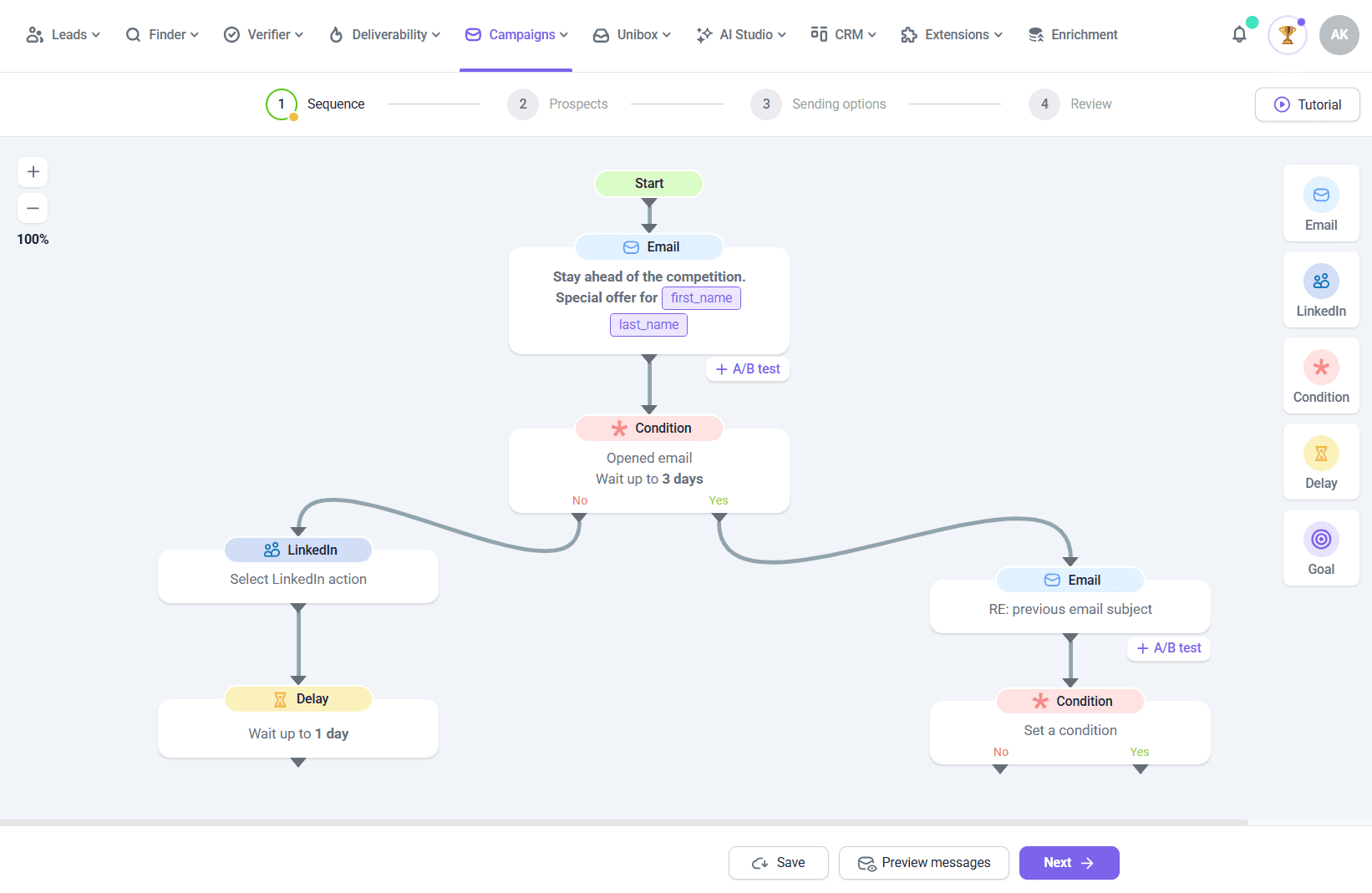
Snov.io is a lead generation and outreach automation platform that combines prospecting, cold email sequences, and LinkedIn automation. This tool helps sales professionals, recruiters, and marketers identify high-quality leads and move them towards a decision through personalized multichannel campaigns.
Features:
- Visual email sequence builder
- Email drip campaigns
- Multichannel outreach sequences
- Email finding and verification
- Deliverability tools (warm-ups, spam checks, infrastructure setup, inbox rotation)
- A/B testing
- ICP-based email builder
- Built-in analytics and tracking
Pricing: A forever-free plan with unlimited email drip campaigns and up to 100 recipients. Paid plans start at $39 per month for up to 5,000 recipients, plus unlimited senders and follow-ups.
Pros and cons of Snov.io:
My testing takes:
Snov.io makes it easy to start from the very beginning. Even if you don’t have a cold email setup ready, you can buy domains and Google mailboxes directly from the platform. In my opinion, this feature is really useful because it lets you start with accounts already prepared for cold outreach, freeing you from the hassle of setting up email infrastructure (which can be complicated even for experienced outreach specialists).
Snov.io email campaigns are also easily created. I like that the platform offers ready-to-use templates for common outreach scenarios, so you don’t have to start from scratch. But if you want to, building email sequences from zero also feels easy in Snov.io. You can easily add email follow-ups, LinkedIn touches, conditions, delays, and other settings in its visual drag-and-drop builder.
I also liked the copy workflow: Snov.io AI email writer generates emails tailored to your ICP and company goals in seconds. You can also tweak your messaging directly in the email sequence builder, using AI writing tools. I personally like that it is possible to adapt email copy for different markets with built-in translation into 36 languages, including Chinese, Arabic, Hindi, Spanish, and more.
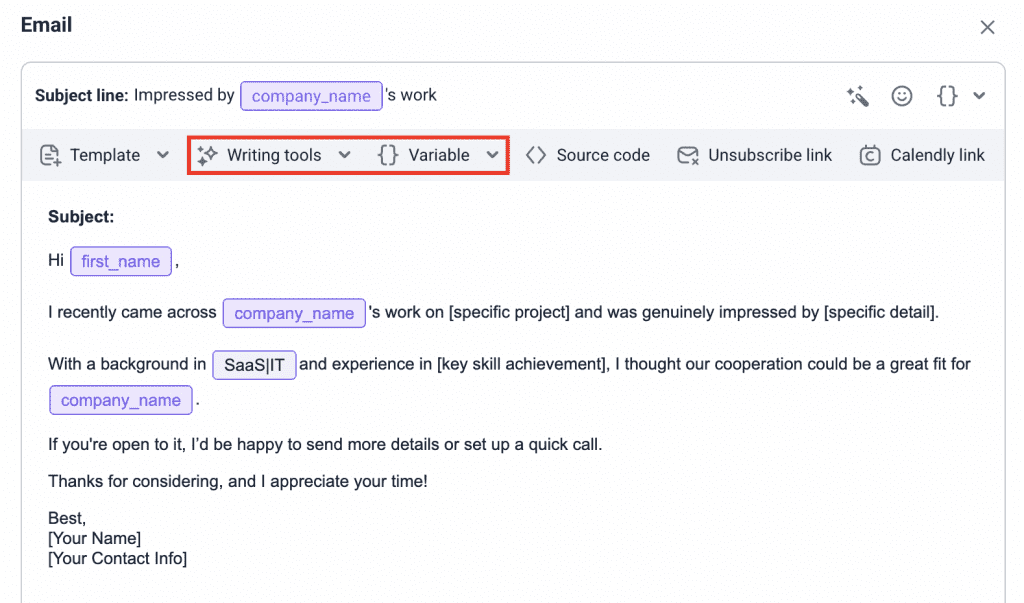
Personalization is flexible enough for practical outbound, with variables, dynamic content, and Spintax. Another strong point of Snov.io’s sales outreach tool is the unified inbox for both LinkedIn and email replies, from which you can follow up right away.
The platform provides a robust deliverability suite, including email verification, domain health diagnostics, mailbox rotation, custom tracking domains, and more. I liked the premium warm-up tool that lets you prepare your account for specific providers or engage with corporate domains. However, these advanced settings are available only with paid options.
Overall, Snov.io is a good choice for drip campaigns with its convenient visual email sequence builder, AI-powered personalization, and tools that let you protect deliverability while scaling.
Lemlist
Best for: Sales and marketing teams that need AI-powered outbound sequences with heavy personalization and in-app calling.
G2: ⭐ 4.6
Lemlist is a sales engagement platform that helps B2B teams automate cold outreach across email, LinkedIn, WhatsApp, and calls.
Features:
- Automated follow-ups
- Multichannel outreach sequences
- Built-in warm-up
- AI Campaign Builder
- Personalization features
Pricing: A 14-day free trial. Paid plans start at $69/month with up to 3 senders and unlimited campaigns.
Pros and cons of Lemlist:
My testing takes:
The setup was really fast. I liked that Lemlist included onboarding hints across sections, making the first steps more straightforward. Still, advanced features require some learning time. Overall, building cold email sequences is quite intuitive.
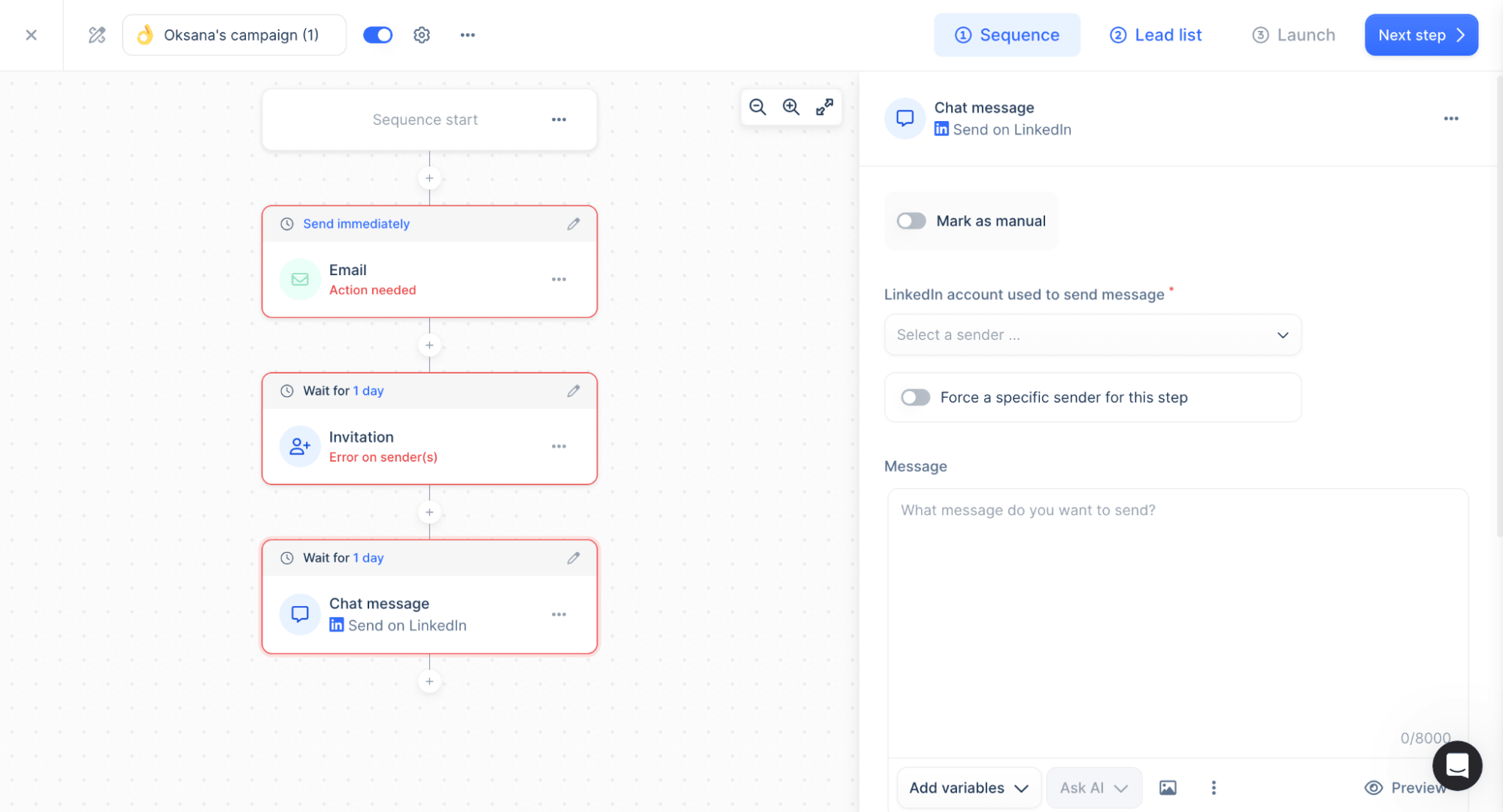
Lemlist offers two options for creating a cadence – manually or with the help of AI. When I tested the platform, the AI sequence builder was still in beta. So, I decided to focus on the manual flow to evaluate the workflow with the longest track record in user feedback.
To get started, first you choose the initial step type, then continue working in a simple email sequence builder where you can customize and add more steps. What stands out is the range of touchpoints. You can combine emails with automated steps, such as WhatsApp and LinkedIn actions (including voice messages), or manual tasks like calls.
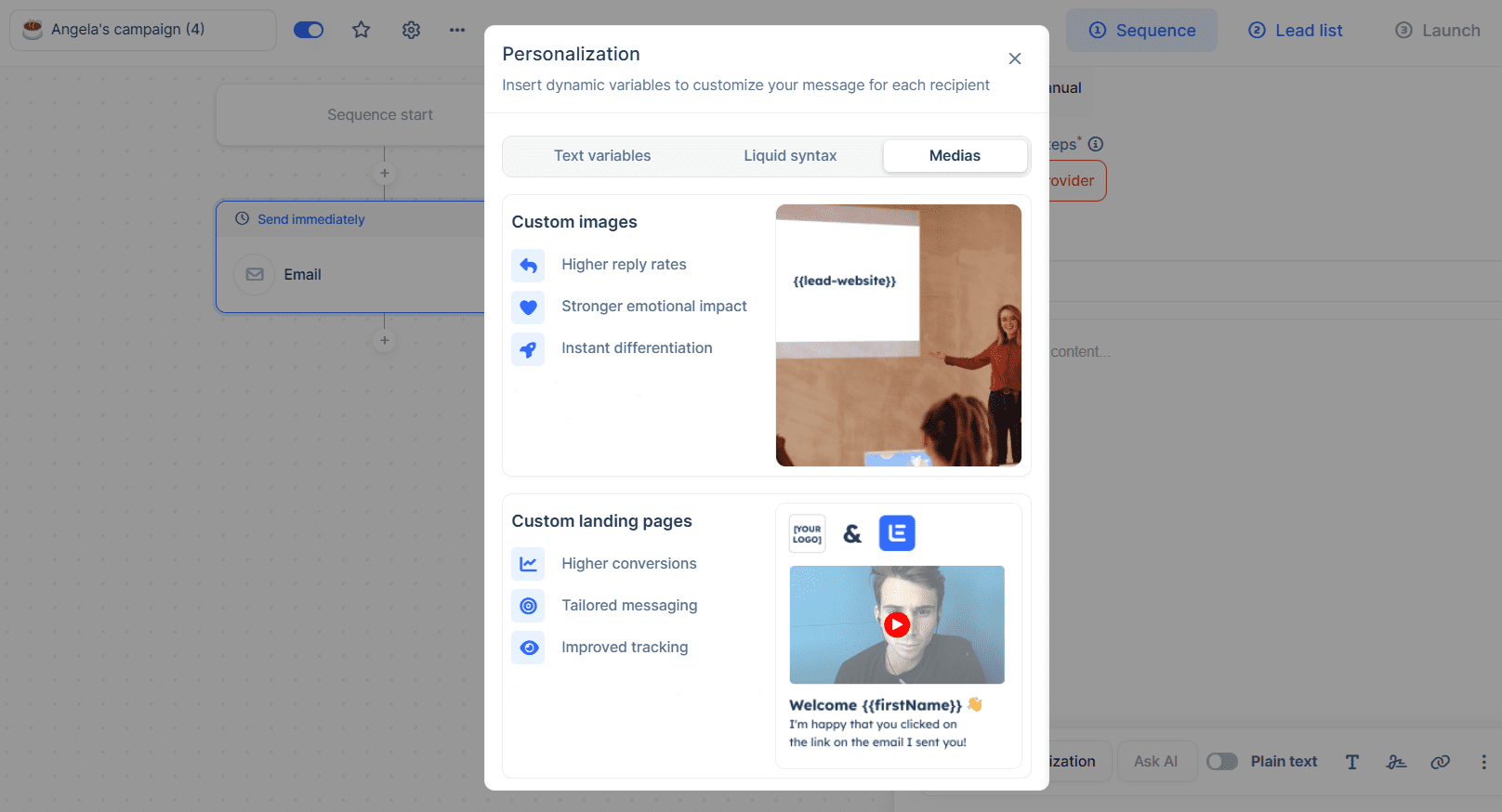
I also consider personalization features another Lemlist’s strong point, as besides adjusting email copy, you can also create custom images based on your lead’s data.
One more thing worth mentioning is the ability to tweak your email with AI tools based on your purpose, for example, to improve the booking rate or boost deliverability. However, Lemlist can be pricey, especially for small teams. Still, it can be a great choice if you need a strong multichannel with advanced personalization.
Woodpecker
Best for: SMB sales teams and agencies looking for deliverability-safe outreach with automated email follow-ups.
G2: ⭐ 4.5
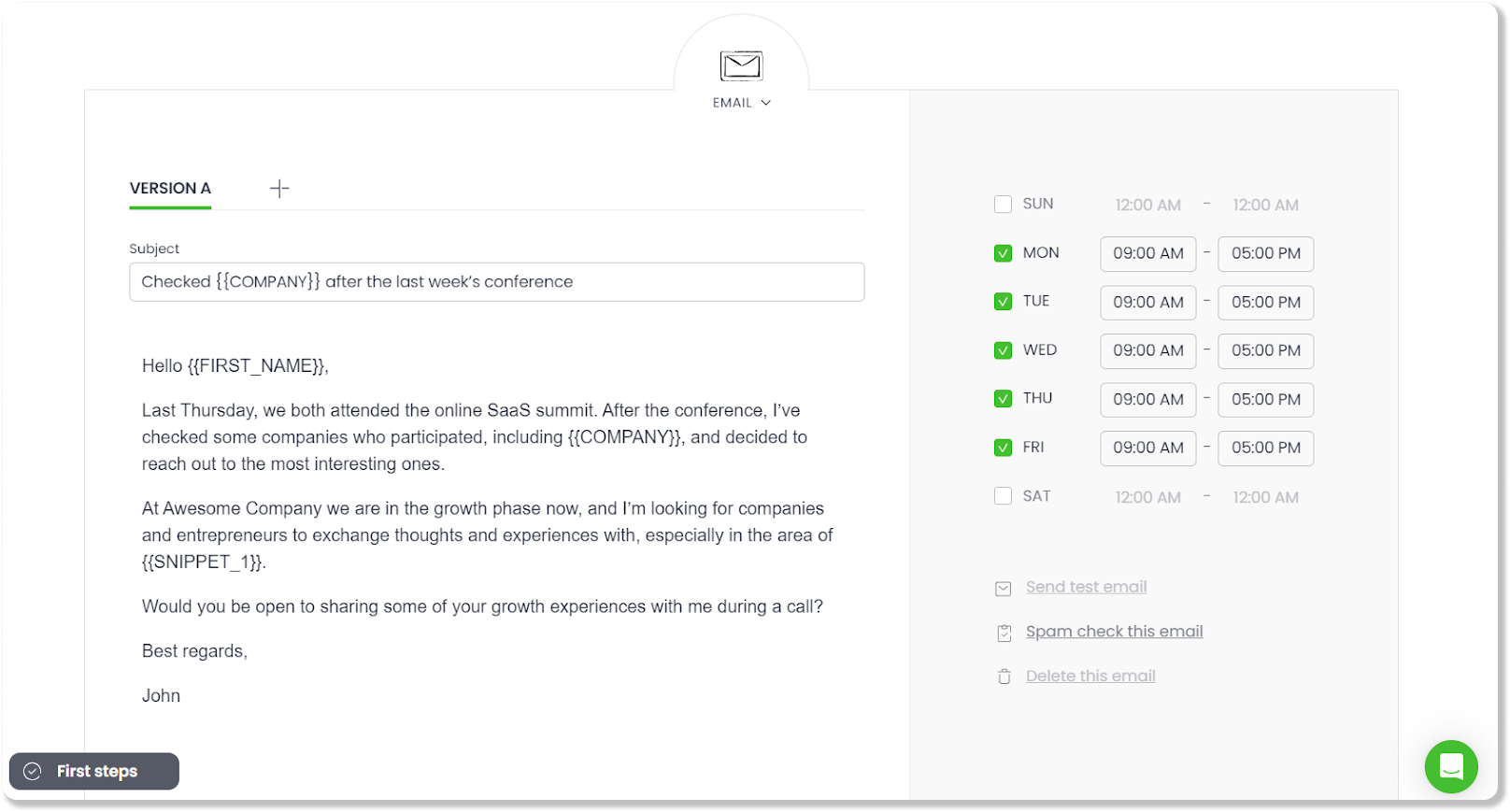
Woodpecker is a cold email automation platform for sending and managing personalized outreach campaigns. While this tool is primarily email-focused, it also allows you to add LinkedIn touches, SMS, and call tasks to your sequences.
Features:
- Automated email sequences
- Inbox rotation and centralized management
- LinkedIn outreach steps
- Tracking and analytics
- Deliverability tools
- Smart scheduling and reply detection
Pricing: A 7-day free trial. Paid plans start at $35/month per 500 recipients and up to 6,000 emails.
Pros and cons of Woodpecker:
My testing takes:
Woodpecker felt genuinely user-friendly during my testing. The interface is clean and focused, so building a basic cold email sequence doesn’t take much time. Sequence logic is simple and predictable (which I actually liked). You can set the desired delays, add specific conditions, and choose the step to include from email, LinkedIn, SMS, calls, and tasks.
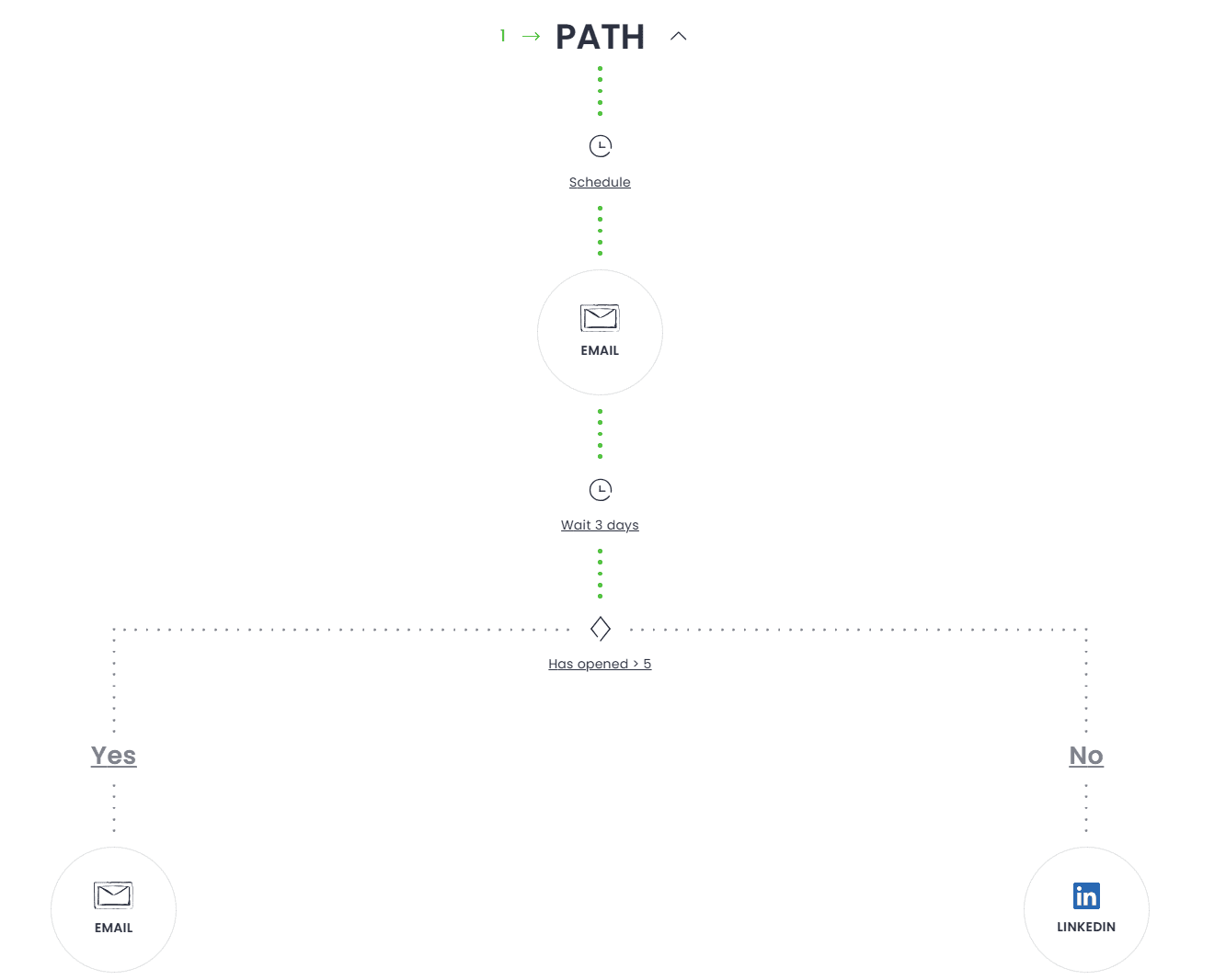
One drawback I noticed is the email sequence builder layout. The steps are displayed in a long vertical list, plus each step takes up a lot of space. So I ended up constantly scrolling to navigate the flow, which made it hard to see the overall campaign structure at a glance.
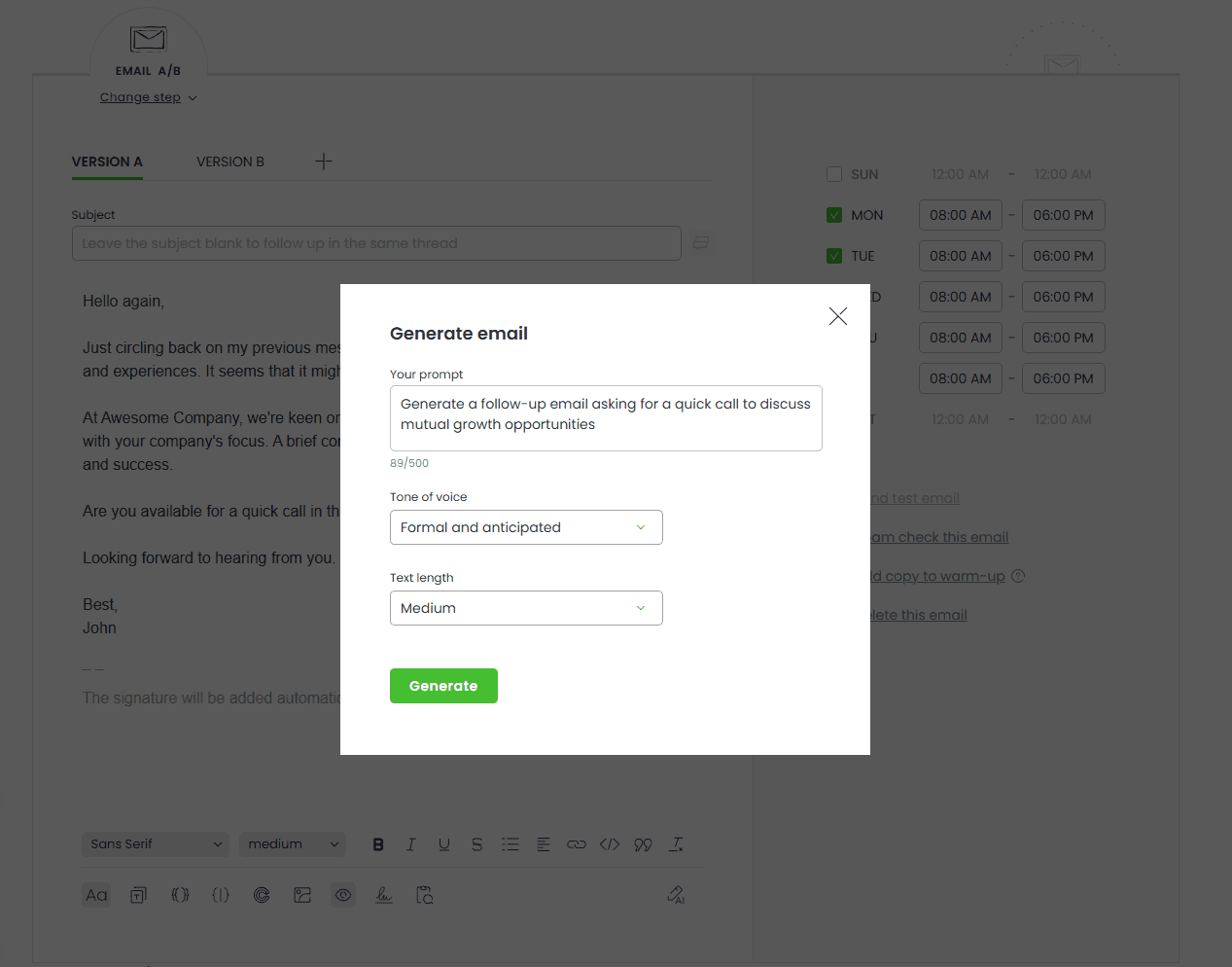
I also liked that you can spam-check each email in your sequence. The platform also provides AI writing assistance that generates an email based on your prompt. Besides the prompt, you also set the desired tone of voice and text length. Email generation does not take much time; however, during my testing, the generated copy needed further improvements to be truly strong.
From a deliverability perspective, Woodpecker is a strong cold email software that helps to protect sender reputation even when sending in high volume. The platform provides email verification, SPF/DKIM setup, deliverability checks, and throttled sending that automatically adhere to your provider’s sending limits to avoid appearing suspicious to spam filters.
What stood out to me during my testing experience was the quality of support. The thing is that my trial ended while I was testing several email sequence tools in parallel. But I still needed some time to explore Woodpecker. So I decided to ask for a bit more time, and I was surprised when the support team replied within a couple of hours and extended my trial access by five days.
I consider that kind of client-oriented approach a real plus, especially when it comes to cold outreach, where unpleasant issues can arise at any time. So it’s always good to know that you have a reliable helper on hand.
Overall, I consider Woodpecker a strong choice of email sequence tools. Even though the functionality may look basic at first glance, I see that simplicity as a strength, making this platform easy to launch and focused on reliable cold outreach through its deliverability toolkits.
Saleshandy
Best for: Sales teams, agencies, and solopreneurs looking for a straightforward cold email sequencer to scale outreach.
G2: ⭐ 4.6
Saleshandy is a sales engagement platform designed to scale cold outreach and lead generation through automated sequences.
Features:
- Cold email automation
- AI Sequence Copilot
- Unified inbox
- Personalization features
- Analytics & tracking
Pricing: A 7-day free trial. Paid plans start at $36/month for up to 6,000 emails and unlimited email accounts.
Pros and cons of Saleshandy:
My testing takes:
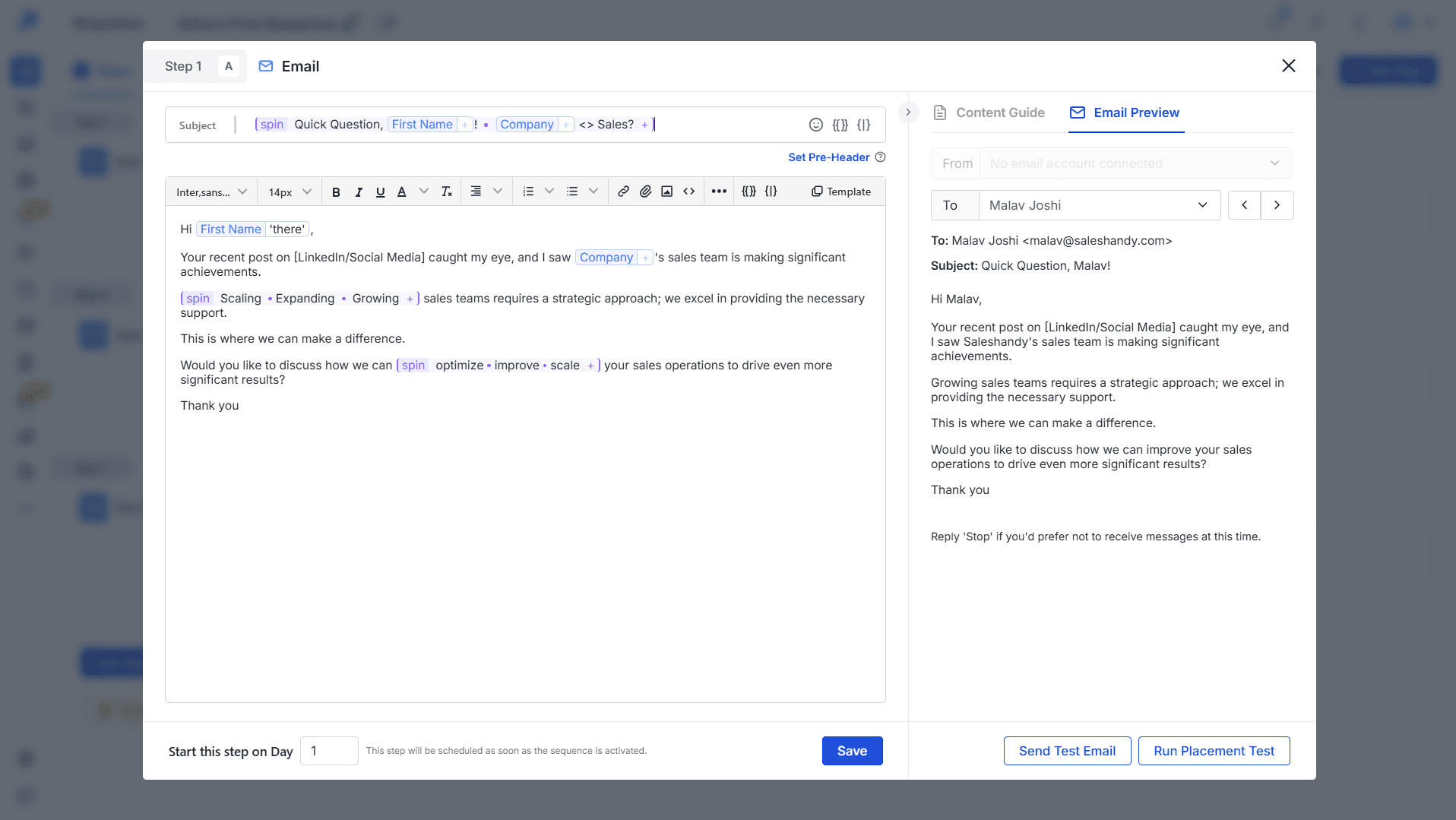
Saleshandy is overall quick to set up and easy to navigate. Creating a new sequence starts by either manually adding and customizing steps or generating an email cadence with AI Copilot. Although the builder itself looked a bit cluttered to me, the process felt straightforward, and launching a basic campaign didn’t require much onboarding.
However, when it comes to more advanced sequence logic, expect a small learning curve. I like that Saleshandy allows you to add conditional follow-ups, routing prospects into subsequences based on specific triggers. I also like that you can set a desired delay before the first action is executed after the condition is met. This adds more control over automated flows.
On top of that, the platform includes multichannel steps, so you can mix automated follow-ups with LinkedIn touches, WhatsApp messages, and tasks. Another point worth mentioning is personalization: beyond custom fields with prospects’ data, you can also use Spintax or AI-powered tools to enhance your email copy.
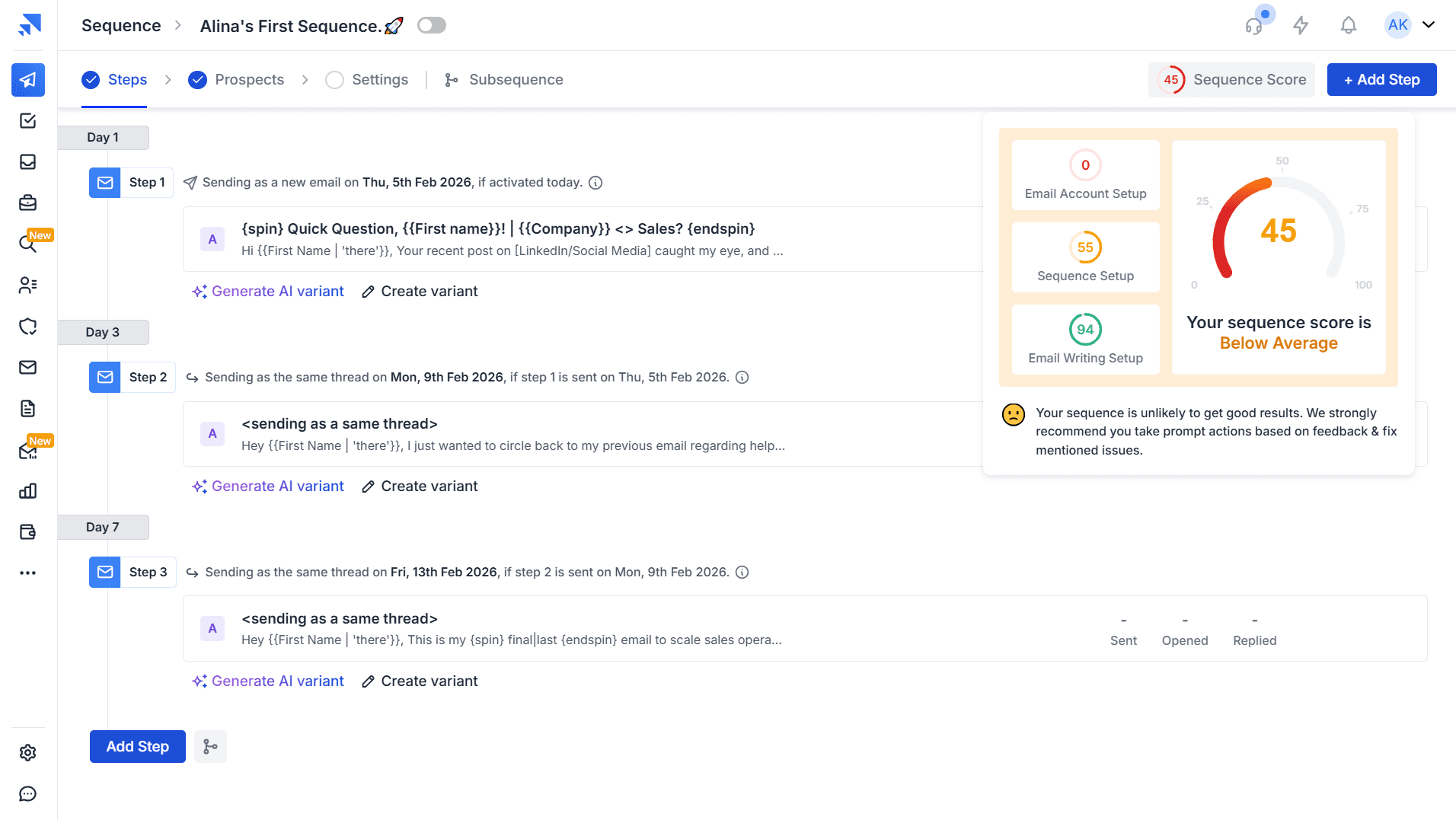
What I like most is the sequence score, which measures the effectiveness of your drip campaigns and helps you identify issues you can fix to improve results. What’s more, you can run a placement test and test email copy for any step in your sequence.
Overall, I consider Saleshandy a good option for building personalized cold email sequences. Also, please note that I chose the latest version of Saleshandy, but the platform also supports its legacy version, too.
Instantly
Best for: Startups, sales teams, and small businesses that need high-volume cold email sequences with a centralized inbox and deliverability suite.
G2: ⭐ 4.8
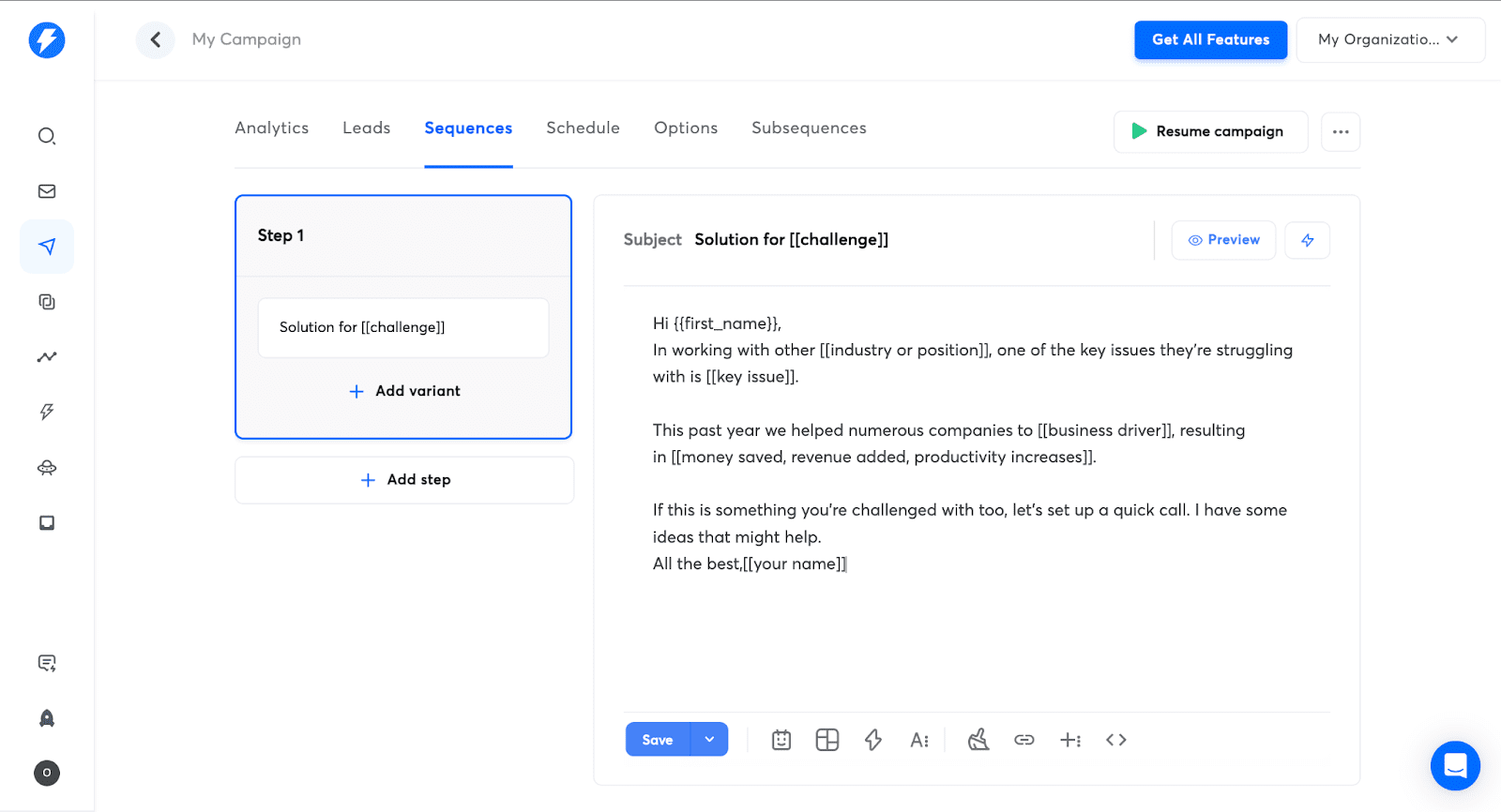
Instantly is a sales engagement and lead intelligence platform that lets you automate cold outreach and scale volume by sending from multiple email accounts.
Features:
- Cold email automation
- Multiple email account support
- Built-in warm-up & other deliverability tools
- AI sequence generation
- Campaign tracking
Pricing: A 14-day free trial. Paid outreach options start at $47/month with 5,000 email campaigns per month.
Pros and cons of Instantly:
My testing takes:
Instantly takes very little time to get started with. The interface is clear, and you can easily find the functionality you need across the platform. Building a campaign is also straightforward: you create the first step and add follow-up emails one by one.
I like that Instantly offers various features to personalize your emails, including Spintax, variables, and other fields. The platform also provides a set of AI tools to improve your writing. One of the most useful features, in my opinion, is the AI Sequence Writer that creates campaign steps based on the details you provide manually.
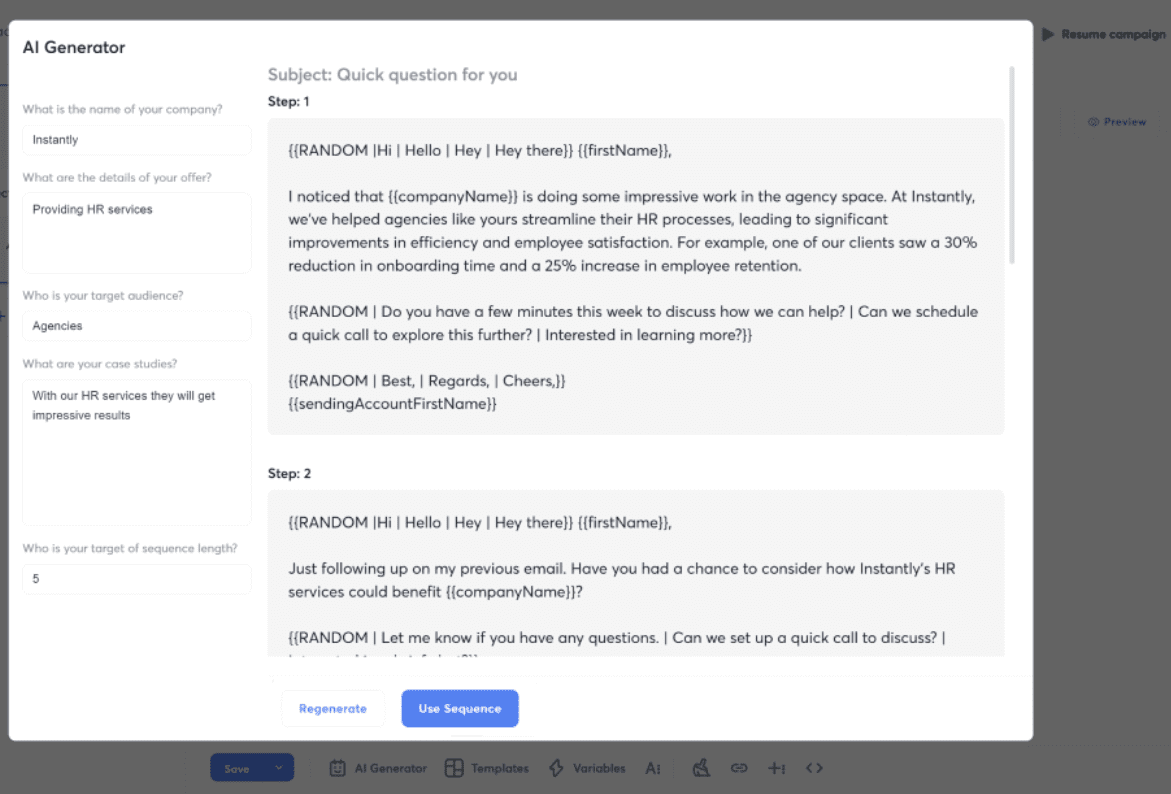
Another strong advantage is Instantly Copilot, which generates an entire email cadence with delays, automated follow-ups, and A/B testing options. However, this feature isn’t available on the base plan and requires a more expensive subscription. One more trade-off is that the output strongly depends on the prompt quality, so the results will vary based on how well you describe your tone, ICP, etc.
Overall, the sequencing logic feels fairly basic compared to other email cadence tools with behavioral triggers or condition-based workflows. Still, Instantly is a solid solution for outreach scale, allowing you to connect unlimited email accounts and distribute volume across them. This way, you can increase the sending volume while staying within per-inbox limits.


Reply.io
Best for: Mid-sized to large B2B teams looking for sales outreach tools with multichannel engagement and strong AI-powered workflows.
G2: ⭐ 4.6
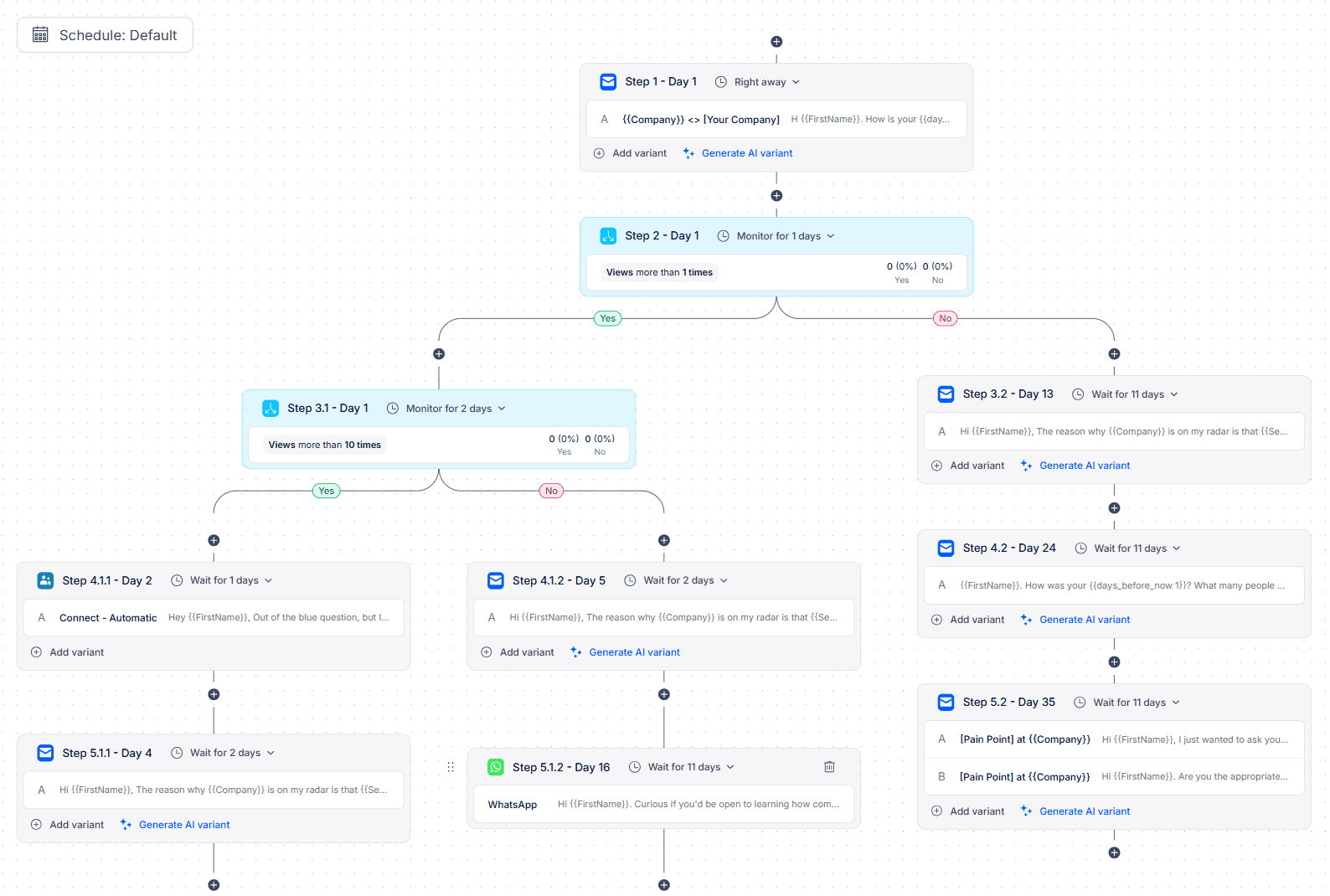
Reply.io is an AI-powered sales engagement platform that helps teams streamline outreach through multichannel sequences.
Features:
- Automated email sequences
- LinkedIn automation
- AI-generated campaigns
- Multichannel conditional sequences
- AI-powered email personalization
- Dedicated AI SDR
Pricing: A 14-day free trial. Paid plans start at $59/month for email-only outreach with up to 1,000 recipients and unlimited follow-ups.
Pros and cons of Reply.io:
My testing takes:
Reply.io felt like a more sales engagement platform than a simple sequencer. Although getting started was fairly smooth, it’s not the lightest tool on my list, to be honest. There is a noticeable learning curve if you want to use it properly, because it’s built for advanced team workflows and multichannel cadences.
At the same time, sequence creation is structured and flexible. You can build cadences combining email steps with multichannel touchpoints. The set of actions you can add to a Reply.io campaign is truly impressive.
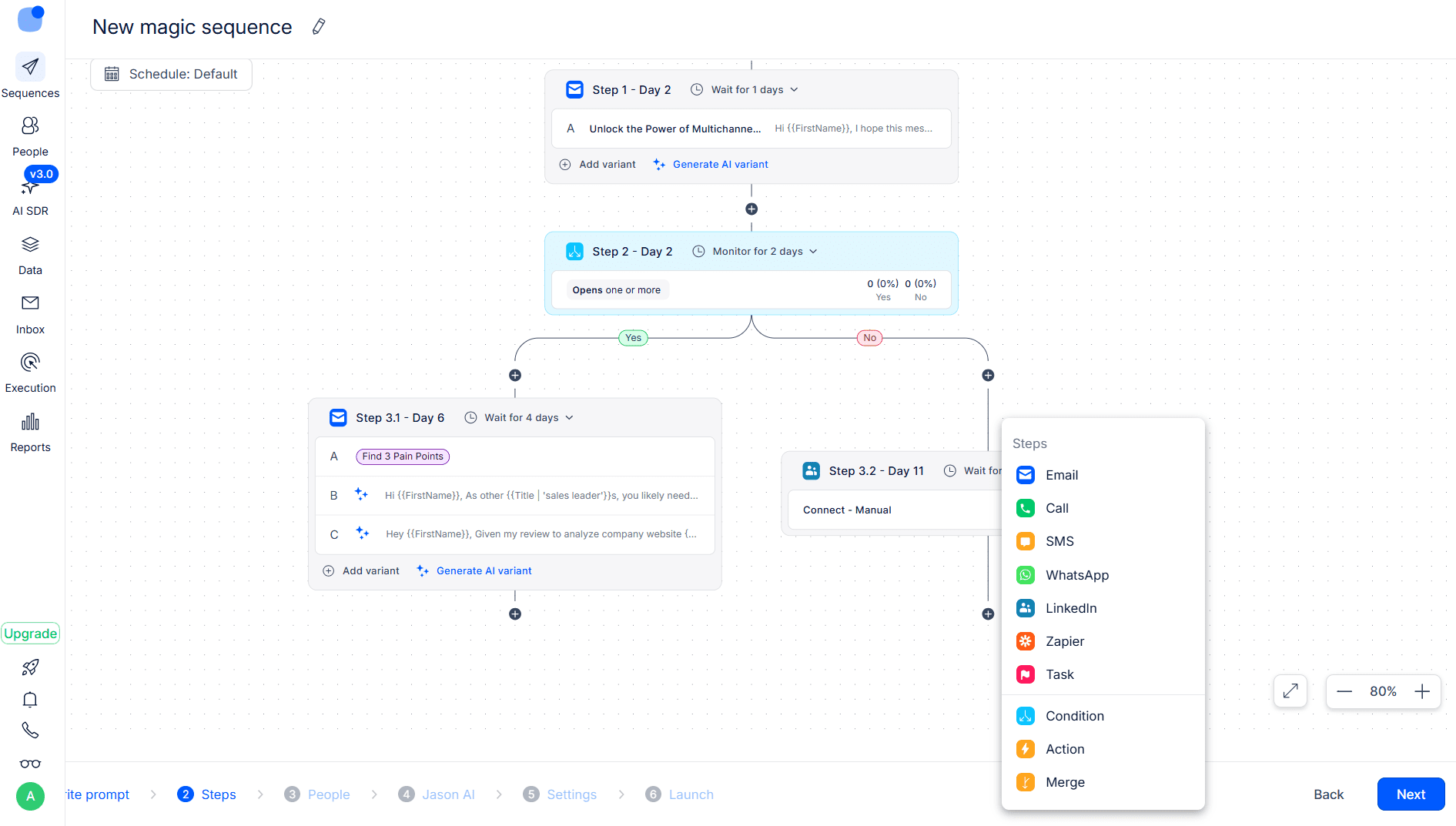
The platform is well known for its AI SDR, but it also offers many other advanced AI-powered features. You can handle the replies, create a copy for any step of your sequence, and generate options for testing with the help of AI. I like that dynamic fields for personalization are also automatically added to the generated copy.
Reply.io also provides built-in analytics dashboards to track key metrics, such as open rates, delivery rates, and prospect interest. Overall, this platform is a strong solution for multichannel sales outreach, offering a broad range of features as well as automated actions you can add to your sequences.
However, the pricing may feel quite expensive, especially for teams with limited budgets. That’s why I think Reply.io is a good option for SMB sales teams that need strong multichannel capabilities with advanced reply management, or for lead generation agencies that want to put their workflows on autopilot with dedicated AI assistance.
⮕ Still hesitating about using AI for outreach? See how the Snov.io AI agent helped us increase our average reply rate by 30% in a real-world experiment with 3,000 emails.
Yesware
Best for: Individual reps and small sales teams that want cold email sequences with advanced tracking
G2: ⭐ 4.4
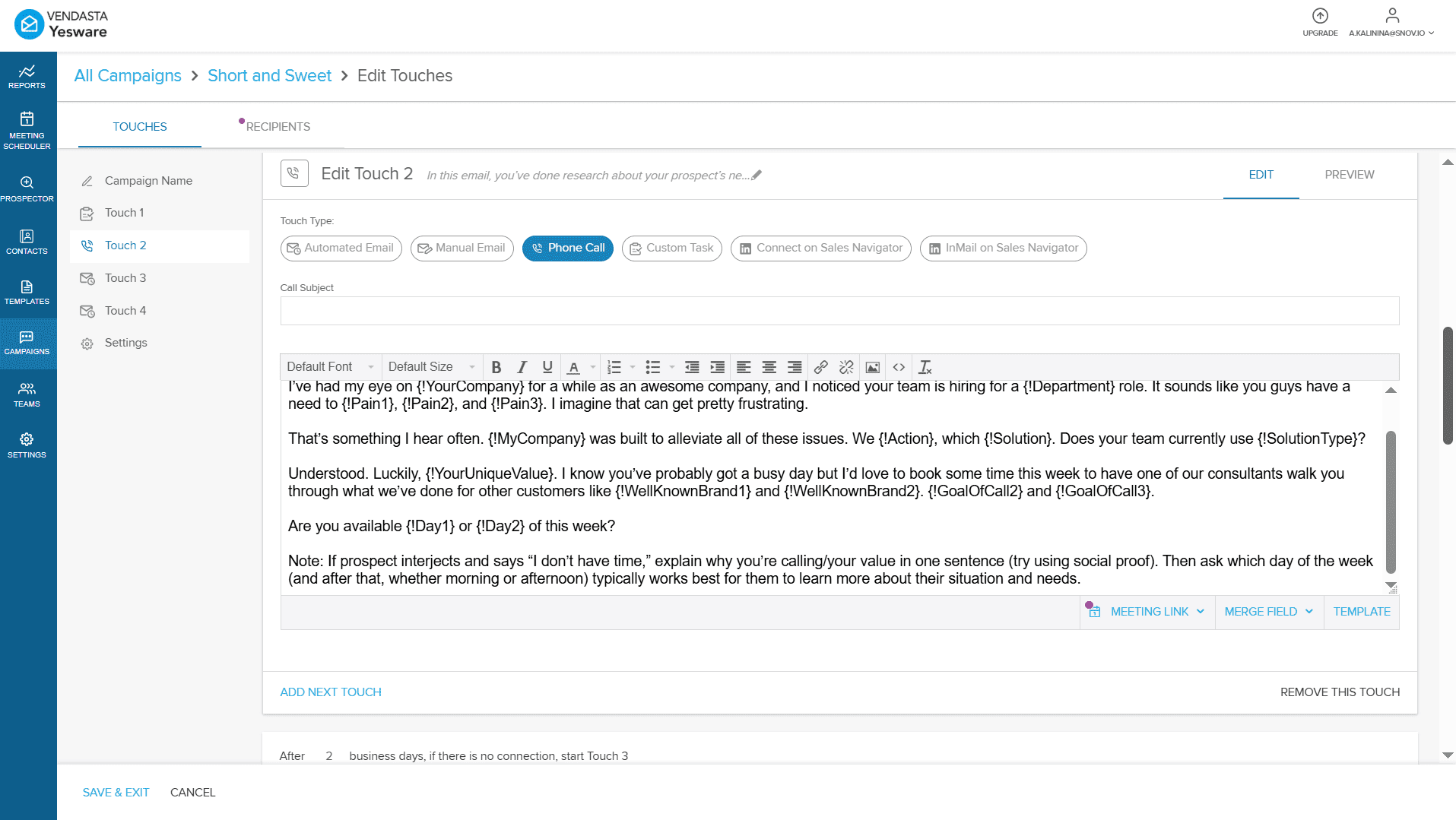
Yesware is a sales engagement tool that integrates directly into Outlook and Gmail and adds automated sequencing and tracking to email workflows.
Features:
- Automated follow-ups
- Multichannel sequences
- Ready-to-use email templates
- Personalization features
- Email tracking
- Reporting & analytics
Pricing: A forever-free plan with up to 10 campaign recipients. Paid options start from $19/month for 20 recipients and from $45/month per seat for unlimited contacts per campaign.
Pros and cons of Yesware:
My testing takes:
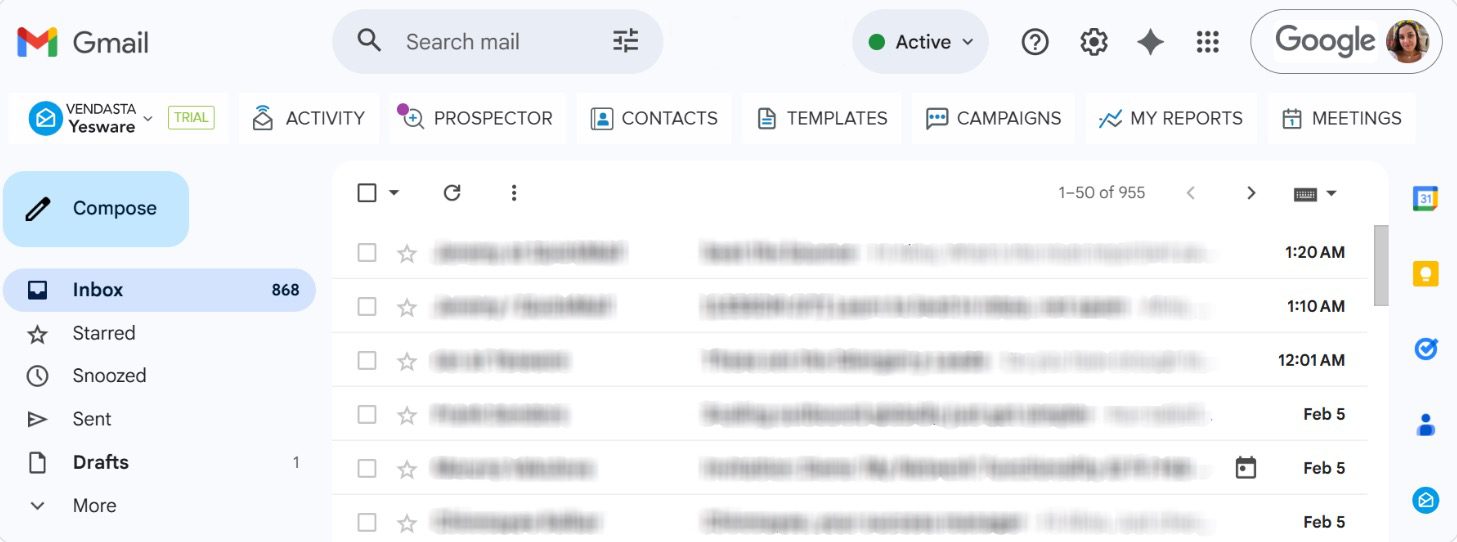
Yesware felt like one of those sequence tools that’s easy to adopt quickly. You can use it as a standalone platform; however, I got the most value from it when used as an extension, which is very quick to install. Yesware integrates seamlessly into a day-to-day Gmail or Outlook workflow — in my case, Gmail.
The UI looks outdated, but it feels very intuitive. You can quickly understand where key functionality lives. I personally like that simplicity because the interface isn’t overloaded with features that can add friction, especially for beginners.
Campaign setup is straightforward: upload recipients, build your sequence, and launch. You can add automated emails, phone calls, custom tasks, and some LinkedIn actions. The downside is that it is not fully multichannel in practice. LinkedIn actions are limited and require a Sales Navigator subscription. Personalization options are mostly restricted to basic merge fields.
What I consider a strong point is the built-in meeting scheduler. It lets you add a booking link to your follow-ups, so prospects can see your real-time availability and schedule a meeting with minimal effort. This reduces back-and-forth and may help increase the meeting booked rate.
Overall, my impression is that Yesware is better for individual reps doing structured outreach, not for complex cadences or high-volume sending. I also noticed that deliverability visibility is limited, so you get less control over inbox placement. On the other hand, engagement tracking is solid, plus you won’t need to switch between multiple platforms to monitor your performance.
Pricing can feel a bit high for what Yesware offers, but if your priority is inbox-first sequencing, the value is there. Overall, this platform is a strong pick for sales professionals who want a simple outreach workflow with reliable tracking inside Gmail/Outlook. However, I’d look at other email automation platforms for more advanced multichannel cadences.
QuickMail
Best for: Marketing agencies and sales teams running high-volume drip campaigns from multiple inboxes.
G2: ⭐ 4.7
QuickMail is an email outreach tool designed to send high-volume sequences from multiple inboxes. It helps businesses streamline outbound marketing with automated follow-ups and multichannel campaigns.
Features:
- Automated multi-step sequences
- Multichannel outreach
- A/B testing & performance tracking
- Automated warm-up (with MailFlow)
- Unified inbox for reply management
Pricing: A 14-day free trial. Paid plans start at $9/month with 1 sender account, 3,000 emails, and up to 1,000 contacts.
Pros and cons of QuickMail:
My testing takes:
Getting started with QuickMail was genuinely easy. I’d say it’s one of the most user-friendly email sequence tools I’ve tested in terms of navigation and overall workflow. Right after sign-up, the dashboard shows a set of onboarding videos that guide you through the platform step by step. Personally, I didn’t really need them because the UI is very intuitive, but I believe they would be very helpful for beginners.
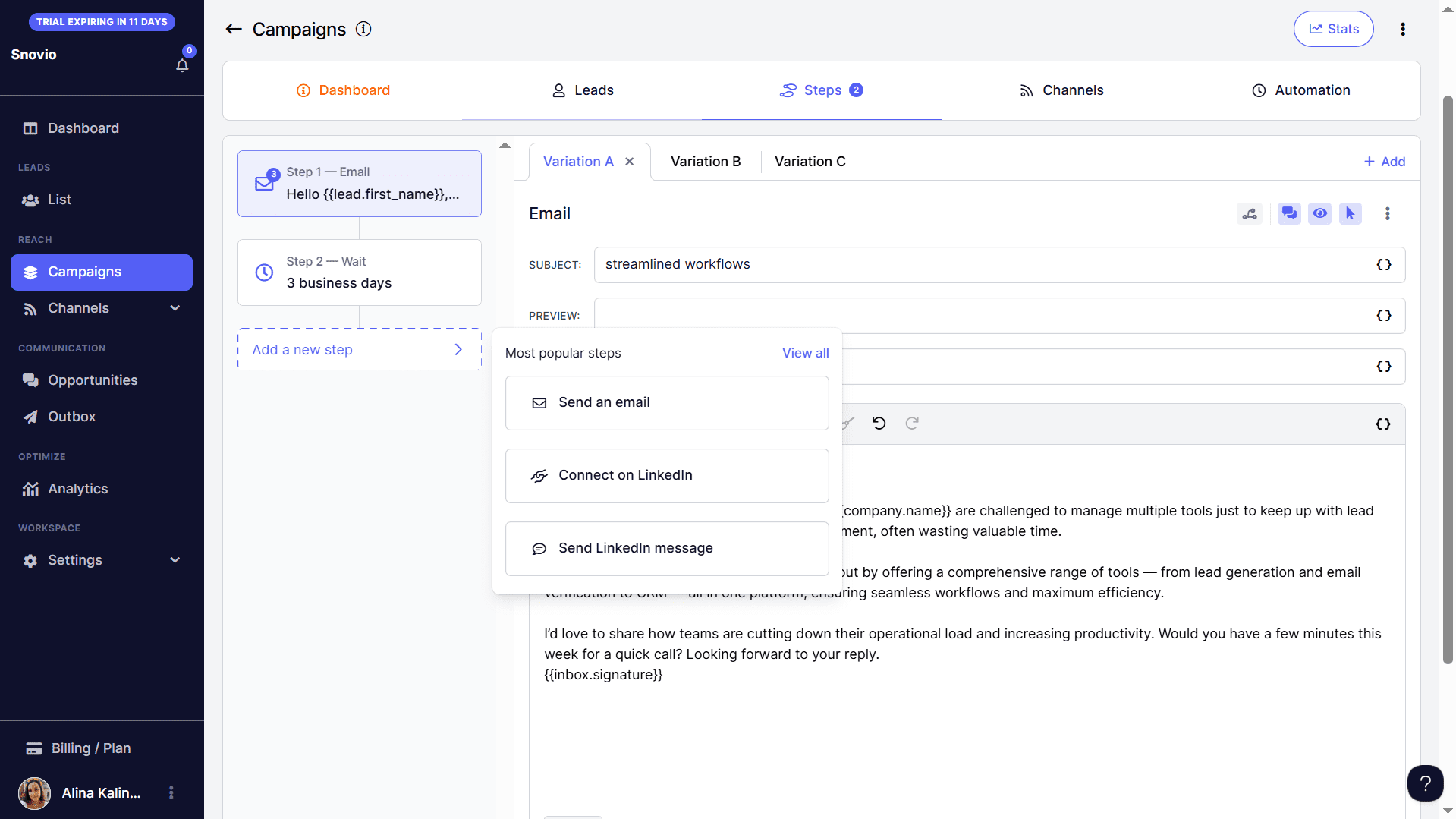
Creating a campaign is also straightforward. The setup is broken into clear stages in separate tabs, like leads, steps, channels, etc., and there is no obligatory order for what should be configured first.
QuickMail supports two outreach channels: email and LinkedIn. A strong point worth mentioning is that the platform lets you connect unlimited email and LinkedIn sender accounts under one plan with extra fees. This is a truly unique case, as most automated outreach tools charge per account, especially on LinkedIn.
You can build sequences with automated follow-ups, basic conditions, and delays between actions. The sequence logic is basic: conditions are mostly tied to opens and clicks. You can also tag leads and then adjust the flow depending on who you are targeting by setting tag-based triggers. My favorite part was the campaign scheduling experience.
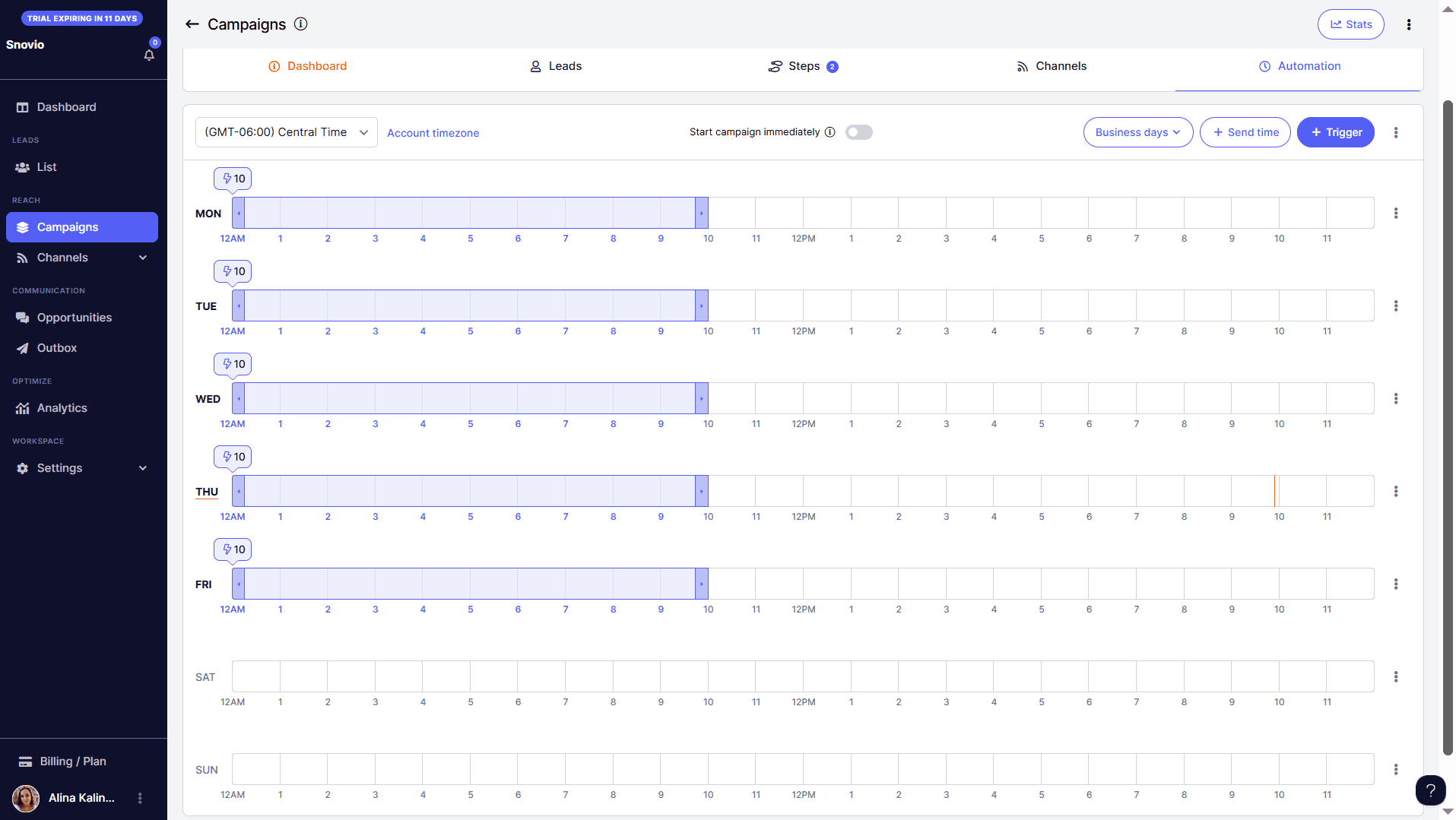
You can choose your sending days and hours, as with common cold email software, but in QuickMail, you also get a visual schedule view. This gives a much clearer overview of how your campaign will run. What’s more, the platform suggests a recommended schedule based on the time zone you select. This is very convenient if you don’t yet have a set schedule.
On the downside, the sequence logic and analytics feel fairly basic compared to more advanced email cadence tools. Still, QuickMail is a strong choice for small businesses and teams that want simple, scalable cold email software with a clean workflow and decent automation.
Klenty
Best for: SDR and AE teams looking for cold email automation with AI-generated email cadences and multichannel outreach capabilities.
G2: ⭐ 4.6
Klenty is an AI-powered sales cadence tool designed to help B2B teams scale outreach through automated sequences across email, phone, LinkedIn, SMS, and WhatsApp.
Features:
- AI-driven email sequences
- Multichannel campaigns
- Email enrichment
- AI Writer
- Personalization features
- Email deliverability toolkits
Pricing: A 14-day free trial. Paid subscriptions start from $60/month (billed quarterly) with 75,000 emails and 15,000 contacts per month.
Pros and cons of Klenty:
My testing takes:
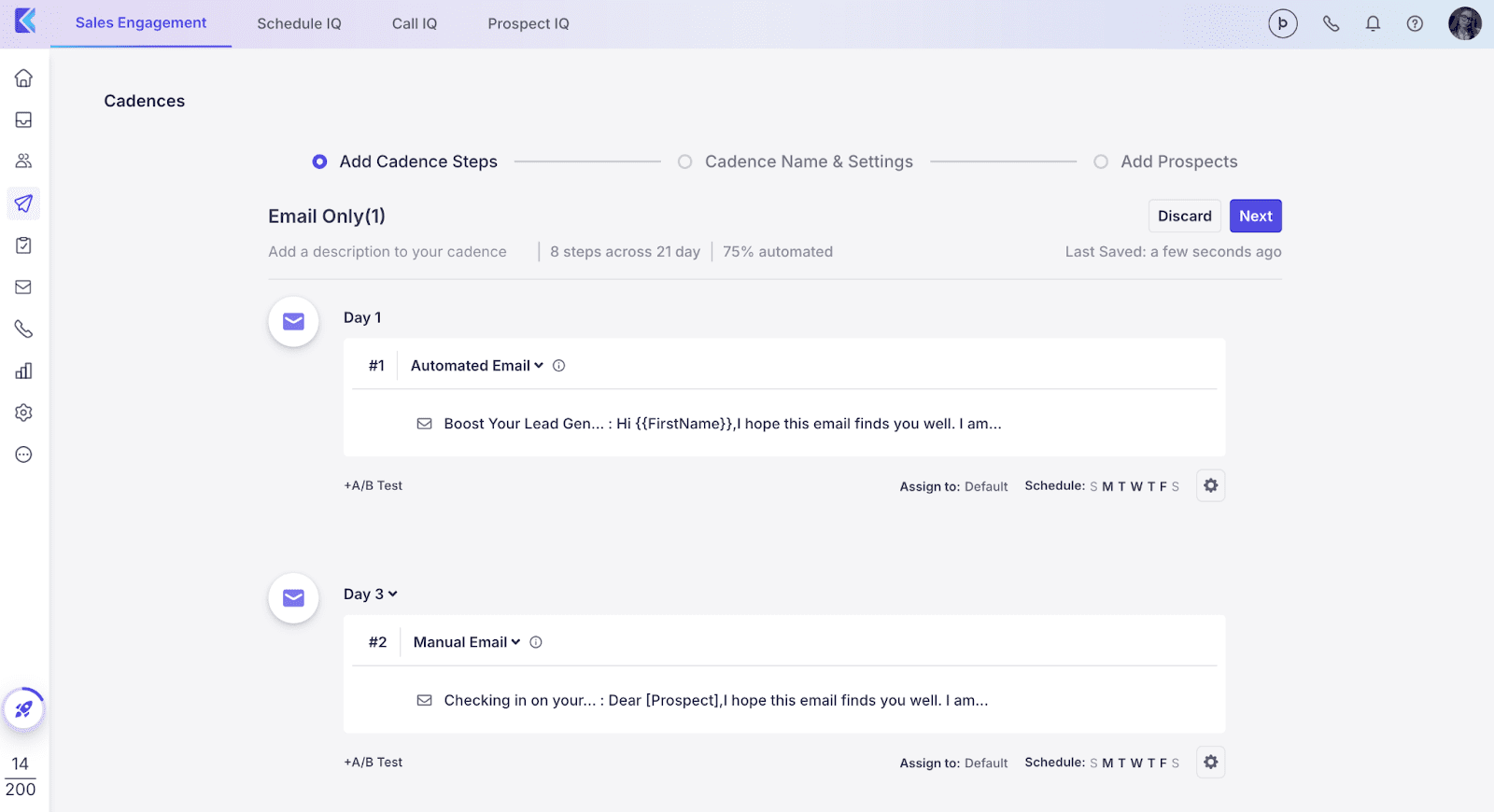
Klenty was fairly quick to set up; however, the UI felt a bit clunky and less intuitive compared to other automated outreach tools I tested. I’d expect a learning curve even for experienced users. The good news is that the platform provides a truly helpful knowledge base called Klenty Academy, where each part of the tool is explained through a detailed video. That guidance made building my first cadence much smoother.
Klenty is built for structured sales execution. It offers strong automation, including for follow-ups, replies, and outreach steps, supporting multichannel actions like LinkedIn touches, call tasks, and WhatsApp messages. The only issue is that the cadence builder itself can feel visually crowded, so working with longer sequences may be less comfortable.
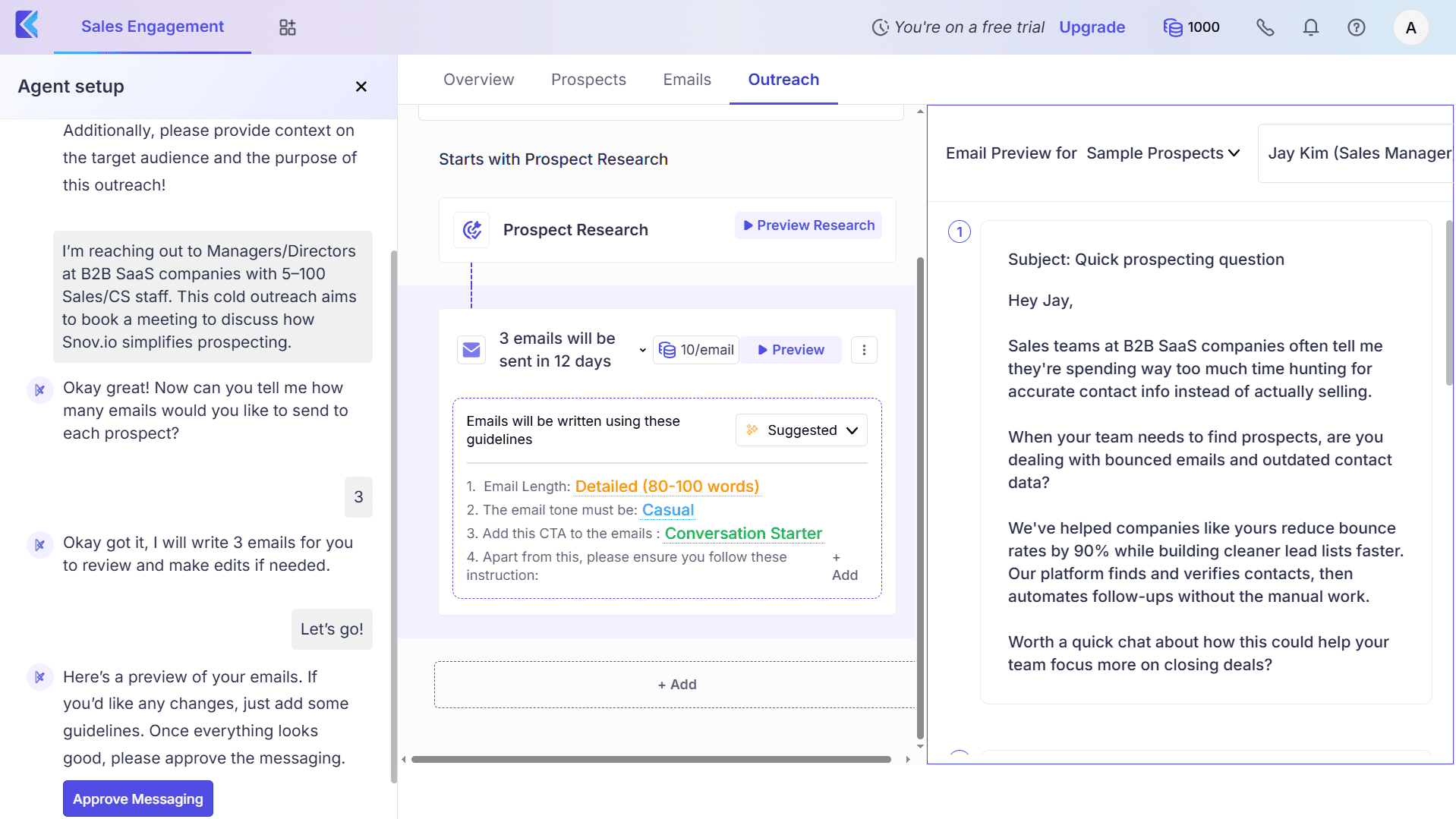
AI features are what set Klenty apart. What I like most are agentic cadences generated based on your product and ICP. Klenty’s AI actually crafts complete sequences for you, including the number of step counts, delays, and message drafts. You can also use AI on individual cadence steps to adjust copy to your context.
My main frustration during testing was performance. The platform sometimes felt slow and buggy. I had to refresh the app a few times to apply the changes. Still, with rich CRM integrations, Klenty is a good sales outreach tool for teams that want structured, AI-assisted multichannel cadences.
Hunter.io
Best for: Small B2B teams or solo professionals looking for a simple email sequence builder with built-in verification and automated follow-ups.
G2: ⭐ 4.4
Hunter.io is an email outreach tool built to find and verify professional email addresses and run automated sequences within a single platform.
Features:
- Automated email campaigns
- Email finding & verification
- AI writing assistant
- Performance tracking
- Email account rotation
Pricing: A free tier with 500 recipients per sequence. Paid plans start at $49/month with 2,500 contacts per sequence.
Pros and cons of Hunter.io:
Testing takes:
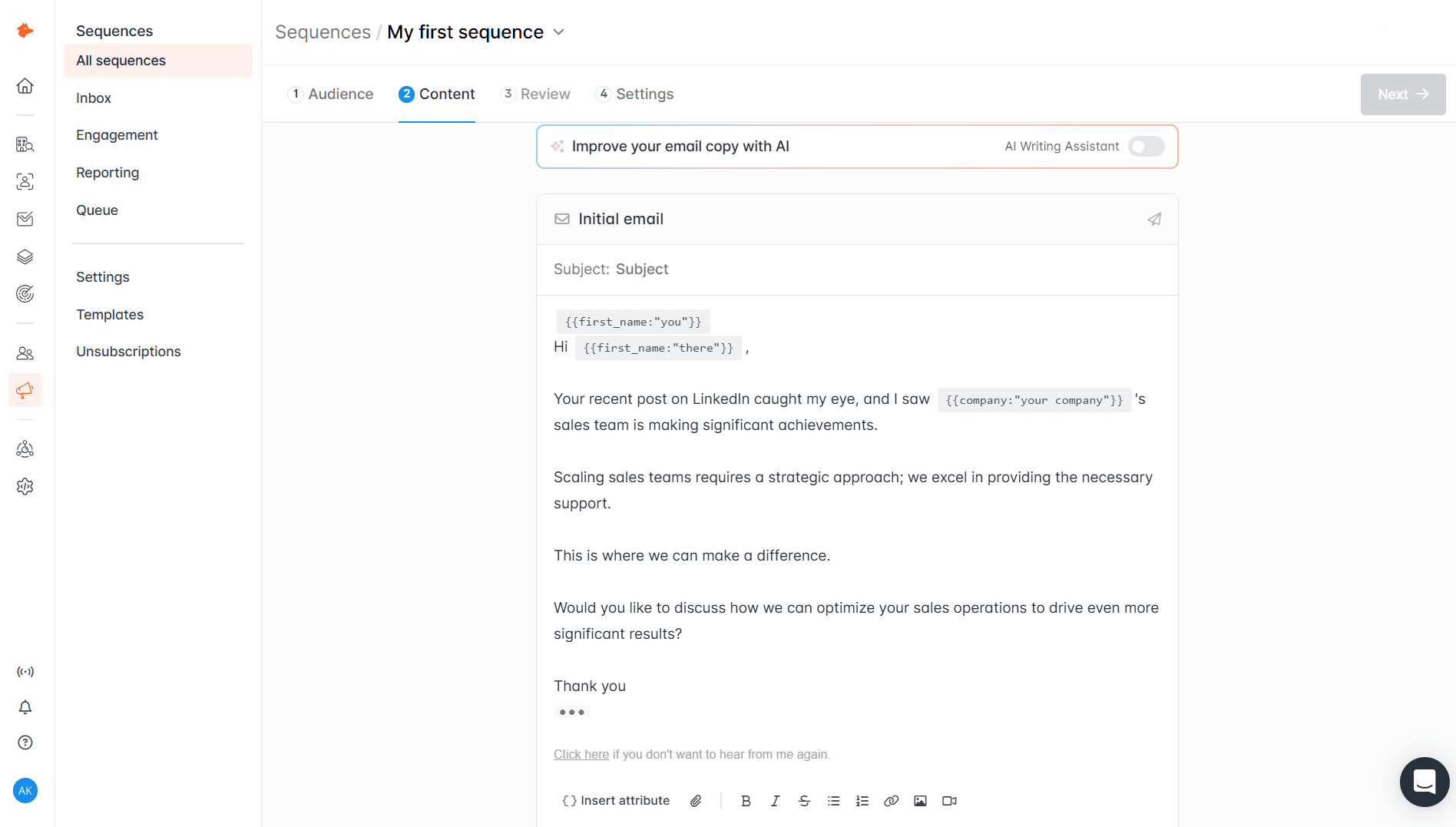
Getting started with Hunter.io was easy. The UI feels intuitive and simple, making navigation easy for both experienced users and beginners who have never worked with email sequence tools. However, this simplicity also reflects that the platform offers a very basic feature set.
If you’re looking for robust condition-based sequences or strong multichannel workflows, Hunter.io isn’t the best match. Still, for simple email sequences, it does the job: you can set delays, improve copy with AI (on paid plans only), and add attributes to personalize your messaging.
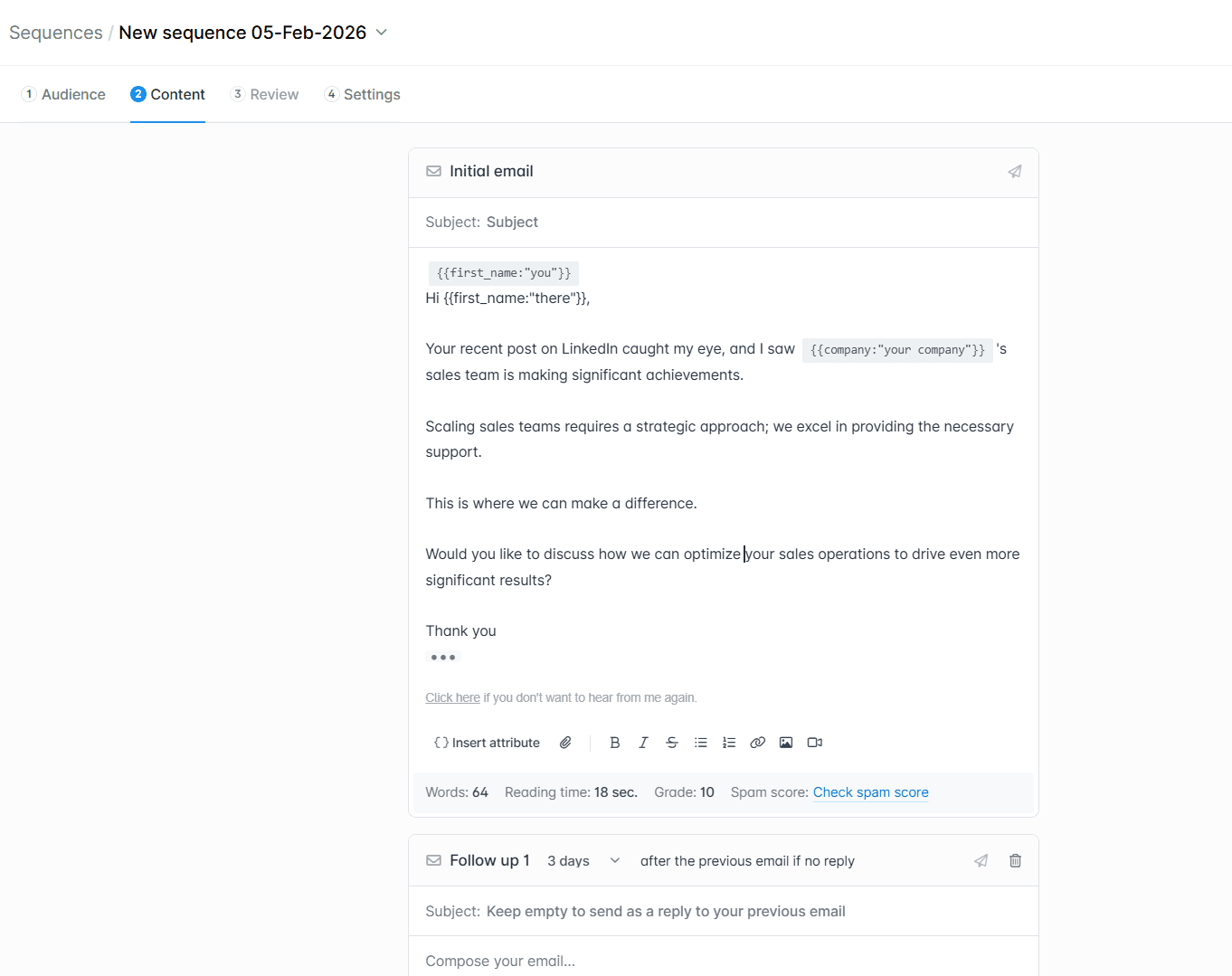
One thing I didn’t like was the view of the email sequence builder itself. Automated follow-ups are added one below another, which makes it harder to visualize the full campaign, especially compared to visual email sequences in tools like Snov.io or Lemlist.
GMass
Best for: Teams that work primarily in Google Workspace and need Gmail-native email cadences with list management and high-volume sending.
G2: ⭐ 4.8
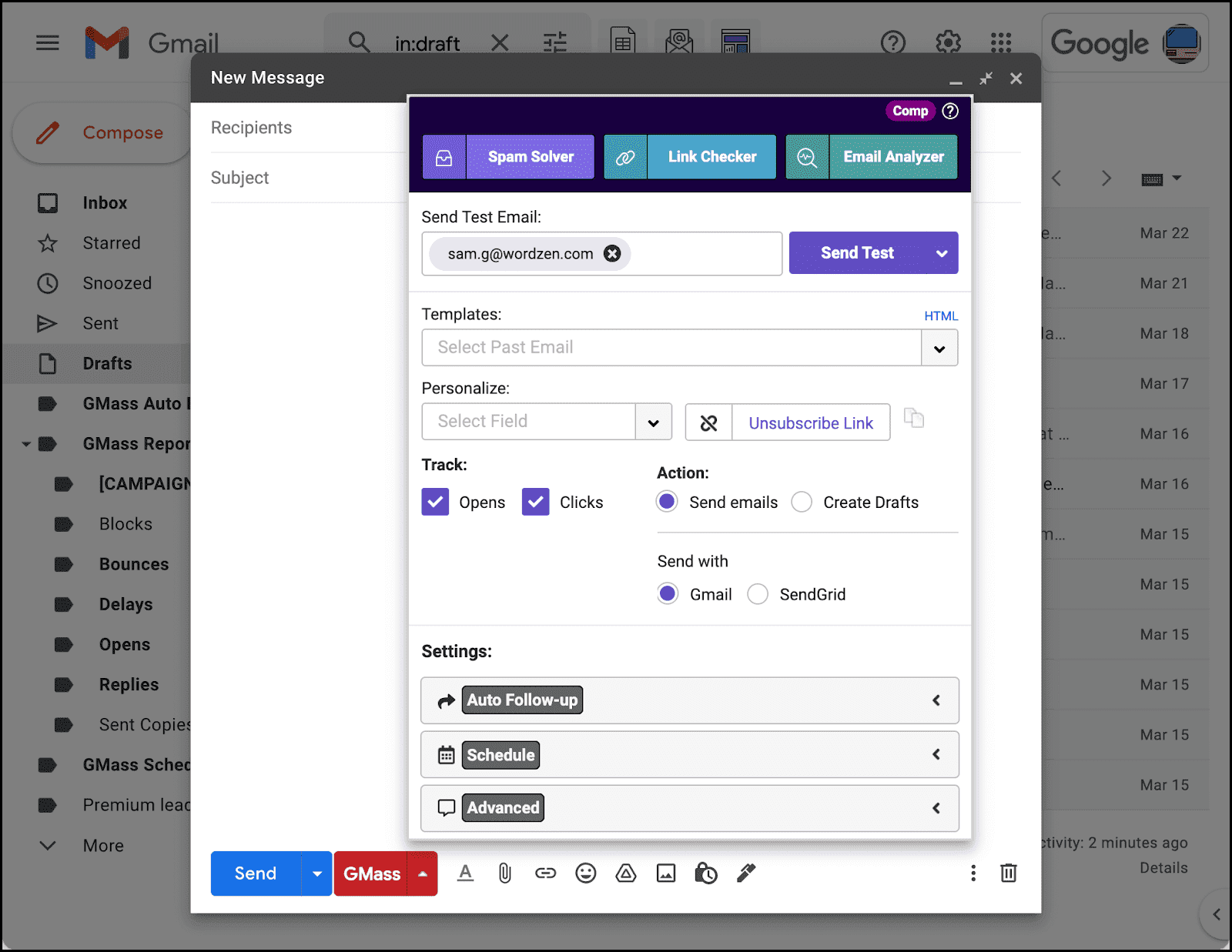
GMass is an email sequence tool designed specifically for Gmail to enable mass sending, automated follow-ups, and performance tracking. It works as a Chrome extension and a Google Workspace add-on.
Features:
- Email drip campaigns
- Automated follow-ups
- Personalization features
- Reply management
- Campaign reports
- Mass email scheduling
Pricing: A 7-day free trial. Individual paid plans that include sequences start at $39.95/month.
Pros and cons of GMass:
My testing takes:
At first glance, GMass seemed very simple and “native” to me because it integrates directly into Gmail within a Chrome extension, so you don’t need a separate platform. In practice, though, getting started wasn’t that straightforward, mostly because GMass doesn’t feel like a classic campaign builder.
What helped me a lot was the detailed onboarding email that I received right after I signed up. It included step-by-step instructions along with helpful links that quickly guided me through running my first campaign.
The interface looks somewhat outdated, but after you get past the initial learning curve, navigation feels much easier.
Creating sequences is quick: you add contacts from a spreadsheet, write your email in the standard Gmail interface, set follow-ups, and schedule the send. Although it’s not a classic visual builder, the tool does the job, especially for straightforward drip campaigns.
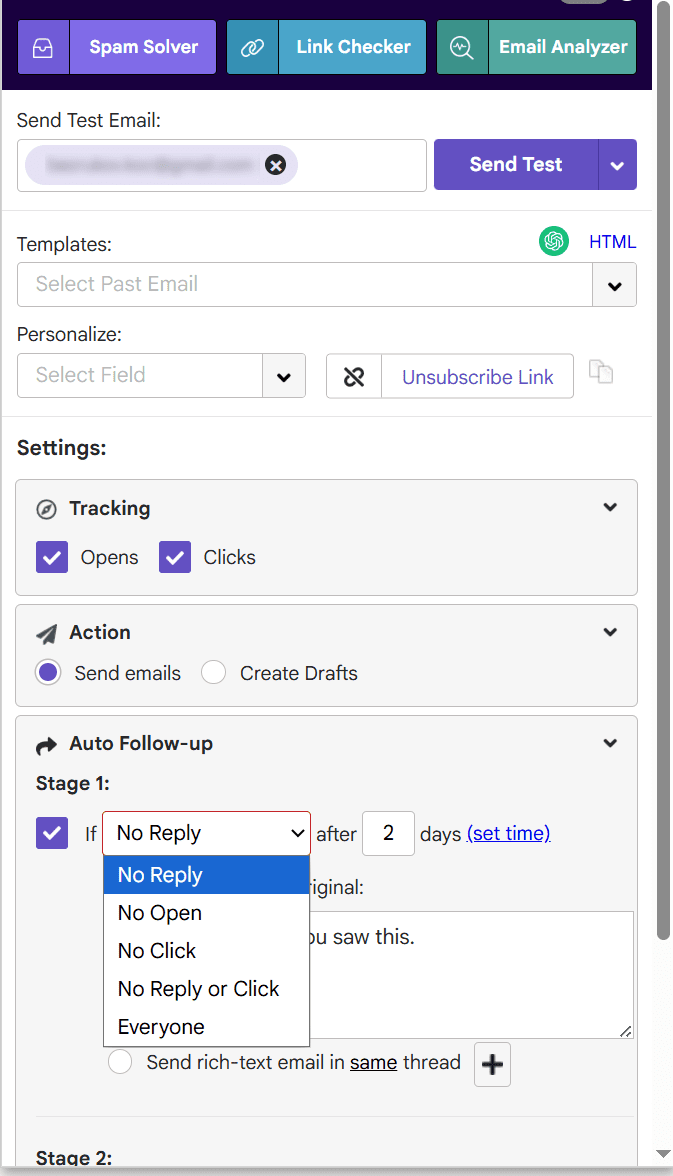
Note that GMass requires a few Google account permissions. If you don’t grant full access, some functions may not work as expected, so it’s worth being ready for that during setup.
I like how GMass supports basic drip campaign logic and provides a lot of practical sending controls. There is also a scheduler with many settings; however, my experience with this feature was a bit confusing at first because it wasn’t always clear whether everything was already configured or needed extra confirmation.
GMass supports male merge-style personalization, even for high-volume sending. I also like that, despite its basic-looking functionality, the platform provides detailed analytics and strong tracking options.
On the downside, GMass is less flexible for complex logic and multichannel outreach. Still, it is a strong choice for Gmail-first teams that want simple yet structured sequences, lightweight personalization, and high-volume sending without adopting a full sales engagement suite.
⮕ Explore other helpful Gmail add-ons to boost your results in 2026
HubSpot
Best for: Sales teams that already use HubSpot CRM and want cold email sequences tied to pipelines, tasks, and reporting in one workspace.
G2: ⭐ 4.4
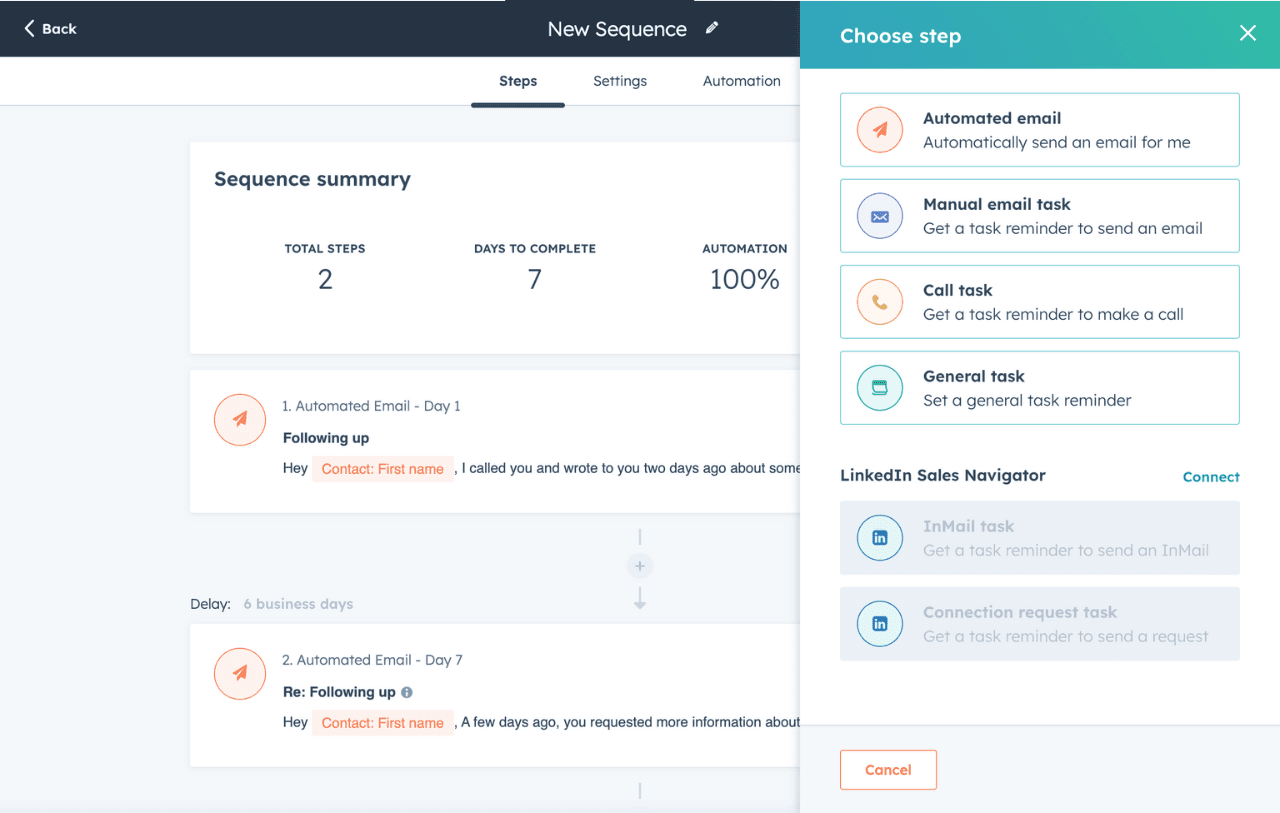
HubSpot is a comprehensive CRM platform with a wide range of sales and marketing features, including cold email sequences and outreach automation.
Features:
- Email automation workflows
- LinkedIn actions
- A/B testing
- Dynamic content and personalization fields
- Performance analytics
Pricing: A 14-day free trial for sales plans. Sequences are locked in HubSpot’s Sales Hub with paid options starting from $100/month for 5,000 sequences.
Pros and cons of HubSpot:
My testing takes:
I wasn’t able to run hands-on testing for HubSpot drip campaigns directly. The thing is, cold email sequences aren’t available in the platform’s freemium or in a simple trial. The feature is tied to Sales Hub plans and requires an obligatory paid subscription. Still, to evaluate the tool, I reviewed HubSpot’s product documentation, Knowledge Base materials, and user feedback.
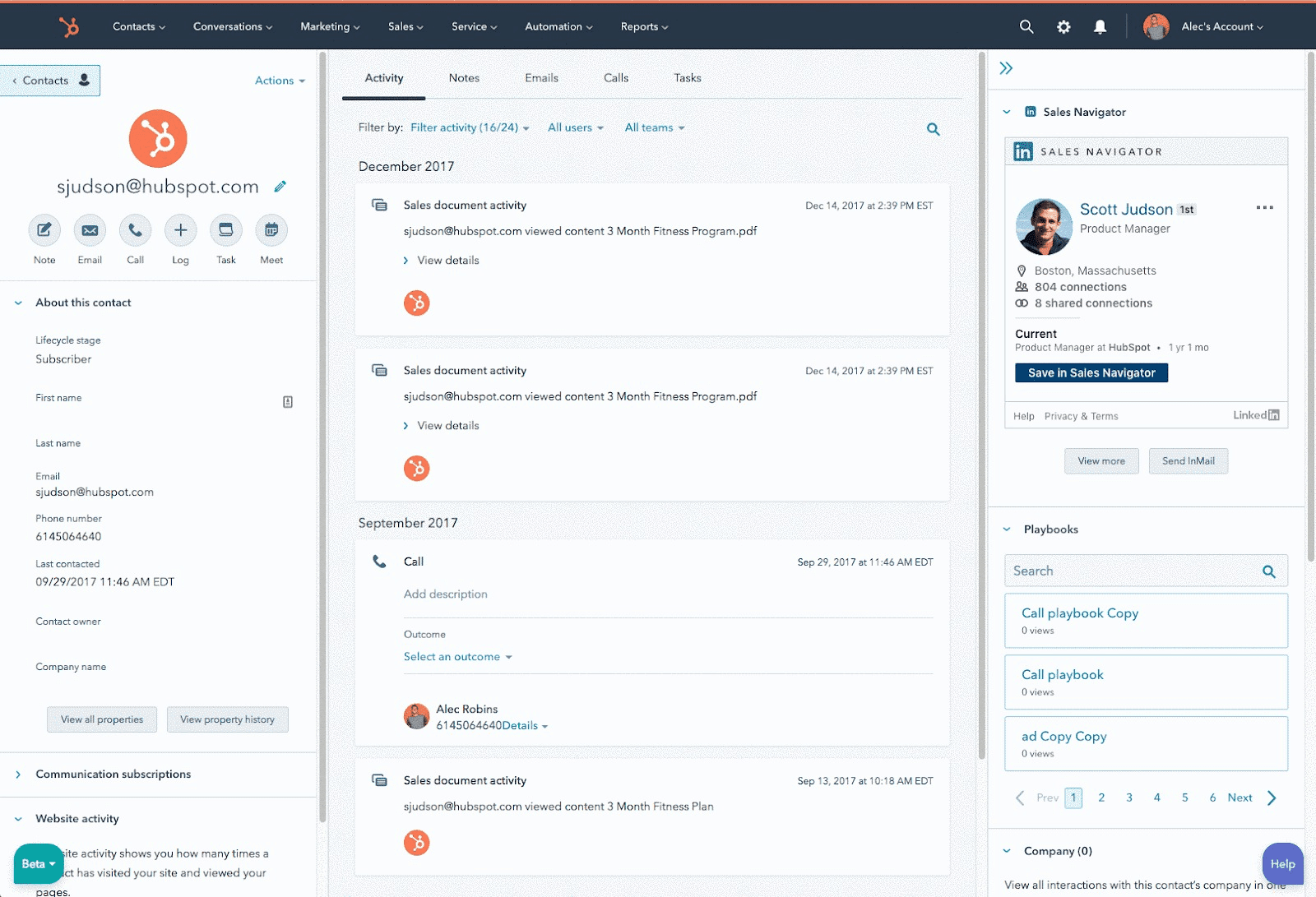
In my opinion, the key strength of cold email sequences in HubSpot is how deeply they’re embedded into the Sales Hub workflow. Your campaigns aren’t a separate layer; they’re connected directly to deal management and pipeline views. So teams can keep outreach aligned with forecasting and sales execution.
Another advantage is that HubSpot enables deeper list segmentation thanks to its CRM-based functionality. Because sequences are tied to contact and deal data, you can build cadences for more specific recipient groups, keeping your messaging even more tailored. Plus, with lead data at your fingertips, you can automatically personalize emails with richer details.
My main concern is the high cost, which can be a significant barrier, especially for small teams or solar founders. Moreover, Professional and Enterprise plans (which include sequences) require a $1,500 one-time onboarding fee, increasing the overall investment.
Usability can be another challenge: according to user feedback, UI can feel a bit busy. Also, advanced features may take some time to learn, especially if you’re new to HubSpot. Some users also note that sequencing itself is relatively basic compared to specialized email cadence tools.
Still, HubSpot is a strong fit if you need a comprehensive environment with sequences, deal stages, pipeline management, and reporting in one system. Also, this sales outreach tool is especially practical for mid- to large-sized teams that already rely heavily on HubSpot’s CRM and are looking for an email automation platform within a single workspace.
Outplay
Best for: Teams of any size looking for a sales outreach tool with email automation and multichannel cadences.
G2: ⭐ 4.5
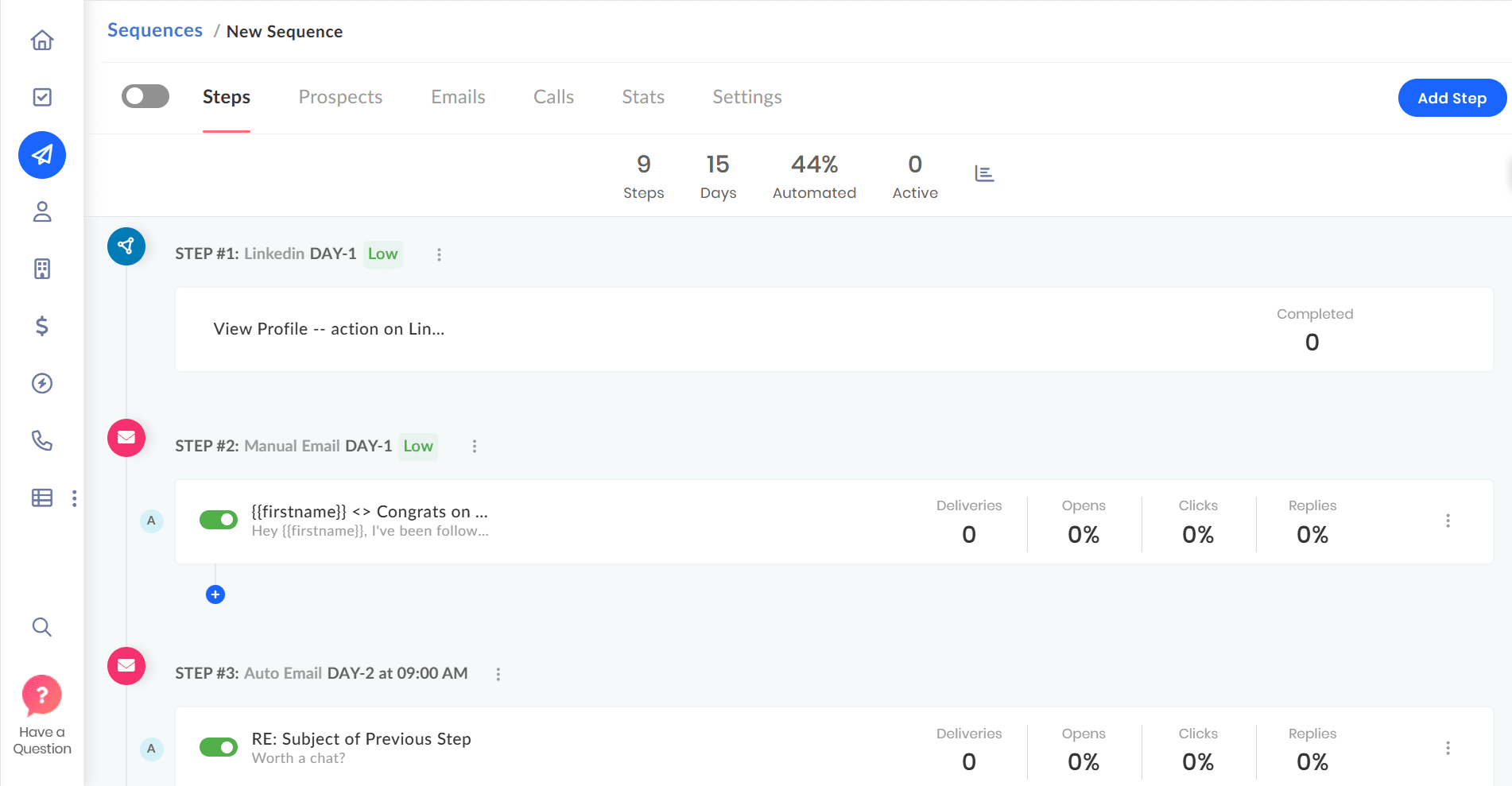
Outplay is a sales outreach tool that combines prospect search, automated sequences, and analytics. The platform supports multichannel outreach campaigns, including email, LinkedIn interactions, SMS, and calls.
Features:
- Automated email sequences
- AI email writing assistance
- Multichannel campaigns
- AI-powered personalization
- Campaign analytics & team performance insights
Pricing: A 7-day free trial. Paid subscriptions start at $49/month for up to 5,000 prospects and 20 sequences.
Pros and cons of Outplay:
My testing takes:
Getting started with Outplay felt straightforward. The platform made an impression as an all-in-one outreach workspace at first glance. In Outplay, you can build sequences that mix email, calls, social media touches, SMS, and manual tasks in one cadence.
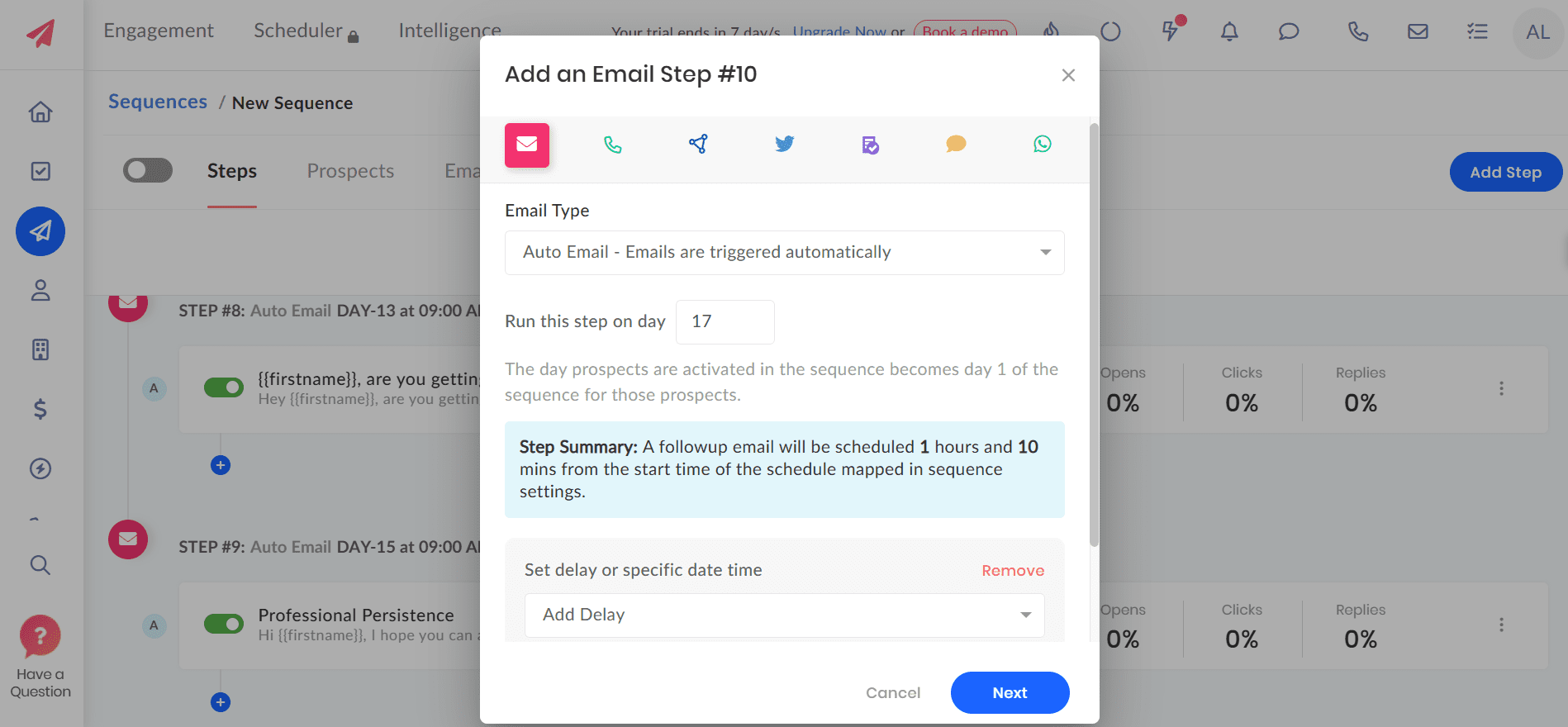
What I really appreciated was the “smart stop” behavior, which automatically stops the sequence when someone replies or books the meeting. I consider this feature useful because it helps you avoid sending awkward follow-ups after a prospect has already responded (which sometimes happens, especially in cold outreach 😀).
The dialer is also a strong part of Outplay. The calling workflow is built into the platform, so you don’t need to constantly switch between tools if you want calls in your email sequences. However, advanced functionality is hardly intuitive, so expect a learning curve for more complex cadences.
One more thing worth highlighting is the support assistance. In my testing, the agents answered quickly, providing helpful responses. As I always say, this is very important for sales outreach tools because you want to fix campaigns immediately if they need troubleshooting. So, fast and responsive assistance can be a real advantage.
One drawback I’ve noticed is that Outplay can sometimes feel clunky. In my testing, the platform felt slow at times. Also, some users report occasional bugs related to CRM integration, especially when importing lists.
Overall, Outplay is a strong fit for SDR/AE teams that want multichannel sequences with a native dialer in one workspace.
SmartReach.io
Best for: Small-to-mid outbound teams and solo founders who want to automate cold outreach with multichannel drip campaigns.
G2: ⭐ 4.6
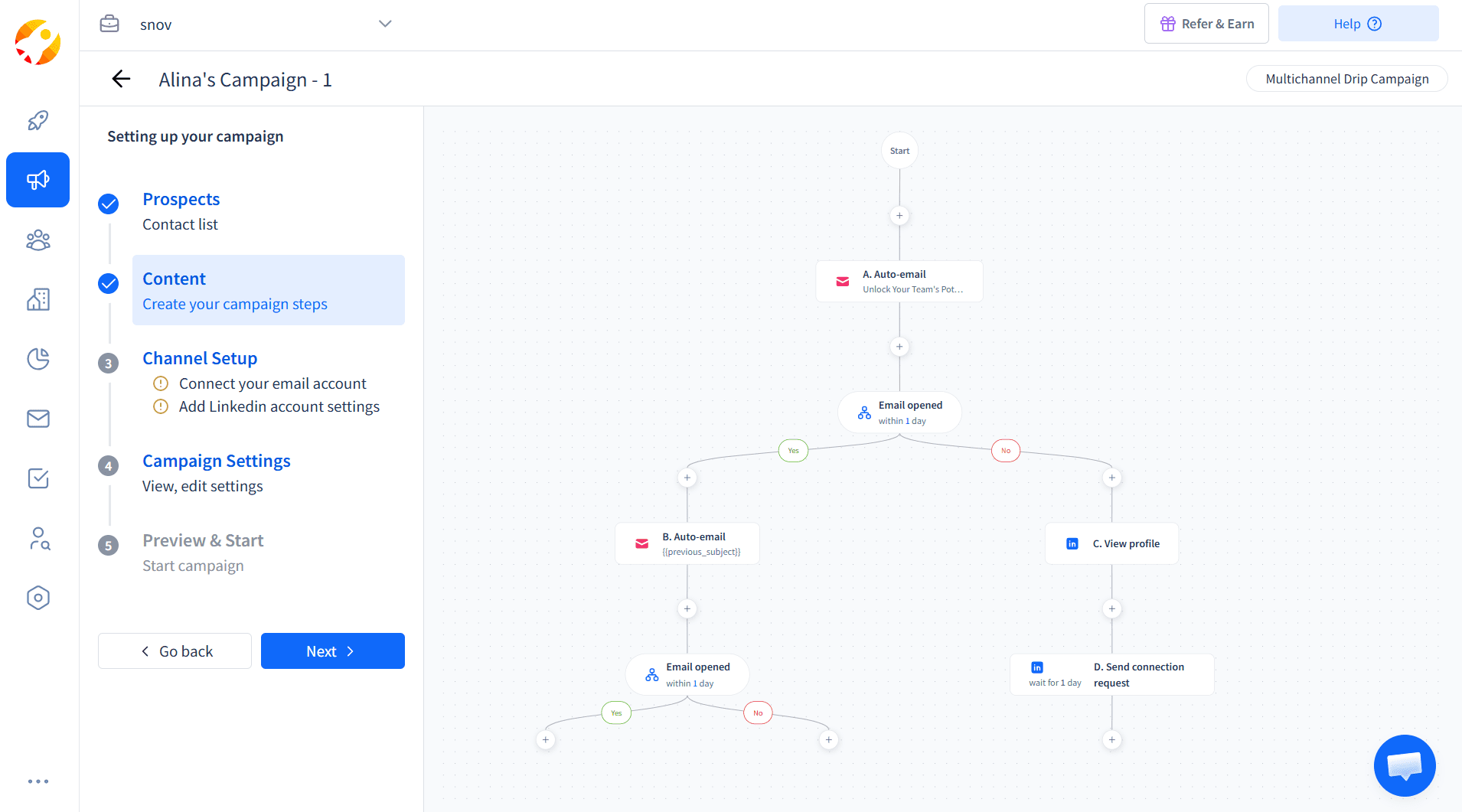
SmartReach is a cold email software that helps sales teams automate cold outreach and build personalized multichannel sequences with email, LinkedIn, and SMS steps.
Features:
- Email sequences
- AI email warm-up
- LinkedIn automation
- Deliverability suite
- Multichannel drip campaigns
Pricing: A 7-day free trial. Paid plans start at $29/month for 10,000 emails and up to 1,000 active prospects you can contact.
Pros and cons of SmartReach.io:
My testing takes:
Getting started with SmartReach.io was fast. I liked that the platform immediately suggested scheduling a demo call to help me build my first sequence. If you’re onboarding a team (or just don’t want to waste time figuring everything out by yourself), this setup guidance is a real advantage.
The platform uses a visual sequence builder, so creating cadences felt straightforward. Smartreach.io supports multichannel outreach, so you can combine email steps with calls, SMS, and LinkedIn actions in the same drip campaign.
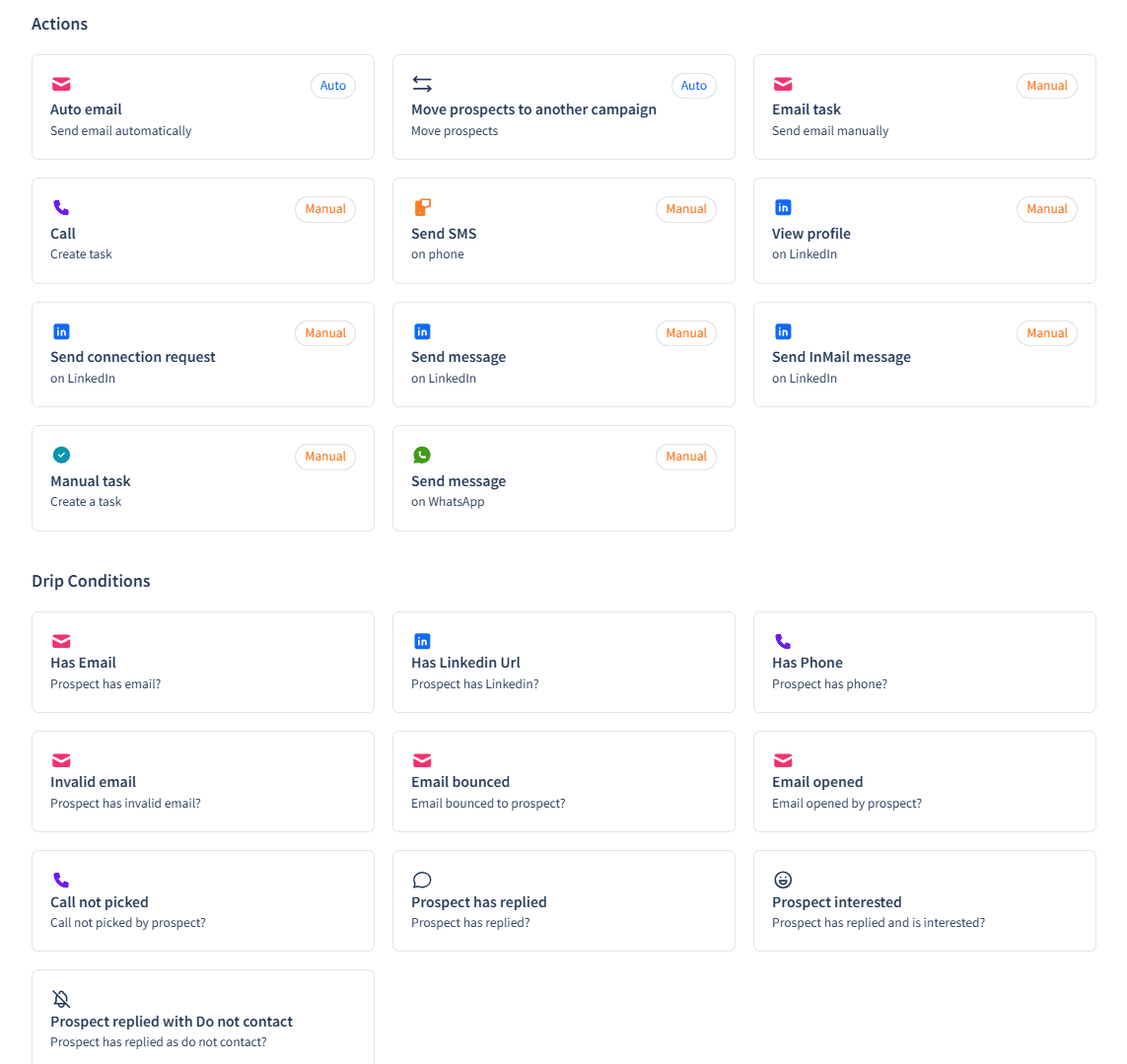
What stood out most during testing was a variety of drip conditions. Many triggers are behavior-based, for example, prospect replied, call not picked, etc., while others are more operational. I also like that Smartreach.io provides data-based checks, such as whether your prospect has a LinkedIn profile or a phone number, so you can automatically adjust your cold sequence flow based on the contact data you have.
Another advantage is AI writing assistance for both subject lines and email copy. The more details you provide, the more tailored the generated message will be. In my experience, the copy was quite strong, but it needed a few more tweaks. So I recommend treating AI-generated output as a draft, not the final message, to avoid sounding generic.
As for personalization options, I think they are more limited in Smartreach.io than in other sequence tools on our list, such as Snov.io or Lemlist. Smartreach also provides basic analytics, a shared inbox for multiple accounts to manage all replies in one place, and deliverability add-ons. You can track domain health right in the platform and warm up your account within native integration with WarmupHero.
Overall, Smartreach.io is a solid choice given its affordable entry price and multichannel drip campaigns. However, it’s worth mentioning that advanced features are gated behind higher tiers.
😎 Expert tip:
Before launching your sequences, make sure your domain is fully prepared for cold outreach. Watch the video to learn how to set up your cold email infrastructure for better deliverability and inbox placement:
Mixmax
Best for: Revenue and SMB sales teams that want cold email software with inbox-native sequences.
G2: ⭐ 4.6
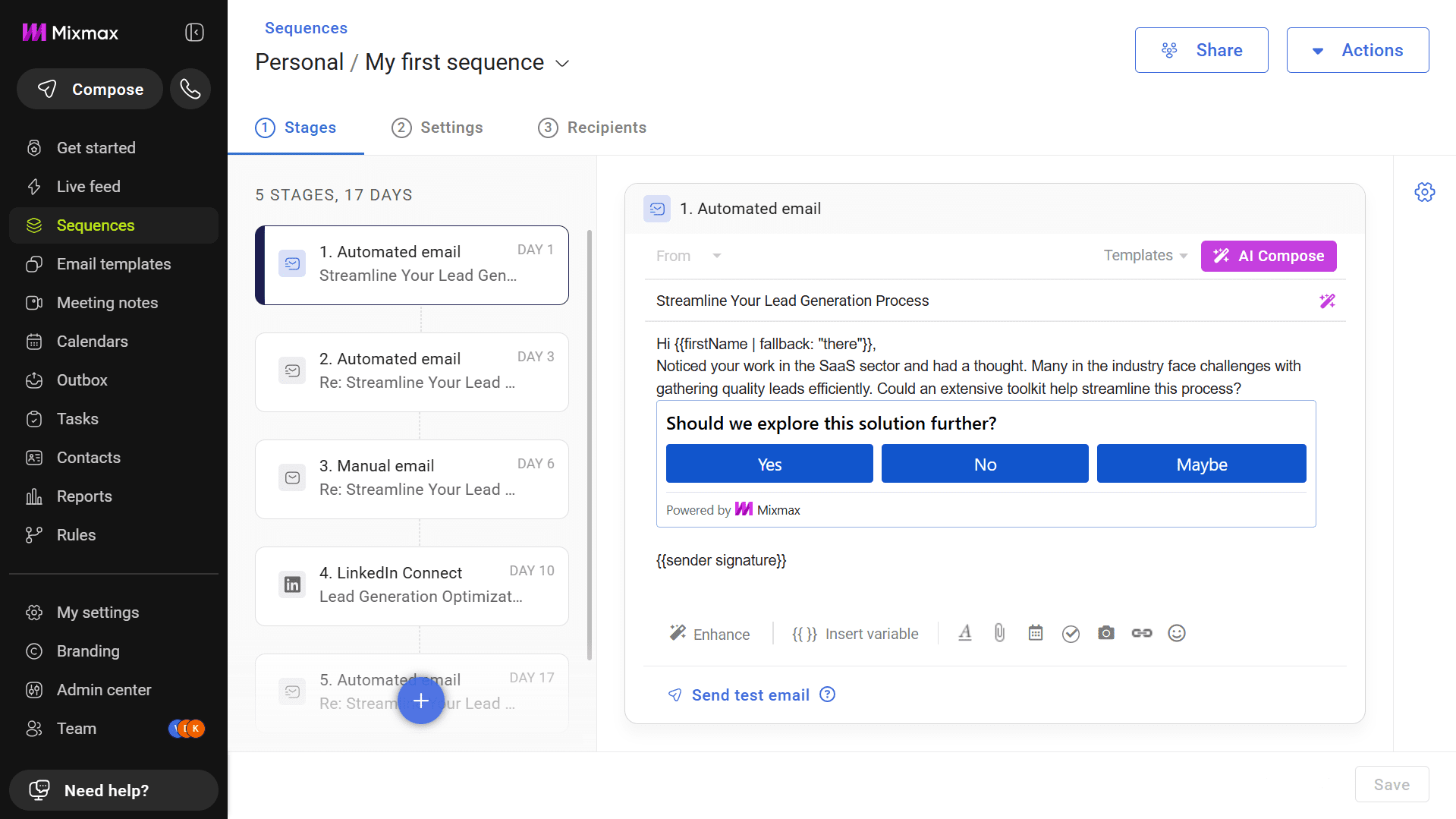
Mixmax is an AI-powered productivity-focused sales tool built to automate email sequences, personalize outreach at scale, and track engagement.
Features:
- Email sequences automation
- Multichannel steps
- AI features for email writing and scheduling
- Engagement tools
- Real-time tracking & analytics
Pricing: A 14-day free trial. Paid options start at $34/month with a 100-recipient limit per month.
Pros and cons of Mixmax:
My testing takes:
Getting started with Mixmax was quick. I only installed its Chrome extension and granted the necessary permissions to connect to my Gmail account. But the first few minutes were slightly confusing because when I selected any option on the Mixmax top icon, I was redirected to their web app. However, after a short time, I realized the extension only needed up to 10 seconds to fully initialize and appear as a separate right-side tab in my Gmail view.
Mixmax gives you three options for creating a sequence: build it from scratch, use one of their customizable templates, or ask AI to generate the entire cadence for you. I tested the AI option first because I’m always interested in trying robust functionality when exploring the tools.
I filled in the context, including my product industry, target audience, and more, and within under a minute, Mixmax generated a sequence with multiple steps across various channels, each with a copy for that step. The copy included variables that enable personalization at scale. I think it is a solid starting point, even though I would still edit some parts of my cadence before sending.
As for LinkedIn outreach, the platform’s functionality is limited to connection requests and InMails, which likely require a Premium LinkedIn subscription. MixMax also supports manual tasks and calls.
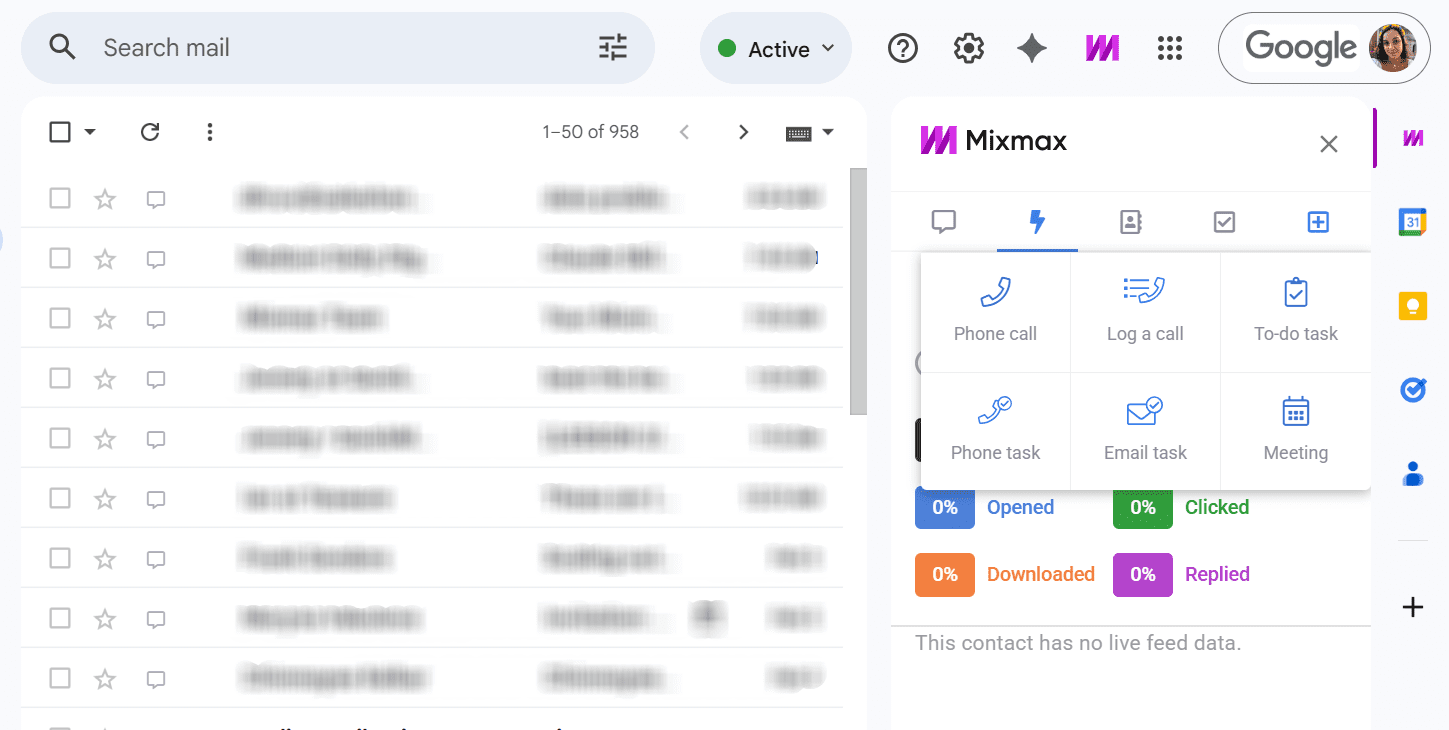
What I personally like about this platform is its productivity features. In one place, you get scheduling, tracking, and collaboration tools right inside Gmail. I easily added my teammates to Mixmax, could see their performance, and shared my campaigns with them. This can make day-to-day outreach feel more organized, while scheduling functionality helps reduce back-and-forth, moving the conversation forward faster.
The main downside for me is that Mixmax isn’t equally intuitive across its functionality. For example, the Rules section, where you can find various trigger-like settings to customize how sequences behave, isn’t something you can master instantly. So, expect a learning curve to understand advanced automation workflows.
Another concern is that the entry-paid plan seems very limited, while higher tiers can quickly add up in cost, especially for small teams. Still, Mixmax can be a good choice for sales teams that want productivity features and inbox-first sequences on one platform.
Which email sequence tool best fits your use case?
Now that we’ve explored detailed tool reviews, let’s see how it all comes together. Below are my helpful takes on which email automation platforms work best for specific use cases and goals:
Visual sequence builders
If you want sequences your team can understand at a glance and build quickly without a long onboarding process, consider platforms that offer a clear visual sequence builder. After reviewing the email sequence tools on this list, I recommend Lemlist, SmartReach.io, and Snov.io, with Snov.io standing out for its intuitive drag-and-drop campaign builder.
Multichannel cadence platforms
Adding additional channels to your email sequences lets you engage prospects more effectively by increasing the number of meaningful touchpoints. For strong multichannel capabilities, where drip campaigns can include LinkedIn outreach, messaging steps, and calls in the same cadence, consider Reply.io, Outplay, or Klenty.
If you want a lighter multichannel setup, Snov.io is also a practical option. With its LinkedIn automation tool, you can easily combine personalized emails with actions, like profile views, post likes, messages, endorsements, and InMails.
Gmail-based email drip tools
If you’re looking for email drip tools with native Gmail workflows, consider GMass, Yesware, or Mixmax. These platforms are built around inbox-first campaign execution, so you can run email sequences without even fully switching your workflow to a separate outreach platform.
Deliverability-safe follow-ups
If deliverability is your main focus, Woodpecker is a solid pick with its free catch-all verifications and built-in sending controls. If you plan to increase outreach volume, consider Instantly or QuickMail, which allow you to scale safely with multiple sender accounts and rotation.
Saleshandy provides sequence scores that help you spot potential issues and optimize campaigns before you send them. Choose Snov.io if you need a comprehensive deliverability suite with cold email infrastructure setup, native warm-up, spam checks, and safe sending patterns.
Freemium email automation platforms
If we’re talking about freemium in classic terms, none of the email sequence tools on this list offer it. However, some platforms offer a forever-free plan that actually lets you create automated follow-ups, build drip campaigns, or use other features.
From all email sequence tools listed, Snov.io, Yesware, and Hunter.io provide such an option. Hunter.io and Yesware offer a free plan with basic functionality, while Snov.io provides a forever-free trial format that constantly renews, meaning you receive credits even for robust features every month.

Key takeaways
I hope my reviews and this email tool comparison help you find the right platform for your email sequences in 2026. When you know the pros and cons, feature depth, and practical use cases of each platform, it becomes easier to navigate through the market and select the best match for your workflow.
If you’d rather skip the long selection process, I recommend Snov.io as a cold email software to start with. It combines intuitive visual email sequences with robust automation and multichannel capabilities. What’s more, Snov.io provides solid deliverability toolkits that ensure strong inbox placement and safe cold outreach, even at scale.