
DKIM Record Checker
Check your DKIM record in seconds and troubleshoot email authentication issues from the start.
Check your full domain health with Snov.io
A DKIM record check is only one part of a healthy sending setup. Run comprehensive DNS and email infrastructure diagnostics with the Snov.io Domain Health Checker to reduce deliverability risks and reach prospects' inboxes.
Check your domain health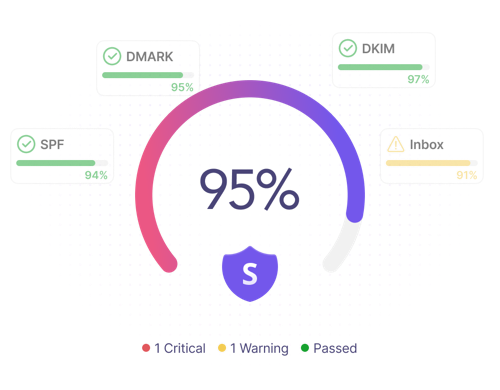
Why should you use a DKIM checker?
A broken or missing DKIM record can hurt your deliverability and domain reputation. Use the Snov.io DKIM Checker to verify your setup, protect your domain, and improve inbox placement.
Protect sender reputation
A DKIM record check helps you catch misconfigurations before they put your sender reputation at risk.
Improve email deliverability
Check your DKIM record to reduce the risk of emails being rejected or landing in spam.
Troubleshoot faster
With a DKIM Checker, you can spot authentication issues early and fix them before they affect your campaign results.
FAQ
What is DKIM?
DomainKeys Identified Mail, or DKIM, is a domain-based message authentication method that uses a cryptographic signature to verify that an email was sent by the claimed domain and that its contents weren't altered in transit. In simple terms, DKIM authenticates your emails by proving they were genuinely sent by your domain and weren't changed after they were sent.
DKIM is usually published as a TXT record in DNS, where receiving mail servers can find the public key needed to verify your email messages.
Why is DKIM important?
DKIM helps protect your domain from spoofing and phishing, making it much harder for attackers or scammers to send emails impersonating your brand. It also improves email deliverability by providing a reliable authentication signal for email service providers when they run their DKIM record checks. Without a valid DKIM setup, your emails may be rejected or land in the spam folder.
How do DKIM, DMARC, and SPF work together?
DKIM, DMARC, and SPF are authentication records that help email service providers (ESPs) verify whether your messages are legitimate. Together, they help protect your domain from spoofing and phishing attacks and build a positive sender reputation among ESPs.
SPF shows that the mail server is allowed to send emails on behalf of your domain. DKIM authentication verifies that your email is authorized by your domain and hasn't been altered in transit. DMARC tells receiving mail servers what to do if your email fails an SPF check or DKIM record check, for example, whether to accept it, send it to spam, or reject the message altogether.
What are DKIM tags?
DKIM tags are specific fields in a DKIM record that define how the record works by specifying key parameters and their values. Some optional tags, such as DKIM selector flags, can indicate special key behavior like testing mode.
Below, you can see common DKIM tags and their meanings:
v – DKIM version; if present, it is usually set to 1
a – Cryptographic algorithm used to generate the DKIM signature
b – DKIM signature
bh – Body hash used to verify that the email content wasn't changed in transit
c – Canonicalization method used for the header and body
k – Key type used for the DKIM public key, such as rsa or ed25519
h – DKIM signature email headers
t – DKIM signature timestamp
d – Signing domain that authorized the email and is used with the selector to find the public key in DNS
s – Selector record name used to find the public key in DNS records
The Snov.io DKIM checker tool parses these tags, so you can review your record more easily.
What are the most common DKIM issues?
Common DKIM issues include missing records, incorrect selectors, DNS propagation delays, syntax mistakes, weak key lengths, incomplete tags, and errors in DKIM record syntax. With the Snov.io DKIM checker, you can quickly identify these issues and fix them before they affect your email performance.
What is a DKIM selector?
A DKIM selector is part of the DKIM signature that specifies which public key the receiving server should look up in DNS. A DKIM selector allows a single domain to use multiple DKIM keys for different mail services and streams.
What should I do if no DKIM record is found?
If the DKIM record check shows that no record was found, first, make sure you've entered the correct domain name and selector. If you don't know which selector your mail provider uses, activate "Detect all selectors" and run another DKIM record lookup. If no valid record appears after another attempt, check your DNS settings to ensure your domain's DKIM records are published correctly.