
SPF Checker Tool
Instantly check your domain's SPF record
Checked your SPF record? Now protect your deliverability.
Monitor SPF, DKIM, and DMARC across all your domains and get alerts before authentication issues affect your email performance.
Start for free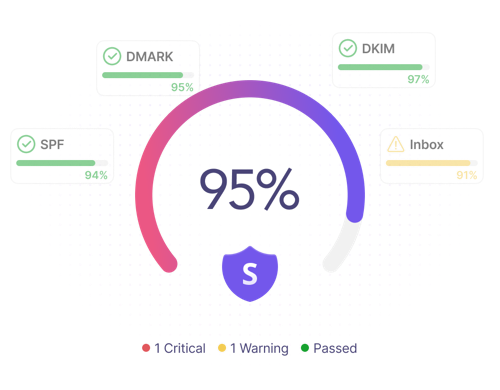
What is an SPF record?
SPF stands for Sender Policy Framework. It's a DNS TXT record that lists the mail servers authorized to send emails on behalf of your domain.
Receiving mail servers use SPF record to verify that emails from your domain are sent from approved servers. This helps prevent spoofing and phishing attempts.
SPF is one of the core email authentication protocols and an important part of domain-based message authentication. It works alongside DKIM and DMARC to help verify legitimate senders and protect your domain's reputation.
Instant SPF record check
Quickly verify whether your SPF record exists and is configured correctly. Our SPF record checker scans your domain's DNS records and helps you check SPF record settings in seconds.
SPF configuration validation
Detect common issues such as SPF syntax errors, multiple SPF records, and too many DNS lookups that can lead to authentication failures. The tool reviews your SPF mechanisms and flags potential problems.
Deliverability best practices
Get practical recommendations based on SPF best practices. Review your SPF policy, improve email security, and ensure your configuration doesn't rely on unnecessary DNS queries.
How to implement SPF
SPF helps protect your domain from email spoofing and supports email authentication. Follow these steps to set it up correctly.
Identify your email senders
List all email providers and third-party services that send emails on behalf of your domain.
Create your SPF record
Build an SPF record that includes all authorized sending sources.
Publish the record in DNS
Add the record through your domain registrar and make sure only one SPF record exists.
Verify your configuration
Run an SPF record lookup using Snov.io SPF record check tool to confirm everything is working correctly.
Monitor and maintain
Review and update your SPF record whenever you add or remove email services to keep email authentication accurate.
Frequently asked questions
What is an SPF record?
An SPF (Sender Policy Framework) record is a DNS TXT record that specifies which mail servers are authorized to send emails on behalf of your domain. It helps prevent email spoofing and supports email authentication.
How do I check my SPF record?
Enter your domain into the Snov.io SPF checker tool. It will retrieve your SPF record from DNS and verify whether it's configured correctly.
Why is SPF important for email deliverability?
SPF helps mailbox providers verify that your emails come from authorized sending sources, reducing the risk of spoofing and improving inbox placement.
Can a domain have multiple SPF records?
No, a domain should have only 1 SPF record. Multiple records can cause authentication issues.
What happens when SPF authentication fails?
An SPF fail means the sending server isn't authorized by your SPF record. As a result, email messages may be filtered, marked as suspicious, or rejected.
How often should I verify my SPF record?
Review your SPF record whenever you add or remove email services and periodically as part of regular deliverability maintenance.
What is the SPF DNS lookup limit?
SPF records are limited to 10 DNS lookups during evaluation. Exceeding this limit can cause SPF checks to fail.
What's the difference between SPF, DKIM, and DMARC?
SPF confirms that emails come from authorized servers, DKIM ensures messages haven't been altered, and DMARC defines how authentication failures should be handled.
Do I need SPF if I already use DKIM?
Yes, SPF and DKIM serve different purposes and work together to strengthen email authentication. For best protection, use both alongside DMARC.
How do I fix an SPF record error?
Check your SPF syntax, remove duplicate records, include all legitimate sending sources, and stay within the 10 DNS lookup limit.