
Reverse DNS Lookup Tool
Check whether your IP address has a valid reverse DNS record, verify its hostname, and identify any configuration issues to improve deliverability.
Run a full domain health check with Snov.io
Go beyond a reverse DNS lookup with Snov.io’s Domain Health Checker. Verify your DKIM, SPF, and DMARC records, check your blacklist status, and review other factors affecting your sender reputation and deliverability.
Start for free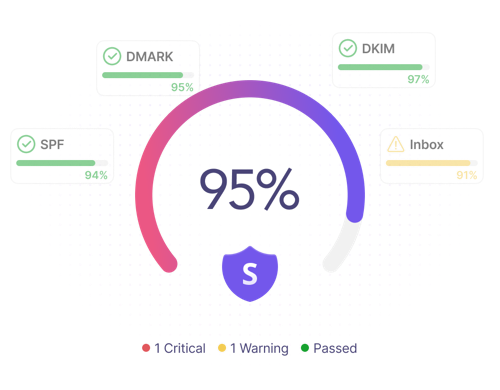
Why is a reverse DNS lookup important?
You need reverse DNS lookup for 3 key reasons: verify sender identity, troubleshoot server and DNS issues, and improve email deliverability.
Verify your sender identity
Ensure that your IP address corresponds to your hostname and domain name via a valid PTR record, so receiving mail servers can confirm your identity.
Fix configuration issues
Detect a mismatch during a reverse IP-domain check or troubleshoot a misconfigured PTR record in your DNS server settings to protect your reputation.
Improve inbox placement
Enhance your chances of reaching inboxes, not spam folders, since anti-spam filters check reverse DNS records of sending email servers.
FAQ
What is a reverse DNS lookup?
A reverse DNS lookup is a process that takes a given IP address and queries DNS for the associated Pointer (PTR) record to map it to a fully qualified domain name (FQDN), which includes a hostname and a domain.
For example:
203.0.113.25 → smtp.companyexample.com, where:
- smtp is the associated hostname
- companyexample.com is the associated domain name
It means that the IP address 203.0.113.25 has a PTR record that points to smtp.companyexample.com.
How does a reverse DNS IP lookup work?
The process starts by entering a specific IP address and querying the DNS server for the associated PTR (Pointer) record.
Here’s how a reverse DNS lookup unfolds step by step:
Step 1. You enter an IP address (e.g., 192.0.2.10).
Step 2. The lookup converts it into a reverse DNS query using the in-addr.arpa namespace for IPv4 (or ip6.arpa if you’ve entered an IPv6 address).
Step 3. The DNS server searches for the corresponding PTR record.
Step 4. Once it’s found, it returns the associated domain name with the hostname (e.g., smtp.companyexample.com). If no PTR record exists, the lookup reports no reverse DNS record published.
You can easily perform it by using Snov.io’s free reverse DNS lookup tool. Just type your IP address into the search bar — and get the result in a moment.
What is the difference between a forward and reverse DNS lookup?
They perform two opposite functions:
- A forward DNS lookup translates a particular domain name (e.g., companyexample.com) into a corresponding IP address (e.g., 198.51.100.42).
- By contrast, a reverse DNS lookup maps an IP address (e.g., 198.51.100.42) back to its hostname and domain name (e.g., smtp.companyexample.com).
While the former primarily queries A or AAAA records responsible for IPv4 and IPv6 addresses, respectively, the latter relies exclusively on the relevant PTR record stored on a DNS server.
What is a DNS PTR record?
A DNS PTR record (or Pointer record) is one of the key DNS records that maps a specific IP address to the corresponding hostname and domain name. During a reverse DNS lookup, the queried DNS server returns this PTR record if it exists and has been properly configured.
For example, a valid PTR record may look like this:
25.113.0.203.in-addr.arpa. 3600 IN PTR smtp.companyname.com
Let’s break it down:
- 25.113.0.203.in-addr.arpa — A reverse DNS zone name representing the IP address
- 3600 — TTL (Time To Live) in seconds, showing how long the PTR record is cached
- IN — Internet DNS class
- PTR — DNS record type (Pointer record)
- smtp.companyname.com — The hostname associated with the IP address
PTR records are often referred to as reverse DNS records, and these terms can be used interchangeably.
How many PTR records per IP should I have?
Ideally, you should have only 1 PTR record per IP address. It should point to a single, fully qualified domain name (FQDN).
Such a 1-to-1 mapping makes it easier for receiving email servers to verify your sender identity without triggering anti-spam filters, which can cause authentication and deliverability problems.
Why are multiple PTR records in DNS not recommended?
Several Pointer (PTR) DNS records may result in ambiguous interpretation of results during reverse DNS checks. Mail servers may interpret multiple PTR records as a misconfiguration error or a potential attack by a spammer or phisher.
The rule of thumb is to have only 1 PTR record to map the IP address to the sending hostname for adequate email authentication and deliverability.
Does Gmail require reverse DNS records?
Yes. Gmail requires bulk senders to have a valid reverse DNS (PTR) record. This is clearly stated in Google’s Email Sender Guidelines (infrastructure configuration requirements, in particular): "The sending IP address must match the IP address of the hostname specified in the Pointer (PTR) record."
If you follow this rule, it will boost your chances of reaching the Gmail Inbox rather than getting to the Spam folder.
Does Outlook check a DNS PTR record?
Yes. Similar to Gmail, Yahoo Mail, and other major email service providers, Microsoft Outlook’s mail systems check the Pointer (PTR) record on incoming email servers. When receiving messages, they may also run Forward-Confirmed Reverse DNS (FCrDNS) checks to verify the relationship between the IP address and the hostname, verify the senders’ authenticity, and block spammers.
Can I do a reverse DNS lookup for free?
Yes. You can do a reverse DNS check completely for free. For example, Snov.io offers a free reverse DNS lookup tool that lets you enter an IP address to get the hostname and domain name from the relevant PTR record. This check will help you verify your reverse DNS configuration and pinpoint any email authentication or network issues that require troubleshooting.
Is it illegal to use a reverse DNS checker or reverse IP lookup tool?
No. It is not illegal to use such tools to perform reverse IP lookups or reverse DNS checks of different IP addresses, as they query publicly accessible DNS records to identify domain names or hostnames associated with those IPs.
So, if you want to enter someone’s IP address and see its fully qualified domain name/hostname, you can do so absolutely legally via the Snov.io Reverse DNS Lookup Tool.
What is a reverse IP address lookup?
A reverse IP lookup (also called an IP address reverse lookup) is a technique that identifies all the domains associated with the specific IP address.
For example, if the IP address is 203.0.113.25, a reverse IP lookup tool may translate a given IP address into several domains, such as companyexample.com and blog.companyexample.com.
In some cases, people use shared hosting environments. In this context, it may also identify other sites hosted on this very IP address. If that’s particularly your case, you can later investigate whether any of those have cybersecurity issues or spam-related problems damaging the shared server’s reputation and, consequently, your sender reputation.
What is the difference between a reverse IP lookup and reverse DNS lookup?
Both reverse lookup methods start with the same input — an IP address — but their major discrepancies are in delivering different data types and serving different purposes:
- A reverse IP address lookup may return many domains because multiple websites can share the same IP address. This process is most beneficial for cybersecurity threat intelligence, vulnerability monitoring, and incident response when tracing malicious traffic or phishing attempts.
- A reverse DNS lookup finds the associated PTR record and typically returns a single hostname (or no result at all if it’s missing). It mainly helps detect an IP-domain mismatch or a misconfigured/missing PTR record, which is crucial for email deliverability.
Since some reverse IP lookup tools include an automatic reverse DNS (PTR) check, Internet users often confuse these terms.