
The lead data businesses get is often not sufficient to convert them effectively. Meanwhile, companies that implement data enrichment strategies see an average 47% increase in qualified lead conversion rates within the first six months.
What if your results can be even better, and all you need is a reliable tool to support your processes? In this guide, I compare 15 leading data enrichment tools for sales teams so you can find the one that best fits your needs.
TL;DR: B2B data enrichment tools comparison
Here is my personal list of the top 5 solutions you can choose from. Click each one for quick navigation to its more detailed analysis.
| Tool | Key enrichment features | Pricing | My verdict |
|---|---|---|---|
| Snov.io | Email, phone, domain, LinkedIn, and company enrichment AI-powered prospect research and data cleaning Bulk and API-based enrichment Integrations with Clay, HubSpot, Pipedrive, etc. Built-in email verification |
From $39/month; free plan available* | Very fast to implement Strong data accuracy and verification Secure and reliable for handling prospect lists Ability to enrich, verify, and launch outreach in one workflow |
| Apollo | AI-powered prospect research Enrichment for emails, domains, titles, LinkedIn profiles Bulk enrichment via uploads and API Buying intent discovery |
From $65/month; free plan available | Efficient enrichment and targeting Useful data-to-outbound workflow Occasional login/verification issues Regional accuracy varies; plan for credit caps |
| UpLead | Multi-source B2B data (emails, mobiles, intent) 50+ advanced filters Real-time email verification API and CRM integrations |
From $99/month | Easy to set up and operate High email accuracy and cleanliness Phone depth can be limited in some segments Strong option for fast, reliable pre-outbound enrichment |
| Clay | Multi-source enrichment in one platform Deep enrichment: company, tech, social, custom logic APIs, webhooks, and custom scripts Validation, deduplication, conditional routing |
From $185/month; free trial available | Extremely flexible and powerful once configured Steep learning curve for non-technical users Usage-based costs can scale quickly Best for custom, programmable enrichment pipelines |
| ZoomInfo | Large-scale contact and company enrichment Real-time prospect updates and buyer signals Data operations automation (dedupe, normalize, etc.) Extensive CRM integrations and APIs |
Quote-based; free trial available after demo call | Enterprise-grade depth and coverage Information on phone numbers, especially in the US Demo-gated trial and higher pricing Some data freshness variation across regions |
*Pricing is subject to change. Always check the official provider’s website for up-to-date pricing information.
What is data enrichment?
As a term, data enrichment (sometimes referred to as data appending) has been explained by numerous publications; my favorite meaning is the one provided by Industrial Network Security:
“Data enrichment refers to the process of appending or otherwise enhancing collected data with relevant context obtained from additional sources.”
For example, you have the leads’ personal names and email addresses. But to create a highly targeted personalized email campaign, you need more details, such as your leads’ unique interests, pain points, or local trends.
Data enrichment helps you append additional information to your leads:
- Geography: country, city, time zone
- Demographics: age, gender, income, education
- Behavior: needs, desires, pain points, preferred means of communication
- Professional information: company size, job position, business niche
This process usually consists of several steps: detailing your ICP, collecting existing information, engaging external resources to fill data gaps, and maintaining the enriched data in your CRM.
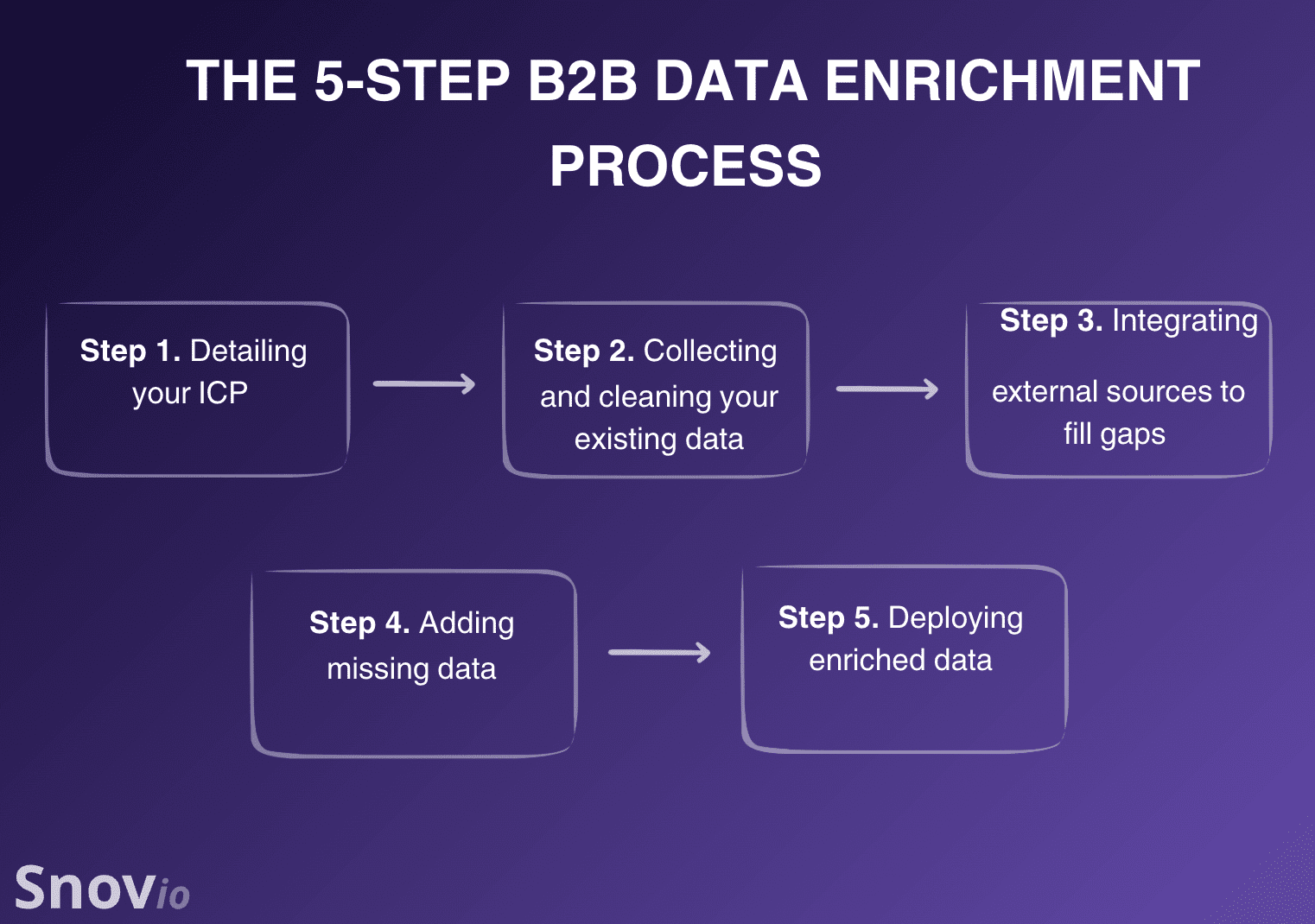
Of course, doing it all manually will require significant resources. That’s where the B2B enrichment tools come in.
Modern B2B data enrichment tools employ AI-powered data discovery, real-time verification, multi-source enrichment, and flexible APIs. This helps sales teams automate enrichment, enabling them to target more effectively, personalize faster, and close more deals with less effort.
Types of B2B data enrichment
While B2B providers use different data enrichment techniques to fill gaps in lead data, the information they add typically falls into 4 main categories.
Contact data enrichment
Contact enrichment fills in missing details about individual prospects, such as business emails, phone numbers, job titles, departments, and seniority. If you already have prospects in your CRM but don’t know enough to reach or qualify them, I’d start here.
Firmographic enrichment
Firmographic enrichment shifts the focus from the person to the company behind them. It adds information such as industry, company size, revenue, employee count, and location.
If you qualify accounts against an ICP, I’m sure you’ll recognize these fields. They help you quickly separate companies that fit your target profile from those that don’t.
Technographic enrichment
Need to know what tools a company already uses? Technographic enrichment can reveal CRMs, marketing platforms, cloud services, and other technologies in its stack.
This information can be a strong qualification signal. For example, you might prioritize companies using software your product integrates with or target users of a competing solution.
Intent and behavioral enrichment
Intent and behavioral enrichment goes beyond who a prospect is and looks at what they’re doing. Common data enrichment examples include website activity, content engagement, topic research, and other signals that may indicate buying interest.
That extra context helps you distinguish those that simply fit your ICP from those that may actually be worth contacting sooner.
So, which type do you need? Probably not all 4, right?
These data enrichment examples just show how different your options can be. Once you know which gaps you need to fill, look for tools that are strongest in those specific areas.
Best B2B data enrichment tools to use in 2026
Below, I have analyzed popular tools for data enrichment, focusing on their features, pros and cons, pricing, as well as user reviews. I concluded my analysis of each tool with a brief verdict – my personal opinion based on all factors I considered.
-
Snov.io
Pricing: from $39/month.
Snov.io’s rating on G2: 4.5/5
Best for: Startups, small and medium businesses, or solopreneurs who want enrichment, verification, and multichannel outreach capabilities under one roof.
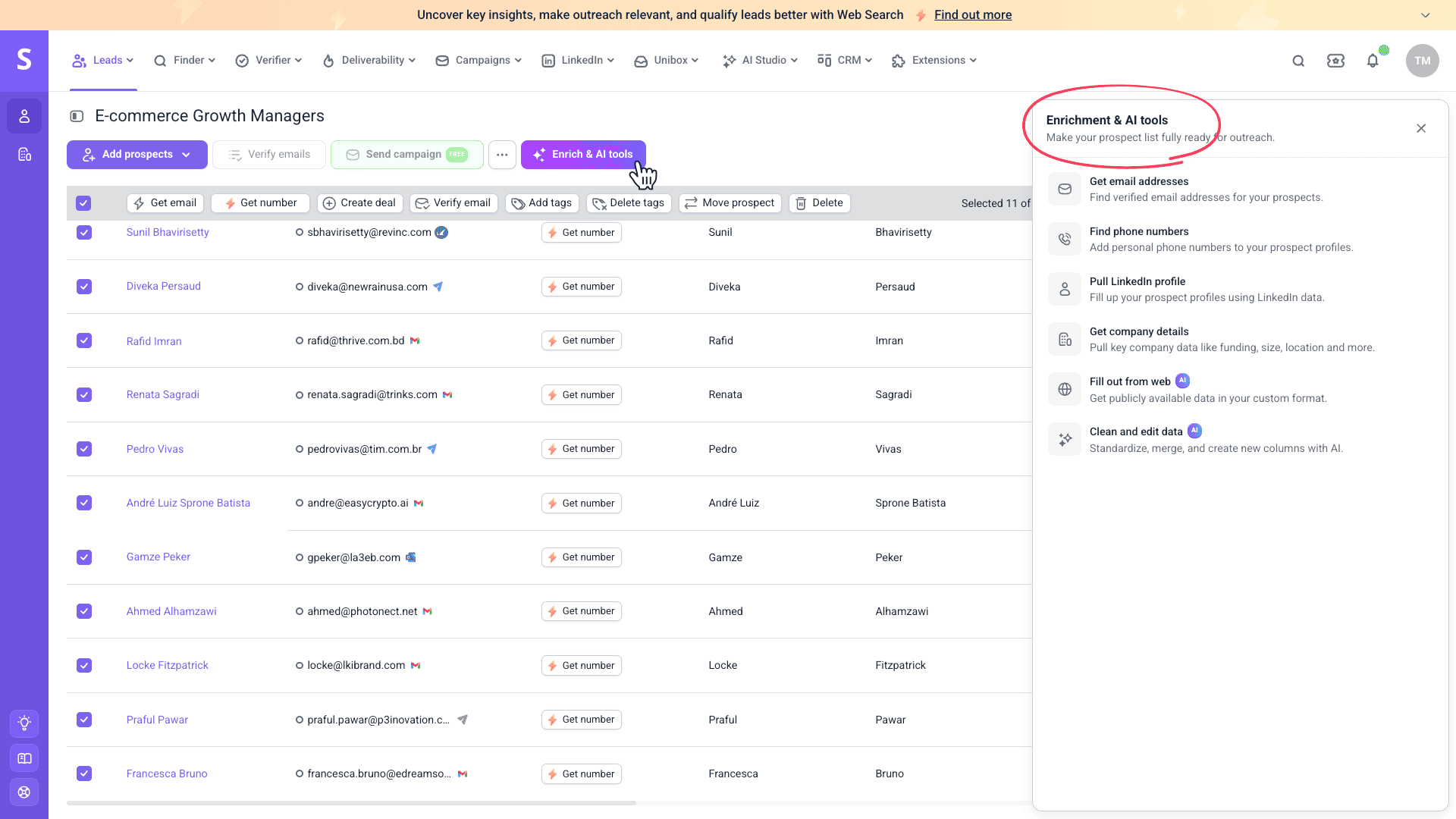
Snov.io is a lead generation and multichannel outreach platform that helps turn incomplete prospect records into actionable profiles. You can enrich contacts with company and contact data, research specific insights with AI, and handle larger volumes through bulk enrichment and APIs.
Learn how to enrich data via the Snov.io API.
Snov.io key data enrichment features:
- AI-powered web research for prospect data beyond standard enrichment fields
- Multi-level enrichment with contact, LinkedIn, company, email, and phone data
- Company enrichment with up to 13 data points, including firmographics, funding, and business profiles
- AI-powered data cleaning, organization, and transformation
- Bulk and API-based enrichment for larger datasets and automated workflows
- Real-time email verification to reduce bounces and improve outreach performance
Pros and cons:
| ✅ Pros | ❌ Cons |
|---|---|
|
|
What users say about Snov.io:
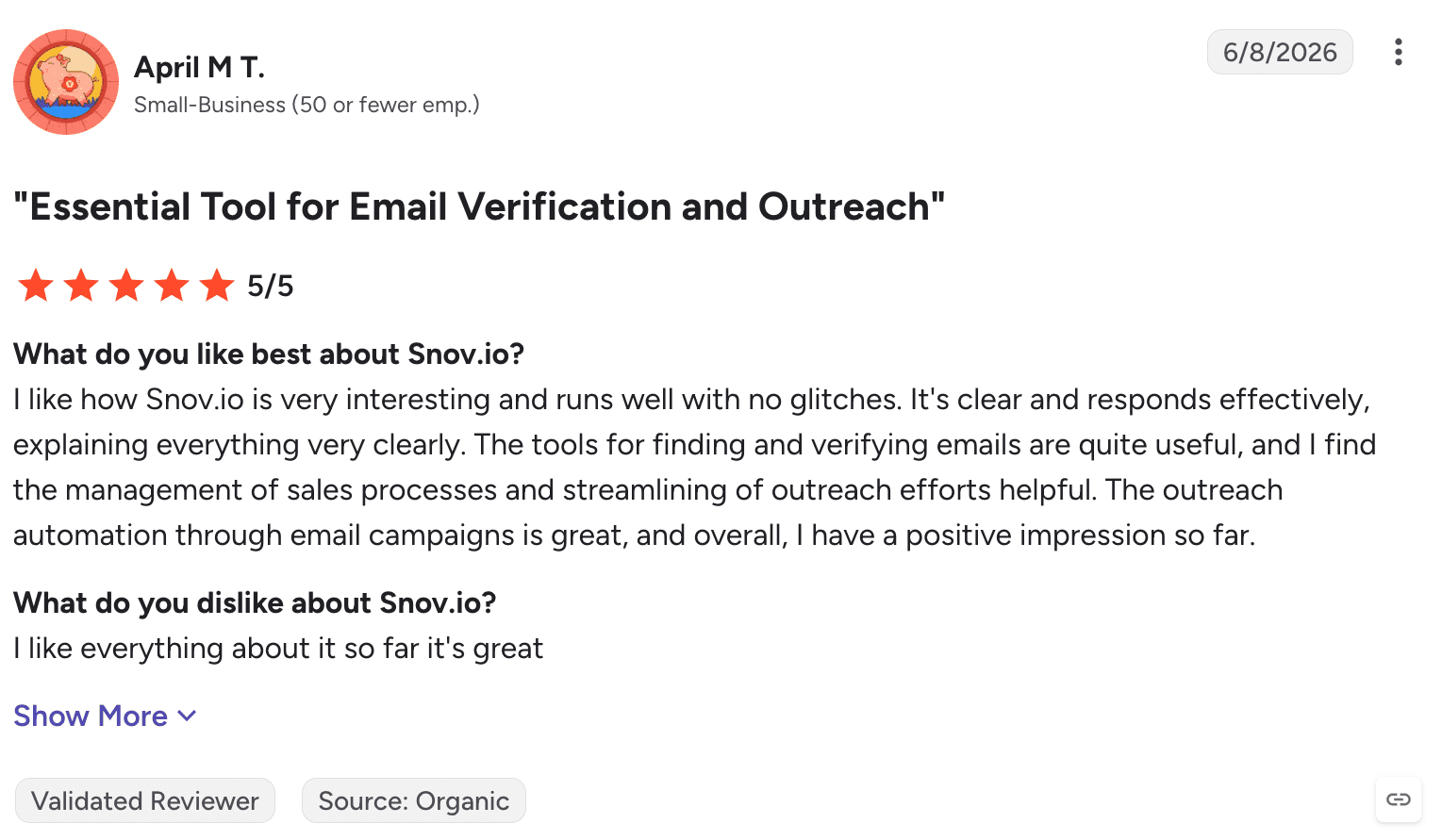
Customers love Snov.io for being an all-in-one outbound sales platform for outreach that streamlines lead generation through powerful data enrichment. Another strong side that users appreciate about Snov.io is CRM-driven prospect conversion.
My verdict:
When I first started using Snov.io, I appreciated how straightforward the implementation process was. I was able to just log in, import my prospect list, and start my outreach right away. The customer support is available around the clock to help with any issues that might arise.
I’m fully satisfied with the data quality and freshness I was able to pull with the Snov.io enrichment capabilities. I also liked the AI features. Compared with more traditional enrichment platforms, AI data enrichment tools like this can research specific information from the web instead of limiting you to predefined database fields.
The speed of operation differs depending on the size of the list. Still, it holds up very well against similar tools. The email verification capabilities also returned accurate results. Plus, API-based enrichment handles automated, large-scale processes with ease.
What’s even more important is that I can launch a campaign right after enriching my list, and track the deals afterward.
Though I used the built-in Snov.io CRM, it’s reassuring to know that the platform integrates smoothly with other software when needed. In terms of enrichment, the direct Snov.io-to-Clay connection is a time-saver, providing a rich source of lead information.
Another upside of Snov.io is its tight security. The tool complies with data privacy regulations, so I’m sure that whenever I build prospect lists with this service, I don’t have to worry about the account’s safety.
-
Apollo
Best for: Startups or SMBs that aspire to highly targeted prospecting.
Apollo’s rating on G2: 4.7/5
Pricing: from $65/month; an unlimited free plan is available.
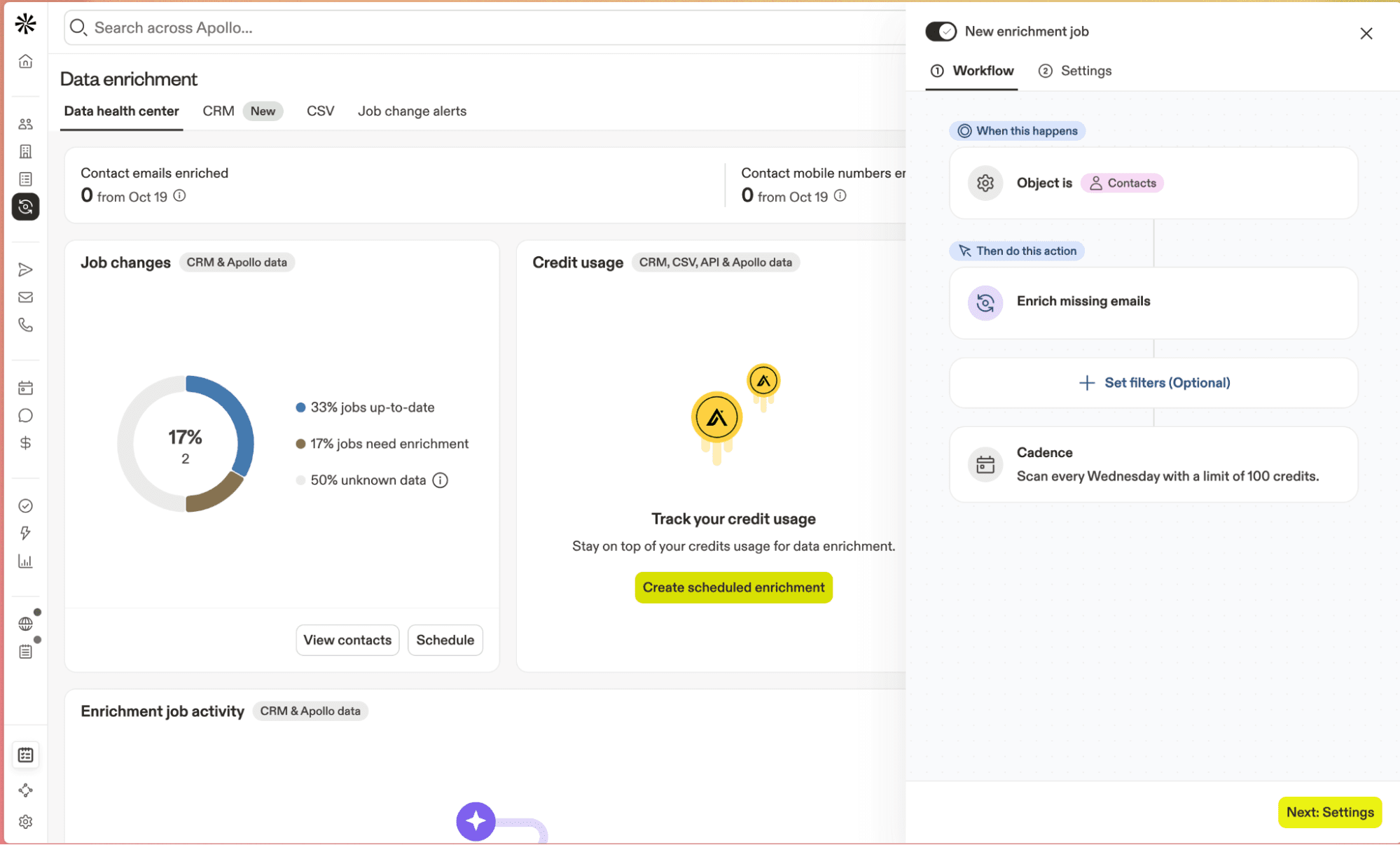
Apollo is an AI-enhanced lead generation platform with good enrichment possibilities as well as outreach features. Use its smart filters and large contact database for precise prospecting.
Apollo key data enrichment features:
- Email, company domain, LinkedIn profile, job title, as well as other prospect enrichment capabilities
- Bulk prospect data enrichment via list import and APIs
- Buying intent discovery
Pros and cons:
| ✅ Pros | ❌ Cons |
|---|---|
|
|
What users say about Apollo:
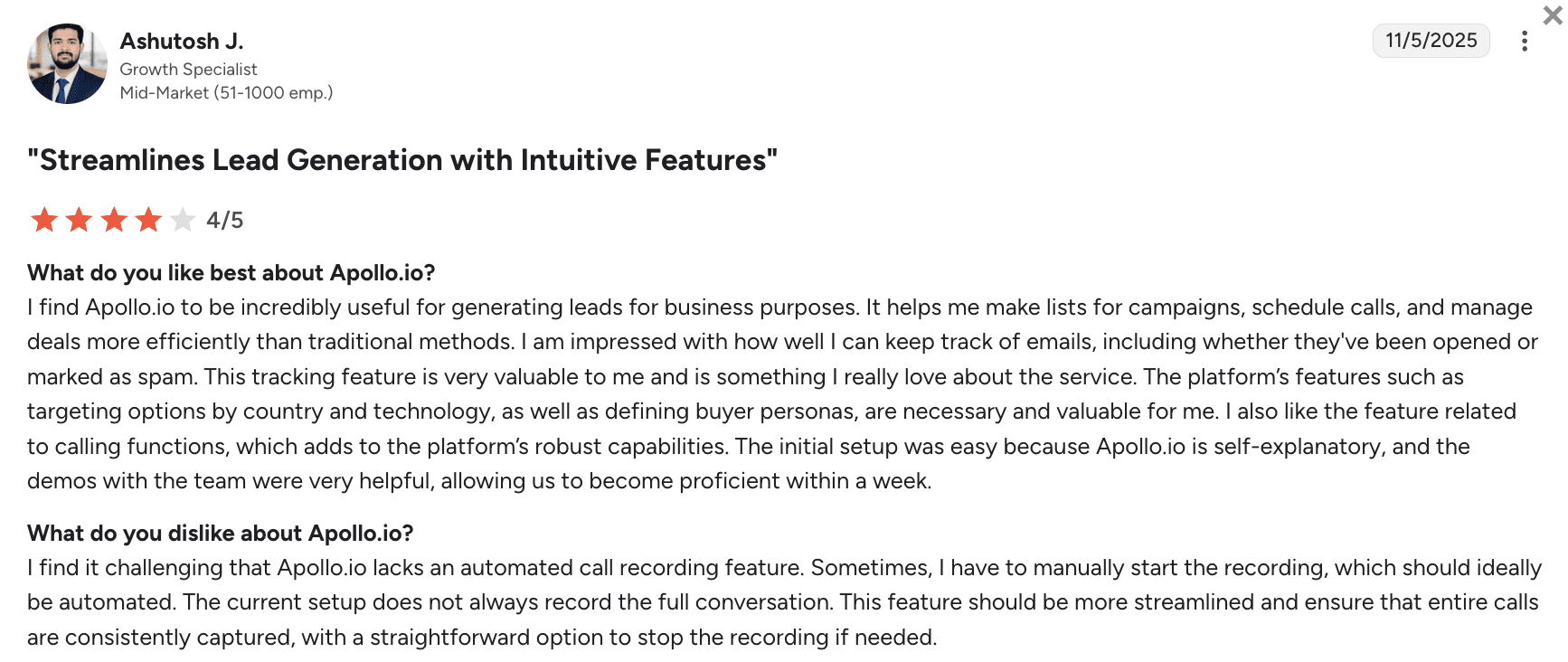
Overall, people love Apollo for its lead generation features, precise targeting, efficient outreach campaigns, as well as deal management features. On the other hand, users dislike the lack of fully automated call recording.
My verdict:
Though I heard positive comments about the onboarding, I had a rough start with this platform. I ran into issues with registration that required me to contact customer support – and it wasn’t so quick to respond.
Once I was in, however, I appreciated its interface as well as many AI-based enrichment capabilities. Still, I noticed occasional location accuracy gaps, especially outside major niches. Integrations with major CRMs are broad, plus I was comfortable with Apollo’s security for day-to-day workflows.
All in all, it’s a solid enrichment platform, but unless you really need an AI-enhanced process, there are cheaper options with better regional coverage.
-
Clay
Best for: Sales teams of different sizes that want flexible, API-first enrichment and custom data pipelines.
Clay’s rating on G2: 4.6/5
Pricing: from $185/month; an unlimited free plan is available.
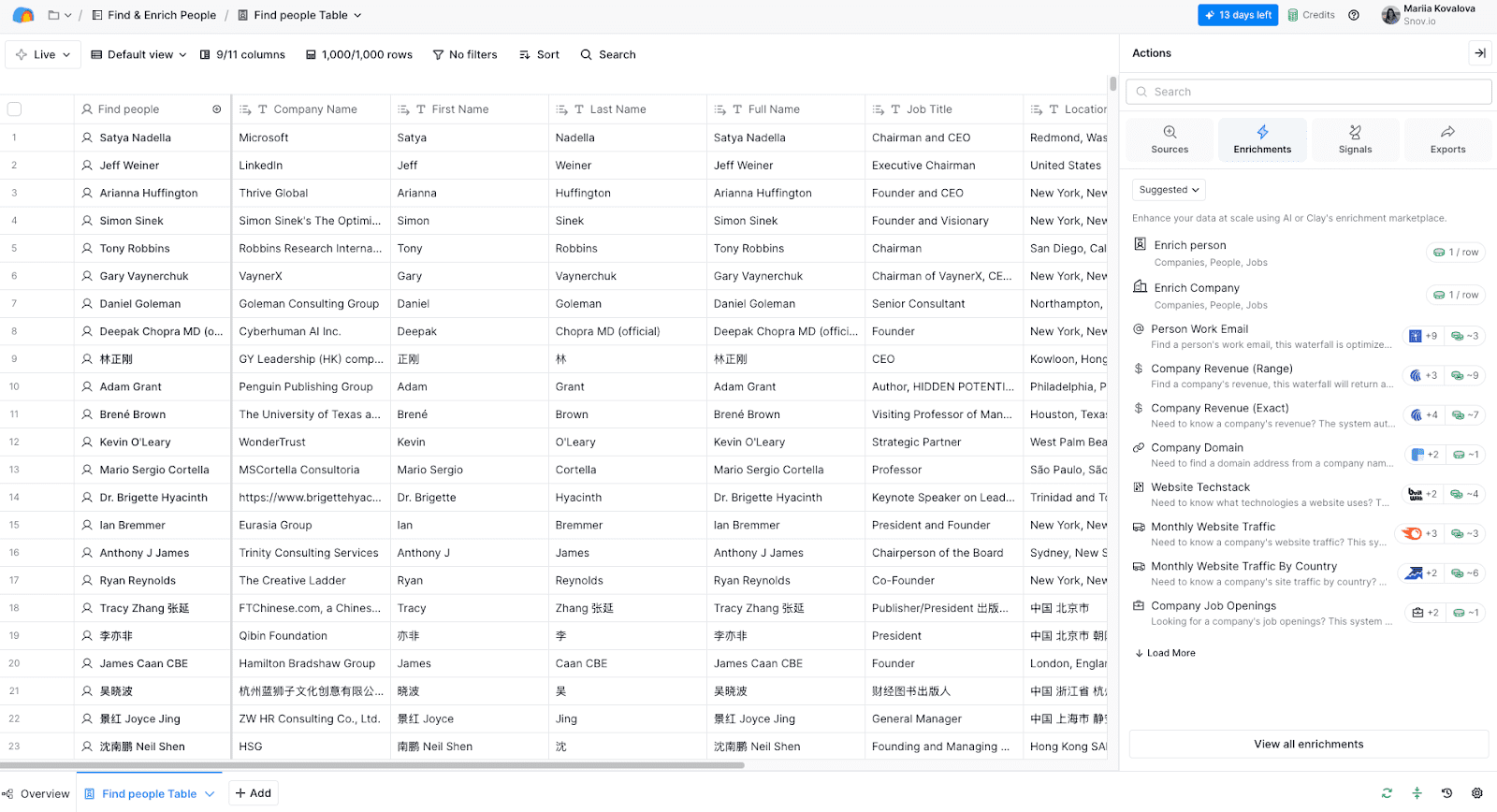
Clay is a robust B2B data enrichment tool that lets users build unique workflows by chaining 50+ data sources with custom logic. Use it for deep personalization at scale.
Clay key data enrichment features:
- Multi-source enrichment in one platform
- Multi-parameter (company, technology, social media) enrichment
- Webhooks, APIs, and custom scripts for enriching data at different levels
- De-duplication, validation, as well as conditional routing for more accurate data
Pros and cons:
| ✅ Pros | ❌ Cons |
|---|---|
|
|
What users say about Clay:
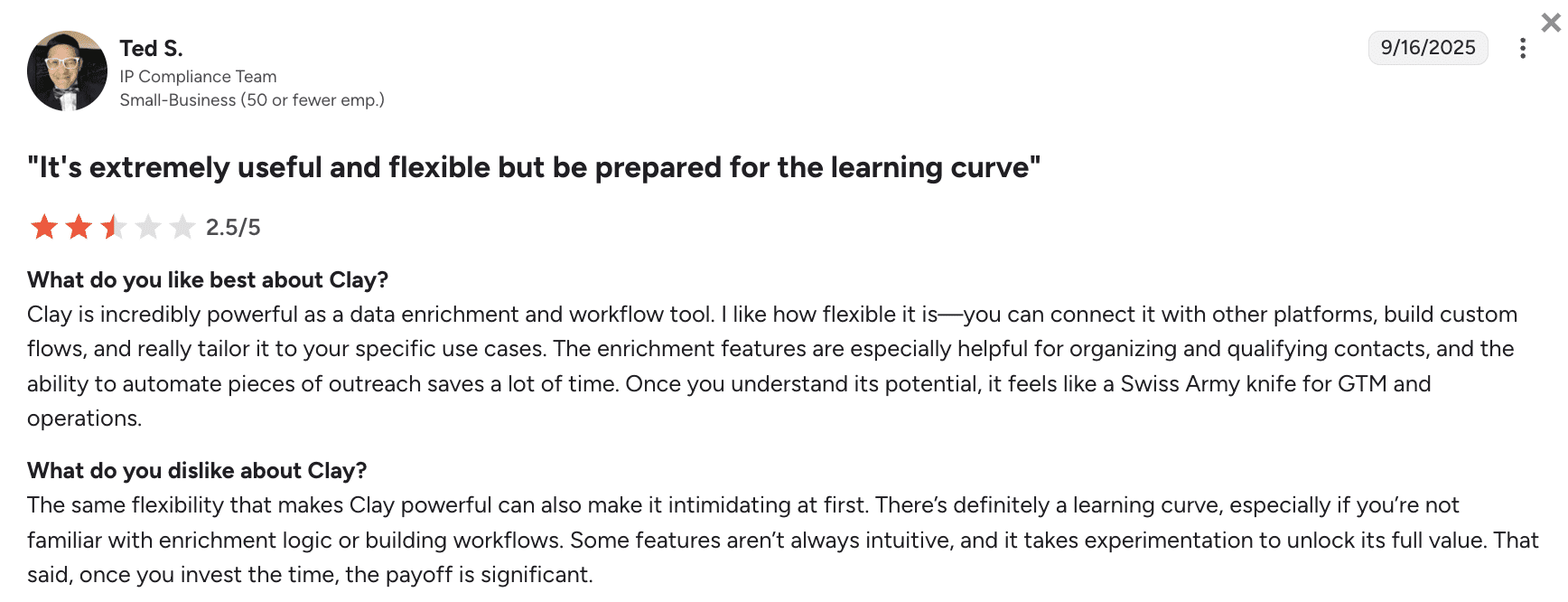
Customers love Clay for its powerful, flexible data enrichment capabilities plus workflow automation that saves time. However, users highlight the steep learning curve, especially with less intuitive features.
My verdict:
Clay is definitely a powerhouse of data enrichment, though not a cheap solution. I agree that it takes time to properly learn how to use it. I recommend starting with a free trial first to dig through the educational materials.
Data depth and coverage are excellent, but you need to configure the tool very meticulously to get relevant information. Plus, you have to watch your credits to avoid running over the designated budget.
Security and integration capabilities are very strong; so is their customer support, which is always there for you if needed. However, Clay is not a stand-alone tool. So count in the cost of additional CRM and outreach automation software when deciding on the subscription.
-
UpLead
Best for: Startups, small businesses, and mid-market teams that want a simple tool with clean data that easily integrates with their CRM.
UpLead’s rating on G2: 4.7/5
Pricing: from $99/month; a 7-day free trial is available.
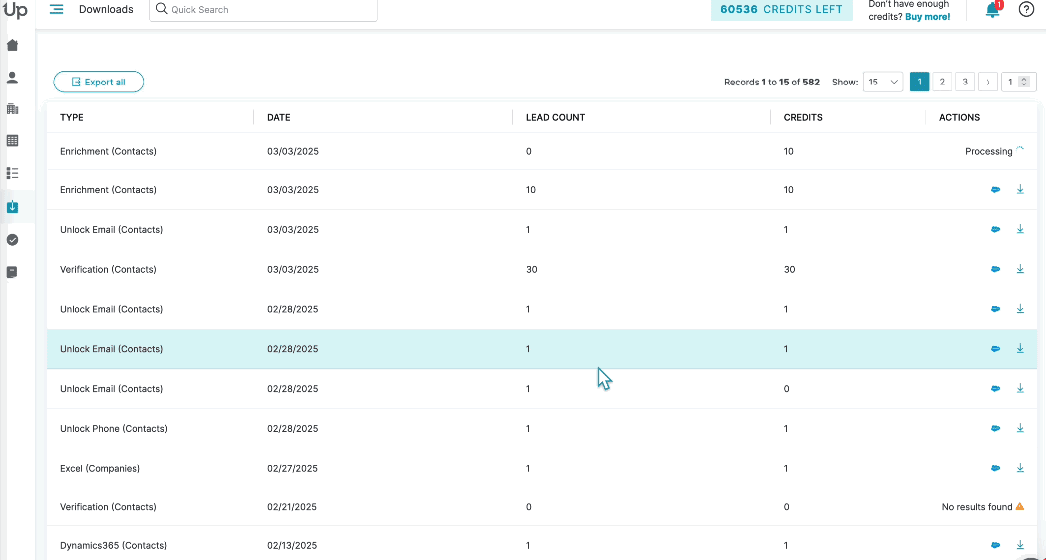
UpLead is a high-accuracy B2B data provider with real-time email verification and intent discovery. It also offers data enrichment capabilities that append firmographic insights to keep your lead records sales-ready.
UpLead key data enrichment features:
- Multi-source B2B data provision, including emails, mobile phones, as well as buyer intent
- 50+ advanced filters (by technology, intent, etc.)
- Real-time email verification
- APIs and CRM integrations for auto-enrichment
Pros and cons:
| ✅ Pros | ❌ Cons |
|---|---|
|
|
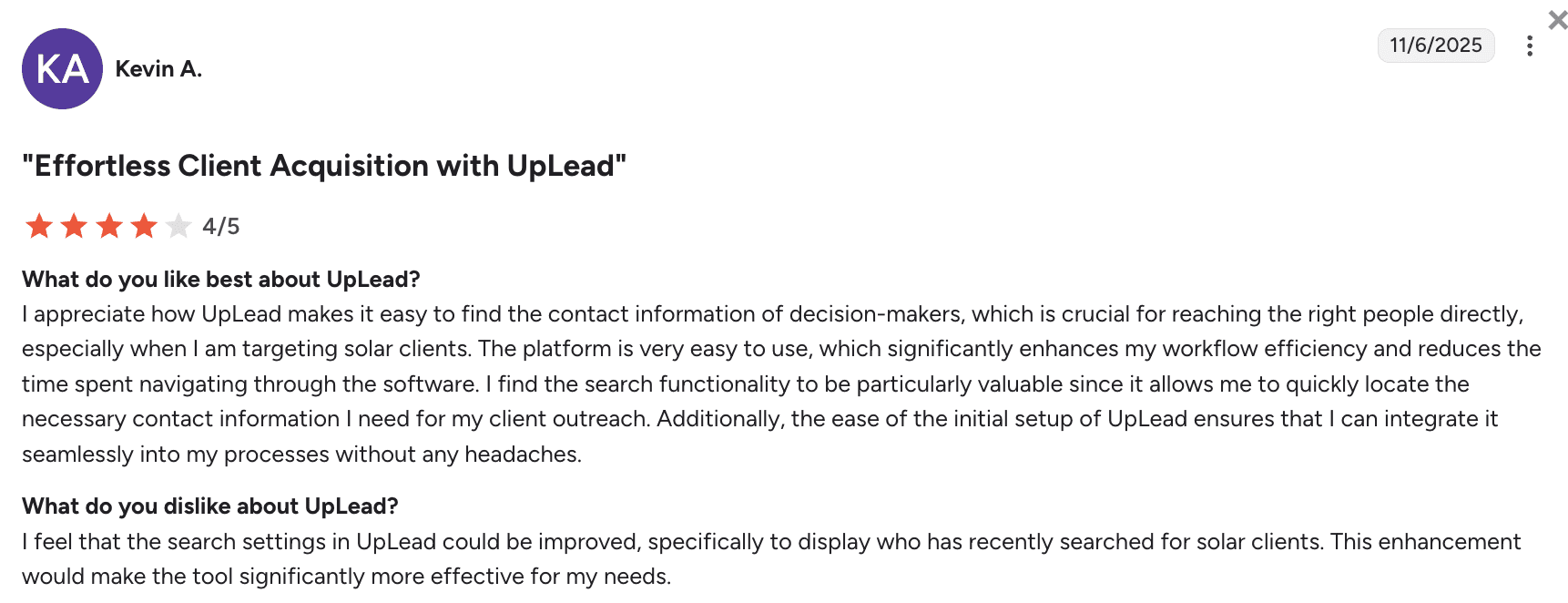
What users say about UpLead:
Customers are satisfied with UpLead’s accurate access to decision-makers’ contact data, but would like to see more advanced search insights for more effective sales prospecting.
My verdict:
Implementing UpLead is quick: upload CSV, set filters, and run enrichment with real-time email checks. Most users report low bounces with contact data acquired by this tool. As far as I could tell, the platform’s security is sufficient for day-to-day prospecting. Another good thing is its consistently responsive support.
The flip side is modest phone number coverage. Besides, UpLead occasionally provides outdated information – especially outside its core segments. All in all, this is a simple, reliable tool for enriching high-confidence contacts, though not at the lowest price. There are many cheaper tools with a similar level of functionality.
-
Cognism
Best for: Mid-market or enterprise sales teams that depend on mobile phone calls.
Cognism’s rating on G2: 4.5/5
Pricing: from $12,000/year.
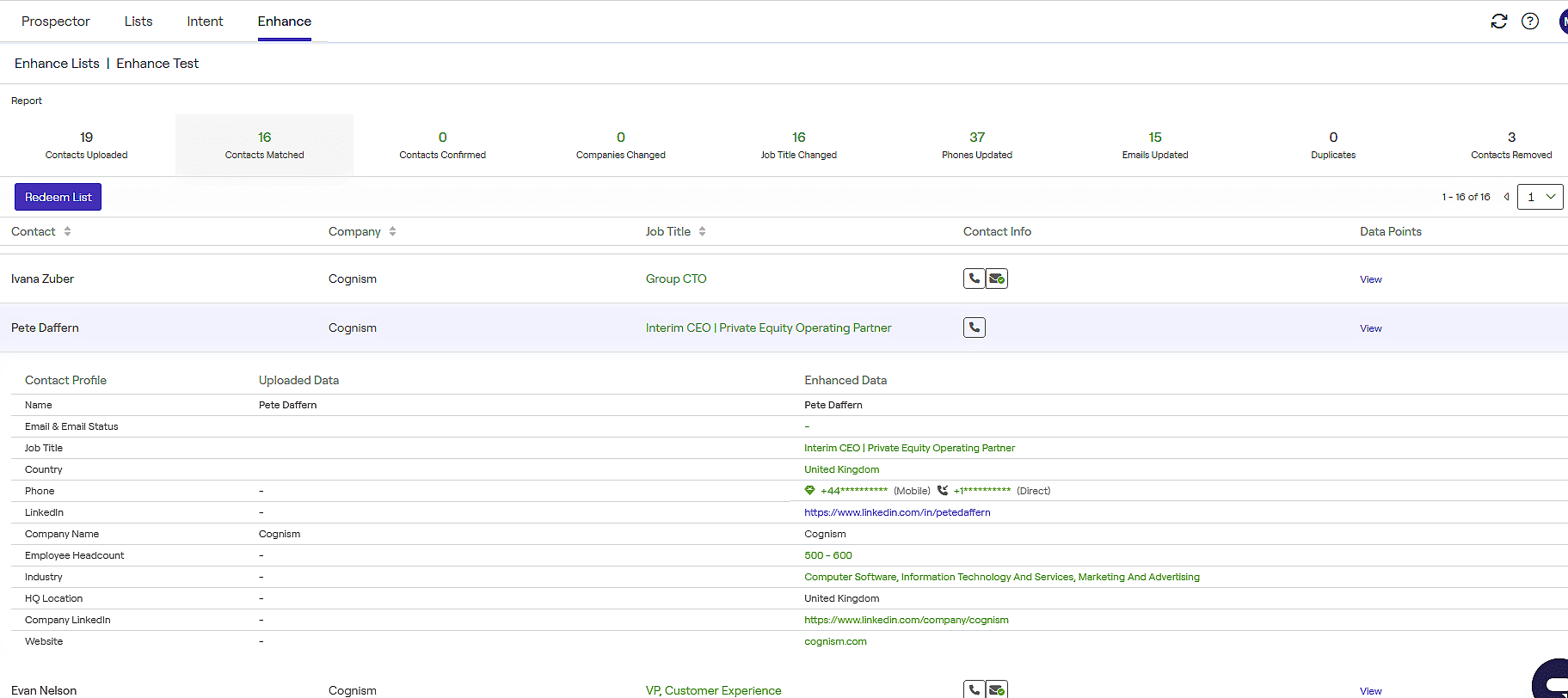
Cognism delivers compliant, phone-heavy B2B data enrichment across EMEA and North America, combining intent signals, firmographic depth, email accuracy, as well as Do-Not-Call screenings for reliable outbound targeting.
Cognism key data enrichment features:
- API plus on-demand CSV enrichment that includes cell phone numbers, email addresses, job positions, etc.
- Intent, technographics, and other event-based real-time updates
- Human-reviewed data validation
- Native integrations with major CRM, marketing, as well as sales software like HubSpot or Pipedrive
Pros and cons:
| ✅ Pros | ❌ Cons |
|---|---|
|
|
What users say about Cognism:
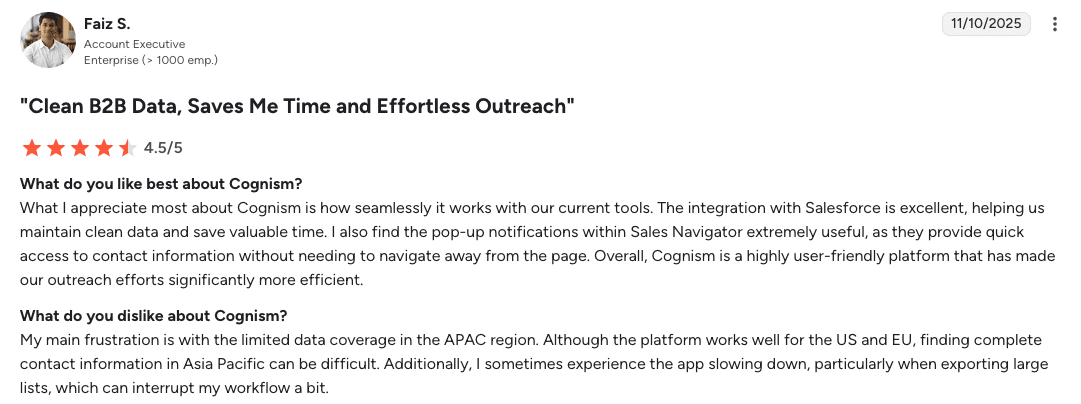
Reviewers like Cognism for its seamless Salesforce integration, clean data management, and user-friendly interface. Yet, some are a bit frustrated by the limited APAC data coverage, plus some occasional performance slowdowns during large data exports.
My verdict:
Onboarding is smoothly guided by the responsive support team. Cognism adheres to major data privacy regulations like GDPR and CCPA. It integrates well with other software, especially with the Salesforce and HubSpot ecosystems. EMEA phone and email data are accurate.
The negatives for me are sales-led access and quote-only pricing. There are also mentions of poor US coverage compared to similar platforms.
So, I’d recommend trying this data enrichment tool only if you’re focused on the EMEA region and can afford the enterprise-level price.
-
ZoomInfo
Best for: Enterprise teams that need broad data coverage, accurate phone data across the US, as well as customizable sales workflows.
ZoomInfo’s rating on G2: 4.5/5
Pricing: not publicly available.
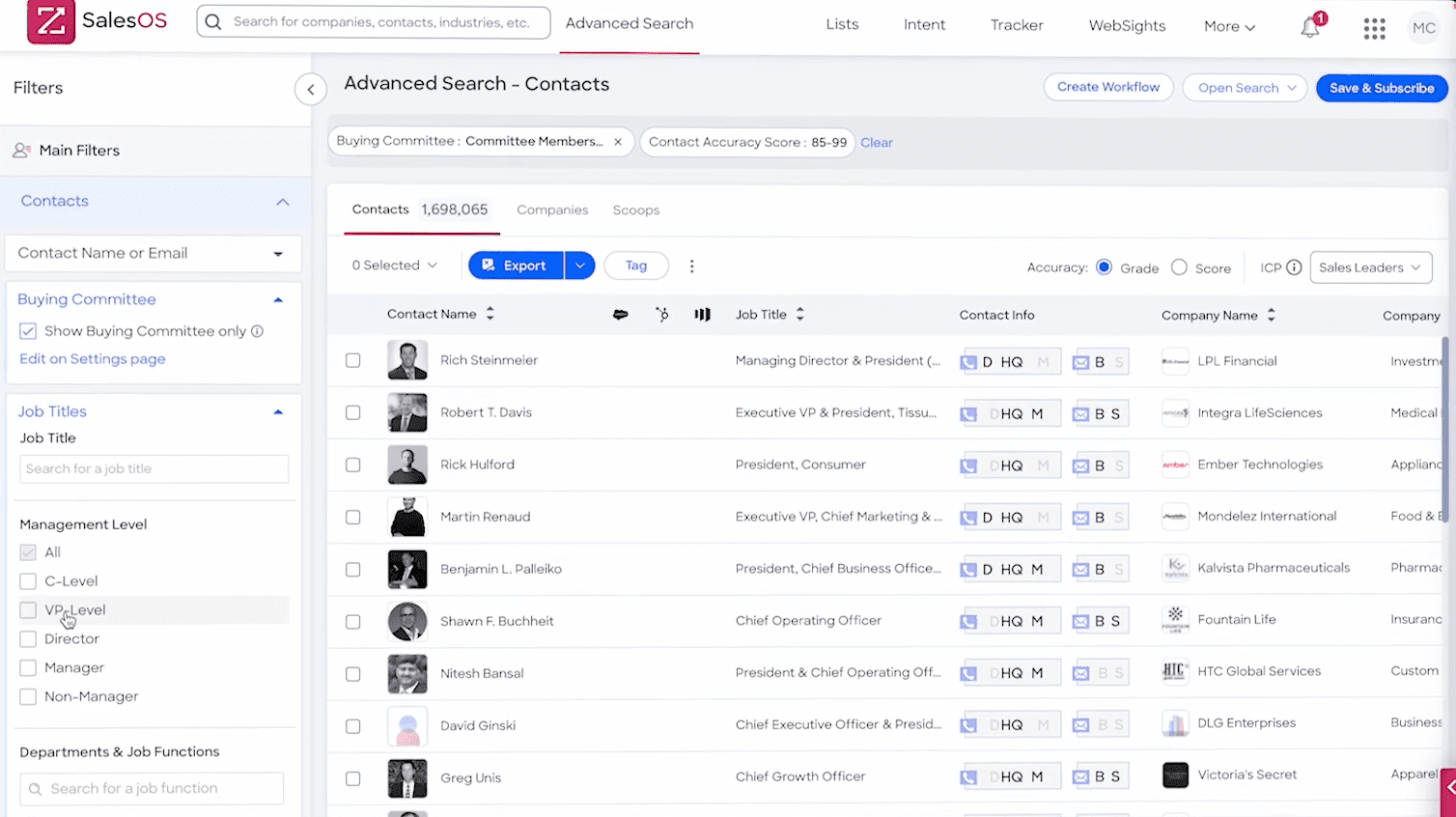
ZoomInfo offers one of the largest B2B datasets across all regions, combined with intent analysis and data management capabilities.
ZoomInfo key data enrichment features:
- Company and contact enrichment at scale
- Real-time prospect data updates
- Buyer signal notifications
- Data operations automation that includes deduplicating, normalizing, etc.
- APIs plus extensive native integrations with major CRM and other sales software
Pros and cons:
| ✅ Pros | ❌ Cons |
|---|---|
|
|
What users say about ZoomInfo:
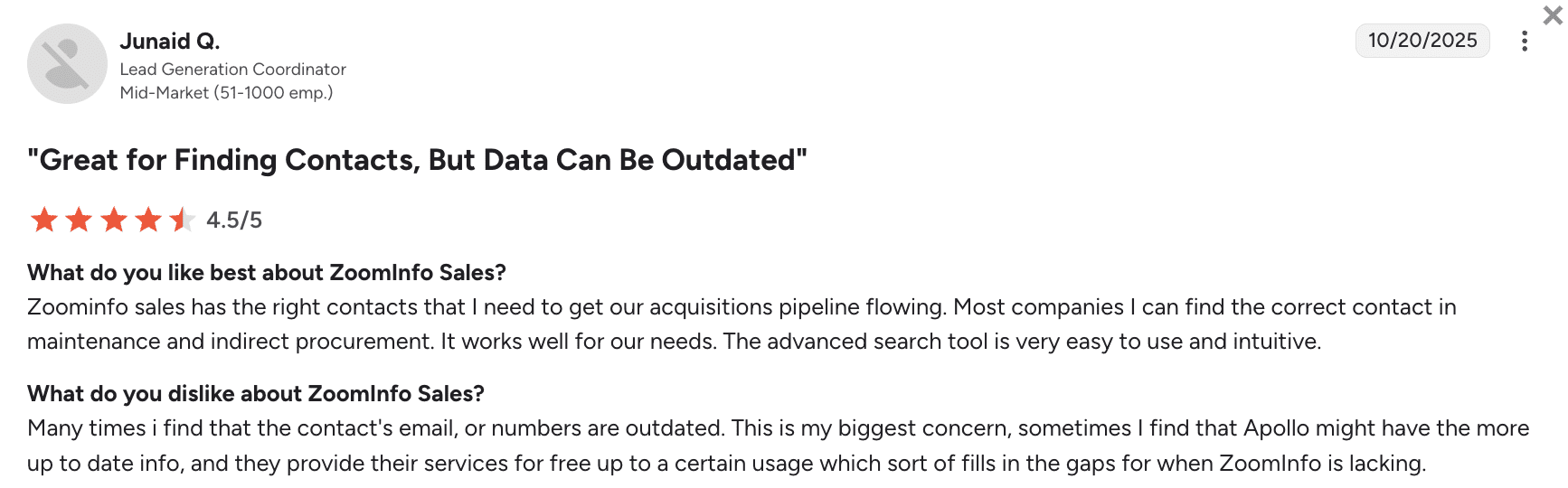
Users appreciate ZoomInfo for its intuitive advanced search, combined with strong contact coverage that supports acquisition pipelines. Yet, some are concerned about outdated contact data that sometimes requires cross-checking with other tools.
My verdict:
ZoomInfo is pretty much everything you’d expect from an enterprise-grade tool. On the upside, data coverage is pretty high, especially for the US, UK, as well as EU regions. Also, security is very tight, while integrations are plentiful.
On the downside, this B2B data enrichment tool is a bit complex to learn – you need an implementation team as well as specialized onboarding training. Plus, you can’t access the trial period or pricing without going through the demo call.
For large teams, ZoomInfo is a capable backbone. But you should have time and resources to set everything up. For smaller organizations, I’d recommend trying a less expensive solution.
-
Lusha
Best for: Solopreneurs, startups, and small teams that need basic contact information.
Lusha’s rating on G2: 4.3/5
Pricing: from $49.90/month; an unlimited free plan is available.
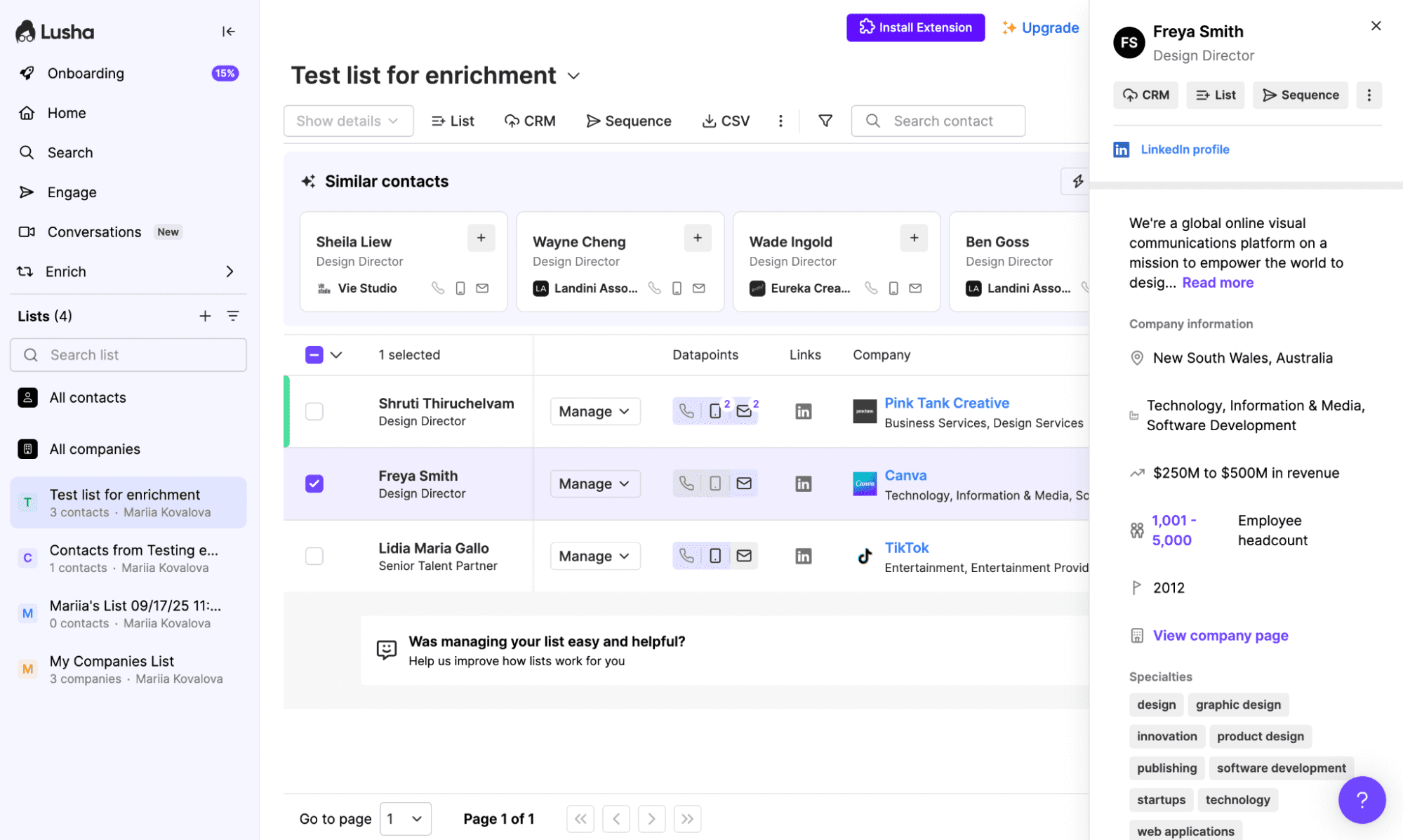
Lusha is a data enrichment and prospecting platform that provides verified contacts, supporting outreach through lightweight sales workflow automations.
Lusha key data enrichment features:
- Quick data enrichment (emails+phone numbers)
- Real-time data scraping from social media and company websites
- Sync with lots of CRMs plus Zapier integrations
Pros and cons:
| ✅ Pros | ❌ Cons |
|---|---|
|
|
What users say about Lusha:
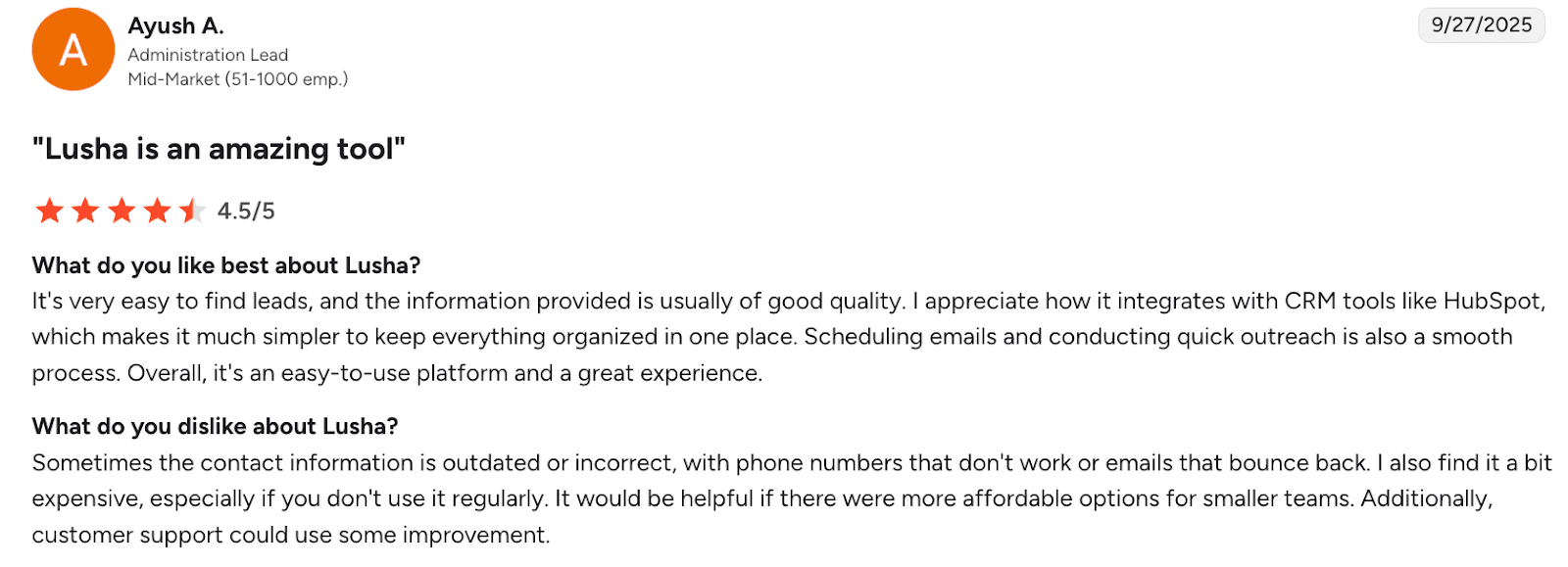
Customers appreciate Lusha for its ease of use, solid lead quality, CRM integrations, as well as smooth outreach workflows. However, some report issues with outdated contact information and relatively high pricing for infrequent use.
My verdict:
What I like about Lusha is that it’s a speedy, straightforward tool with flexible pricing. The quality of data, in my view, is sufficient for major industries in the EU or the US. Security is also okay for routine prospecting operations.
My biggest problem with Lusha is the inconsistency in data quality. Sometimes you get way less reliable phone numbers than you’d expect. Much really depends on the niche. Plus, customer support isn’t always quick to help with upcoming issues.
I’d say Lusha is good enough for quick email plus phone enrichment from the browser, but for deeper coverage, you’ll have to pair it with another system.
-
Clearbit
Best for: GTM teams already using HubSpot wanting native, real-time enrichment.
Clearbit’s rating on G2: 4.4/5
Pricing: not stated explicitly.
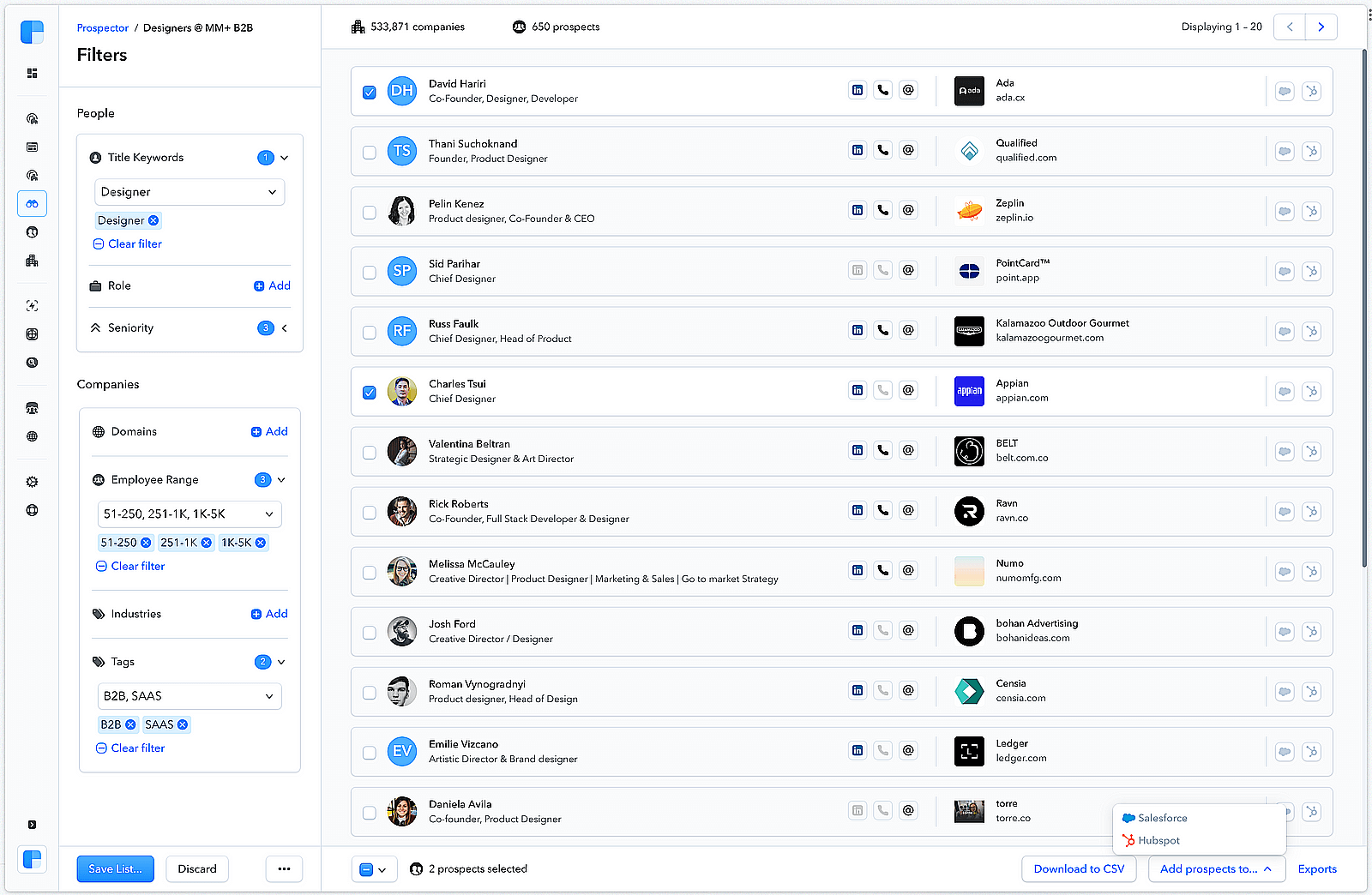
Clearbit is a B2B data enrichment tool that operates within HubSpot. This service lets users append lead data, perform lead scoring, and enable faster routing for more personalized outreach.
Clearbit key data enrichment features:
- Real-time data enrichment inside HubSpot (firmographics, industry codes, plus hierarchies)
- Form shorting, routing, and scoring in HubSpot
- Intent signal discovery through IPs
Pros and cons:
| ✅ Pros | ❌ Cons |
|---|---|
|
|
What users say about Clearbit:
Customers value Clearbit for accurate company identification plus insights into accounts that visit website content. Yet, users want more advanced ICP definition options due to the currently limited criteria.
My verdict:
In a HubSpot-centric stack, implementation is nearly plug-and-play with real-time enrichment, which is very cool. Plus, security is on the enterprise level.
The problem for me is that Clearbit is positioned as a HubSpot-native data layer, so non-HubSpot stacks typically rely on API, middleware, or alternate workflows. Though API calls are often near-instant, some users still report lag.
Contact depth is okay for most major regions if you’re looking for basic enrichment. However, the phone database is reportedly narrow. I’d recommend this option only if you’re operating in the HubSpot ecosystem anyway.
-
Stape
Best for: eCommerce businesses, marketing agencies, startups, businesses of any size, and performance marketers.
Stape.io’s rating on G2: 4.6//5
Pricing: from $20/month
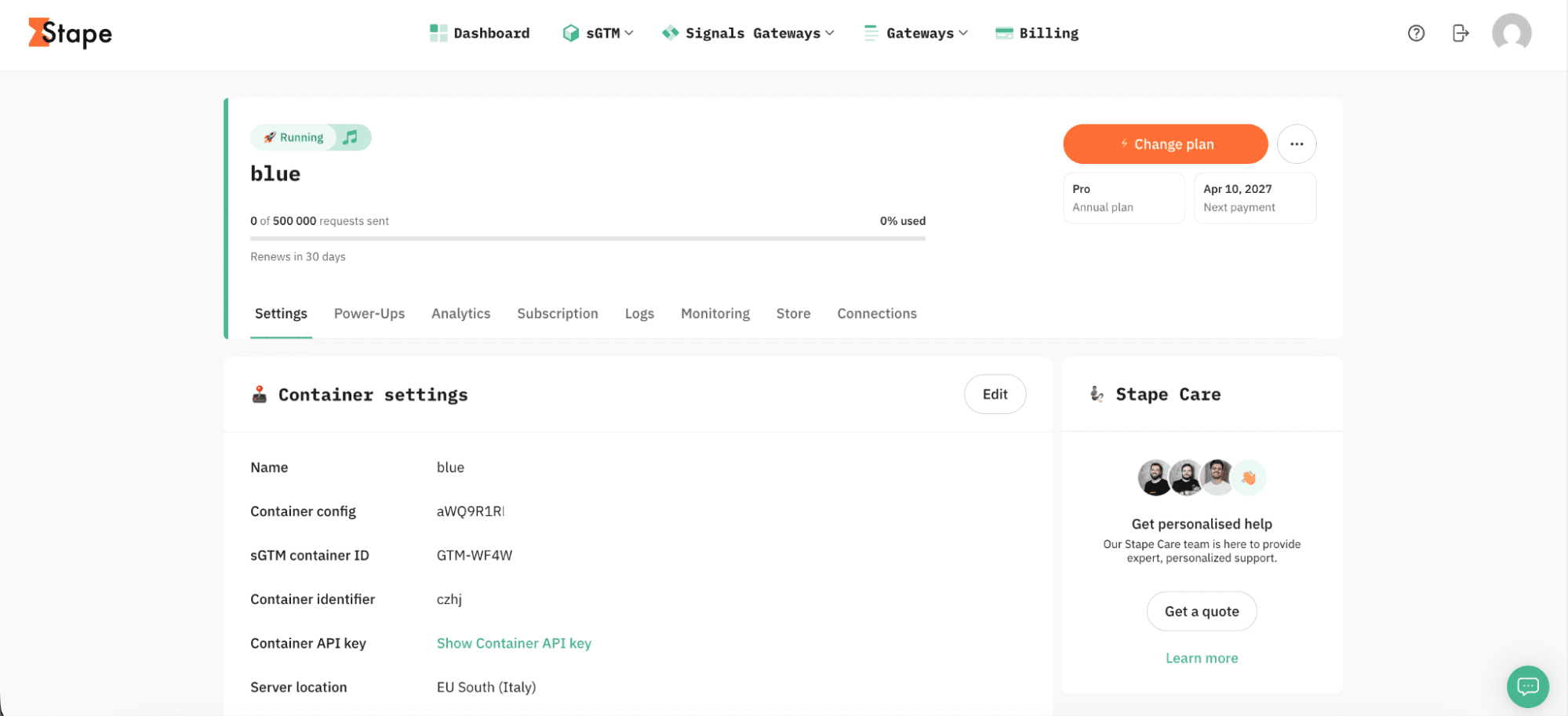
Stape is a popular platform that specializes in server-side tracking. It is designed specifically to improve the accuracy of gathered customer data in times when privacy regulations tighten day after day, and browsers invent new ways to limit tracking abilities.
Stape key data enrichment features:
- User ID power-up adds the user IP, user-agent, hostname, and TLS settings to the event data.
- GEO Headers power-up allows you to enrich the event data with the country, region, city, IP, and postal code information.
- User Agent power-up adds headers with details on the user’s browser and device.
- Ad Blocker Info power-up checks if there is an ad blocker add-on active in the user’s browser and adds this information to the event data.
Pros and cons:
| ✅ Pros | ❌ Cons |
|---|---|
|
|
What users say about Stape:
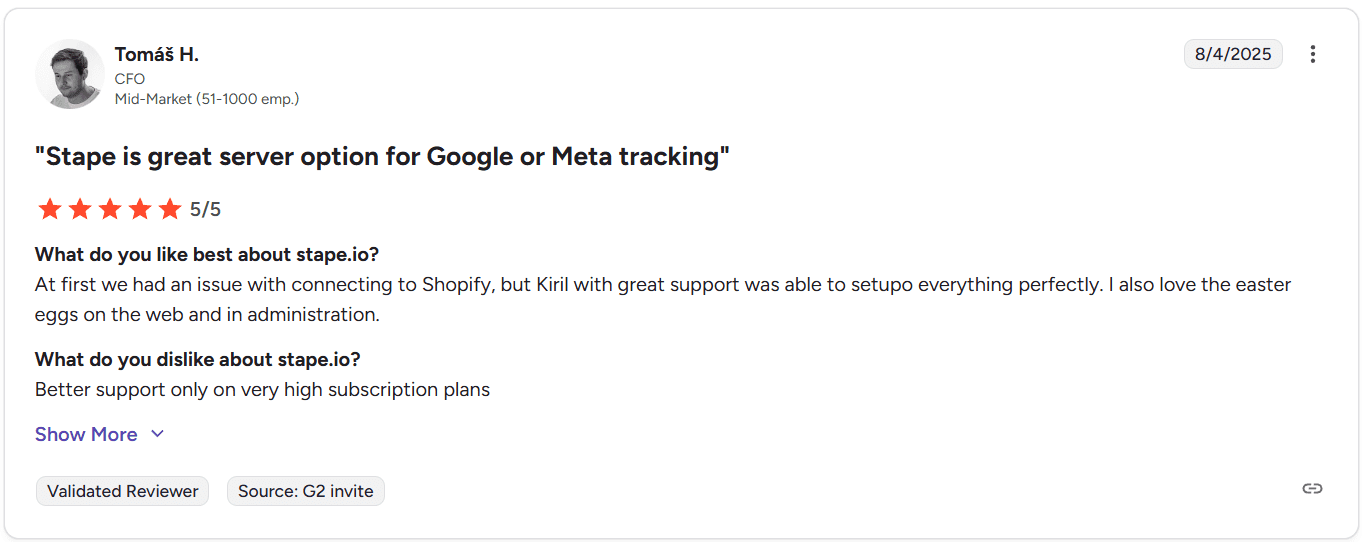
Users highlight that cooperation with Stape is comfortable and straightforward. It simplifies the switch to server-side tracking and helps diving into the world of server-side tracking by offering many free educational resources, such as Stape Academy. The company ensures that you use only accurate and high-quality data, minimally influenced by ad blockers and browser restrictions.
My verdict:
I was pleasantly surprised by how Stape simplifies the configuration of the server GTM. I managed to set up a tagging server and configure the Google Tag Manager container on it in less than a day. The extensive library of technical documentation was extremely helpful. The technical support assisted me quickly with a couple of questions that I had in the process.
The result I got met all my expectations. The quality of tracked data noticeably improved, and I did not notice any significant data setbacks even during periods of high traffic loads. The most important point is that I was able to edit and remove sensitive PII from the data package before it reached third-party platforms. In this way, I guaranteed compliance and protected myself on the legal side.
I was also impressed by the smooth integration with Shopify. It took me a couple of minutes to find and install Stape’s app. This saved a lot of time, as all the events needed for conversion tracking were created automatically, and the extended cookie lifetime added to the effectiveness of such a setup.
-
Kaspr
Best for: SDRs who rely heavily on LinkedIn and want quick contact reveals combined with simple automations.
Kaspr’s rating on G2: 4.4/5
Pricing: from $65/month; an unlimited free plan is available.
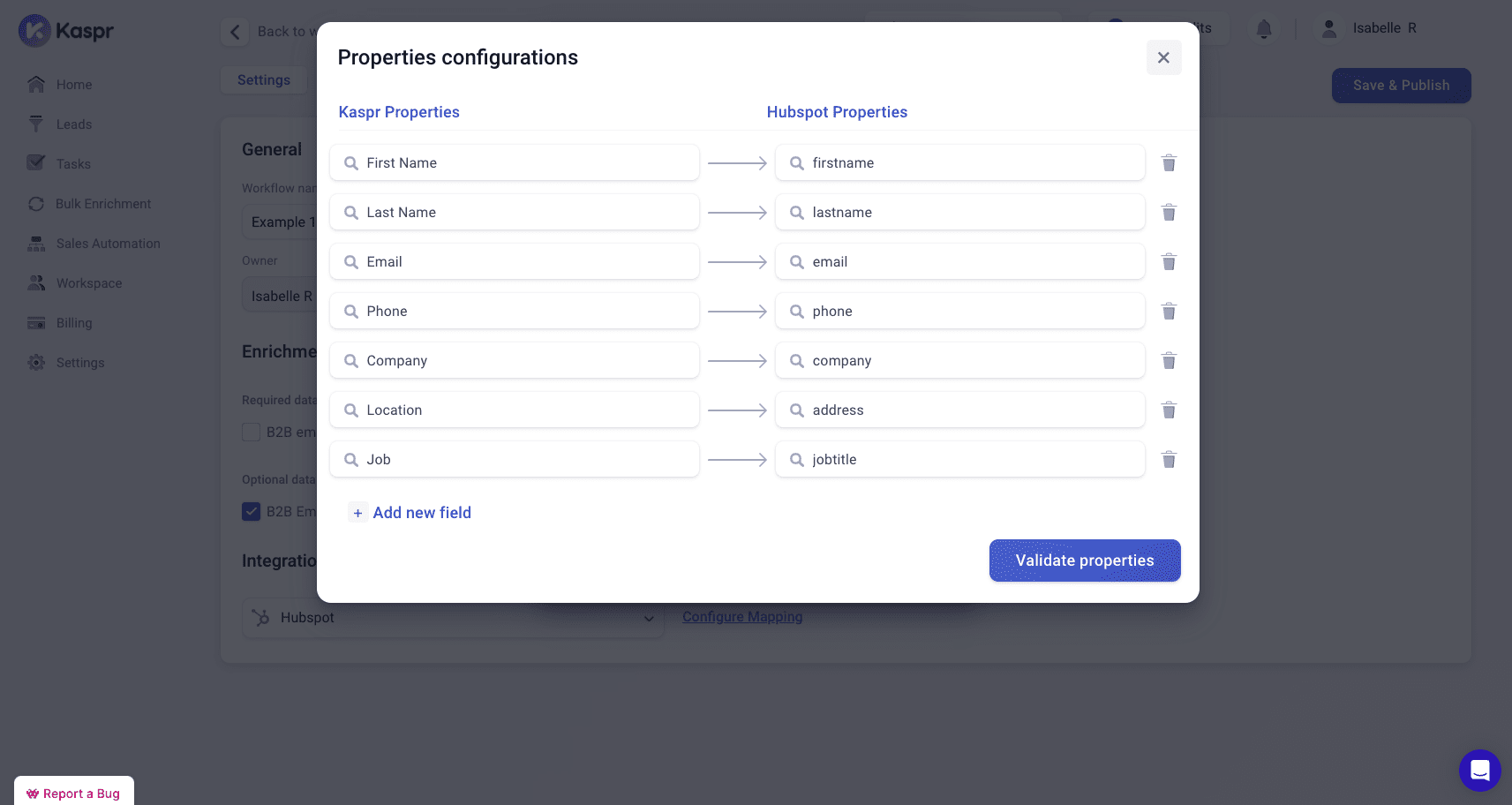
Kaspr is a LinkedIn-centric B2B data enrichment tool that pulls work emails and phone numbers to deploy them into the CRM.
Kaspr key data enrichment features:
- Contact data updates straight from LinkedIn
- Bulk enrichment of uploaded spreadsheets
- Automatic enrichment via Kaspr API
Pros and cons:
| ✅ Pros | ❌ Cons |
|---|---|
|
|
What users say about Kaspr:
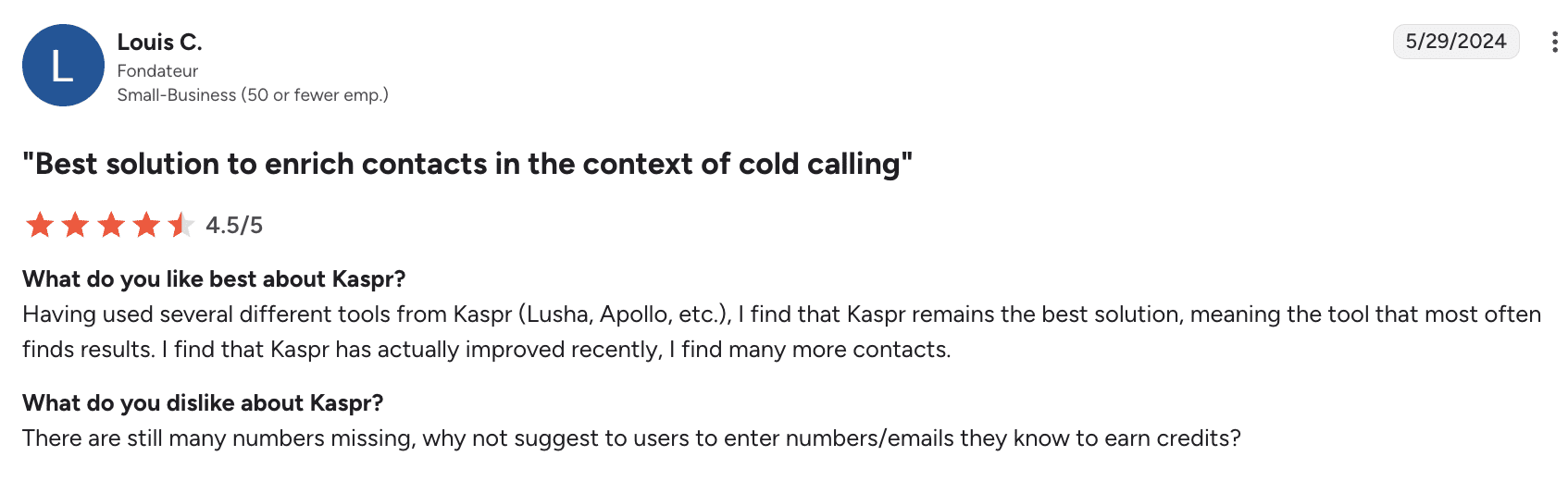
People like Kaspr for its consistent contact-finding, but wish the tool provided fewer missing phone numbers.
My verdict:
I appreciate Kaspr’s speed of setup as well as its LinkedIn-first workflow. What’s also nice is that the platform looks convenient for EU prospecting. Plus, data handoff to CRM/SEPs is straightforward.
What users should take into account before choosing Kaspr is the limited credits, occasional incorrect numbers, and bulk list issues. I would say this is more of a quick-hit tool rather than a bulk engine. But I’d be comfortable using it for standard prospecting if there were no better options.
-
Datanyze
Best for: Individuals and small teams needing budget-friendly basic enrichment.
Datanyze’s rating on G2: 4.1/5
Pricing: from $29/month; a 90-day free trial is available.
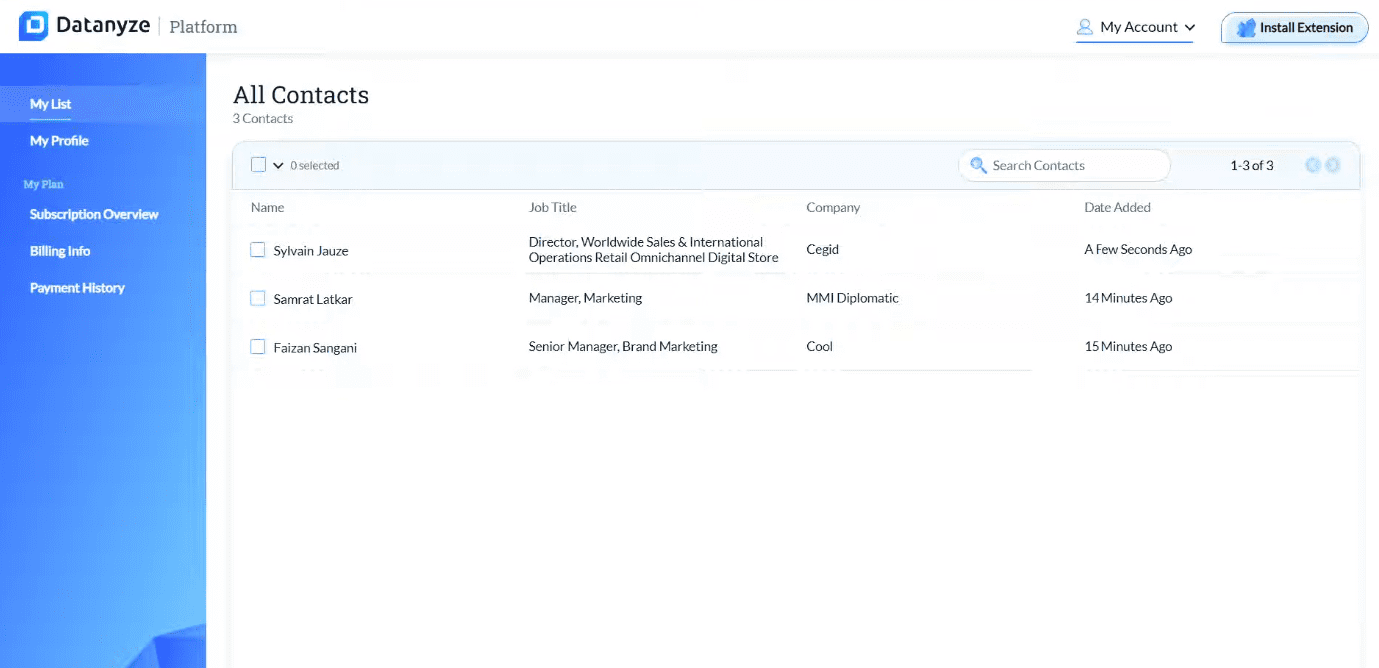
Datanyze offers browser-based contact discovery with technographics as well as lightweight enrichment.
Datanyze key data enrichment features:
- Real-time contact capture from the web and social media
- B2B data enrichment with emails, phone numbers, and technographics
- Prospect list building and export
Pros and cons:
| ✅ Pros | ❌ Cons |
|---|---|
|
|
What users say about Datanyze:
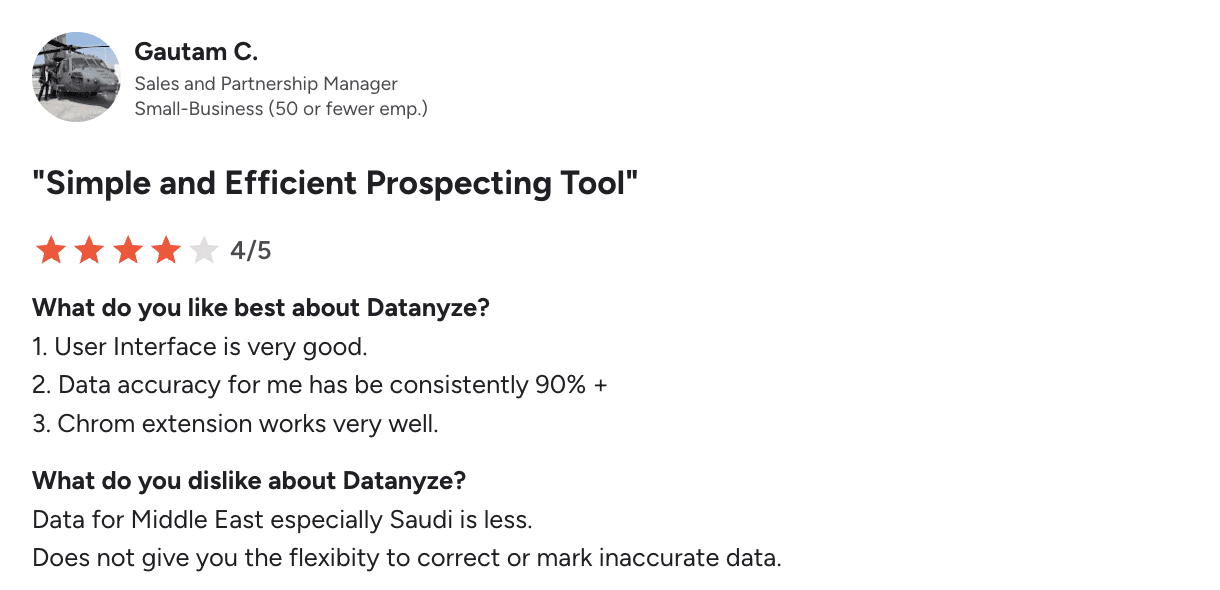
Customers appreciate Datanyze for its intuitive UI, high data accuracy, and reliable Chrome extension. However, some are dissatisfied with the weak data quality in the Middle East region. Sometimes users also mention the lack of options to correct inaccurate records.
My verdict:
What I liked about Datanyze is that you can deploy the extension, capture contacts, and export lists in a single session. Plus, this tool provides really decent accuracy for the price. At the same time, if you’re looking for data enrichment for Middle East prospects, you may be disappointed.
The platform’s security is suitable for non-sensitive enrichment, in my opinion. It’s a budget-friendly option for quick prospecting. Still, you have to sample-check before launching a big campaign.
-
ContactOut
Best for: Sales teams that need a simple B2B data enrichment tool, especially those prospecting outside the US or UK.
ContactOut’s rating on G2: 4.5/5
Pricing: from $49/month (excluding data from the US and UK); an unlimited free trial is available.
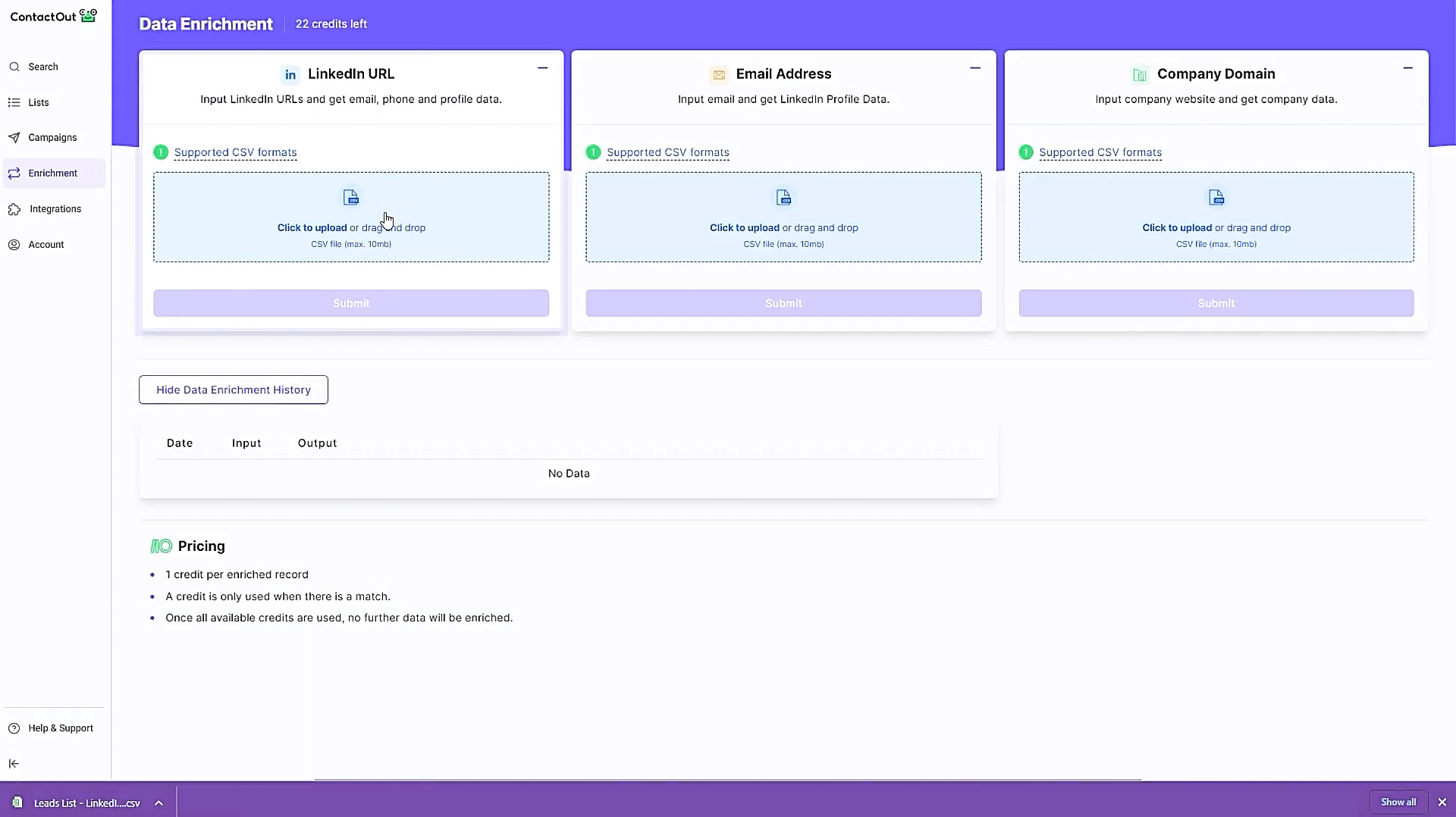
ContactOut is a prospecting platform that delivers email, phone, and social media data, also supporting basic outreach operations.
ContactOut key data enrichment features:
- B2B enrichment with verified emails, some phone numbers, and social media profiles.
- APIs for regular data updates directly in the CRM
- Prospect list building and export
Pros and cons:
| ✅ Pros | ❌ Cons |
|---|---|
|
|
What users say about ContactOut:
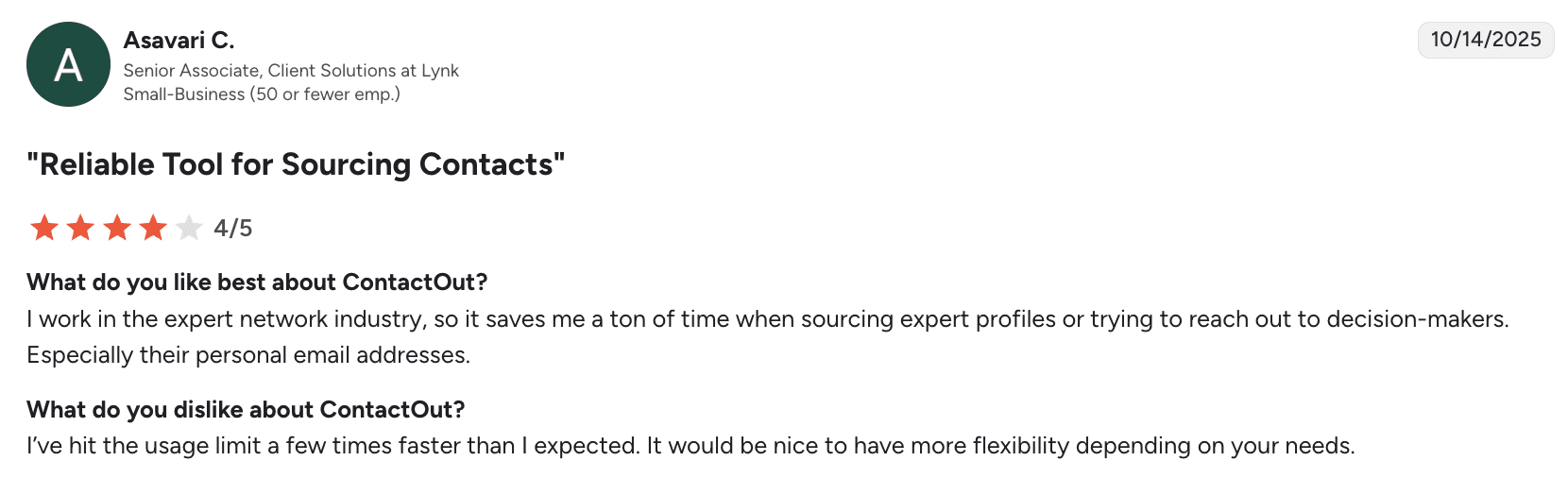
Users praise this platform for automating data discovery, especially contacts of decision-makers. However, some are frustrated by usage limits that can feel restrictive.
My verdict:
If you’re a recruiter or SDR, you may appreciate ContactOut for its simplicity. This tool is efficient for shortlist enrichment before outreach. Integrations into ATS/CRM are straightforward, which is also a plus.
The tool is pretty accurate for personal emails, though phone data freshness varies. Also, features described as “unlimited” may have practical limits. I recommend reading the fair-use fine print. Also, expect credit ceilings.
-
DemandBase
Best for: Middle and enterprise-size teams running ABM that want their account management software to be natively integrated with contact intelligence.
DemandBase’s rating on G2: 4.4/5
Pricing: not publicly available.
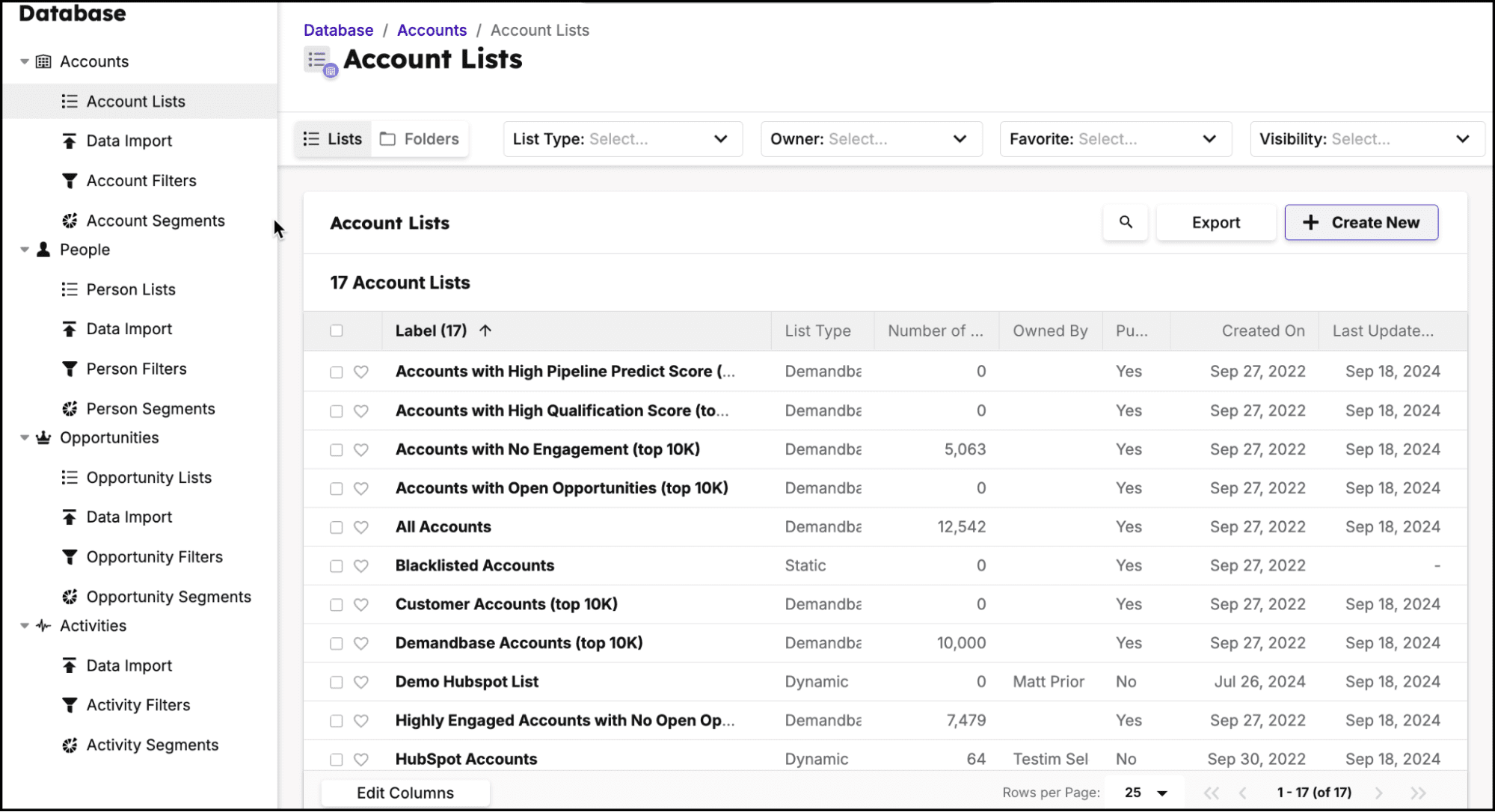
Previously known as InsideView, DemandBase now brings together data enrichment with account-based marketing (ABM) workflows. It helps large organizations get comprehensive insights into their potential customers.
DemandBase key data enrichment features:
- Account and contact enrichment combined with segmentation filters
- Intent and account scoring
- Native integrations with major CRM and marketing automation software (Salesforce, Dynamics, etc.), plus API-enabled integration capabilities
Pros and cons:
| ✅ Pros | ❌ Cons |
|---|---|
|
|
What users say about DemandBase:
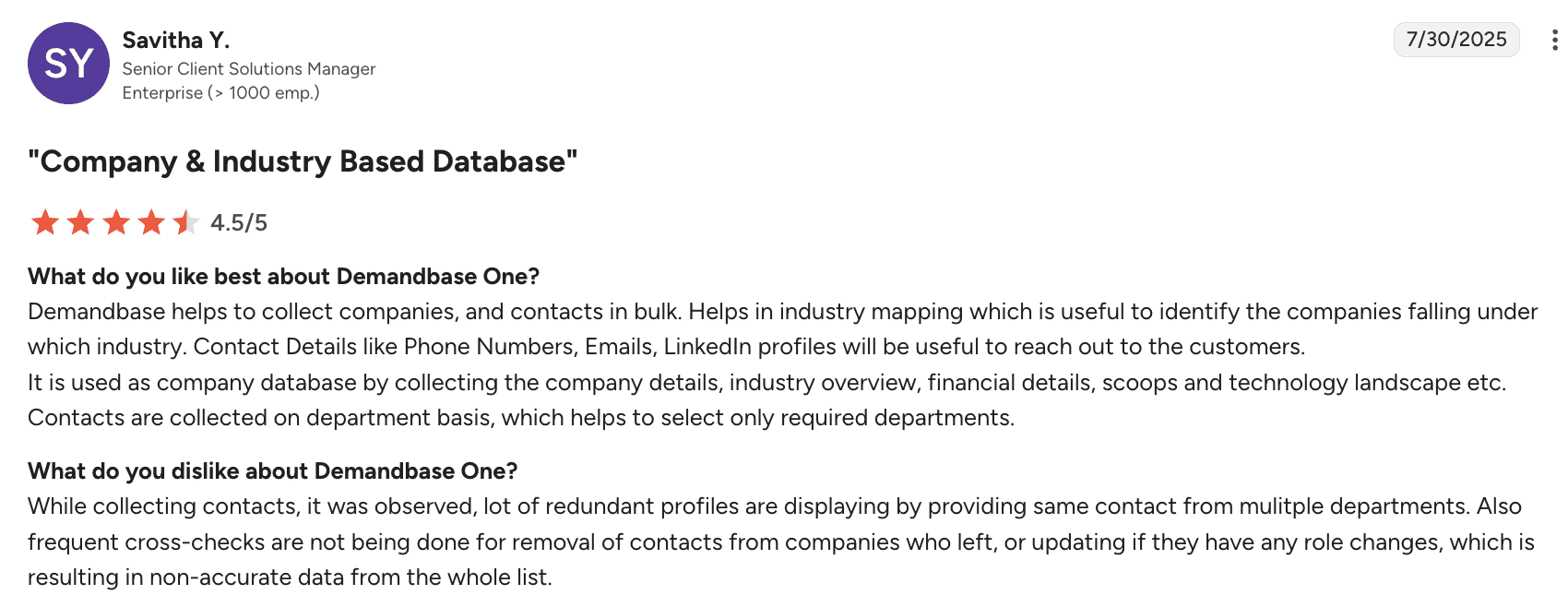
Users appreciate DemandBase for bulk data collection, industry mapping, and accessible contact details. Some, however, are dissatisfied with redundant profiles and data inaccuracies caused by insufficient updates.
My verdict:
DemandBase is much heavier to implement than some other apps. It seems, though, that once connected, enrichment ties directly into ABM workflows, which is a strength. I really appreciate enrichment-to-activation speed.
Yet, for me, the lack of transparent pricing is a huge downside. Though I know it’s common for enterprise-level tools.
-
Salesgenie by Data Axle
Best for: Solopreneurs or SMBs requiring local or industry-specific targeting.
Salesgenie’s rating on G2: 4.3/5
Pricing: from $99/month.
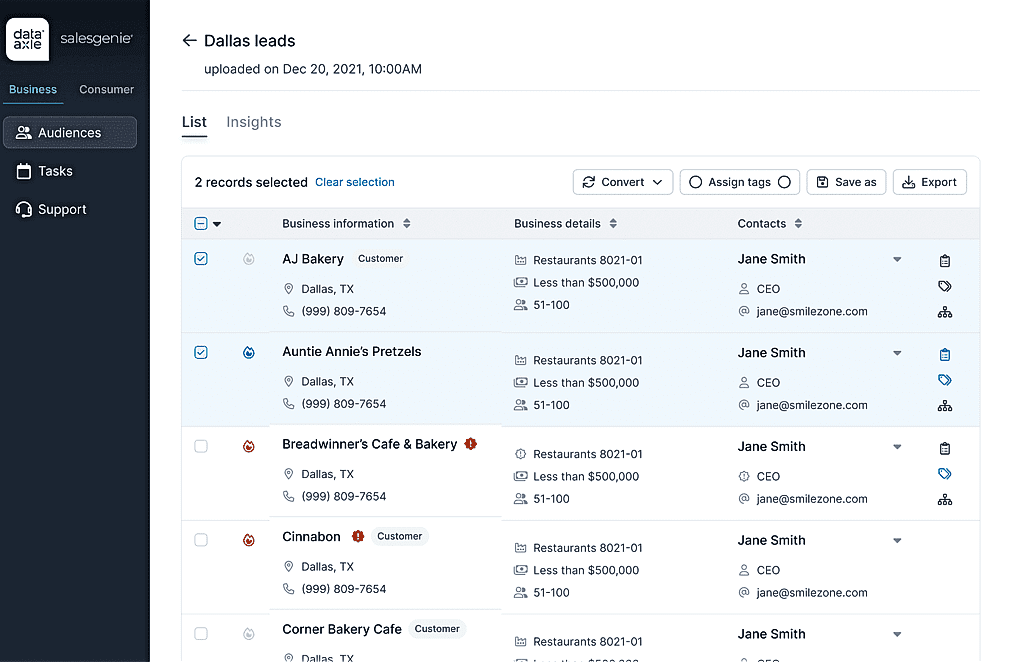
Salesgenie is an AI-powered lead-generation platform developed by Data Axle that helps users leverage extensive B2B data to launch effective outreach campaigns.
Salesgenie key data enrichment features:
- Light company and contact enrichment
- Firmographics with geo and industry filters
- Contact exports and simple API-enabled integrations
- Data hygiene services via Data Axle
Pros and cons:
| ✅ Pros | ❌ Cons |
|---|---|
|
|
What users say about Salesgenie:
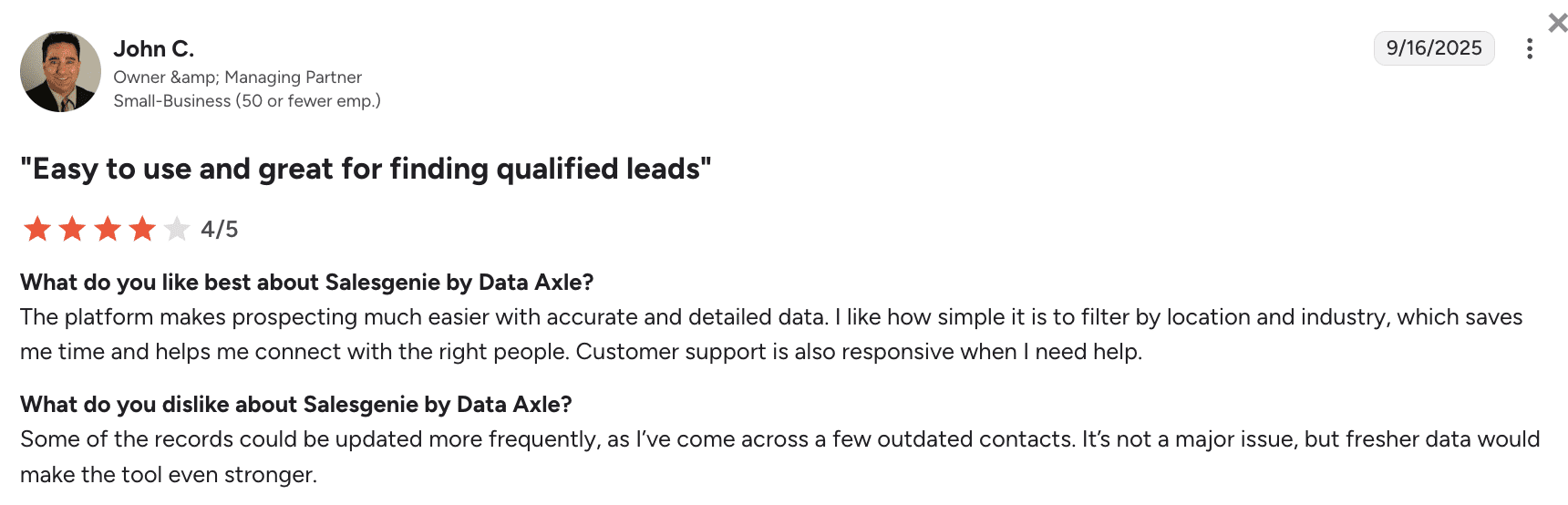
Customers appreciate Salesgenie for accurate data, easy filtering, plus responsive customer service. However, some users would like more frequent data updates to reduce occasional outdated contact information.
My verdict:
The setup is quick – a huge upside, as the platform is targeted toward non-tech users and small businesses without a large IT department. Plus, geo and industry filters make territory list building truly simple. Security is fine for list work, while customer support is quick and reliable.
As some users report outdated or limited contacts, plan for additional validation before outreach if you decide to use this tool. But frankly, given the price, this platform wouldn’t be my first choice.
-
Blue Mail Media
Best for: Sales or marketing teams of different sizes that need one-off list purchases with niche segments and custom selects.
Blue Mail Media’s rating on G2: 4.8/5
Pricing: custom, depending on various factors.
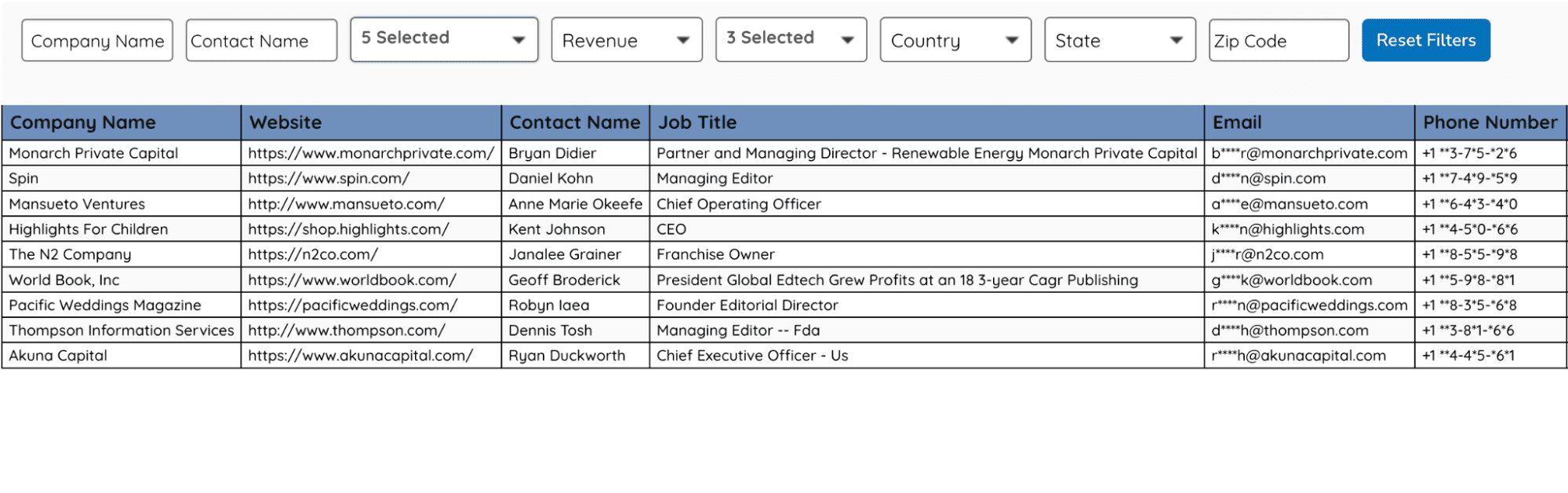
Blue Mail Media Inc. is a B2B data provider that literally sells custom B2B email lists depending on the prospect’s industry, location, role, market size, etc.
Blue Mail Media key data enrichment features:
- Custom B2B lists (targeted toward the particular industry, location, or job titles)
- Data cleansing services
- Marketing campaign launch support
Pros and cons:
| ✅ Pros | ❌ Cons |
|---|---|
|
|
What users say about Blue Mail Media:
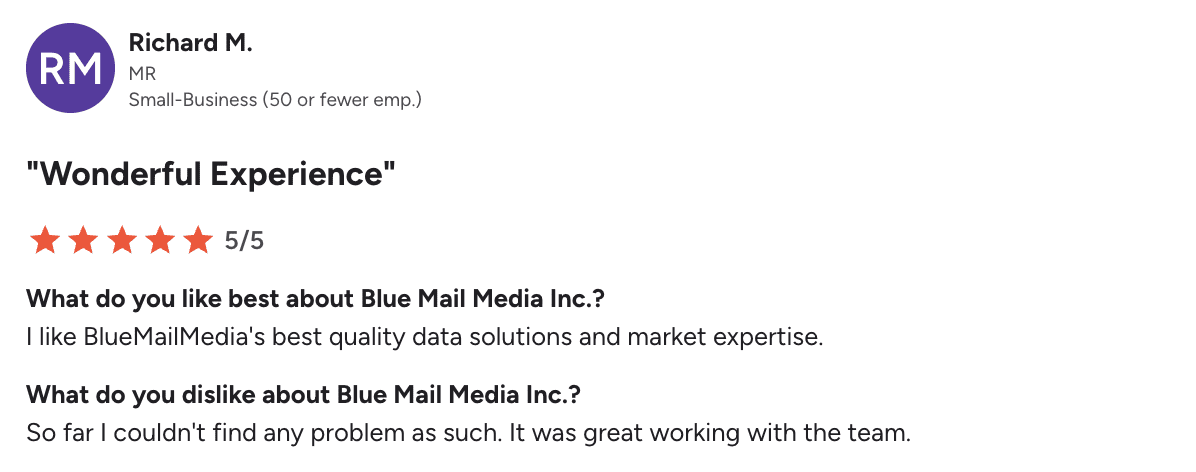
To be honest, I couldn’t find any fresh user reviews of Blue Mail Media on G2. The most recent one dates back to 2019.
My verdict:
Blue Mail Media is a research-and-import service, so I wouldn’t call it an enrichment tool in its pure sense. For me, a red flag is the absence of ongoing public reviews, which makes quality a bit of a luck-of-the-draw game. Thus, I recommend negotiating your contract very thoroughly when applying for their services.
It’s also worth verifying the data they provide before committing to a campaign. The good thing is – security is tied to your internal handling post-delivery. Overall, I think this option is mostly viable if you need very niche addresses for a one-time outreach.
Read this post to find out more about why buying email lists is not a good idea for your business.
Why do businesses need B2B data enrichment?
You can have thousands of contacts in your CRM, but if key fields are missing or outdated, that data can only take you so far. Your team is left making decisions with an incomplete picture, and that can have a real financial impact. More than 1 in 4 organizations estimate poor data quality costs them over $5 million a year.
Let’s look at what a reliable B2B data enrichment software brings to the table:
Fill the gaps in your CRM
People change jobs, companies evolve, and contact details become outdated. Chances are, you’ve come across CRM records that haven’t been updated in months or even years.
Data enrichment fills in gaps with current emails, job titles, company information, and other missing details, helping you keep existing records accurate and up-to-date.
Qualify leads better
A name and email don’t tell you much about whether a prospect is actually worth pursuing. Add details like industry, company size, revenue, role, and seniority, and you get a much clearer picture of their fit. From there, it’s also easier to compare prospects against your ICP and focus on the right ones.
Create more useful segments
Say you want to target marketing leaders at SaaS companies with 50–200 employees. Easy enough — if you actually have those fields in your CRM.
Enrichment gives you the data you need to build more specific segments. This is especially useful when choosing data enrichment tools for sales operations, where clean and consistent data needs to support multiple workflows.
Make personalization actually personal
We’ve all seen emails where personalization begins and ends with “Hi, {First Name}.” But does knowing someone’s name really make an email feel personal?
Enriched data gives you much more context to work with, including a prospect’s role and company, as well as their interests and technology stack.
Spend less time researching
You could look up every missing job title, company detail, and contact manually, of course. For a list of 20 prospects, that might even work. For 2,000? Probably not.
Enrichment handles much of that research automatically. And if you regularly process thousands of records, the fastest tools for bulk data enrichment can save your team even more time.
Make automation more reliable
As you automate more of your sales process, data quality becomes even more important. Scoring, routing, segmentation, personalization, and AI workflows all make decisions based on the information you feed them.
And getting that information right is already a challenge. According to IBM, 45% of business leaders cite data accuracy or bias as a leading barrier to scaling AI initiatives.
That’s where a reliable enrichment tool helps. It fills missing fields and keeps records current, giving your automated workflows better data.
The secret isn’t just in having data – it’s in having the right data that others overlook. Because while everyone else is fighting for attention with generic lists and recycled info, you’re wielding insights they don’t even know exist,
Outbound Outreach Expert at Snov.io

How to choose the right data enrichment tool
There are plenty of lead data enrichment tools to choose from, and I wouldn’t let database size make the decision for you. Here’s what I’d consider instead.
Check coverage for your ICP
Database size can be misleading. A provider may have millions of records but still return little data for your target market.
So when choosing the best data enrichment solutions for sales leads, check whether they can consistently find data for the regions, industries, company sizes, and roles in your ICP.
Compare the data you actually need
Next, think about what you’re actually trying to add. Emails and phone numbers? Company data? Technographics? Intent signals?
Make a list of the fields you use for qualification, segmentation, and personalization and compare tools against that.
Look at verification and quality controls
If email enrichment is important to you, check whether the provider verifies the addresses it finds. Otherwise, you risk adding invalid emails to your list, which means more bounces and potentially worse deliverability for future campaigns.
Check how it fits into your stack
Knowing how to enrich data is only half the job; think about what happens after enrichment. If the data needs to end up in your CRM or outreach tool, you don’t want to move it there manually all the time.
Check the native integrations, API, bulk enrichment, automation options, and rate limits you’ll actually need.
Work out the real cost
Credits can make 2 similarly priced plans very different in practice. Check what consumes credits, how much different data points cost, and what happens when you hit your limit.
Check compliance and security
Before connecting a data enrichment provider to your CRM, check how it sources, processes, and protects prospect data and whether it complies with relevant regulations, such as GDPR.
Test
Finally, put the tools to the test yourself. Use a free trial, run the same sample through each one, and compare the results.
Below, I’ll show you a simple way to approach testing.
How to test B2B data enrichment tools in one week
Once you’ve shortlisted a few tools, test them with the same data. I’d keep the process simple:
Days 1–2: Prepare your data
Create a sample of 50-100 prospects that reflects your usual target audience. Then decide which fields you want to enrich, such as emails, phone numbers, job titles, or company data, and use the same sample and criteria for every tool so the comparison is fair.
Days 2–3: Enrich your data
Run the same sample through each tool and compare the results. Check how many prospects were enriched, which fields were filled in, and how long it took.
Days 3–4: Check data quality
Now check whether the data you received is actually reliable. Pick a few enriched records and compare the key details against sources you trust.
Pay attention to:
- Coverage: How many prospects did the tool find data for?
- Accuracy: Was the data correct?
- Completeness: Did you get the fields you needed?
- Freshness: Was the information up to date?
For emails, watch bounce rates once you start using the data. The average across industries is around 2.33%, so a noticeably higher rate can signal data quality issues.
Days 5–6: Check the workflow and cost
Try sending the enriched data to your CRM or another tool you use.
Check that everything syncs correctly, with no duplicates or mapping issues. Then compare how much you paid against how much useful data each tool returned.
Day 7: Pick the winner
Put the results side-by-side and compare data quality, coverage, cost, integrations, and ease of use.
By now, you should have a pretty clear idea of which tool works best with your actual data.
Key takeaways: Which is the best data enrichment tool?
The choice depends on many factors: your company’s size, niche, budget, etc. I’ll crown my review with a quick recap of the best data enrichment solutions depending on your scenario:
- For all-in-one enrichment, email verification, and multichannel outreach, use Snov.io.
- To get programmable, multi-source enrichment and rules, implement Clay.
- If you’re running phone-heavy outbound in EMEA, Cognism is the best choice.
- For enterprise breadth and US dial coverage, look at ZoomInfo.
- For fast, accurate email enrichment for SMBs, turn to UpLead.
- For a simple B2B enrichment with a focus on contacts outside the US or UK, try ContactOut.
- If you need a non-sophisticated, budget-friendly tool, pay attention to Datanyze.
- If you’re using HubSpot and need real-time prospect updates, Clearbit fits best.
- For LinkedIn-centric prospecting and outreach, Kaspr or Lusha will help.
- To enhance your account-based marketing with data, get DemandBase.
- To employ AI filters and workflows in your prospecting, look no further than Apollo.
- If you’re building a list of local businesses, try Salesgenie by Data Axle.
- If you only need a one-off niche list purchase, contact Blue Mail Media.
And if you want to enrich a list and launch a campaign right away without wasting much time on testing, start with the Snov.io platform. You’ll find everything you need there (best features, security, data verification, APIs, integrations) without overpaying for an enterprise-level feature set.