This guide shows where to find your API User ID and API Secret, and how to use them to generate the access token for API authentication.
Where to find API credentials
How API authentication works
Get your API access token

Before you start. The APIs available to you and the rate limits depend on your plan:
1) A Sales Suite plan. The APIs are fully available on all Sales Suite plans.
2) LinkedIn Automation. To use APIs that involve the LinkedIn channel, also enable LinkedIn Automation.
3) Test access on a free plan. If you are on a free plan, you can request test access by emailing us at help@snov.io.
Snov.io tools are available through a REST API. You can find prospects, enrich their data, verify emails, run outreach campaigns, and get analytics, all through the API.
To start, you need your API credentials to authenticate your requests.
Where to find API credentials
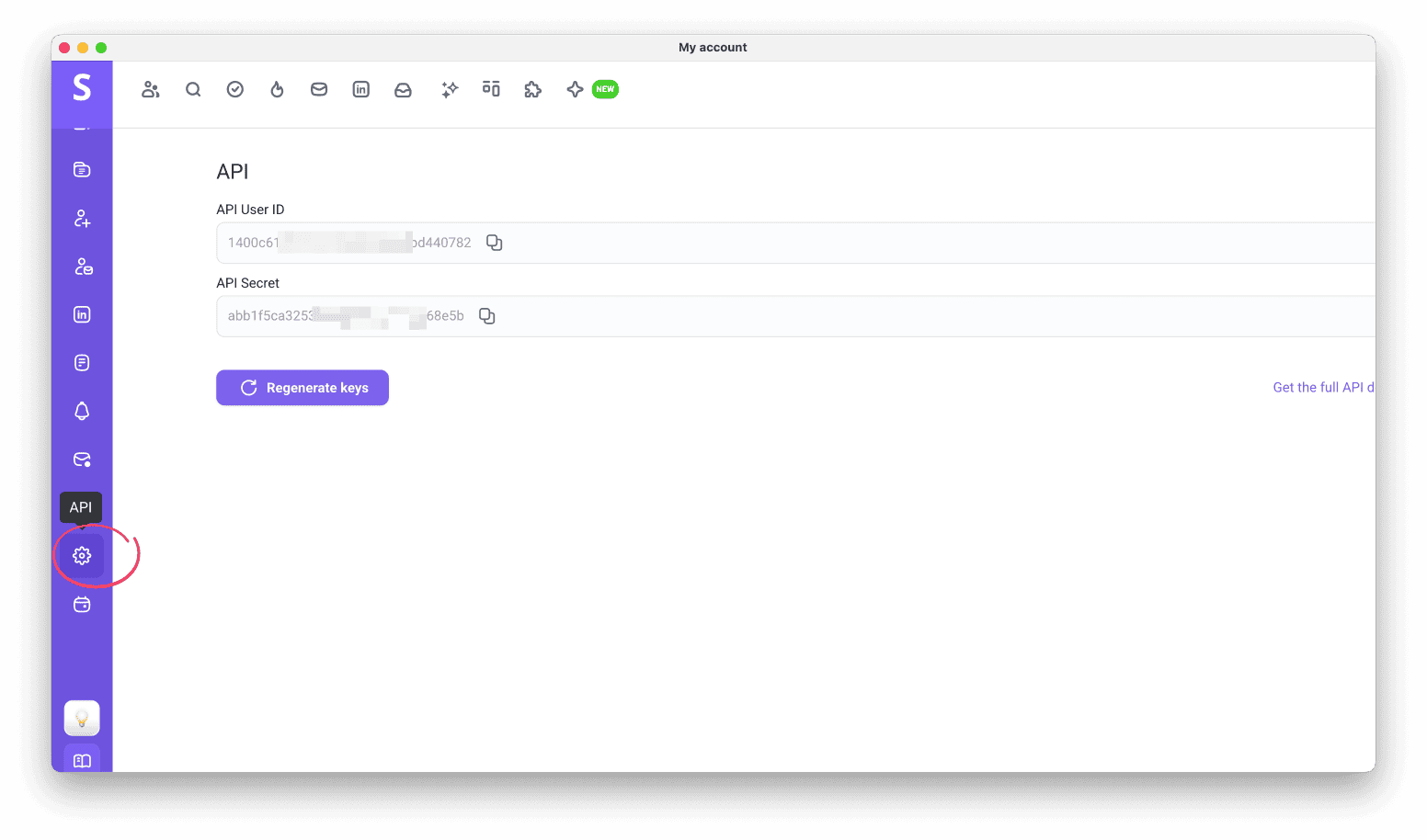
Open Account settings and select the API tab.
You get two values here: API User ID (used as the client_id) and API Secret (used as the client_secret).

How API authentication works
Your credentials tie API requests to your account.
You use your credentials to generate an API access token, which authorizes every request you send.
Get your API access token
Request a token
Send your client_id and client_secret to the following endpoint using the Authentication method, and get back an access token:
https://api.snov.io/v1/oauth/access_token
Use the token
Include the token in the Authorization field of every API request:
Authorization: Bearer YOUR_ACCESS_TOKEN
Refresh the token
The token lasts 1 hour (3600 seconds) as a security measure. When it expires, your integration needs to request a new one.
Use with Snov.io APIs
With a valid access token, you can work with Snov.io through the API:
- Prospecting: find emails, prospects, and companies from our database
- Enrichment: get more data from your inputs
- Email verification: check addresses for deliverability
- Outreach: launch and manage email and LinkedIn campaigns
- Reporting: track metrics and campaign performance
Related articles
Snov.io API documentation: request parameters and responses
How to use Snov.io API: list of APIs and available methods
How to integrate Snov.io with your existing tools: all native and no-code integration options


Sorry about that 😢
How can we improve it?