
TL;DR:
There are many ways to find someone’s phone number. Manual methods include Google lookup, browsing social media pages, checking company websites, and using online directories and people search engines.
Automated methods include dedicated phone number lookup tools that help you scale the process and enrich contact records with verified phone numbers more quickly.
Here are the top tools to consider:
Read the full article to explore each tool in detail and learn ways to verify phone numbers before call outreach.
Are cold calls dead? Not so fast. Teams still use phone conversations to create sales opportunities: according to Orum’s 2026 State of Sales Development, 44.6% of companies generate more than half of their total pipeline from calls.
But the results depend on more than just dialing. You need an accurate prospect list, a relevant offer, and a clear outreach strategy. The problem often starts with data quality. 76% of CRM users say that less than half of their contact data is accurate and complete.
Luckily, the right phone enrichment tool can fix this gap. In this article, we’ll uncover the best ways to find someone’s phone number and share effective lookup tools to build reliable call lists.

The best ways to find someone’s phone number
Here are simple and effective ways of looking for someone’s phone number:
- Look up someone’s phone number on Google
- Browse social pages
- Visit company websites
- Try reliable directories
- Use people search engines
- Try phone number lookup tools
Let’s explore each method to see how it works in practice.
Look up phone numbers on Google
Google is often one of the fastest ways to look up people’s phone numbers because it surfaces public profiles, company pages, old directory listings, and press mentions.
Although this method can be handy for queries like how to find someone’s phone number by name, it works best when you add additional information (e.g., your prospect’s job title, location, and so forth). The more details you provide, the better your chances of finding phone numbers of people you’re interested in.
Search for the person’s full name in quotation marks, adding any extra information you have. For example, try searches like “Name Surname” “Company” phone number, “Name Surname” “direct dial”, or “Name Surname” “location” “contact”.

You can also narrow your phone number lookup on Google by using advanced operators, for example, “site:company.com” or “filetype:pdf”.
For business contacts, a phone number may appear on a contact page, conference speaker bio, webinar page, or other business-related pages. If the person works in sales, recruitment, consulting, or financial services, there is a higher chance their number is publicly available.
⚠️ Always check whether the phone number found belongs to the right person, as many people may have the same first and last names. Also, verify whether it is a business number rather than an unrelated personal number.
Browse social pages
Social media platforms, including Facebook, Instagram, LinkedIn, and more, gather users’ phone numbers to enhance account security and facilitate online connections. Try searching for your prospects’ social media profiles.
Start with professional platforms like LinkedIn, then check X, Facebook, Instagram, and other platforms relevant to your prospect’s professional activity. To find a person’s phone number on social media, explore the “Contact info”, “About”, “Bio”, “Business details”, and similar sections.
Phone numbers on LinkedIn profiles are visible only when the person has chosen to share them. Still, you can gather valuable context there, such as company name, current role, website, or location, and use it for further research.
Please note that if you use social media profiles to find someone’s phone number for free, you should always separate publicly shared business information from private personal details. If a number appears in a private context, do not use it for unsolicited outreach.
💡 Expert tip:
You can also find prospects’ email addresses on LinkedIn.The best email finder tools let you collect contact details from profiles, company pages, search results, and other LinkedIn pages.
If you don’t want to rely only on cold calling, you can start with email outreach to warm up your leads. If you need phone numbers later, you can use gathered contact data in a phone number enrichment tool to find a more accurate dial or business phone number.
Visit company websites
Some companies provide direct contact numbers or departmental phone numbers for their staff. Therefore, thoroughly examine the targeted company’s website contact page. You can use features like click-to-call to dial a number directly from a website without wasting time on annoying copypasting.
How to find a phone number of a particular person within a company if the company only lists a general phone number? Call the operator and try asking around for the person you’re looking for.
💡 Expert tip:
Prepare before calling. Ensure you know the person’s full name, role, and department, and have a clear reason for contacting them. Instead of asking vaguely for “someone in marketing”, ask for a specific person or function. This way, you’re more likely to be routed correctly. Plus, such a clear request helps you avoid wasting the recipient’s time and maintain a professional image.
Try reliable directories
Specialized directories can be helpful for finding phone numbers, especially for local businesses, professionals, and U.S.-based contacts. Just be cautious, as not all of them are trustworthy. Among reliable directories are TruePeopleSearch, SpyDialer, and InfoTracer.
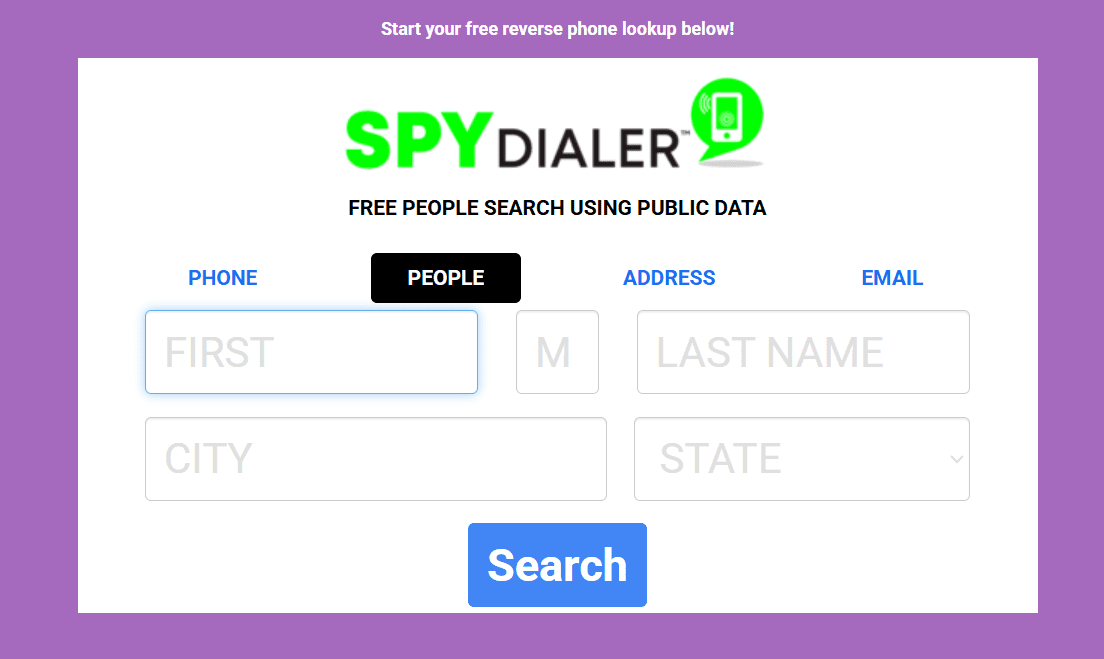
The biggest value of business directories is that they allow you to look up phone numbers for free. However, to receive accurate contact details, entering just a name may not be enough. You need to know at least the person’s full name, city, state, or address.
Online directories can also be useful if you are looking for how to find someone by phone number for free, as many of them offer reverse lookups.
💡 Expert tip:
Remember that directory data can be outdated. People change jobs, move cities, switch mobile carriers, and change cell phone numbers. That’s why I recommend treating directory results as a starting point and cross-checking the number against multiple sources before adding it to your CRM or calling.


Use people search engines
People search engines aggregate public records, directory listings, social links, address history, and sometimes phone numbers. They can be especially useful when you need to confirm identity or find publicly available contact details.
For example, people search engines like AnyWho provide phone numbers or find free virtual phone numbers for thousands of contacts. The extensive database of this search engine is updated weekly, and it allows you to find someone’s phone number free of charge.
These tools are usually better suited to consumer-style searches than to B2B outbound. People search engines may show personal phone numbers, relatives, or other private information that is not always appropriate for sales outreach.
That’s why it’s better to use these sources carefully when prospecting for business. If you use a people search engine to look up phone numbers, check its privacy notices, opt-out policy, data sources, and usage restrictions.
Try phone number lookup tools
Above were recommendations on how to find someone’s phone number for free. However, for B2B outreach, a dedicated phone number enrichment tool is usually a safer and more scalable option. Besides, with these special tools, you can get a phone number without wasting much time and resources.
Phone number lookup tools help you find a phone number by full name, company name, email address, LinkedIn profile, or another known data point. Phone enrichment platforms are especially practical for marketing and sales teams. They help professionals enrich CRM records, find verified mobile phone numbers, reveal direct dials, and discover other contact data.
📌 Key takeaway: Overall, there are two main ways to find someone’s number: manual research and automated phone number lookup. Manual research works well for one-off searches, but if you need phone numbers regularly or at scale, dedicated tools are a more efficient and reliable option.
Top 10 phone number finding tools
As said before, phone number lookup tools may be more suitable if you’re looking for a solution that lets you scale research and work with verified contact data. To help you navigate the market, we’ve selected the top 10 phone number finder tools worth considering:
Now, let’s take a closer look at each option to see how they work and help you choose the right platform to complement your workflow.
Snov.io
G2: ⭐ 4.5
Capterra: ⭐ 4.5
Snov.io is a lead generation and outreach platform that helps teams find verified contact data. Alongside email finder and verification tools, the tool offers Phone Number Enrichment for finding verified mobile numbers faster. Overall, Snov.io gives access to a database of 50M+ companies and 500M+ prospects for lead generation and prospecting.
Key enrichment and prospecting features:
- Phone number enrichment for prospect profiles
- Bulk phone enrichment
- B2B Lead Finder
- Built-in database of professional contacts
- AI database search
- Email Finder and Verifier
- Email Finder API
- LinkedIn prospecting workflows
- Chrome extensions for finding contact data from LinkedIn and other websites
- Bulk export to CSV
- Native integrations with popular CRMs
For teams that need more than just a phone number finder, Snov.io offers robust functionality to support a full outreach workflow — from building high-quality lead lists to contacting prospects and managing deals in a built-in CRM.
How to find someone’s number with Snov.io
Step 1: Add prospects to your list.
Start by adding prospects to your list in Snov.io using Finder tools, file import, or CRM sync. To find people’s phone numbers, make sure each profile includes at least one of the following data points:
- Full name + company name and domain
- Email address
- LinkedIn profile URL
If you’ve used Snov.io’s Finder tools to discover leads, you have nothing to worry about, as all prospects found this way already include the required data.
Step 2: Reveal the prospect’s phone number
Once your list is ready, click “Get number” next to the prospect you want to enrich, wait a few seconds, and you’re done.
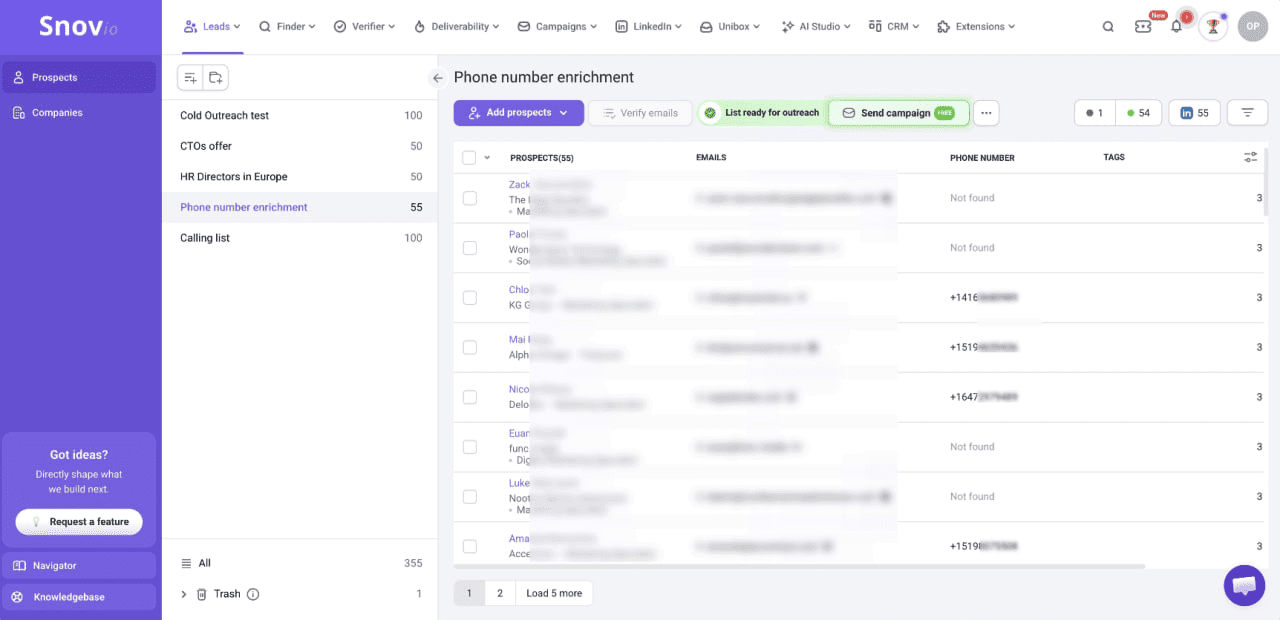
You can also use bulk phone enrichment in Snov.io to find verified numbers even faster. To do so, simply select the prospects you need or click the checkbox to select the entire list. Once found, numbers are saved in prospect profiles, so you can easily export them and sync data with your workflow for further outreach.
Pricing: Snov.io Phone Enrichment tool uses a token-based pricing model, starting from $20 per 1,000 tokens. One successful phone number reveal costs 10 tokens, so you pay only $0.20 for each verified number found. The platform also offers 50 free tokens to try enrichment.
📌 My verdict: Snov.io is best suited for sales, marketing, recruiting, and agency teams that need scalable prospecting and contact enrichment. If you’re looking for occasional reverse phone lookups for unknown callers, a consumer directory may be more suitable. But if your goal is business outreach, then Snov.io, with its advanced ICP filters, verified database, and easy CRM export, is a strong fit.
Snov.io helps us find the necessary lead info almost automatically: we push one button and find business contact details for a whole list of prospects. Since we started using this platform for outreach, we were able to contact 40% more leads and, as a result, our sales revenue has grown by 18%.
Automation & Customer Success Specialist at SpotOn

RevDriver
Chrome web store rating: ⭐ 4.9 from 22 ratings
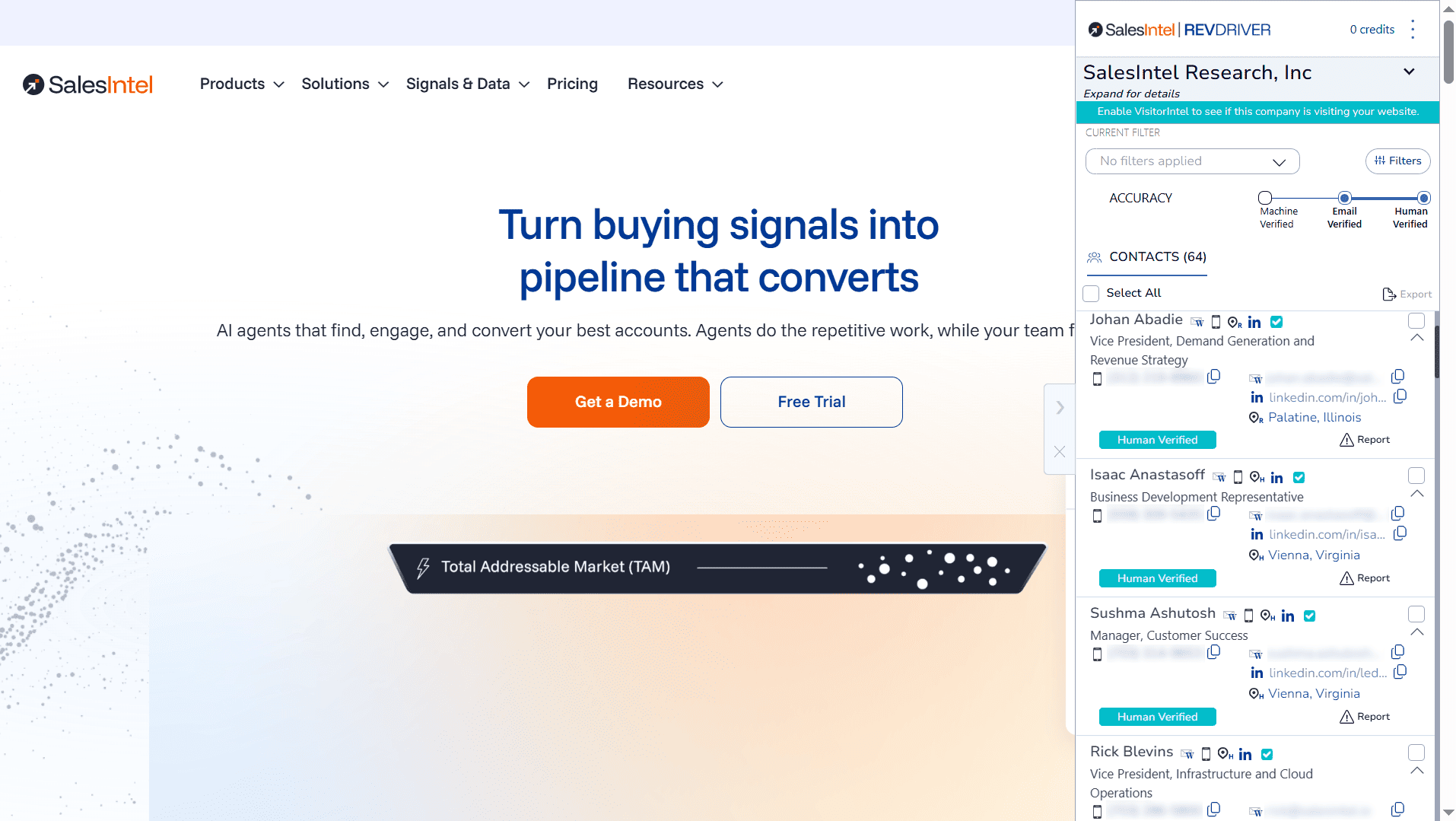
RevDriver is a Google Chrome extension that supports sales prospecting by revealing verified and up-to-date direct dials and phone numbers. It also provides access to other contact information, such as email addresses and company data, including firmographics and technographics for businesses.
Key features:
- Chrome extension for LinkedIn and company websites
- Direct dial discovery
- Email address finding
- Company and firmographic data
- SalesIntel human-verified data
Beyond LinkedIn profile pages, you can also apply RevDriver on LinkedIn Recruiter and Sales Navigator surfaces. You can also use it in Salesforce, HubSpot, and Salesloft to enrich your contact records while working in those platforms.
How to look up phone numbers with RevDriver
Start by installing RevDriver, then visit any LinkedIn profile or company website to find phone numbers for your target prospects. You can also identify key decision-makers and influencers and collect their contact information while refining your search using filters such as title, name, job level, etc.
Pricing: RevDriver is a free Chrome extension powered by SalesIntel, but full access to contact data and credits for phone number reveals requires a paid SalesIntel plan with custom pricing.
📌 My verdict: RevDriver is useful for account-based prospecting, allowing sales reps to reveal contact details while browsing. It is especially relevant to teams already using SalesIntel, as it enhances the platform’s value for day-to-day prospecting. However, if you’re only looking for phone number enrichment to complement your outreach workflow, switching to a premium SalesIntel plan for one feature may feel too costly.
Wiza
G2: ⭐ 4.5
Capterra: ⭐ 4.3
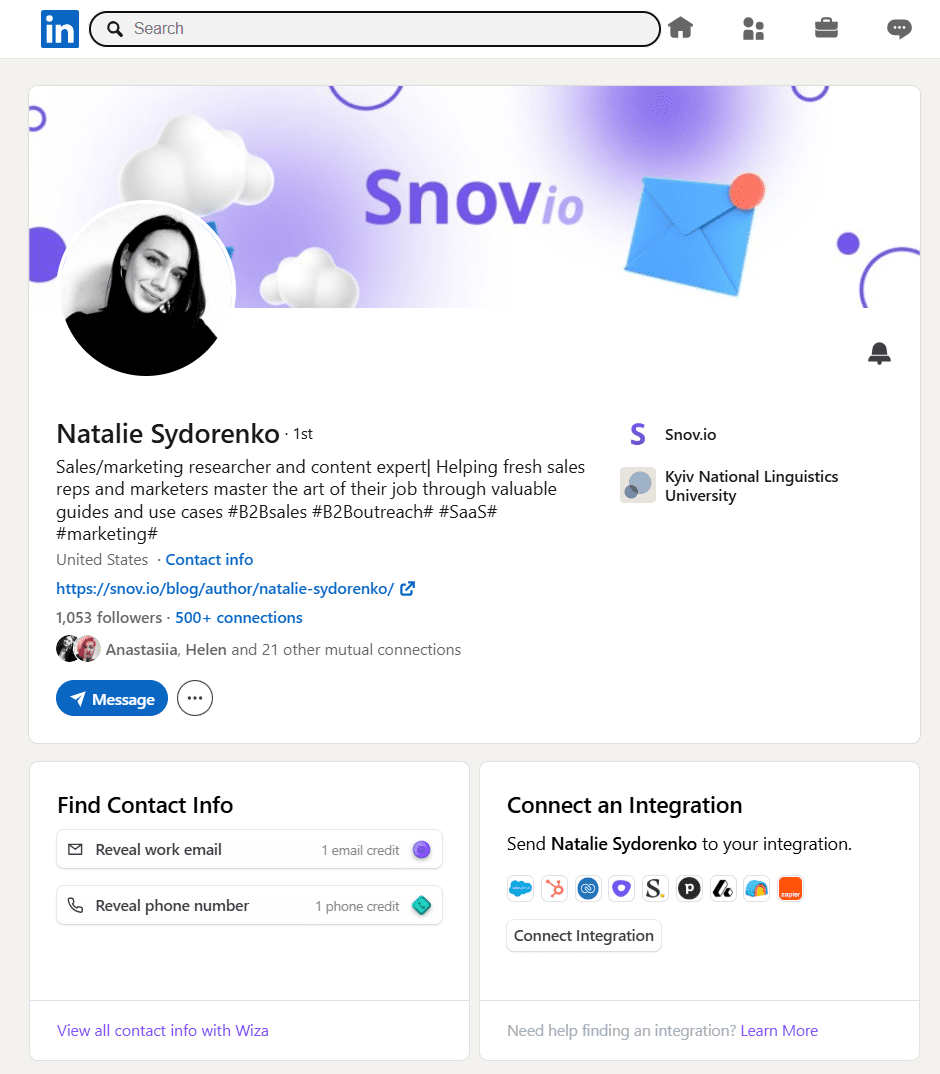
Wiza is a prospecting tool that offers a free Chrome extension for collecting verified phone numbers from LinkedIn. In addition to mobile and landline numbers, it provides company data and email addresses, both work and personal, with real-time verification.
Key features:
- LinkedIn and Sales Navigator enrichment
- Chrome extension for LinkedIn prospecting
- Email and phone number discovery
- Bulk export to CSV
- Real-time email verification
- CRM integrations
Wiza also provides a built-in database of LinkedIn leads called Wiza Prospect, where you can find prospects using various filters and reveal contact information right in the app.
How to look up people’s phone numbers with Wiza
To find someone’s phone number with Wiza, install its Chrome extension and navigate to the LinkedIn profile you want to enrich. You’ll see an extra block beneath their LinkedIn profile card; click “Reveal phone number” in this block to discover available contact details.
Alternatively, you can create an account in the Wiza app and go to the Prospect tab to search for LinkedIn leads there. Once you find a person you’re interested in, click “Reveal phone number” to get their contact information.
Pricing: The Starter plan costs $49/month and includes 100 phone number lookups. Each additional phone number credit costs $0.35. Wiza also offers 5 phone number lookups per month on its free plan, with no option to purchase extra credits.
📌 My verdict: Wiza works best when you already know who you want to contact and need a fast way to enrich LinkedIn leads with contact details. The main limitation is that Wiza is strongly tied to LinkedIn-based prospecting workflows. So if your team prospects from many different sources, you may need an additional phone enrichment tool.
SalesIntel
G2: ⭐ 4.3
Capterra: ⭐ 4.3
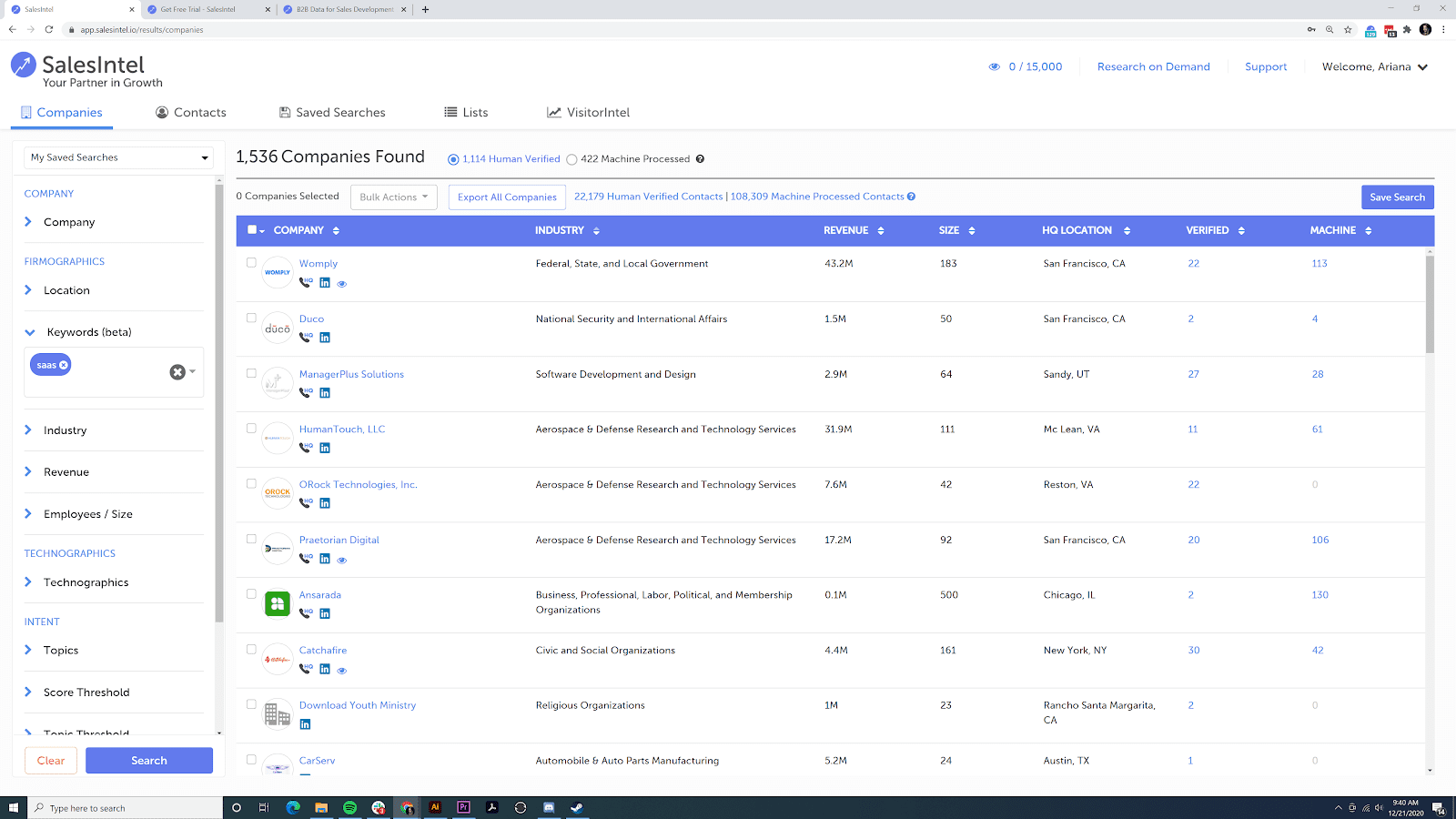
SalesIntel is a B2B data and sales intelligence platform that offers human-verified B2B contact data, including mobile numbers and direct dials. It also provides in-depth insights into target audiences through company data. Compared to SalesIntel competitors, this platform is more of a full sales intelligence solution rather than a self-serve phone lookup tool.
Key features:
- Human-verified direct dials and mobile numbers
- Work email discovery
- Company and firmographic data
- Technographic insights
- Buyer intent data
- CRM integrations
SalesIntel focuses strongly on data accuracy, using human researcher verification to maintain accurate results. The platform also offers on-demand research to find and validate specific prospects. This makes it especially helpful for niche B2B markets, for example, data warehousing consulting services, where sales teams often need to reach technical decision-makers or operations executives directly.
How to find someone’s number with SalesIntel
To find someone’s phone number, search directly on the platform for a prospect or company you’re interested in. Open the contact profile to reveal available direct dials or mobile numbers. You can also use the RevDriver Chrome extension described above to discover phone numbers while browsing LinkedIn or company websites.
Pricing: SalesIntel uses custom pricing available after a demo with its sales team. So, the cost of phone number lookup depends on your plan, data needs, and contact credits.
📌 My verdict: SalesIntel is a strong option for mid-market and enterprise-level teams that prioritize human-verified B2B contact data and account intelligence. However, if you don’t need its broader sales intelligence functionality, paying for a full custom-priced plan to reveal phone numbers for outreach may be too costly, especially for small businesses and startups.
BeenVerified
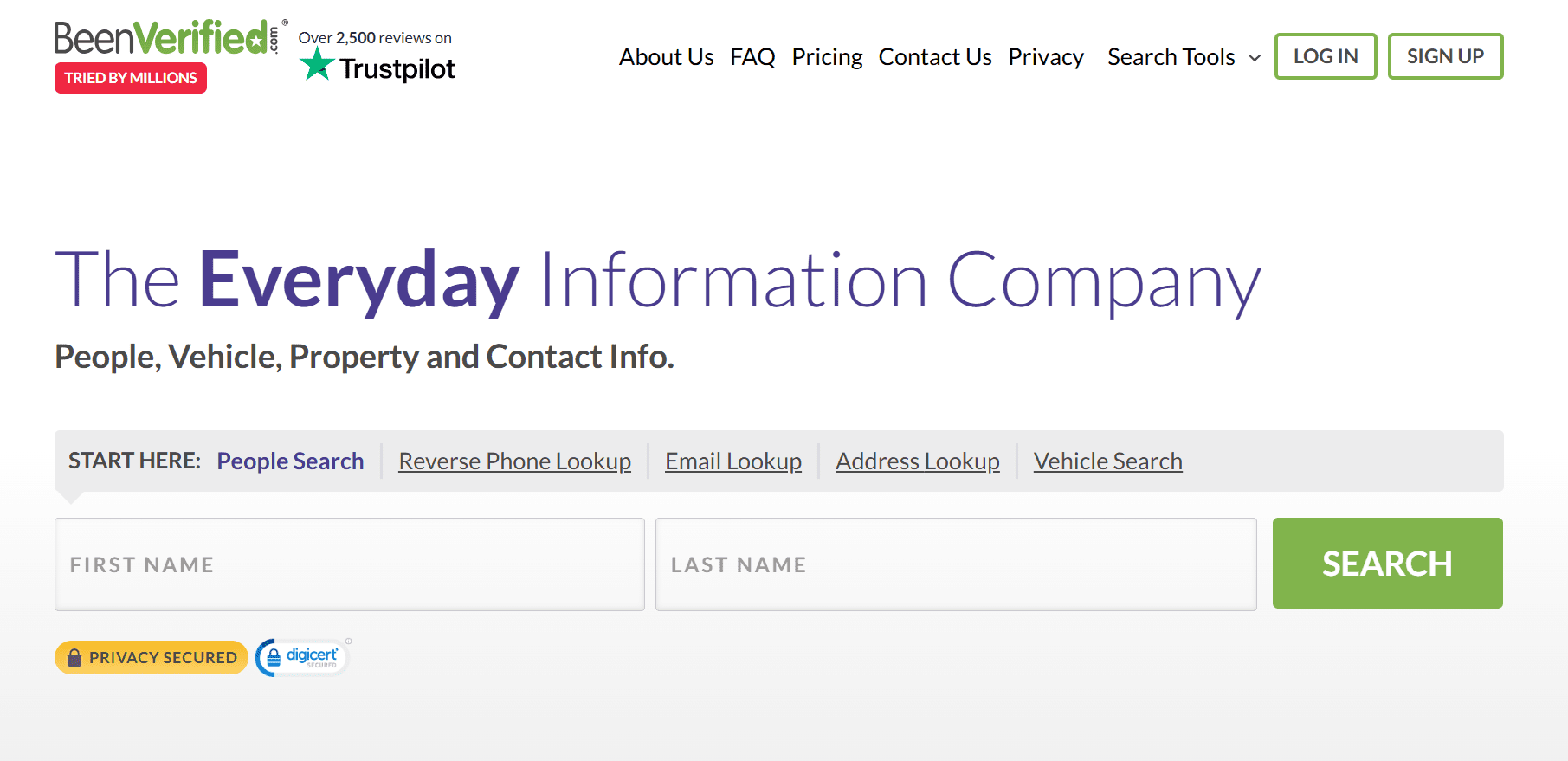
BeenVerified is a people search and public records tool that supports both standard and reverse phone number lookups. It helps users search by name, phone number, email, property address, or vehicle details. The platform can also help find phone numbers and other contact information by searching social media usernames.
Key features:
- People search
- Reverse phone lookup
- Email lookup
- Address lookup
- Vehicle lookup
- Public records aggregation
BeenVerified can be useful if you need to identify an unknown caller, reconnect with someone, or check public information tied to a person. The platform provides background-style reports that include contact information, links to social media accounts, and other available details.
How to find people’s phone numbers by name with BeenVerified
To find someone’s phone number by name, open the People Search tab on the BeenVerified platform and enter the person’s name in the search bar. The platform will ask you for additional information, such as city, state, or age range, in subsequent steps, and then start searching public records and various social platforms to find contact data.
After running the search, the tool will generate a report that may include available phone numbers, email addresses, social media links, address history, and other details found.
You can also use BeenVerified for reverse phone lookup. If you already have a number, enter it in the search bar under the “Reverse Phone Lookup” tab, then click “Search” to find the owner and see related public information.
Pricing: BeenVerified is a subscription-based platform, and the price depends on the membership term. One-month membership costs $36.89/month. All membership types are limited to 100 search reports per month.
📌 My verdict: If you’re looking for how to find someone’s phone number with their name, this option may be handy. However, BeenVerified is more of a consumer people-search platform than an outbound prospecting tool. As a public record tool, it can return personal data that may not be suitable for B2B outreach. So if your goal is to call business prospects, consider a dedicated B2B phone enrichment tool to maintain compliance.

Whitepages
Whitepages is a people search and reverse phone lookup directory that offers online people searches, background checks, and a tenant screening tool. It can help users find names, phone numbers, addresses, and caller information from public and directory-based sources.
Key features:
- People search
- Reverse phone lookup
- Address lookup
- Caller identification
- Premium contact lookups
- Background reports
While it mainly works to find people in the US, Whitepages helps find landline and cell phone numbers. The tool also provides reverse phone lookup, where you can find out who a phone number belongs to, their location, name, and maybe associated businesses.
How to search for someone’s phone number with Whitepages
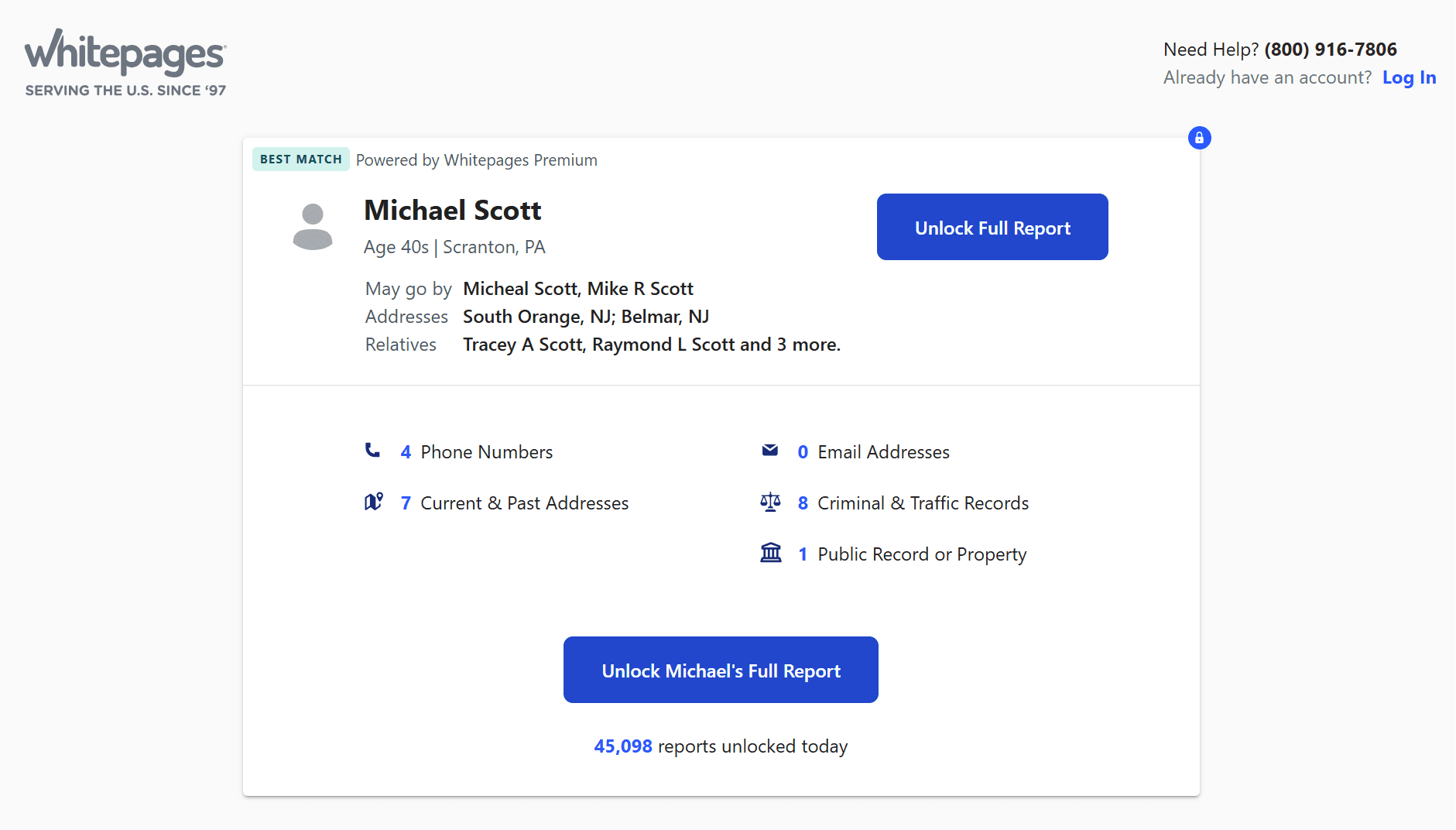
Click on the People Search tab above the Whitepages search box, then enter the first and last names of the person whose phone number you’re searching for. For a more refined search, include also the person’s zip code, city, or state. If you don’t know where they’re located, you can leave the location space blank.
Click on the search button and go through the search results. Select the search result that best matches the person you’re interested in and unlock the full report to find the person’s phone number.
Pricing: The Basic plan starts at $5.99/month and includes 20 contact information lookups.
📌 My verdict: Whitepages is a practical option for US-based people searches, reverse phone lookups, and occasional checks of publicly listed landline or cell phone numbers. However, this platform isn’t designed for B2B prospecting, as it doesn’t offer bulk enrichment, CRM integrations, and other features needed to build outreach lists. Plus, Whitepages is mainly focused on US records, making this tool less useful for international prospecting.
ZabaSearch
ZabaSearch is a free US-based database that includes publicly available information about people and their connections. Its search results include phone numbers and addresses from American public records.
Key features:
- Free people search
- Name-based lookup
- Reverse phone lookup
- Address-based search
ZabaSearch can also be used for reverse phone lookup, where you can search a phone number to find the address, name, and geographic information that match it.
How to find someone’s phone number for free with ZabaSearch
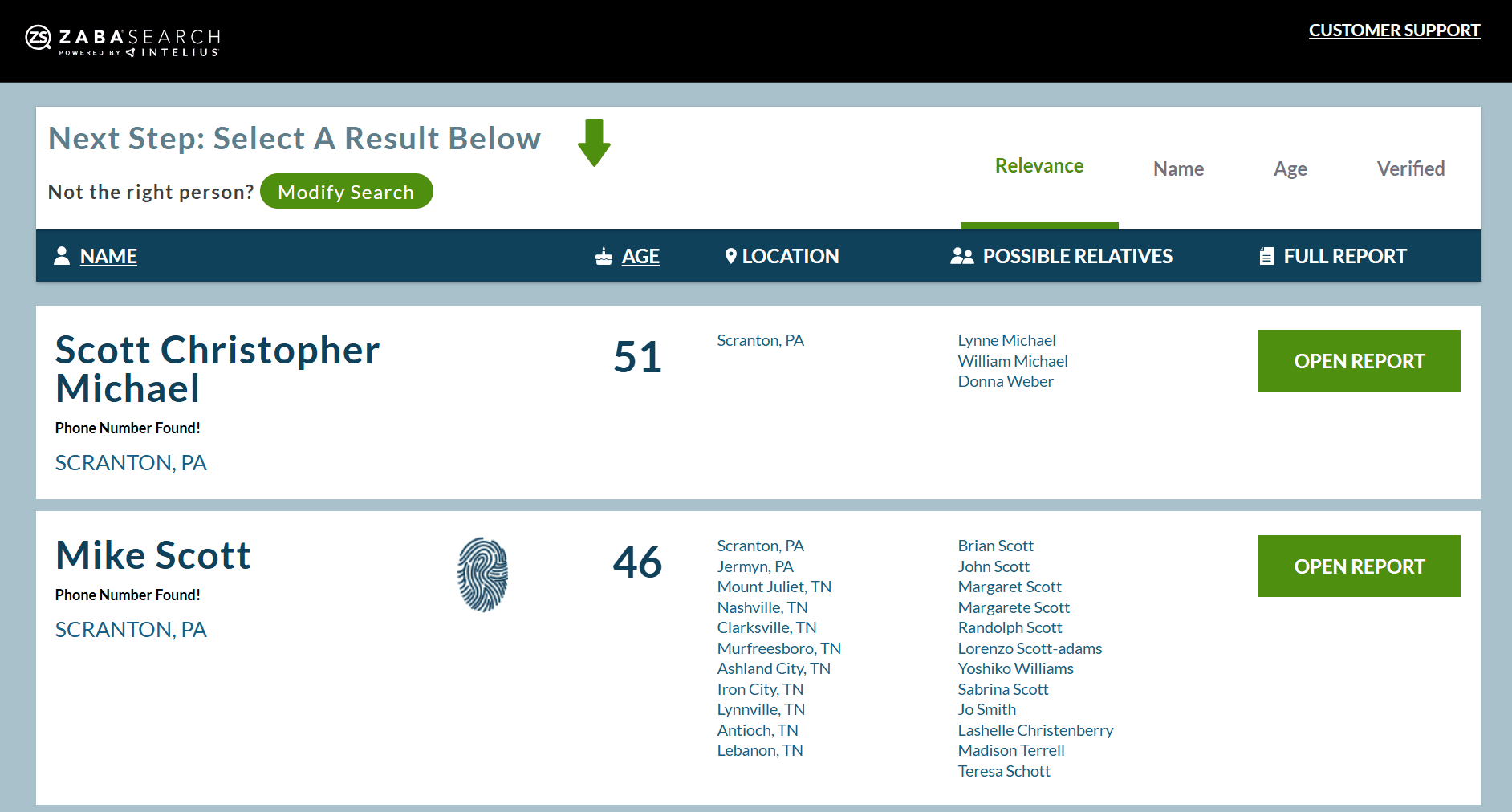
To find someone’s phone number with ZabaSearch, enter the person’s first and last names in the search bar and click “Search”. You can also specify the city and state if you know them. Once the search process starts, the platform may ask you for additional details and provide a form to refine the results.
Once the results are ready, go through the list and select the profile that best matches the person you’re looking for. Please note that ZabaSearch shows basic public information for free, but deeper reports with extended contact details, including phone numbers, may be available only through paid partner services.
Pricing: Basic searches are free, but not always include phone numbers. Expanded reports are often redirected to paid third-party providers.
📌 My verdict: ZabaSearch can be a useful starting point for quick people searches, or if you look for how to find someone by phone number for free. However, its results are limited, and deeper results are usually redirected to paid partner services. Also, since ZabaSearch lacks verified direct dials and bulk enrichment, it may serve as a supplementary source for B2B outreach rather than a complete phone enrichment tool.
AnyWho
AnyWho is a people and business search tool that can be used to generate local leads in the US. This phone number lookup solution can also be used to find the owner of a phone number using a white pages reverse lookup.
Key features:
- Free people search
- Reverse phone lookup
- Email-based search
- Public directory records
- Address search
- Caller identification
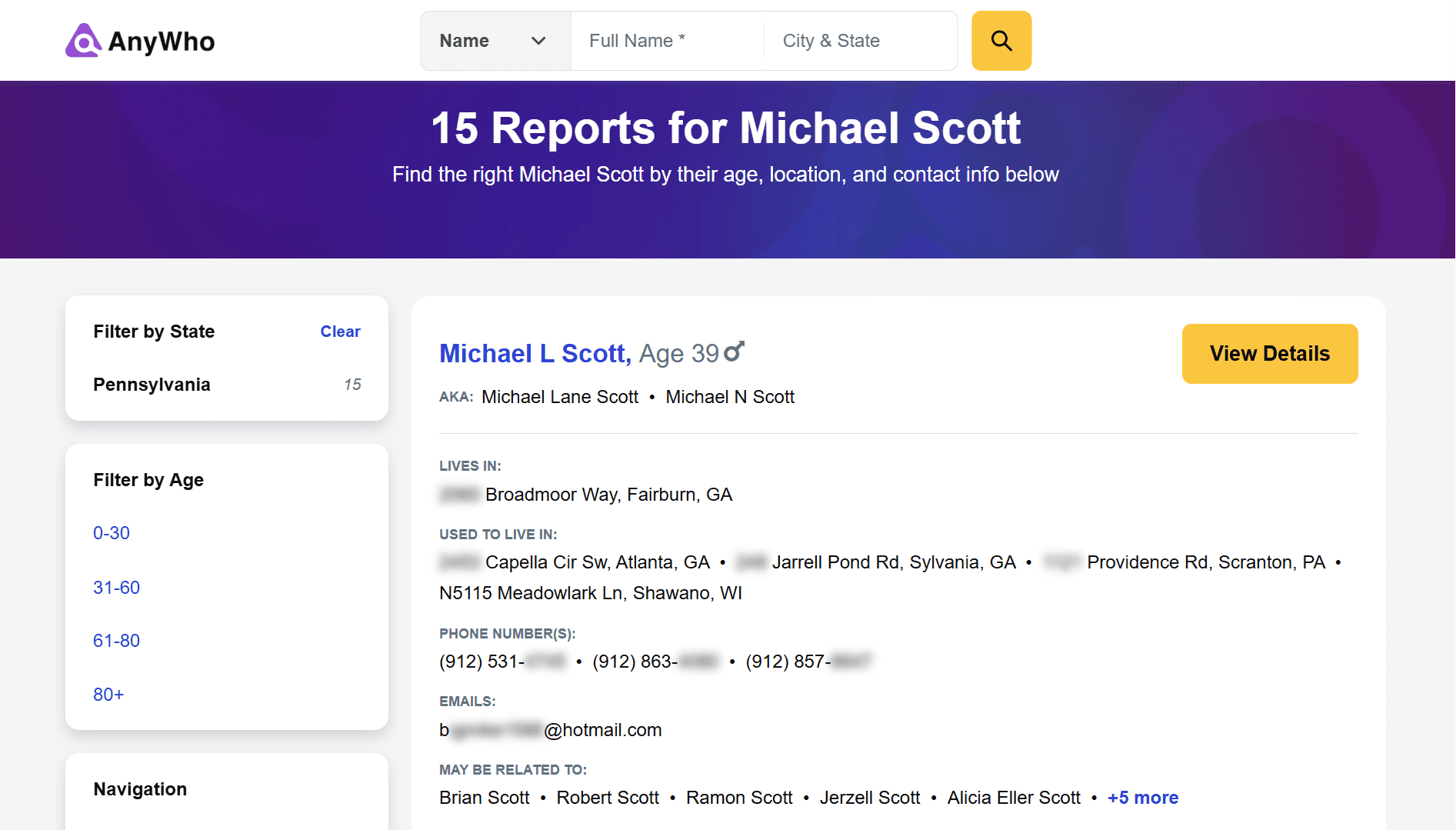
AnyWho provides access to basic residential and business directory records, including names, addresses, and available phone numbers. The platform organizes available information into profile reports with separate sections for contact details, social media links and usernames, address history, and related public data.
How to look up phone numbers with AnyWho
To search for someone’s phone number, enter the person’s first and last name in the search bar and add their city and state if you know them. Then click “Search” and wait while the platform scans available public records. Once the list is ready, select the profile that best fits the person you’re looking for, then click “View Details” to see the available information.
The report may include phone numbers, email addresses, social media profiles, address history, and other sections. However, contact information itself is usually hidden, so you need to click “Unlock Phone Numbers” for the platform to run an additional check and provide the details.
Please note that this lookup may take more than 10 minutes, and you’ll need to provide your full name and email address to access the information. The platform may also require payment for the final report, as results may be provided through partner services such as Spokeo.
For reverse phone lookup, select the phone search option, enter a 10-digit phone number, and run the search to check whether AnyWho can show the owner’s name, location, or related public information.
Pricing: AnyWho offers free basic searches, but full phone number reports may require paid access through partner services. In my test, the final report was offered for $0.95.
📌 My verdict: AnyWho can be useful as an additional research step when you want to check public information tied to a person, phone number, email, or address. However, I wouldn’t rely on it as a primary phone number finder, as pricing and results depend on the partner report flow. Since deeper public records and detailed phone lookups are routed to AnyWho’s paid partners, this tool is better for quick, extra checks than for day-to-day prospecting.
Lusha
G2: ⭐ 4.3
Capterra: ⭐ 4.0
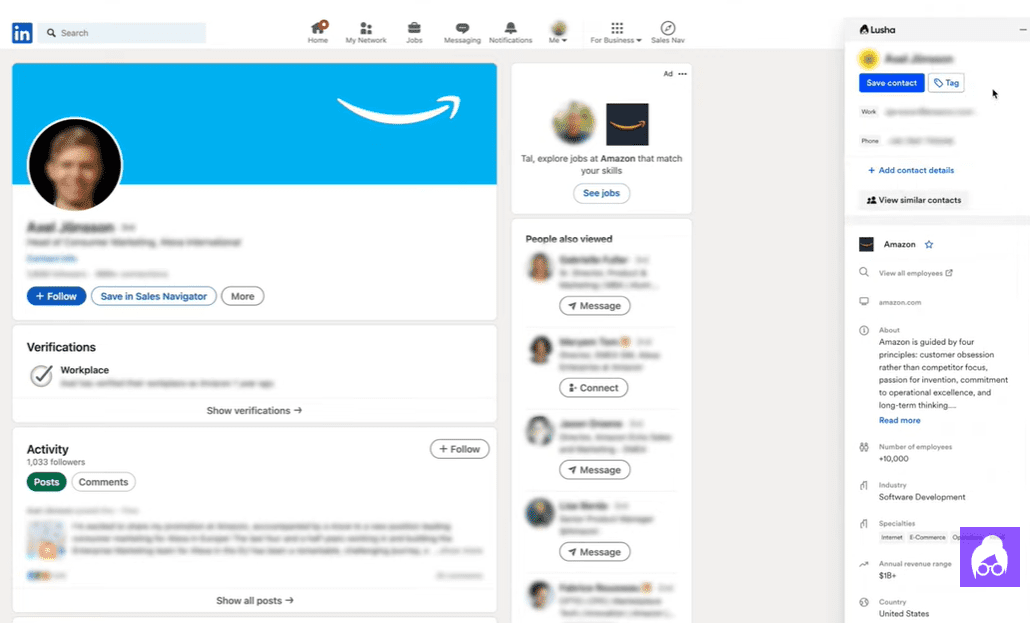
Lusha is a B2B contact data solution that helps teams find verified email addresses, phone numbers, and company data. The platform offers an internal prospecting database with filtering options and AI-powered search, as well as a browser extension to find contact details on LinkedIn, company websites, and CRM pages.
Key features:
- Mobile and direct phone number reveal
- B2B contact and company search
- Work email discovery
- Browser extension for Chrome and Edge
- CSV export
Lusha provides global B2B phone coverage, including mobile numbers, direct dials, and other available contact details. The platform also offers lightweight email outreach functionality that lets users move found prospects into sequences.
How to search for someone’s phone number with Lusha
There are two ways to look up people’s phone numbers with Lusha: inside the platform and via browser extension. To use its database, go to the prospecting section and apply filters to narrow your search. Once you find a relevant prospect, click “Show” to reveal contact details.
Alternatively, install the Lusha extension and open a LinkedIn profile, Sales Navigator page, or company website. Click the Lusha icon to open the extension panel, reveal the desired contact details with the “Show contact” button, and save them to your list.
Pricing: Lusha offers 40 credits per month on its free plan. One contact phone number costs 5 credits. Paid plans start at $49.90/month with 400 credits included, so the price per phone number is $0.62.
📌 My verdict: Lusha is a solid option for sales, marketing, and recruiting teams because it helps teams quickly find verified phone numbers from various sources and offers a built-in B2B database. Its basic paid plan may be enough for light prospecting needs, but if your team relies heavily on outbound calling, Lusha’s credit-based model can become expensive at scale. In this case, Snov.io may be a more cost-effective solution, with $0.20 per verified phone number.
💎 To make phone outreach work, you need more than a list of phone numbers. Watch the Snov.io webinar where sales experts share how to build a modern cold calling system that consistently creates sales conversations.
RocketReach
G2: ⭐ 4.4
Capterra: ⭐ 4.1
RocketReach is a sales intelligence platform that helps users find verified emails, phone numbers, and social media profiles for B2B professionals and companies. The solution provides access to a B2B contact database with advanced search filters to identify target decision-makers.
Key features:
- Email and phone number lookup
- Mobile and direct phone number reveal
- Browser extension for LinkedIn and web prospecting
- Built-in database of contacts and companies
- API access
- CRM integrations
RocketReach provides a browser extension for phone number and email address lookups on LinkedIn and company websites. The platform also offers email sequence features and supports integrations with CRM and sales tools.
How to find people’s phone numbers with RocketReach
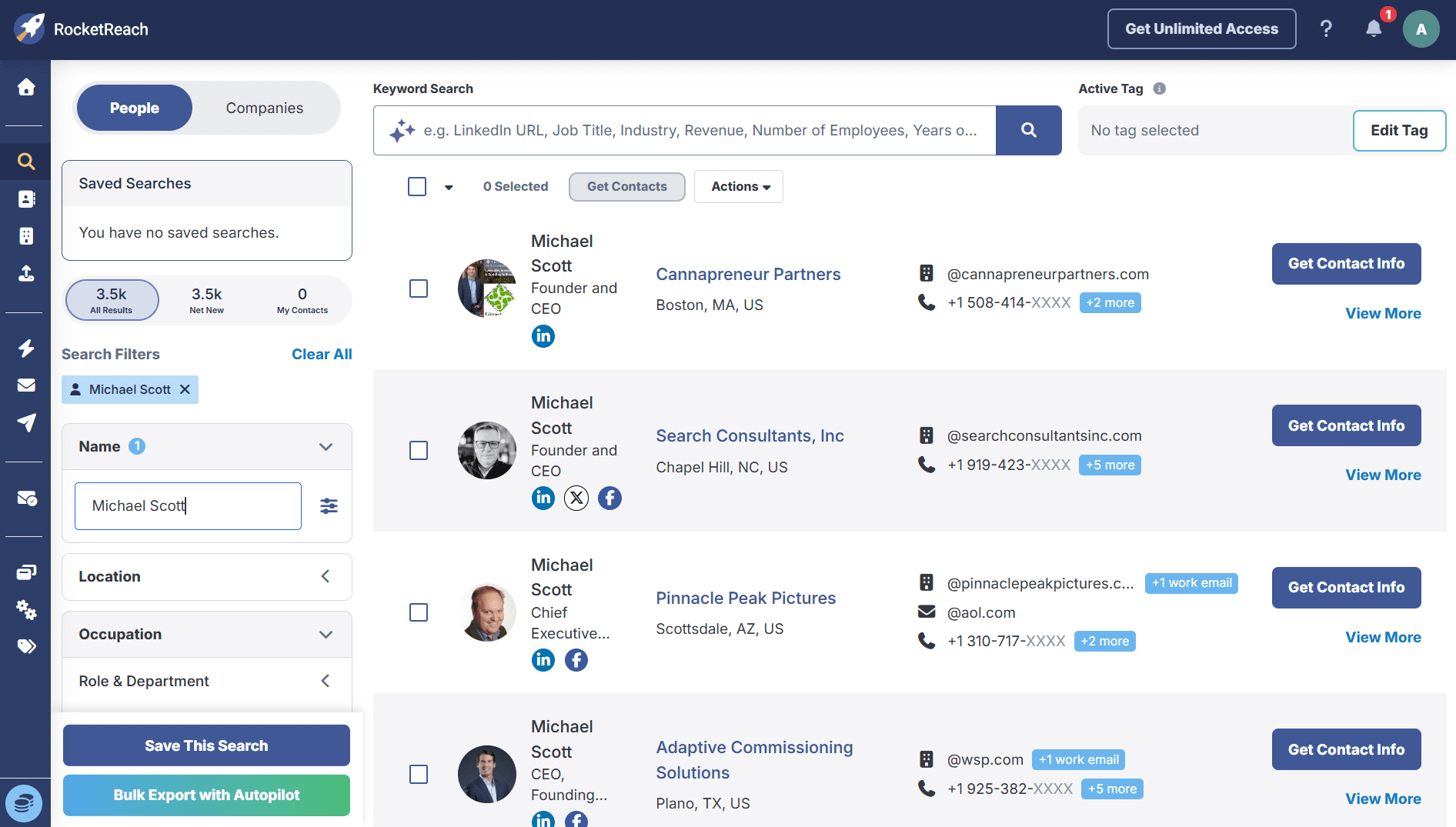
To search for phone numbers in the RocketReach platform, go to the Search tab and use available filters to find the person or company you’re interested in. Then click “Get Contact info” to save the contact details to your list. RocketReach can show mobile and direct phone numbers along with email addresses, company, location, and social links.
You can also use the RocketReach extension while browsing LinkedIn, company websites, or other supported pages. Simply open the extension panel on a prospect or company page to view available contact details and save them to your list. For bulk lookups, click “Add All Contacts”.
Pricing: Phone number reveals are available only on the RocketReach Pro and Ultimate plans. The Pro plan starts at $79/month for 250 lookups.
📌 My verdict: RocketReach is a strong fit for sales teams and recruiters who need a broad B2B database of verified contacts and browser-based phone number lookup. However, phone number discovery is available only on higher paid plans, which may be pricey if you only want to use this platform for simple phone enrichment.
How to verify a phone number before outreach
The phone number you found isn’t always ready for outreach. Before adding it to your call sequence, it’s crucial to ensure the number is valid, up to date, and still belongs to the person you want to contact.
Here are several ways to verify a phone number before outreach:
✅ Check the phone number format: Make sure the number has the correct country code, area code, and length. This is especially important for international outreach, where incorrect formatting can lead to failed calls. If your team works with prospects worldwide, use E.164 format so your dialer, CRM, and other tools process numbers consistently.
✅ Validate the line type: Use phone validators to check whether the phone number is active. These services can also indicate whether the number is mobile, landline, VoIP, or toll-free, which can make a difference for outreach and compliance. For B2B sales, a direct dial or verified mobile number is usually more useful but may also require stricter compliance.
It’s important to validate phone numbers found in public sources before using them for outreach, as public records may be outdated or linked to the wrong person. We usually verify phone numbers with phone validation services such as Twilio, Telesign, or HLR Lookup. Then, we check the actual connect rate via calls because the number may be valid, but may no longer belong to the right person.
Outbound Outreach Expert at Snov.io

✅ Cross-check the number with public sources: Look for the phone number on the prospect’s company website, LinkedIn, Google results, or other related public pages. If the same number appears across several relevant sources, it’s a stronger signal that the contact data is accurate.
✅ Check the prospect’s current role and company: Before reaching out, verify that the prospect’s current position, company, and location match the information in your contact list. For the most up-to-date details, I recommend checking the prospect’s LinkedIn profile and recent online mentions to be more certain that the number leads to the right person.
To keep your phone database accurate and up to date, I also recommend updating your CRM after every call. Add clear statuses for each number, such as “verified”, “unverified”, “wrong number”, “needs review”, and so on, and ask your reps to update records, too. This way, you can improve your database over time and avoid calling the same bad numbers again.
Key takeaways
Finding phone numbers is not an easy task. Having said that, you can speed up the process and make it less challenging with the help of the ten tools explained above. To wrap up, here are a few things to remember:
- Public sources like Google, social media, company websites, directories, and people search engines can help with one-off searches, while phone lookup tools are better for scale.
- Dedicated enrichment platforms are usually more reliable for B2B outreach because they help find verified direct dials.
- Whichever method or tool you use, ensure that the phone numbers you find are valid and active. Check the format, validate the line type with phone verification services, and cross-check data across public services.
- Finally, always consider compliance. Use phone numbers for legitimate business purposes, follow applicable privacy regulations, and choose providers that collect and process contact data responsibly.
If you’re looking for a compliance-conscious way to find verified phone numbers at scale and build targeted lead lists for outbound calling, try Snov.io Phone Enrichment.