
TL;DR: best way to find the publisher of a website
Decide who you’re looking for first. After guest posts or links? Look for editors or publishers. Pitching sales, sponsorships, or partnerships? Go after owners or heads of growth.
Here’s how to find the publisher of a website:
- Start simple: Footer, About, Team pages → Name found? Use Snov.io Email Finder or try Snov.io Domain Search → Filter by role → Got emails? You’re done
- Still empty? Check WHOIS: Domain registration info visible? Use it
- WHOIS protected? Hit LinkedIn: Search “[Site] Publisher/CEO” → Use Snov.io LinkedIn Email Finder
- Other options: Newsletter signup, author bios, SEO tools, social media
With that verified email in hand, build a quicoutreach sequence with Snov.io.
Finding a website publisher for collaboration, sales, or link building requires doing two things at once: figure out who runs the site and get their contact info.
And that’s sometimes challenging.
In this post, I’ll share eight methods of finding the emails of the publisher of a website. I will also share actionable tips for retrieving their contact information with Snov.io, even when it’s missing.
Outline:
- How to find the publisher of a website: 8 methods that work
- 1. Use Snov.io Email Finder
- 2. Use SEO tools
- 3. Check the company’s social media account
- 4. Look at the author bio section
- 5. Check Contact Us, About, or Team pages
- 6. Check out the Copyright notice in the footer
- Why you may be looking for the publisher of a website
- Launch your campaign in Snov.io after you find the publisher of a website
How to find the publisher of a website: 8 methods that work
There are several tactics you can use to find the information you need. But before you start hunting for emails, pause for a second and think about who can actually help you. Contact the wrong person, and you’ll either wait forever for a reply or get ignored altogether.
- Publisher: Usually handles partnerships, ads, and collaborations. They make decisions for the site overall.
- Owner: Holds legal or business control. Could be a founder, a CEO, or a company. Best to reach for sales or legal matters.
- Author/Editor: Creates content. If you want guest posts, backlinks, or editorial help, this is the right contact.
Knowing exactly what you need makes finding the right person much faster. Check out this table:
Clear on your goal? Below, I’m going to talk about 8 tried-and-tested methods, starting with the easiest and most effective one.
1. Use Snov.io Email Finder
Snov.io is an outreach software platform offering an email lookup tool as part of its toolkit.
This method helps you not only identify a publisher of a website in seconds, but you also get their email address, which you’ll add to your list for further email outreach.
You can uncover Snov.io’s email-finding power by using it both as a browser extension or a standalone app. Let me show you how.
Step 1. Set up the Snov.io extension
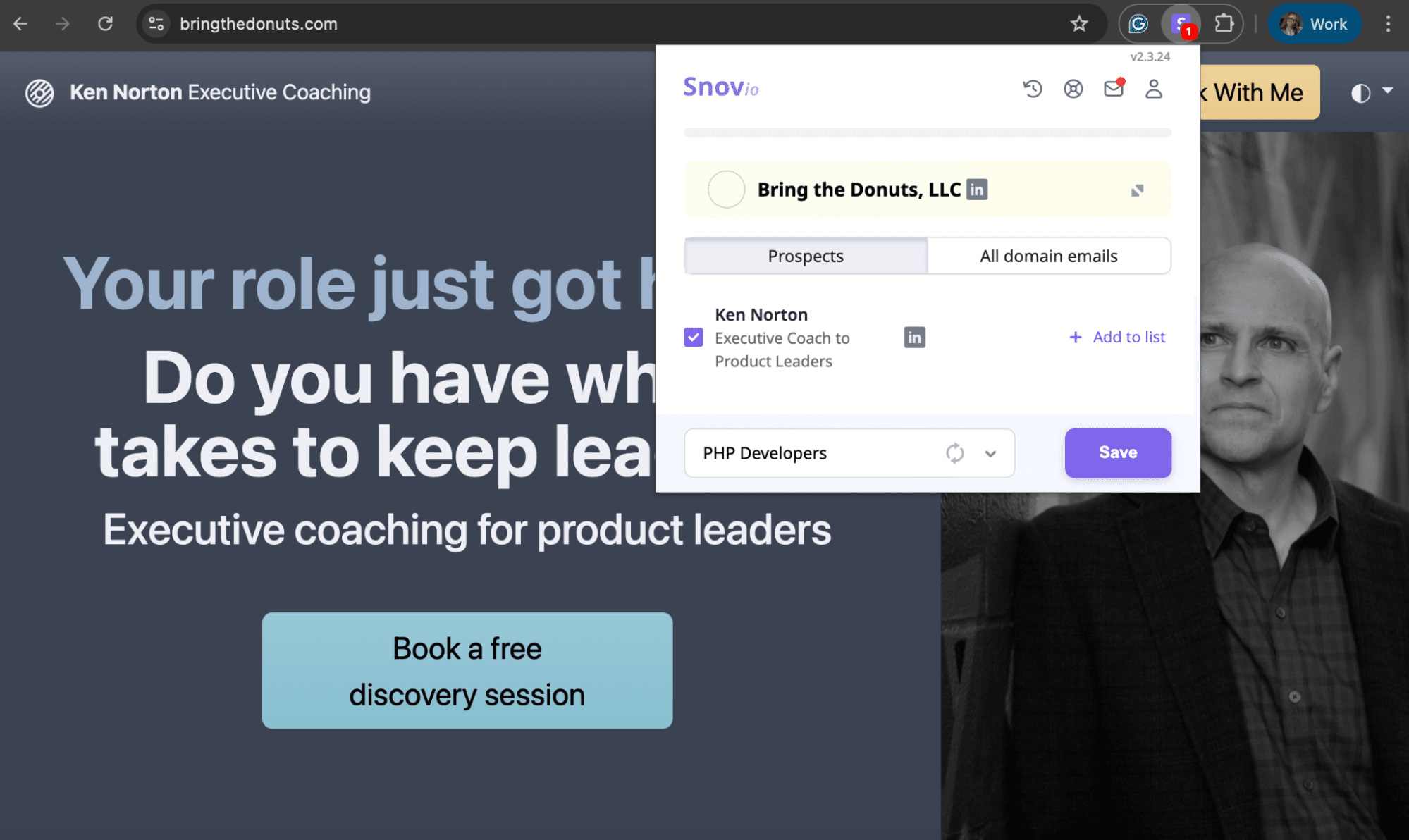
Sign up to Snov.io (it’s free), download the Snov.io Email Finder extension, go to your target website, and activate the extension.
Step 2. Find the contact
I tried this on bringthedonuts.com, which is Ken Norton’s coaching site for product managers. Once I clicked the extension icon and opened the ‘Prospects’ tab, the founder’s info appeared right away.
Step 3. Save it to your list
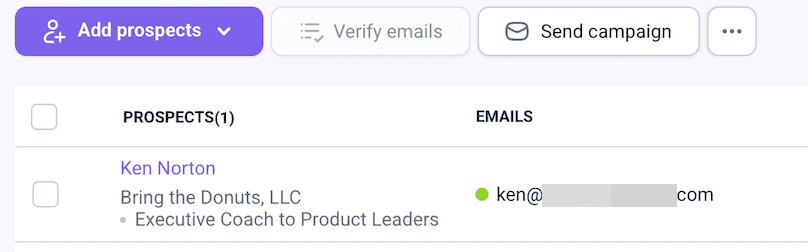
I then saved the contact to my list, which automatically added and verified the email in Snov.io.
App method
If you’re more of an app person, locate Snov.io’s Domain Search feature. Put the domain name in the field and get the company info with all linked email addresses right away.
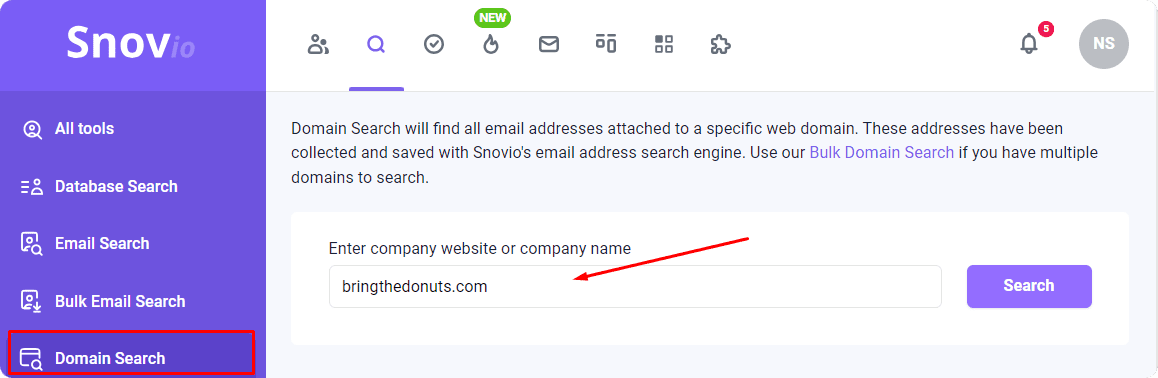
Just refine your results by job position. Using my earlier quest as an example, I found Ken Norton.

2. Use SEO tools
While SEO tools primarily analyze and improve a website’s search engine visibility, they can also indirectly provide insights into ownership and publisher information.
For instance, Sitechecker shows search performance data, including clicks and impressions. This shows how sites appear in Google and who they reach.
Magic trick? Backlink analysis. Such analyses showcase websites linking back to target sites. Sometimes, these linking websites might include information about the target site’s publisher.
Here’s how it works:
I tested this using Ahrefs, a popular SEO tool.
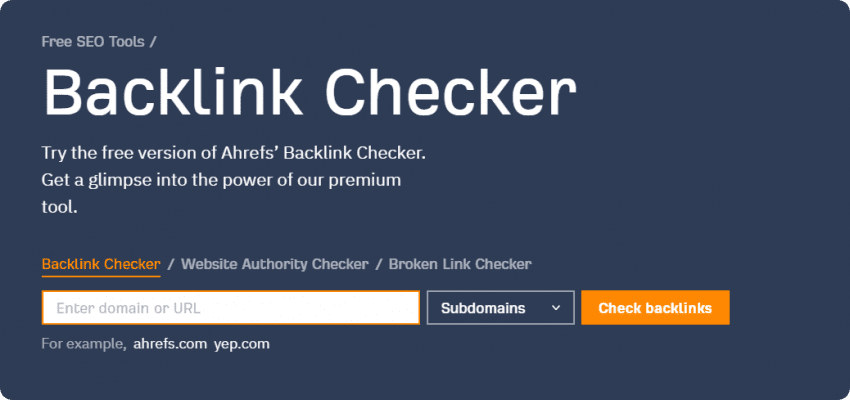
I entered marketingsherpa.com and got results instantly. Finding the publisher took no time at all.
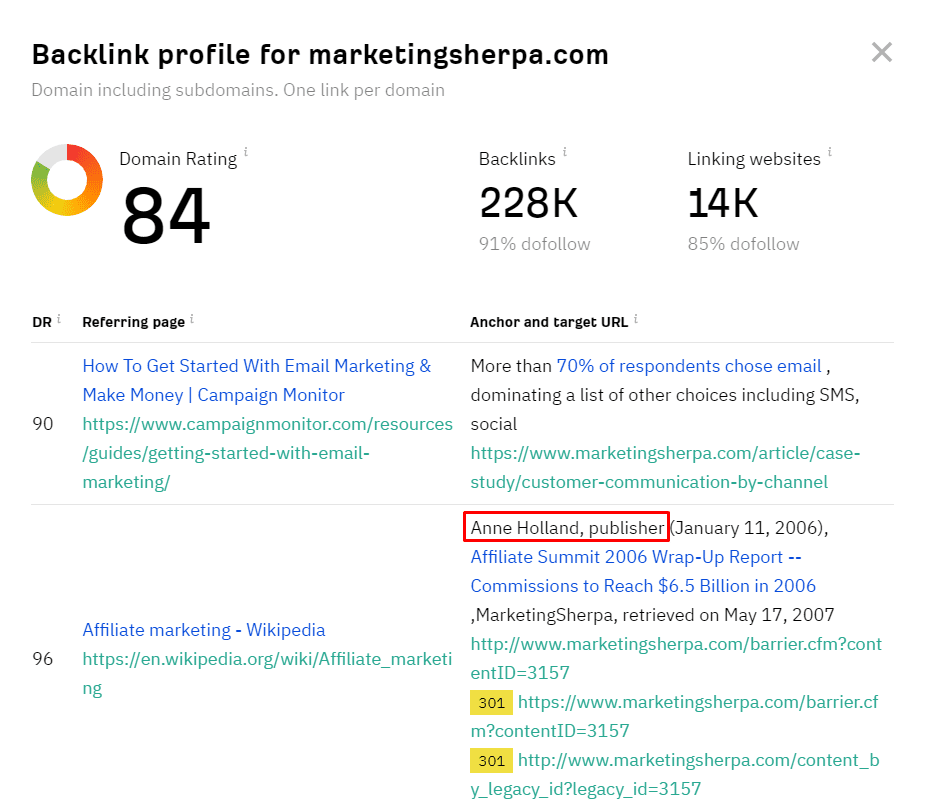
Once I had the name (Anne Holland), I used Snov.io Single Email Search. Just dropped in the first name, last name, and domain:
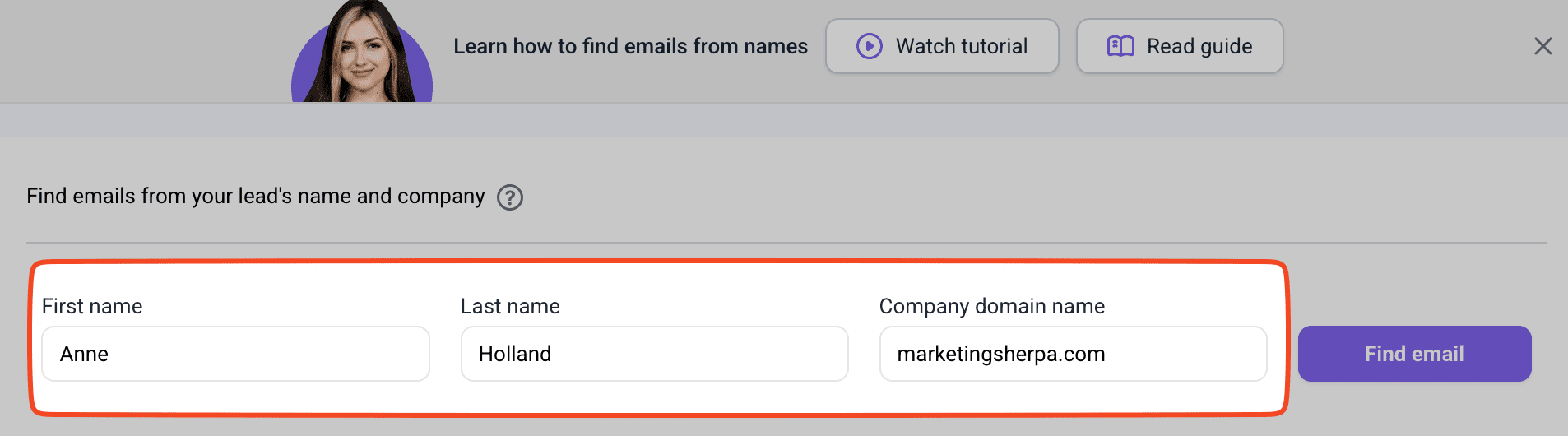
Four seconds later, there it was.

I found the publisher’s email I was looking for.

3. Check the company’s social media account
What if a website doesn’t share information about the publisher?
Not every site shares this info upfront. But most of them do share links to social media accounts, which can often lead you to what you’re after.
Example 1: Direct social media contact
I checked out Seth Godin’s blog, but couldn’t find direct contact info. Just links to his social accounts.
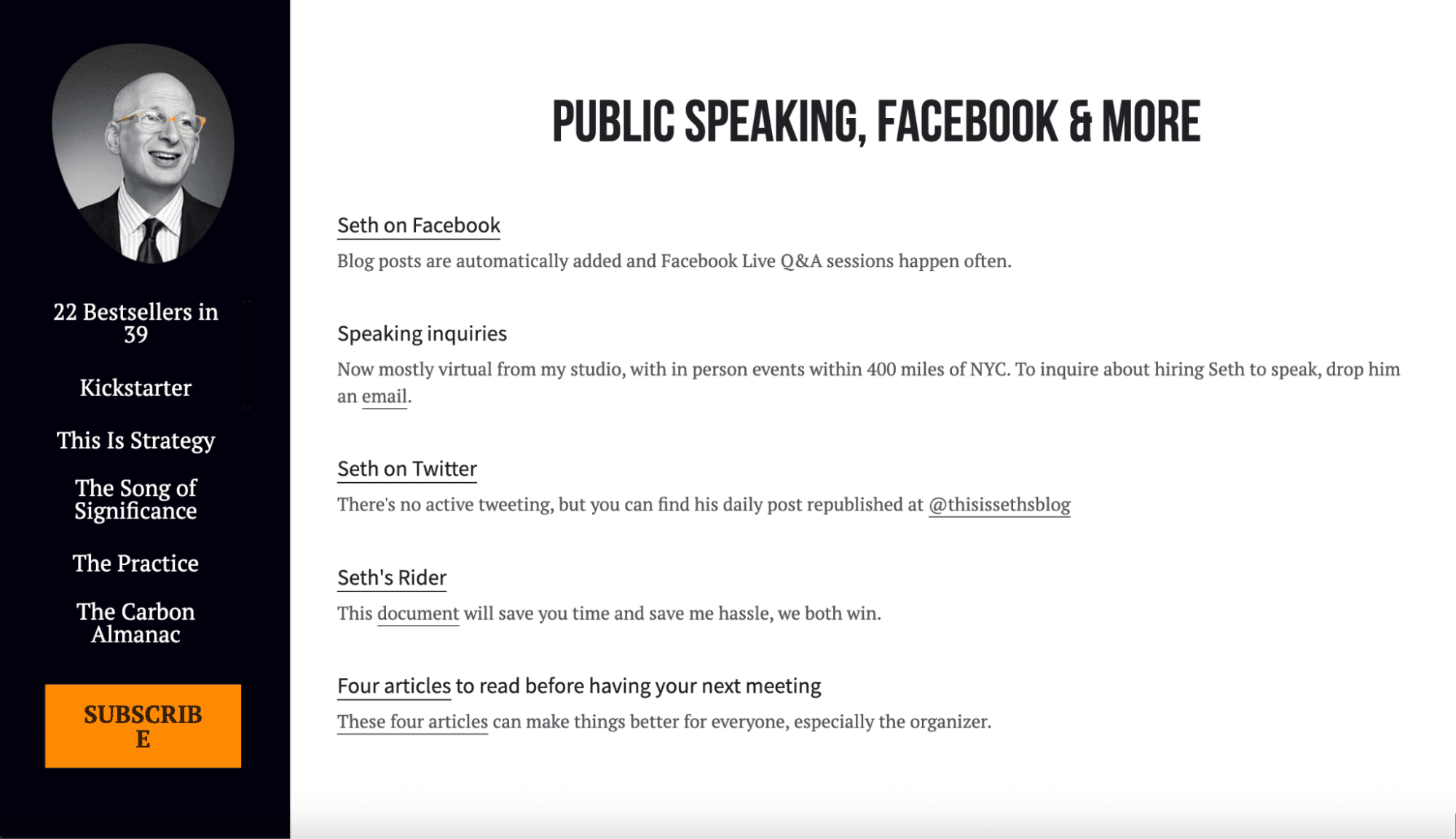
‘What if I check his Facebook page and find something more?’ I thought.
So I did. After a quick search, I found his email address.
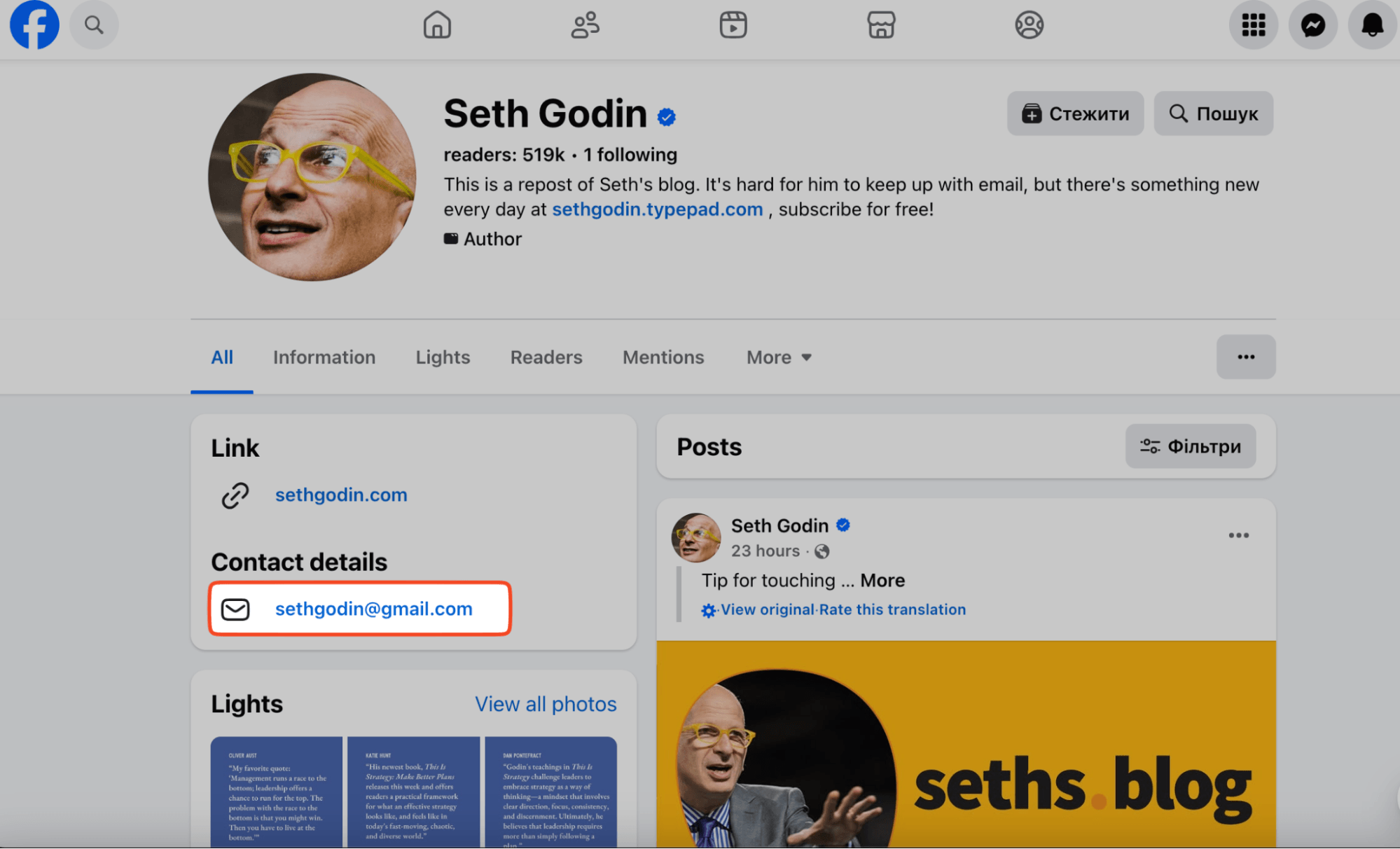
Example 2: Finding the owner through LinkedIn
Sometimes social links go to company pages instead. That happened with Adweek magazine.
While browsing their website, I found a link to their LinkedIn page, which didn’t immediately disclose any owner information.
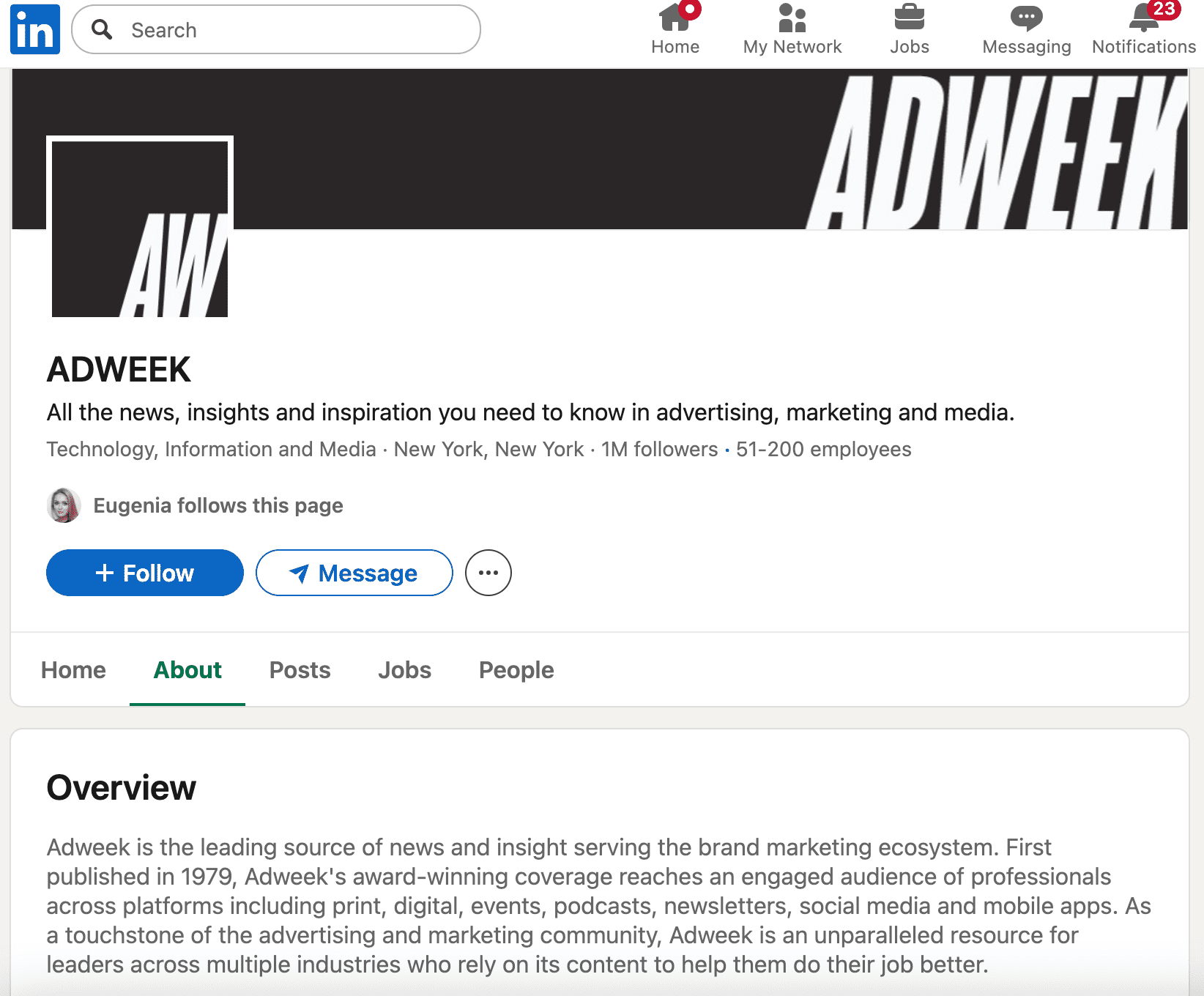
But the page existed, so I thought that searching on LinkedIn would yield results. I simply entered ‘Adweek CEO’ and quickly found him – Will Lee:
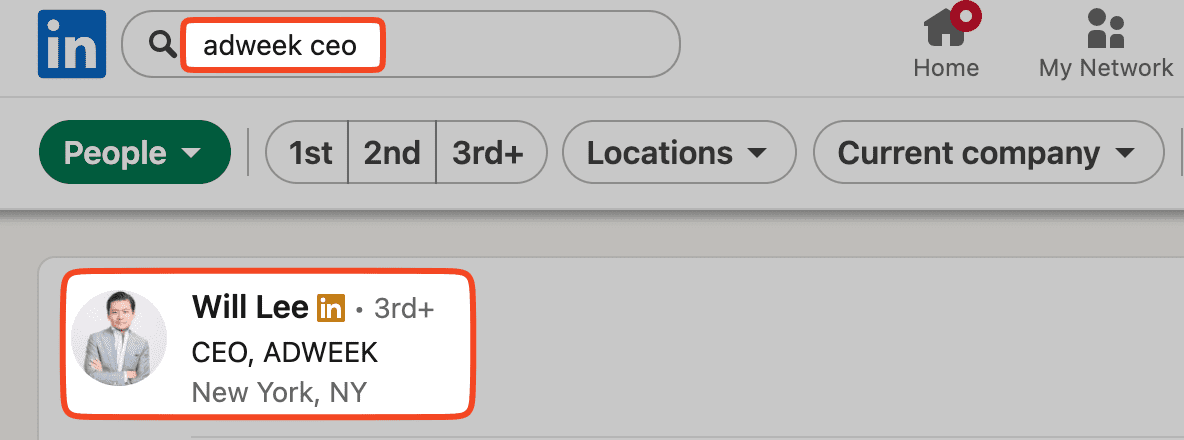
Now I can connect with her by sending a message or an InMail (but this one isn’t free).
💡Free alternative
Use Snov.io’s LinkedIn Email Finder. It pulls emails from LinkedIn profiles and saves them to your list.
Here’s how it works:
Step 1: Visit the publisher’s LinkedIn page
Step 2: Turn on the Snov.io LinkedIn Email Finder extension
Step 3: Grab that email and save it
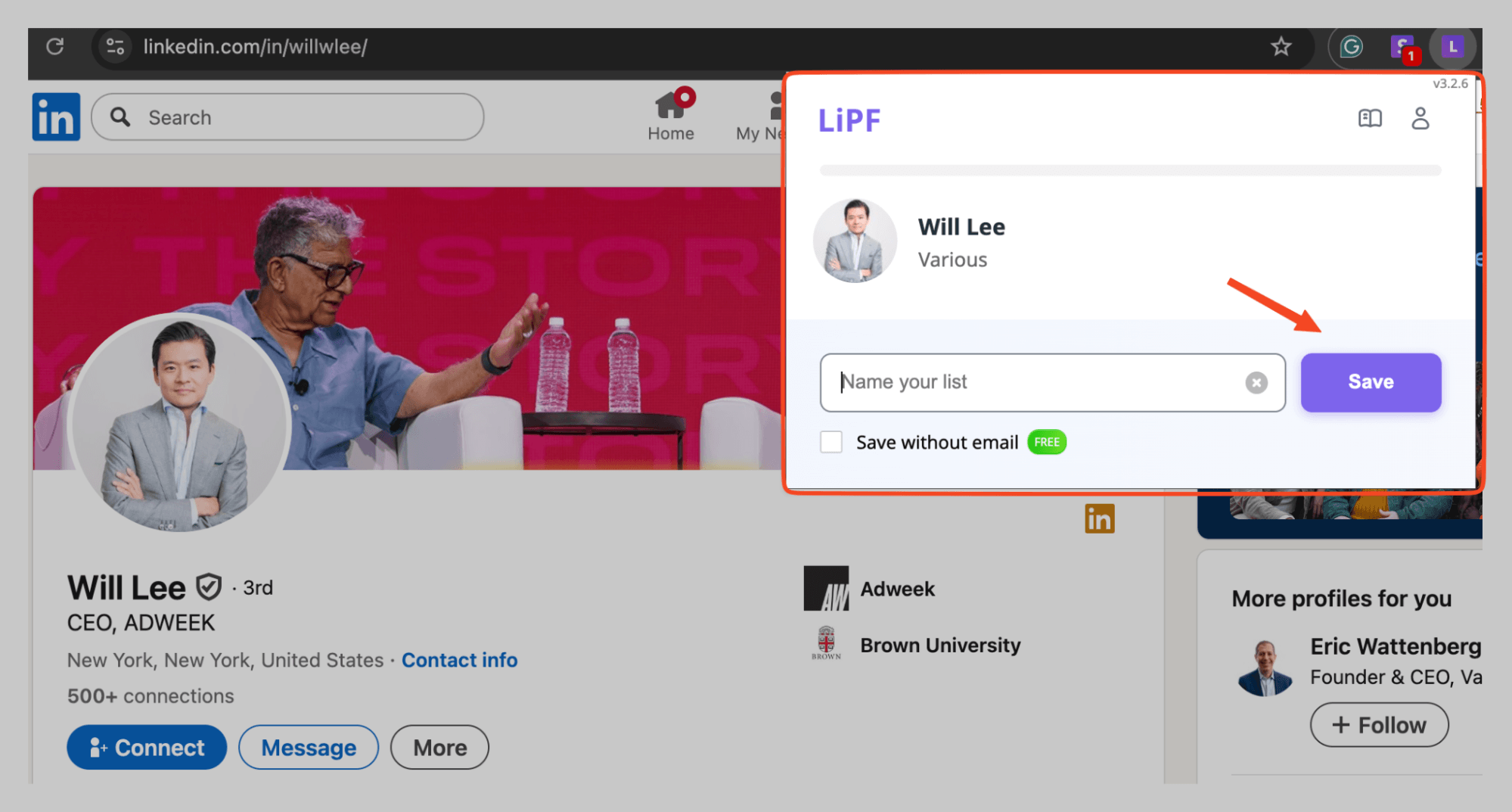
That’s how I got Ms. Morris’s email and prepped for outreach.
Social profiles often help, but they aren’t the only option. Let’s move on.
- Subscribe to the website’s email newsletter
Need a simple way to find publisher info without tools?
Sign up for their newsletter. Such easy methods often work best.
Almost every site has a subscription form that welcomes users as subscribers. Subscribe and wait for that ‘confirmation email.
What I tried:
As soon as I visited Ann Handley’s blog page, I found the Newsletter button, which logically led me straight to the subscription page:
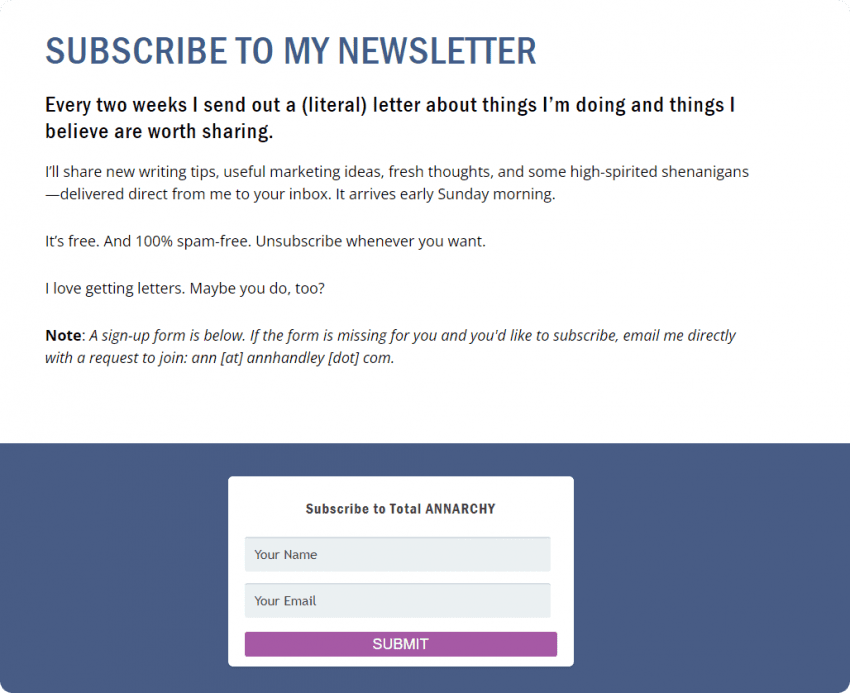
I filled it out, hoping for an email. When I checked the sender’s email, the answer was staring right at me.
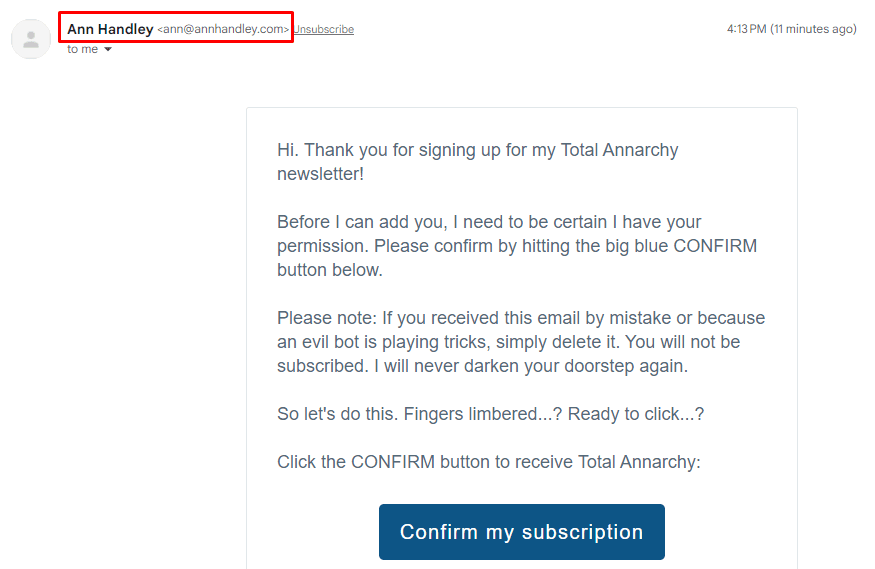
Her email address was right there.
4. Look at the author bio section
Most WordPress sites show who wrote each page or post in a consistent way. Usually, there’s a bio at the end that includes publication date and author info, though publisher details are less common.
Okay, okay… There is also a hack that might work on a WordPress site (though not always). Type the website’s address in your browser and add “/?author=1” at the end of the URL.
I tested this on Small Business Trends and got lucky.
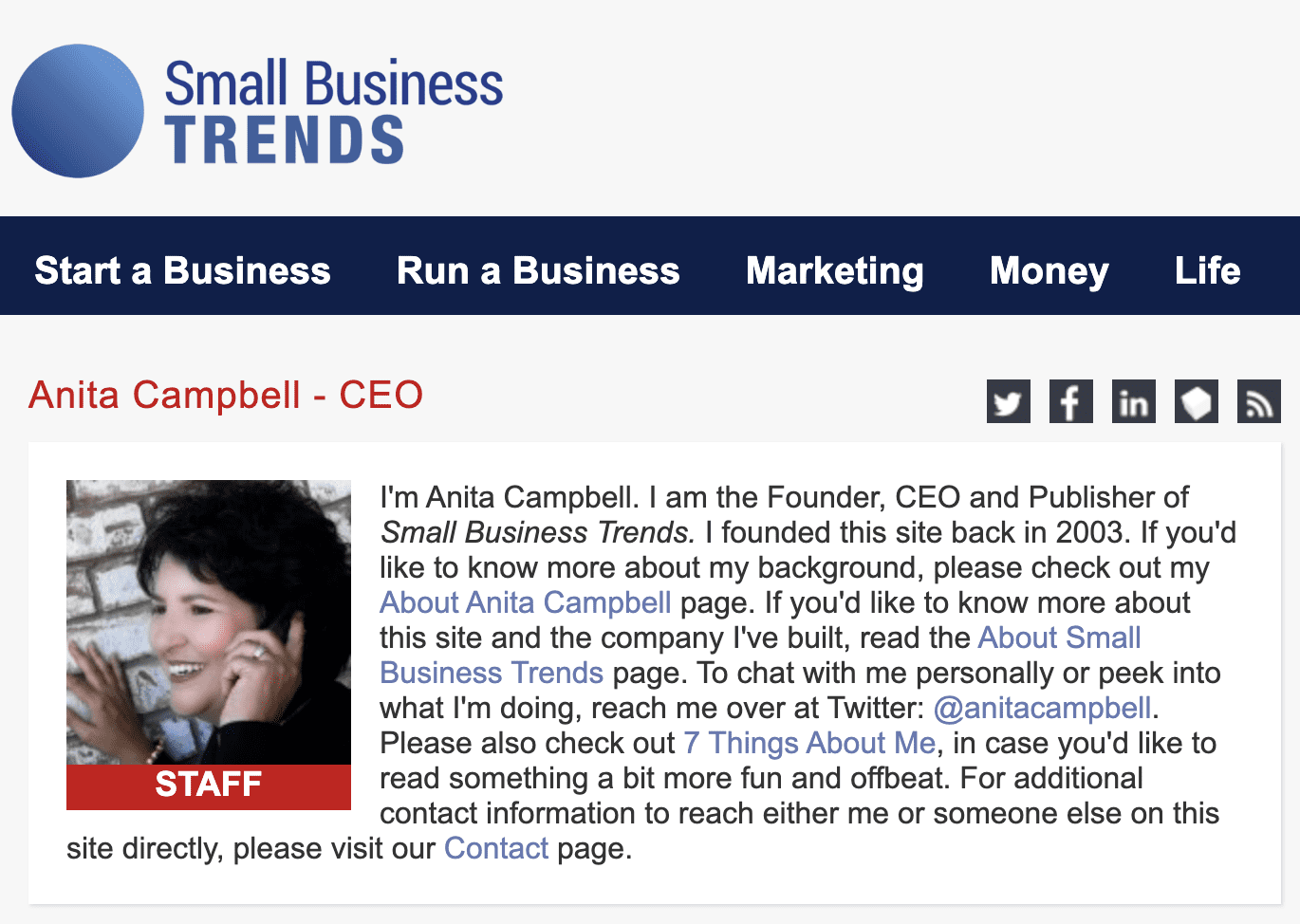
It took me directly to the publisher’s page, which includes contact information for the person in charge.
5. Check Contact Us, About, or Team pages
Not a WordPress site? Check the Contact page first. You’ll usually find a contact form, email address, or other outreach info.
Contact page example:
On Jeb Blount’s site (he’s a respected sales thought leader), I quickly found the Contact Us section. It had his phone number and social links.
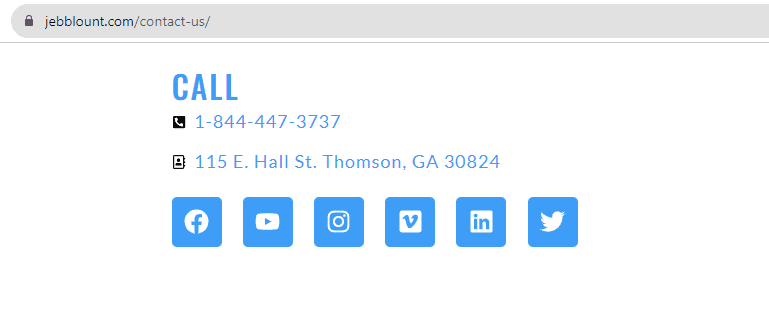
If the person you reach isn’t the publisher, just ask them who is. They’ll likely connect you.
About page:
Most sites have an About page mentioning the publisher or owner’s details.
I checked the Backlinko website and found the About page, which provided information about the publisher, Brian Dean.
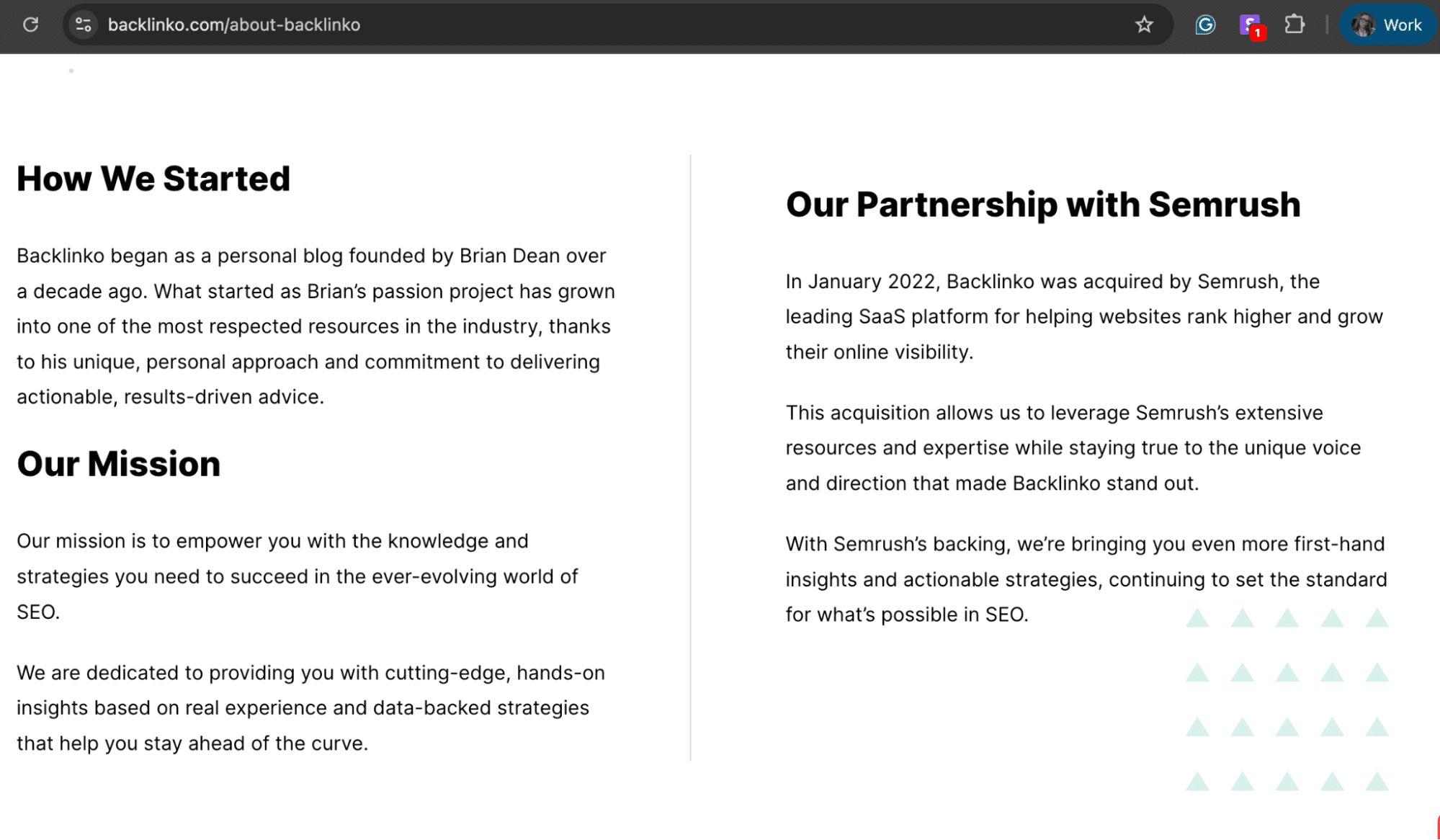
Bigger sites usually have a Team page listing owners, publishers, editors, and authors.
Contact, About, or Team pages may appear in various locations. If missing at the top, check the footer.
6. Check out the Copyright notice in the footer
Many websites put copyright info and publisher details in the footer. Scroll to the bottom of the page and look for the © symbol with the year and publisher’s name.

This method works great for academic purposes when you need to cite sources.
For business outreach where you actually need to contact the publisher, check the footer for email addresses, phone numbers, or social media links.
If you can’t reach them directly on social media, use Snov.io Email Finder or LinkedIn Email Finder to quickly grab their email.
7. Use WHOIS lookup
WHOIS is an online service that provides information on domain ownership and registration history.
How to use it:
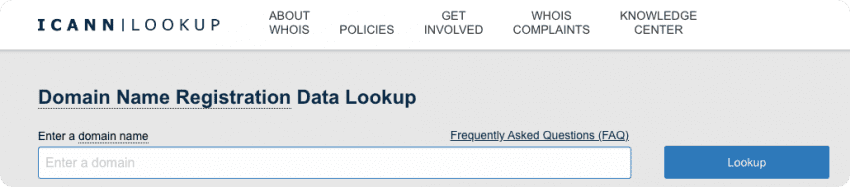
Visit the WHOIS site, type in your target domain (leave out the “http://” part), and check the results.
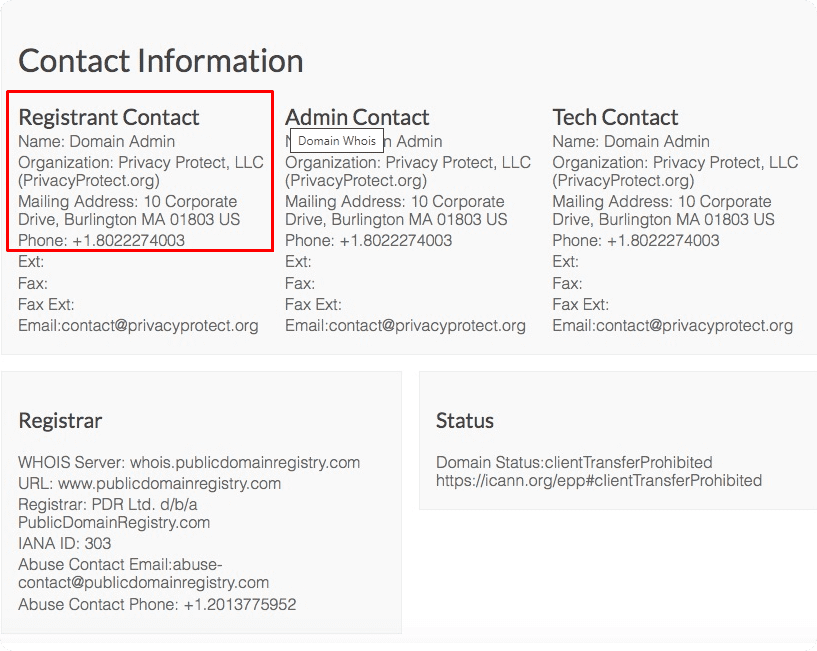
If the publisher doesn’t use WHOIS protection, you might find registration and contact details, including name, phone number, and email.
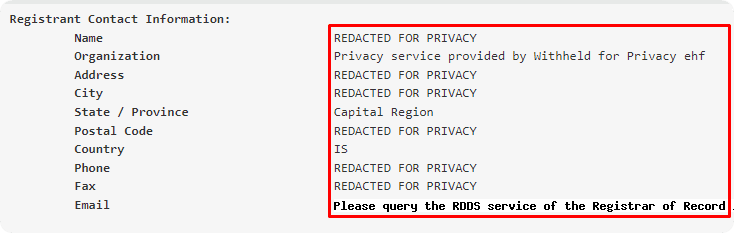
If WHOIS is protected:
Domain owners often use privacy protection, which hides their WHOIS info behind a proxy. You’ll see something generic instead of actual contact details.
If that happens, go back to Method 1. Snov.io Email Finder helps find emails linked to a domain. Filter by role to locate the person in charge.
Why you may be looking for the publisher of a website
Landing here means you probably have a goal. For anyone thinking about why publisher info is useful, here’s a quick summary:
Reason 1. Sales outreach
Have a stellar product? Reaching out directly to a relevant website owner is smart for your sales outreach.
Reason 2. Partnerships
What if your startup is seeking ways to partner with a business to grow your product or service? By knowing the company’s website, you can quickly reach out to the right person to contact.
Reason 3. Link building
As a blog owner, you should build links with other content creators to grow traffic and increase your audience. For example, you might need to find a website’s publisher to suggest a topic for their guest post or ask them to link back to your recent blog post.
Reason 4. Podcast participation
If you are a solo entrepreneur and position yourself as an expert in a certain field, it’s high time for you to shine on related podcasts. And the first thing you’ll probably need to do is to contact the publisher of a website.
Reason 5. Advertising
If you’re scouting for new advertising partners, you’ll face the problem of reaching out to the right person, so you’ll need to look for the website owner information.
Other reasons
Apart from these business-related reasons, some of you might have other reasons for getting in touch with a publisher of a website: for academic purposes, copyright information, or a complaint about legal issues.
How to launch your campaign in Snov.io after you find the publisher of a website
Got the publisher’s verified email? Now reach out. With Snov.io, you can add them to a list, craft personalized messages, schedule follow-ups, and track replies all in one place. It takes that single email address and turns it into a real conversation. Here’s the step-by-step for your first campaign.
Step 1: Start building
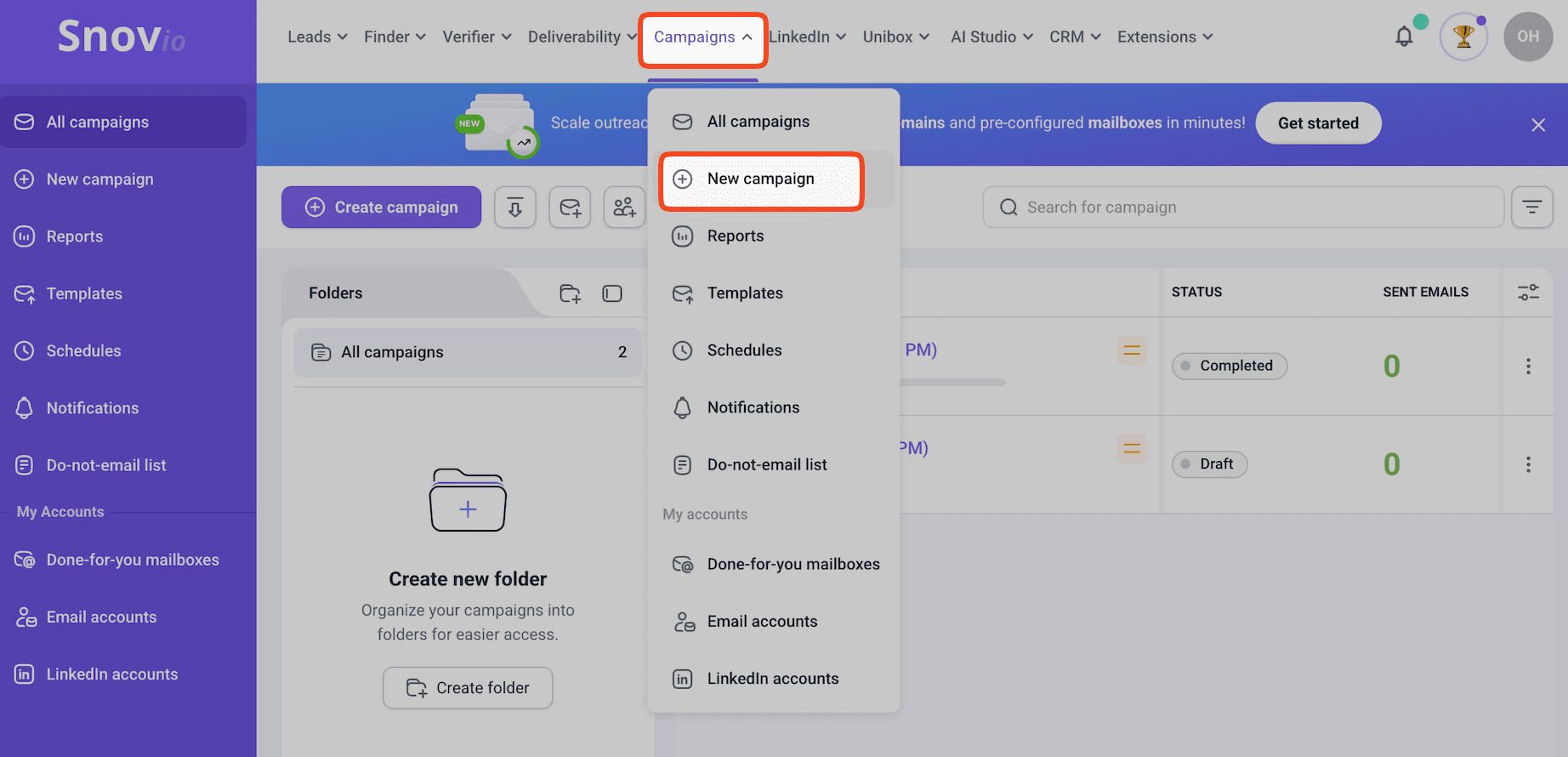
Log into Snov.io, go to ‘Campaigns,’ and click “New campaign.”
Step 2: Design your sequence
Use drag-and-drop to build your email flow. Add delays between emails and set conditions.
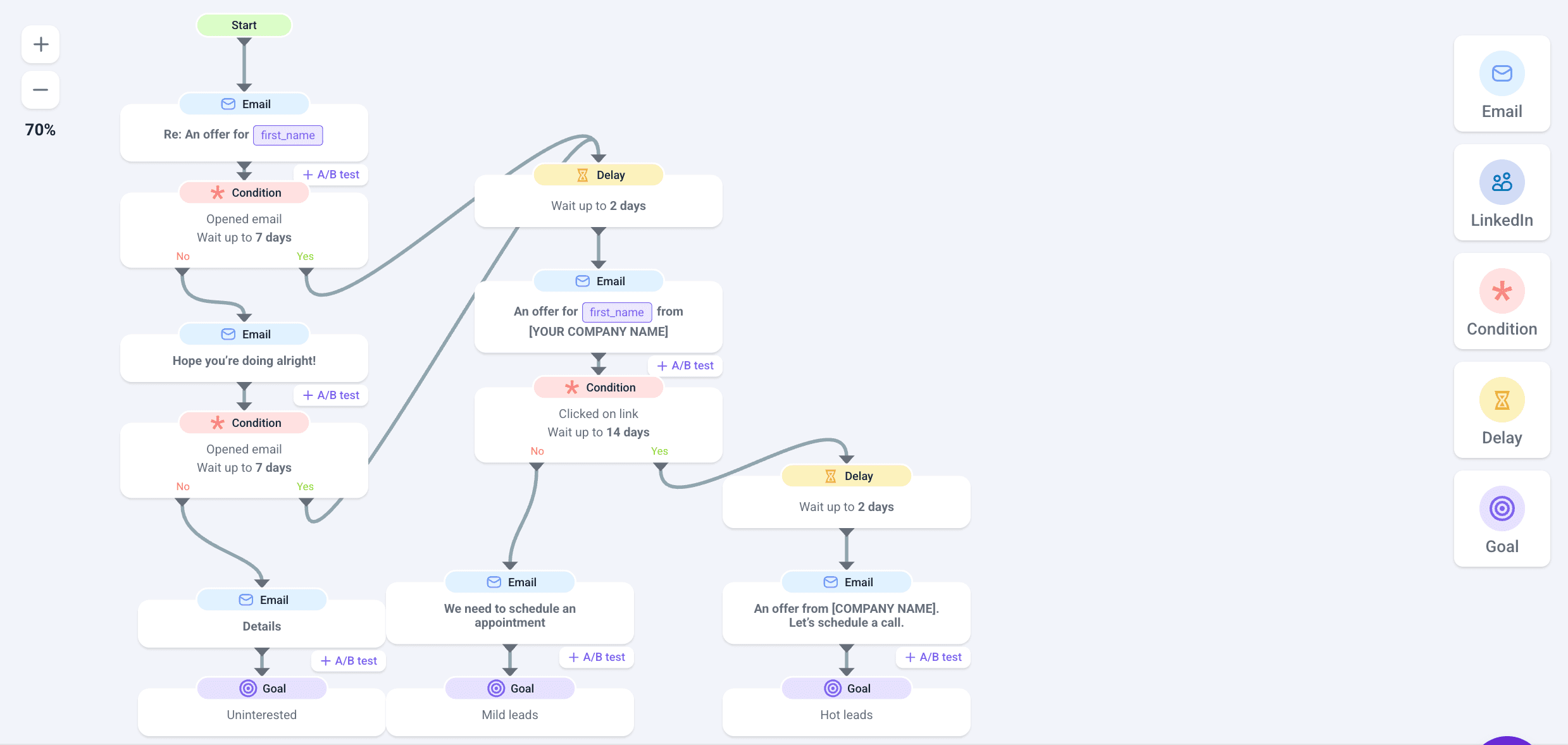
Next, write your copy and add personalization tokens.
Here are some ready-to-use email templates:
- Template for partnership outreach
Hi {{first_name}},
I noticed {{website_url}} gets {{traffic_detail}} traffic in {{niche}}. That overlaps with our audience at {{your_company}}.
I’m thinking we could {{specific_collaboration_idea}}. We did something similar with {{competitor_site}} and saw {{specific_result}}.
Worth a 10-minute call to explore?
{{your_name}}
- Template for link-building outreach
{{first_name}},
Your breakdown of {{specific_point_from_article}} in the {{article_topic}} post was solid.
I wrote something on {{your_topic}} that extends your point about {{connection_to_their_article}}. Figured your readers might find it useful: {{your_article_url}}
Worth adding to your piece?
{{your_name}}
- Template for advertising/sponsorship outreach
{{first_name}},
We’re looking to sponsor {{niche}} sites that reach {{target_audience}}. {{website_url}} fits what we’re after.
Quick background: {{your_company}} makes {{product}}. We’ve sponsored {{similar_site_1}} and {{similar_site_2}} with good results.
Do you have advertising options? What are your rates?
{{your_name}}
Step 3: Load your contacts
Pull in the verified prospects you’ve collected using Email Finder, Domain Search, or LinkedIn Email Finder.
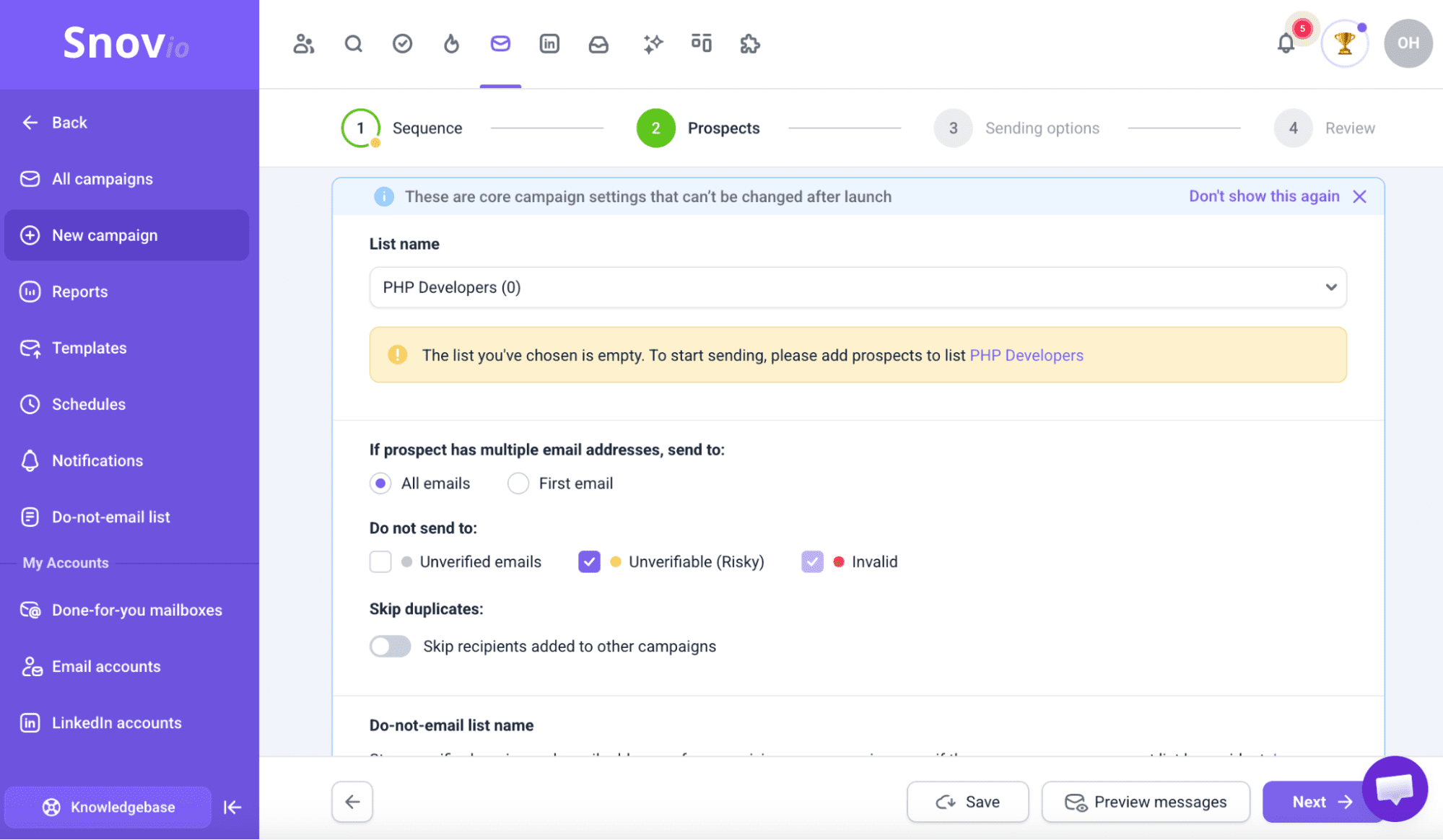
Select your sending account (make sure it’s warmed up), schedule emails to send during business hours, and enable tracking.
Step 5: Launch and track
Hit launch. Your campaign runs on autopilot.
Check the Reports tab to see engagement rates, deliverability, and replies.
What’s next?
As this post shows, the best way to reach a website publisher is via social media or email.
Most business people rarely reply through direct messages on Facebook, Instagram, or LinkedIn. As for email, however, people choose it as their preferred method of communication.
Above, I’ve shared how easily and cost-effectively you can find email addresses of website publishers with Snov.io.
What if I told you this platform offers more than just finding emails? With Snov.io cold email software, you can automate the way you communicate with website publishers, highly personalize your offers, schedule your email campaigns to the most convenient time, and see how you, once a shy entrepreneur, are confidently conquering the business world.