How to cancel your plan or add-ons

This guide shows how to cancel your plan and remove paid add-ons, including LinkedIn slots and DFY mailboxes.

If you don't want your Snov.io subscription to continue, manage your plan and add-ons from the Billing settings.

In Team accounts, only the Team leader can access billing settings and manage any of the subscriptions.

What happens after plan cancellation

Cancel add-ons (LinkedIn slots and DFY domains)

Cancel plan

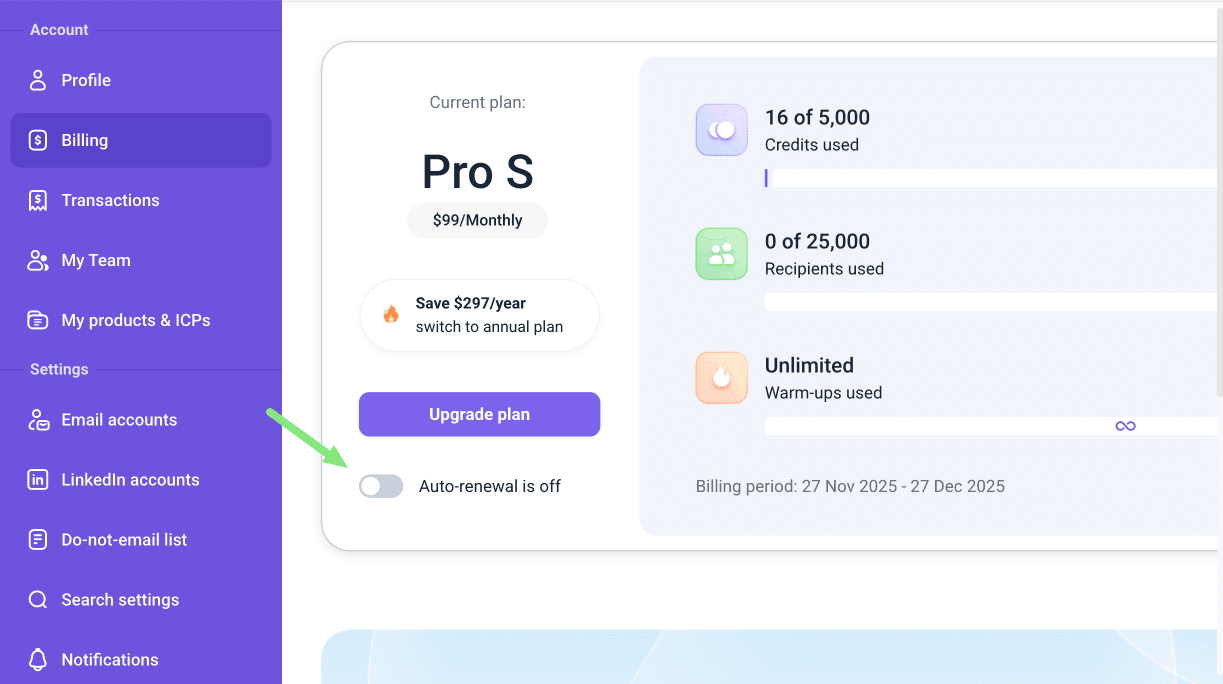
To start the plan cancellation, go to the Billing settings in your account. In your plan details at the top of the page, set auto-renewal to Off.

learn
If you’re canceling because of an issue, please contact our Customer Care team via live chat first. We’ll help you find a solution.

When you need more features, just purchase the plan you want. No need to cancel your current plan first.
What happens after plan cancellation

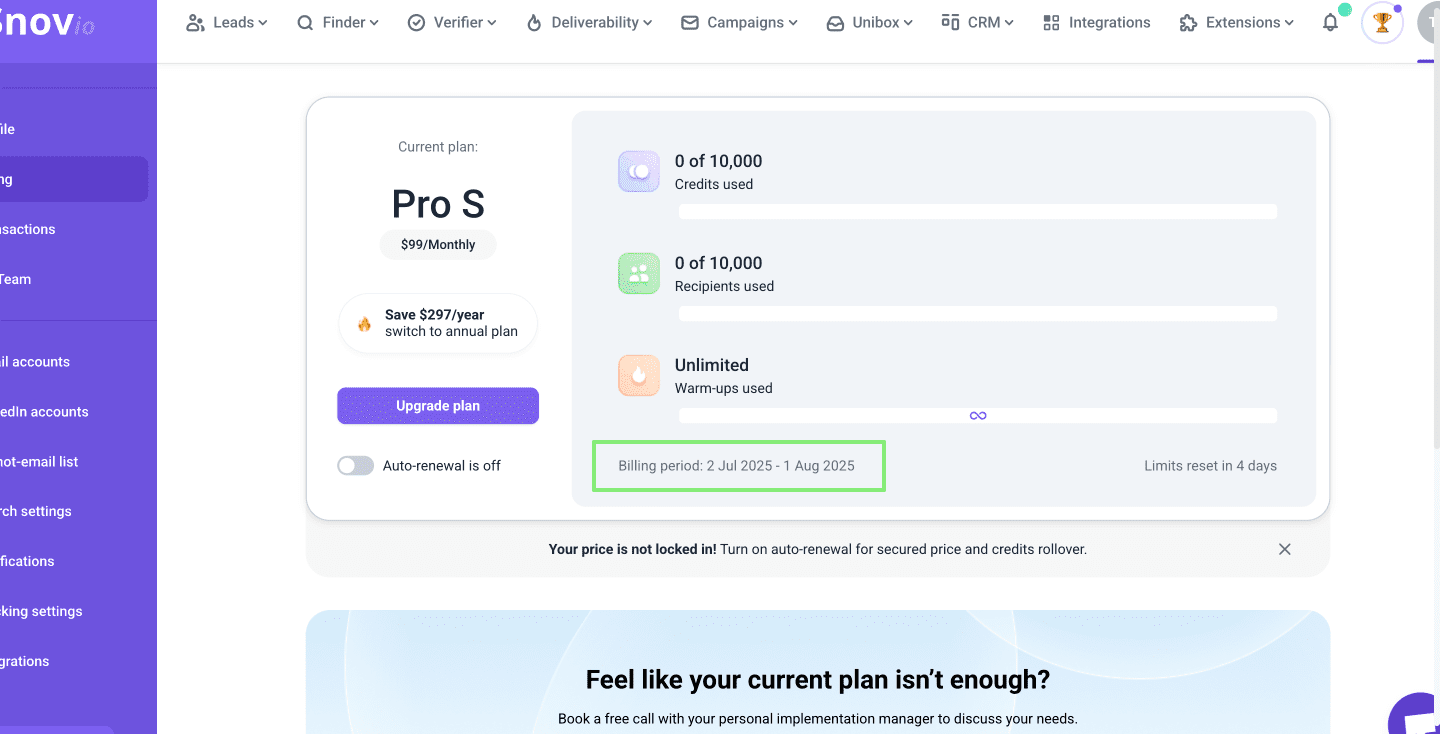
Check your plan’s end date under Billing period. On that date, any unused limits (credits, recipients, warm-ups, LinkedIn slots) will expire, and your account will switch to the Free plan.

learn
After cancelling, you’ll keep access to your plan features and data export until the end of the billing period. Export your prospect lists and campaign reports before your plan expires.

To keep your credits and all premium features, renew your plan manually by clicking Upgrade plan. To choose the best option for you, check our plan overview and compare tools and limits.

Cancel add-ons

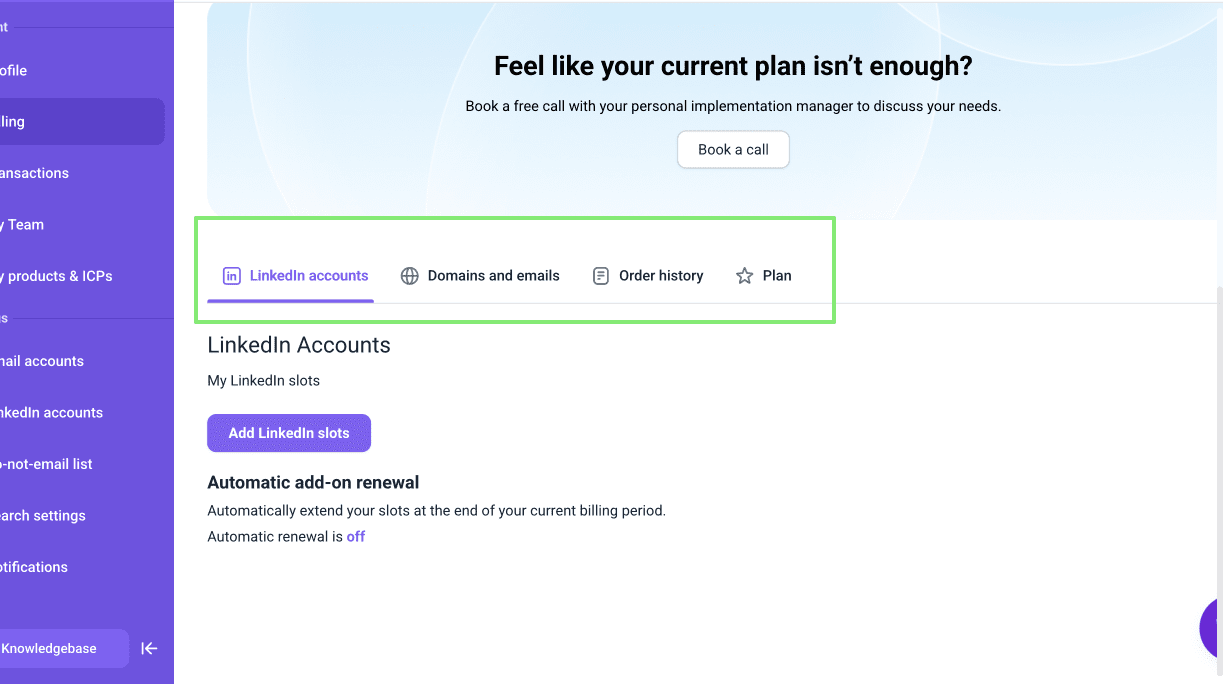
The tabs in your Billing section list all active add-on subscriptions: LinkedIn accounts and DFY mailboxes.

tip
If you have multiple Snovio subscriptions (plans and add-ons), you’ll need to cancel each one separately.

To cancel an add-on, open the relevant tab and turn off auto-renewal for the add-on you no longer need.

To cancel DFY domains and/or emails, go to Billing --> Domains & Emails tab.

To cancel LinkedIn slots, go to Billing --> LinkedIn accounts tab.

Confirm your plan is cancelled

Go to Billing settings in your account.

If Auto-renewal is on, toggle it off and go through the confirmation process.

If Auto-renewal is off, no more action is needed  — your plan subscription will cancel automatically at the end of the current billing period and won’t renew.


Thanks for your feedback!

Was this helpful?

No

Sorry about that 😢

How can we improve it?

Are you getting the most out of Snov.io? Learn prospecting techniques and outreach strategies that result in more sales with minimum input.