
Snov.io has a plan for every stage, whether you're just getting started, growing your business, or already working with many contacts. This article helps you choose the Sales Suite plan that fits your work, and explains billing and how to upgrade.
Sales Suite has three plan types: Starter, Pro, and Custom Ultra. To see who each one is for, go to Plans and what they're best for.
To see how many credits, recipients, warm-up slots, tokens, and LinkedIn slots each plan includes, see this guide. To see which tools and features each plan includes, see this guide.

Want to test Snov.io first?
The free Trial plan gives you a no-cost way to test Snov.io's key features. Paid plans offer a complete suite of tools for sales reps with bigger needs. To learn what the Trial plan includes, see this guide.
Plans and what they're best for
Upgrade, downgrade, or change your plan
More guides to get started
- How many credits, recipients, warm-up slots, tokens, and LinkedIn slots each plan includes → Snov.io plan limits: credits, recipients, and tokens
- Which tools and features each plan includes → What you can do with Snov.io: all tools and features
Plans and what they're best for
Starter
Setting up your prospecting and outreach. Great for individual use: solo founders, freelancers, consultants, and recruiters who run their own outreach.
Find verified contacts in bulk and run your first email campaigns without manual copy-paste.
Pro
Pro comes in four tiers: Pro S, Pro M, Pro L, and Ultra. Scaling your outreach. Each tier has larger limits than the one before. Choose the tier that fits your sending needs, and you can always upgrade if needed.
Pro S and Pro M: SDRs and account executives at SMBs, and B2B marketers running lead-gen campaigns.
Pro L and Ultra: lead-gen and outreach agencies working for several clients, and growth or RevOps leads scaling outbound across many mailboxes.
Send more campaigns at once, set their priority, and test what works with A/B tests.
Custom Ultra
Teams that need more than the standard plans offer. A custom solution for agencies and companies that need custom limits, many mailboxes, and a flat rate. Contact sales to set it up.
Compared with the free Trial, every paid plan in the Sales Suite gives you:
- More credits, recipients, and enrichment tokens each month
- Bulk tools: Bulk Email Finder, Bulk Domain Search, and bulk email verification
- Export of prospect lists and campaign reports
- Enrich & AI tools on whole lists, with tokens every month
- Multichannel campaigns with more recipients
- Teamwork: shared lists and templates, and control over who can export
- Integrations with Zapier, Make, Clay, and Calendly
For the full list, see this guide.
Tools you buy separately
Sales Suite is the main Snov.io plan. LinkedIn Automation, extra enrichment tokens, and DFY mailboxes are billed separately. You can add them to any plan, and use LinkedIn Automation and enrichment without the Sales Suite.
You pay per LinkedIn slot, and each slot connects one LinkedIn account. Your price per slot depends on the number of active slots and your billing period. Volume slot discounts start at 2 slots, and longer billing periods cost less. Learn more about LinkedIn Automation billing.
Good to know: You can use it without the Sales Suite. If you haven't used LinkedIn Automation before, you can try it free for 7 days. In Teams, only the Team leader can start the trial.
You can buy additional token packages separately, on top of the tokens included in every Sales Suite plan each month.
Good to know: You can use it without the Sales Suite. Token costs depend on the tool. Learn more about tokens in this guide.
You can use a domain you already own or buy a new one through Snov.io. New domains are billed yearly, and Google mailboxes are billed monthly.
Good to know: You can buy them on any plan. They aren't included in the plan price.
Billing periods
You can pay for your plan monthly, every 3 months, or annually. You get the same tools and limits with each option.
Longer plans cost less. Annual billing saves you the most.
6-month plans are also available through our sales team.
Monthly plans renew every 30 days. On 3-month, 6-month, and annual plans, you get your credits, recipients, warm-up slots, and tokens every 30 days.
The pricing page shows the current discount and final price for the plan and billing period you select.
Find your solution
Find the situation closest to yours in these examples. For exact numbers, see this guide. Each plan includes everything in the plans before it.
“I’m not sure outreach will work for my business.”
Trial (free)Test prospecting and create your first email campaign. No credit card needed.
“I spend hours searching for contacts one by one.”
StarterBulk tools work on whole lists of domains or LinkedIn profile links.
“My team shares one login, and anyone can export our data.”
StarterTeamwork lets you share lists and templates, and choose who can export data.
“I connect tools like Zapier, Make, Clay, or Calendly.”
StarterThese integrations are available on Starter.
“Several campaigns compete for the same sending capacity.”
ProSet campaign priority, limit new recipients per day, and run A/B tests.
“I need help getting set up.”
ProYou get personal calls with an implementation manager.
“We’ve outgrown the standard plans.”
Custom UltraYou get a flat rate and bulk mailbox management. Contact sales to set it up.
“My emails keep landing in spam.”
✓ Any planEvery plan includes warm-up and deliverability tools. You can buy DFY mailboxes on any plan. Choose Pro if you warm up more mailboxes than Starter covers.
“Email alone isn’t getting replies.”
✓ Any planAdd LinkedIn steps to your campaigns with LinkedIn Automation. Choose your plan by your email volume.
“Our leads live in HubSpot or Pipedrive, and we copy data by hand.”
✓ Any planHubSpot and Pipedrive integrations work on every plan, including Trial.
“My outreach feels generic because I lack data about my prospects.”
✓ Any planEvery plan includes enrichment tokens for using Enrich & AI tools: a one-time 25 on Trial, and a new batch every month on paid plans. You can buy more as token packages.
Quick rules
- Just starting out? Starter offers a taste of essential features for nurturing and engaging leads. Choose Pro if you need more advanced tools.
- Growing fast? Start with the Pro tier that fits your volume today, and move up a tier as you grow. The main perk of Pro plans is their scalability. Each Pro tier offers larger limits than the one before
- Between two plans? Larger plans cost less per credit and per recipient
- Planning to use Snov.io for a year? Annual billing costs less than monthly. Check the annual price for the plan you select on the pricing page
- Not sure yet? Talk to sales or ask us in live chat. You can also change your plan at any time
- Want to compare the details? Features are in this guide. Limits are in this guide.
Upgrade, downgrade, or change your plan
You can change your plan at any time. Go to Billing settings and click Upgrade.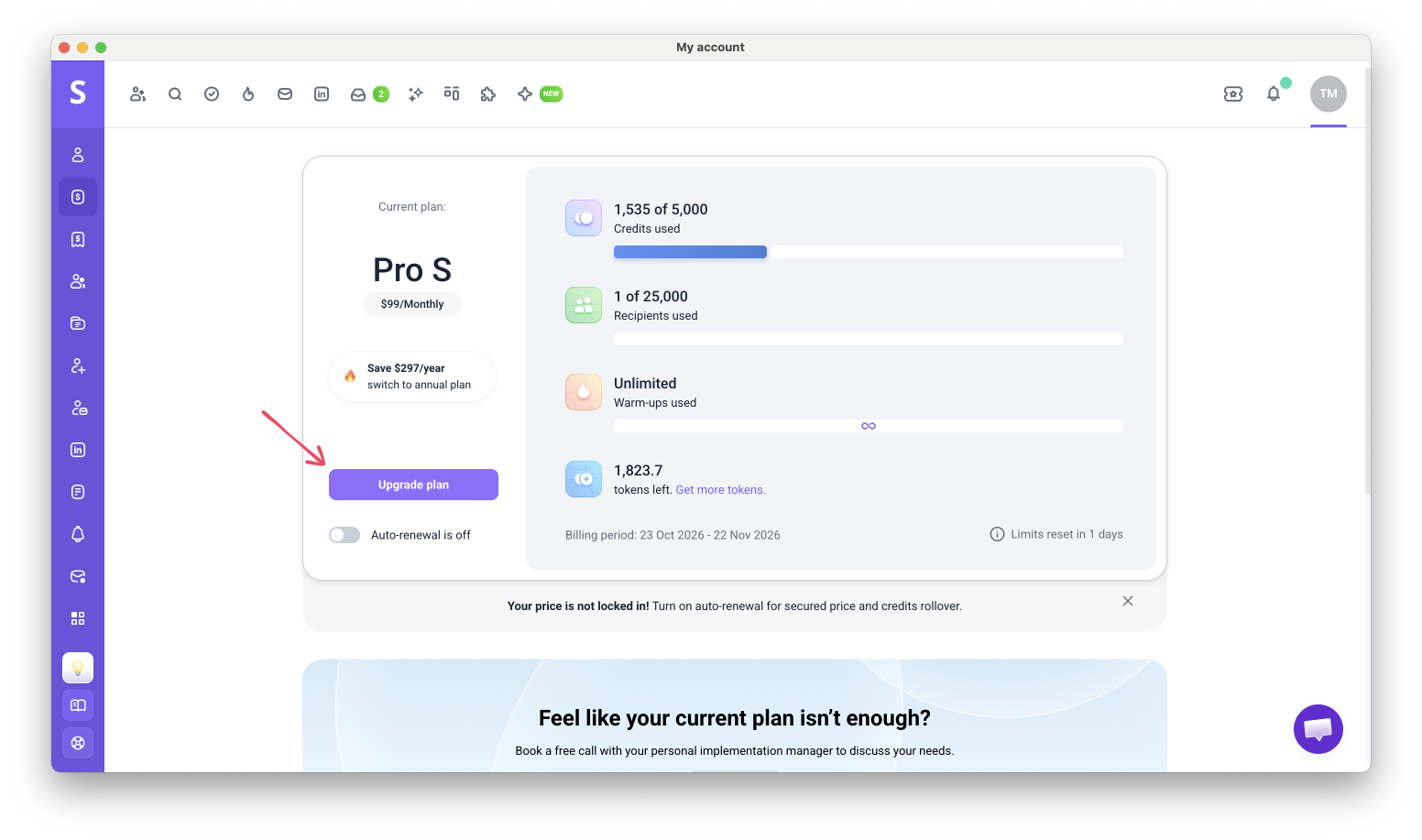 What to know before you change:
- Changes apply right away. Your new plan starts a new billing period
- Credits roll over in most cases. To see how credit roll-over works, see this guide
- Upgrades on longer plans are prorated. On a 3-month, 6-month, or annual plan, when you move to a higher tier on the same or a longer billing period, the unused time on your current plan lowers the price
- Other changes cost the full price. This covers monthly upgrades, all downgrades, and moves to a shorter billing period
- Promo prices depend on how your plan renews. To see when you keep a promo price, see this guide
For step-by-step instructions and every case, see this guide.
Billing questions
Find quick answers about billing periods and auto-renewal in the FAQ on plans and billing:
Have a question we haven't covered? Contact our Customer Care team at help@snov.io or in live chat.
Related articles
- Snov.io plan limits: credits, recipients, and tokens
- What you can do with Snov.io: all tools and features
- How to change plan tier or billing period (and how proration works)
- How credits roll over on monthly and annual plans
- How to save up to 25% on a longer Sales Suite subscription
- How to renew or upgrade your Sales Suite plan
- How LinkedIn Automation billing works
- What are enrichment tokens



Sorry about that 😢
How can we improve it?