It takes just one spam complaint per 1,000 emails to hit Google’s recommended spam complaint rate threshold of 0.1%. Suddenly, that tiny percentage doesn’t seem this tiny.
So, what makes people reach for “Report spam,” and how do you stop them from getting there? Let’s find out.
TL;DR
Here’s what I’d want you to take away even if you don’t make it to the end of the guide.
| Question | Answer |
|---|---|
| What is a spam complaint rate? | The percentage of your emails that recipients mark as spam or junk |
| What’s a good rate? | An acceptable spam complaint rate for email is around 0.1% or lower. For Gmail, aim to stay below 0.1%, while Yahoo requires senders to remain below 0.3% |
| What causes complaints? | Poor targeting, low sender recognition, irrelevant content, bad sending frequency, difficult unsubscribe processes, etc. |
| How do you keep it low? | Send to relevant recipients, ensure your email content is useful and doesn’t deceive recipients, make unsubscribing easy, keep your sender name recognizable, authenticate your domain, and maintain consistent sending patterns |
| How do you monitor it? | Use Google Postmaster Tools for Gmail spam complaints and Snov.io’s Deliverability Check to see whether your emails are landing in spam |
Those are the basics. For a deeper look at each point, read on.
What is a spam complaint rate?
A spam complaint rate is the percentage of email messages people mark as spam or junk, that is, complain about them to their inbox providers.
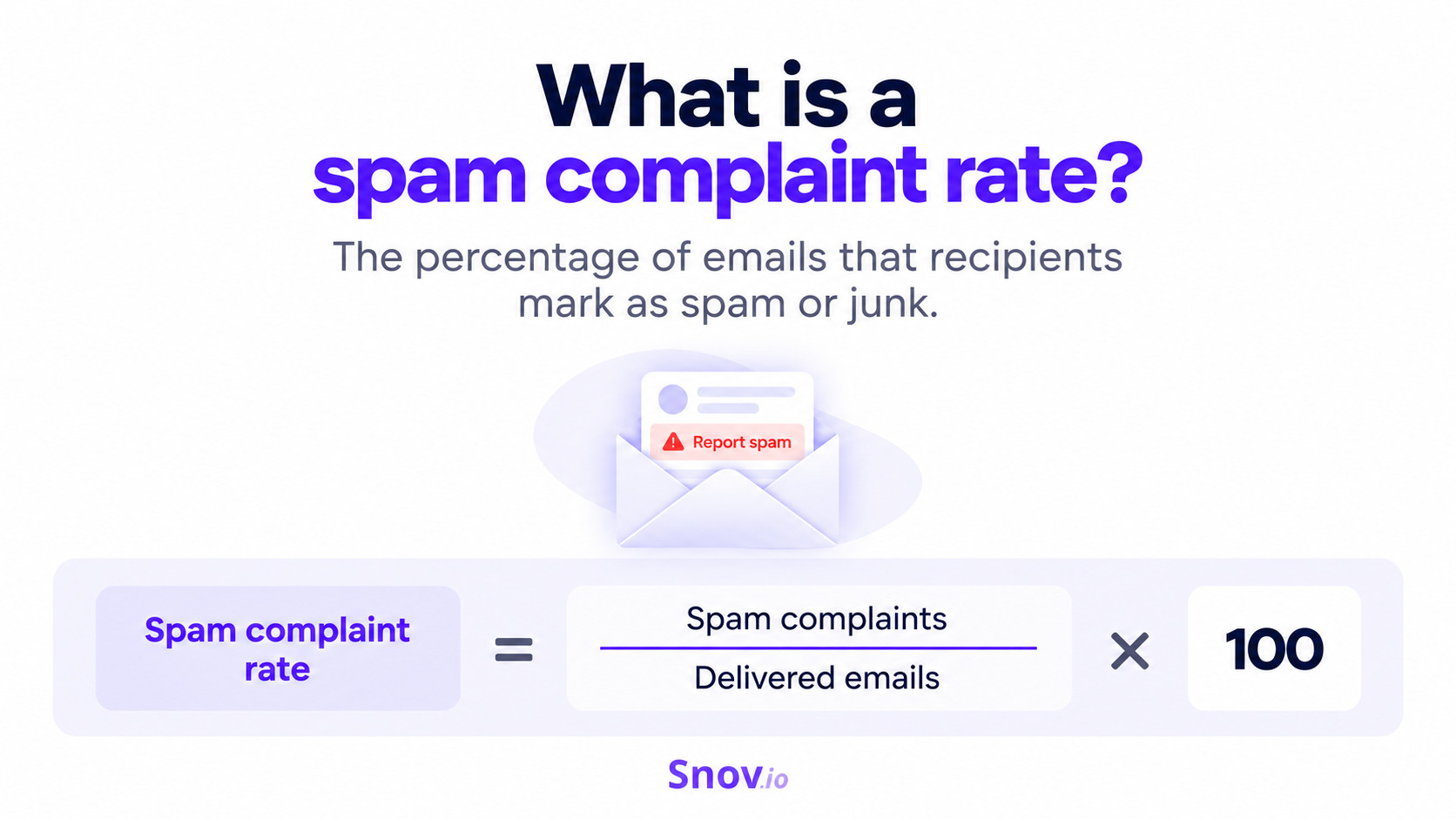
To calculate it, use this simple formula:
Spam complaint rate = (spam complaints ÷ delivered emails) × 100
Let’s say you send 10,000 emails and 5 of them get reported as spam. Your spam complaint rate would be 0.05%.
The calculation itself is simple, but there’s a small nuance to keep in mind. Providers don’t always measure spam complaints the same way. Google Postmaster Tools, for example, calculates its user-reported spam rate based on messages that actually reach the inbox.
This also means a very low rate isn’t always good news. Google notes that the number can appear unusually low when many of your emails are already being routed to spam instead of the inbox.
The real concern is what those complaints can lead to:
- Damage to your sender reputation
- More emails landing in spam
- Reduced inbox reach
- Sending restrictions
So, the key goal is to monitor this metric to ensure your email deliverability rate is high.
What’s a good spam complaint rate? Google, Yahoo, and industry benchmarks
Google sets the Gmail spam complaint rate threshold at 0.1%, recommending that senders stay below it. At the same time, a spam complaint rate of 0.3% for Gmail is a line you definitely don’t want to cross.
Why? Because rates above 0.1% can already hurt inbox delivery, while 0.3% can cause more serious deliverability issues for bulk senders.
The hard ceiling is 0.3%. The number to manage against is 0.1%. Cross it and Gmail stops helping you and doesn’t start again until you’ve held below it for a full week.
Email Marketing Lead at FreeWill
Yahoo has a similar threshold, requiring senders to stay below 0.3%.
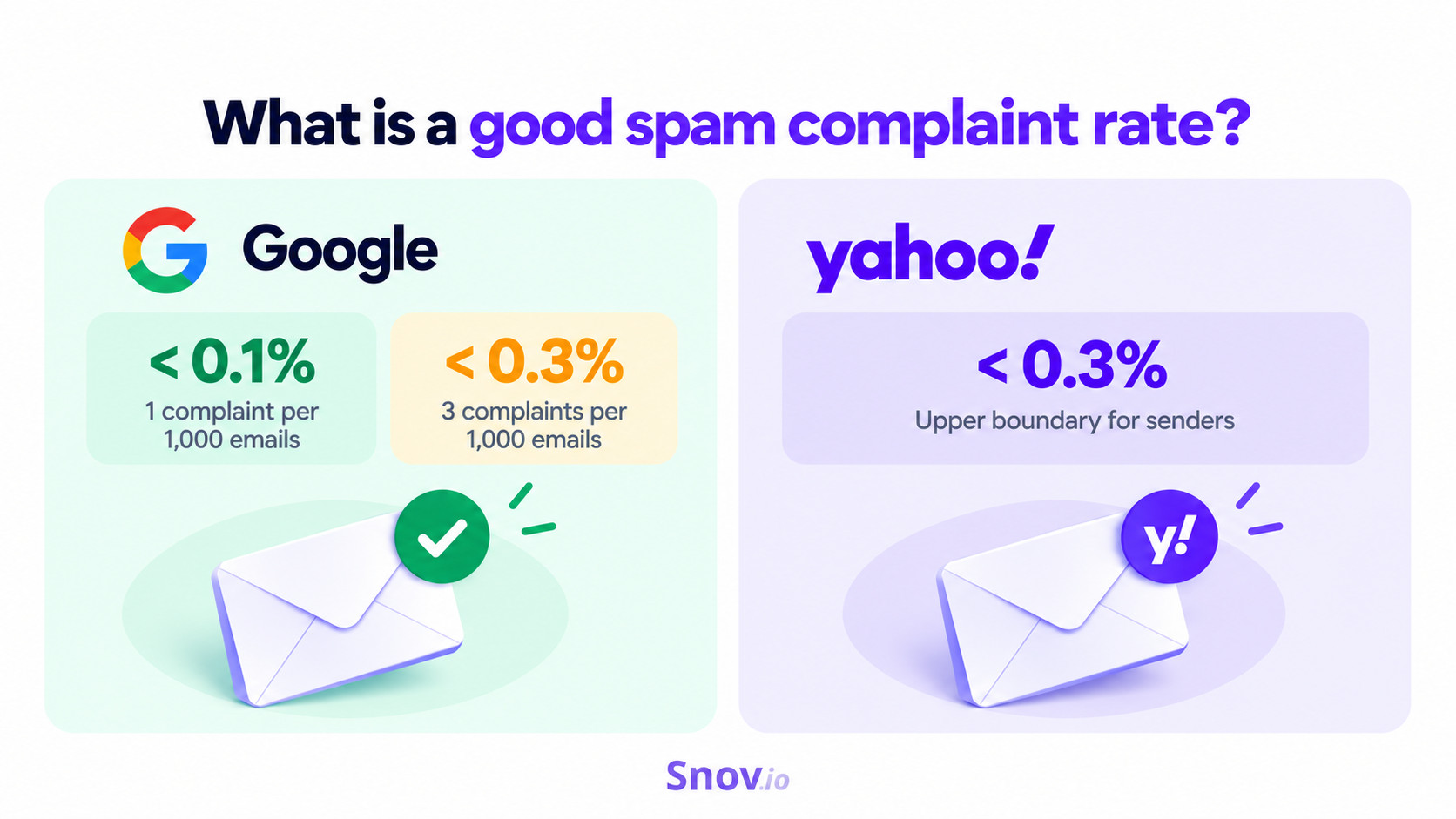
To put the Gmail spam complaint rate thresholds into perspective:
- 0.1% = 1 complaint per 1,000 emails
- 0.3% = 3 complaints per 1,000 emails
But don’t mistake these thresholds for industry averages. Validity’s 2026 Email Deliverability Benchmark Report found a global spam complaint rate of 0.06%. It trends upward compared to previous-year average benchmarks. For instance, it was 0.03% in 2022 and just 0.01% in 2024 (GDMA International Email Benchmark 2024).
And complaints are only one side of the story. At Snov.io, we also recommend checking how often your emails actually land in spam. As a reference point, we consider a spam placement rate below 2% a pass, while 5–10% can already signal deliverability issues.
How to check your spam complaint rate?
For Gmail, you can check complaints in Google Postmaster Tools, a free tool for monitoring how Gmail views emails sent from your domain. Its spam rate dashboard shows how often recipients manually report your emails as spam.
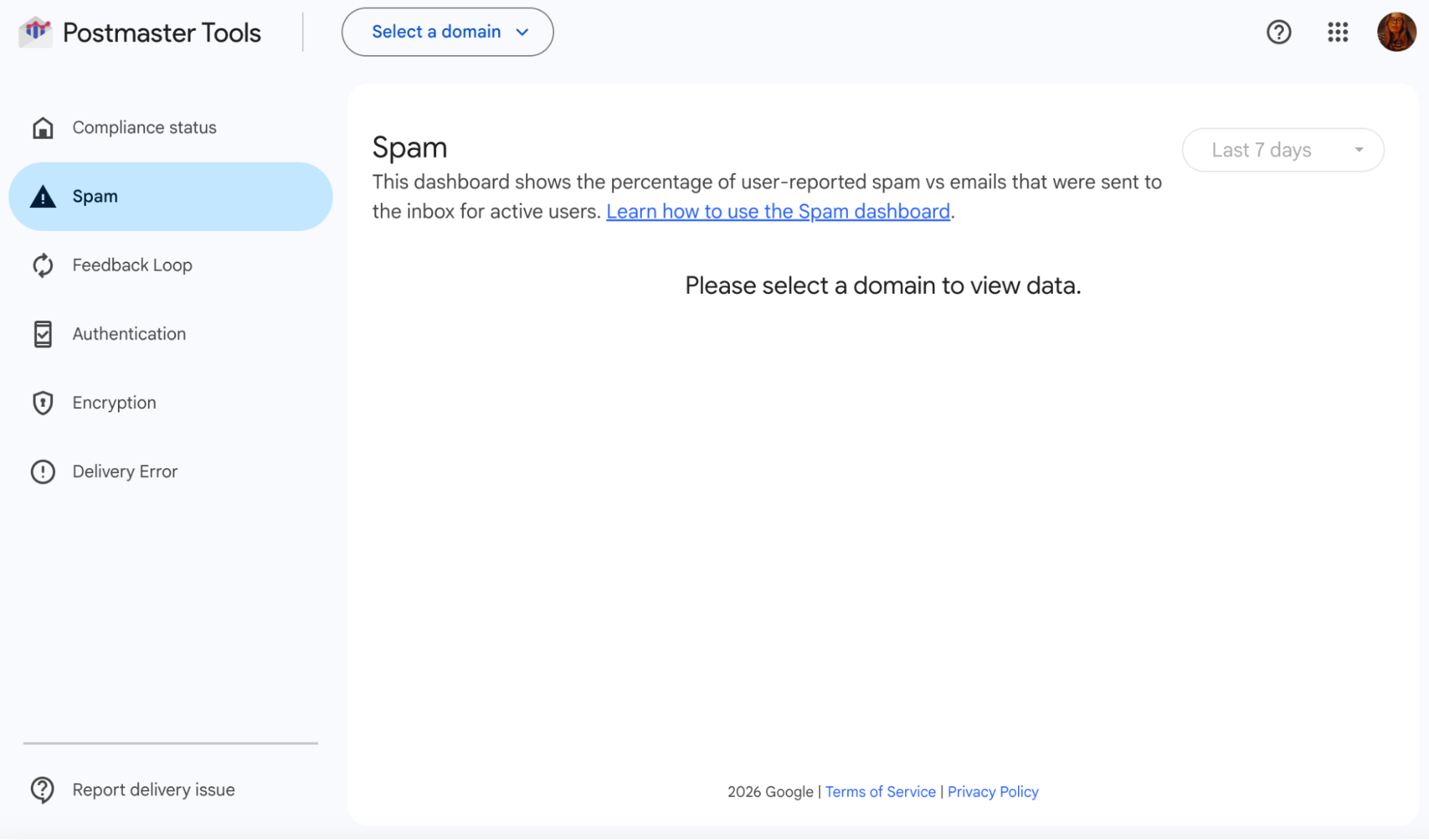
For more detail, Google’s Feedback Loop can show which campaigns are getting spam complaints. You just need to add a Feedback-ID header to your emails.
Yahoo has its own Complaint Feedback Loop for tracking reports from Yahoo users. And depending on your email platform, you may also see this complaint data directly in your campaign reports.
How to check spam placement?
A low complaint rate doesn’t necessarily mean your emails are reaching the inbox. Some may already be landing in spam before recipients even get a chance to report them. That’s why I’d check spam placement separately.
For this, I use the Snov.io Deliverability Check. It shows me not only where my test emails land, but also issues with my domain health, sending setup, or email content that might be affecting my inbox placement rate.
The process itself is pretty hands-off. Within my Snov.io account, I open Deliverability Check, choose the email account I want to test, and start the check.
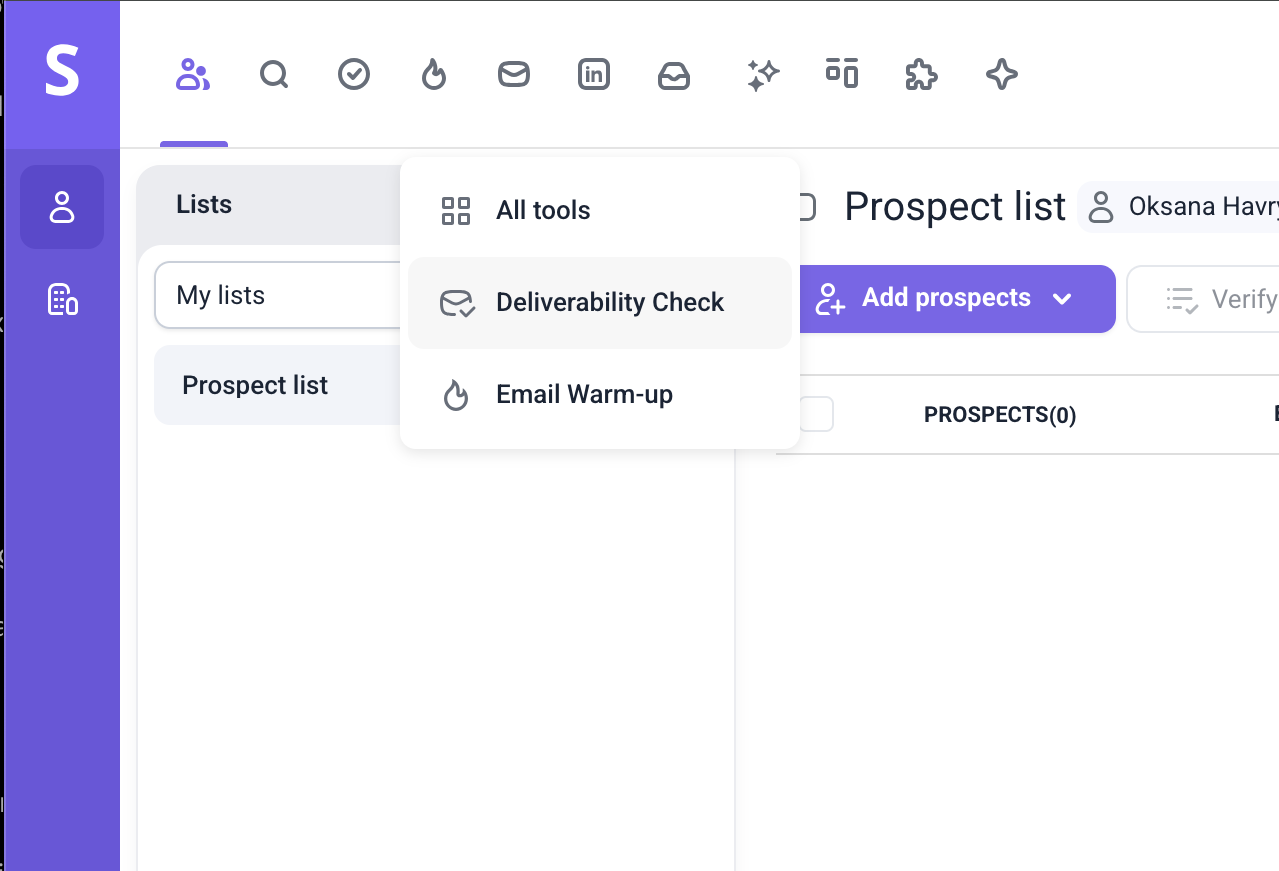
Then I get back to work and check the results later.
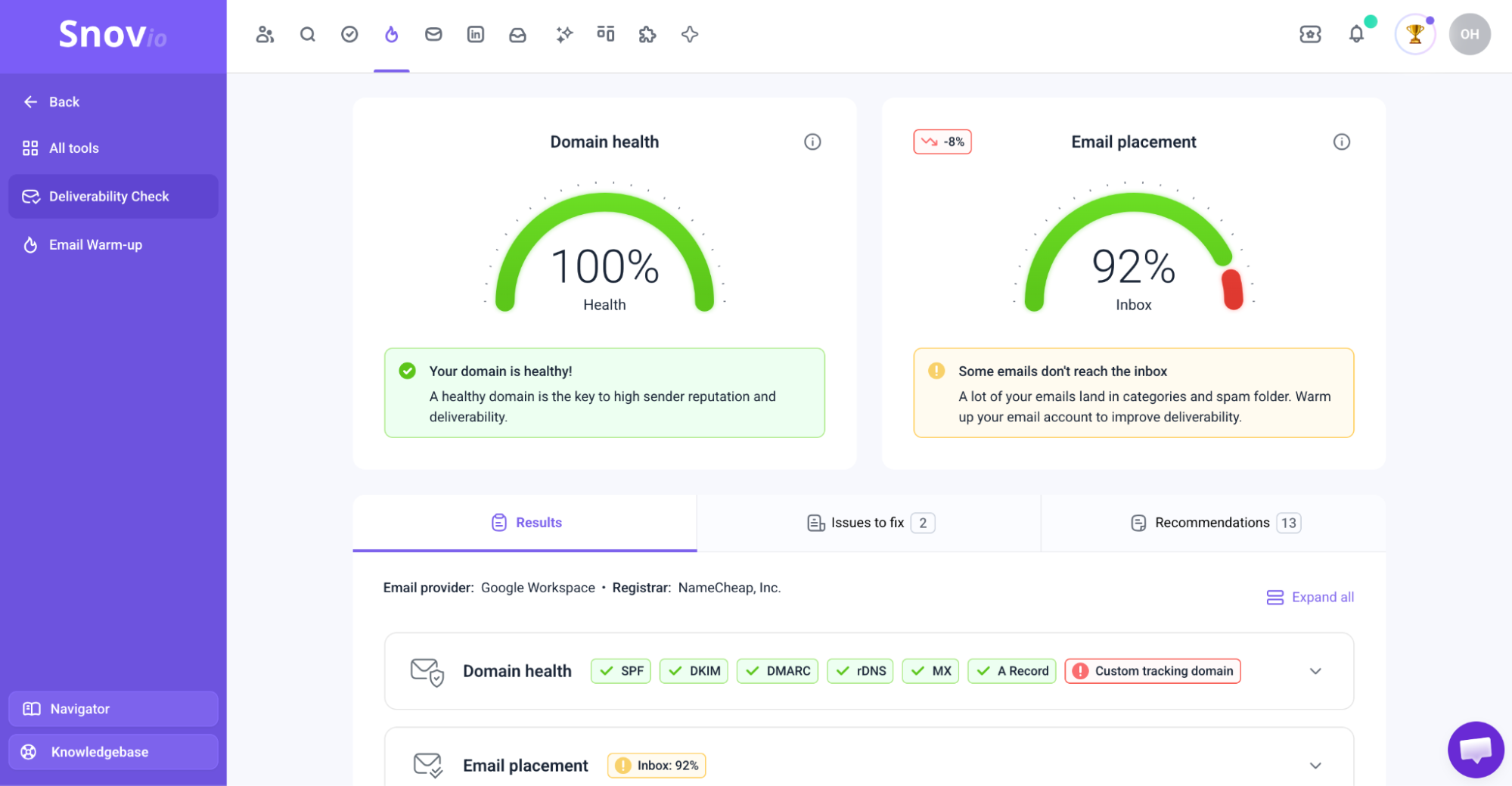
Once it’s done, I have a breakdown of where the test emails landed, my spam rate, and any issues with my domain, setup, or content that I should look into.
What causes a high spam complaint rate?
People don’t always report messages as spam because they’re technically spam. Often, they simply don’t recognize the sender, don’t remember subscribing, or no longer find the emails relevant.
Then there’s the frequency factor as well. Email too often, and you risk annoying recipients, but wait too long, and they may forget why they’re hearing from you in the first place.
Google specifically recommends periodically confirming that subscribers still want your emails and considering removing recipients who consistently don’t engage.
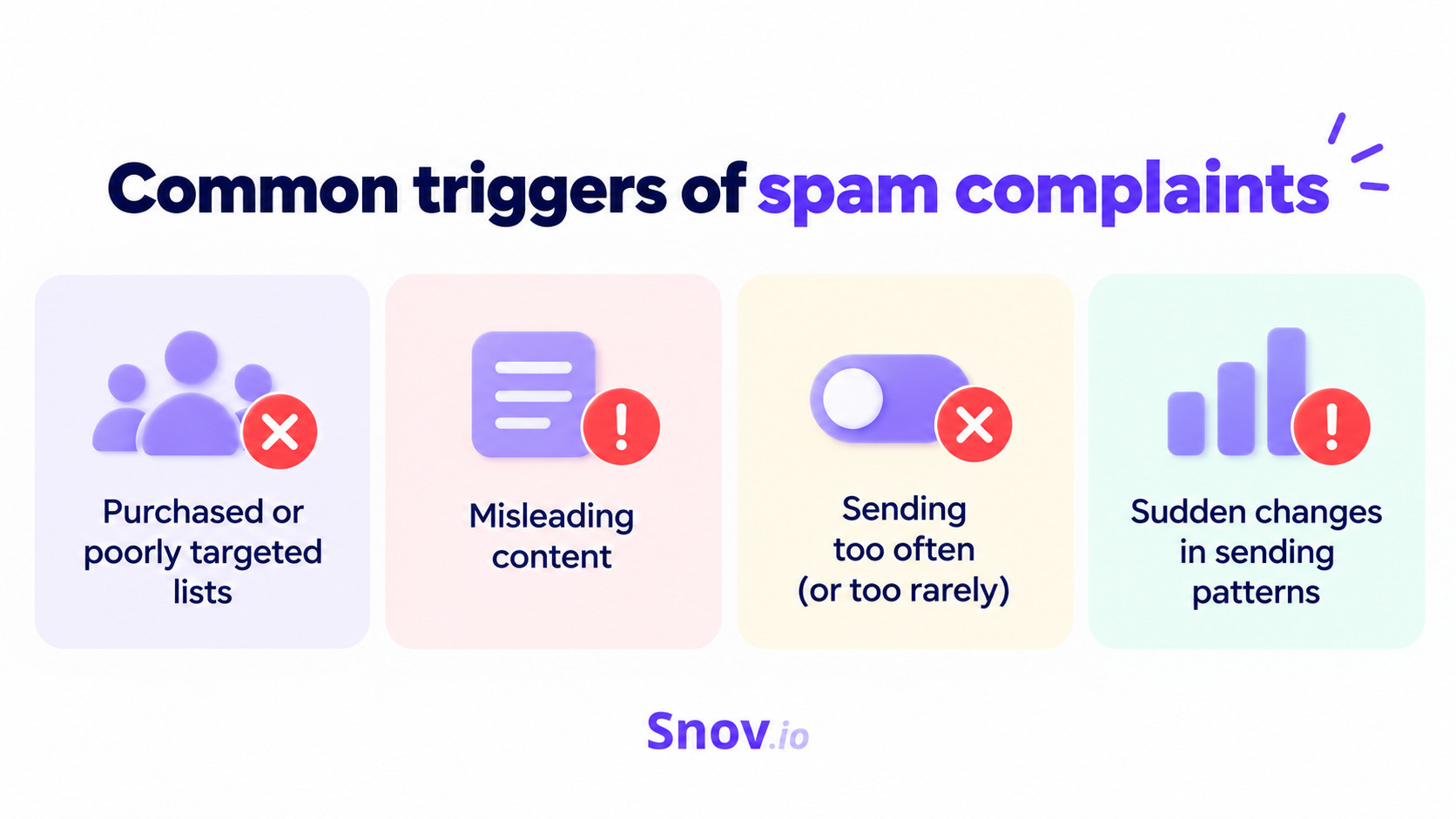
Other common triggers include:
- Purchased or poorly targeted lists
- Misleading content
- Sudden changes in sending patterns
- Making it difficult to unsubscribe
Given such a low acceptable spam complaint rate in email marketing and cold outreach, it doesn’t take many frustrated recipients to create a problem.
How to keep your spam complaint rate low
With an acceptable spam complaint rate of 0.1%, there’s very little room for error. Let’s look at the moments that can turn an otherwise legitimate email into an unwanted one and how you can prevent them.
Send to relevant, engaged recipients
One thing I wouldn’t take for granted is the email list.
I’d specifically look at where those subscribers actually came from. Someone who chose to hear from you is much less likely to be surprised by your email than someone from an old or purchased list.
Google specifically recommends double opt-in for subscription campaigns, but it also notes that an old opt-in shouldn’t be treated as a free pass forever. Meaning, if subscribers consistently stop engaging, consider whether it still makes sense to keep emailing them.
The same idea applies to cold B2B, just without the signup part. Since you’re initiating the conversation, relevance matters even more. Mailgun found that 19.9% of consumers would mark an unsolicited brand email as spam, while only 7.2% would unsubscribe.
So, every prospect on your list should have a clear reason to be there, whether it’s their role, company, or current situation.
Keep your content useful, personalized, and non-spammy
Your targeting can be spot-on, but relevance still matters once the email reaches the recipient. If what you send has little to do with why they signed up or why you contacted them, interest can disappear pretty quickly.
Mailgun’s research shows just how often that happens: 17.3% unsubscribed because the content felt irrelevant.
So, what can you do about it?
Follow several expert recommendations:
- Segment your audience where possible and adjust the message to what that particular group is likely to care about
- Personalize to the fullest, not just “Hey, {{First Name}}”: In cold outreach, that also means focusing on a problem specific to someone’s role and avoiding the same pitch to everyone at the company
- Get rid of spam trigger words like “Act now!!!!” or “miracle” or defensive disclaimers like “This isn’t spam”: They not only trigger spam filters but also irritate recipients and force them to click that “Report” button (e.g., “Report junk” in Microsoft Outlook or “Mark as spam” in Yahoo Mail)
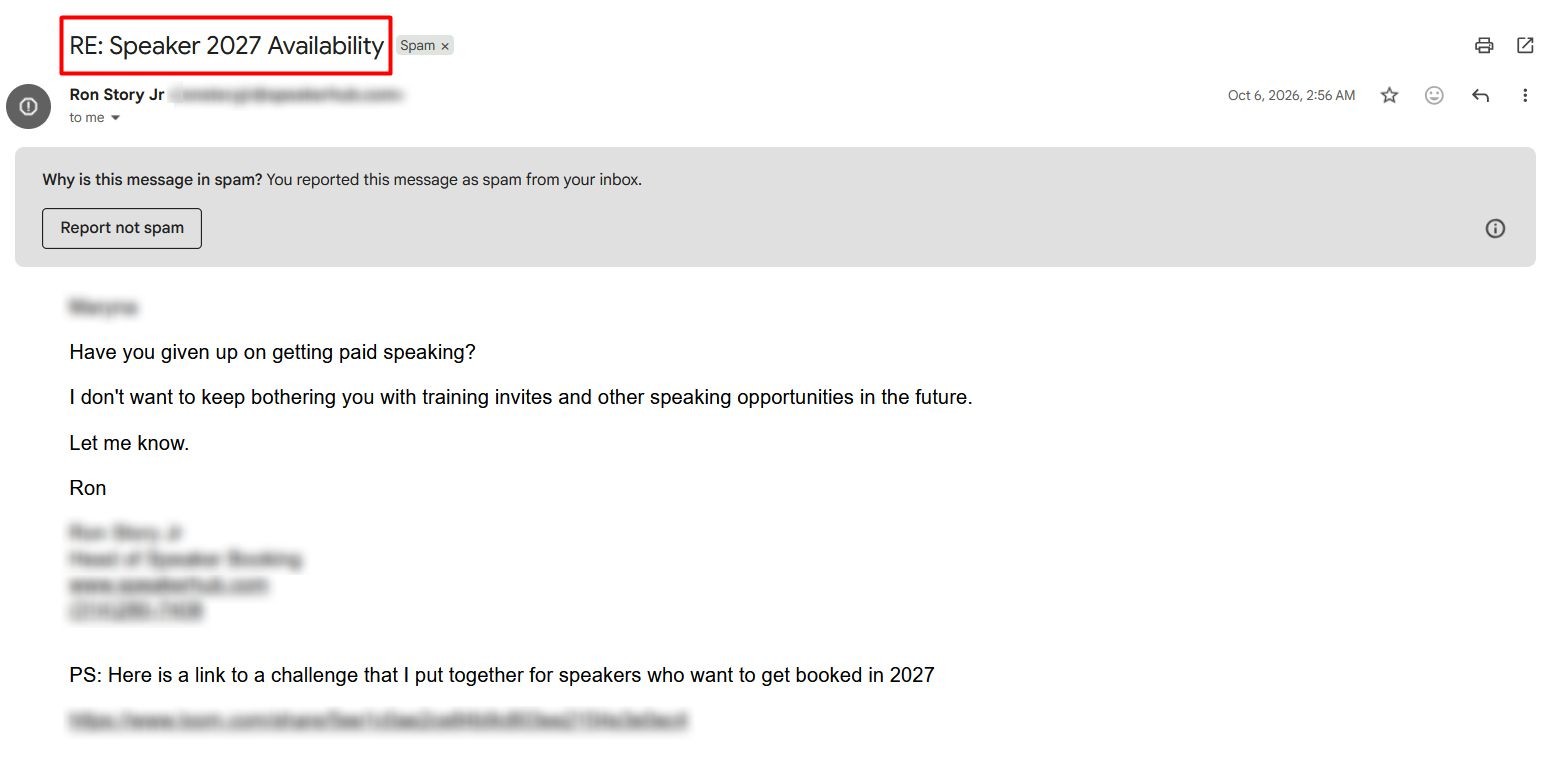
- Avoid deceptive subject lines starting with something like “You’ve won,” “Fwd,” or “Re:”
For example:
A deceptive subject line, “RE: Speaker 2027 Availability,” was the number 1 reason I clicked “Report spam” on the following message that landed in my Gmail inbox.
People don’t mark you spam because you’re cold. They do it because:
❄️It’s irrelevant
🤖It’s robotic / poorly AI-gen’d
😒It feels like you don’t care if they reply
Write like you’re messaging one person. And don’t use phrases like “limited-time offer” unless you want to live in the spam folder.
Outbound Outreach Expert at Snov.io

Find balance in frequency: not too often and not too rarely
And it’s not just what you send that can push people away, because how often you show up matters just as much. In that same Mailgun report, 19.8% said too many emails were their main reason for unsubscribing.
But there’s no magic frequency either: 25.7% expected promotional emails weekly, while 22.8% expected them daily.
The point is pretty obvious: there’s no need to chase a supposedly “ideal” frequency. Pay attention to what your own audience expects and how often, so you can find balance, especially in email marketing (e.g., regular newsletters and promos).
Make it easy to unsubscribe
Once someone wants off your list, you really only get to influence how they leave. This is why I’d much rather make unsubscribe the obvious choice than have them hit “Report spam” or other buttons, depending on inbox providers.
Google requires promotional messages in email marketing campaigns to support one-click unsubscribe and honor requests within 2 days. Microsoft has similar rules for bulk senders. Check particular guidelines for all the major inbox providers.

But what about cold outreach?
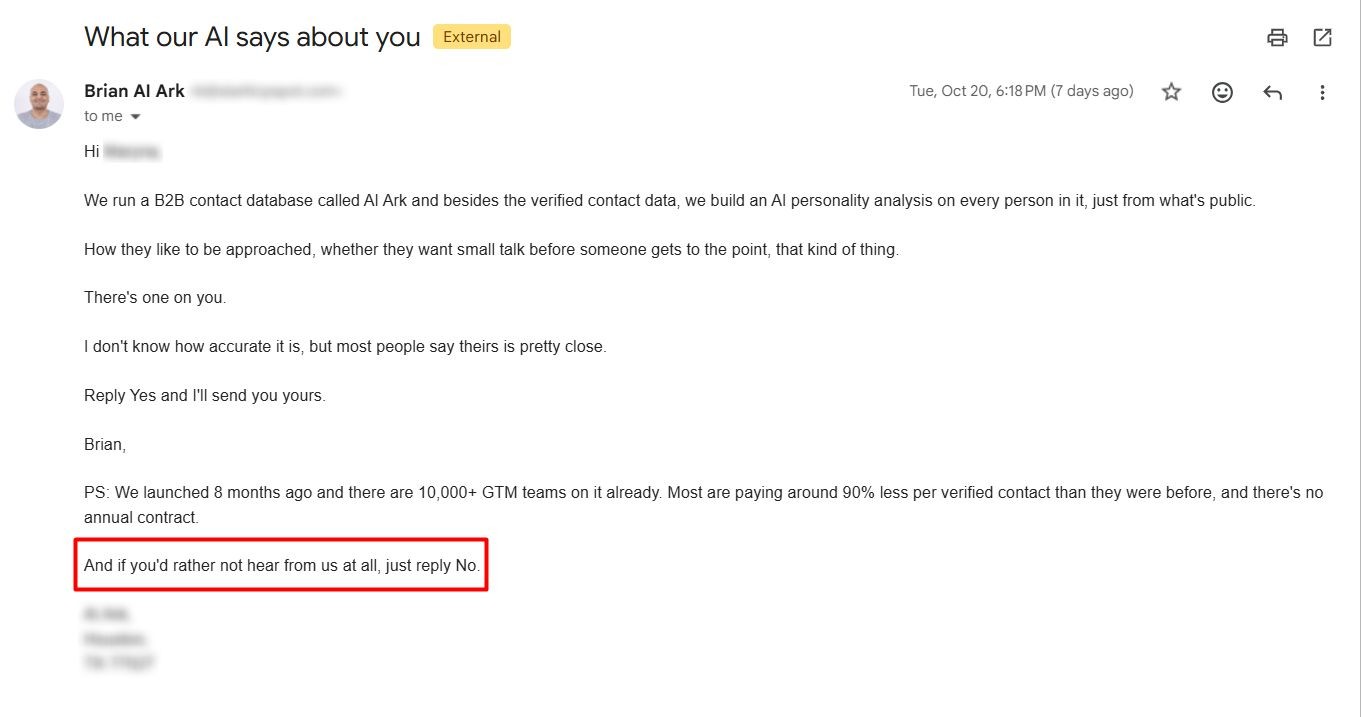
Here are suitable phrases you can add to your cold emails to let people opt out easily so that you can delete them from your list and never send to them again:
- Feel free to reply “Pass” if this isn’t a priority. No hard feelings.
- P.S.: If this isn’t for you, drop a “No,” and you won’t hear from me again.
- Isn’t relevant? A one-word reply is enough, and I’ll take you off my list.
For example:
“And if you’d rather not hear from us at all, just reply No.”
Also, keep in mind that a regular unsubscribe link or any other way to opt out in the email body isn’t enough. Your emails also need List-Unsubscribe headers, which let providers like Gmail offer a one-click unsubscribe option directly in their interface.
Keep your sender name recognizable
Even legitimate emails can generate complaints when recipients don’t recognize who’s contacting them or can’t remember why they’re receiving the message. Actually, not recognizing the sender or remembering the subscription is a common reason people report emails as spam.
As a rule, figuring out who sent the email should take about a second. Stick with a recognizable From name and address, clearly identify your company, and don’t switch between sender identities unnecessarily.
Compare what can be a recognizable sender name and what names to avoid by use case in the table below.
| Use case | Recognizable | Unrecognizable |
|---|---|---|
| Newsletter email marketing | Brand Name | Info or Hello |
| Cold email outreach | [Your Name] from [Brand Name] | Just a name or nickname |
| Customer support | [Brand Name] Support | Team |
| Product updates | [Brand Name] Updates | Admin |
| Billing and invoices | [Brand Name] Billing | Notification |
The same goes for timing. If someone signs up and then doesn’t hear from you for 6 months, your next email may feel completely unsolicited even though they technically agreed to receive it.
Warm up new domains and avoid sudden volume spikes
This one has a less direct connection to spam complaints, but it still plays a role in overall email deliverability.
If a domain or mailbox is brand new, I wouldn’t recommend going from zero to thousands of emails in a matter of days. There’s no established sending history yet, so mailbox providers have far less information to judge your mail. Google also warns against sudden spikes.
Start with a low email volume and increase it gradually. For cold outreach, we suggest taking an especially cautious approach at Snov.io:
- 15–30 emails per day per account is the recommended range
- 50+ emails per day per account can be risky, even for warmed-up accounts with a good reputation
And the good news is you don’t have to manage the warm-up on your own. I’d leave that part to Snov.io’s Email Warm-up, which gradually builds sending activity and automatically generates interactions.
Just remember that warm-up emails also count toward your provider’s sending limits, so leave enough room for them when setting your daily campaign volume.
Get authentication right
This tip is also more on the deliverability side. Snov.io’s analysis of 10M+ cold emails found that properly authenticated campaigns consistently saw higher open and click rates, so it’s not something I’d leave unchecked.
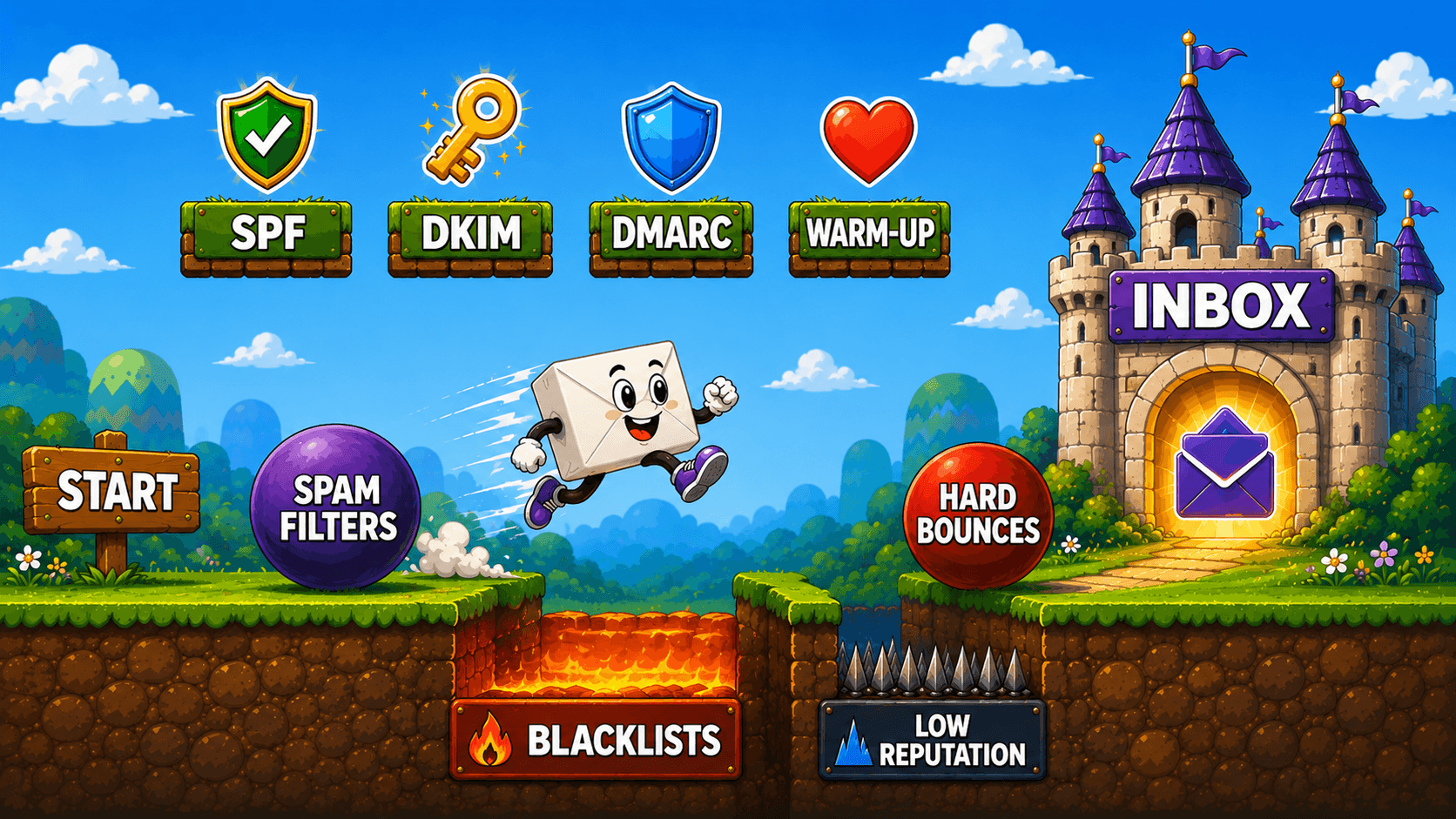
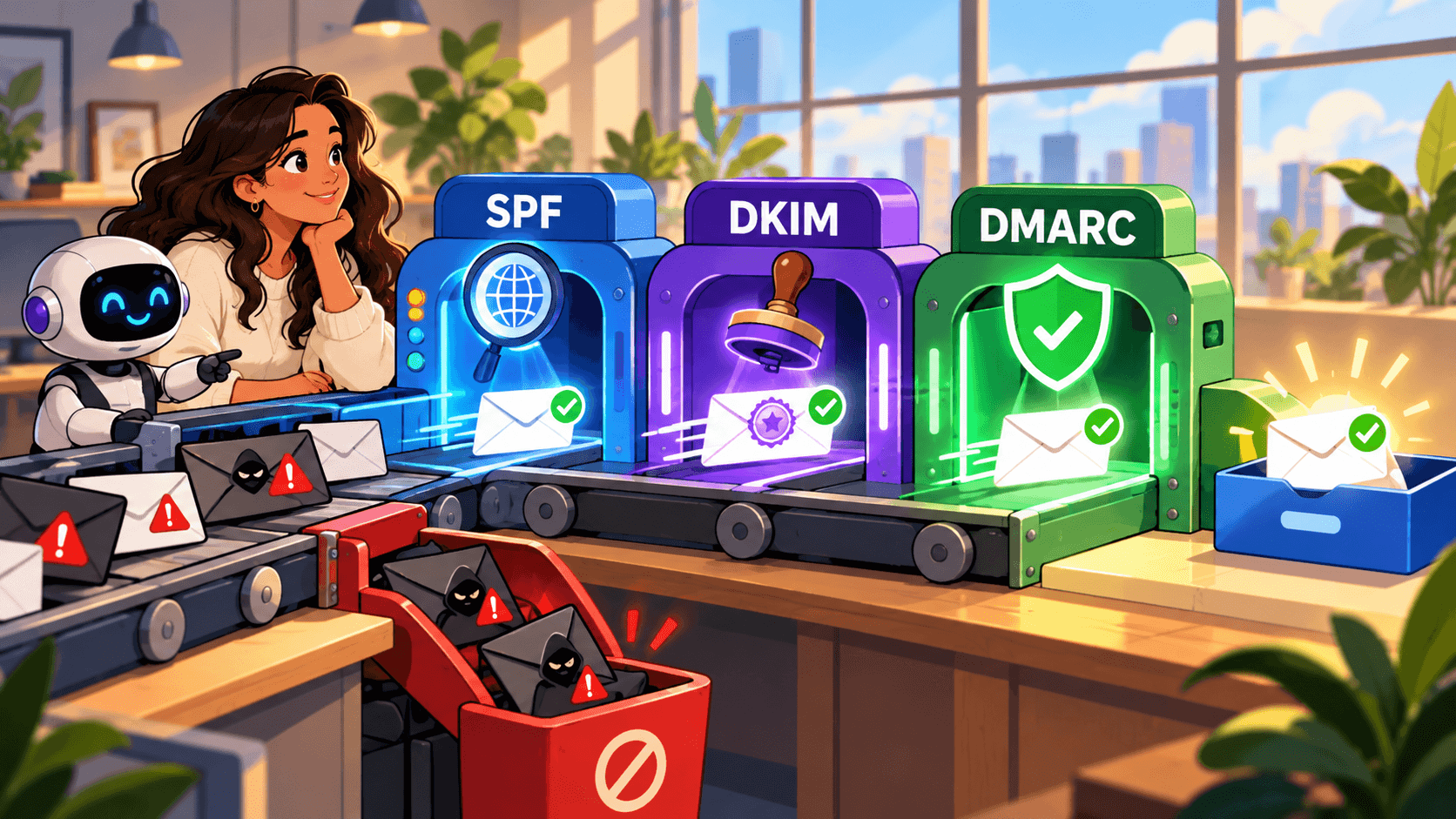
Email authentication is basically how you prove to mailbox providers (and their spam filters) that you’re really allowed to send emails from your domain. SPF, DKIM, and DMARC are the 3 main protocols used to do that.
Sure, they won’t stop an unhappy recipient from clicking “Report spam,” “Move to Junk,” or similar buttons in different providers. But what they do is give mailbox providers a way to verify that the message claiming to come from your domain is legitimate.
I’d also revisit authentication whenever something changes in your sending setup. A new tool or sender can break a configuration that had been working perfectly before.

What to do if your spam complaint rate spikes
The Google sender guidelines set a spam complaint rate of 0.3% as the level to avoid, so I’d act quickly if you’re getting close.
Don’t start changing everything at once. First, find where the spike came from by comparing recent campaigns and looking for patterns. Try asking yourself these questions:
- Did you start emailing a new segment?
- Did your sending volume suddenly increase?
- Did you change the offer or sending frequency?
For Gmail, Google’s Feedback Loop can also help you trace unusually high complaint rates back to specific campaigns.
Once you find the likely source, reduce or pause sending to that audience while you fix it. If the spike started with a new segment, revisit the targeting. If it followed a frequency or volume change, scale it back. And if people are struggling to opt out, fix the unsubscribe process before sending again.
When you’re ready to resume, start with your most engaged and relevant recipients and keep an eye on the rate.
Key takeaways
An acceptable spam complaint rate of 0.1% still leaves very little room for error; that’s just one complaint per 1,000 emails.
So, as with most things, prevention is much easier than fixing the damage later. Start with the key essentials: send to the right people, make it easy to unsubscribe, and catch unusual spikes early.
And since complaints only tell you what recipients report, check spam placement separately with the Snov.io Deliverability Check to see where your emails land.