According to Litmus, email delivers an average of $36 for every $1 spent. But to enjoy those returns, it’s not enough to just reach the inbox. Your emails have to get noticed.
That’s where BIMI can help.
Let’s look at what the BIMI email standard is, what it takes to set up, and why it’s worth adding to your email strategy.
TL;DR: What is BIMI and how does it work?
I’ve picked out the key findings from this post you need to know about BIMI:
- BIMI is an email standard that lets your brand logo appear next to emails in supported inboxes.
- There’s more to it than uploading a logo. You need a BIMI-compatible SVG, a DNS record pointing to it, and, with some providers, a VMC or CMC certificate.
- BIMI and email security go hand in hand, but BIMI isn’t a security protocol. It relies on strong authentication and DMARC rather than replacing them.
- Brand indicators and email deliverability are connected, but BIMI won’t improve inbox placement on its own. BIMI won’t fix spam placement or a poor sender reputation.
- A correct setup doesn’t guarantee logo display. Gmail, Yahoo, and other providers have their own requirements and ultimately decide whether to show it.
Before setting up BIMI, run your domain through the Snov.io Deliverability Kit to check authentication, domain health, and inbox placement. That way, you know the foundation behind that logo is actually doing its job.
What is BIMI in email marketing?
Brand Indicators for Message Identification (BIMI) is an email standard that lets brands publish a logo that mailbox providers can display alongside their emails.
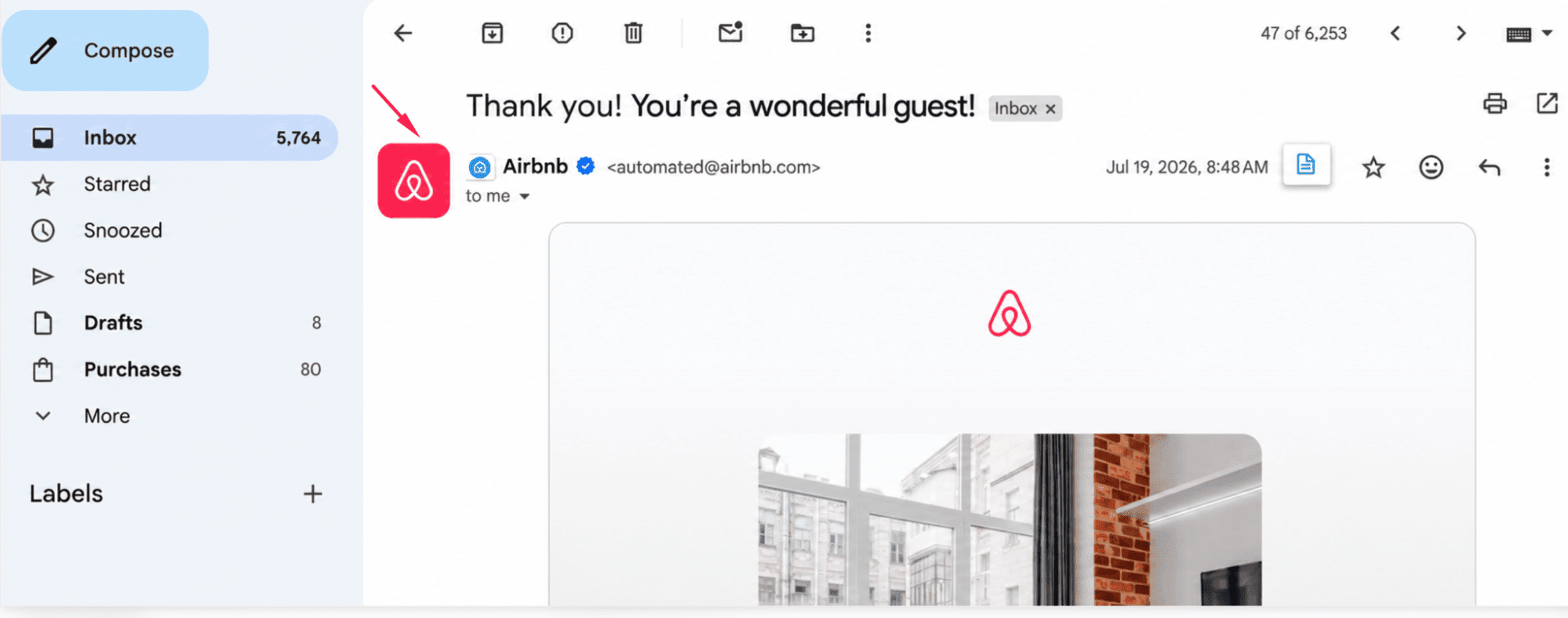
In email marketing, it’s another way to build recognition and visibility.
A logo makes your emails easier to spot and helps recipients identify your brand at a glance. And the evidence supports it: Red Sift and Entrust found that displaying a brand logo increased brand recall by up to 44%.
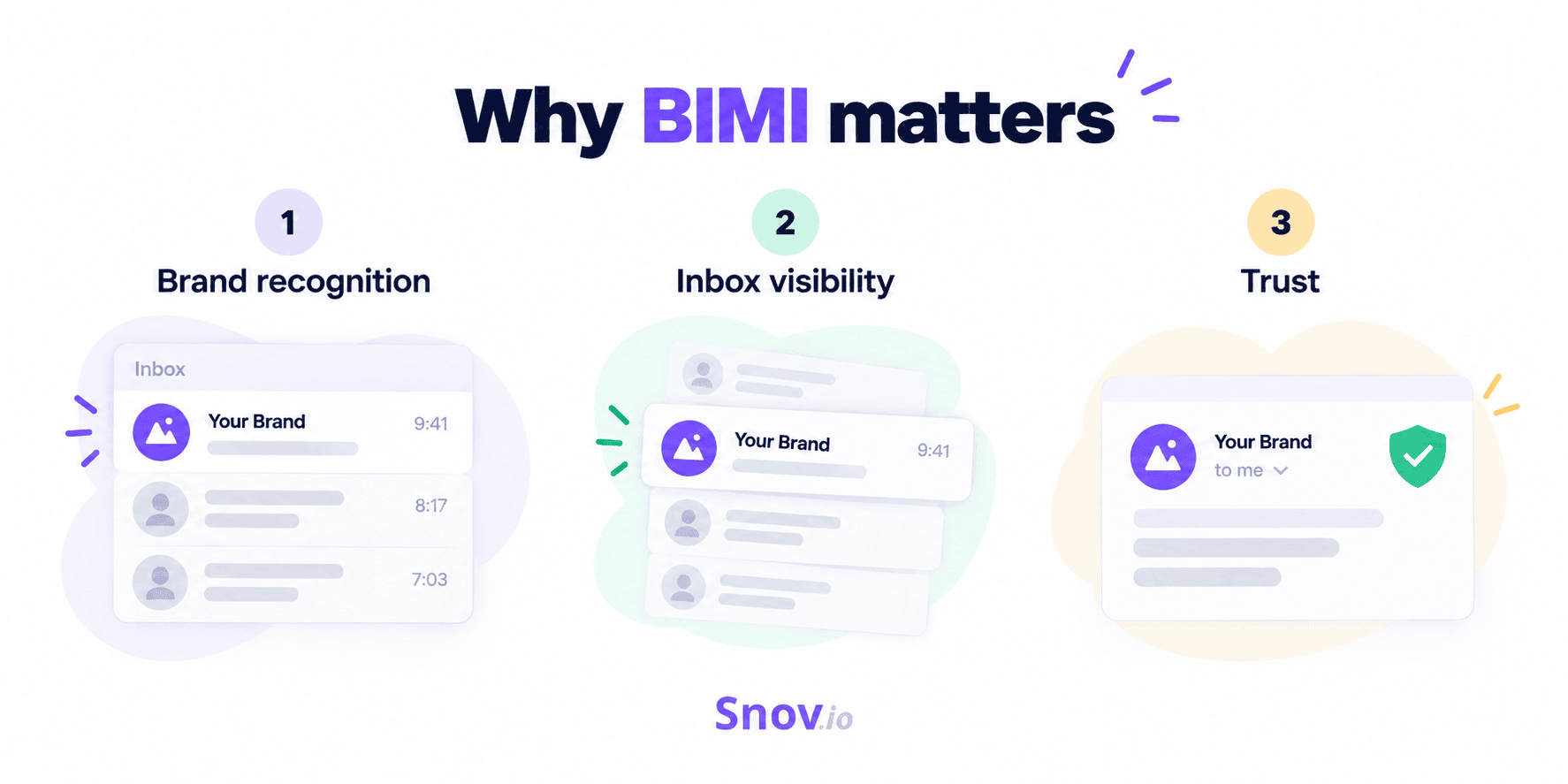
For marketers, that gives BIMI 3 particularly useful roles:
- Brand recognition: Recipients can identify your company before opening the email.
- Inbox visibility: A recognizable logo provides another visual cue among competing messages.
- Trust: Authentication and branding give recipients more confidence in the sender.
Over time, that recognition can have a compounding effect, contributing to brand performance indicators. According to the recent Red Sift study, displaying a brand logo increased email opens by up to 39%.
How does BIMI work?
BIMI connects an authenticated email with the brand logo published in its BIMI record.
Everything starts when your email reaches a participating mailbox provider. Then, the provider checks whether the message is properly authenticated and passes DMARC. If it does, it looks up the sender’s BIMI record to find the logo and, if included, its certificate.
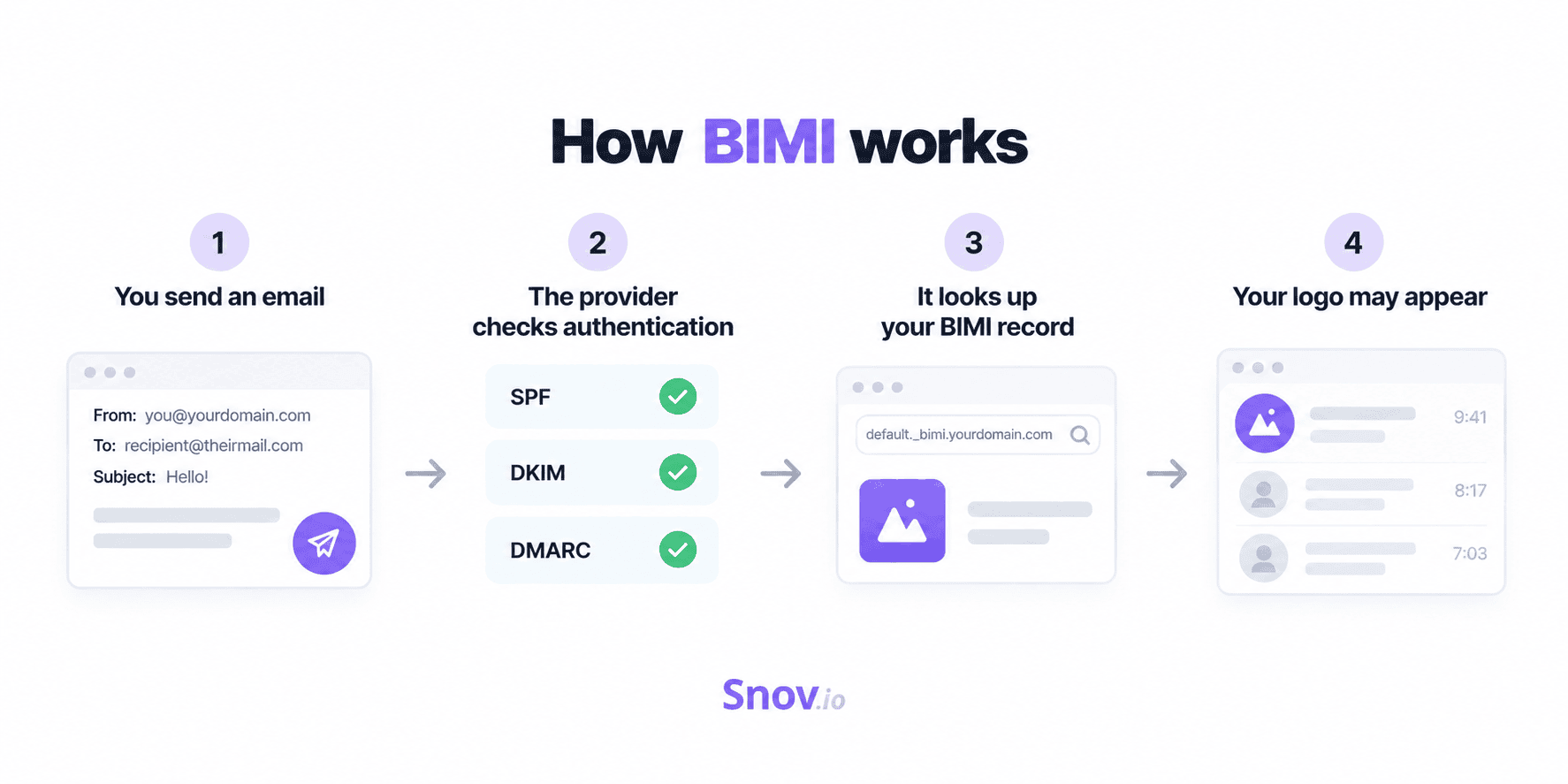
One thing I should mention before you get too excited: even a perfectly configured BIMI setup doesn’t guarantee your logo will appear. It only makes it eligible for display; the mailbox provider still makes the final decision.
Before I can walk you through the BIMI setup itself, let’s make sure you have and understand everything it requires:
- Email authentication
- DMARC enforcement
- A BIMI-compatible logo
- A BIMI DNS record
- A VMC or CMC if needed
As for the authentication BIMI relies on, SPF, DKIM, and DMARC work together to verify that messages are legitimately sent on behalf of your domain:
- SPF specifies whether this server is allowed to send email for the domain.
- DKIM specifies whether the message is properly signed and has remained intact.
- DMARC builds on SPF and DKIM to check domain alignment and whether the message passes the required authentication.
These protocols aren’t just boxes to tick before setting up BIMI; they’re part of the same foundation that supports your overall email deliverability (the ability to successfully get emails into recipients’ inboxes).
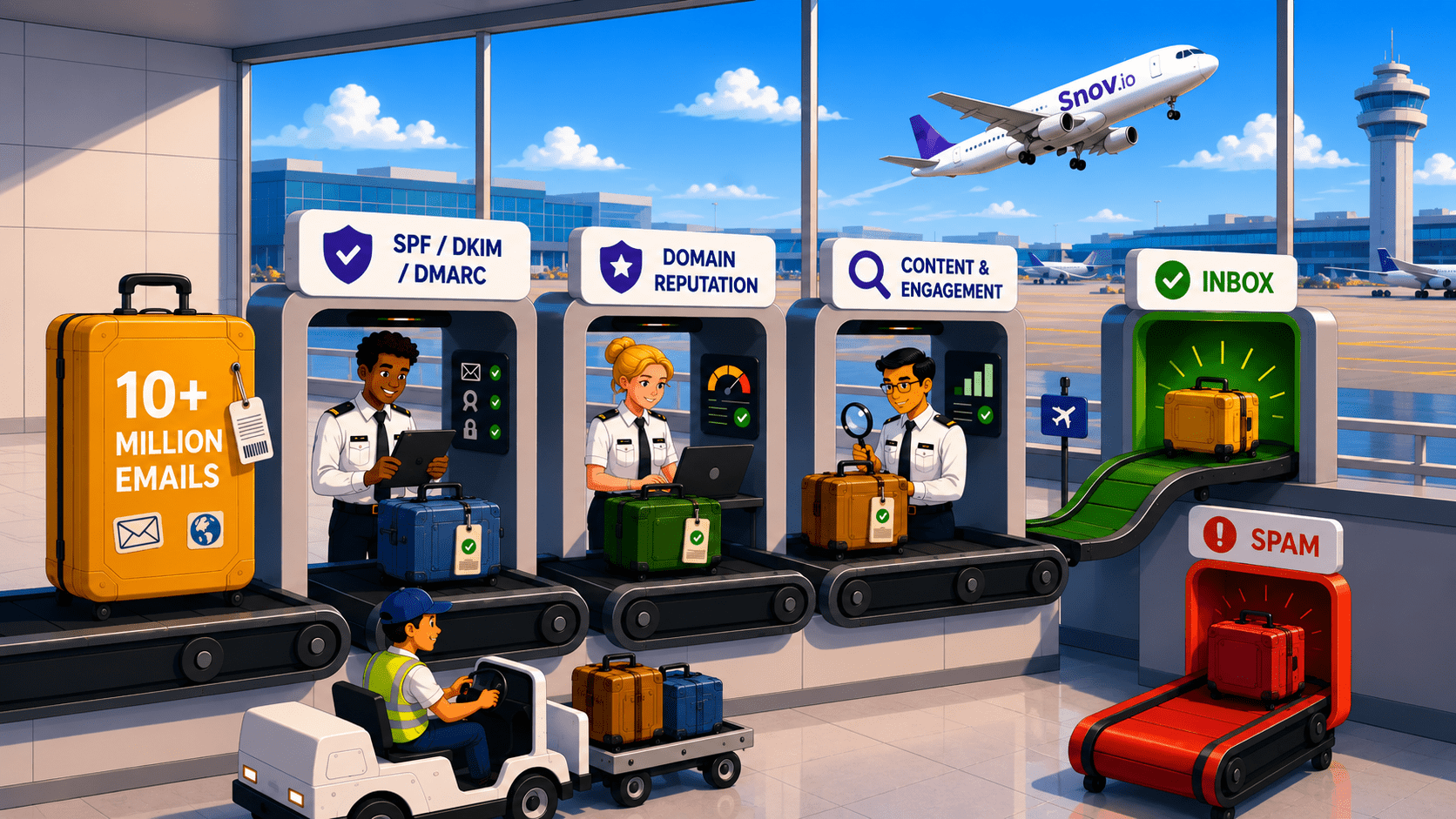
So, before worrying about the logo, it’s worth seeing how healthy that foundation actually is. Snov.io’s Deliverability Check helps you do that in one place, checking SPF, DKIM, and DMARC, plus inbox and spam placement and domain health.
As a benchmark, aim for 90%+ inbox placement.
What is a BIMI record?
A BIMI record is a piece of text added to your domain’s DNS settings. It tells mailbox providers where to find your logo and, when applicable, the certificate that verifies your right to use it.
The record itself usually lives at a location like: default._bimi.example.com
Open it up, and you’ll see something along these lines:
v=BIMI1; l=https://example.com/logo.svg; a=https://example.com/certificate.pem
BIMI DNS record structure
At first, a BIMI record can look a little bit complicated, but as you break it down, there really isn’t much to it.
The 3 main tags you’ll come across are:
- v=BIMI1 identifies the record as BIMI.
- l= tells the provider where to find your BIMI-compatible SVG logo.
- a= tells it where to find your certificate, if you have one.
BIMI can get more technical than this, but I’ll spare you the extra details for now. For most senders, the fields above cover the essentials.
VMC vs. CMC: Do you need a certificate for BIMI?
Not always; you can technically use BIMI without a certificate. That’s known as self-asserted BIMI.
But the problem is that self-asserted BIMI will only get you so far. Some mailbox providers require a Mark Certificate before they’ll consider displaying your logo.
There are currently 2 main certificate types:
| VMC | CMC | |
|---|---|---|
| Stands for | Verified Mark Certificate | Common Mark Certificate |
| Requirements | Typically requires a registered trademark or qualifying government mark | Can be used for qualifying logos without a registered trademark |
| What it verifies | Your organization and its right to use the mark | Your organization and its right to use the logo |
| Best for | Brands with a registered trademark | Brands that use an established logo but don’t have it registered as a trademark |
In short, if your logo is a registered trademark, a VMC is usually the way to go. If it isn’t, a CMC may still give you a path to certified BIMI.
So, do you actually need either one? That depends largely on where your audience reads their email.
Some mailbox providers, such as Gmail, require a VMC or CMC (a notable consideration given Gmail’s 3 billion users worldwide). Yahoo, on the other hand, can support self-asserted logos and may also consider factors like sender reputation and engagement.
And BIMI isn’t standing still. Newer additions to the standard give brands more control over how and where their logos are displayed, including the ability to use different logos in different email contexts. But that’s a topic for another day.
Which email providers support BIMI?
Gmail, Yahoo, Apple Mail, and Fastmail are among the major providers that support BIMI. Just be aware that they don’t all ask for the same things before they’ll display your logo.
Here’s a cheat sheet for navigating the different requirements:
| Provider | BIMI support | What you should know |
|---|---|---|
| Gmail | Yes | Requires a VMC or CMC and enforced DMARC |
| Yahoo | Yes | No certificate required, but sender reputation and engagement matter |
| Apple Mail | Yes | Available on supported Apple devices and iCloud.com |
| Fastmail | Yes | Supports BIMI without requiring a VMC |
As you can see, Gmail sets the bar a little higher with its VMC or CMC requirement.
Yahoo gives you more room to work with self-asserted logos, but your sender reputation and engagement still come into play.
Apple Mail and Fastmail have their own conditions to meet as well.
How to add BIMI to emails
Setting up BIMI starts with authentication. Here’s how to do it.
Step 1: Check SPF and DKIM
Make sure your legitimate emails authenticate through SPF and/or DKIM and align with the domain in the From address. DMARC uses this alignment to determine whether a message passes. If several services send email for your domain, account for all of them.
Step 2: Move DMARC to enforcement
For BIMI, your DMARC policy needs to be p=quarantine (failed messages are treated as suspicious) or p=reject (failed messages are rejected), applied to 100% of messages. p=none doesn’t qualify.
Don’t rush to p=reject just to enable BIMI. First, make sure all your legitimate sending sources authenticate correctly.
Step 3: Prepare your BIMI logo
Your logo needs to use SVG Tiny Portable/Secure (SVG Tiny PS), a restricted SVG format designed for safer use. Keep the important elements centered, as providers may crop the image, and host it at a publicly accessible HTTPS URL.
Step 4: Get a VMC or CMC if needed
Some providers require a Mark Certificate to display your logo. As mentioned earlier, Gmail, for example, requires either a VMC or CMC to verify your organization and its right to use the logo.
Step 5: Publish your BIMI record
Add a BIMI TXT record to your DNS, typically at: default._bimi.example.com
For example: v=BIMI1; l=https://example.com/logo.svg; a=https://example.com/certificate.pem
Here, l= points to your logo and a= to your certificate, if you use one.
Step 6: Check your setup
Finally, check your BIMI record, DMARC configuration, logo, and certificate URLs.
And give it some time: Google notes that BIMI changes can take up to 48 hours to appear. Even then, the mailbox provider ultimately decides whether to display your logo.
Why isn’t the BIMI logo showing?
You’ve configured BIMI, sent yourself a test email, opened your inbox, and… no logo. Don’t write BIMI off as broken just yet; your logo might not appear for any of these reasons:
- DMARC isn’t enforced
- The email fails DMARC
- Your BIMI record is wrong
- Your logo format is wrong
- Your files can’t be accessed
- There’s a certificate issue
- BIMI isn’t supported
- Provider requirements aren’t met
How do mailbox providers display your logo?
Depending on the mailbox provider and app, recipients may see it next to your sender name in the message list, inside an opened email, or both.
Google’s troubleshooting guidance specifically recommends checking the BIMI record, DMARC configuration, SVG format and accessibility, certificate status, and certificate URL when a logo fails to display.
Yahoo provides a good example of why the last point matters. In addition to a valid BIMI record and enforced DMARC, Yahoo currently requires bulk campaign sending as well as sufficient sender reputation and recipient engagement before displaying a BIMI logo.
Your authentication can be flawless and your BIMI setup picture-perfect, but that logo won’t do much if the address you’re sending to doesn’t exist. Use Snov.io’s Email verifier to weed out invalid addresses before they turn into bounces.
Does BIMI improve email deliverability?
BIMI doesn’t directly affect whether your email lands in the inbox or spam, but it still connects to deliverability in other ways.
So, how do brand indicators improve email deliverability?
To use BIMI, you need strong email authentication. This helps mailbox providers verify legitimate senders and protect domains against spoofing and impersonation.
In that sense, BIMI email verification is about giving mailbox providers and recipients more confidence that the brand behind an email is who it claims to be.
BIMI then adds a visible branding layer. A familiar logo can make your emails easier to recognize and give recipients more confidence in the sender.
But don’t give BIMI too much credit. Sure, it’s a sign of a strong authentication setup, but not a shortcut to better inbox placement. If poor sender reputation or spam complaints are hurting your deliverability, BIMI won’t fix them.
Key takeaways: Is BIMI worth it?
If you already have strong email authentication in place, BIMI can be a useful next step. It gives your brand more visibility in supporting inboxes and makes your emails easier to recognize before they’re opened.
It’s particularly worth considering if you send email at scale, have a recognizable brand, or want stronger protection against brand impersonation.
Just don’t expect the logo to do all the work. BIMI won’t guarantee inbox placement or even that your logo appears. It works best when the basics (authentication, sender reputation, spam placement) are already in good shape.