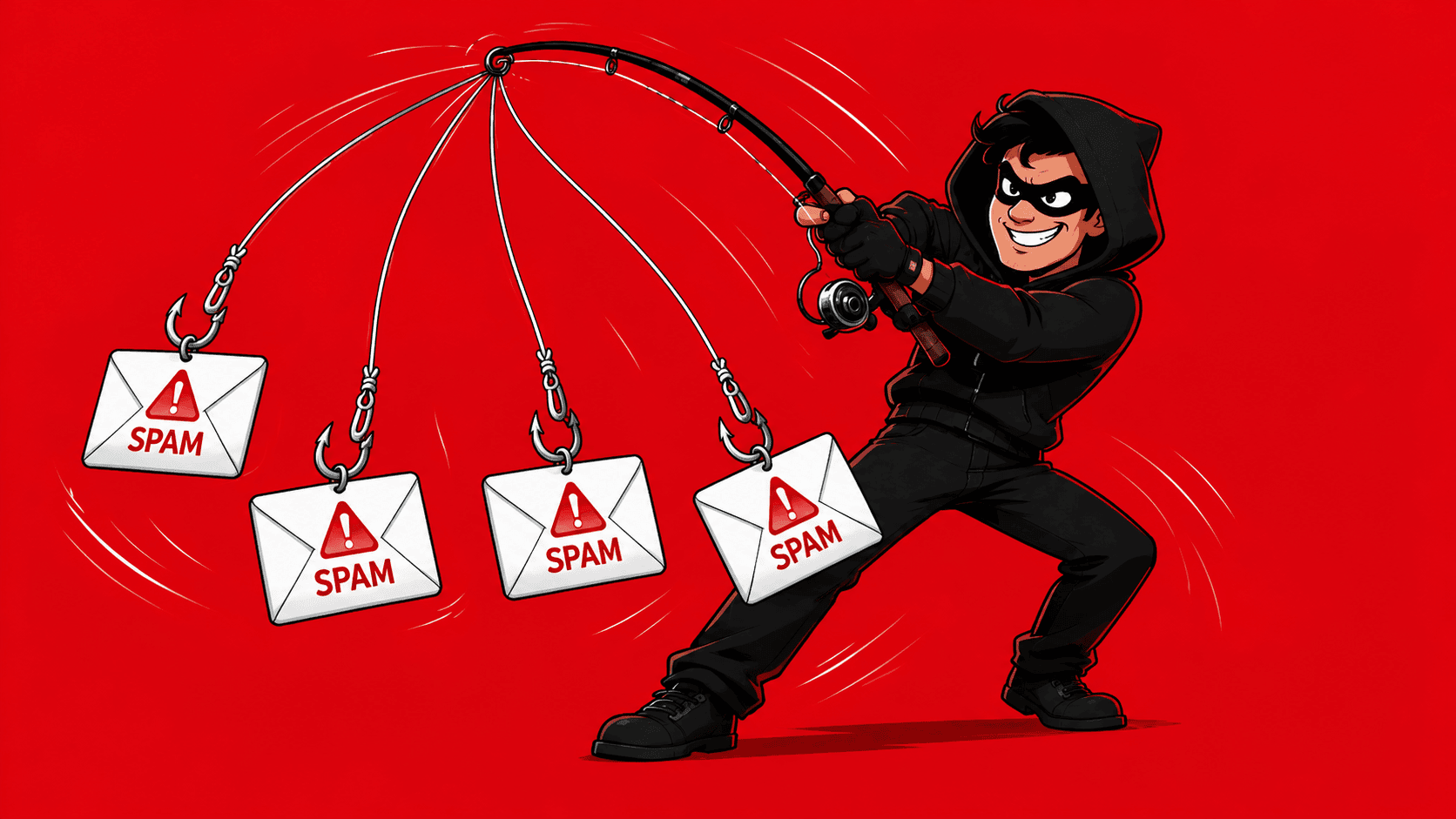
TL;DR: How to detect fake email
This table offers a quick overview of the email authenticity problem and highlights how to tell if an email is fake in the two most obvious ways.
Read the article to learn how to tell if an email is fake step by step.
Email scams are more common than ever. In 2024 alone, over 15 million cyberattacks were detected worldwide, while scammers stole $16.6 billion through basic schemes.
So, learning how to tell if an email is fake is essential for protecting your sender reputation these days. This post covers key red flags to watch for and expert recommendations for verifying email authenticity.
Outline:
Signs an email might be fake
Here are the key warning signs that can help you detect fake email messages:
Suspicious sender’s address
Look closely at who sent the email, because legitimate companies typically use their official domain names. For example, PayPal messages come from paypal.com, not from addresses like paypal-security.com or similar variations.
However, you may spot that some addresses appear almost correct but have minor changes, such as replacing letters with numbers, typos, etc.
For example:
- amazon.support1234@Amazon.ca – extra numbers
- paypal.support team @paypa1.com – typo in the domain name
Be especially cautious of them.
❗Remember: if you respond to fake addresses, you get unwanted bounces, which will affect your overall deliverability.
Requests for personal information
Legitimate businesses never ask for credit card numbers, social security numbers, or passwords through email. If you get a message requesting this type of sensitive information, be especially vigilant; it’s likely a scam.
Generic greetings
Real companies that you do business with know your name and use it. Be suspicious of emails that start with generic greetings, such as “Dear customer,” “Dear valued member,” or simply “Hello,” instead of your actual name.
Poor writing quality
Reputable companies have professional writers who craft their messages carefully. Many scam messages, however, are simply translated from other languages, which is why they often sound awkward.
If you notice obvious spelling mistakes, grammar errors, or sentences that just sound off, that’s usually a red flag.
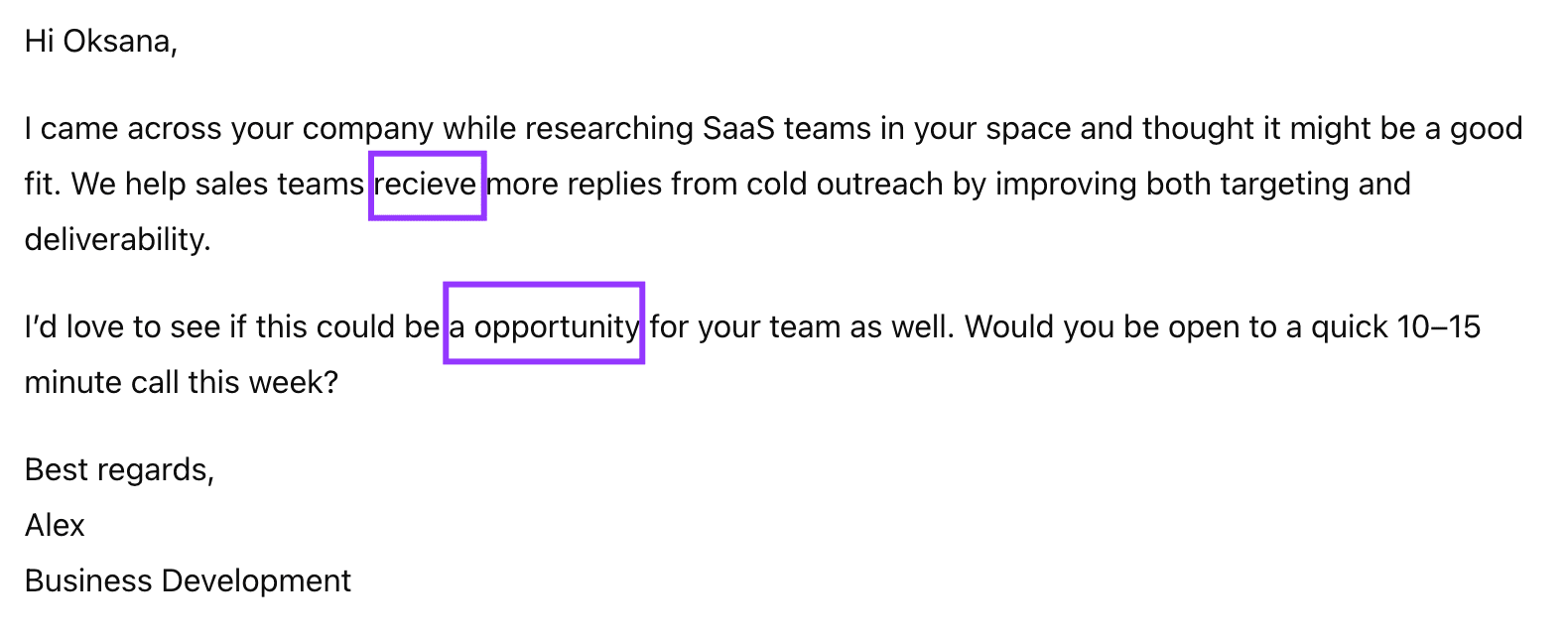
However, keep in mind that now AI writing tools, such as ChatGPT, help non-English-speaking scammers create polished, error-free messages that closely resemble those of legitimate companies. This makes it harder to detect fake email content through writing quality alone.
Irrelevant copy
Another red flag that signals you might have received a malicious email is poorly targeted content. Such messages are obviously written not with the recipient in mind and often feel generic, out of context, or completely irrelevant to the recipient’s role.
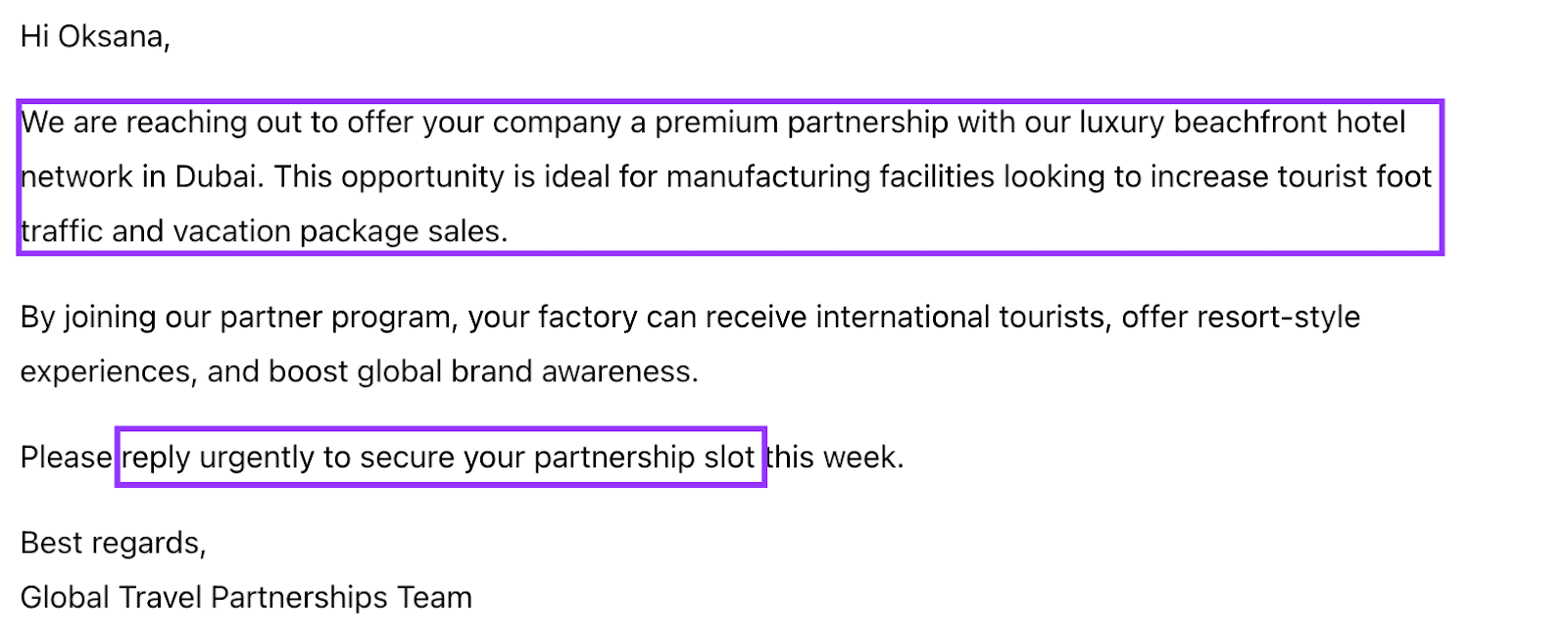
Real businesses usually explain why they’re reaching you, offer value that clearly matches your responsibilities, and use specific, realistic context.
Be wary of urgent requests
When you receive a message that makes you feel panicked, scared, or excited, take a step back. Scammers deliberately trigger these strong emotions because they know people make poor decisions when they’re not thinking clearly.
They might tell you that your account will be shut down immediately, that you’ve won a huge prize, or that someone is trying to access your personal information. These messages are designed to make you panic and act quickly without questioning what’s really happening.
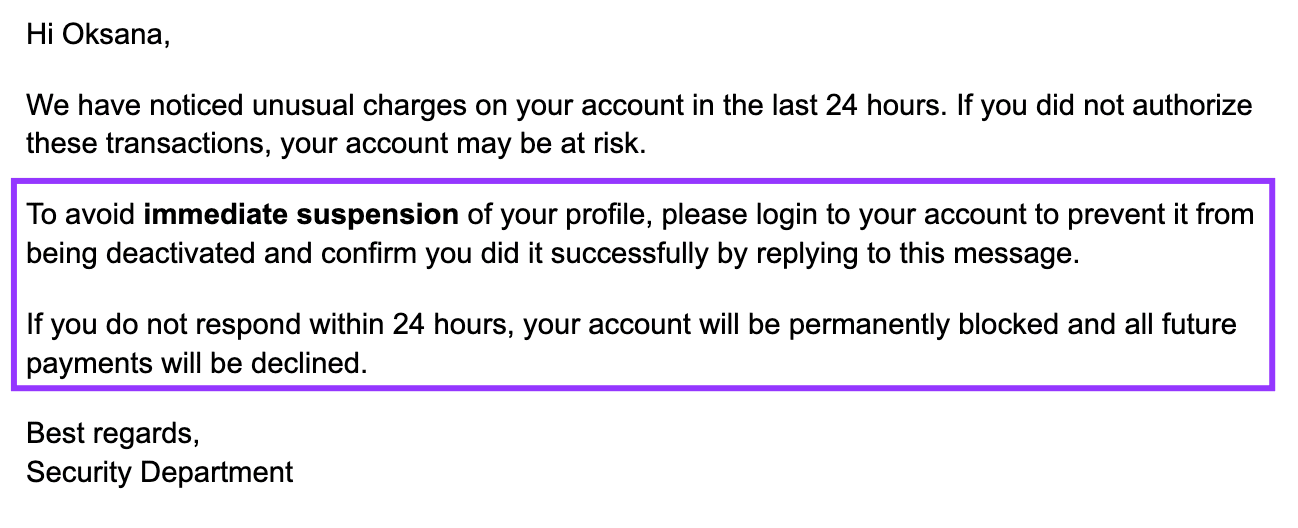
The reason this works so well is simple: when your emotions are running high, your ability to think logically gets pushed aside. Fear about losing your account, excitement about free money, or sympathy for people in crisis can all cloud your judgment. Scammers understand this weakness in human nature and exploit it ruthlessly.
These manipulative messages typically focus on things that naturally provoke strong reactions. They might:
- Promise unbelievable bargains
- Claim you’ve won money you never entered a contest for
- Offer dream jobs, warn about suspicious activity on your accounts
- Alert you about security breaches, promise free financial reports
- Show fake charges you supposedly made
- Ask for donations to help sick children or disaster victims
The most important thing to remember is that legitimate organizations don’t operate this way. They give you a reasonable time to respond to important matters and don’t threaten immediate consequences for not acting within minutes. When you feel that emotional pull to respond right away, that’s exactly when you should stop and reflect.
Unexpected attachments
Real companies rarely send attachments in their emails. Instead, they direct you to their website, where you can safely download the necessary files. So don’t open attachments from messages you weren’t expecting, even if they appear to be from well-known organizations.
Not sure if an email is real? Verify it instantly with Snov.io fake email checker!

Format
Type
Server status
Auto-generated
Catch-all
How to manually verify email authenticity
If you want to verify email authenticity, here are some straightforward methods you can use:
Search the sender’s email address
One of the go-to ways to detect fake emails is with a quick Google search. Just type it in quotation marks, and Google will look for that exact phrase.

Authentic addresses usually show up on social media profiles, professional websites, online directories, or forums. Most real users leave some online activity traces, so when an address appears across multiple reputable sources, that’s a good sign.
Check the domain age
Domain age can also help you detect fake emails. Scammers frequently use newly created domains for their schemes, while real businesses usually stick with established ones. Free domain checkers, such as SmallSEOTools, let you see when a domain was first registered.
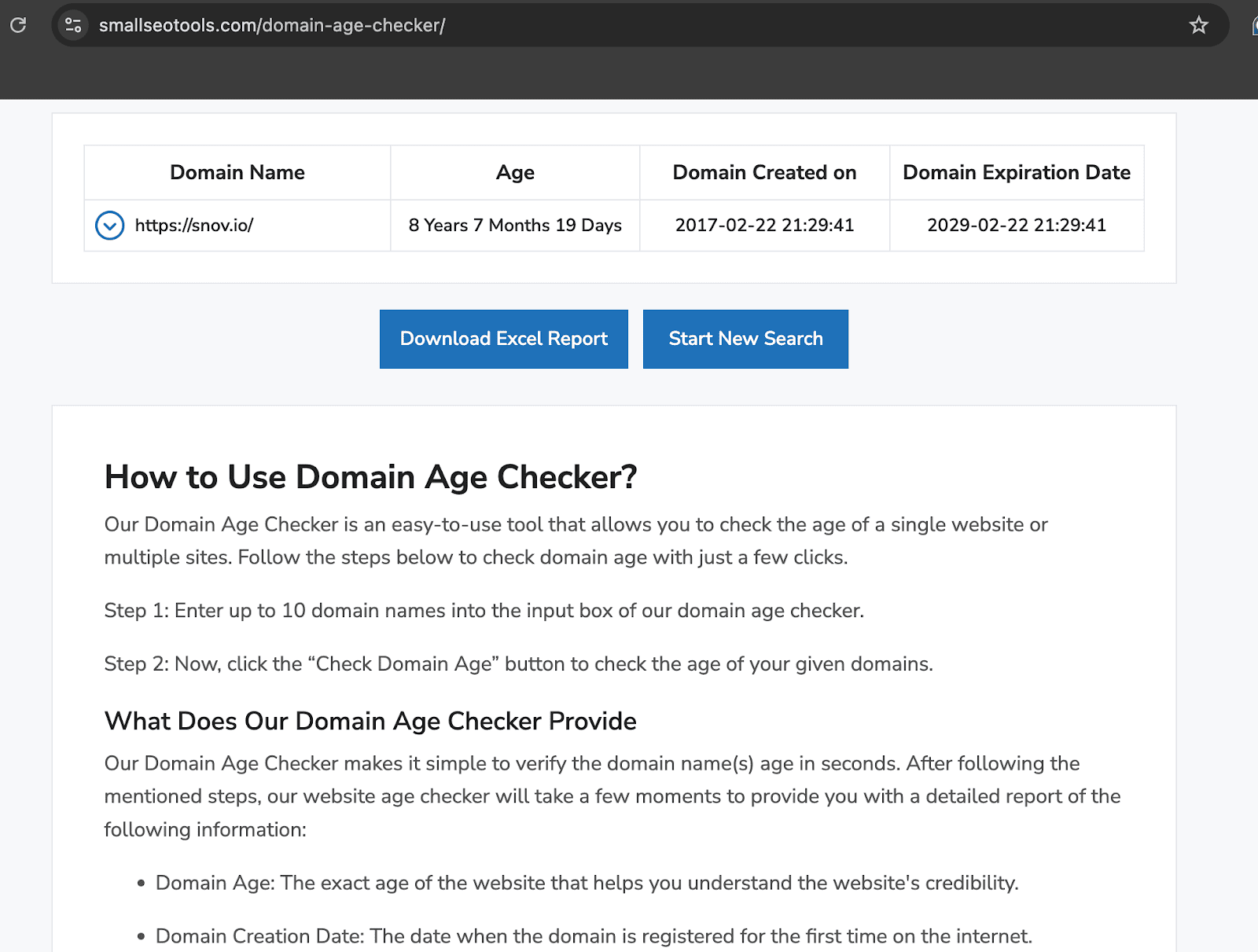
When a message appears to be from a major company but comes from a very new domain, consider it a warning sign.
Examine email headers
This element contains behind-the-scenes technical details that reveal where a message actually came from and how it reached your inbox. Headers can uncover signs of phishing or spoofing that you might not see throughout the content.
To examine the key information, click on three dots in the upper right corner of the message and choose “Show original”:
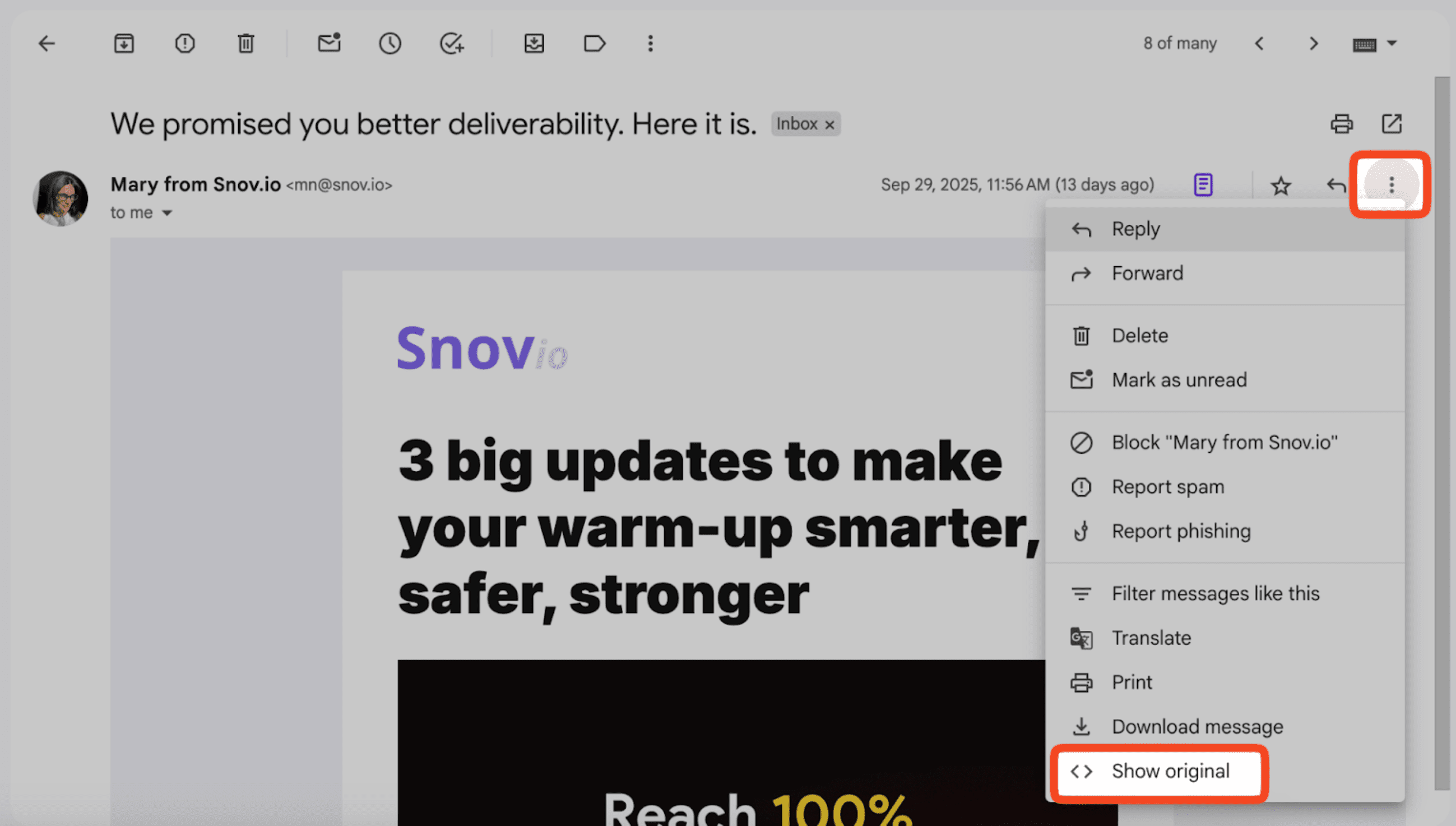
Here’s what you’ll get:
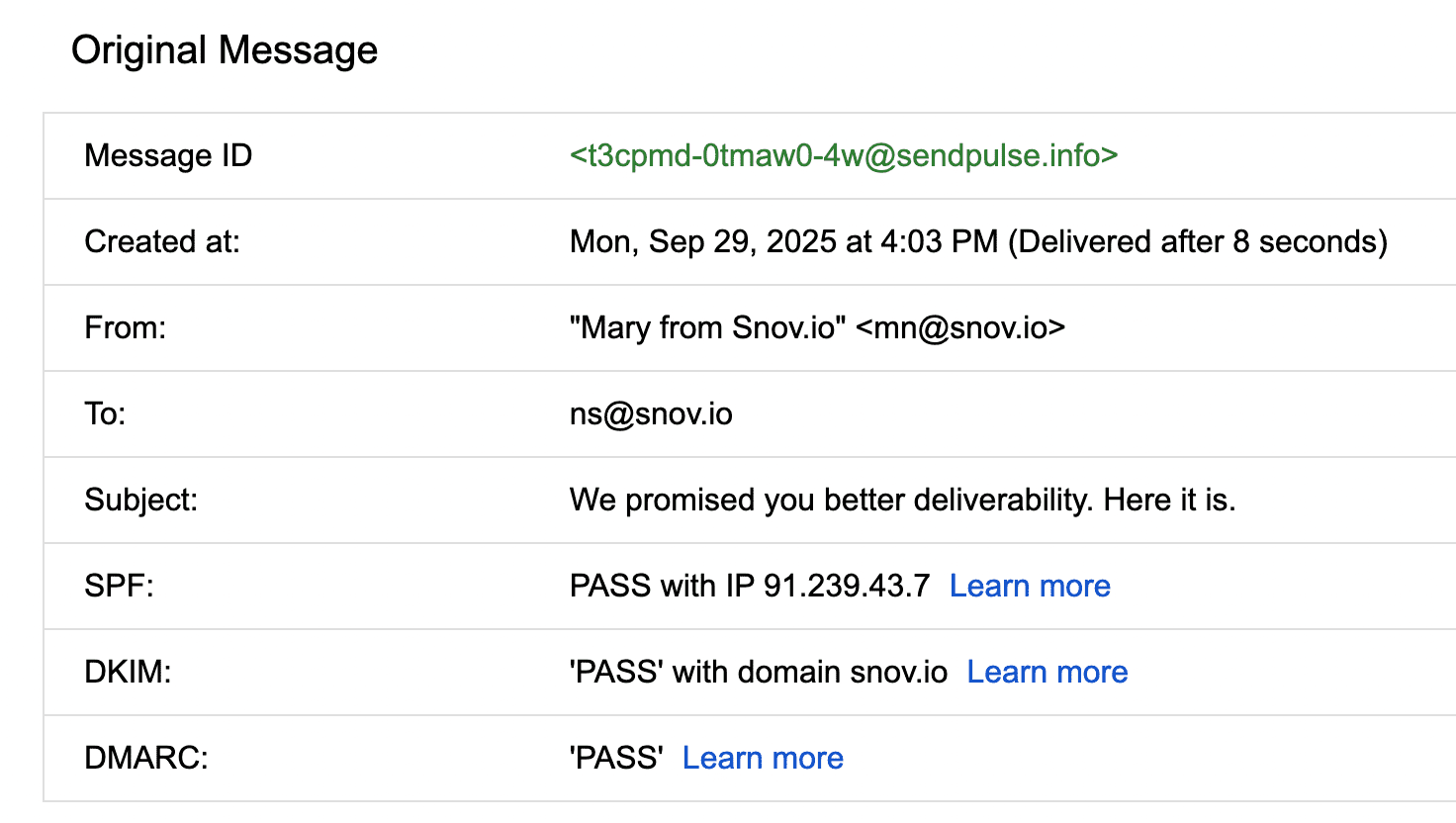
In this example, everything looks perfect. But we recommend keeping an eye out for these red flags:
- Sender information mismatches: The “From” field may display one company (such as apple.com), but the “Return-Path” shows a completely different server. This indicates the message didn’t actually come from where it claims.
- Authentication failures: Look for SPF, DKIM, and DMARC results in the header. These security measures should show “PASS” for legitimate companies. If you see “FAIL” or “SOFTFAIL,” the email is likely spoofed.
- Suspicious routing: Check the “Received” lines that show the email’s path. If a message claiming to be from Microsoft routes through random servers in different countries, that’s suspicious.
- Public domain usage: Be cautious of messages from purported businesses using free domains, such as @gmail.com or @yahoo.com, instead of their official company domain.
By keeping these points in mind, you can verify email authenticity with greater confidence.
Test links without clicking
Before clicking any link, hover your mouse over it to see where it will actually take you. The web address that appears should match what you expect.
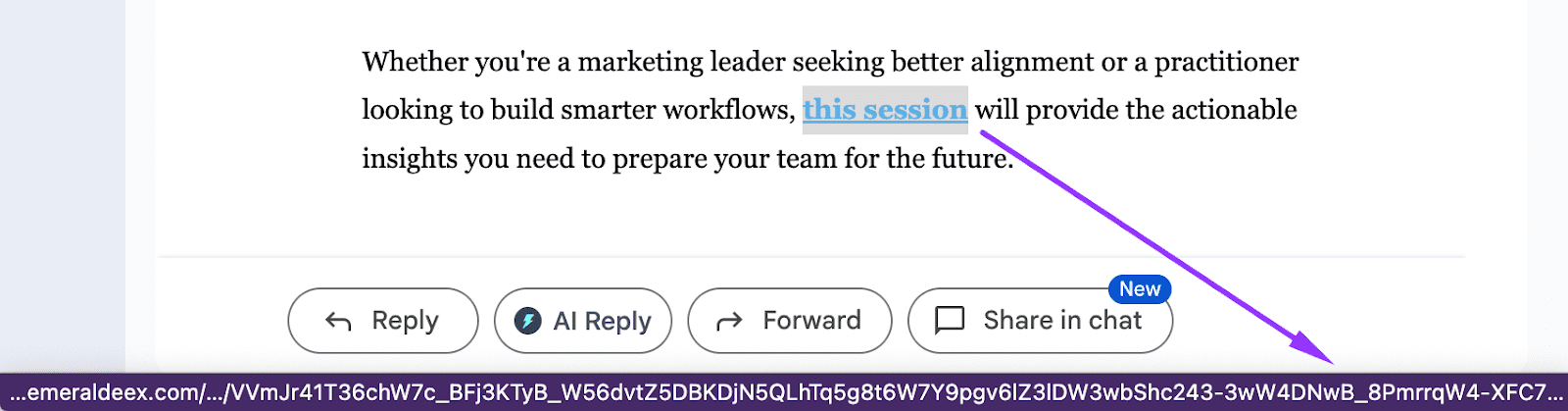
If a message appears to be from your bank but the links go to random websites, you’ve most likely caught a fake email.
Ensure the URL begins with “https://” and directs you to the correct company website. Fake messages often use links that look legitimate but actually take you somewhere else. Meanwhile, legitimate companies will use their own domains for all links.
How to detect fake emails using verification tools
An effective alternative to verifying email authenticity is using special fake email checkers, such as Snov.io, NeverBounce, or ZeroBounce.
For instance, Snovio’s email verification tool checks addresses using a unique 7-step algorithm, which includes:
- Syntax validation (making sure the email is written correctly)
- MX record check (confirming the mail server exists)
- SMTP ping (to verify if the inbox is active)
No verification service can guarantee 100% accuracy, but Snovio delivers exceptional results with up to 98% precision that you can rely on.
After testing 90% of similar tools, I’ve concluded that Snov.io’s email verifier is the best on the market. You can be sure that if it’s verified (green), then it will hit the inbox.
Full-Cycle Sales Specialist at JetOctopus

With the Snov.io email verification tool, you have two options: verify email authenticity individually or in bulk.
For quick checks, the single verification one is straightforward and fast:
- Enter the address in Snov.io’s fake email checker
- Click the Verify button
Instantly see whether the address is valid, invalid, or unverifiable based on the colors: green (valid), yellow (catch-all, auto-generated, greylisted, unverifiable), red (invalid).

To verify email authenticity in bulk, make a list with a list of addresses to check or upload a CSV file with the list to Snov.io:
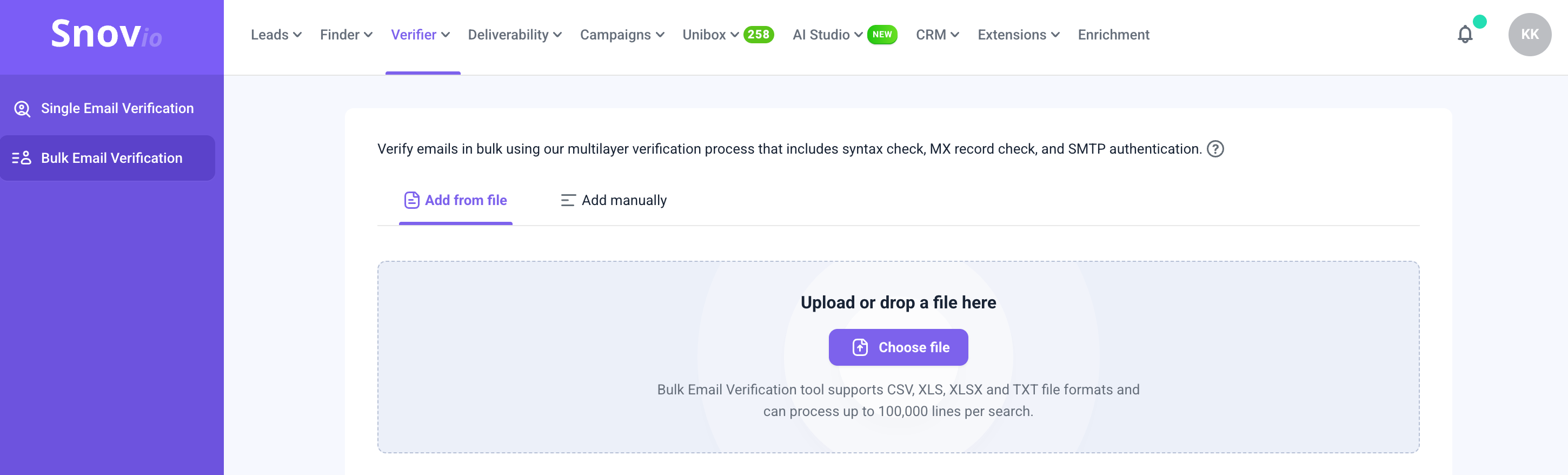
Within just a click, Snov.io helps you identify potentially fraudulent addresses before they become a security risk.
Manual vs. automated verification: which is better for detecting fake emails?
Now that we’ve discussed both manual verification and an automated approach with the help of fake email checkers, let’s see which method is more effective.
In short, while manual checks may help in obvious cases, they can’t guarantee accuracy or efficiency. Automated fake email checkers like Snov.io make verification faster, more reliable, and much safer for your sender reputation.
How to prevent falling for fake emails
Scams can fool anyone, no matter how careful you are. Whether securing personal accounts or managing a whole team, these practical expert recommendations will help you stay safe.
Break down their goals
Learning how to tell if an email is fake starts with understanding what scammers are after. It doesn’t matter if you’re a regular person checking personal email or running a business – they’re not just randomly sending you messages. They want your personal information, money, or access to your accounts and devices.
Study warning signs regularly
Make it a habit to review the common signs of fake schemes. Look for poor grammar, suspicious sender addresses, urgent demands, and requests for personal information. The more familiar you become with these red flags, the faster you’ll detect fake emails.
Enable spam filters
Most email providers have built-in spam filters, and honestly, they catch a lot of junk before you ever see it. We recommend ensuring yours is turned on and working properly. If you’re running a business, it’s worth investing in something stronger. For example, a reputable antivirus and anti-malware software.
Use two-factor authentication
We highly suggest doing it on all your important accounts. This extra security layer means that even if scammers get your password through a fake email, they still can’t access your accounts without the second authentication factor.
Implement regular training
Running a business means you can’t just worry about yourself – you need to help your whole team stay safe. Regular training sessions on how to tell if an email is fake aren’t just a good idea; they’re essential.
A good idea is to experiment with sending fake phishing emails to your own team. On purpose, of course. This might sound counterintuitive, but these practice runs help you see who needs more help learning to detect fake email attempts. Additionally, it ensures that everyone stays alert and exercises caution in a safe setting.
Limit access
Give employees access only to the data and systems they need for their jobs. This reduces the potential damage to the whole team if someone falls for a fake scheme and compromises their account.
Establish reporting procedures
Create simple, clear procedures for employees to report suspicious emails. Make sure everyone knows who to contact and emphasize that reporting potential threats is always better than ignoring them.
Stay informed
Let’s be honest, fake schemes are constantly evolving, and scammers become increasingly creative all the time. Staying aware of emerging scam trends and regularly checking updates shared by your email or cybersecurity service is another strategic step to maintain your business data security.
Trust your instincts
This advice may sound a bit unprofessional, but I wish you would take it seriously. If a message feels weird, trust that feeling. Maybe the tone doesn’t sound like your colleague, or the request seems unusual for that company. Remember, it’s always better to double-check than rush into something and regret it later.
Key takeaways
Today, when scammers are hunting for data relentlessly, learning how to tell if an email is fake has become a necessary skill. The good news is that you can verify email authenticity by yourself.
Start with the basics: check the sender’s address thoroughly, watch out for generic greetings, be skeptical of immediate calls to action, as well as poorly written copies.
To detect fake emails instantly, use Snovio’s email verification tool that automates the process, no matter whether you’re checking a single or multiple addresses.
You deserve to stay protected. Snov.io makes it happen.