

Instantly.ai is a cold email software that has gained traction in the outbound space. After using the platform, I found that some things work well while others miss the mark.
In this Instantly.ai review, I’ll walk you through its key features, pricing, and the main pros and cons. The goal here is simple: Is the Instantly email tool worth your time, or are there better alternatives out there?
TL;DR: Instantly.ai overview
Instantly cold email software is designed for creating, personalizing, and managing outbound email campaigns.
Instantly.ai pros:
- AI tools for email personalization
- Copilot adapts messaging to your business
- Done-for-you email setup
Instantly.ai cons
- Limited deliverability visibility
- Confusing campaign logic and threading
- Slow customer support
- Instantly pricing lacks clarity
If these compromises don’t work for you, you might find platforms like Snov.io more straightforward to use. This is especially true if you’re looking for better control over deliverability and want lead generation, verification, and outreach all included in a single package.
Have enough time on your hands? Read on for the full Instantly.ai review to see how it performs in real campaigns and how it compares to other cold email software 2026 options.
What is the Instantly email tool?
G2 rating: 4.8/5
Pricing: 14-day free trial. Paid plans start at $37/month.
Instantly cold email software is built for outbound campaigns. It runs automated email sequences, handles inbox warm-up, and shows you who opens or replies. You can search its B2B database for leads, personalize messages, and manage all replies in a single inbox.
But Instantly pricing is split, meaning you pay separately for sending volume, lead credits, and CRM features instead of getting everything in one plan.

Instantly.ai key features
If you’re considering Instantly but not ready to commit just yet, there’s a 14-day free trial that includes 100 credits. While not every feature is available in the trial version, you’ll get enough access to see how it works.
The signup process is simple and includes a helpful onboarding tour. It provides brief tips on the available features, making it much easier to get familiar with the platform.
Now, let’s explore Instantly’s key features in detail:
Super Search
Super Search is designed for finding potential leads. To be honest, the filtering options are pretty much what you’d expect from this type of platform. You get job titles, location, revenue, industry, and similar filters. Just bear in mind that certain filters, like name search, aren’t available on the free plan, which does limit your ability to test things out with specific contacts.
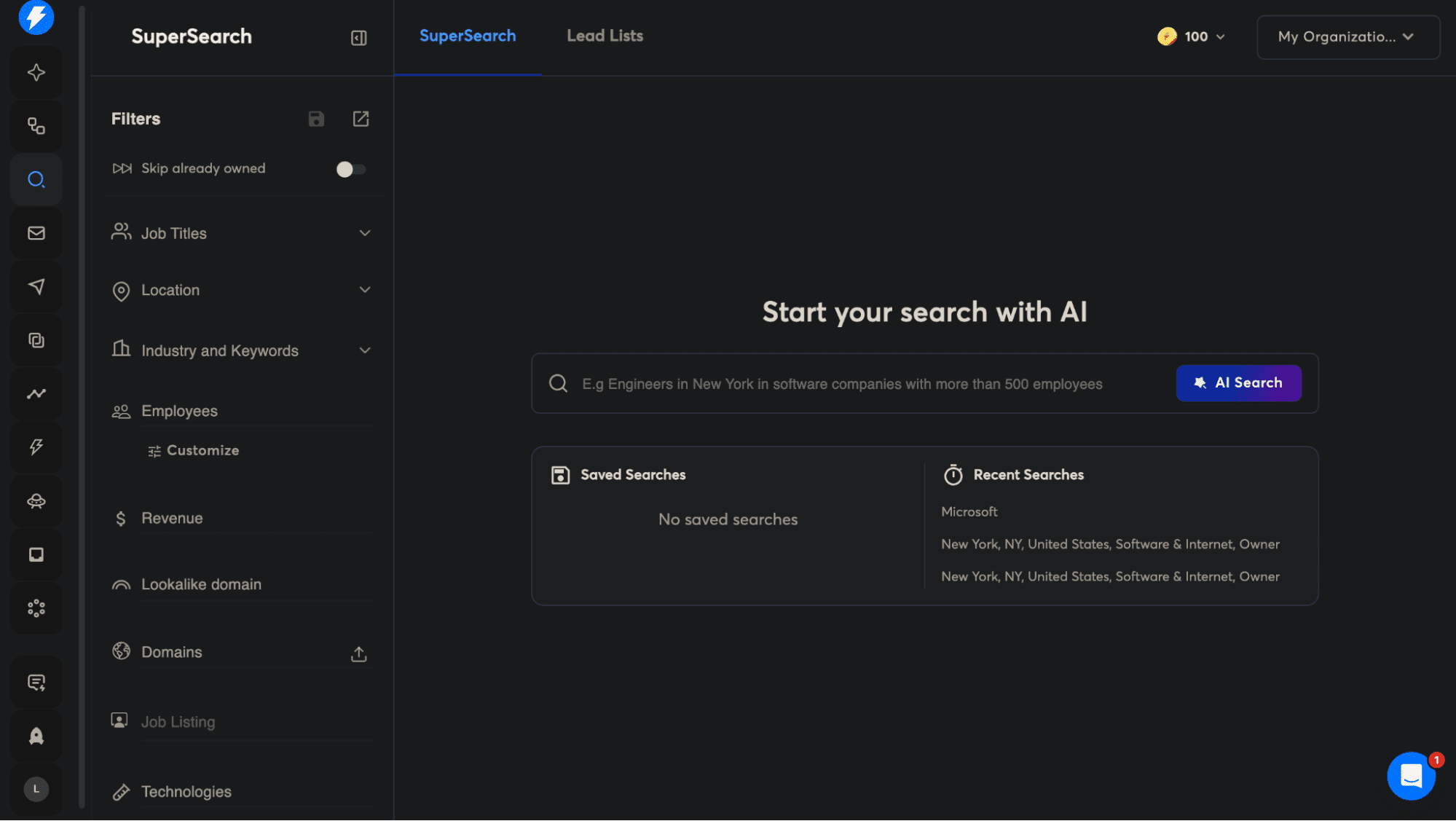
There’s also an AI search function that’s pretty straightforward to use. You simply type what you’re looking for in natural language, something like “Founders of SaaS companies in New York with 50 to 100 employees,” then click AI. But worth noting: free-trial users won’t be able to see the actual results.
When it comes to enriching your contacts, you’ve got a few different options. You can enrich work emails using Instantly’s default method for 1 credit per email. Emails pulled from data partners cost 2+ credits.
Full profile enrichment goes a step further by adding details like job title, LinkedIn URL, company information, and headcount. Then there’s Custom Flow, which basically gives you more control over how emails are found by letting you pick from providers like FindyMail, LeadMagic, IcyPeas, etc.
Campaigns
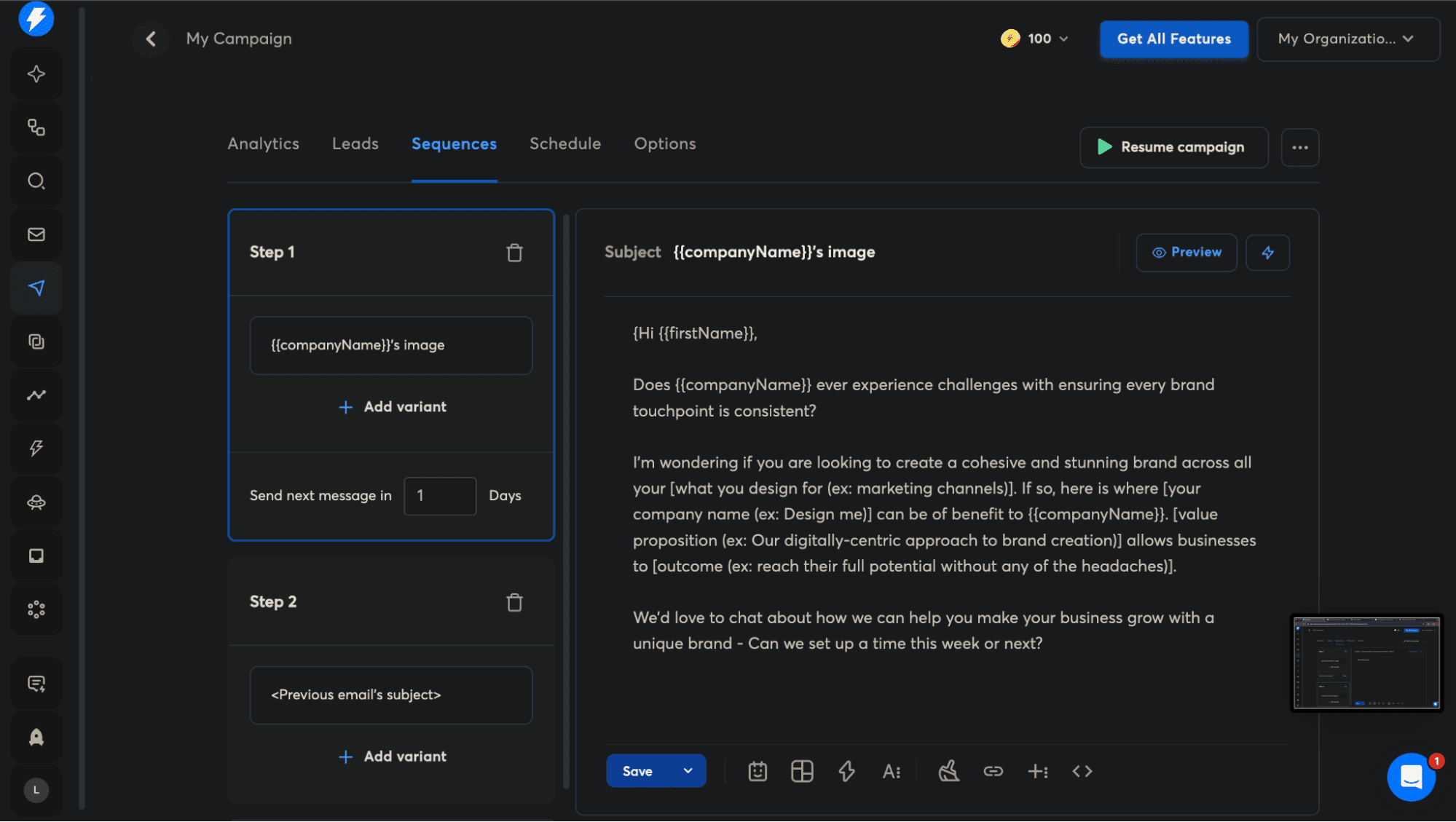
The campaign section covers analytics, leads, sequences, as well as schedule. Here you can test variants, set message delays, add follow-up steps, etc.

Honestly, I didn’t find the campaign builder to be particularly intuitive. Most sequence builders out there have clearer conditional logic and step structures, making them easier to follow. If you’re not already familiar with similar tools, be prepared to spend a bit of time figuring things out.
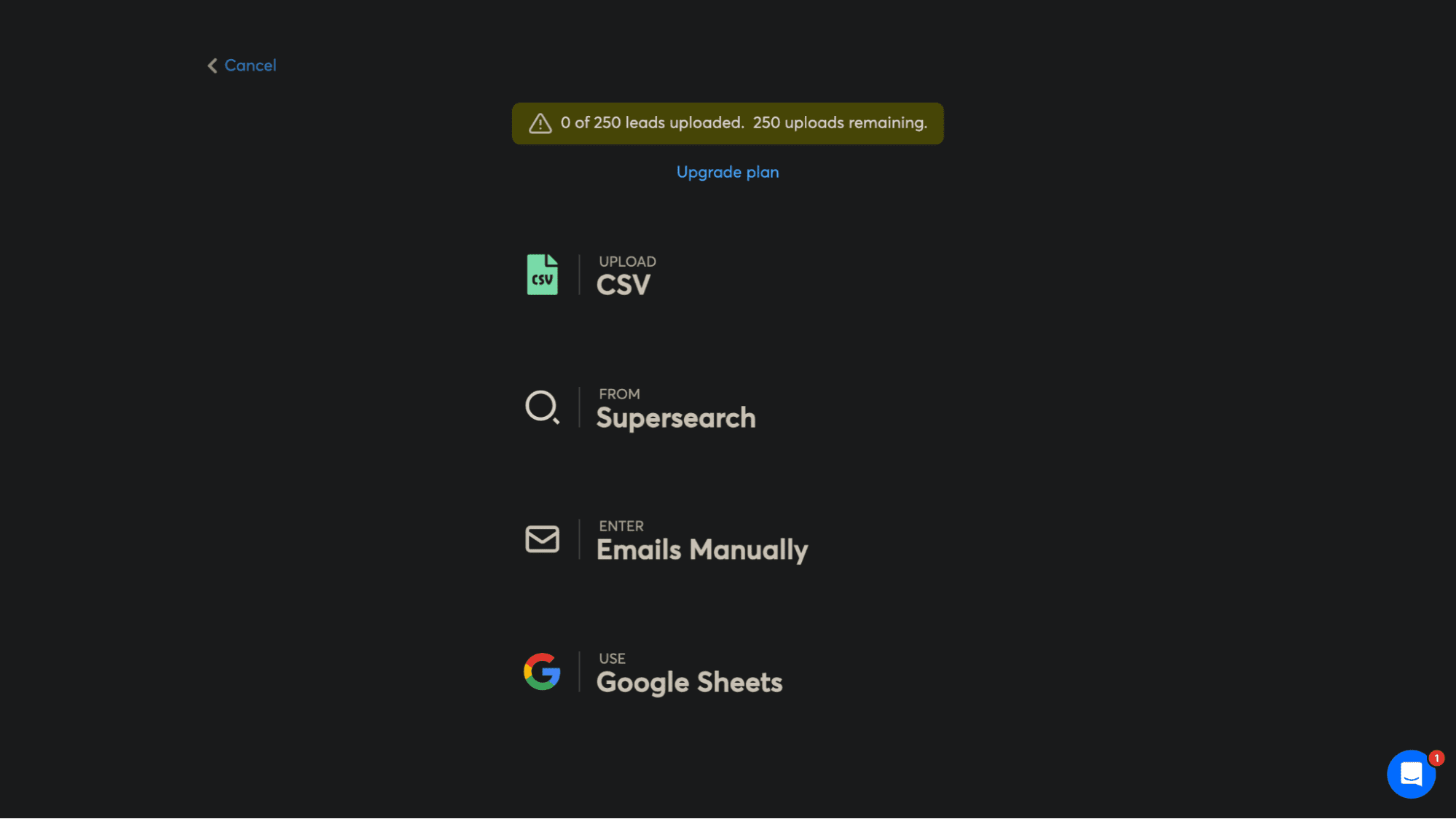
As for adding leads, you’ve got several options to work with. You can upload a CSV file, pull contacts from SuperSearch, enter them manually, sync directly from Google Sheets, or import them from CRMs like HubSpot or Salesforce.
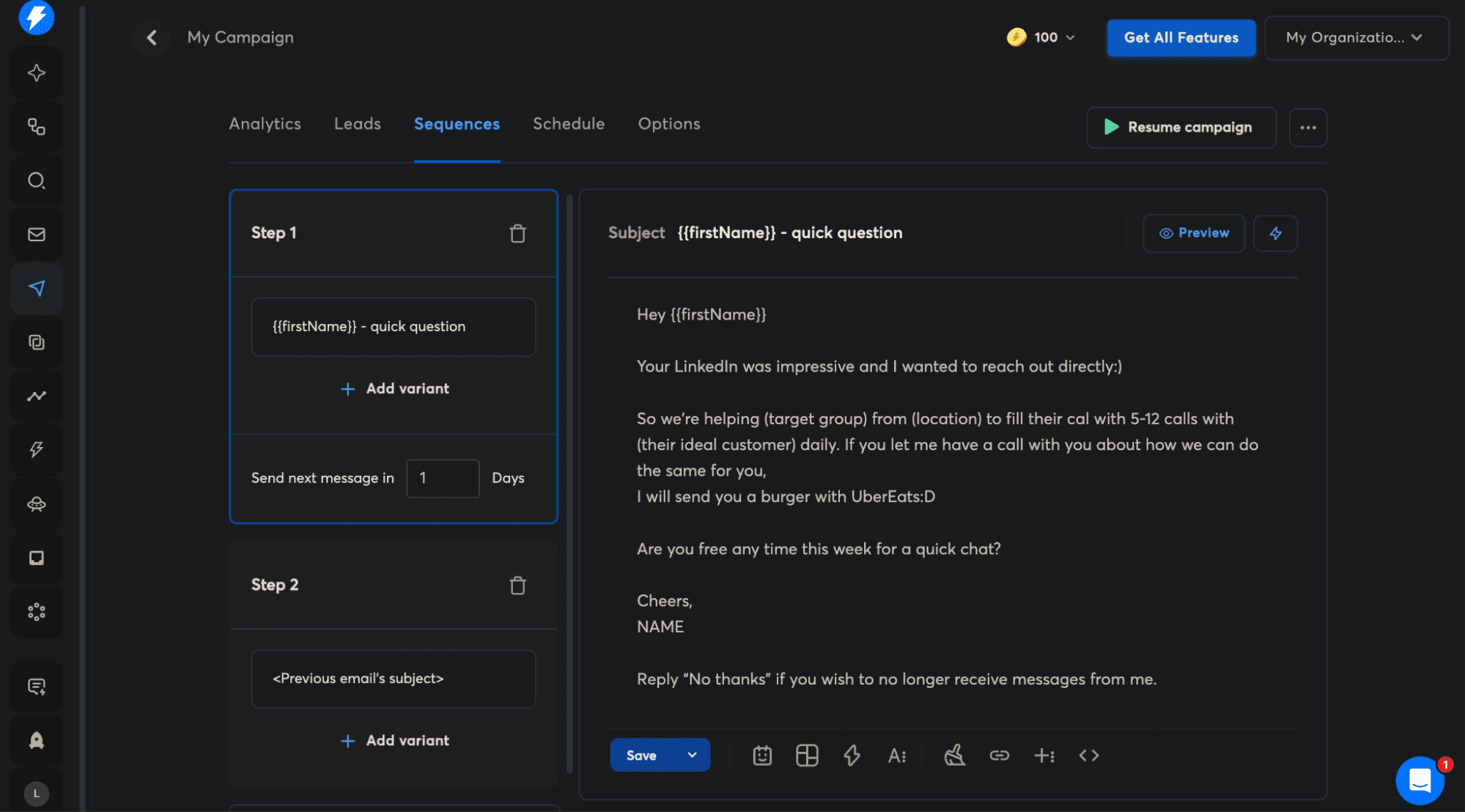
Personalization works through variables that Instantly detects from your CSV. You’ll find all the standard ones you’d expect: firstName, lastName, companyName, and email. During setup, you map your CSV columns to predefined variables such as First name, Job title, Company name, Phone, Website, Location, and LinkedIn.
If you have custom columns that don’t fit these categories, you can either map them as personalization variables or just skip them entirely, which I appreciate for keeping things flexible.


13 Best Email Warm-Up Tools (Tested And Compared)
March 16 2026
What I find particularly interesting is Instantly’s Spintax feature. Essentially, it creates subtle text variations so that each lead receives a slightly different message, helping you bypass spam filters. This is pretty smart, honestly. Even better, the AI Spintax Writer automatically generates these variations, which I haven’t seen in many other tools.
Instantly.ai Copilot
Copilot is an AI assistant built into Instantly for cold email campaigns. It learns about your business by analyzing your website, documents, and ideal customer profiles. This background information helps it generate relevant content.
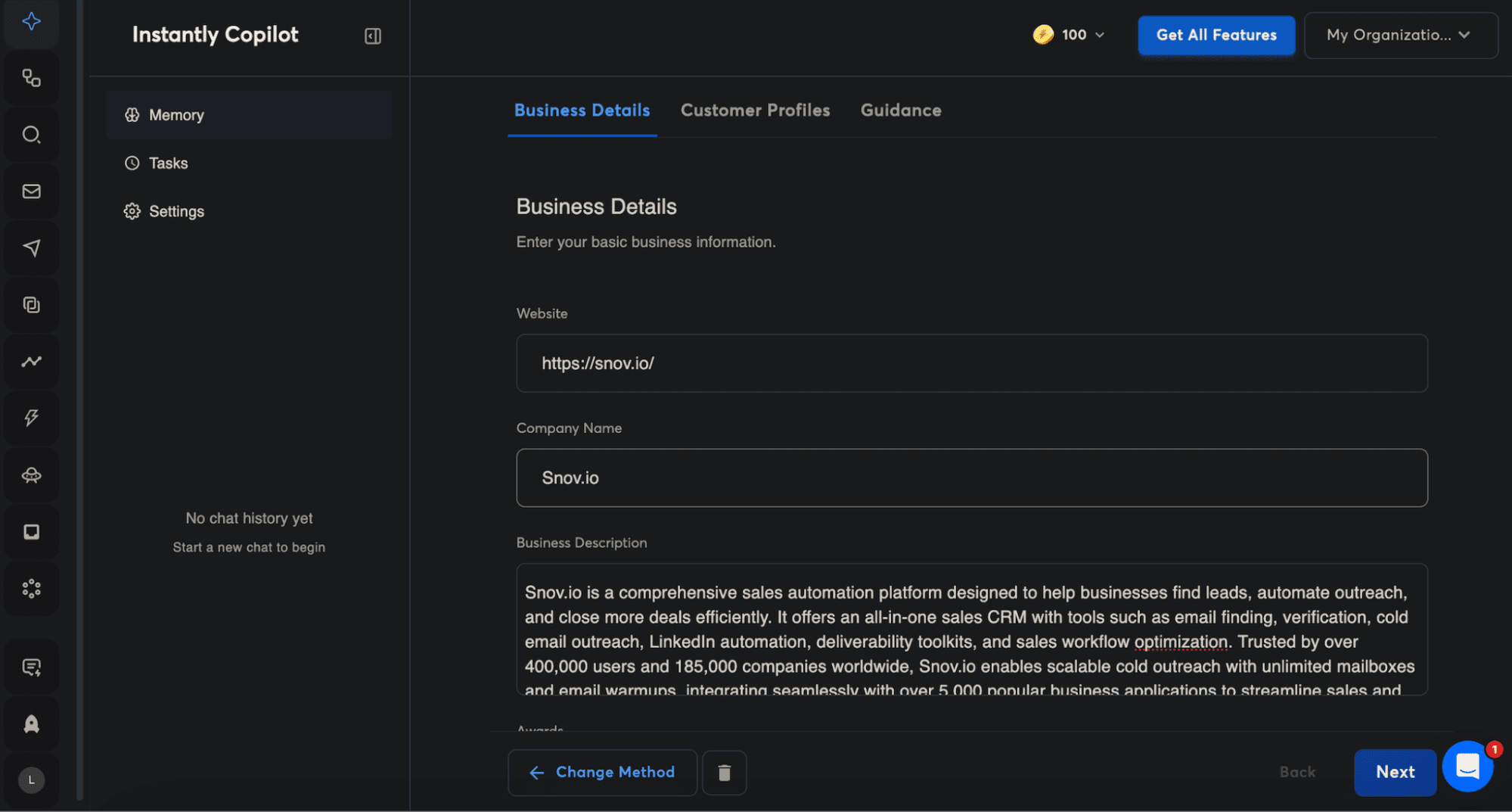
It handles audience research, campaign creation, email sequences, strategy ideas, analytics summaries, etc. You can either tell it what you need in your own words or just use preset actions like “write a sequence” or “generate campaign.”
The key benefit is personalization. Copilot generates content specific to your business rather than generic templates. It understands your messaging and audience by pulling from the information you provide.
Website visitors
The website visitors feature identifies individual visitors from US-based traffic to your website. It captures business email addresses, job titles, pages they viewed, and other details. Paid plans also include company-only visitor data at no extra cost.
This information doesn’t come from your existing campaigns or contact lists. Instead, an AI-powered algorithm runs in the background, automatically finding and enriching information about new visitors. Basically, it helps you catch warm leads who stop by your site that you might otherwise miss.
Instantly pricing breakdown
Instantly takes a usage-based approach to pricing instead of giving you one all-inclusive plan. The core outreach product is priced based on how many contacts you can upload and how many emails you send each month. Higher tiers offer larger sending limits and priority support.
Lead generation and enrichment aren’t part of the package by default. If you want access to Instantly’s lead database, SuperSearch, and enrichment credits, you’ll need to pay for a separate subscription. Credits get used up depending on how you’re sourcing emails and contact data.
CRM functionality and advanced inbox management also come as add-ons. So what you end up paying really depends on which parts of the platform you’re using and how heavily you’re using them. As your sending volume, contact limits, and feature needs grow, so does the price.
If you’d rather work with a platform that packages lead generation, email validation, outreach automation, and CRM into one plan with transparent usage caps, something like Snov.io may align better with your needs than Instantly pricing model.
Instantly.ai pros and cons
For this Instantly.ai review, I not only tried the platform myself but also went through user feedback to get a more balanced view. Here’s a breakdown of the main pros and cons:
Instantly email tool pros
First, let’s go over the positives:
✅ Intuitive interface
Many users have praised the well-thought-out UI, which makes navigation pretty straightforward.
✅ Excellent AI features
AI agents help with prospect communication, booking meetings directly to calendars, etc.
✅ Scalability
Unlimited email accounts allow users to scale Instantly cold email outreach safely without hitting sending limits, essential for consistent lead generation.
✅ DFY (Done-For-You) mailbox setup
Automatically configures technical settings like DMARC, DKIM, and SPF, saving hours of manual work.
✅ Strong integrations
Works well with Calendly, LinkedIn campaigns, and other marketing tools via API.
✅ Helpful analytics
Real-time visibility into opens, replies, and engagement makes it easy to optimize campaigns on the fly.
What I appreciate here is how the platform handles many tedious tasks for you.
Instantly email tool cons
Now, let’s explore the aspects that could use improvement:
❌ Slow customer support response times
Multiple users complained about waiting hours for responses.
❌ Instantly pricing structure issues
Many of the more powerful features are locked behind higher-tier subscriptions. Some features even need separate subscriptions, which can add up fast.
❌ Problems with DFY email accounts
Some users experienced Google shutdowns and account-disabling issues with the done-for-you email accounts.
❌ Warmup feature issues
Several reviewers reported severe problems with how the warmup feature works, with emails going to spam.
❌ Lack of deliverability insights
No clear way to see where or why emails fail to reach their destination. Users also want better deliverability testing.
❌ Not intuitive for first-time users
Settings are buried across different panels, making it tough to find features unless you watch training videos or reach out to support.
❌ Performance issues at scale
The interface can feel slower when managing large numbers of inboxes or campaigns.
❌ Limited documentation
The help articles and documentation could definitely be more thorough.
These issues suggest there’s still room for refinement in some areas.
Better alternatives to Instantly.ai
Instantly cold email software has several undoubtedly strong advantages, but it also comes with notable limitations. Before making a final decision, it’s worth reviewing all available options to choose the tool that best fits your needs.
Below is a brief list of alternatives that offer a similar experience while improving on areas that may matter most to you.
Snov.io
G2 rating: 4.5/5
Pricing: Free plan included. Paid plans start at $39/month.
Best for: All-in-one platform with transparent pricing.
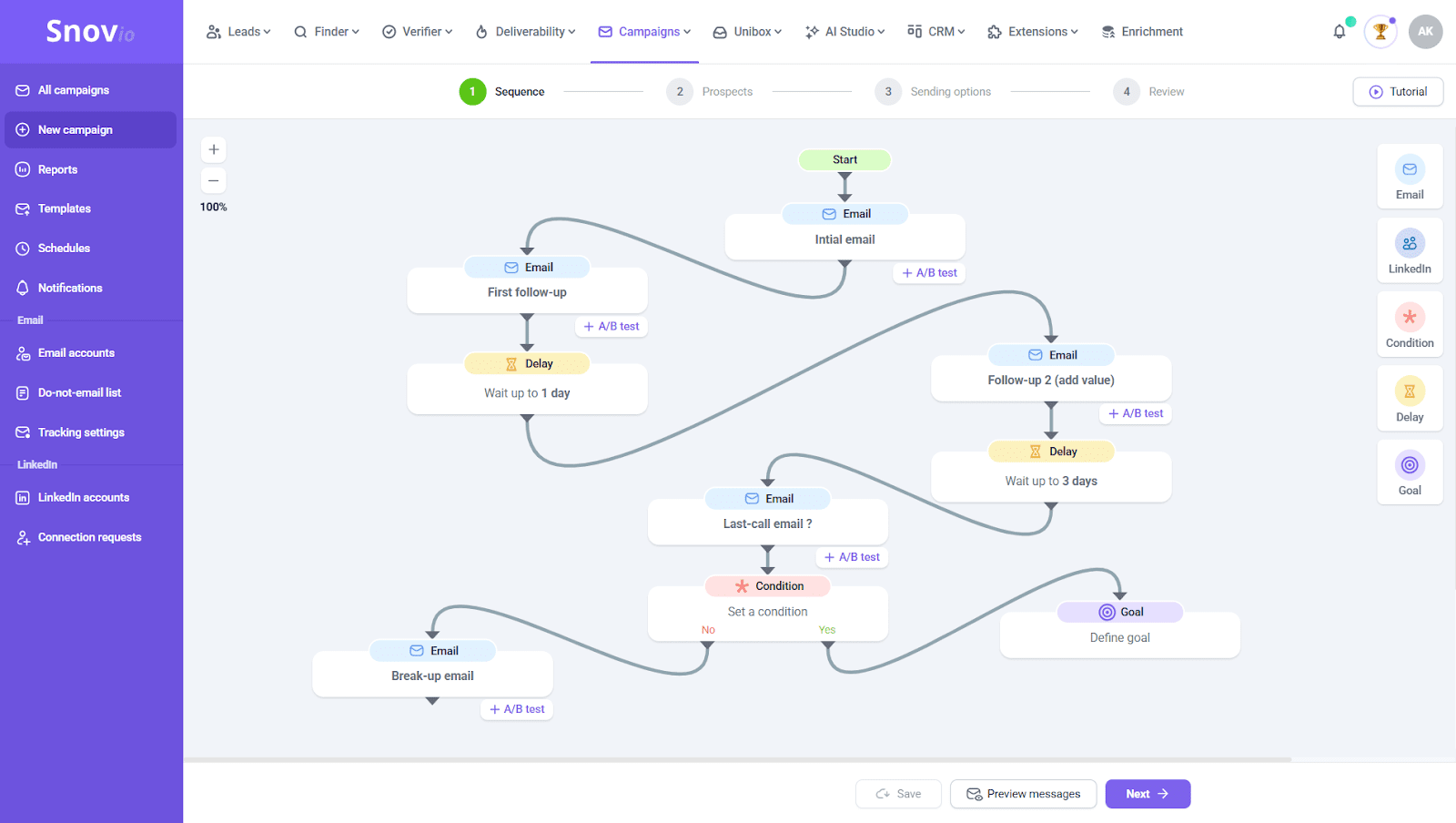
Snov.io is a lead generation outreach automation platform built for sales teams that want to manage prospecting and engagement in one system. It includes email finding and verification tools, cold email campaigns, LinkedIn automation, and integrations with over 5,000 apps.
Why Snov.io may be one of the best Instantly alternatives: Snov.io is built for cold outreach first, with LinkedIn automation available if needed. It’s an all-in-one tool that supports you through the entire process. You can find leads in their database of over 50 million company contacts, verify emails, run campaigns, track results, etc.
The pricing doesn’t nickel-and-dime you. You get search, verification, campaigns, and CRM in a single plan, instead of paying separately for each.
Their support team actually gets back to you, no matter what time of day. The documentation doesn’t just show you how to use the product either. It also covers practical details, such as how many emails to send per day when you’re just getting started. The platform handles deliverability, infrastructure setup, email warm-up, and all that technical stuff well.
Outreach capabilities: Snov.io handles outreach on both LinkedIn as well as email. More specifically, it automates connection requests, post engagement, personalized messaging, and follow-ups. Both channels adjust based on how people respond and can work together in one coordinated campaign.

13 Best Email Warm-Up Tools (Tested And Compared)
March 16 2026
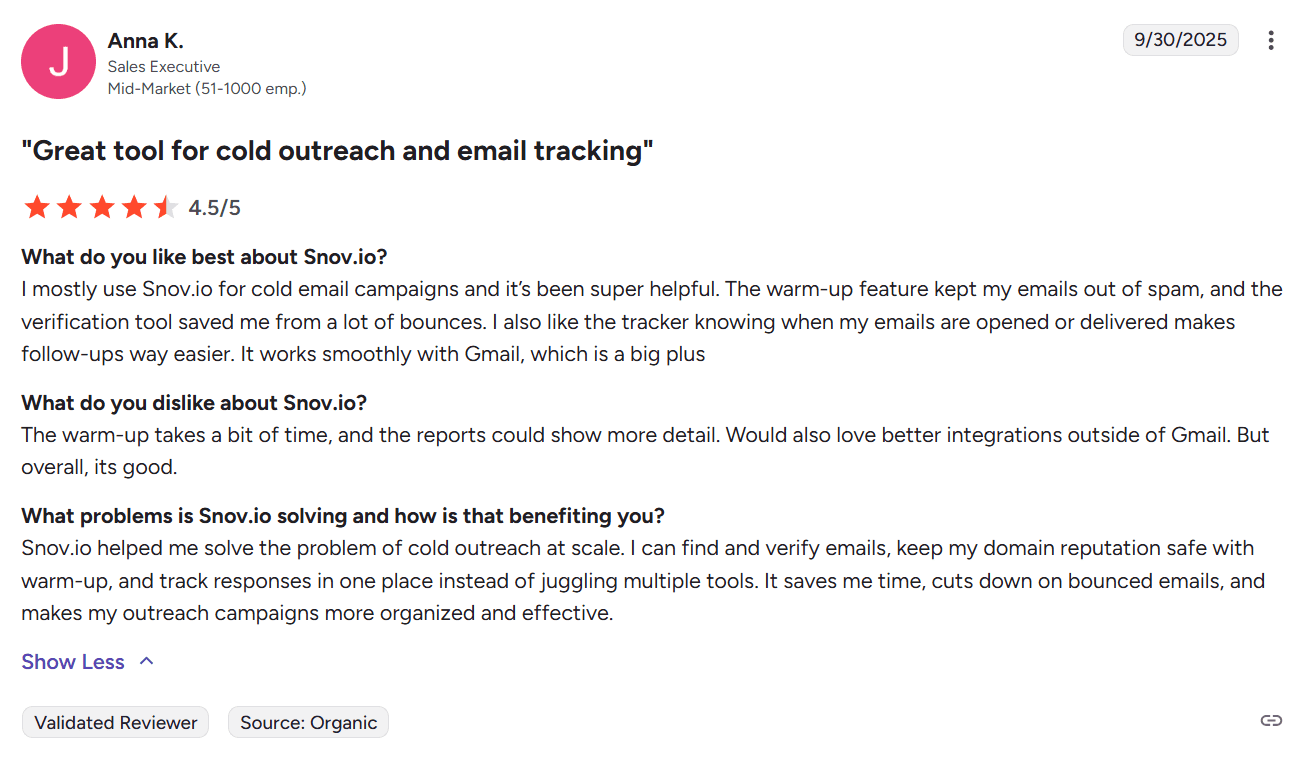
What users say about Snov.io:
Reply.io
G2 rating: 4.6/5
Pricing: 14-day free trial. Paid plans start at $99/month.
Best for: Multi-channel outreach and deliverability control.

Reply.io is an AI sales automation platform that handles multi-channel outreach across email, LinkedIn, calls, and SMS. It includes a B2B contact database, AI-powered SDR automation for lead generation, automated meeting scheduling, built-in CRM features, etc.
Why Reply.io may be one of the best Instantly alternatives: Reply.io is known for its fast, helpful support team. It includes strong deliverability features such as email warmup, spam checks, and sender authentication tools, giving you clear control over your email performance.
Outreach capabilities: It brings email, LinkedIn, SMS, WhatsApp, and phone outreach together in a single platform.
What users say about Reply.io:
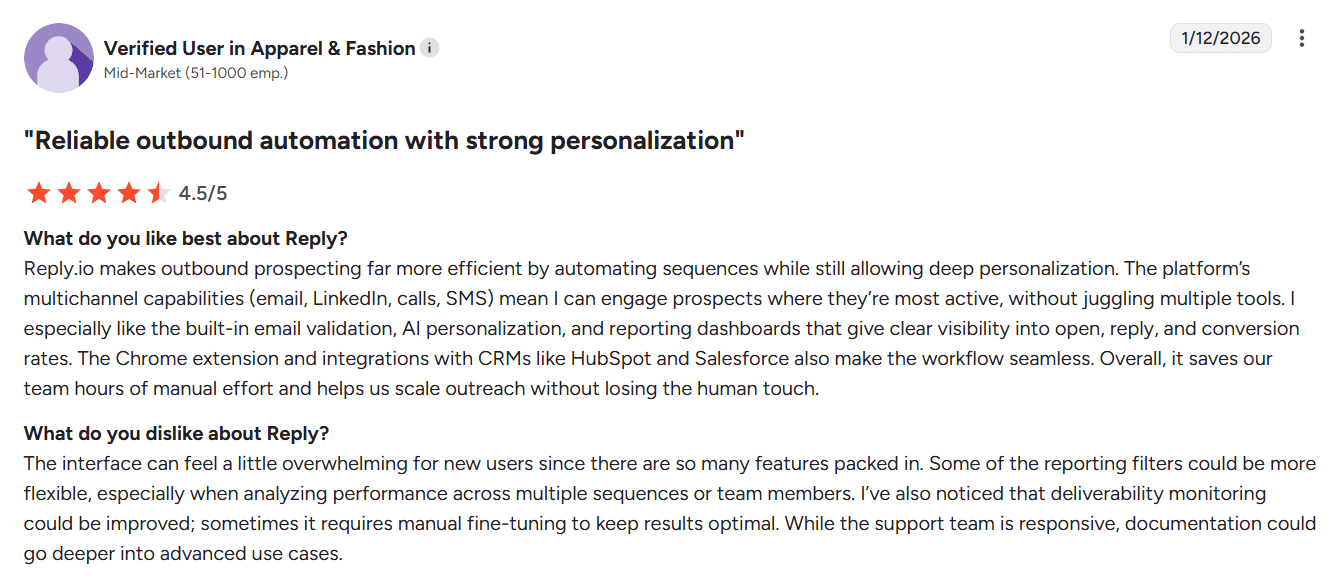
Users appreciate Reply.io for its strong AI automation, multichannel outreach capabilities, and responsive support. On the flip side, some find the platform takes a while to learn and occasionally run into issues with integrations or sequence setup.
Smartlead
G2 rating: 4.6/5
Pricing: Free trial available. Paid plans start at $39/month.
Best for:
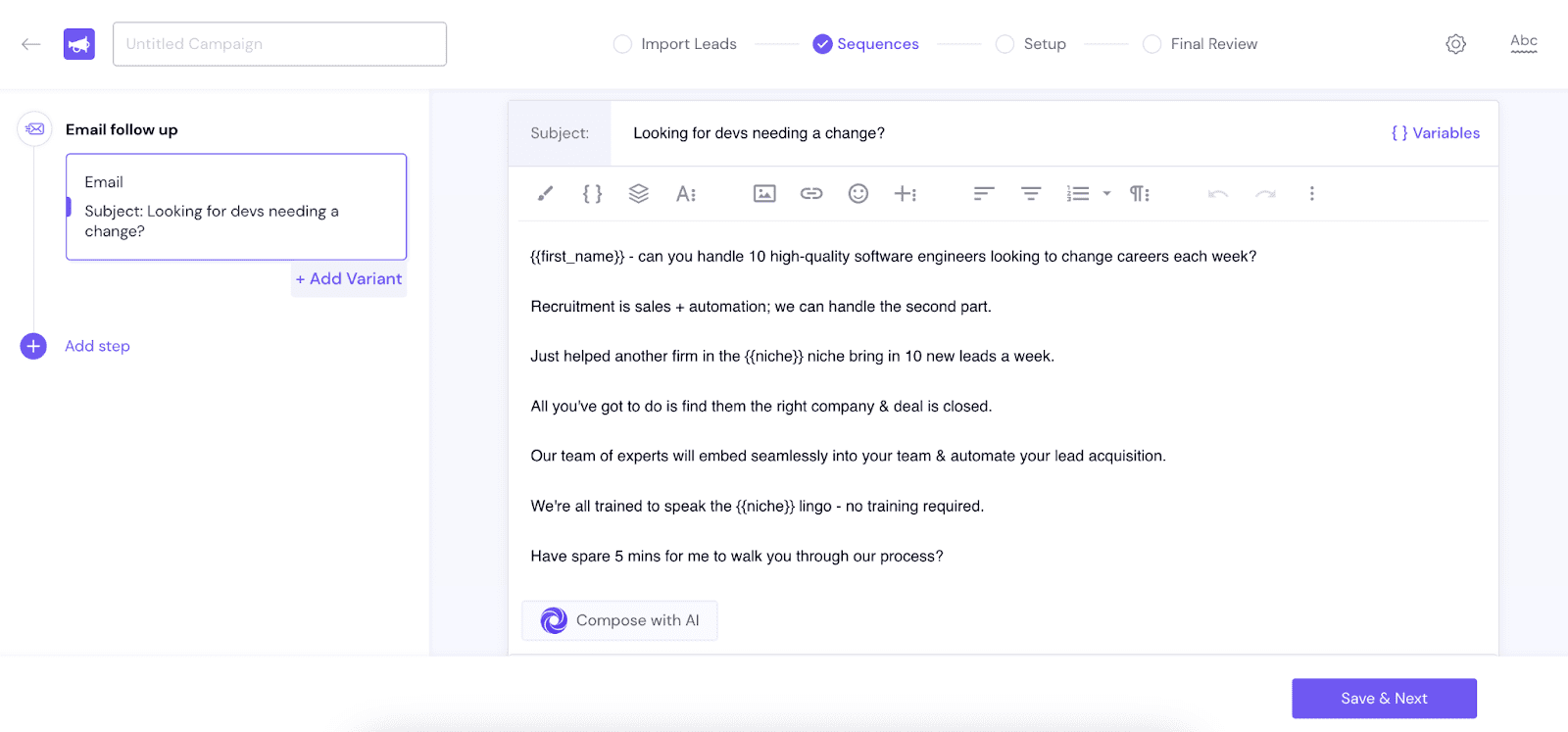
Smartlead is a cold email software that provides unlimited email accounts with automated warm-up to protect your sender reputation. It features a unified inbox that lets you manage all your campaigns as well as responses in one central location.
Why Smartlead may be one of the best Instantly alternatives: Smartlead offers unlimited email accounts across all plans, straightforward pricing, AI-driven deliverability features, and a single central inbox.
Outreach capabilities: Offers email outreach software.
What users say about Smartlead:
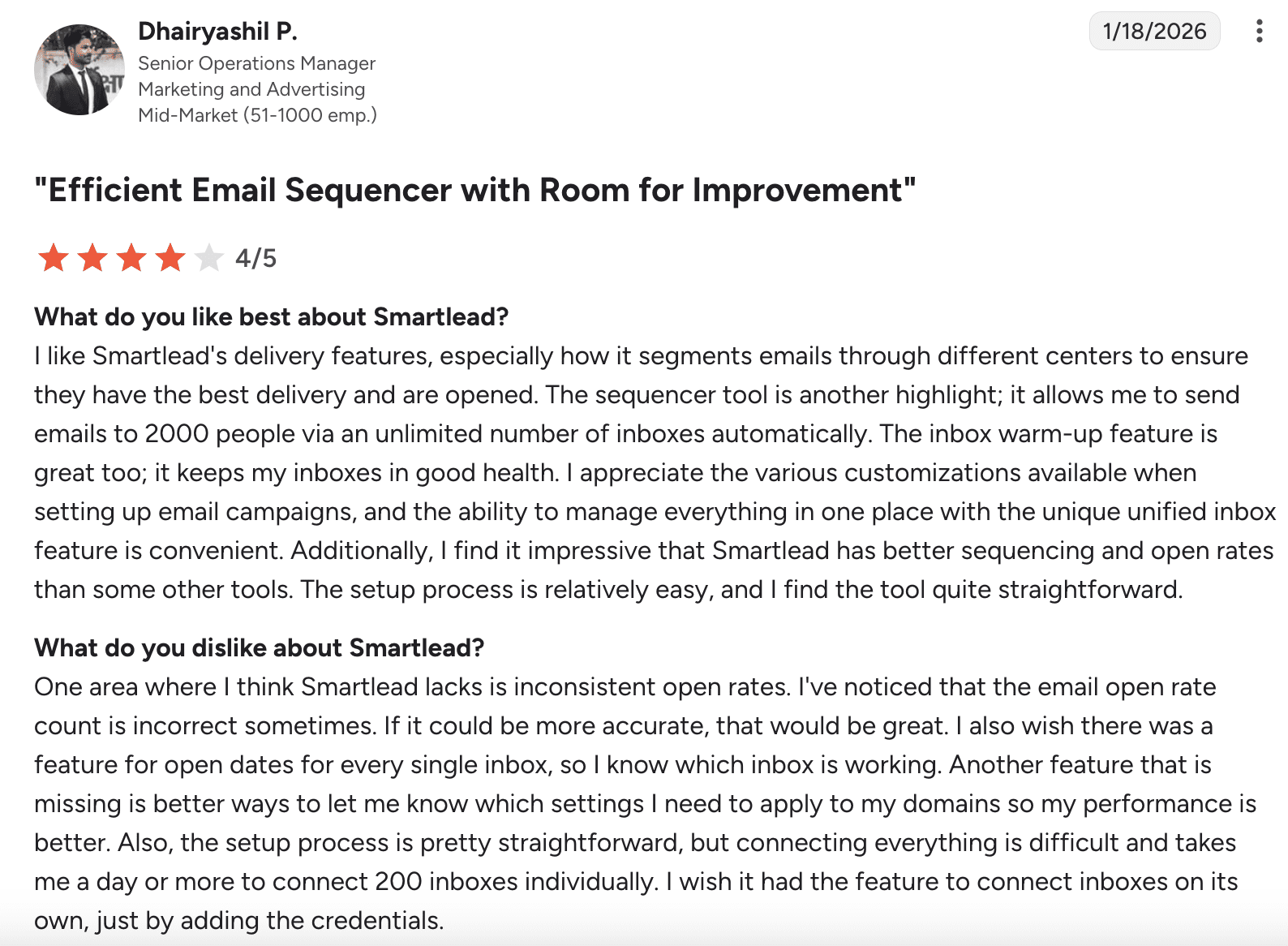
Users like Smartlead for its strong deliverability, automation options, and ability to handle large email campaigns. That said, some find it buggy and hard to navigate. There are also complaints about the analytics being inaccurate.
Apollo
G2 rating: 4.7/5
Pricing: Free plan available. Paid plans start at $59/month.
Best for: Large B2B database.
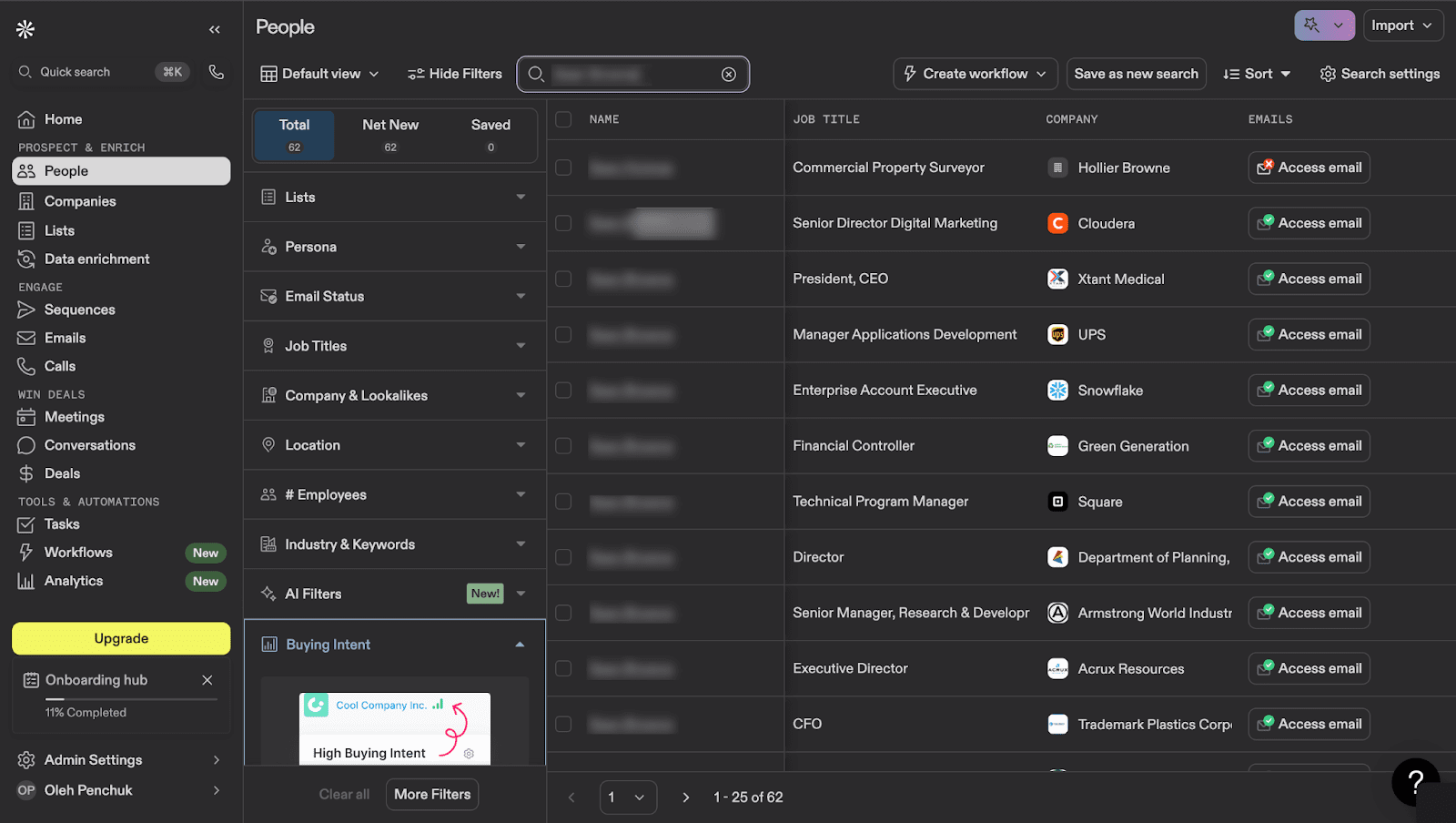
Apollo is an AI sales automation platform that combines lead discovery, contact data enrichment, and multi-channel outreach campaigns. It provides access to verified B2B leads and lets you manage your entire sales process from prospecting to outreach in one place.
Why Apollo may be one of the best Instantly alternatives: Apollo.io addresses some of Instantly’s weak spots with clearer pricing, more features included in each plan, better documentation, and stronger support options, including priority help on higher tiers. It also provides detailed deliverability insights and handles large campaigns smoothly.
Outreach capabilities: It allows teams to run automated outreach sequences across email, LinkedIn, as well as phone.
What users say about Apollo:
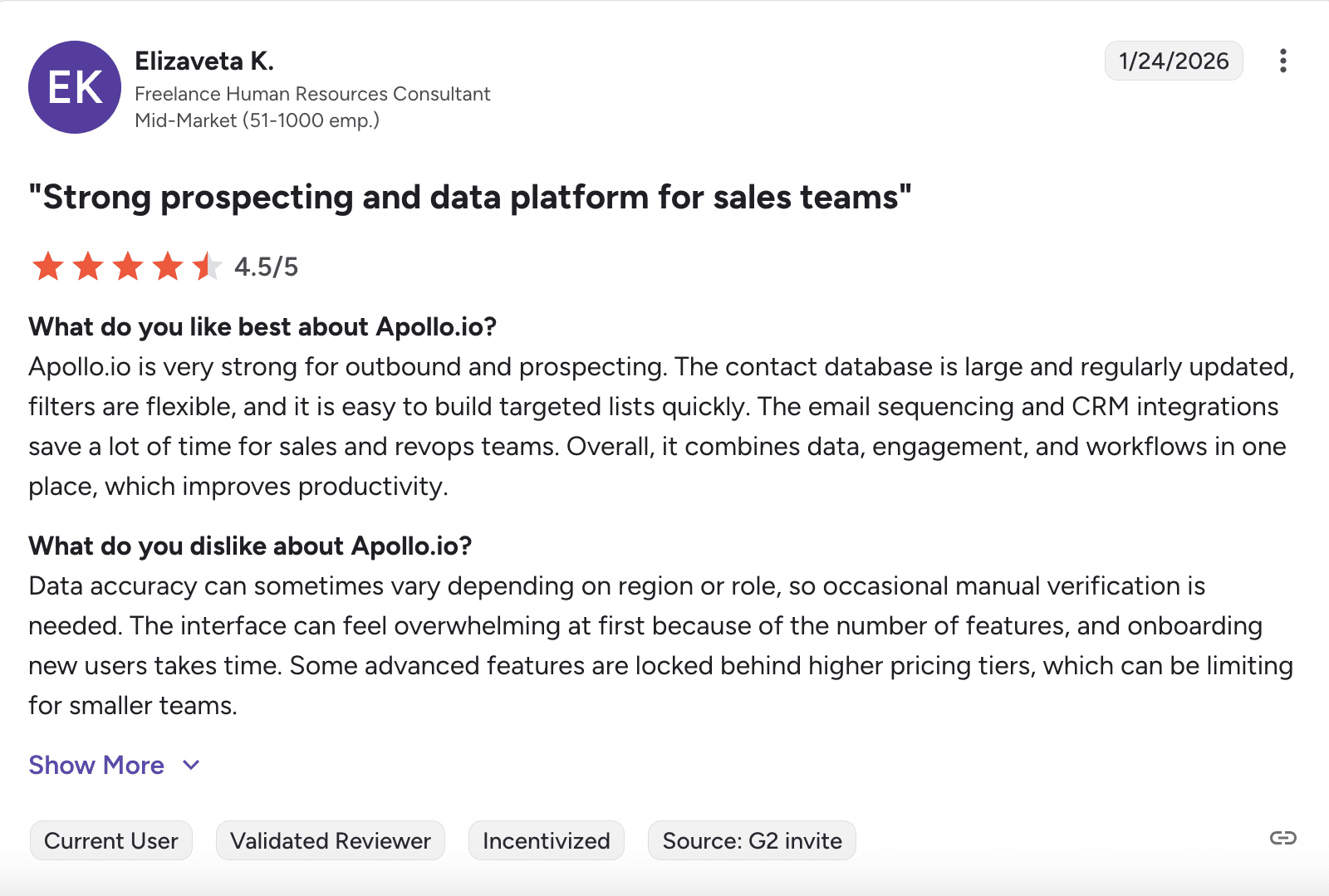
Users like Apollo.io for its large contact database, strong prospecting tools, and helpful CRM integrations that save time. But some note that the platform takes time to learn because of its many features.
Lemlist
G2 rating: 4.5/5
Pricing: 14-day free trial. Paid plans start at $69.
Best for: Personalized multichannel campaigns.

Lemlist is a sales engagement platform that connects you with prospects through multiple channels, including email, LinkedIn, as well as WhatsApp. It uses AI to research leads and personalize your messages, helping make your outreach more targeted
Why Lemlist may be one of the best Instantly alternatives: Lemlist campaign builder is easy to use with helpful guides that make setup simple for new users. It also offers solid email warm-up features.
Outreach capabilities: Support outreach across multiple channels, including email, LinkedIn, calls, and WhatsApp.
What users say about Lemlist:
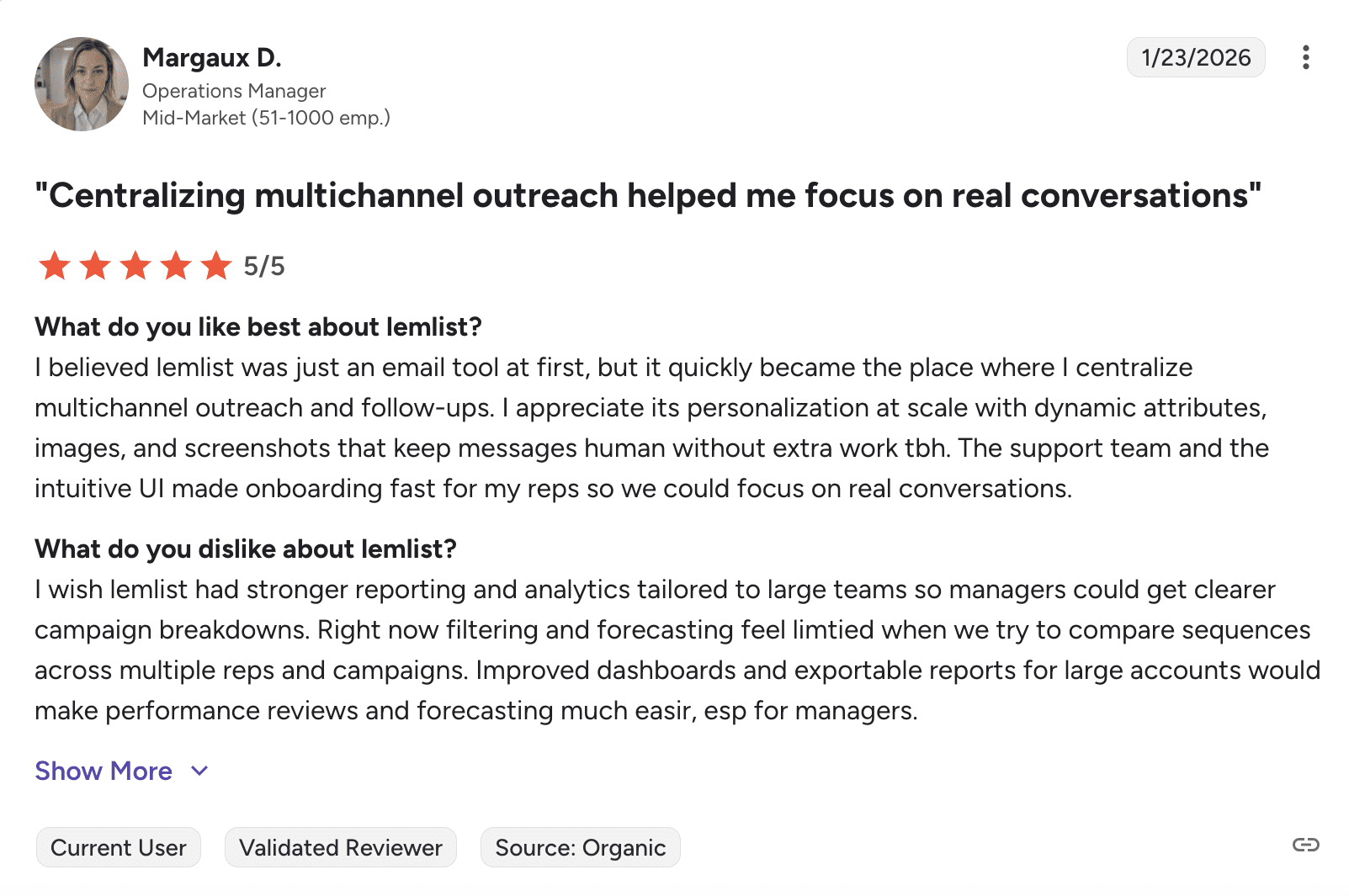
Users like that Lemlist handles multichannel outreach in one place and allows strong personalization at scale. Automated sequences and CRM integrations help keep things organized. But users complain about reporting tools that lack depth for larger teams.

My final verdict
This Instantly.ai review shows it’s a capable but specialized cold email software. It offers strong AI features, but clear gaps in usability, deliverability visibility, and pricing clarity make it harder to recommend as a long-term solution for everyone.
If you’re looking for cold email software in 2026 that combines lead generation, email verification, outreach automation, and CRM in a single straightforward plan, I recommend Snov.io.