Disposable addresses give people anonymity, but that anonymity comes at a cost to you: a database full of contacts who were never going to engage.
In this guide, I’ll explain what disposable email addresses are, how to identify them, and what you can do to keep them from affecting your email campaign results.
TL;DR
Here are key takeaways from this guide:
- Disposable email addresses are temporary inboxes often used for one-time registrations, making them a common source of low-quality leads.
- Identifying these email addresses helps improve email list quality, protect sender reputation, and keep campaign metrics accurate.
- The best strategy for keeping such emails out of your database combines real-time verification, double opt-in, and regular list cleaning.
- To identify these email addresses, rely on disposable email address checker tools like Snov.io.
With the Snov.io Email Verification API, you can detect disposable addresses as they’re submitted. And the Snov.io Email Verifier will help you scan existing contact lists.

What are disposable email addresses?
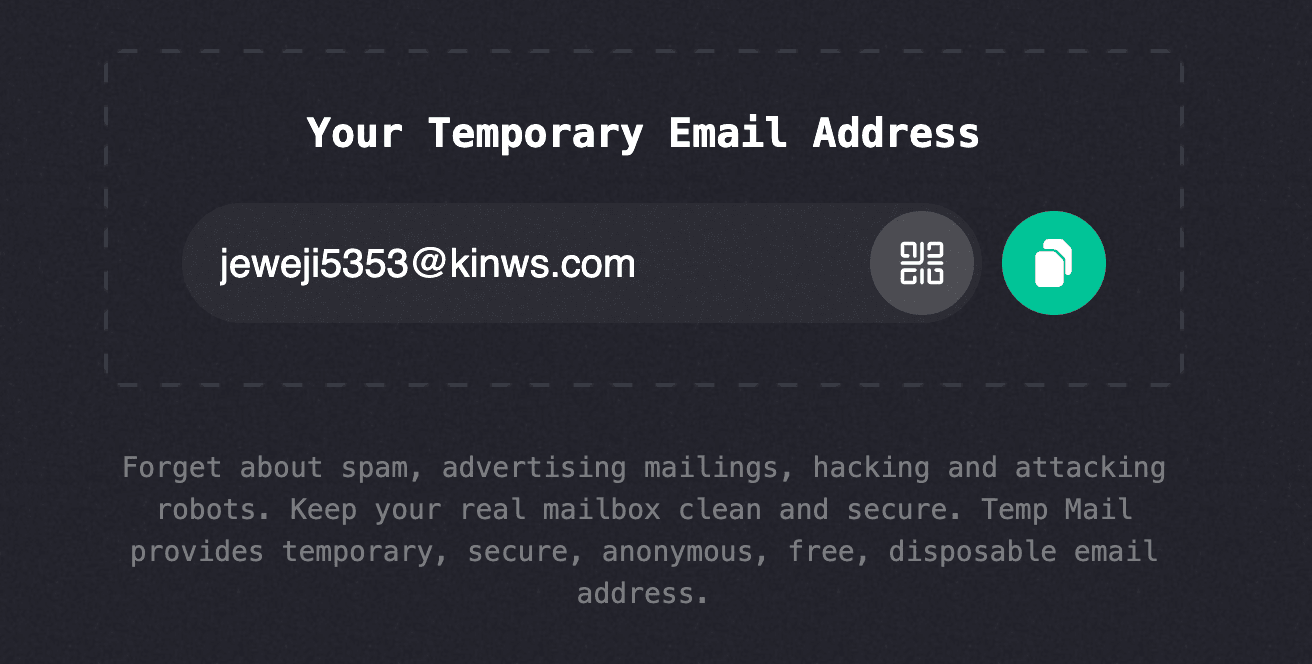
A disposable email address (DEA) is an email account created for short-term use. You may also come across terms like temporary email, burner email, or throwaway email to describe similar types of addresses. Unlike regular emails, they are intended for temporary access and are typically abandoned or expire once they’re no longer needed.
These emails aren’t always a red flag; sometimes it’s just someone protecting their privacy or trying to dodge promotional emails.
For businesses, however, disposable addresses are tricky; they often look perfectly valid at signup but rarely become long-term, engaged contacts.
It’s also important to distinguish disposable addresses from email aliases. An alias (such as Gmail’s “+” addressing or privacy services like Apple Hide My Email) forwards messages to a real inbox and is intended for ongoing communication. A disposable address, on the other hand, is created specifically for temporary use and is often discarded shortly after registration.
Types of disposable addresses and related terms
If you’ve spent any time looking into DEA, you’ve probably run into a handful of overlapping terms: temporary, throwaway, burner, and more. They sound similar, and people often use them interchangeably, but they don’t mean the same thing.
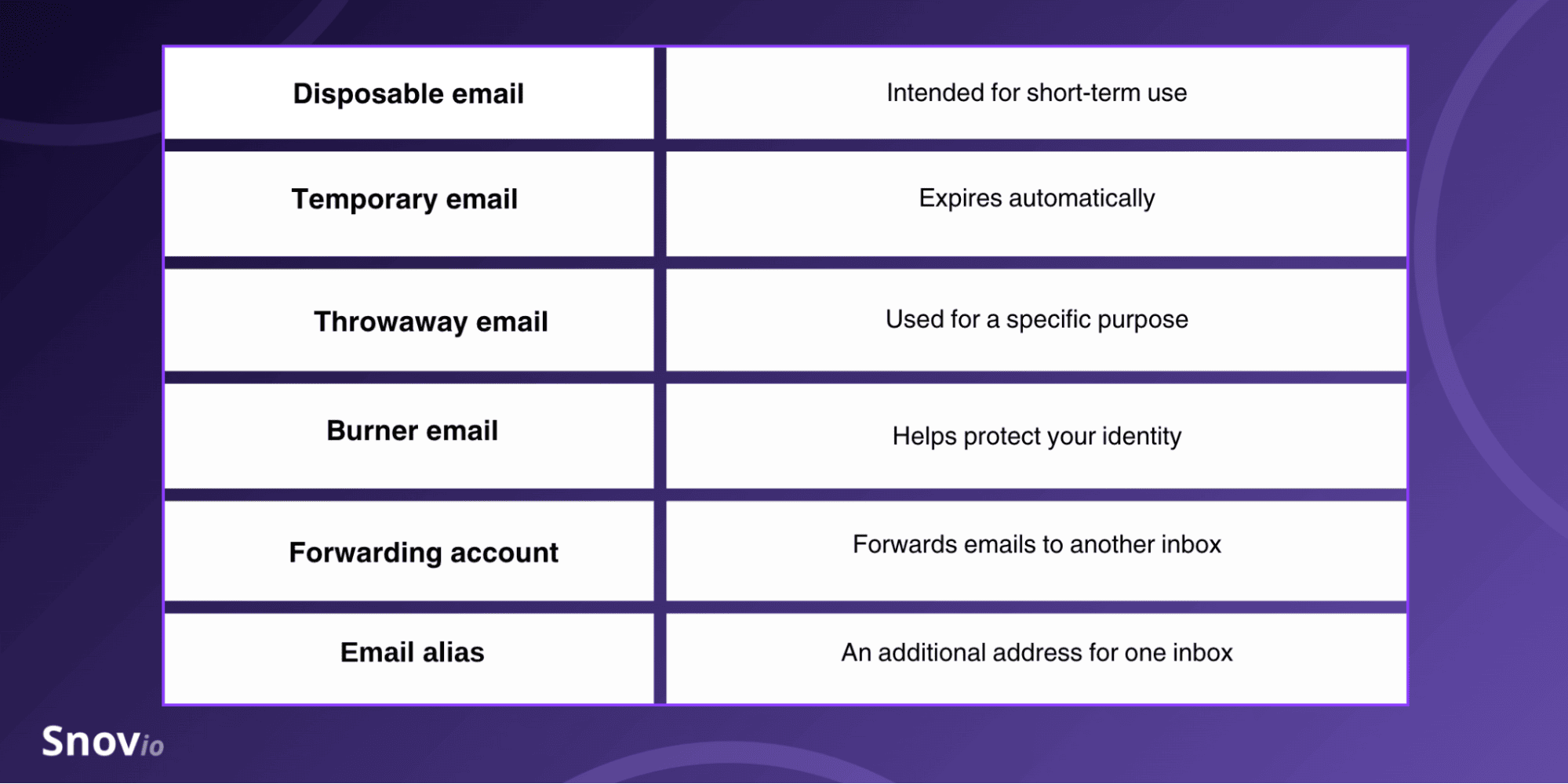
Here’s how they actually differ.
These terms get thrown around loosely. But knowing what actually separates them can help you spot which types of addresses might be quietly hurting the quality of your email list.

What is a disposable email domain and how does it work?
A disposable email domain belongs to a temporary email service that lets users create an inbox instantly. Meaning, there’s no traditional email account to set up, just a randomly generated address, or one they pick themselves, ready to start receiving messages.
Depending on the provider, the temporary inbox may:
- Expire automatically after a few minutes or hours;
- Remain active until the user closes the session;
- Allow users to manually delete the address at any time.
Most temporary email providers run multiple domains at once. So if one gets widely blocked by websites, they just roll out new ones. As a result, the list of active disposable domains is constantly changing, making it difficult for businesses to rely solely on static blocklists.
What are common disposable email providers and domains?
Many temporary disposable email domains are well-known enough that you can spot them by their domain alone. The most commonly used are:
But relying on a static list of domains isn’t enough. Temporary email providers frequently register new domains, retire old ones, or rotate them automatically. So a blocklist that isn’t updated regularly can quickly become outdated, allowing temporary email addresses to slip through.
Why do you need to detect disposable email addresses?
Here are the key reasons why email marketers should identify disposable email addresses:
Lower-quality leads
People who use DEA usually aren’t planning to stick around as long-term customers. They may sign up only to access a free resource, redeem a one-time offer, or explore a product. But these contacts rarely engage with future email campaigns.
Inaccurate marketing metrics
Temporary email addresses can inflate signup numbers while lowering meaningful performance metrics. That makes it harder to gauge how well your campaigns are really doing, or how good your newly acquired leads truly are.
Additional email list hygiene efforts
Such email addresses frequently become inactive after a short period. The disposable email address list may grow over time, which will require more effort to keep your database clean.
Higher deliverability risks
These emails don’t always bounce right away, so the damage sneaks up on you. Keep mailing dead inboxes, and your sender reputation slowly erodes without you noticing.
Identifying these addresses before they are added to your mailing list helps maintain healthier engagement metrics and improves email deliverability.
Wasted sales and marketing resources
Every disposable address that enters your CRM leaves a trail. It can trigger automated workflows or eat up verification credits, even though that contact was probably never going to engage with your business in the first place. Clearing these addresses out early keeps your team’s attention on prospects who are actually worth pursuing.

How to check disposable email addresses?
There’s no single indicator that catches every low-quality email address. Your best bet is to rely on several methods together. This way, you’ll catch a lot more than any one method could on its own.
Method 1. Use a disposable email address checker
The most reliable approach is to use a tool that combines multiple detection techniques.
For example, Snov.io Email Verifier uses a 7-step verification process to evaluate every email address and assign it a verification status:
- Syntax check
- Gibberish check
- Domain check
- MX record check
- Email server check (SMTP)
- Mailbox existence check
- Catch-all check
With it, you can verify a single email address or an entire mailing list in bulk.
After testing 90% of similar tools, I’ve concluded that Snov.io’s email verifier is the best on the market. You can be sure that if it’s verified (green), then it will hit the inbox.
Full-Cycle Sales Specialist at JetOctopus

To verify a single email address, open the Verifier in your Snov.io account, enter the address in the verification field, and click Verify email.
If the email address is disposable, you’ll see the invalid status with a corresponding comment: “The domain is disposable.”
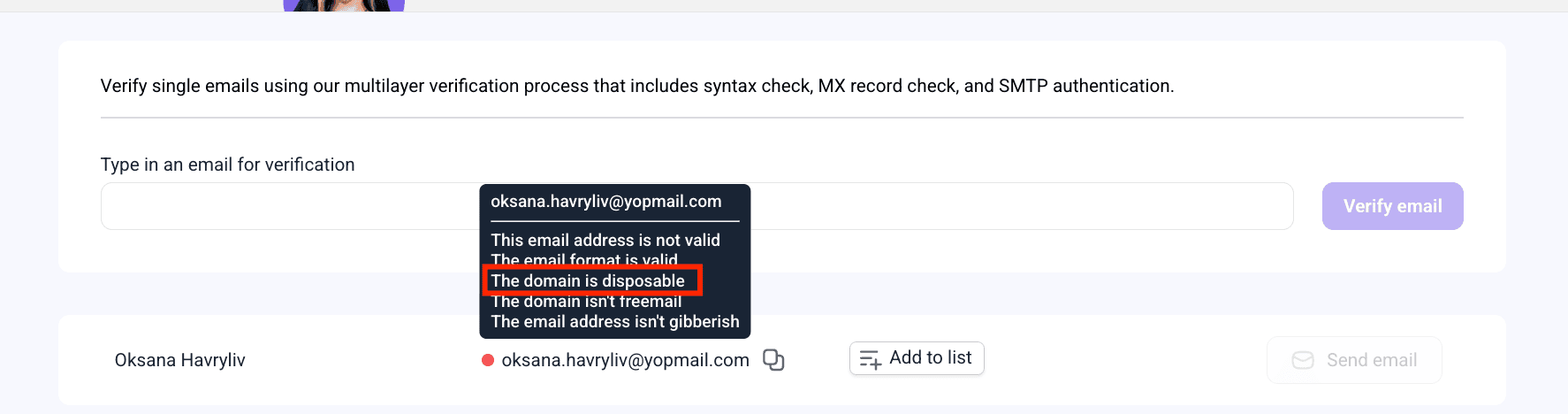
Now you may collect a disposable email list and export it for audit.
This method is the one I would actually recommend because it allows you to check disposable addresses in bulk. Yet if you want to do without a bulk disposable address checker, manual approaches are also available.
Method 2. Check the email domain
The quickest way to spot a DEA is to look at its domain. If that domain belongs to a known temporary email provider, the address is likely disposable. This method is fast and effective, but it does have one catch: new disposable domains pop up every day.
Method 3. Analyze username patterns
Temporary email addresses are often generated automatically and may contain random combinations of letters and numbers. For example:
- x8k2mv91@example.com
- user847529@temporarydomain.com
- abc123xyz@mailservice.com
Random usernames don’t automatically mean an email is disposable, but they can act as an extra signal when paired with other verification methods.
Method 4. Look for behavioral signals
User behavior can also reveal suspicious registrations. Common warning signs include:
- Many accounts created from the same IP address;
- Numerous signups completed within a short period;
- Accounts that never verify their email or engage after registration;
- Repeated use of different email addresses during signup attempts.
See patterns like these, and you’re probably looking at automated registrations or someone repeatedly creating temporary accounts.
How to prevent disposable emails at signup
Preventing DEA from getting into your database in the first place is a lot easier than trying to clean things up down the line.
Below, I’ll share some tips to help keep your list in good shape and save you time along the way.
Verify email addresses in real time
With real-time email verification, addresses get checked the instant users hit submit on your signup form.
Take the Snov.io Email Verification API: it integrates directly into web forms and verifies each email upon entry. This way, you can weed out disposable, invalid, and high-risk addresses before they make it into your mailing list or CRM.
Block known disposable domains
Many signup forms automatically reject addresses from known temporary email providers. But since disposable domains change all the time, you’ll want to keep your blocklist updated regularly.
Enable double opt-in
Double opt-in presupposes users should confirm their email address by clicking a verification link before their account or subscription is activated.
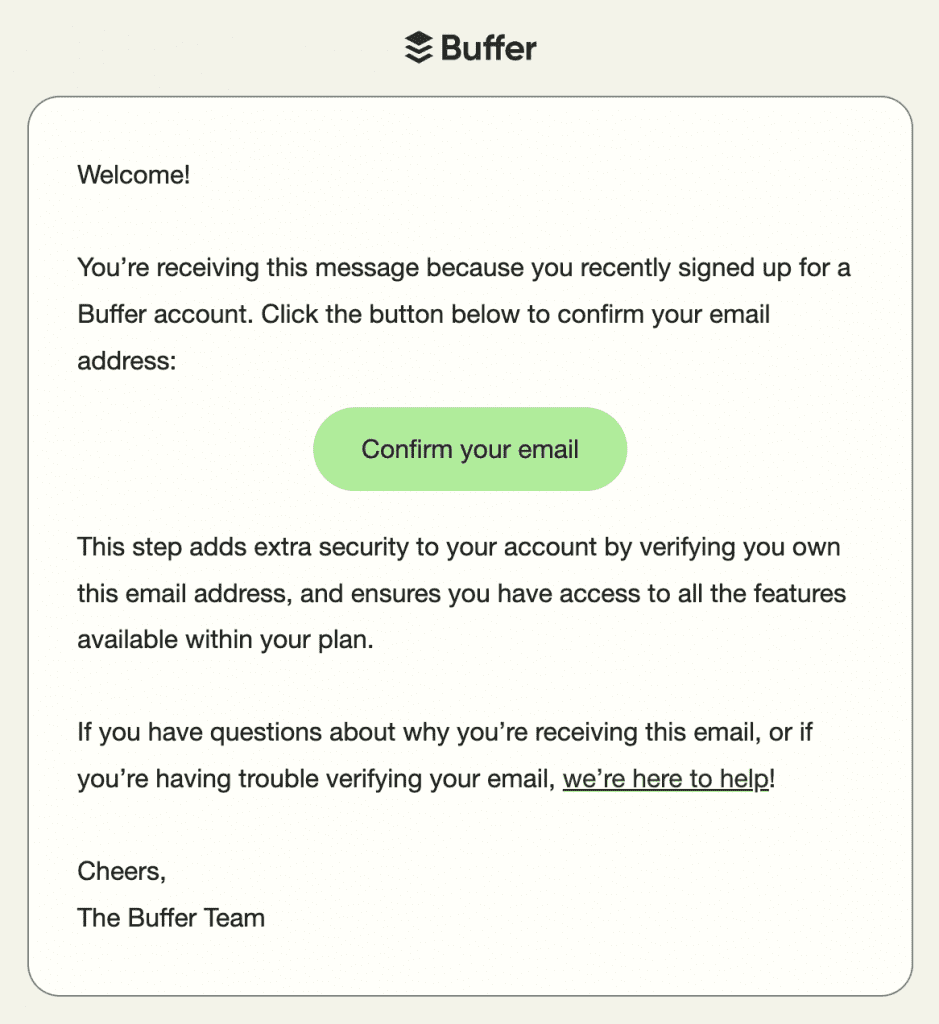
This extra step helps filter out abandoned temporary inboxes, while also making sure users actually have access to the email address they gave you.
Add CAPTCHA to signup forms
CAPTCHA helps stop bots from churning out large numbers of fake accounts using disposable addresses. It won’t catch every temporary email, but paired with email verification, it goes a long way in making a real dent in automated abuse.
Limit repeated registration attempts
Rate limiting prevents users or bots from submitting multiple registrations from the same IP address within a short span of time. When you combine it with email verification, it becomes far tougher to abuse signup forms using disposable addresses.
Combine multiple prevention methods
No single technique can stop every disposable address. The most effective strategy combines real-time verification, disposable domain detection, double opt-in, CAPTCHA, and rate limiting to create multiple layers of protection while keeping the signup experience smooth for legitimate users.
How to clean existing email lists of disposable addresses
Verifying new signups in real time is great, but it doesn’t fix what already exists in your database. Odds are, disposable addresses are already in there.
According to the recent State of Email Deliverability report by Mailgun, even though 78.5% of email senders consider deliverability a top priority, about 39% seldom or never do email list hygiene. Don’t wait until emails get bounced. Verify your contact list regularly to catch disposable addresses early.
Email service providers closely monitor your activity, track the percentage of your bounces, and give them even the slightest hint — and the reputation of a spammer gets stuck to you. To avoid this, there is email verification. Run your contact list through 2 different email validation services to clean it up. How often, you ask? Every time before launching a campaign.
Outbound expert

At Snov.io, we recommend verifying your list 24–48 hours before every major email campaign and performing a full database cleanup every 3–6 months. This helps detect disposable addresses and adopt a sunset policy for inactive contacts, moving them into a separate segment or dropping them from future campaigns altogether.
A result? Your sender reputation and email deliverability will be safe.

Key takeaways: What’s the surest way to identify disposable email addresses?
Pair real-time email verification with regular list maintenance. By combining these practices, you’ll have a solid system for keeping disposable addresses out for good.
If you need a reliable checker to detect such addresses, both individually and in bulk, Snov.io is one of the most reliable and accurate email verification tools to start with.