
TL;DR: Data enrichment tools comparison
In this guide, I compare 14 tools that offer the best data enrichment capabilities for your business. And here is my personal list of the top 5 enrichment tools you can choose from. Click on each solution for quick navigation to its more detailed analysis.
| Tool | Key enrichment features | My verdict | Price |
|---|---|---|---|
| Snov.io | Email, domain, and LinkedIn discovery Bulk enrichment via uploads and API Native integrations with Clay, HubSpot, Pipedrive, etc. Real-time email verification |
Very fast to implement Strong data accuracy and verification Secure and reliable for handling prospect lists Ability to enrich, verify, and launch outreach in one workflow |
From $39/month; free plan available* |
| Apollo | AI-powered prospect research Enrichment for emails, domains, titles, LinkedIn profiles Bulk enrichment via uploads and API Buying intent discovery |
Efficient enrichment and targeting Useful data-to-outbound workflow Occasional login/verification issues Regional accuracy varies; plan for credit caps |
From $59/month; free plan available |
| UpLead | Multi-source B2B data (emails, mobiles, intent) 50+ advanced filters Real-time email verification API and CRM integrations |
Easy to set up and operate High email accuracy and cleanliness Phone depth can be limited in some segments Strong option for fast, reliable pre-outbound enrichment |
From $99/month |
| Clay | Multi-source enrichment in one platform Deep enrichment: company, tech, social, custom logic APIs, webhooks, and custom scripts Validation, deduplication, conditional routing |
Extremely flexible and powerful once configured Steep learning curve for non-technical users Usage-based costs can scale quickly Best for custom, programmable enrichment pipelines |
From $149/month; free trial available |
| ZoomInfo | Large-scale contact and company enrichment Real-time prospect updates and buyer signals Data operations automation (dedupe, normalize, etc.) Extensive CRM integrations and APIs |
Enterprise-grade depth and coverage Information on phone numbers, especially in the US Demo-gated trial and higher pricing Some data freshness variation across regions |
Quote-based; free trial available after demo call |
*Pricing is subject to change. Always check the official provider’s website for up-to-date pricing information.
The data businesses get on leads is usually not sufficient to start a targeted marketing campaign that will enable them to convert them effectively. Meanwhile, companies that implement data enrichment strategies see an average 47% increase in qualified lead conversion rates within the first six months.
What if your results can be even better, and all you need is a reliable tool to support your processes? Below, I’ll share my honest review of the best B2B data enrichment solutions in 2026.
Table of contents:
What is data enrichment?
As a term, data enrichment (sometimes referred to as data appending) has been explained by numerous publications, my favorite meaning being the one provided by Industrial Network Security:
“Data enrichment refers to the process of appending or otherwise enhancing collected data with relevant context obtained from additional sources.”
For example, you have the leads’ personal names and email addresses. But to create a highly targeted personalized email campaign, you need more details, such as your leads’ unique interests, pain points, or local trends.
Data enrichment helps you append additional information on your leads:
- Geography: country, city, time zone
- Demographics: age, gender, income, education
- Behavior: needs, desires, pain points, preferred means of communication
- Professional information: company size, job position, business niche
This process usually consists of several steps: from detailing your ICP and collecting existing information to engaging external resources to fill data gaps and maintain the enriched data within your CRM.
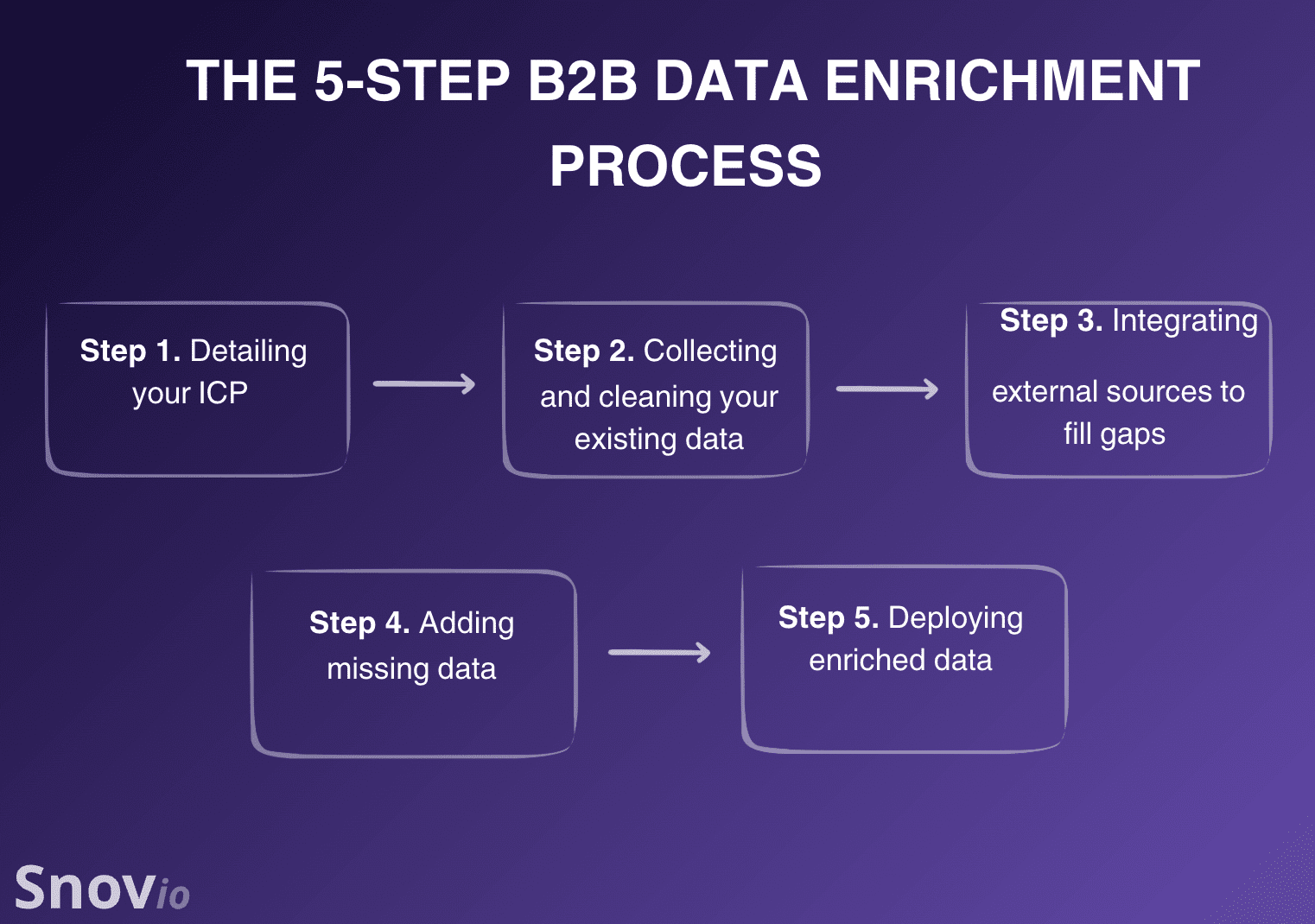
Of course, doing it all manually will require significant resources. That’s where the B2B enrichment tools come in.
Modern B2B enrichment tools employ AI-powered data discovery, real-time verification, multi-source enrichment, and flexible APIs. This helps sales teams automate enrichment, enabling them to target more effectively, personalize faster, and close more deals with less effort.
Best B2B data enrichment tools to use in 2026
Below, I have analyzed popular tools for data enrichment, focusing on their features, pros and cons, pricing, as well as user reviews. I concluded my analysis of each tool with a brief verdict – my personal opinion based on all factors I considered.
- Snov.io
- Apollo
- Clay
- UpLead
- Cognism
- ZoomInfo
- Lusha
- Clearbit
- Kaspr
- Datanyze
- ContactOut
- InsideView (now part of DemandBase)
- Salesgenie by Data Axle
- Blue Mail Media
Now, let’s review these tools in detail.
-
Snov.io
Best for: Startups, small and medium businesses (SMBs), or solopreneurs who want enrichment, verification, as well as multichannel outreach capabilities under one roof.
Snov.io’s rating on G2: 4.5/5
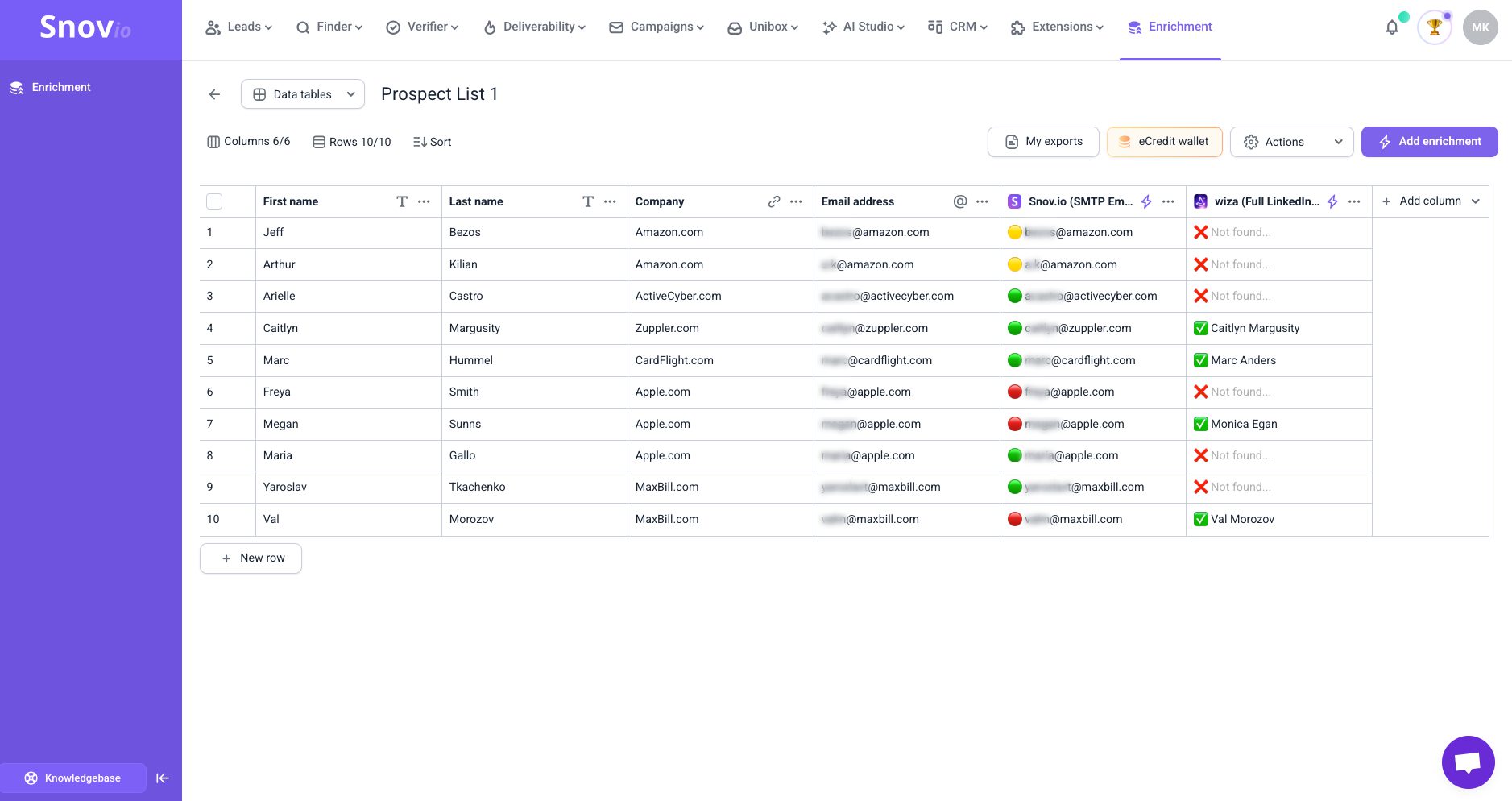
Snov.io is a lead generation and multichannel outreach automation platform. With its strong enrichment capabilities, this is a great solution for businesses to turn incomplete info into reliable, sales-ready prospect lists. Use it to improve targeting by launching personalized AI-powered multichannel campaigns with confidence in the quality of your pipeline.
Snov.io key data enrichment features:
- Professional email address, company domain, business phone number, and LinkedIn profile discovery to turn incomplete lead lists into fully enriched, sales-ready profiles
- Bulk enrichment via list uploads and APIs to keep large databases accurate as well as up to date
- Native Snov.io + Clay integration to acquire unique prospect info from LinkedIn URLs or email addresses
- Real-time email verification to reduce bounces and improve outreach performance
Pros and Cons:
| Pros | Cons |
|---|---|
|
|
Pricing: from $39/month.
What users say about Snov.io:
Customers love Snov.io for being an all-in-one outbound sales platform for outreach that streamlines lead generation through powerful data enrichment. Another strong side that users appreciate about Snov.io is CRM-driven prospect conversion.
My verdict:
When I first started using Snov.io, I appreciated how straightforward the implementation process was. I was able to just log in, import my prospect list, and start my outreach right away. The customer support is available round the clock to help with any issues that might arise.
I’m fully satisfied with the data quality and freshness I was able to pull with the Snov.io enrichment capabilities. The speed of operation differs depending on the size of the list. Still, it holds up very well against similar tools. The email verification capabilities also returned accurate results. Plus, API-based enrichment handles automated, large-scale processes with ease.
What’s even more important is that I can launch a campaign right after enriching my list, and track the deals afterward.
Though I used the built-in Snov.io CRM, it’s reassuring to know that the platform integrates smoothly with other software when needed. In terms of enrichment, the direct Snov.io-to-Clay connection is a time-saver, providing a rich source of lead information.
Another upside of Snov.io is its tight security. The tool complies with data privacy regulations, so I’m sure that whenever I build prospect lists with this service, I don’t have to worry about the account’s safety.

-
Apollo
Best for: Startups or SMBs that aspire for highly targeted prospecting.
Apollo’s rating on G2: 4.7/5
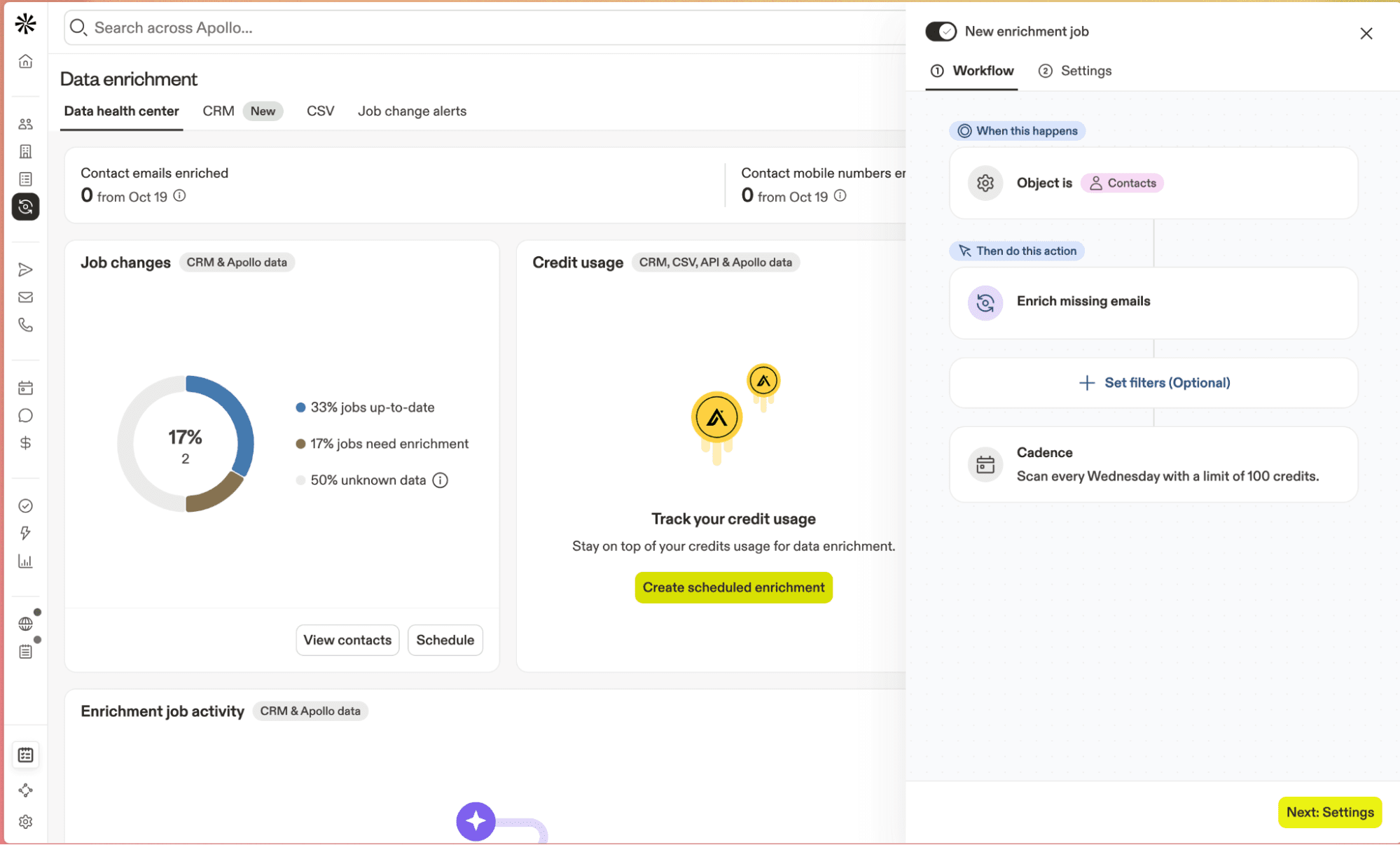
Apollo is an AI-enhanced lead generation platform with good enrichment possibilities as well as outreach features. Use its smart filters and large contact database for precise prospecting.
Apollo key data enrichment features:
- Email, company domain, LinkedIn profile, job title, as well as other prospect enrichment capabilities
- Bulk prospect data enrichment via list import and APIs
- Buying intent discovery
Pros and Cons:
Pricing: from $59/month; an unlimited free plan is available.
What users say about Apollo:
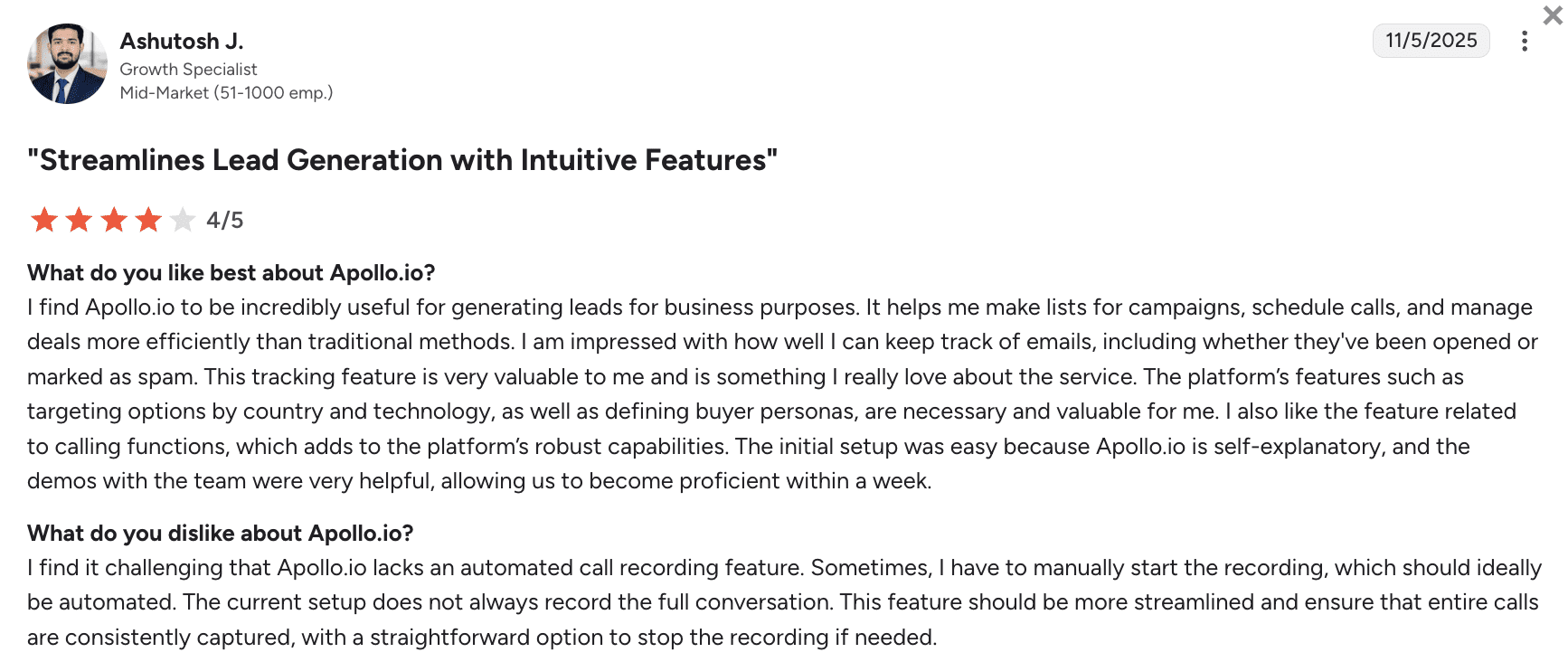
Overall, people love Apollo for its lead generation features, precise targeting, efficient outreach campaigns, as well as deal management features. On the other hand, users dislike the lack of fully automated call recording.
My verdict:
Though I heard positive comments about the onboarding, I had a rough start with this platform. I ran into issues with registration that required me to contact customer support – and it wasn’t so quick to respond.
Once I was in, however, I appreciated its interface as well as many AI-based enrichment capabilities. Still, I noticed occasional location accuracy gaps, especially outside major niches. Integrations with major CRMs are broad, plus I was comfortable with Apollo’s security for day-to-day workflows.
All in all, it’s a solid enrichment platform, but unless you really need an AI-enhanced process, there are cheaper options with better regional coverage.
-
Clay
Best for: Sales teams of different sizes that want flexible, API-first enrichment and custom data pipelines.
Clay’s rating on G2: 4.8/5
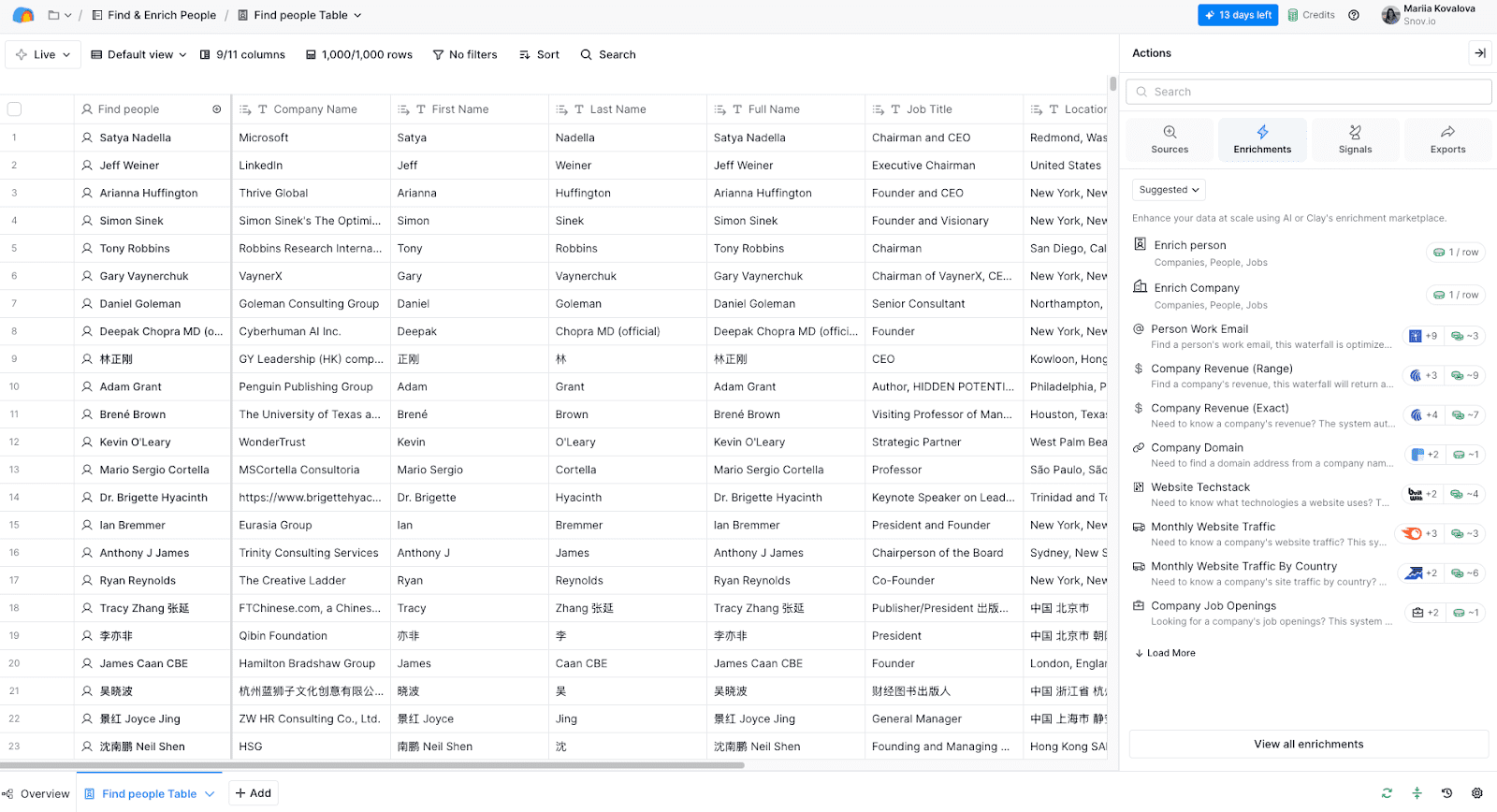
Clay is a robust B2B data enrichment tool that lets users build unique workflows by chaining 50+ data sources with custom logic. Use it for deep personalization at scale.
Clay key data enrichment features:
- Multi-source enrichment in one platform
- Multi-parameter (company, technology, social media) enrichment
- Webhooks, APIs, and custom scripts for enriching data at different levels
- De-duplication, validation, as well as conditional routing for more accurate data
Pros and Cons:
Pricing: from $149/month; an unlimited free plan is available.
What users say about Clay:
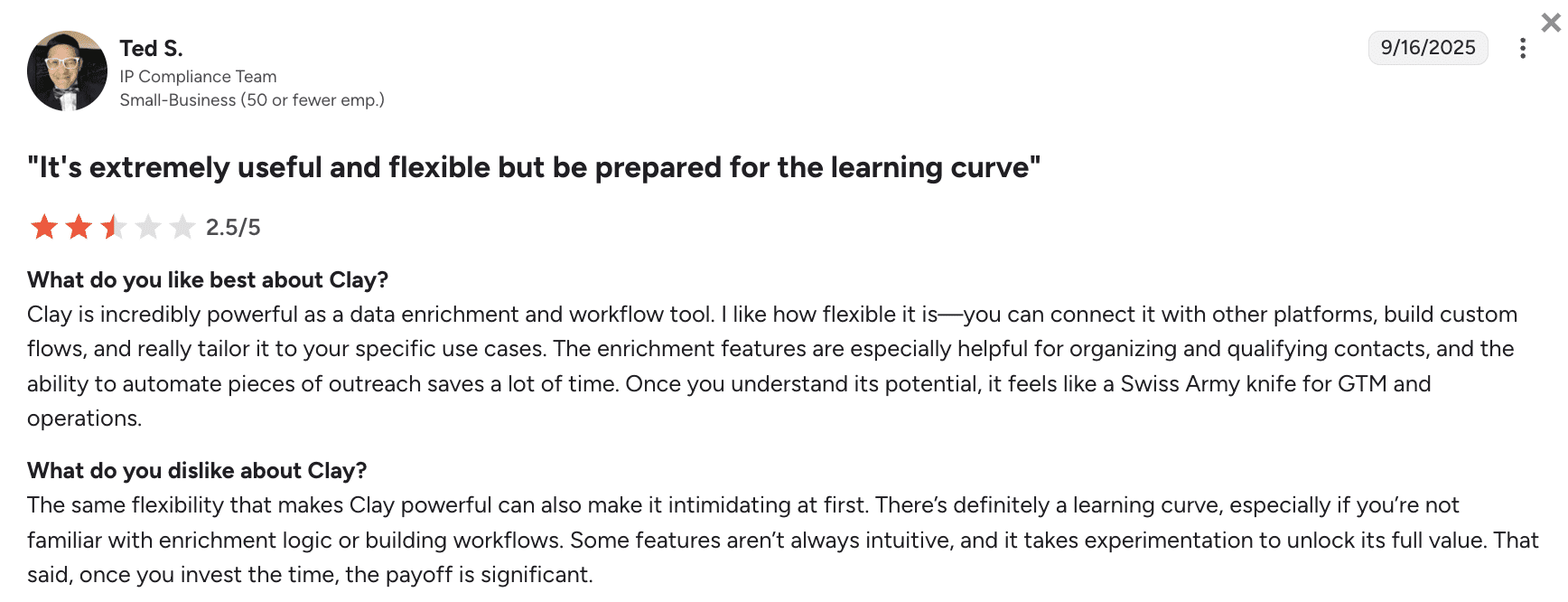
Customers love Clay for its powerful, flexible data enrichment capabilities plus workflow automation that saves time. However, users highlight the steep learning curve, especially with less intuitive features.
My verdict:
Clay is definitely a powerhouse of data enrichment, though not a cheap solution. I agree that it takes time to properly learn how to use it. I recommend starting with a free trial first to dig through the educational materials.
Data depth and coverage are excellent, but you need to configure the tool very meticulously to get relevant information. Plus, you have to watch your credits to avoid running over the designated budget.
Security and integration capabilities are very strong; so is their customer support, which is always there for you if needed. However, Clay is not a stand-alone tool. So count in the cost of additional CRM and outreach automation software when deciding on the subscription.
-
UpLead
Best for: Startups, small businesses, and mid-market teams that want a simple tool with clean data that easily integrates with their CRM.
UpLead’s rating on G2: 4.7/5
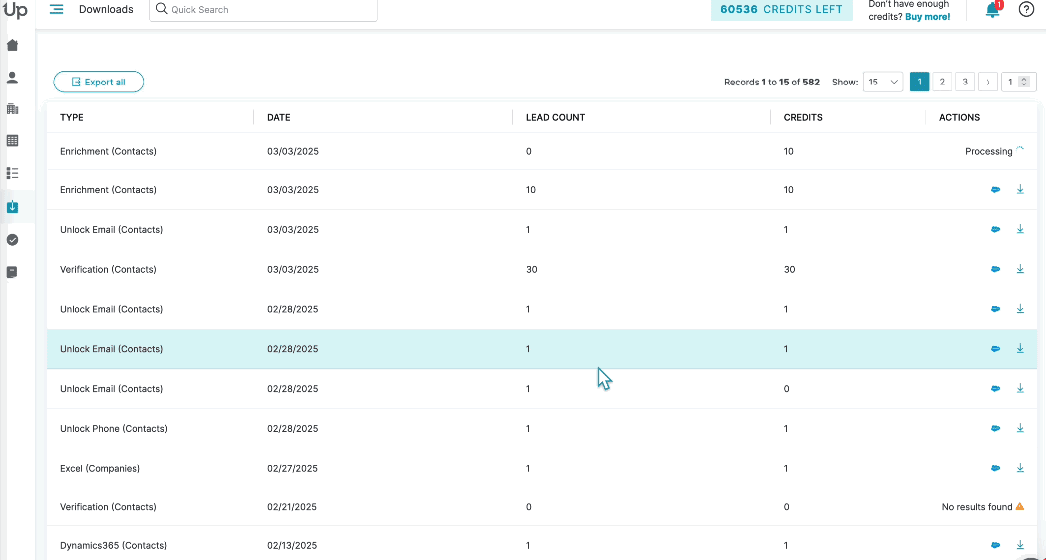
UpLead is a high-accuracy B2B data provider with real-time email verification and intent discovery. It also offers data enrichment capabilities that append firmographic insights to keep your lead records sales-ready.
UpLead key data enrichment features:
- Multi-source B2B data provision, including emails, mobile phones, as well as buyer intent
- 50+ advanced filters (by technology, intent, etc.)
- Real-time email verification
- APIs and CRM integrations for auto-enrichment
Pros and Cons:
Pricing: from $99/month; a 7-day free trial is available.
What users say about UpLead:
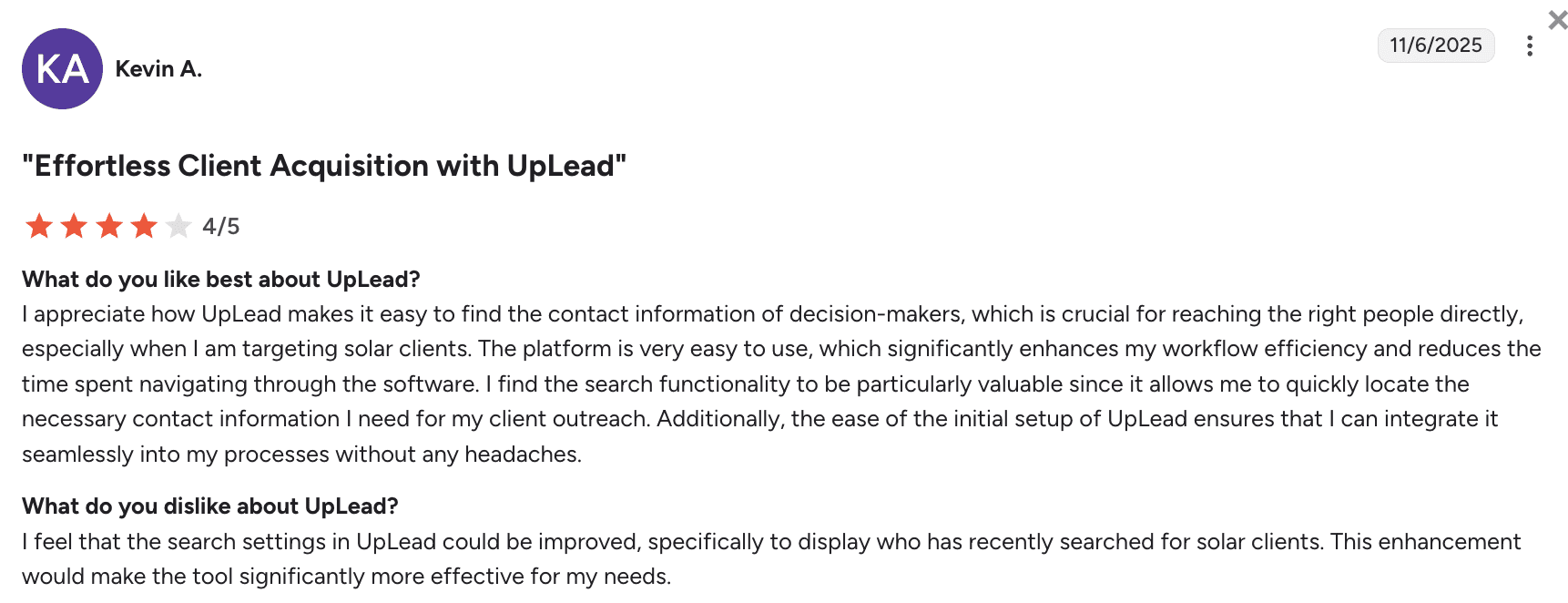
Customers are satisfied with UpLead’s accurate access to decision-makers’ contact data, but would like to see more advanced search insights for more effective sales prospecting.
My verdict:
Implementing UpLead is quick: upload CSV, set filters, and run enrichment with real-time email checks. Most users report low bounces with contact data acquired by this tool. As far as I could tell, the platform’s security is sufficient for day-to-day prospecting. Another good thing is its consistently responsive support.
The flip side is modest phone number coverage. Besides, UpLead occasionally provides outdated information – especially outside its core segments. All in all, this is a simple, reliable tool for enriching high-confidence contacts, though not at the lowest price. There are many cheaper tools with a similar level of functionality.
-
Cognism
Best for: Mid-market or enterprise sales teams that depend on mobile phone calls.
Cognism’s rating on G2: 4.5/5
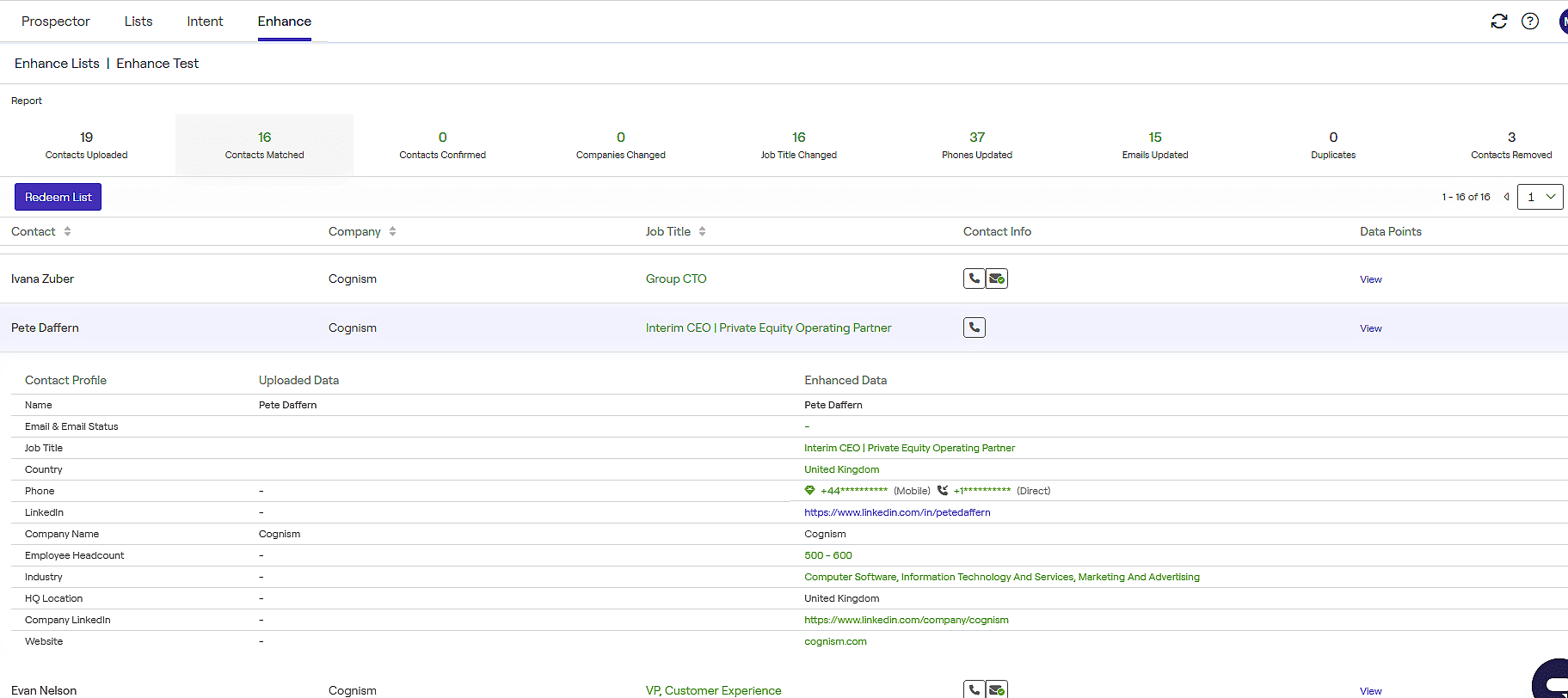
Cognism delivers compliant, phone-heavy B2B data enrichment across EMEA and North America, combining intent signals, firmographic depth, email accuracy, as well as Do-Not-Call screenings for reliable outbound targeting.
Cognism key data enrichment features:
- API plus on-demand CSV enrichment that includes cell phone numbers, email addresses, job positions, etc.
- Intent, technographics, and other event-based real-time updates
- Human-reviewed data validation
- Native integrations with major CRM, marketing, as well as sales software like HubSpot or Pipedrive
Pros and Cons:
Pricing: not publicly available.
What users say about Cognism:
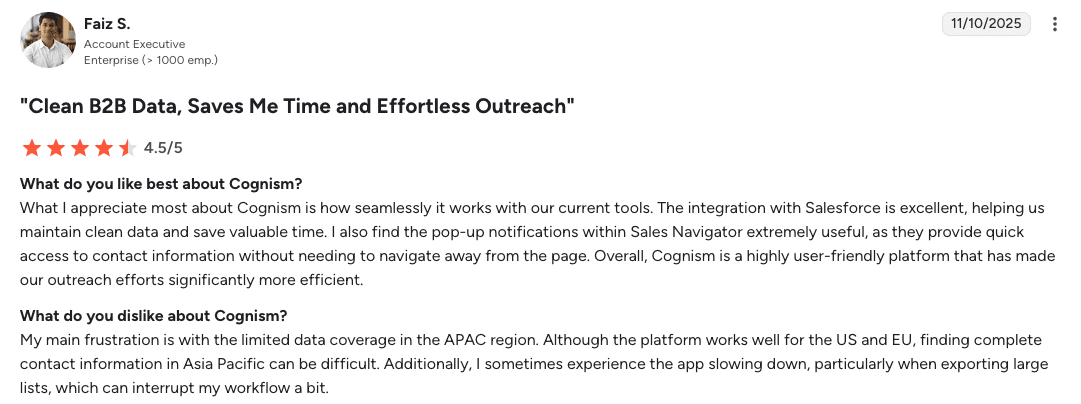
Reviewers like Cognism for its seamless Salesforce integration, clean data management, and user-friendly interface. Yet, some are a bit frustrated by the limited APAC data coverage, plus some occasional performance slowdowns during large data exports.
My verdict:
Onboarding is smoothly guided by the responsive support team. Cognism adheres to major data privacy regulations like GDPR and CCPA. It integrates well with other software, especially with the Salesforce and HubSpot ecosystems. EMEA phone and email data are accurate.
The negatives for me are sales-led access and quote-only pricing. There are also mentions of poor US coverage compared to similar platforms.
So, I’d recommend trying this data enrichment tool only if you’re focused on the EMEA region and can afford the enterprise-level price.
-
ZoomInfo
Best for: Enterprise teams that need broad data coverage, accurate phone data across the US, as well as customizable sales workflows.
ZoomInfo’s rating on G2: 4.5/5
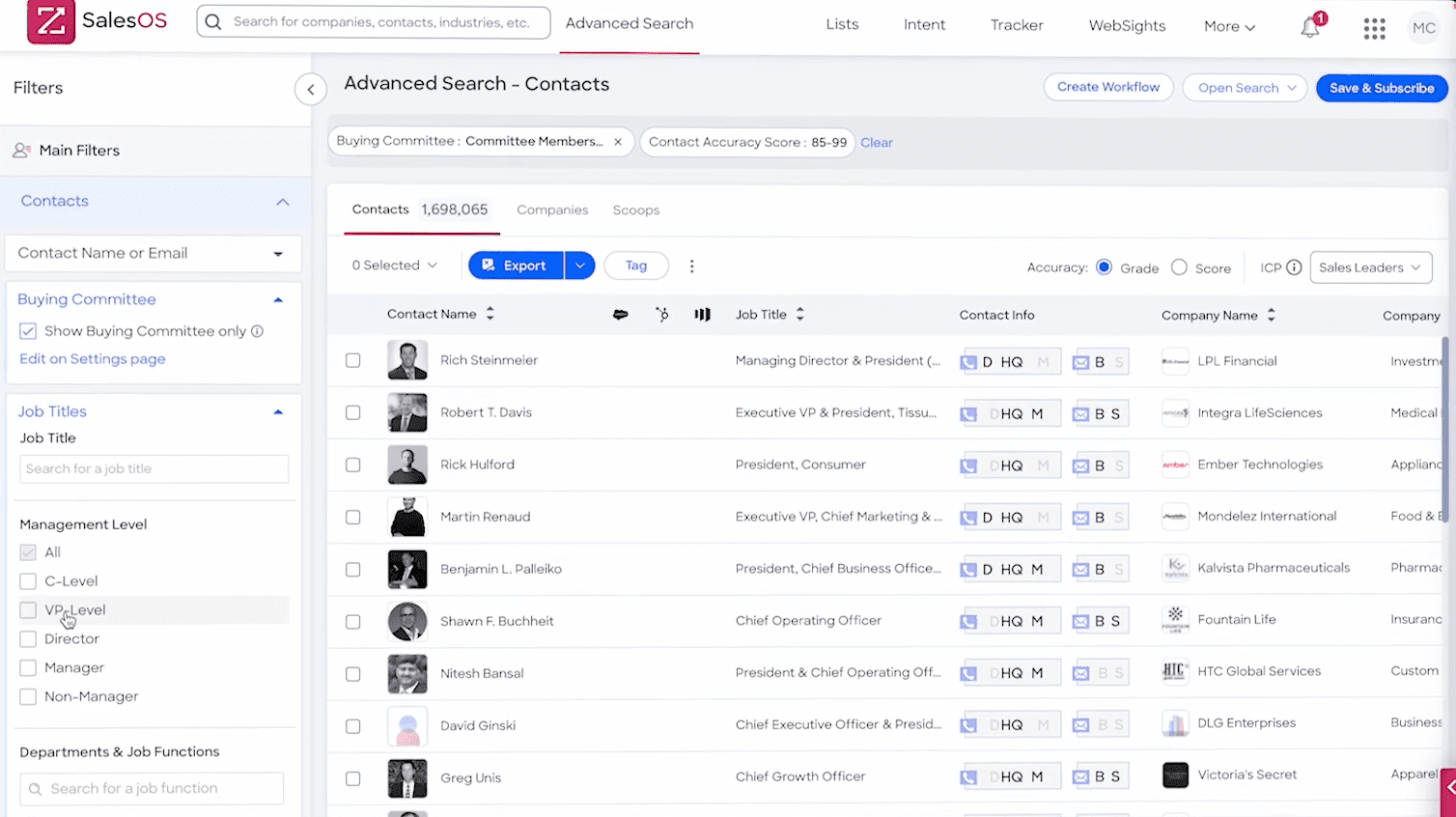
ZoomInfo offers one of the largest B2B datasets across all regions, combined with intent analysis and data management capabilities.
ZoomInfo key data enrichment features:
- Company and contact enrichment at scale
- Real-time prospect data updates
- Buyer signal notifications
- Data operations’ automation that includes deduplicating, normalizing, etc.
- APIs plus extensive native integrations with major CRM and other sales software;
Pros and Cons:
Pricing: not publicly available.
What users say about ZoomInfo:
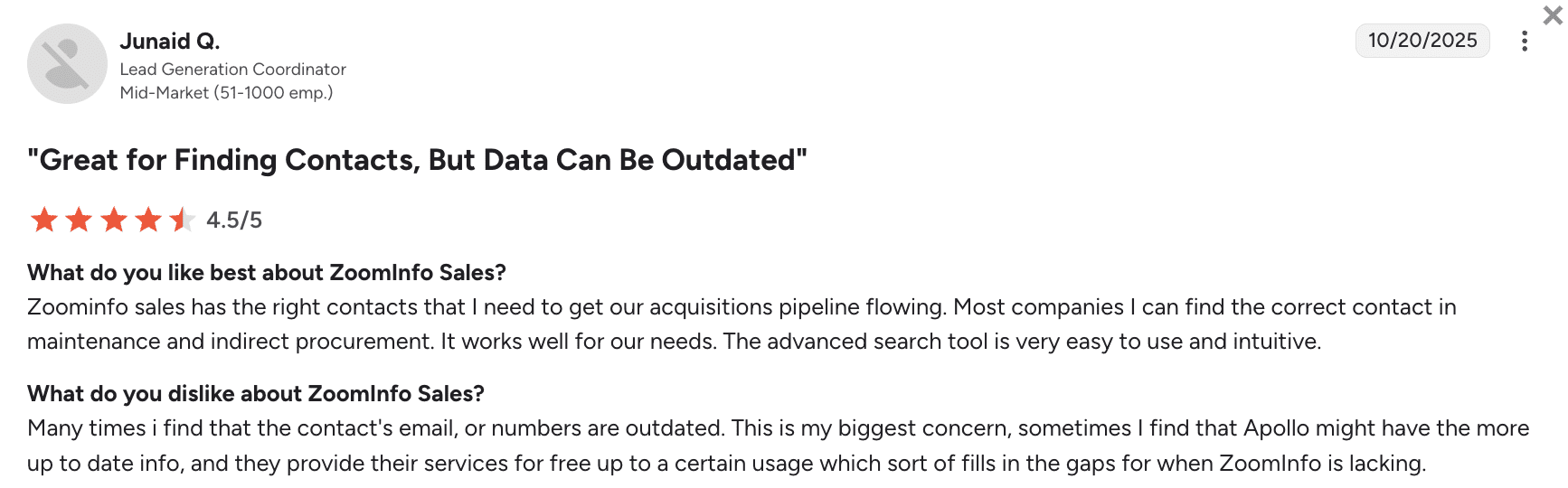
Users appreciate ZoomInfo for its intuitive advanced search, combined with strong contact coverage that supports acquisition pipelines. Yet, some are concerned about outdated contact data that sometimes requires cross-checking with other tools.
My verdict:
ZoomInfo is pretty much everything you’d expect from an enterprise-grade tool. On the upside, data coverage is pretty high, especially for the US, UK, as well as EU regions. Also, security is very tight, while integrations are plentiful.
On the downside, this B2B data enrichment tool is a bit complex to learn – you need an implementation team as well as specialized onboarding training. Plus, you can’t access the trial period or pricing without going through the demo call.
For large teams, ZoomInfo is a capable backbone. But you should have time and resources to set everything up. For smaller organizations, I’d recommend trying a less expensive solution.
-
Lusha
Best for: Solopreneurs, startups, and small teams that need basic contact information.
Lusha’s rating on G2: 4.3/5
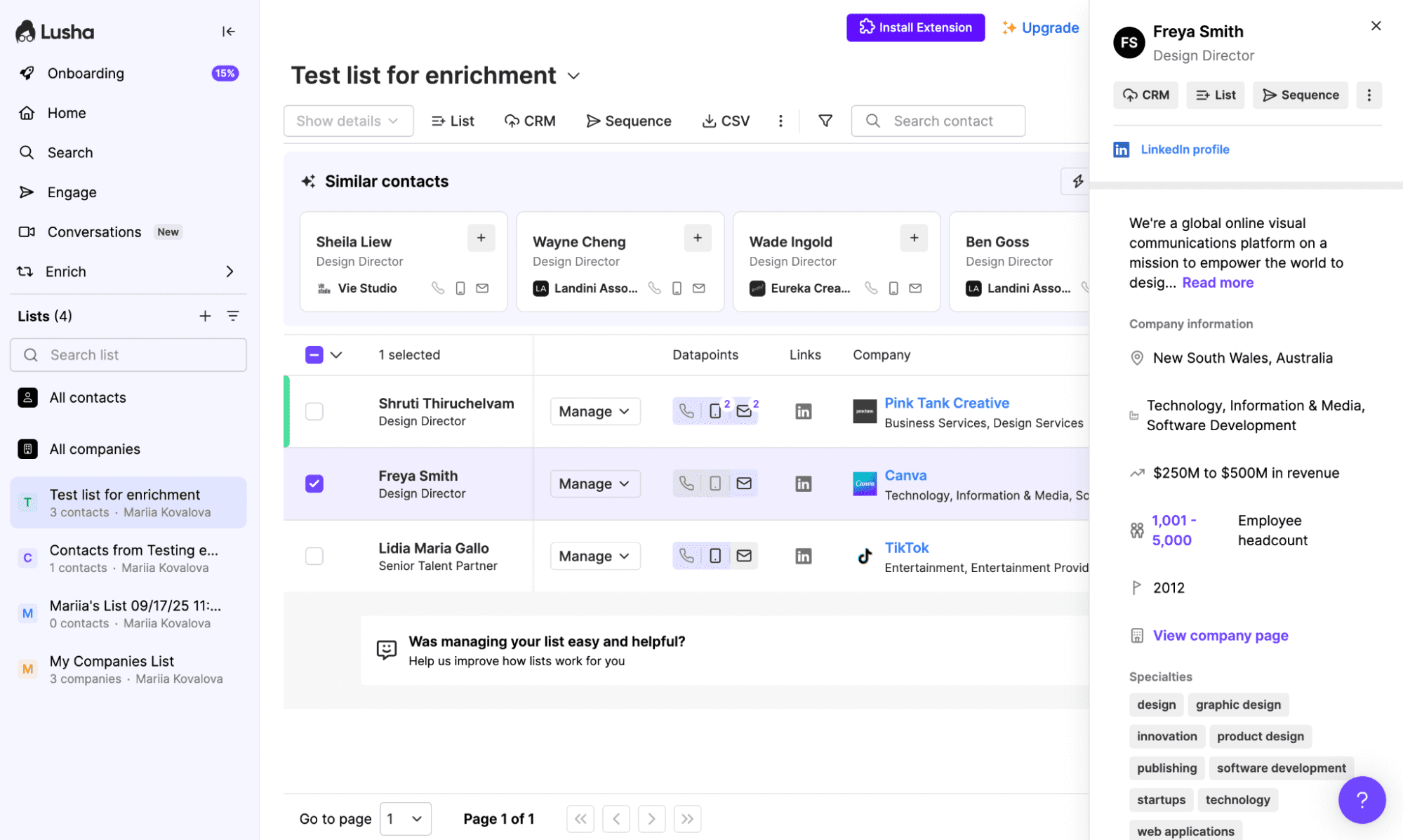
Lusha is a data enrichment and prospecting platform that provides verified contacts, supporting outreach through lightweight sales workflow automations.
Lusha key data enrichment features:
- Quick data enrichment (emails+phone numbers)
- Real-time data scraping from social media and company websites
- Sync with lots of CRMs plus Zapier integrations
Pros and Cons:
Pricing: from $29.90/month; an unlimited free plan is available.
What users say about Lusha:
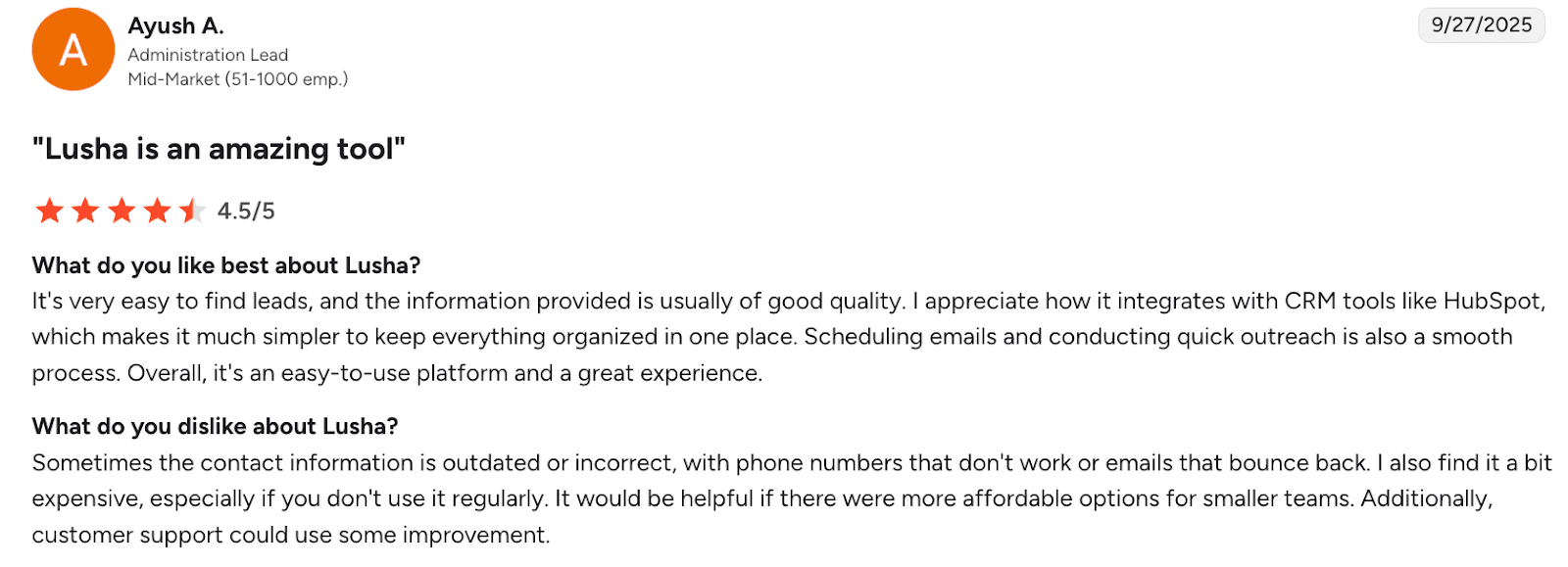
Customers appreciate Lusha for its ease of use, solid lead quality, CRM integrations, as well as smooth outreach workflows. However, some report issues with outdated contact information and relatively high pricing for infrequent use.
My verdict:
What I like about Lusha is that it’s a speedy, straightforward tool with flexible pricing. The quality of data, in my view, is sufficient for major industries in the EU or the US. Security is also okay for routine prospecting operations.
My biggest problem with Lusha is the inconsistency in data quality. Sometimes you get way less reliable phone numbers than you’d expect. Much really depends on the niche. Plus, customer support isn’t always quick to help with upcoming issues.
I’d say Lusha is good enough for quick email plus phone enrichment from the browser, but for deeper coverage, you’ll have to pair it with another system.
-
Clearbit
Best for: GTM teams already using HubSpot wanting native, real-time enrichment.
Clearbit’s rating on G2: 4.4/5
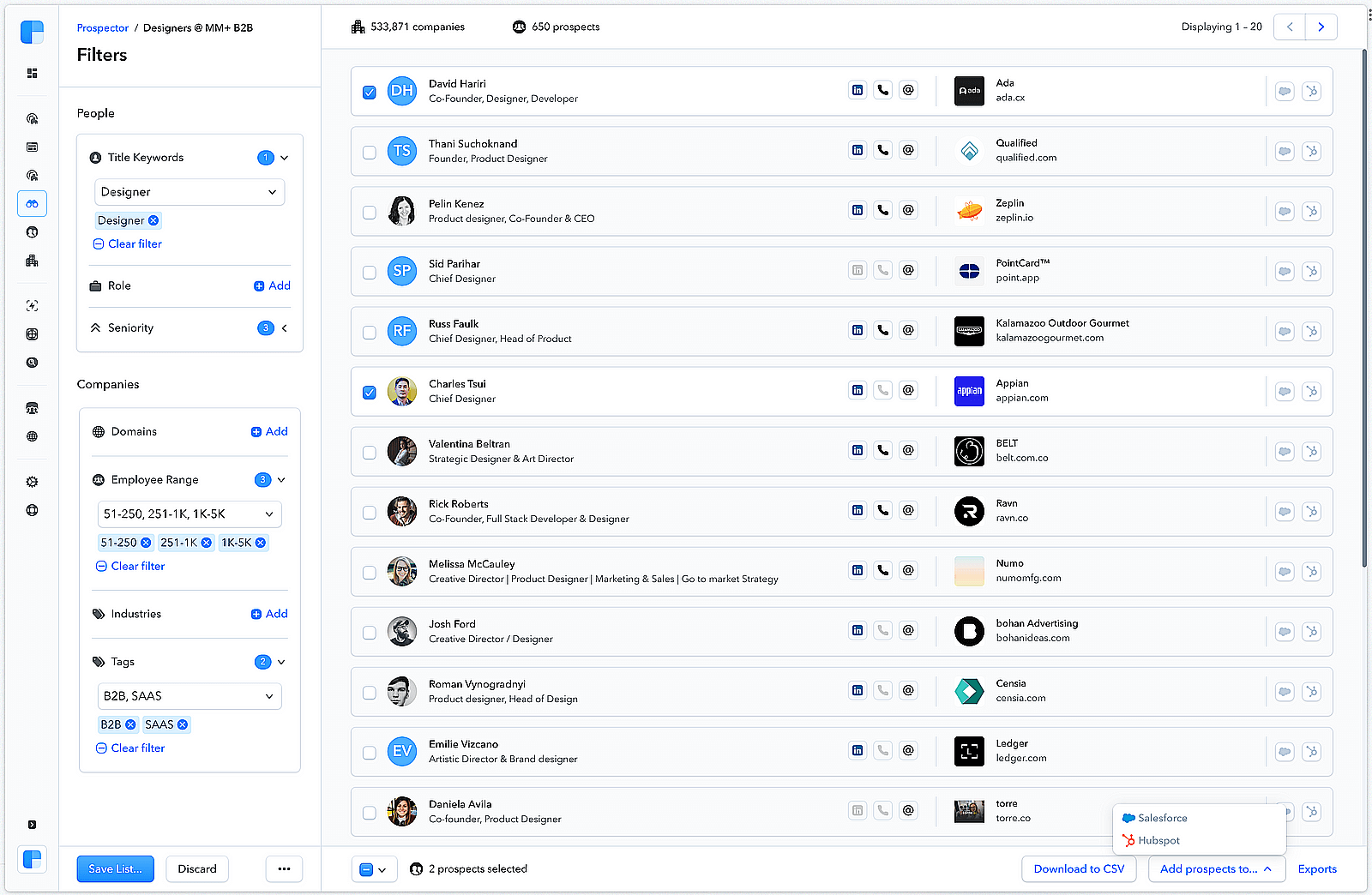
Clearbit is a B2B data enrichment tool that operates within HubSpot. This service lets users append lead data, perform lead scoring, and enable faster routing for more personalized outreach.
Clearbit key data enrichment features:
- Real-time data enrichment inside HubSpot (firmographics, industry codes, plus hierarchies)
- Form shorting, routing, and scoring in HubSpot
- Intent signal discovery through IPs
Pros and Cons:
Pricing: not stated explicitly.
What users say about Clearbit:
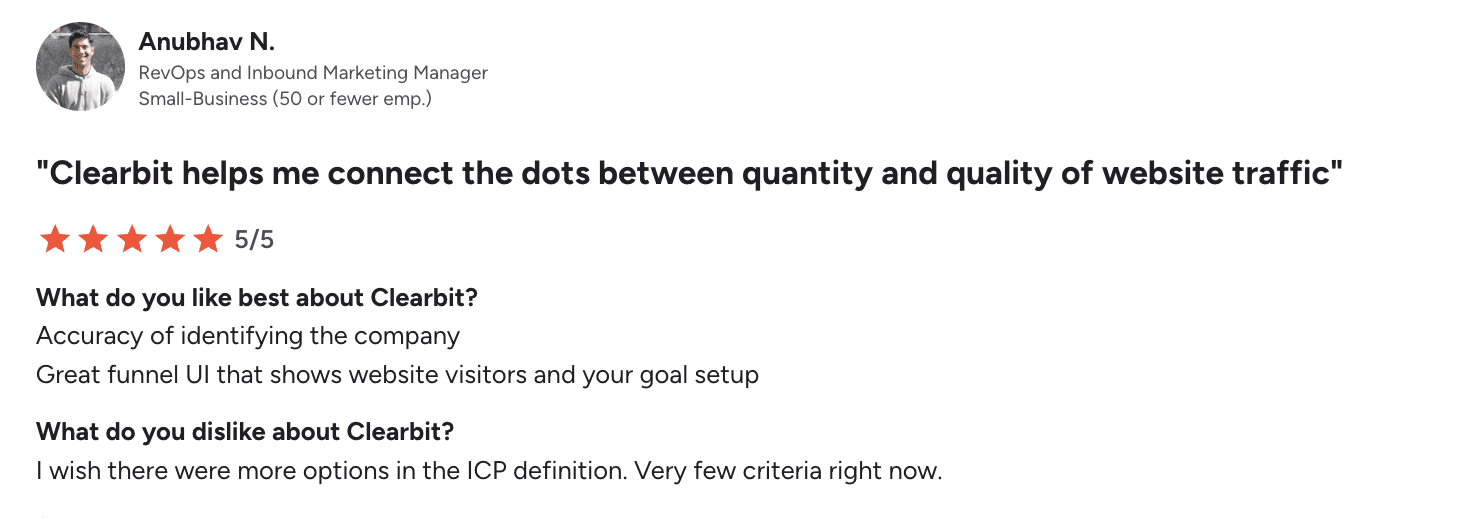
Customers value Clearbit for accurate company identification plus insights into accounts that visit website content. Yet, users want more advanced ICP definition options due to the currently limited criteria.
My verdict:
In a HubSpot-centric stack, implementation is nearly plug-and-play with real-time enrichment, which is very cool. Plus, security is on the enterprise level.
The problem for me is that Clearbit is positioned as a HubSpot-native data layer, so non-HubSpot stacks typically rely on API, middleware, or alternate workflows. Though API calls are often near-instant, some users still report lag.
Contact depth is okay for most major regions if you’re looking for basic enrichment. However, the phone database is reportedly narrow. I’d recommend this option only if you’re operating in the HubSpot ecosystem anyway.
-
Kaspr
Best for: SDRs who rely heavily on LinkedIn and want quick contact reveals combined with simple automations.
Kaspr’s rating on G2: 4.4/5
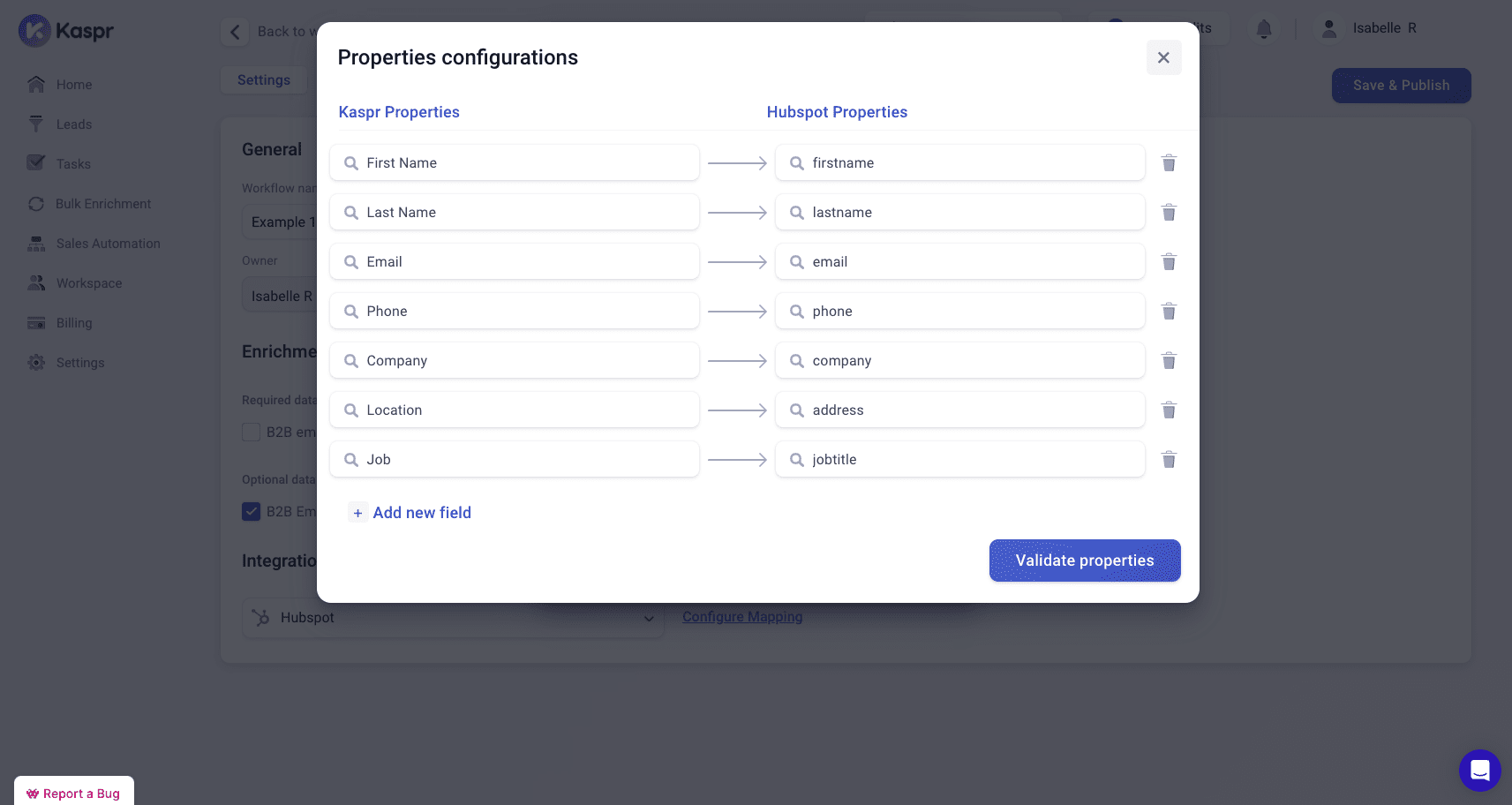
Kaspr is a LinkedIn-centric B2B data enrichment tool that pulls work emails and phones to deploy them into the CRM.
Kaspr key data enrichment features:
- Contact data update straight from LinkedIn
- Bulk enrichment of uploaded spreadsheets
- Automatic enrichment via Kaspr API
Pros and Cons:
Pricing: from $59/month; an unlimited free plan is available.
What users say about Kaspr:
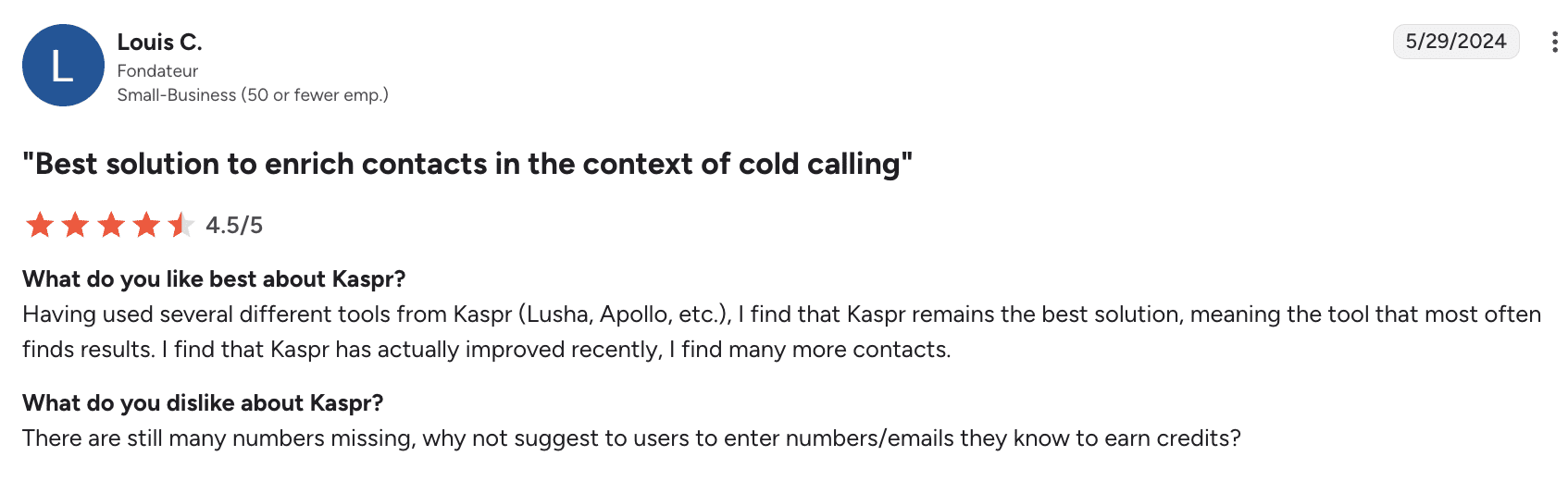
People like Kaspr for its consistent contact-finding, but wish the tool provided fewer missing phone numbers.
My verdict:
I appreciate Kaspr’s speed of setup as well as its LinkedIn-first workflow. What’s also nice is that the platform looks convenient for EU prospecting. Plus, data handoff to CRM/SEPs is straightforward.
What users should take into account before choosing Kaspr is the limited credits, occasional incorrect numbers, and bulk list issues. I would say this is more of a quick-hit tool rather than a bulk engine. But I’d be comfortable using it for standard prospecting if there were no better options.
-
Datanyze
Best for: Individuals and small teams needing budget-friendly basic enrichment.
Datanyze’s rating on G2: 4.1/5
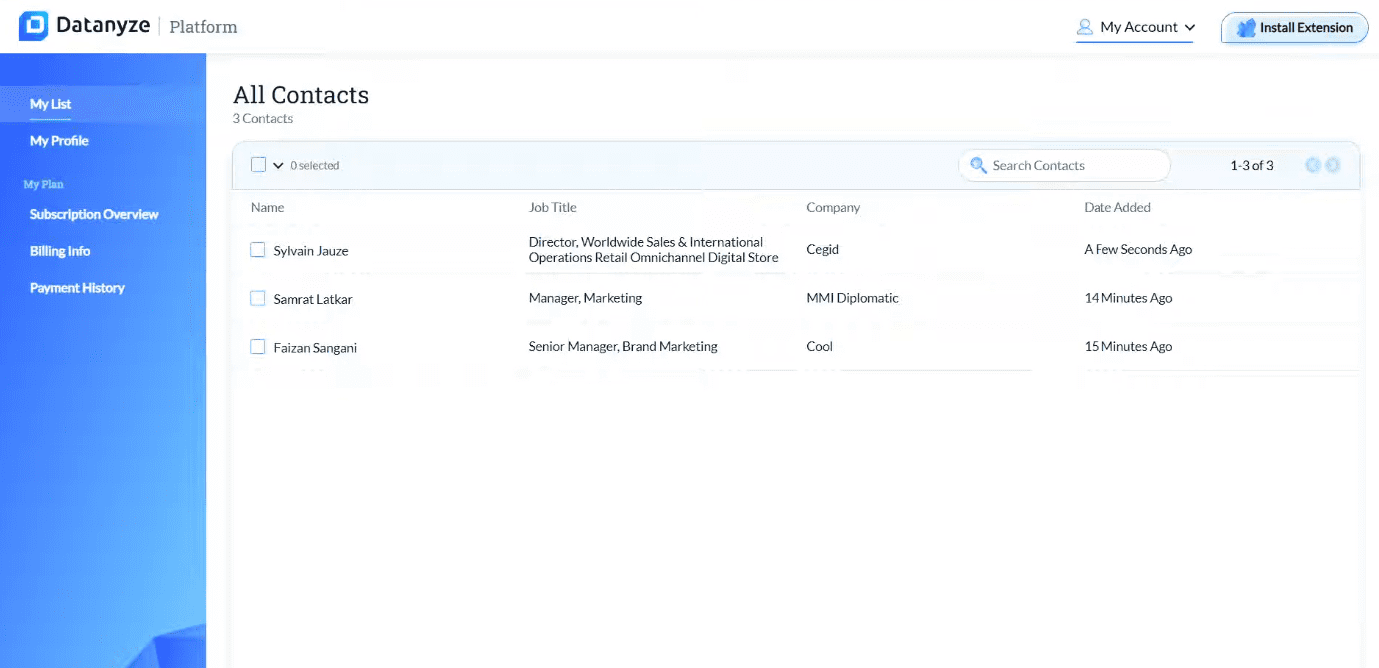
Datanyze offers browser-based contact discovery with technographics as well as lightweight enrichment.
Datanyze key data enrichment features:
- Real-time contact capture from the web and social media
- B2B data enrichment with emails, phone numbers, and technographics
- Prospect list building and export
Pros and Cons:
Pricing: from $29/month; a 90-day free trial is available.
What users say about Datanyze:
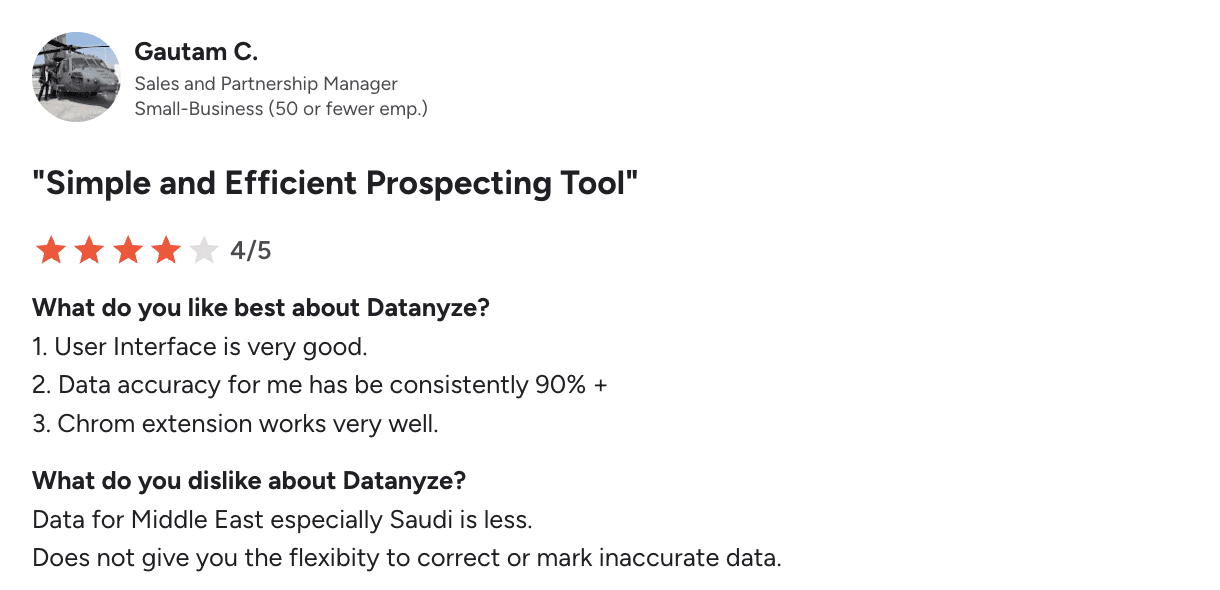
Customers appreciate Datanyze for its intuitive UI, high data accuracy, and reliable Chrome extension. However, some are dissatisfied with the weak data quality in the Middle East region. Sometimes users also mention the lack of options to correct inaccurate records.
My verdict:
What I liked about Datanyze is that you can deploy the extension, capture contacts, and export lists in a single session. Plus, this tool provides really decent accuracy for the price. At the same time, if you’re looking for data enrichment for Middle East prospects, you may be disappointed.
The platform’s security is suitable for non-sensitive enrichment, in my opinion. It’s a budget-friendly option for quick prospecting. Still, you have to sample-check before launching a big campaign.
-
ContactOut
Best for: Sales teams that need a simple B2B data enrichment tool, especially those prospecting outside the US or UK.
ContactOut’s rating on G2: 4.4/5
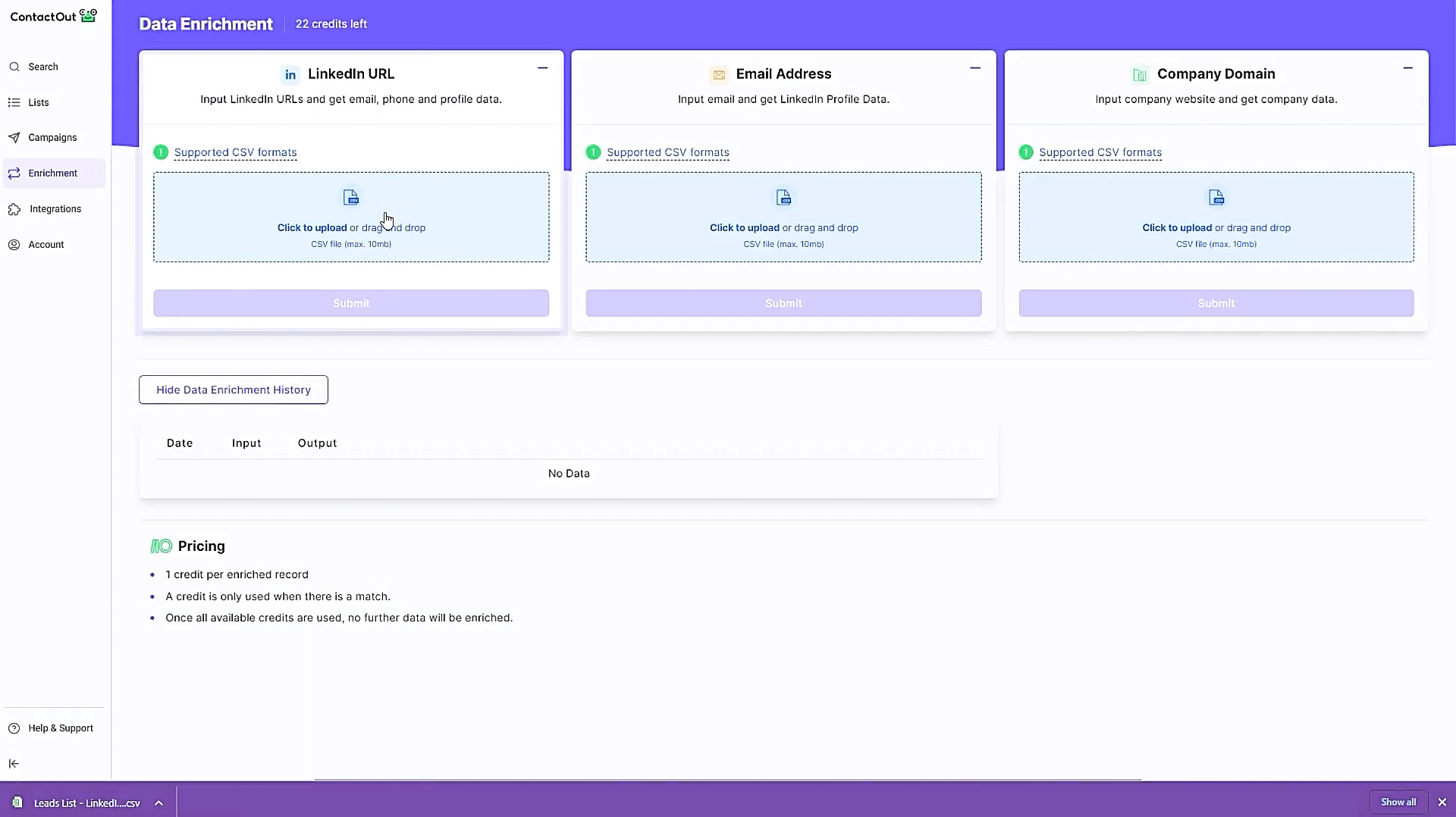
ContactOut is a prospecting platform that delivers email, phone, and social media data, also supporting basic outreach operations.
ContactOut key data enrichment features:
- B2B enrichment with verified emails, some phone numbers, and social media profiles.
- APIs for regular data update directly in the CRM
- Prospect list building and export
Pros and Cons:
Pricing: from $25/month (excluding data from the US and UK); an unlimited free trial is available.
What users say about ContactOut:
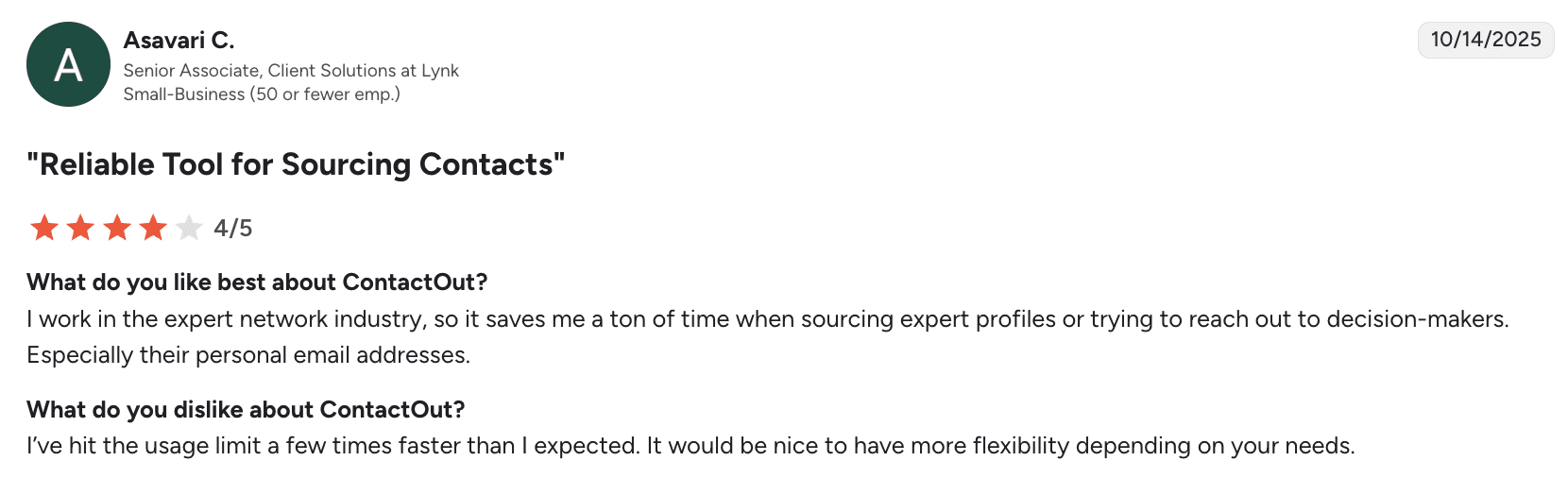
Users praise this platform for automating data discovery, especially contacts of decision-makers. However, some are frustrated by usage limits that can feel restrictive.
My verdict:
If you’re a recruiter or SDR, you may appreciate ContactOut for its simplicity. This tool is efficient for shortlist enrichment before outreach. Integrations into ATS/CRM are straightforward, which is also a plus.
The tool is pretty accurate for personal emails, though the freshness of phone data varies. Besides, pay attention that features that are described as “unlimited” may have practical limits. I recommend reading the fair-use fine print. Also, expect credit ceilings.
-
DemandBase
Best for: Middle and enterprise-size teams running ABM that want their account management software to be natively integrated with contact intelligence.
DemandBase’s rating on G2: 4.4/5
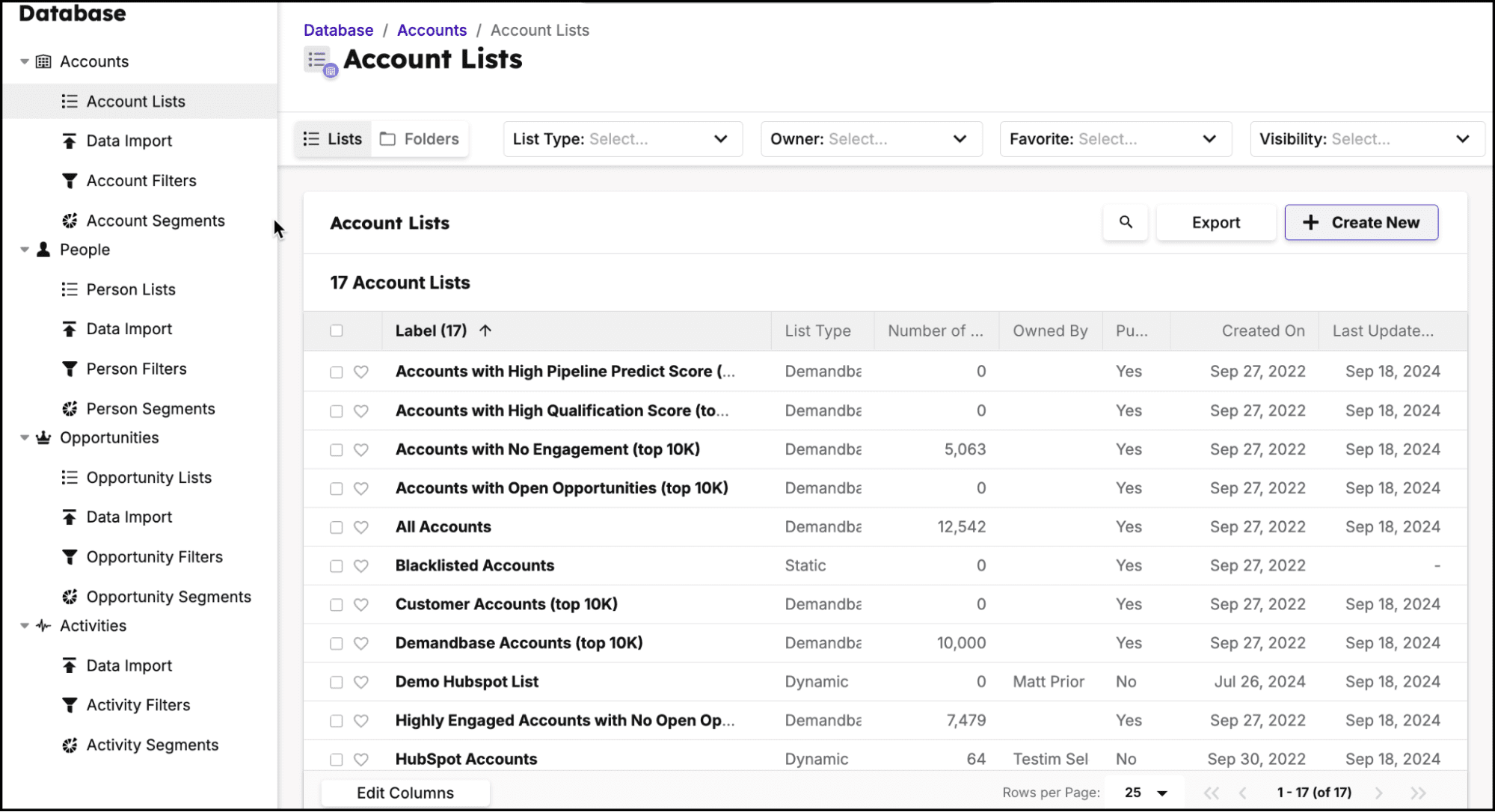
Previously known as InsideView, DemandBase now brings together data enrichment with account-based marketing (ABM) workflows. It helps large organizations get comprehensive insights into their potential customers.
DemandBase key data enrichment features:
- Account and contact enrichment combined with segmentation filters
- Intent and account scoring
- Native integrations with major CRM and marketing automation software (Salesforce, Dynamics, etc.), plus API-enabled integration capabilities
Pros and Cons:
Pricing: not publicly available.
What users say about DemandBase:
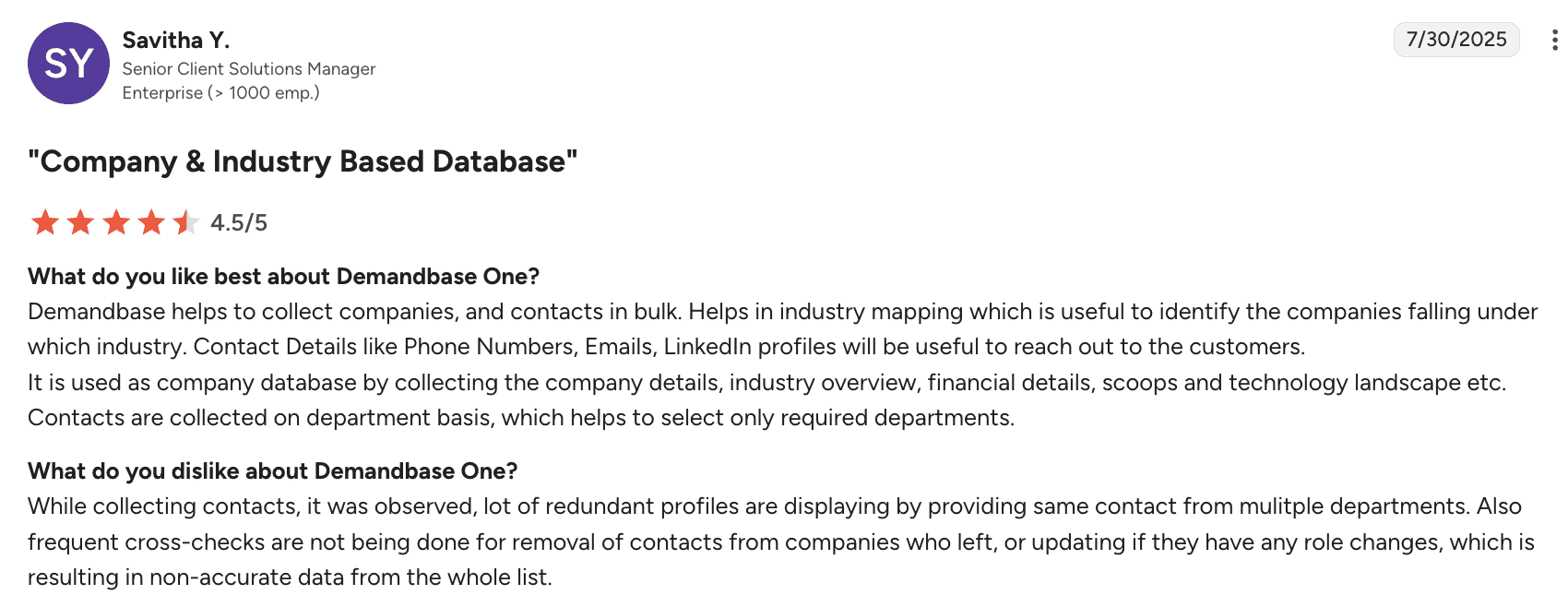
Users appreciate DemandBase for bulk data collection, industry mapping, and accessible contact details. Some, however, are dissatisfied with redundant profiles and data inaccuracies caused by insufficient updates.
My verdict:
DemandBase is much heavier to implement than some other apps. It seems, though, that once connected, enrichment ties directly into ABM workflows, which is a strength. I really appreciate enrichment-to-activation speed.
Yet, for me, the lack of transparent pricing is a huge downside. Though I know it’s common for enterprise-level tools.
-
Salesgenie by Data Axle
Best for: Solopreneurs or SMBs requiring local or industry-specific targeting.
Salesgenie’s rating on G2: 4.3/5
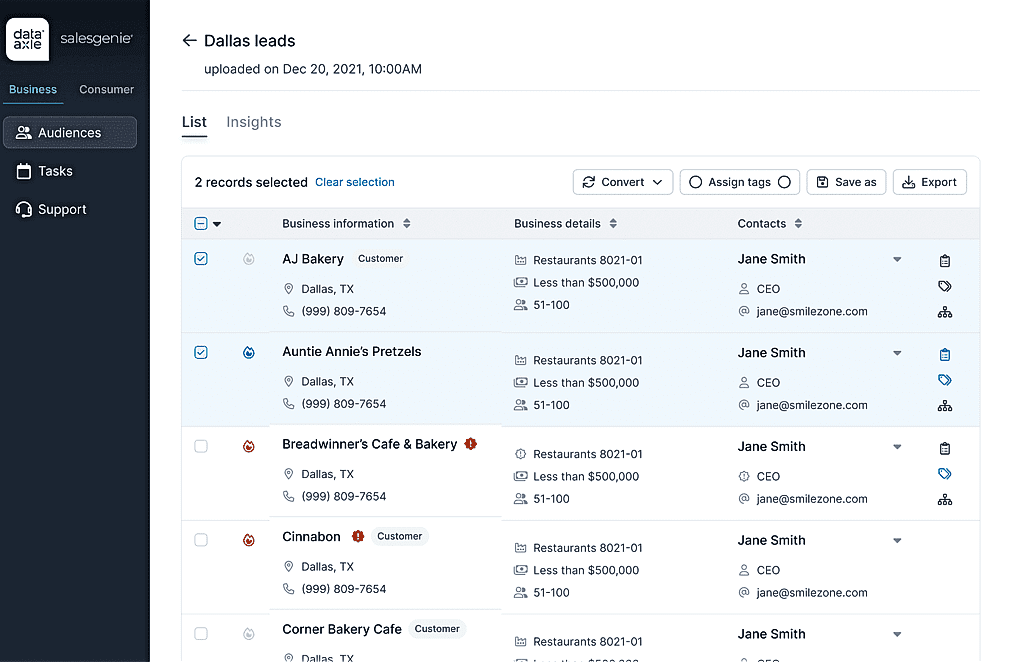
Salesgenie is an AI-powered lead-generation platform developed by Data Axle that helps users leverage extensive B2B data to launch effective outreach campaigns.
Salesgenie key data enrichment features:
- Light company and contact enrichment
- Firmographics with geo and industry filters
- Contact exports and simple API-enabled integrations
- Data hygiene services via Data Axle
Pros and Cons:
Pricing: from $99/month.
What users say about Salesgenie:
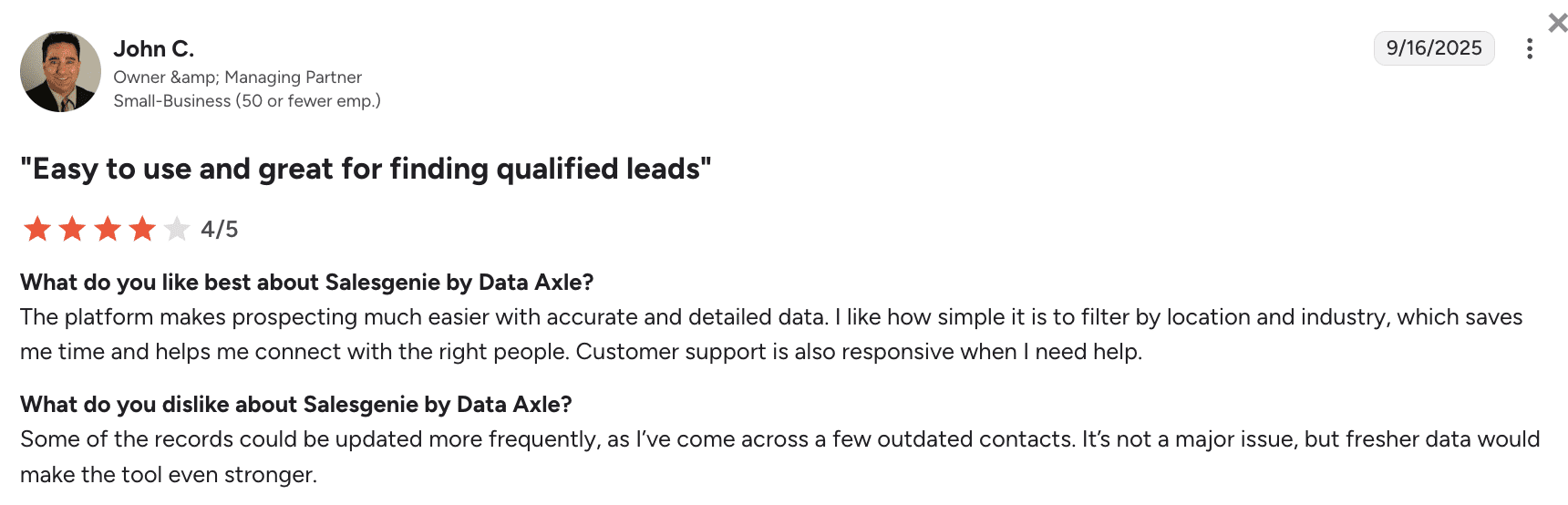
Customers appreciate Salesgenie for accurate data, easy filtering, plus responsive customer service. However, some users would like more frequent data updates to reduce occasional outdated contact information.
My verdict:
The setup is quick – a huge upside, as the platform is targeted toward non-tech users and small businesses without a large IT department. Plus, geo and industry filters make territory list building truly simple. Security is fine for list work, while customer support is quick and reliable.
As some users report outdated or limited contacts, plan for additional validation before outreach if you decide to use this tool. But frankly, given the price, this platform wouldn’t be my first choice.

-
Blue Mail Media
Best for: Sales or marketing teams of different sizes that need one-off list purchases with niche segments and custom selects.
Blue Mail Media’s rating on G2: 4.8/5
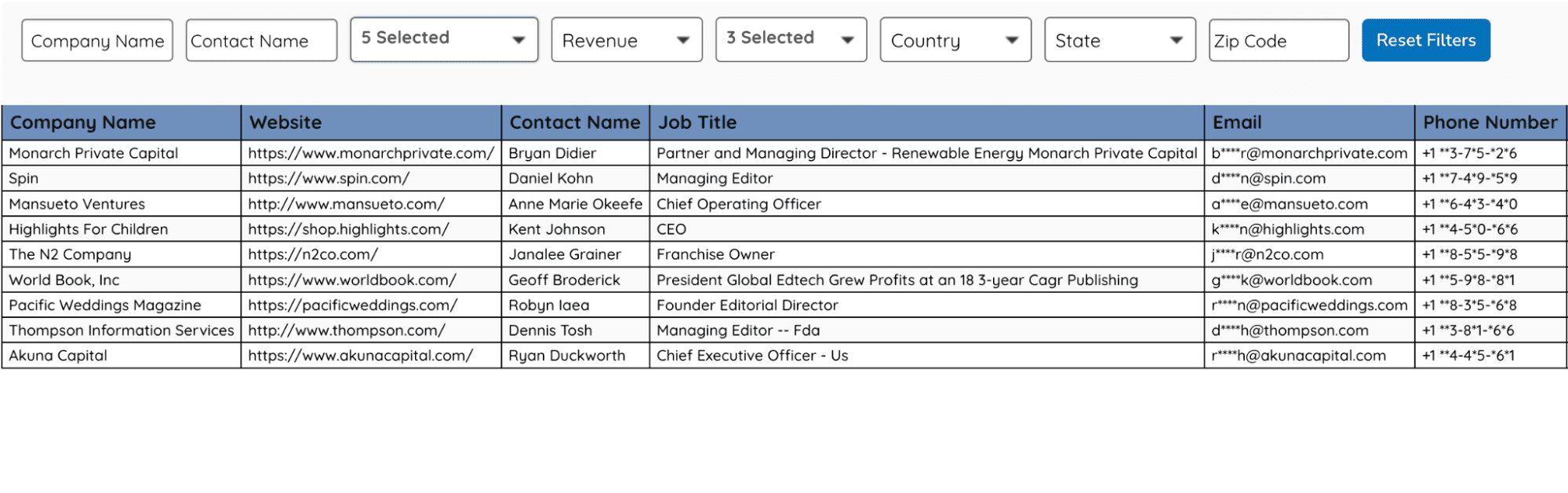
Blue Mail Media Inc. is a B2B data provider that literally sells custom B2B email lists depending on the prospect’s industry, location, role, market size, etc.
Blue Mail Media key data enrichment features:
- Custom B2B lists (targeted toward the particular industry, location, or job titles)
- Data cleansing services
- Marketing campaign launch support
Pros and Cons:
Pricing: custom, depending on various factors.
What users say about Blue Mail Media:
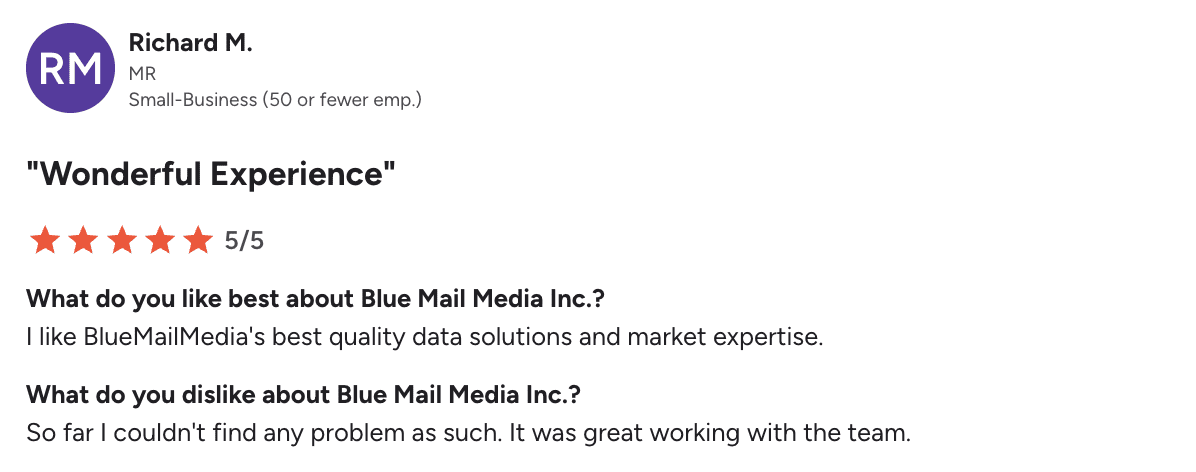
To be honest, I couldn’t find any fresh user reviews of Blue Mail Media on G2. The most recent one dates back to 2019.
My verdict:
Blue Mail Media is a research-and-import service, so I wouldn’t call it an enrichment tool in its pure sense. For me, a red flag is the absence of ongoing public reviews, which makes quality a bit of a luck-of-the-draw game. Thus, I recommend negotiating your contract very thoroughly when applying for their services.
It’s also worth verifying the data they provide before committing to a campaign. The good thing is – security is tied to your internal handling post-delivery. Overall, I think this option is mostly viable if you need very niche addresses for a one-time outreach.
→ ⛔Read this post to find out more about why buying email lists is not a good idea for your business.
Why you need data enrichment tools in 2026
In 2026, when buyer data changes rapidly and businesses rely on automated workflows more than ever, performing B2B data enrichment effectively becomes a must-have.
Streamlined data enrichment offers lots of benefits to your sales strategy:
✔ Improved lead scoring and segmentation
By enriching your leads with detailed information (e.g., location, firmographics, behavioral patterns), you can assess how they meet your ICP criteria or segment your lists for more targeted outreach.
✔ Better deliverability
Using data enrichment tools in combination with email verifiers to cleanse your data will also keep your list more accurate, ensuring higher deliverability for your outreach campaigns.
✔ Hyper-personalization
B2B data enrichment tools give you all the necessary ingredients for more personalized and targeted communications, which are key to higher open, click-through, and conversion rates.
✔ Competitive advantage
Companies that focus on enhancing their data enrichment capabilities are more likely to wow potential customers than those teams limited to basic lead data.
The secret isn’t just in having data – it’s in having the right data that others overlook. Because while everyone else is fighting for attention with generic lists and recycled info, you’re wielding insights they don’t even know exist,
Outbound Outreach Expert at Snov.io

✔ Better nurturing
By enriching your leads’ data with information about their key pain points or buyer signals, you can create an effective lead-nurturing strategy for each segment to convert leads faster.
✔ Customer experience
Having enriched data gives you more insight into your customers’ preferences, thus allowing you to create a truly captivating user experience.
✔ Higher conversions and ROI
Everything is connected: enriched data leads to better personalization, while personalized outreach leads to better KPI, better sales, and hence higher ROI.
How to choose the right data enrichment tool
Above, I’ve provided you with the list of B2B data enrichment solutions, but I do understand the choice may still be hard. So, here’s my quick checklist on how to choose your best-fit service:
✅Look, if the tool provides data that matches your ICP. Ensure the tool covers your target industries and regions.
✅Confirm the tool supports real-time verification so you can ensure the enriched data is accurate before you launch a campaign.
✅Check whether the tool integrates with the CRMs or tools you already use for quick data transfer and processing.
✅Ensure the tool offers an API and supports automation. That’s especially relevant if you’re planning to enrich data in bulk or embed it into apps or workflows.
✅Check whether the tool complies with data security requirements. Read its privacy policy, ask for DPA, confirm breach notification timelines, check registrations, etc.
✅Evaluate the support team and onboarding documentation. You might deal with complex workflows or APIs, so you’ll need some guidelines or helpful support.
✅Assess the pricing: features ratio. Evaluate the pricing model, how many credits each plan offers, and which features it includes to find the optimal solution for your goals.
✅Test the tool with real use cases before buying to assess the onboarding process, interface, data accuracy, API performance, support quality, etc.
Below, I’ll provide a quick example of how to test a B2B data enrichment tool within 7 days.
How to run the B2B enrichment tools’ testing in one week
As soon as you’ve chosen the most compelling solutions (in terms of pricing: features ratio) and started your trial, take a look at the interface. Evaluate how easy the onboarding is and if the enrichment tool offers valuable guides.
Contact support to evaluate how soon they respond and what solutions they recommend.
Prepare a 500-record CSV file (blind sample) you’ll upload to each service during the first day or two. Then, time enrichment, collect output, bounce-test 50 emails across domains, and spot-check 50 emails/phones.
If you email at scale, measure data quality with clear criteria:
- Match rate (divide records enriched by total records tested)
- Accuracy (spot-check titles, company size, phones; validate emails)
- Freshness (check how recently data was verified or updated)
- Completeness (look how many useful fields each record includes)
Try pushing the results into your CRM sandbox to further test automation triggers, deduplication, or other data cleansing or management features. It’s vital before you roll it out to your live system.
After all is done, score each vendor according to your criteria and choose the top 2 or 3. Now you can contact their sales department to negotiate contract terms.
Key takeaways
Most lead lists start out small: a name, an email, maybe a company domain. That isn’t enough to segment, personalize, or route with confidence. Data enrichment software fixes this by automatically adding company details, job roles, social media profiles, and more. This helps your team qualify leads faster and convert them more reliably.
The choice of the right B2B data enrichment tool depends on many factors: your company’s size, niche, budget, etc. But most importantly, it depends on the use case. So, I’ll crown my review with a quick recap of the best data enrichment solutions depending on your scenario:
- For all-in-one enrichment, email verification, and multichannel outreach, use Snov.io.
- To get programmable, multi-source enrichment and rules, implement Clay.
- If you’re running phone-heavy outbound in EMEA, Cognism is the best choice.
- For enterprise breadth and US dial coverage, look at ZoomInfo.
- For fast, accurate email enrichment for SMBs, turn to UpLead.
- For a simple B2B enrichment with the focus on contacts outside the US or UK, try ContactOut.
- If you need a non-sophisticated, budget-friendly tool, pay attention to Datanyze.
- If you’re using HubSpot and need real-time prospect updates, Clearbit fits best.
- For LinkedIn-centric prospecting and outreach, Kaspr or Lusha will help.
- To enhance your account-based marketing with data, get DemandBase.
- To employ AI filters and workflows in your prospecting, look no further than Apollo.
- If you’re building a list of local businesses, try Salesgenie by Data Axle.
- If you only need a one-off niche list purchase, contact Blue Mail Media.
However, if you want to enrich a list and launch a campaign right away without wasting much time on testing, start with the all-in-one Snov.io platform. You’ll find everything you need there (best features, security, data verification, APIs, integrations) without overpaying for an enterprise-level feature set.