
The new year is the perfect moment to reset your workflows, clean up your inboxes, and set a stronger foundation for your outreach.
That’s exactly what this month’s updates are about. From a more actionable Unibox to new LinkedIn automation features and warm-up improvements, we’ve kicked off the year with updates designed to help you stay organized, prioritize important tasks, and start 2026 with confidence.
January releases:
Enhanced Unibox
Our team is actively improving Unibox to make it a single, centralized hub for all your outreach conversations. This month’s updates are all about giving you better visibility, so nothing important slips through the cracks.
LinkedIn messages in Unibox
Unibox now integrates with the LinkedIn Automation add-on, bringing LinkedIn conversations into a single, comprehensive view.
What’s new in Unibox:
- View new LinkedIn messages and replies alongside emails
- Filter conversations by channel (Email / LinkedIn)
- Filter LinkedIn chats by connected LinkedIn profile
- Reply to LinkedIn messages directly from Unibox
💡 Pro tip:
Choose how far back you want to sync your LinkedIn account to Unibox: 3 days, 1 month, 3 months, or 6 months.
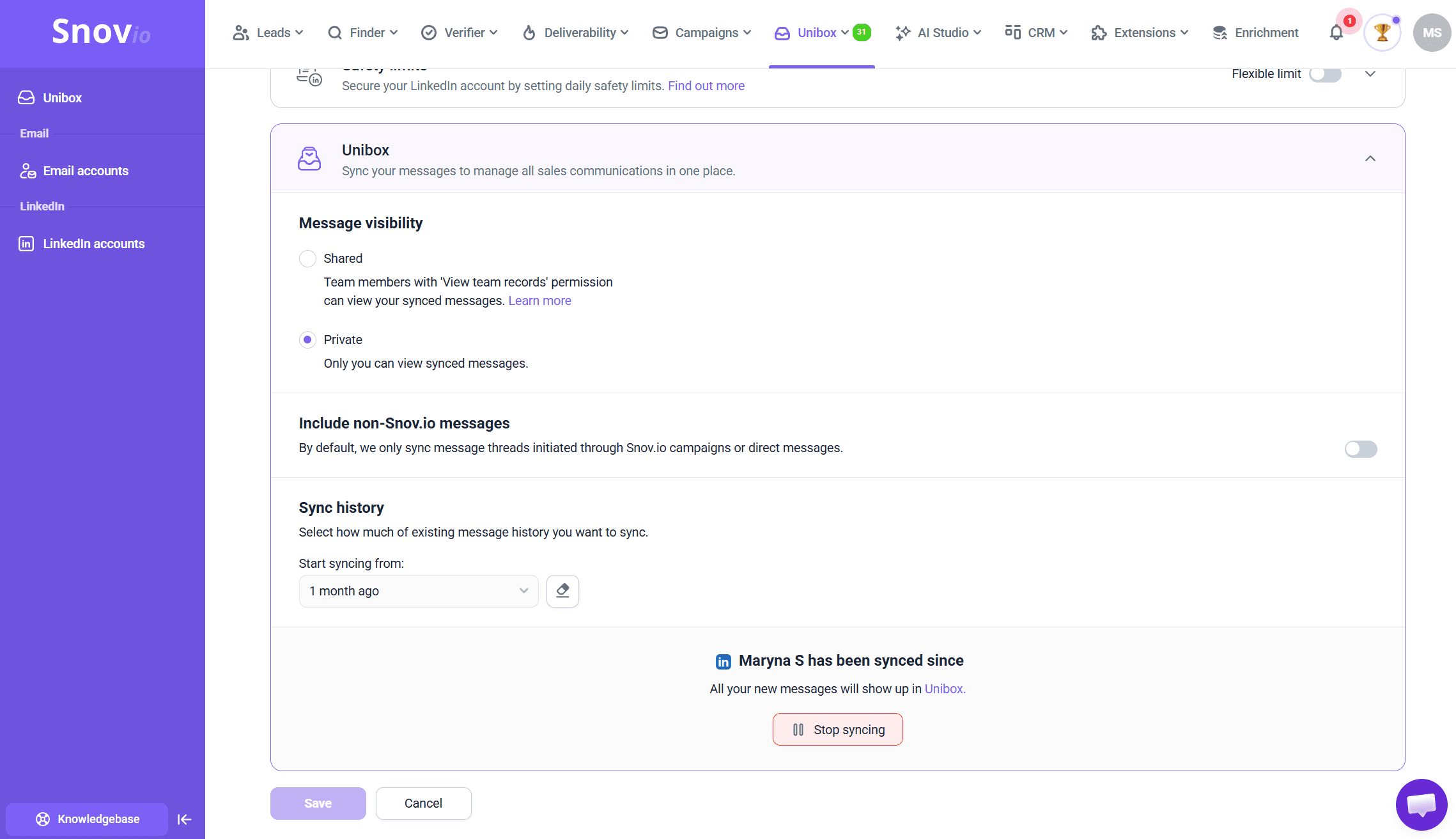
👉 Learn more about syncing LinkedIn accounts to Unibox in our guide.
Bounced emails folder in Unibox
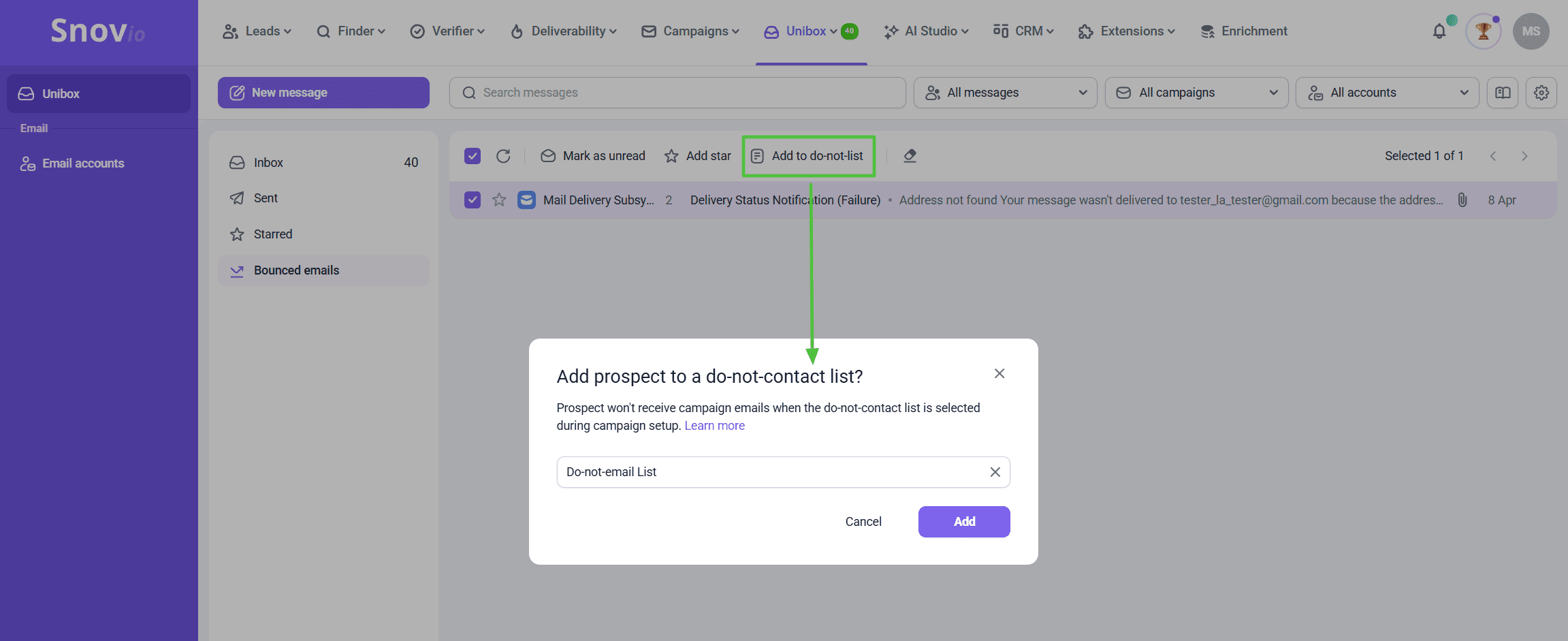
Unibox now includes a dedicated Bounced emails folder, where you can review and manage all bounces in one place.
💡 Pro tip:
To reduce your bounce rate and improve deliverability, add bounced email addresses to your do-not email list using the quick action in the top panel.
👉 Learn more about how to improve deliverability.
Humanized AI Warm-up content
To improve warm-up progress and protect your email deliverability, we’ve refreshed the email library used in AI-powered Warm-up.
Snov.io uses the GPT-4 model to generate a large pool of warm-up emails that closely resemble real, natural conversations. These messages rotate automatically during warm-up, helping mailbox activity appear organic and gradually build sender reputation, without repetitive or templated patterns.
This update makes warm-up interactions feel more human and less predictable, which is exactly what email providers expect to see.
💡 Pro tip:
Let your warm-up run continuously for at least 2–3 weeks before launching campaigns. A longer warm-up period helps stabilize sender reputation and makes future sending spikes safer.
👉 Start Email Warm-up for your mailbox to activate humanized content.
Check whether you’re GDPR compliant with the help of this short guide:
New LinkedIn automation action
We’ve added a new LinkedIn automation activity to help you warm up prospects before sending a message.
With the Endorse skills action, you can automatically endorse skills on your prospect’s LinkedIn profile, creating a low-friction touchpoint that boosts visibility and increases your chances of getting a reply later.
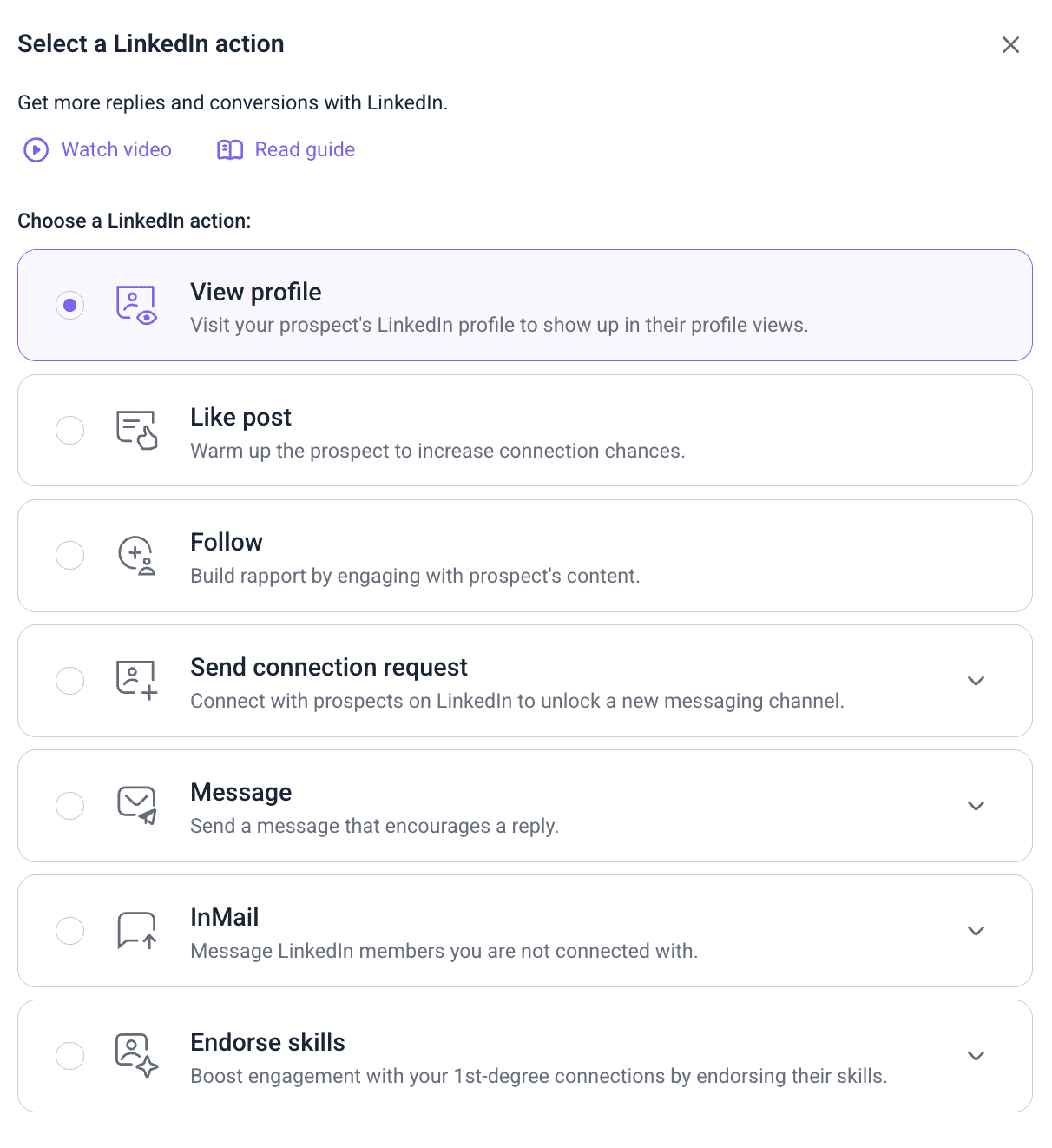
This action is available when building your campaign sequences and works seamlessly with other LinkedIn activities.
What you can do with LinkedIn skill endorsements:
- Automatically endorse relevant skills on your prospect’s profile
- Configure daily action limits in your LinkedIn account settings
- Increase profile visibility and potentially improve your SSI score
- Track endorsement performance per campaign on the Overview tab
- View each completed endorsement in the prospect timeline
- Analyze aggregated endorsement data in the Reports section
💡 Pro tip:
Use the Endorse skills action early in your LinkedIn sequence, before connection requests or messages. It adds a subtle engagement signal that makes your outreach feel more familiar and less cold.
New webhooks in Snov.io API
To help you react faster and automate workflows more efficiently, we’ve added new webhooks for Campaigns in the Snov.io API.
You can now receive real-time notifications when key campaign events occur, without waiting for reports or manual checks.
The following webhook events are now available:
- Bounce: triggered when a campaign email bounces
- Sequence completion: triggered when a prospect finishes a campaign sequence
These webhooks make it easier to sync campaign events with your CRM, analytics tools, or internal automation workflows.
👉 Learn how to set up webhooks in the Snov.io API.
💡 Pro tip:
To subscribe to a webhook, select the event you want to monitor, set up your endpoint URL, and send the request to the Snov.io API.
Technology Checker extension deprecation update
Based on usage trends and your feedback, we’ve decided to discontinue the Technology Checker Chrome extension and remove it from our extensions list.
While this tool is no longer available, we’re actively exploring ways to bring company tech stack insights back in an improved format, potentially as part of our lead finder and prospecting tools.
💡 Need this feature back?
Submit a feature request and let us know how you’d like to use tech stack data in your workflow. Your input helps us prioritize what we build next.
And that’s a wrap for January!
We’re just getting started. More exciting improvements are already on the way.
Thanks for being part of the Snov.io community, and see you in next month’s update!