High-quality lists, sharp copy, and striking CTA – you know how to drive results with cold emails. However, none of it will work if your email infrastructure is misconfigured. In other words, your effort fails if you set incorrect email DNS configuration, skip email warm-up, or ignore the custom tracking domain.
The good news? It’s all fixable. Better yet, you don’t need to do it manually anymore. I tested 15 best cold email infrastructure tools and reviewed them in this article to help you get properly set for your next campaign.
Outline:
Below are the best tools for email warm-up, domain authentication, inbox placement testing, and sender health monitoring – all in one table.
| Tool | Unique feature | Pricing | Best for |
|---|---|---|---|
| Snov.io | DFY inbox-ready domains & mailboxes inside your dashboard | $4/mailbox plus domain price* | Complete DFY email infrastructure setup in minutes |
| Warmup Inbox | Granular warm-up controls with an extensive real inbox network | From $19/month per mailbox | Automated warm-up & reputation building |
| PowerDMARC | Instant authentication checks plus hosted DMARC/DKIM/SPF records | Free plan; paid options from $15/month | Authentication validation & DKIM/SPF/DMARC management |
| GlockApps | Seed inbox placement tests plus blacklist monitoring | Free plan; paid options from $85/month | Deliverability testing & ongoing monitoring |
| Snov.io Cold Email Tool | Personalized sequences with AI Email Builder plus mailbox rotation | Free plan; paid options from $39/month | Personalized sequences & safe multi-inbox sending |
*Pricing and plans of the tools may change. Always go to the vendor’s website for the most up-to-date information.
Keep scrolling to explore how each tool can boost your cold email deliverability.
The market is packed with cold email infrastructure tools that cover various needs – from domain purchase to deliverability testing. So, to provide you with a curated list of the most effective options, I combined my personal review with real-world proof.
First, I turned to our sales outreach specialists, who have extensive experience running cold campaigns. They shared email deliverability tools that proved effective in their practical experience.
Then I explored reviews on reliable rating websites, such as G2 and Capterra (for some tools, I looked into Trustpilot as well), to identify solutions that work best for a cold outreach setup, based on users’ feedback. I checked how each tool impacts deliverability, its pros, cons, reporting accuracy, and setup complexity.
Last but not least, I reviewed each tool by myself. My key focus was the platform’s main capabilities (whether it offers a done-for-you email setup or a single feature, such as, say, warm-up only), usability, as well as pricing options.
So, here are my key evaluation criteria:
The main goal was to provide you with cold email infrastructure tools that make email DNS configuration or warm-up painless and offer robust features to improve deliverability.
I’ve divided all tools into categories based on their role in cold email infrastructure setup:
Since this article includes a bunch of terms related to cold outreach setup – from email DNS configuration to warm-up techniques – I added a quick glossary upfront to make the abbreviations easier to follow.
| 📑 Expert vocabulary
Now you’re fully equipped. 💪 |
Let’s dive into the description of the best cold email infrastructure tools.
G2 rating: 4.5 ⭐️
Capterra rating: 4.5 ⭐️
Pricing: Most email deliverability tools are available on a free plan. Paid subscriptions start at $39/month.*
Snov.io is a powerful cold email software with a robust deliverability toolkit built in. By connecting your existing mailboxes, you can manage everything from one place, including DNS settings, automated warm-ups, email blacklist checker, and many more.
Key email deliverability features:
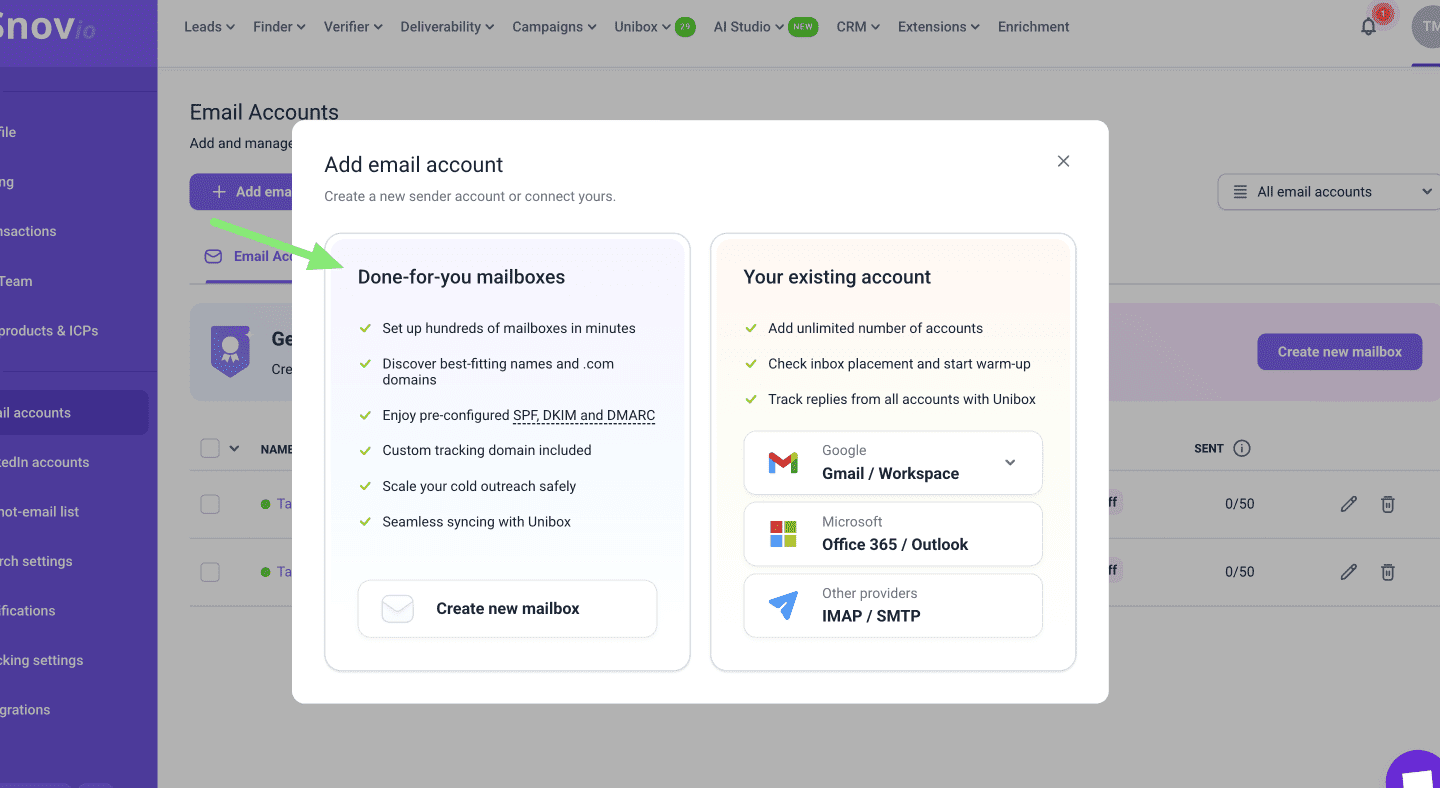
Besides, Snov.io offers a done-for-you email setup so you can start sending cold campaigns faster, without manual authentication. Due to built-in Infraforge integration, you can get outreach-ready domains and mailboxes right from the platform’s dashboard.
The feature is available on a free plan (you pay only for domains), so you don’t have to switch on the paid option to use a done-for-you email setup.
The best part is that all mailboxes come with crucial settings (SPF, DKIM, DMARC, and tracking domains) already configured right out of the box. So, you don’t have to deal with domain registrars or spend hours learning DNS for cold emails.
Pros:
Cons:
Snov.io reviews:
Most users say Snov.io is easy to use and offers a friendly interface that lets you quickly find the functionality you need. Also, many customers report improved email deliverability after warming up their accounts in Snov.io, while an accurate email verification helps reduce bounces.
Some users also note that Snov.io features may seem a bit hard to understand at first glance if you’re new to cold email outreach. However, responsive human-agent support makes the onboarding process smoother and helps resolve issues more quickly.
My testing takes:
I consider Snov.io one of the best infrastructure tools for outreach as it offers an extensive feature set that directly impacts email deliverability. Most of this toolkit is included in the free plan, making cold outreach setup affordable for both experienced teams and startups with tight budgets.
I also like how robust the deliverability test is. You can check everything: domain health, email placement, spam score, and blacklists. Besides, the step-by-step recommendations provided for each issue help you prepare your mailbox for bulk outreach more carefully.
You can quickly see whether you have any missing DNS records for cold email campaigns, how your messages land across different providers, or whether your email content needs improvement.
I also like that you can buy a domain for cold email outreach right in the Snov.io app. It took me about 20 minutes to choose the domain, create my mailboxes, and wait for everything to get ready for my first campaigns. Luckily, no extra manual email DNS configuration was needed!
I was also surprised by the cost during testing: aside from the domain price, I’d need to pay only $4 per mailbox, which is much cheaper than what I found with many other cold email infrastructure tools.
You need warm-up tools to build trust with email service providers (ESPs) before you scale. Automatic warm-up tools gradually ramp up activity, simulating natural engagement, such as opens, replies, or removal from the spam folder. This signals to ESPs that your campaigns are welcomed, increasing the likelihood that your cold messages will land in inboxes.
In this section, I’ve gathered top solutions that provide automated email warm-up functionality.
G2 rating: 4.7 ⭐️
Capterra rating: 5.0 ⭐️
Pricing: No free plan; paid options start at $25/mailbox per month.
Mailreach is a deliverability platform focused on automated email warm-up for B2B cold outreach. The tool also offers a spam tester to check inbox placement across major providers.
Mailbox core features:
Pros:
Cons:
What users say:
Most users highlight the ease of setup and a tangible lift in email deliverability. People report that inbox placement improves significantly within a few weeks of Mailreach warm-up, though occasionally users say they wish Mailreach offered more engagement metrics.
My testing takes:
The setup process is indeed straightforward. All you need to do is choose your plan, connect your mailbox, and start email warm-up. You can select the default mode (fully automated) or add custom warming settings, such as starting volume, daily increase, and maximum sends.
What I also like about Mailreach is the separate folder for warm-up emails. During warm-up, your mailbox exchanges a lot of messages with other inboxes. And this can quickly make your primary inbox cluttered, causing you to miss something important. By putting these emails into their own folder, Mailreach helps keep the noise down.
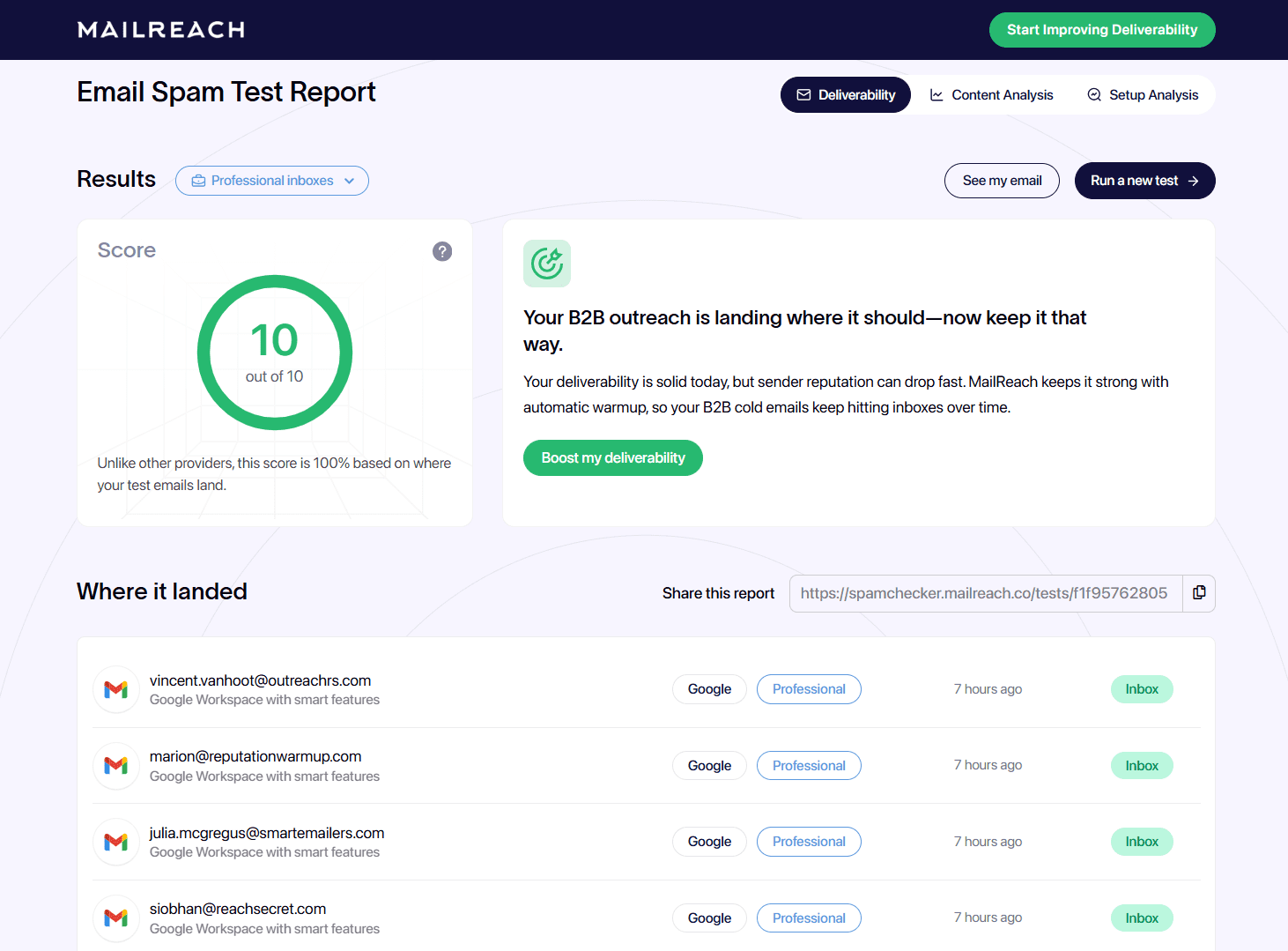
The platform doesn’t provide a free trial, so it’s impossible to test the email warm-up feature before purchasing. However, Mailreach offers limited inbox placement tests for free, which check deliverability, content, as well as SPF/DKIM setup.
I found the help center navigation a bit complicated: all articles are split into 3 broad categories, so it’s not very obvious where to find the guides you need. Additionally, keyword searches don’t always return accurate results.
On the other hand, guys have a responsive customer support team. Plus, outside their business hours, the AI agent can handle simpler questions.
G2 rating: 4.7 ⭐️
Capterra rating: 4.6 ⭐️
Pricing: A 7-day free trial; paid plans start from $19/mailbox per month.
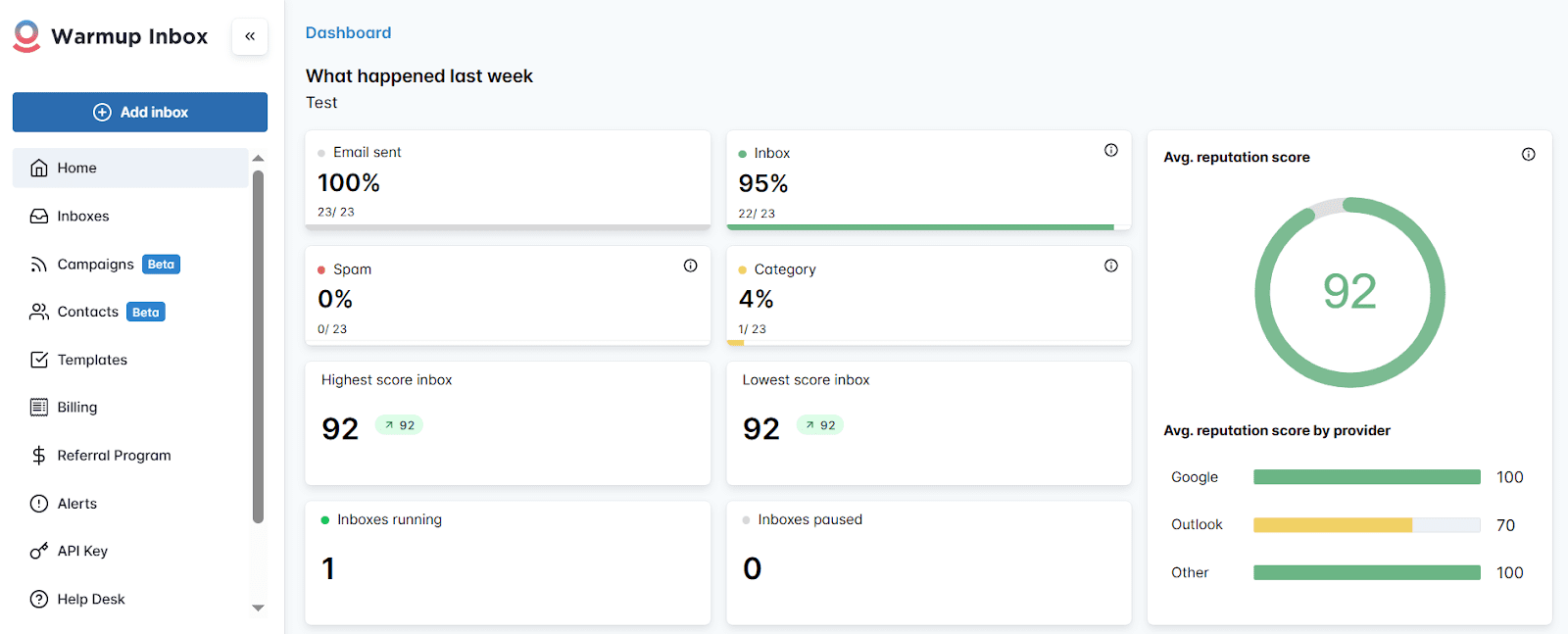
Warmup Inbox is an email deliverability tool that helps you gradually build your sender reputation by simulating natural engagement signals. The platform provides automated email warm-up to safely increase inbox placement, plus clear analytics to track your average reputation score and see when your cold outreach setup is ready.
Warmup Inbox core features:
Pros:
Cons:
What users say:
Most reviewers highlight the tool’s easy setup, clean UI, as well as strong effectiveness for warming inboxes. Many report higher open rates and fewer spam placements after a few weeks of email warm-up. Users also praise the responsive live support, noting that agents resolve issues quickly. As a downside, some customers find the billing system.
My testing takes:
The interface is easy to navigate, even for non-tech users. It took me less than 10 minutes to create an account, connect my mailbox, and start email warm-up.
I also like that this platform offers more control over the warming process. Despite common settings, like starting baseline, sending volume, and daily volume increase, you can adjust frequency strategy, reply rate percentage, and warm-up schedule.
The email warm-up copy is well-structured; the messages read as real, business-related emails. However, some emails don’t have a signature.
I truly liked the support quality: I was connected to a real customer rep within seconds. Outside the team’s working hours, you can use an AI agent, which, in my test, was more helpful than most bots, providing relevant guidance.
13 Best Email Warm-Up Tools (Tested And Compared)
January 5 2026
G2 rating: 4.5⭐️
Capterra rating: 4.6⭐️*
Pricing: No free plan; paid options start from $29/mailbox per month.
* Both G2 and Capterra ratings pertain to the whole Lemlist platform
Lemwarm is the Lemlist built-in warm-up tool. It helps improve cold email deliverability by sending personalized messages from your mailbox, warming your real templates, and automatically ramping up sending volume.
Lemwarm core features:
Pros:
Cons:
What users say:
Most users report quick setup and easy mailbox connection. Some highlight clear daily reports in a convenient dashboard, which makes progress easy to track. Users also appreciate authentication checks that instantly flag missing ot incorrect records. However, some note that the UI can feel complex initially, taking you time to learn.
Lemwarm has helped avoid the spam folder and reliably land in the inbox folder every time. This means we don’t have to worry about deliverability anymore, and we can focus on optimizing the campaigns’ targeting, messaging, and offer.
Co-founder and CEO
My testing takes:
The setup was fast: I quickly connected my mailbox and started warm-up within minutes. Lemwarm engages with a real user network, so email exchanges happen between real inboxes, not bots. This makes the engagement signals look authentic – an inevitable part of cold email deliverability success. Another positive moment is that the sender and recipient stay aligned within a thread.
The warm-up messages are well-structured and contain high-quality business-related content, greetings, and signatures. The reporting dashboard is straightforward, making it easy to track warm-up progress.
However, in my opinion, warm-up functionality on the base plan is quite limited. You’ll need higher tiers for more advanced controls and insights, which can feel expensive, especially if you want to warm up multiple mailboxes.
| Key takeaways: Which warm-up tool to choose? If you know exactly what you expect from email warm-up, prefer to use AI-powered features to adjust warming logic, and want to get started with minimal configuration, Mailreach would be a great choice. Warmup Inbox and Lemwarm give more control over the warming process, deliverability tracking, and detailed reporting. Lemwarn also provides light email DNS configuration insights, so consider that too. In my opinion, Warmup Inbox is a well-rounded pick with a built-in deliverability suite, solid control over the warm-up process, and clear dashboards at a reasonable price. Besides, this platform is easy to use and offers a free trial, so you can explore it thoroughly before committing to a paid subscription. |
🤔 Still hesitating? This video may help you decide:
These platforms identify setup mistakes and show what needs to be fixed to keep your mailbox accessible and trusted.
I saw this firsthand with a SaaS CEO who ran a cold outreach campaign for a month with zero replies. The problem? A missing DKIM record, which sent nearly every email straight to spam. All his work went down the drain.
Therefore, it’s important to verify that your DNS records are synchronized with your hosting provider and ESP, and double-check them with appropriate tools.
Outbound Outreach Expert at Snov.io
In this section, we’ll explore cold email infrastructure tools that help you set and validate SPF, DKIM, DMARC, as well as other DNS records.
G2 rating: 4.1 ⭐️
Capterra rating: 4.5 ⭐️
Pricing: Free plan; paid subscriptions with heavy advanced analytics start at $129/month.
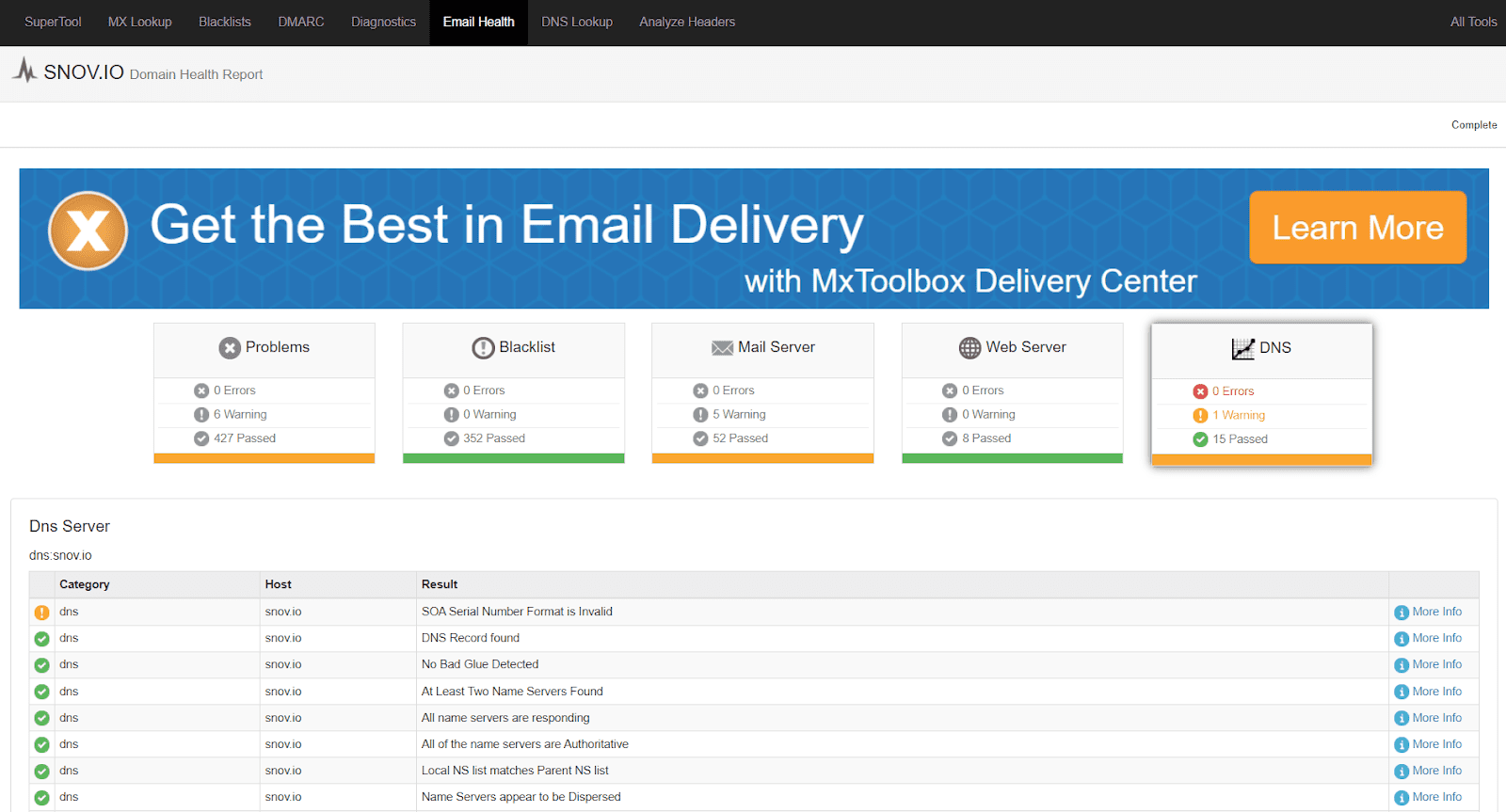
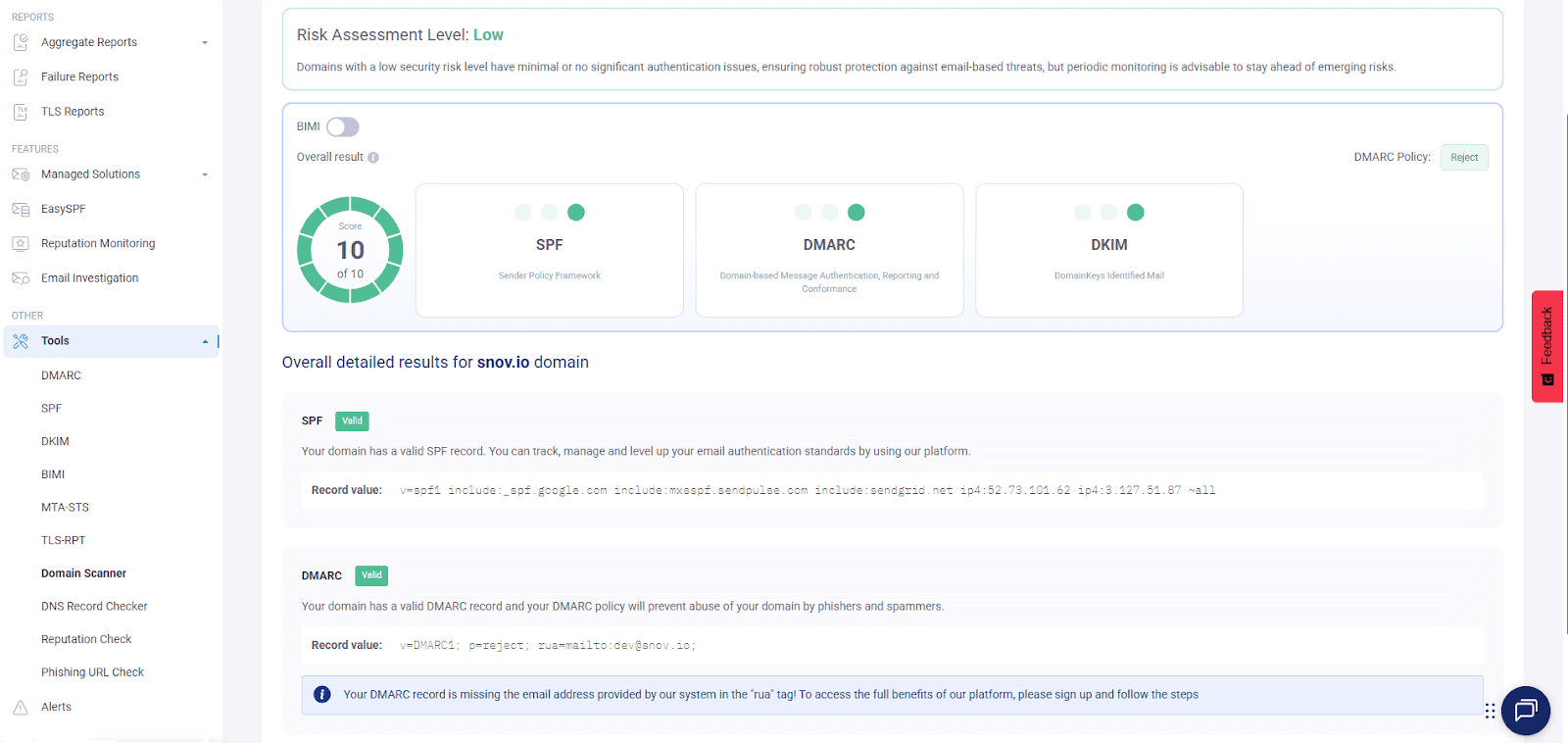
MXToolBox is a diagnostic and monitoring tool for email infrastructure. It lets you check SPF/DKIM records, parse DMARC, run SMTP tests, and scan blocklists.
MxToolBox’s core features:
Pros:
Cons:
What users say:
Most users report that the platform is affordable, as its free lookups cover many aspects of email setup. People mention quick and easy diagnostics for email DNS configuration, domain health, and blacklists.
Some users’ concerns relate to the interface design, which makes navigation difficult, as well as unresponsive support.
My testing takes:
Well, I agree with users who point out the outdated interface. It truly looks a bit dated, which makes navigation less intuitive than in cold email infrastructure tools with more modern UI.
However, you can still easily find the essentials needed for cold outreach setup: blacklist checks, DNS records lookups, or SMTP/MX diagnostics.
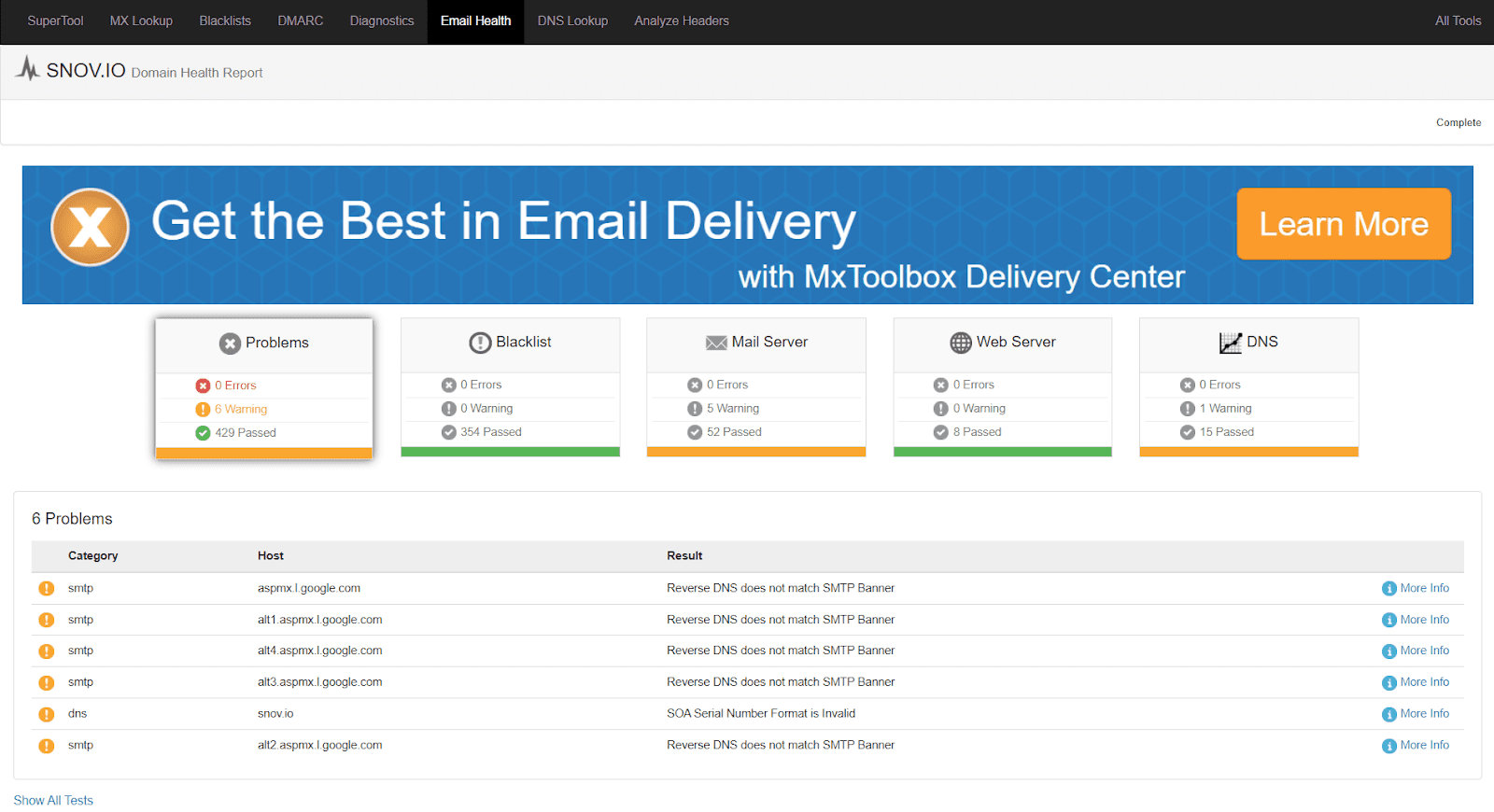
Most free-check results are easy to read and interpret: critical errors are marked red, warnings to review are marked amber, and settings that are fine are marked green. However, leveraging the advanced analytics and reporting may require some technical background.
G2 rating: 4.9 ⭐️
Capterra rating: 4.7 ⭐️
Pricing: A free plan is available; paid options start at $15/month.
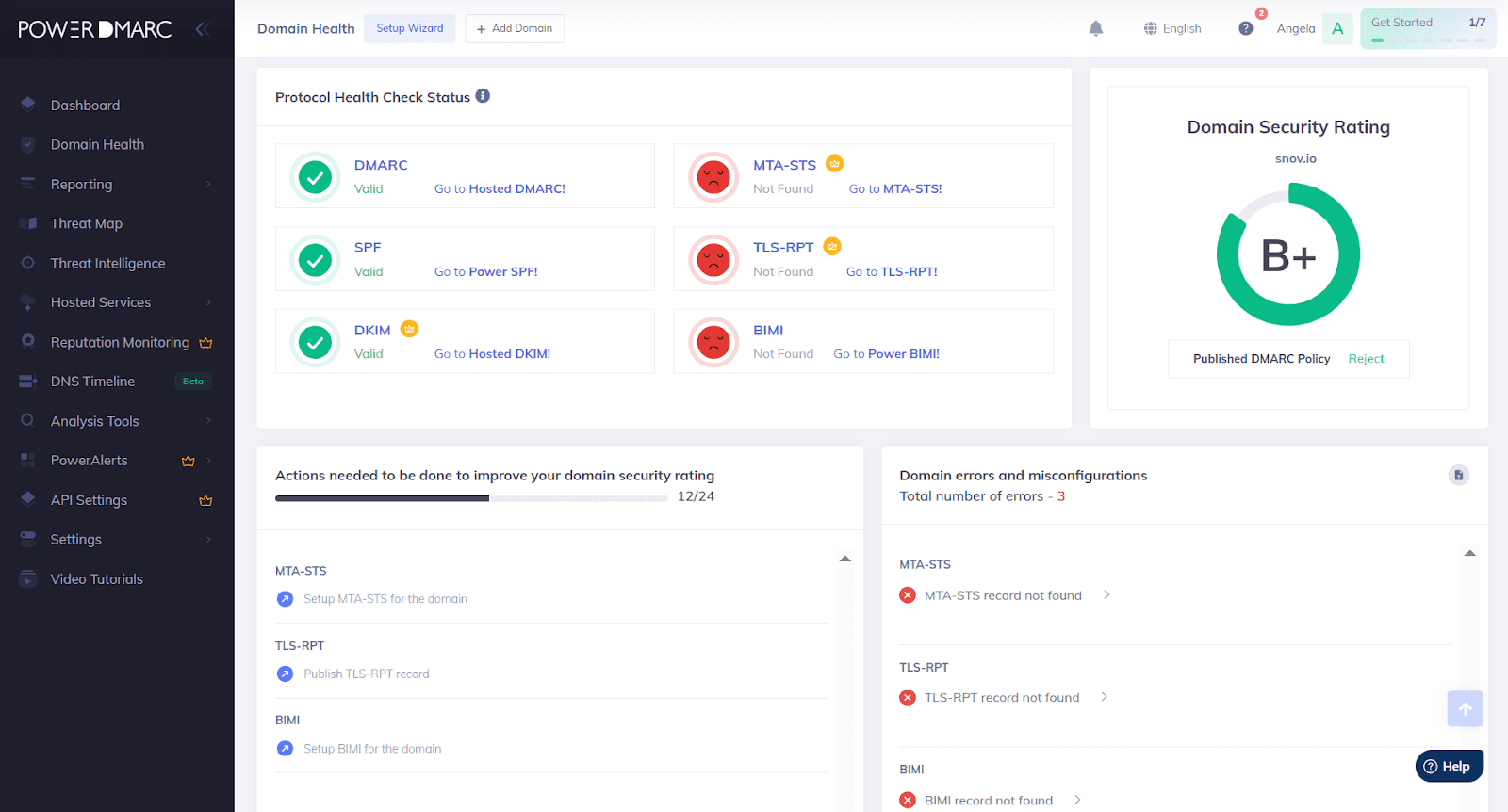
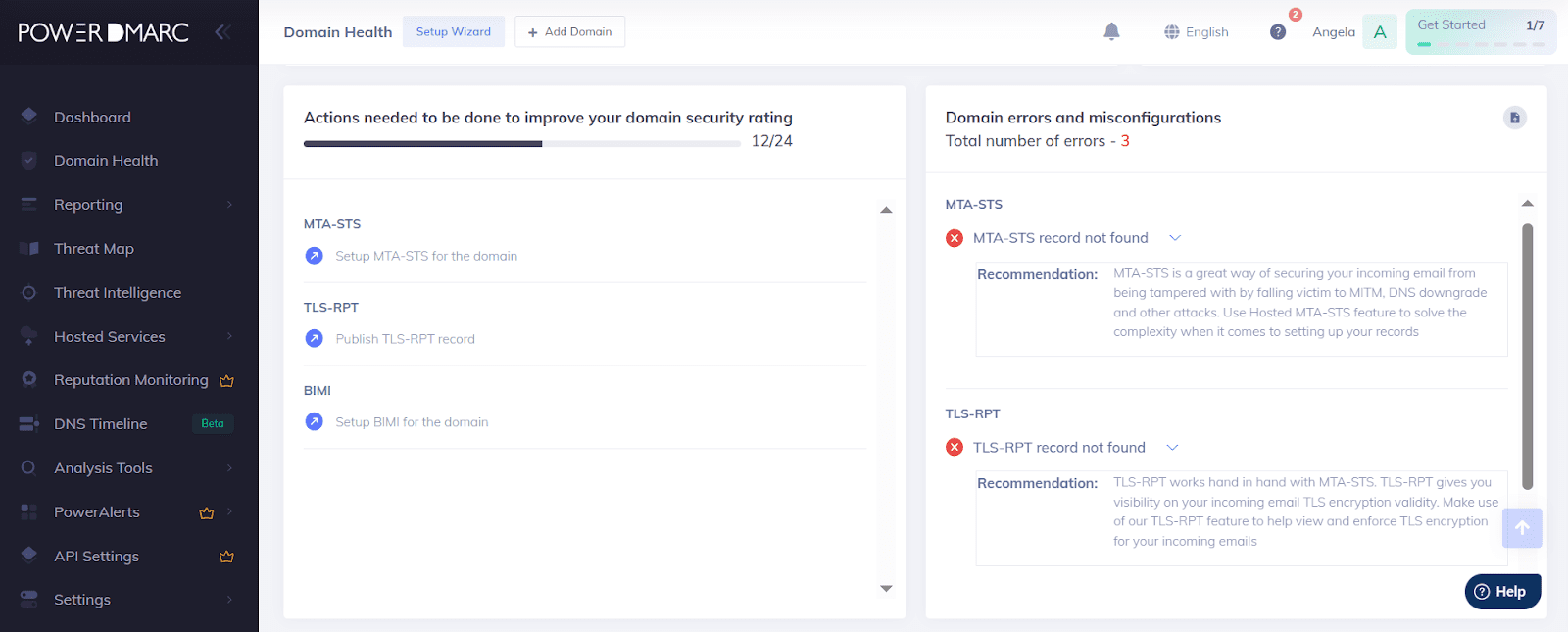
PowerDMARC is an email authentication SaaS solution that helps monitor and manage DMARC, SPF, and DKIM records. The platform provides domain health analysis, including clear reports on authentication issues with actionable steps to fix them.
PowerDMARC core features:
Pros:
Cons:
What users say:
Most users are satisfied with how the platform improves email security. Reviewers also mention a quite quick setup, even without prior experience with email DNS configuration. However, some people note a hard learning curve, especially if you’re new to authentication setup. Users also report that advanced controls and alerts are available only on higher tiers.
My testing takes:
Although the platform offers in-app onboarding that guides users through the initial setup steps, the navigation still feels busy to me due to the many views and settings. It takes some time to learn the functionality and get comfortable with reading reports.
What I like about PowerDMARC is that many reports are available on a free plan. I checked my email DNS configuration and received a shareable domain health report with recommendations for fixing the issues found.
One oddity: I could reach a support agent via chat on the public site, but in the app, I only saw the option to fill out the contact form.
G2 rating: 4.8 ⭐️
Capterra rating: 4.8 ⭐️
Pricing: A free plan with limited functionality; paid plans start from $44.99/month.
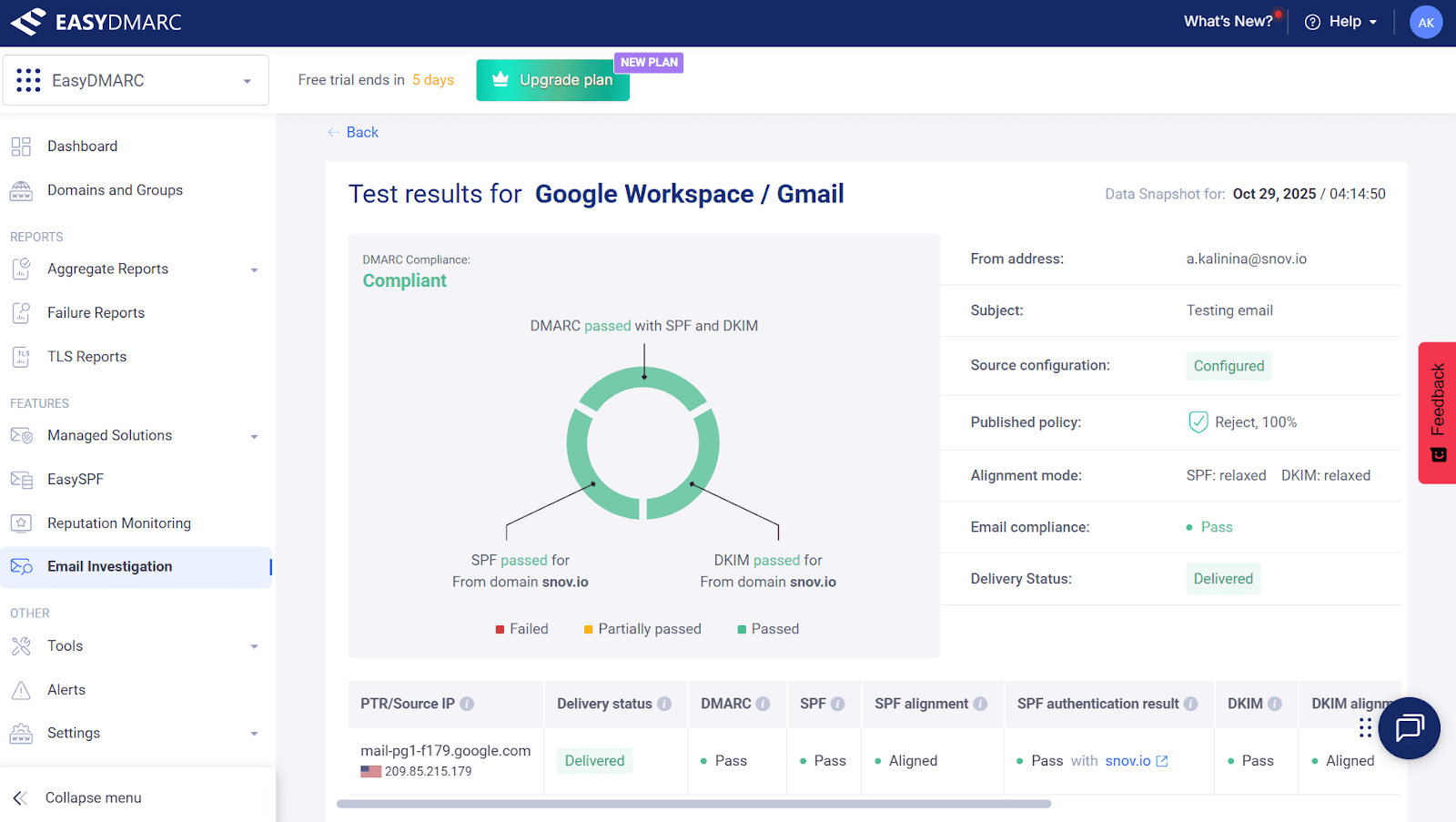
EasyDMARC is a cloud-based platform that implements and manages authentication records, such as DMARC, DKIM, and SPF, to secure email domains and improve deliverability. The software also offers reports as well as automated features to protect from phishing and spoofing attacks.
EasyDMARC core features:
Pros:
Cons:
What users say:
Most reviewers say the platform is easy to use and navigate, though non-technical users can expect a steep learning curve, especially for more advanced reports. Practitioners share real wins in domain protection after publishing and configuring a DMARC record in the app.
Several note that even the free tier is useful for basic rollout and initial checks. But many users point out that real-time alerts and data history are very limited on lower plans, which can make the tool feel a bit pricey for small organizations.
My testing takes:
Although the interface is user-friendly, the initial setup can be complex for users without prior knowledge of email authentication protocols. EasyDMARC doesn’t provide step-by-step onboarding hints in the app, so I had to turn to the AI agent and the knowledge base a couple of times.
The knowledge base offers helpful articles with screenshots and detailed explanations on adding your domain, setting up the records, or reading reports.
What I like is that you can run essential checks and get basic reports on the lower-tier plans, including DMARC aggregates, SPF/DKIM status, as well as simple domain health summaries. Recommendations are clear and actionable.
I am not very satisfied with the support quality, however. There is only an AI agent available in the app. To reach a live agent, you need to fill out the contact form and wait for a customer rep to contact you.
| Key takeaways: Which email authentication tool to choose? All these platforms provide essential functionality to prevent spam placement, block spoofing, and improve overall cold email performance. Each software offers DMARC reporting, SPF/DKIM setup tools, and SMTP & DNS checks. MX Toolbox is excellent for fast diagnostics, while EasyDMARC and PowerDMARC also add ongoing monitoring, insightful reports, and real-time alerts. To my mind, PowerDMARC could be a good choice, as it mixes a clear interface with solid features: readable dashboards, guided onboarding, and hosted records for greater control. Plus, it offers a generous free plan, which makes this solution affordable for any team. |
Once you finish your cold email infrastructure setup, it’s time to test your deliverability. I also recommend constantly monitoring it to catch spam placement and specific-provider issues early, so you can fix them before campaigns scale.
So, let’s discuss email deliverability monitoring tools that can complement your cold email tech stack.
G2 rating: 4.0 ⭐️
Capterra rating: 4.8 ⭐️
Pricing: Forever-free plan is available; paid subscriptions start at $85/month.
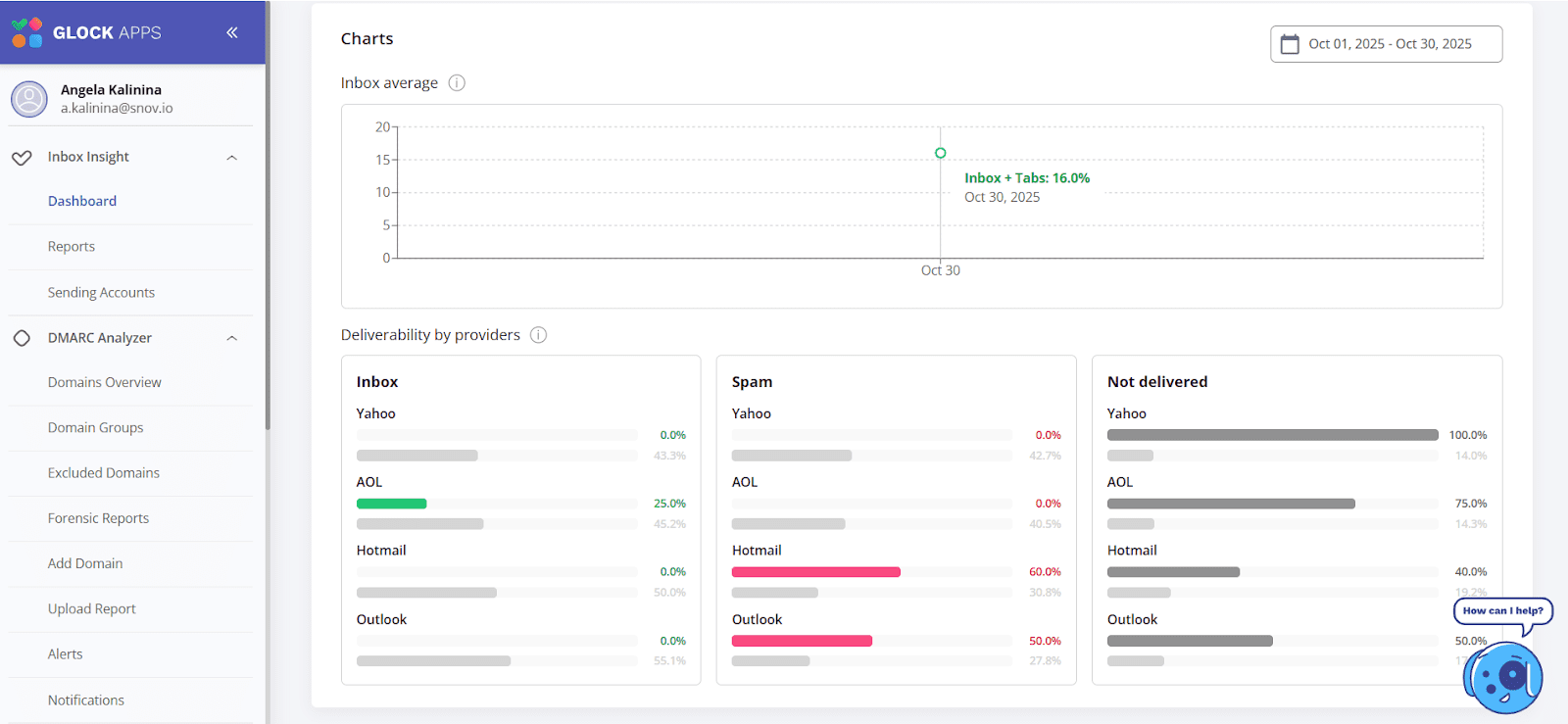
GlockApps is an email deliverability testing platform. It provides inbox placement tests, spam-score checks, DMARC analysis, and content diagnostics to help you optimize your campaigns. The platform also helps you monitor balcklists and track domain/IP reputation to address deliverability issues instantly.
GlockApps core features:
Pros:
Cons:
What users say:
Most users note that GlockApps provides great testing capabilities to track deliverability and monitor reputation. People like automated tests that run on a schedule without extra manual setup, as well as real-time email alerts on any critical issues.
Users also appreciate informative reports with actionable recommendations. However, some mention they’d like more detailed explanations of blocklist results.
My testing takes:
The platform is easy to navigate, and the setup is straightforward for both non-technical and advanced users. It took me about 10 minutes to create an account and start my first spam test. What I like is that, beyond the main email providers (Google Workspace, Outlook, Hotmail, etc.), you can include region-specific providers in your test.
I received a deliverability report within a minute of sending a test email to the seed list (recipients provided by the platform). All metrics come with short explanations; the recommendations are clear and actionable.
GlockApps offers plenty of testing options on the free plan, making it a solid starting point for cold email deliverability monitoring.
G2 rating: 4.6 ⭐️
Capterra rating: 4.7 ⭐️
Pricing: Free 10-day trial; plans start from $149/month.
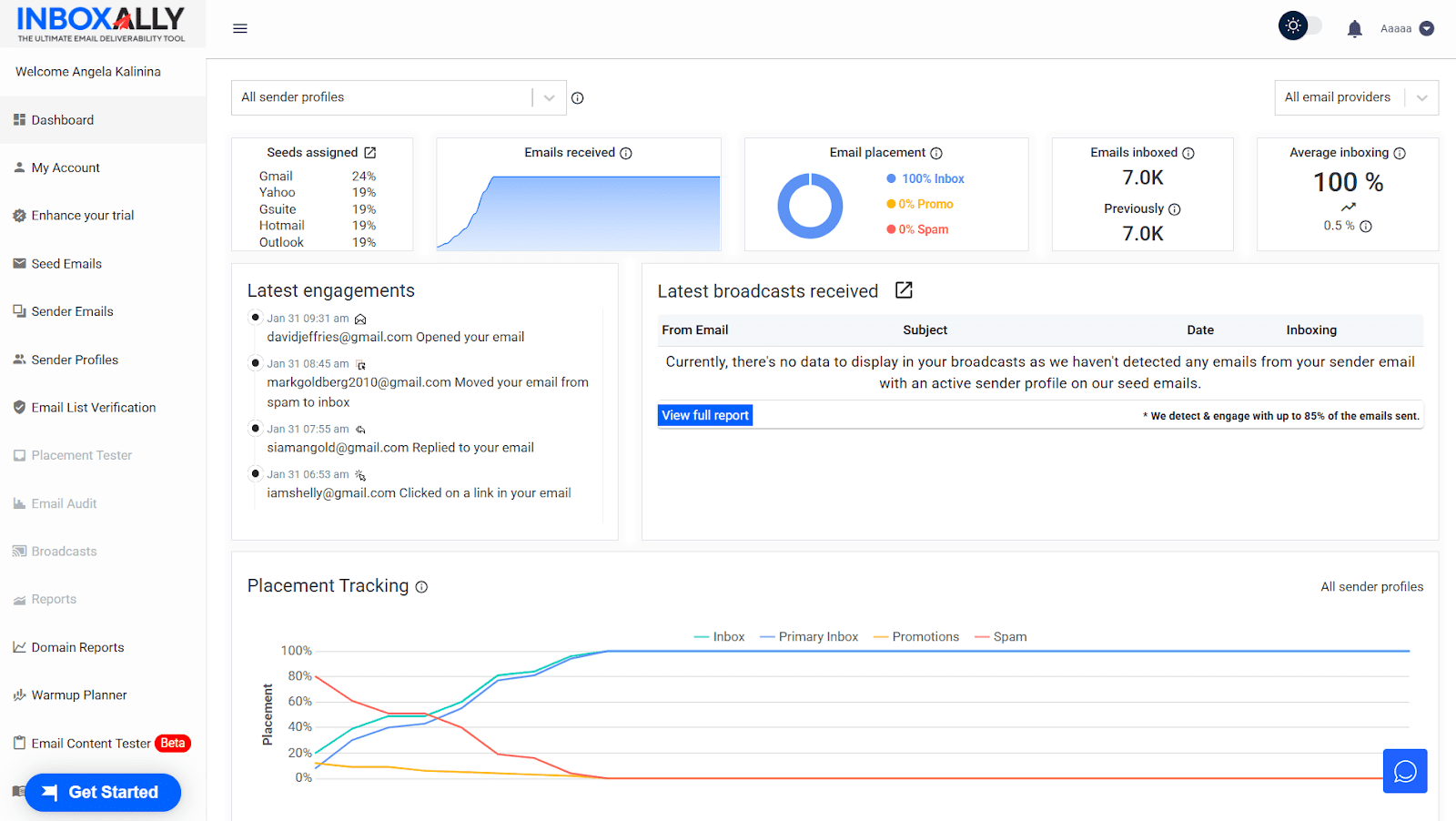
InboxAlly is a deliverability software that teaches inbox providers to trust your emails by providing engaging contacts to send to daily. Through such interactions, you can build or restore sender reputation and improve inbox placement. The platform also provides deliverability testing, analytics, and email verification features.
InboxAlly core features:
Pros:
Cons:
What users say:
Customers love InboxAlly for its effective email deliverability tools, automated features, as well as insightful analytics. Many reviewers like quick access to essential toolkits and easy navigation. However, some people find the learning curve steep, especially when it comes to handling more advanced features.
My testing takes:
The platform provides an in-app guide to walk you through the setup process, making it easier to start. At the same time, the interface isn’t intuitive and may seem complex for users without any experience with deliverability testing tools.
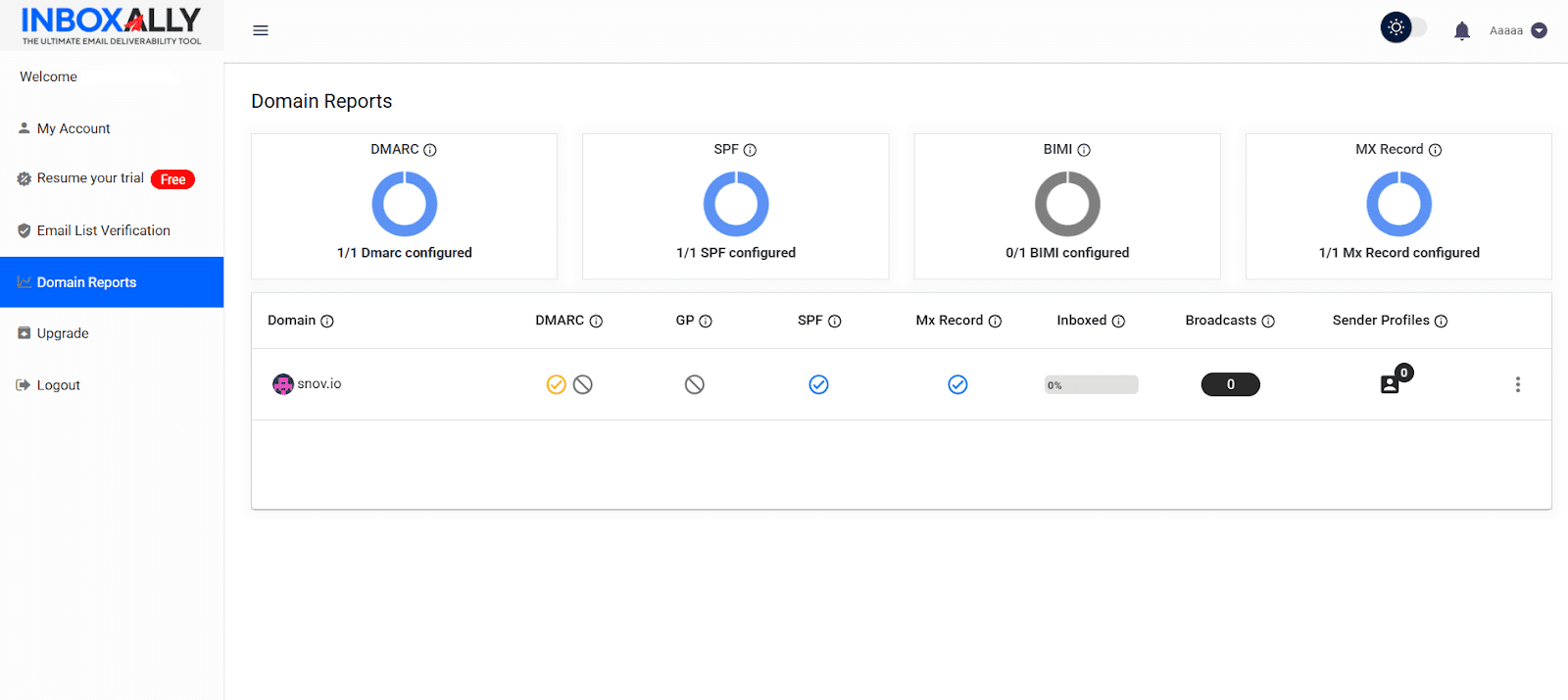
I like that InboxAlly offers a free trial, allowing you to test essential features. Plus, it’s very convenient that you can access your domain reports after your trial expires.
The platform doesn’t offer a classic free plan, though. Once your free trial expires, you can use only the email list verification. To access the deliverability toolkit, you’ll need to choose one of the paid options that can be rather expensive, especially for small businesses or individual outreach specialists.
Need to verify an email address? Try a free instant check with Snov.io ⬇️
could not be verified as it has been claimed and deleted from our database by the owner`,
'valid_with_prospect_info': `This email is valid! Sign up to get additional data about the prospect, including their name, company, and job position.`,
'valid_without_prospect_info': `Sign up and verify 50 emails for free.`,
'invalid_with_prospect_info': `This email is not valid, but we’ve found additional data for this prospect. Sign up to reveal the data.`,
'unverifiable_with_prospect_info': `We can’t verify this email, but we’ve got additional data for this prospect. Sign up to access the data.`,
'result_no_luck': `No luck with email guessing? Sign up to find pre-verified prospects for your business.`,
'limit_title': `You’ve hit your free verification limit`,
'limit_sub_title': `Want to get up to 50 email verifications for free every month?
Register at Snov.io to secure your freemium and unlock more sales tools.`,
};
Trustpilot rating: 3.5 ⭐️
Pricing: Free.
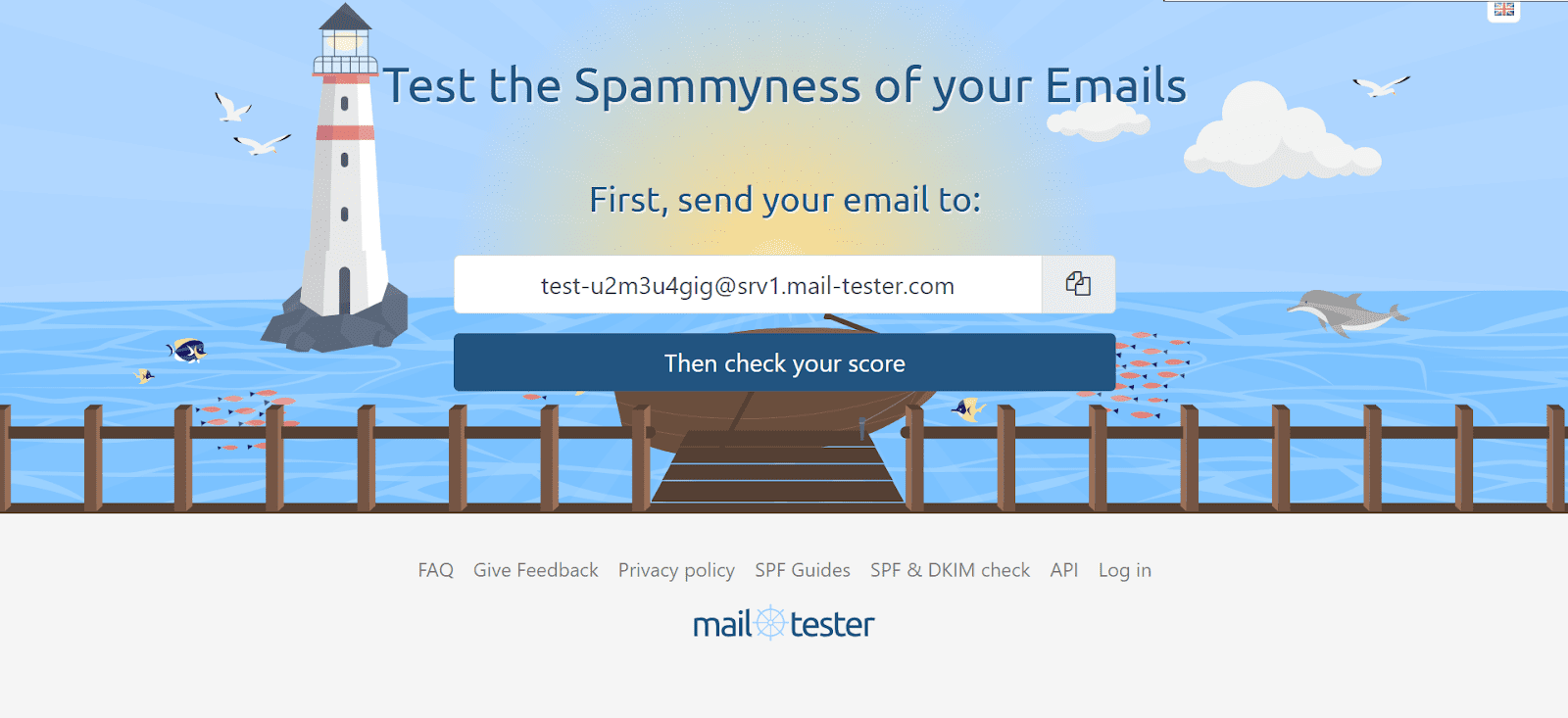
Mail Tester is a quick spam-testing tool that lets users check spam scores, authentication (DMARC/SPF/DKIM), and blocklists. This platform also identifies potential content issues, such as HTML errors, image-to-text ratios, or broken links, providing simple recommendations to improve email deliverability.
Mail Tester core features:
Pros:
Cons:
What users say:
Most Mail Tester reviews refer to its ease of use and affordability. Users also praise the platform for quick testing feedback and simple, actionable tips for light improvements. People often mention that this tool is handy for fast spam checks; however, it lacks deeper analytics and insights into inbox placement across different providers.
My testing takes:
This is probably my fastest testing experience. All I had to do was copy the address from the main platform’s screen and paste it as a recipient when sending my email. To be honest, I’m pleasantly surprised with the results.
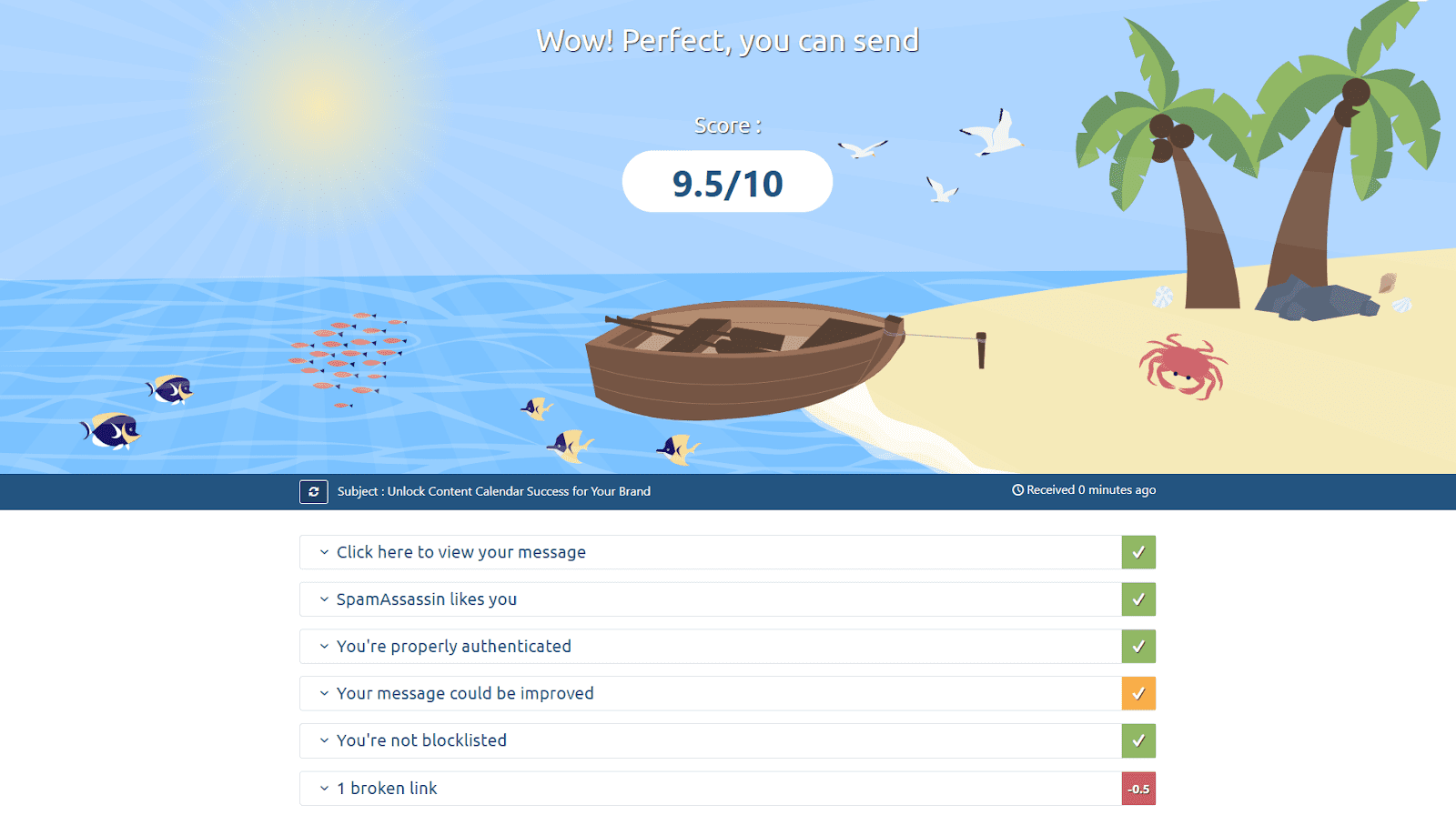
The tool evaluated my email spam score and provided a detailed breakdown of the criteria used to determine it. You can click each criterion to see details and recommendations in a dropdown.
The platform checked my DKIM/SPF/DMARC records setup, showed my IP status across major blacklists, and even provided suggestions to improve my email copy. I also intentionally added a broken hyperlink to my message, and the tool flagged it.
Well, although this deliverability platform looks very simple, its effectiveness and value can’t be underestimated. This can be a good solution for a quick email check to avoid spam issues.
| Key takeaways: Which deliverability testing tool to choose? These deliverability platforms differ significantly in functionality, but all of them offer valuable features for cold outreach. That’s why it is hard to name a single “winner”. But I can highlight GlockApps, which sits in the middle ground with broad testing, solid monitoring, a friendly UI, and a usable free tier. Meanwhile, for quick, affordable checkups, I would rely on Mail Tester. |
Besides proper cold email infrastructure, your success also depends on how you run your sequences. Let’s explore platforms that will help you send your automated campaigns safely and effectively.
G2 rating: 4.5 ⭐️
Capterra rating: 4.5 ⭐️
Pricing: A free plan is available; paid subscriptions start at $39/month.
As an all-in-one sales engagement and outreach platform, Snov.io also offers automated cold email campaign functionality. Beyond its cold email infrastructure toolset, you can also use multi-step sequences, powered by AI personalization, email-friendly tracking, mailbox rotation, safety limits, and strong compliance.
Core features:
Pros:
Cons:
What users say:
Most users like Snov.io for its solid cold outreach automation toolkit. Customers praise its ease of use, AI-driven personalization, and built-in email verification for preventing bounces. Some also note that a robust deliverability suite helps them keep high-volume campaigns safe and ensure high inbox placement rates.
My testing takes:
As I’ve tested Snov.io as a done-for-you email setup tool, at this step, I decided to check what it offers for cold outreach automation.
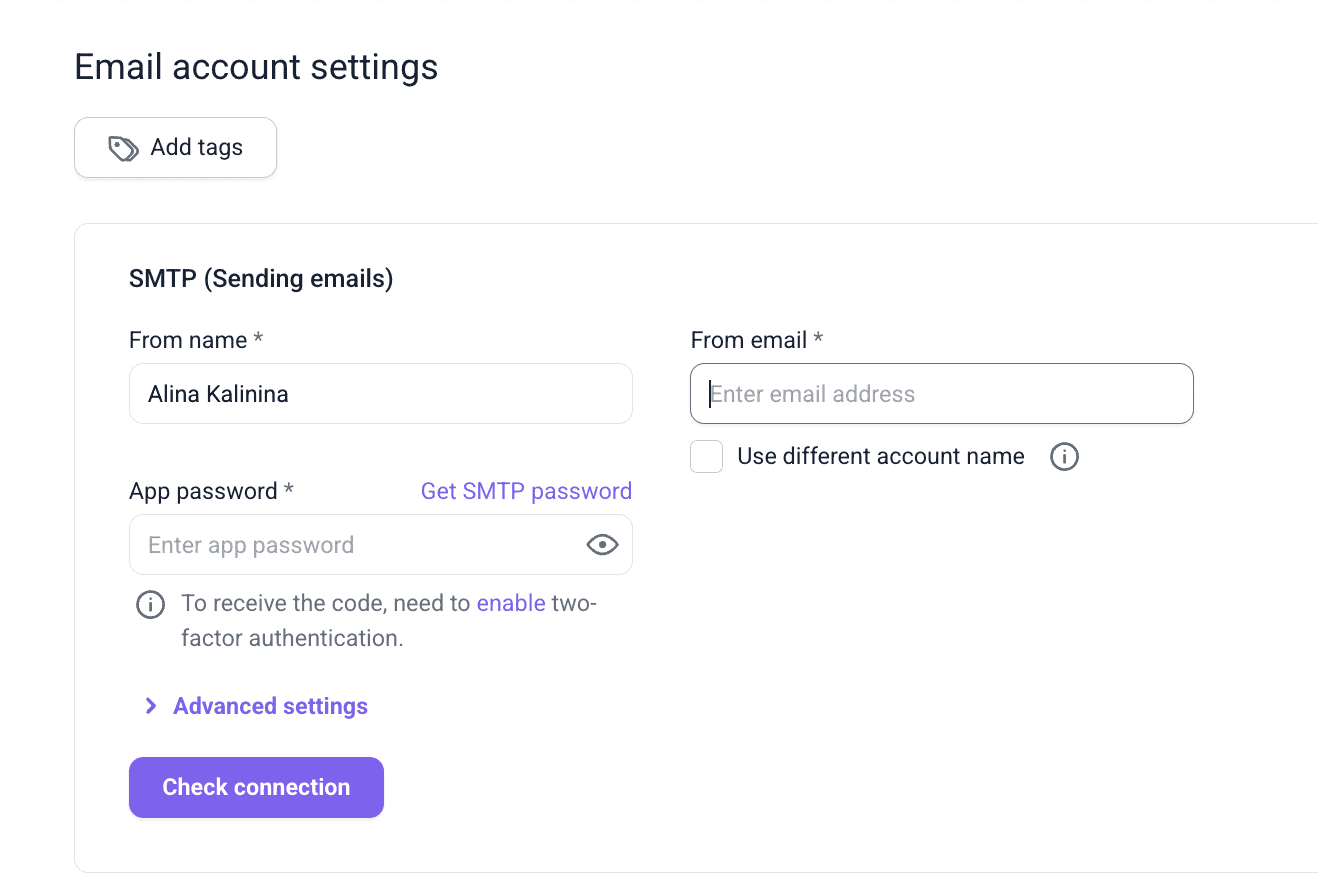
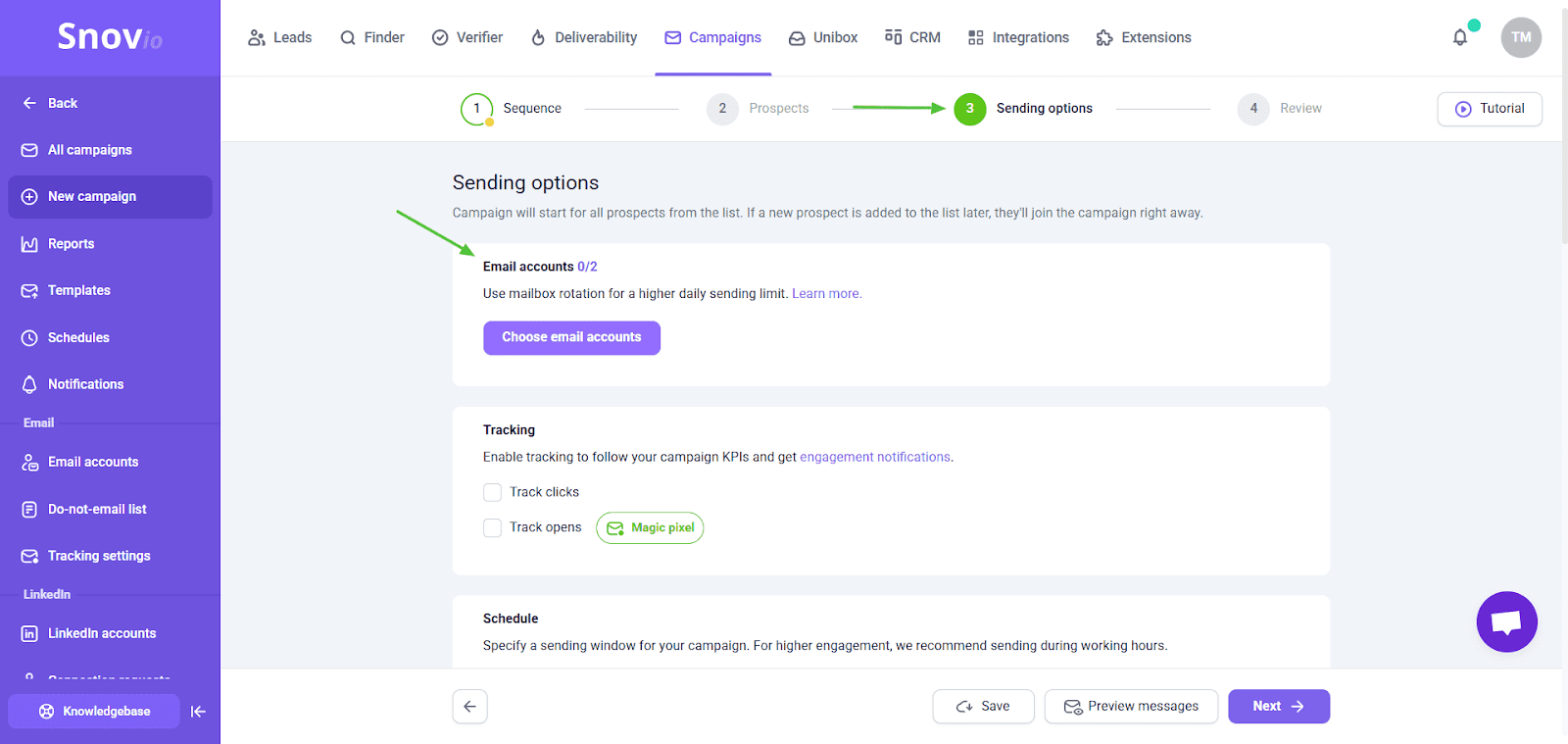
I started by connecting my email account to Snov.io via SMTP settings. It lets you automate campaigns through your email provider’s server and control your sender account’s performance. I need to say, it took me some time to set everything up, though overall, now I can do it in less than 10 minutes.
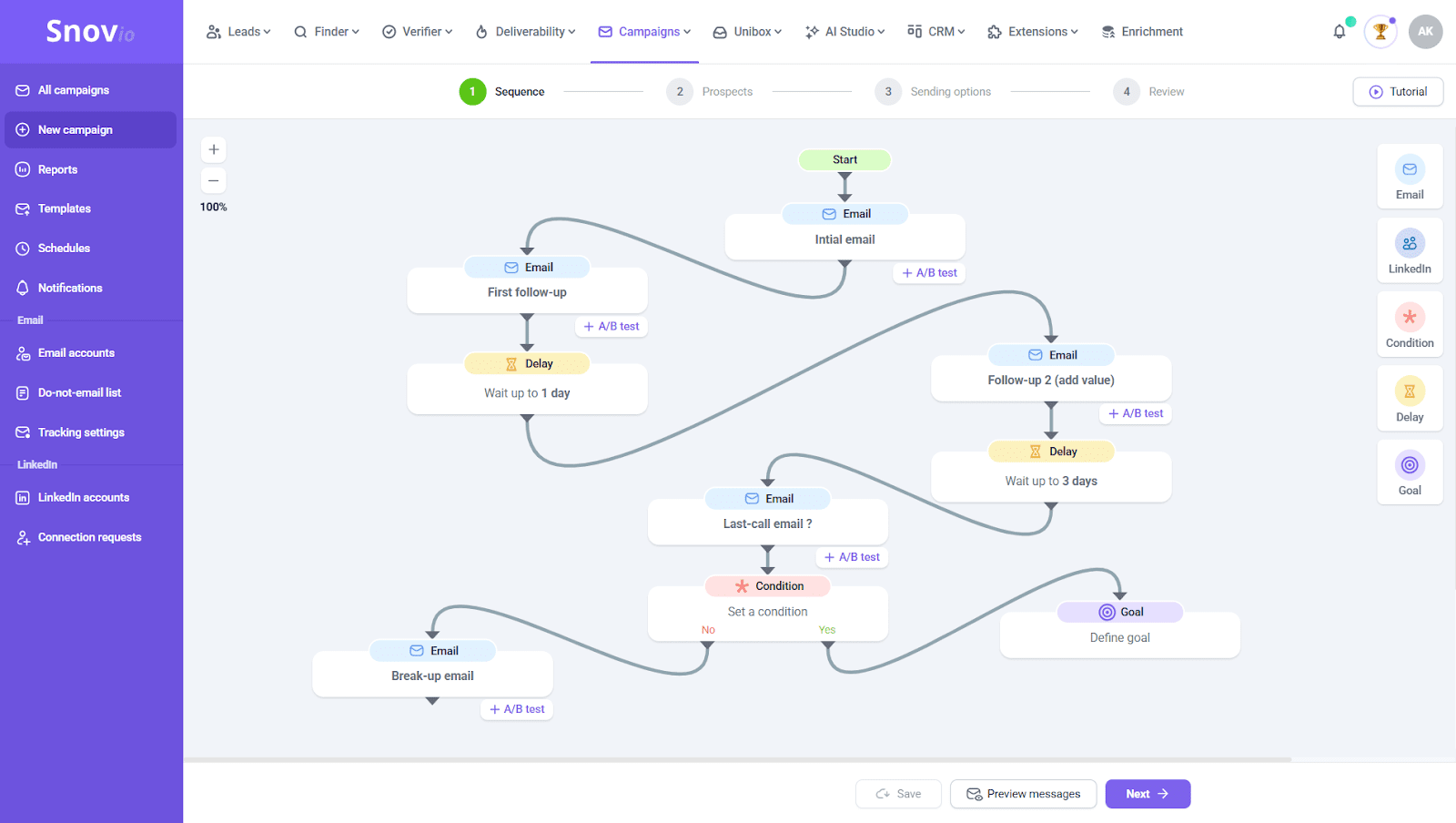
Snov.io has a simple drag-and-drop editor, letting you build cold email sequences element by element. The platform provides robust email automation capabilities, allowing you to set custom delays, add conditions for different paths, and run A/B testing on each campaign step.
I created my own template with Snov.io AI Email Builder. The tool generates highly tailored email copy based on a brief description of your company, value proposition, and ICP. Or you can use ready-made templates from the Snov.io library.
As I see, Snov.io prioritizes user safety – the platform is fully GDPR-compliant and follows ethical unsubscribe practices. Besides, it helps you control your daily sending limits to avoid being flagged as spam.
And if you need a backup plan for your outreach, you can use Snov.io’s mailbox rotation. With this feature, you use several accounts in case one has issues, never exceeding safe sending limits.
Overall, Snov.io offers a powerful email sending infrastructure for cold email campaigns, making them automated, yet safe and deliverable.
G2 rating: 4.6 ⭐️
Capterra rating: 4.5 ⭐️
Pricing: A 7-day free trial; paid subscriptions start from $36/month.
Saleshandy is a dedicated cold outreach platform that provides features for building, sending, and tracking outbound sequences. It also offers a unified inbox, mailbox rotation, as well as basic lead management.
Saleshandy core features:
Pros:
Cons:
What users say:
People highlight smooth onboarding, helpful customer service, easy setup, and straightforward sequence workflow, which allows them to quickly build campaigns even without prior experience. Reviewers also point out good automation and AI features, as well as built-in deliverability tools. Some users, however, mention that Saleshandy’s reporting features are a bit limited.
My testing takes:
The setup process is quick, with an onboarding tour that makes getting started easy. Especially, I liked the interactive demo account Saleshandy offers. It’s pre-filled with realistic sample data, so you can truly explore each section of the app, preview different sequence stages, and see how reporting dashboards look in practice.
After “playing” with a demo account, I started building my first campaign. Although the builder’s interface is quite intuitive, it can feel a bit cluttered and more complex than drag-and-drop editors. What I liked is that the platform provides email templates you can easily customize with your own data.
However, I couldn’t find an option to set custom delays between sequence steps, like in Snov.io. This may be ineffective for behavior-based follow-ups that need immediate actions to warm up leads.
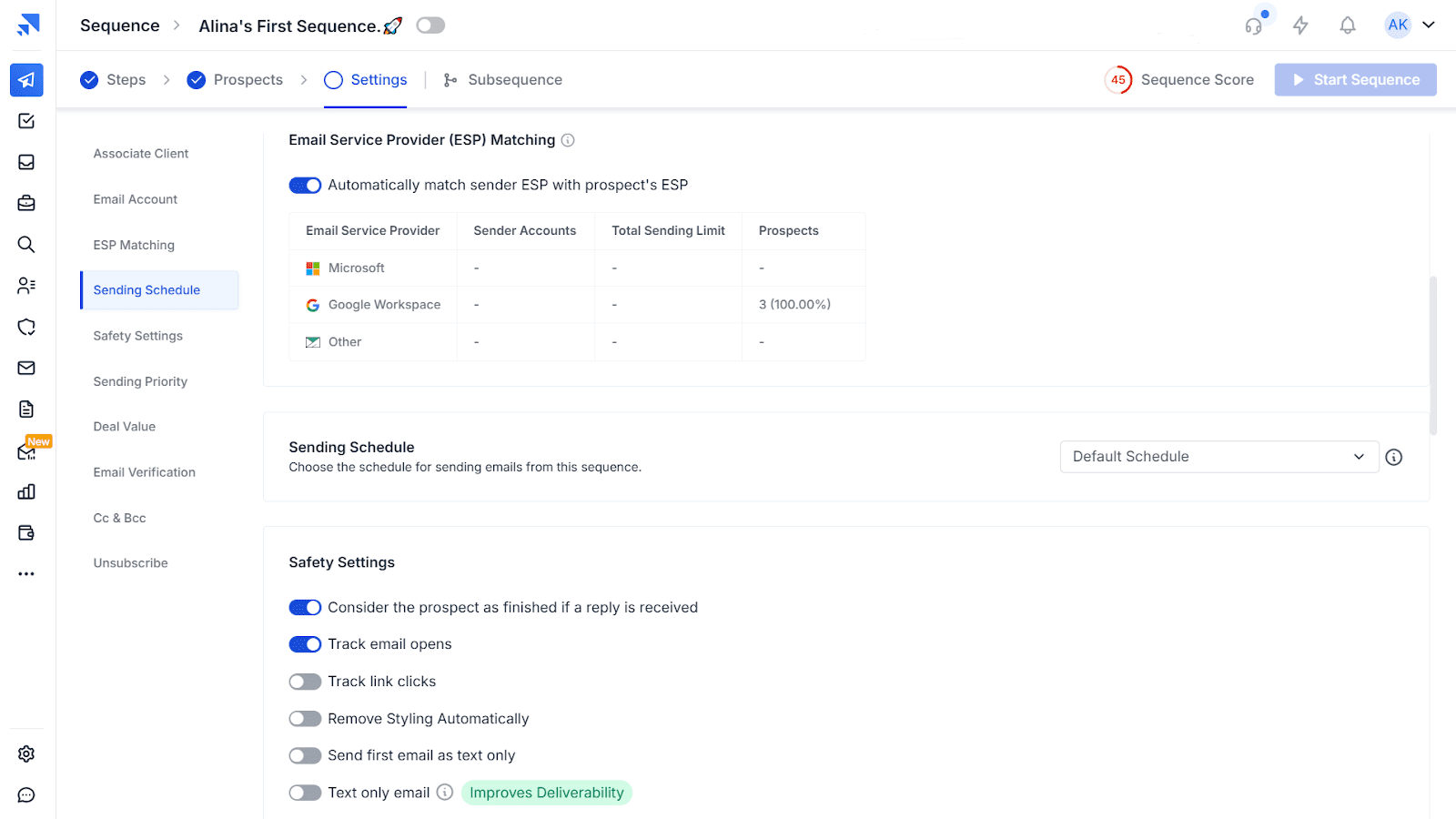
On the plus side, Saleshandy supports auto-matching to the recipient’s provider when sending from multiple accounts. Besides, the platform also provides safety settings to improve inbox placement and protect sender reputation.
G2 rating: 4.8 ⭐️
Pricing: Paid plans start from $37.
Instantly is a cold outreach platform built for running outbound campaigns at scale. It provides features for building automated sequences, sending them from multiple accounts, and tracking results in one place.
Instantly core features:
Pros:
Cons:
What users say:
Most users like Instantly for its multi-inbox scale, which makes this platform especially effective for high-volume campaigns. People also praise the intuitive interface and easy sequence building, including personalization and AI features. Many also note that mailbox rotation helps them keep outreach under control.
However, some users wish for deeper reporting and note that, although the platform is easy to navigate, the learning curve for features like warm-ups or sending limits can still feel a bit steep.
My testing takes:
The tool is easy to navigate, so users won’t face a steep learning curve. The sequence builder is very intuitive, so I was able to create my first multi-step campaign in about 10 minutes.
I like that it’s possible to customize delays between steps. Another nice touch is that you can create your email copy with the built-in AI tool. In addition, Instantly offers many ready-to-customize templates for different outreach scenarios.
With the Unibox feature, you can keep replies from all connected mailboxes in one view, quickly jumping into a specific campaign or inbox. What I liked most of all about Unibox is the AI reply suggestions, which make multi-inbox management easier.
G2 rating: 4.6 ⭐️
Capterra rating: 4.3 ⭐️
Pricing: No free plan; Paid subscriptions start at $39/month.
Smartlead is an AI-powered cold email and lead-generation software designed to scale outreach while ensuring high deliverability. The platform offers multi-domain support and rotation, AI-powered automation, as well as analytics to track performance.
Smartlead core features:
Pros:
Cons:
What users say:
Reviewers often highlight that Smarlead is quick to set up and easy to use. Many users consider mailbox rotation and inbox warm-up the most helpful tools this software offers. People also share positive experiences with the customer support.
My testing takes:
The campaign builder is very straightforward, which makes it easy to create a sequence even if you’re a new user. The Saleshandy platform provides ready-made email templates that you can easily adjust in the editor to your needs.
Although some section names aren’t very clear (you don’t know what’s inside until you click), there are helpful explanations and hints throughout the app. After a brief walkthrough, you will easily navigate both the sending and deliverability features.
As for me, sequence workflows lack advanced options, such as trigger-based steps or custom delays, but at the same time, this simplicity makes the platform accessible to users with different technical levels and experience.
G2 rating: 4.4 ⭐️
Capterra rating: 4.5 ⭐️
Pricing: Paid plans start from $29/month.
Woodpecker is a cold email software that lets you send automated sequences and improve deliverability with built-in warm-up. The platform also provides email verification, basic reporting, and sending guardrails for safe outreach.
Woodpecker core features:
Pros:
Cons:
What users say:
Most users like Woodpecker for its easy setup, automated email workflows, and basic tracking tools. Also, reviewers often praise sensible deliverability guardrails that make outreach safe. On the downside, several users report slow performance when managing multiple campaigns.
My testing takes:
Getting started was fast and easy. The UI is clear, so I effortlessly found all core deliverability and sending features. You can connect your email account first, or start creating a campaign right away with no previous steps required.
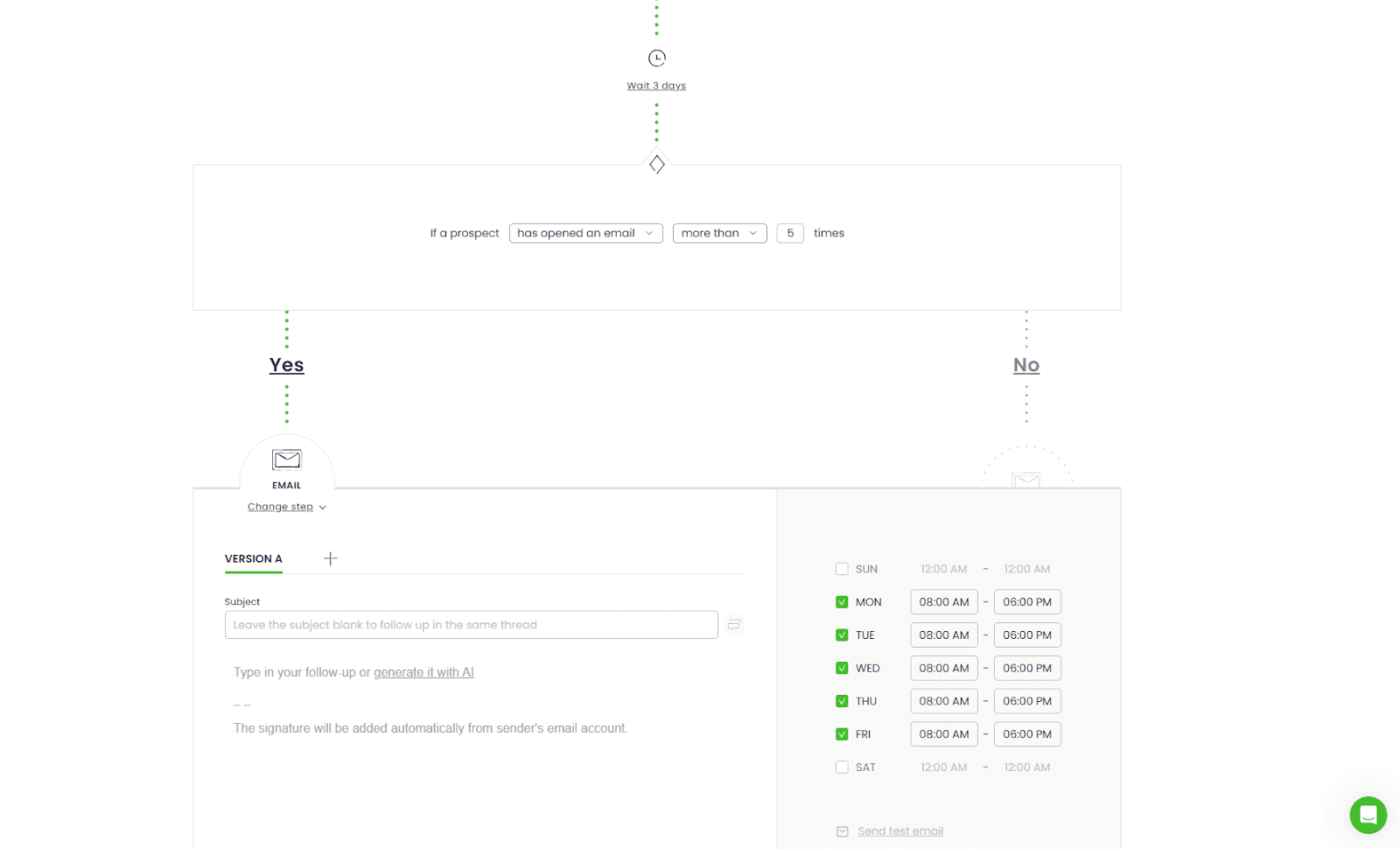
The sequence editor is also clear and straightforward. I like that it’s possible to schedule each step separately, set custom delays, and specify conditions that’ll trigger the next action.
Another good option is the ability to generate an email copy with AI. It still needs extra tuning, but it’s a good starting point. I also like that you can run a spam test on your emails right from the campaign builder to identify content issues and improve deliverability.
However, I don’t really like the builder’s look. Because it’s vertical, you have to keep scrolling up and down to review steps, and there’s no overall view of the entire sequence. I’d love a more compact overview, for example, a drag-and-drop sequence builder like Snov.io provides.
| Key takeaways: Which cold email tool to choose? All these platforms offer robust cold outreach functionality, which is why they are on my list. So the choice depends more on your specific needs. For example, Instantly is a good pick for high-volume, multi-inbox scale, while Smarlead is great for agencies. Saleshandy and Woordpecker offer simple sequences with mailbox rotation at an affordable cost; however, they may lack more advanced campaign capabilities. That’s why I recommend Snov.io as a good choice when you need a single platform for both custom sequencing and safe scaling. It combines advanced campaign logic, AI-powered personalization, mailbox rotation, and clear reporting. |
After all, it’s up to you to decide how deeply you want to dive into the cold outreach setup. If you’re still hesitating, below are a few practical tips to help you choose the right cold email infrastructure tool.
Your tool should match your technical comfort level and desired level of involvement (done-for-you email setup, automated, or DIY with manual control over each step). Let me share some expert recommendations on how to pick the cold email infrastructure tool for your goals.
Before picking any, start with an honest self-assessment of your technical skills. How comfortable are you with DNS records and basic troubleshooting? If you’re not tech-savvy, a done-for-you email setup will save you hours (and a few gray hairs) of manual configuration.
Some platforms may offer more capabilities beyond email deliverability tools to boost your cold email outreach. These can be features that actually help day-to-day, such as built-in B2B leadbase, campaign automation, or multichannel sequences. Prioritize transparent reporting (bounce reasons, SPF/DKIM/DMARC status, email blacklist checker) over vanity metrics.
When choosing cold email infrastructure tools, don’t just scan the monthly fee. Look past the headline price and check what’s included: the number of mailboxes, warm-up capabilities, test volume, etc.
Watch for hidden limits and model your real usage for the nearest time period to see if the platform provides enough capacity for your tasks. Aim for email deliverability tools that offer the most value for the price you’re ready to allocate to cold outreach setup.
Decide how involved you want to be in the process: full DIY, automation with some manual steps, or a DFY cold email setup. I recommend automated or done-for-you email setup tools for non-technical teams. This way, you let automation handle all routine tasks and avoid misconfiguration, while still having manual controls over key decisions.
Your outreach is only as strong as its technical foundation. A single mistake in your DNS records—one incorrect symbol—is all it takes to invalidate your setup. If you’re not experienced, this is a disaster waiting to happen.
While you can learn from costly mistakes, a better way is to avoid them altogether. Snov.io streamlines this process by offering a ready-to-use solution that centralizes setup and management, making it practically foolproof and less time-consuming.
Outbound Outreach Expert at Snov.io
Make sure your email deliverability tool integrates with your existing stack. Check whether the platform supports integration with your email service provider, outreach platform, CRM, and other software.
I also recommend confirming whether the cold email infrastructure tools you’re considering provide multi-domain or multi-mailbox management. This can be useful for agencies or for those planning to scale.
Email infrastructure is a foundation for your outreach campaigns. Getting authentication right prevents spam placement, blocks spoofing, and improves overall cold email performance. Before launching, it’s crucial to check the setup, warm up your account, and find a reliable tool for managing cold email.
I hope this curated list will help you choose the right tools to send emails with confidence. If some doubts remain, let’s sum up the results to help you decide:
Whether you need strong deliverability tools, advanced sequences, authentication checks, and reporting dashboards in one place, then Snov.io is right for you. The best part is its DFY cold email setup that lets you get inbox-ready mailboxes with no effort.
Unlock growth and visibility with expert tips on building a personal brand through a smart…
Learn how to get phone numbers from LinkedIn with tools like Snov.io. Up your B2B…
Interested in learning how to detect fake emails fast? Use proven tips and Snov.io’s verifier…
Learn how to send 10,000 cold emails safely in 2026 without hurting your deliverability. Use…
Want to find out who owns an email address? Discover the most effective ways to…
Learn how to properly set up a domain and mailbox for cold outreach with the…