


TL;DR: LinkedIn email finder tools rating
I evaluated the best LinkedIn email finder tools using the same test: extracting contact information from 15 LinkedIn personal profiles. This table shows how each tool performed.
Feel free to click on the tool for quick navigation to its detailed analysis.

If you’re among those 85% of B2B professionals who receive the best value for your business from LinkedIn, you’ve probably faced a problem: you need to find emails from LinkedIn profiles, but are overwhelmed by so many LinkedIn email extractors available.
I feel your pain.
To help you with your choice, I tested 13 LinkedIn email finders, evaluating their accuracy, result detail, pricing clarity, and ease of use.
Read on to see which ones actually work.
Key points of my review:
How I chose and evaluated the best email finders for LinkedIn
How to know which tools actually work? For sure, try them yourself, and that’s what I did. I selected and tested 13 LinkedIn email finders based on the following criteria:
- Strong reviews on G2
- The availability of a free plan or a free trial
- The features set that justifies the price.
What I did: first, I checked which LinkedIn pages each LinkedIn email finder supports. Then I retrieved emails from 15 individual profiles.
I paid attention to the email finding speed, the quality of returned data, interface usability, and how quickly credits were consumed. Finally, I checked every single email with a validation tool to see if it was legit.
I rated all tools on a 1-5 star scale across four factors:
- Email accuracy
- Extra features (e.g., bulk downloads, integrations, outreach automation, etc.)
- Pricing value
- Ease of use
Besides, while rating the tools, I also paid attention to the LinkedIn coverage, i.e., on which LinkedIn pages they work – individual pages only, or on search as well as company pages.
Top 5 LinkedIn email finder tools compared (based on my honest opinion)
After analyzing the findings, I compiled my personal top-5 list of LinkedIn email finders. I’m sharing them with you in this comparison table:
*Pricing is subject to change, so always look for actual information on companies’ websites.
Best LinkedIn email finder tools: full review
Now, let’s get to the complete analysis of the solutions I’ve tested.
-
Snov.io
Emails found: 13/15
G2 rating: 4.5/5
Pricing: $39/month for 1,000 credits. Free 50 free credits/month.
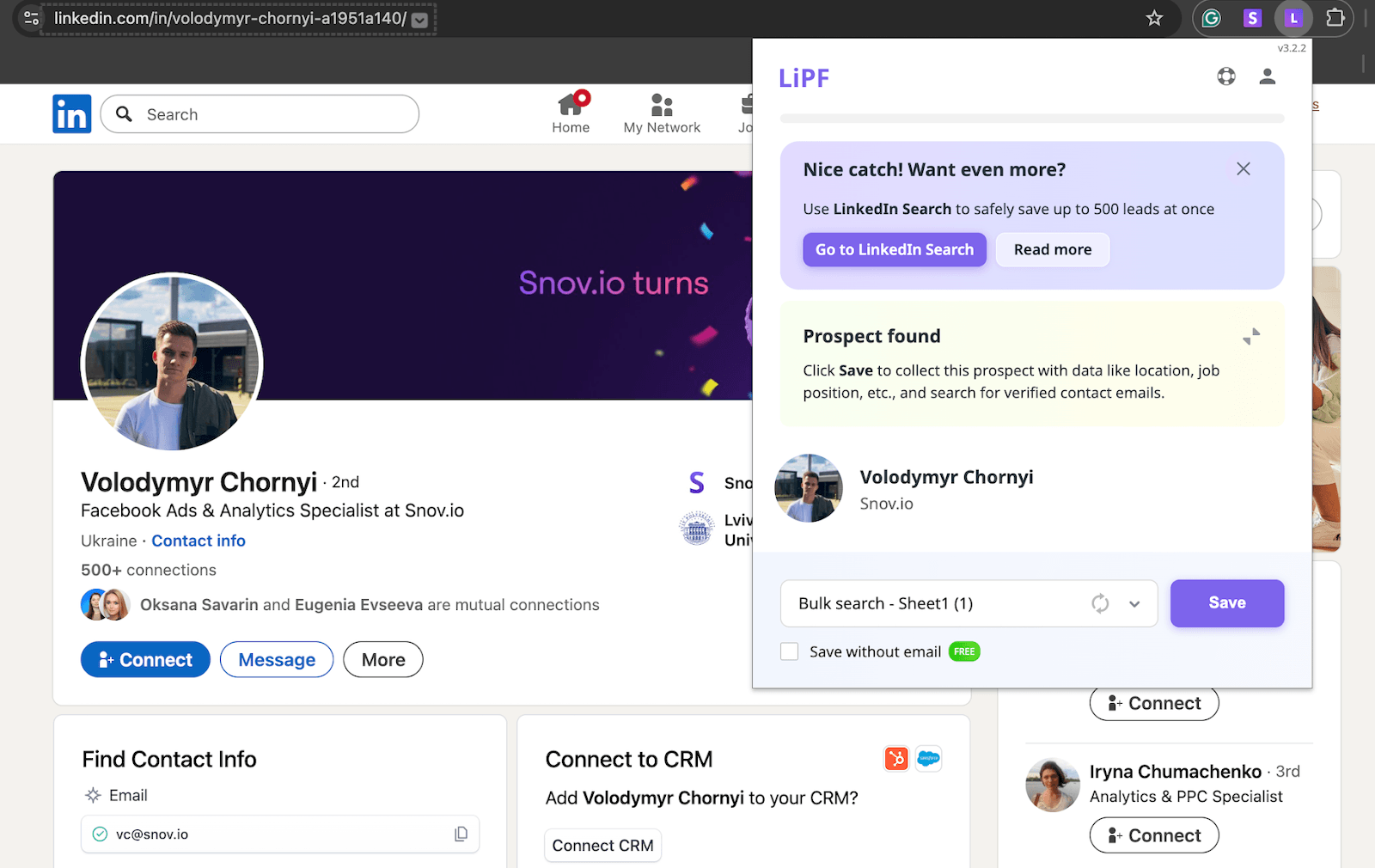
Snov.io is a sales engagement platform that offers a strong LinkedIn email extraction tool, built with accuracy and account safety in mind. It works across a variety of LinkedIn pages, including individual profiles, search results, event attendee lists, and company pages.
After subscription, you discover more than just a LinkedIn email finder. You get access to an array of tools for effective lead generation and outreach, and even a CRM included in each pricing plan, as well as the freemium.
Key Snov.io features:
- LinkedIn in-app search. Find emails from LinkedIn by pasting search URLs or individual profile URLs into Snov.io.
- LinkedIn Email Finder extension. Find emails in less than a minute from personal profiles, company pages, search results, and event attendee lists.
- Email verification. Put emails through a comprehensive 7-stage verification process to protect your sender reputation. Rely on 98% verification accuracy, whether you’re checking one contact or bulk processing up to 100,000 addresses.
- Multichannel outreach. Build advanced campaign workflows with conditional logic across email and LinkedIn.
- LinkedIn network. View, manage, and engage with your LinkedIn contacts directly from Snov.io without switching platforms.
Snov.io syncs with your LinkedIn account to speed up your prospecting, so you can manage your connections from your personal workspace.
The results I’ve got after testing Snov.io:
What users say about Snov.io:
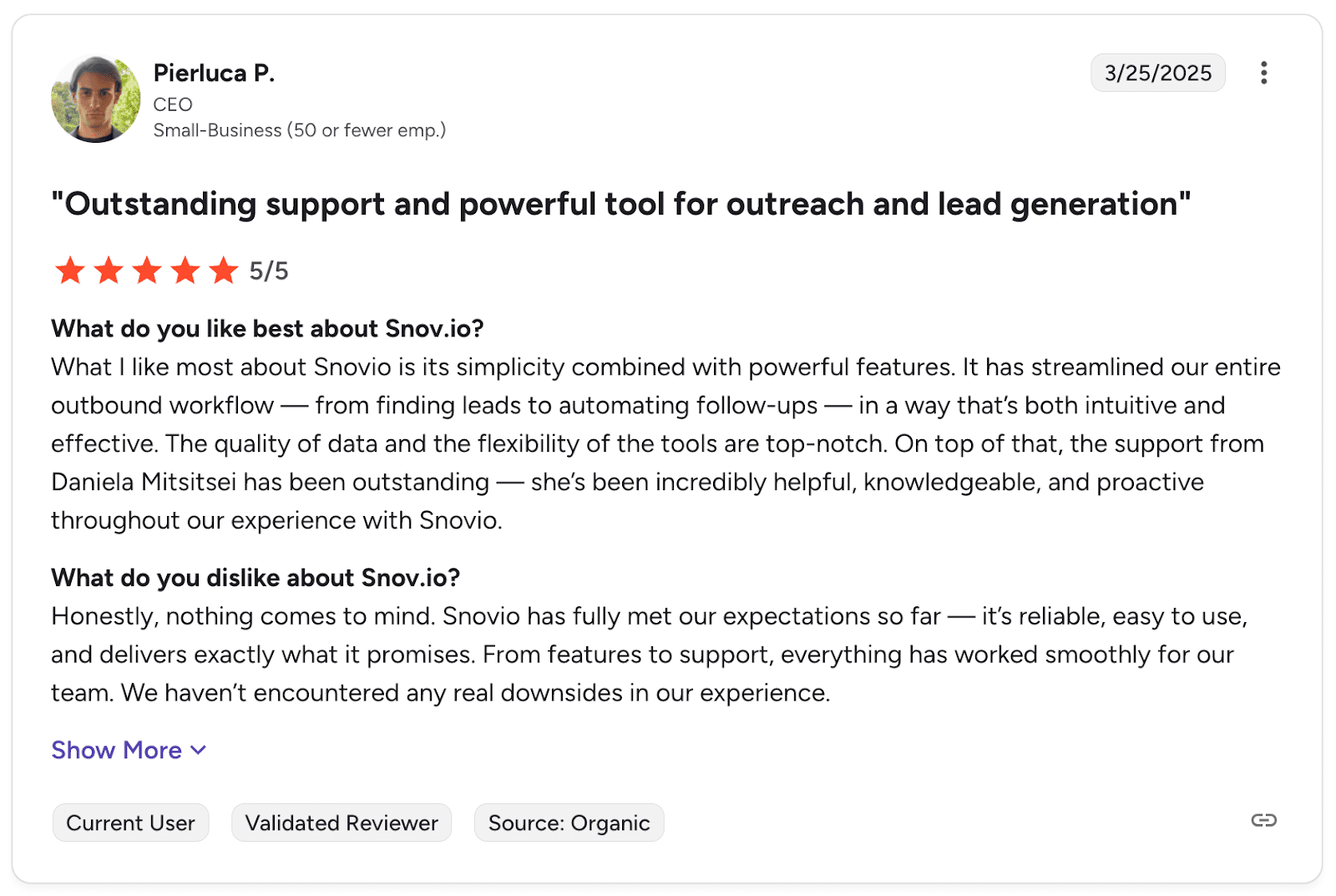
People mention the platform helps them handle prospecting from start to finish without jumping between tools. They also say customer support responds quickly when problems arise.
📍My final take on Snov.io:
With Snov.io, everything worked smoothly from installation to use. I found almost all emails without any issues. Also, being able to do everything in one place, rather than paying for multiple tools, is really convenient and worth the money.
My overall rating: ⭐⭐⭐⭐⭐

2. GetProspect
Emails found: 7/10
G2 rating: 4/5
Pricing: $49/month per 1000 valid searches. Free 50 credits.
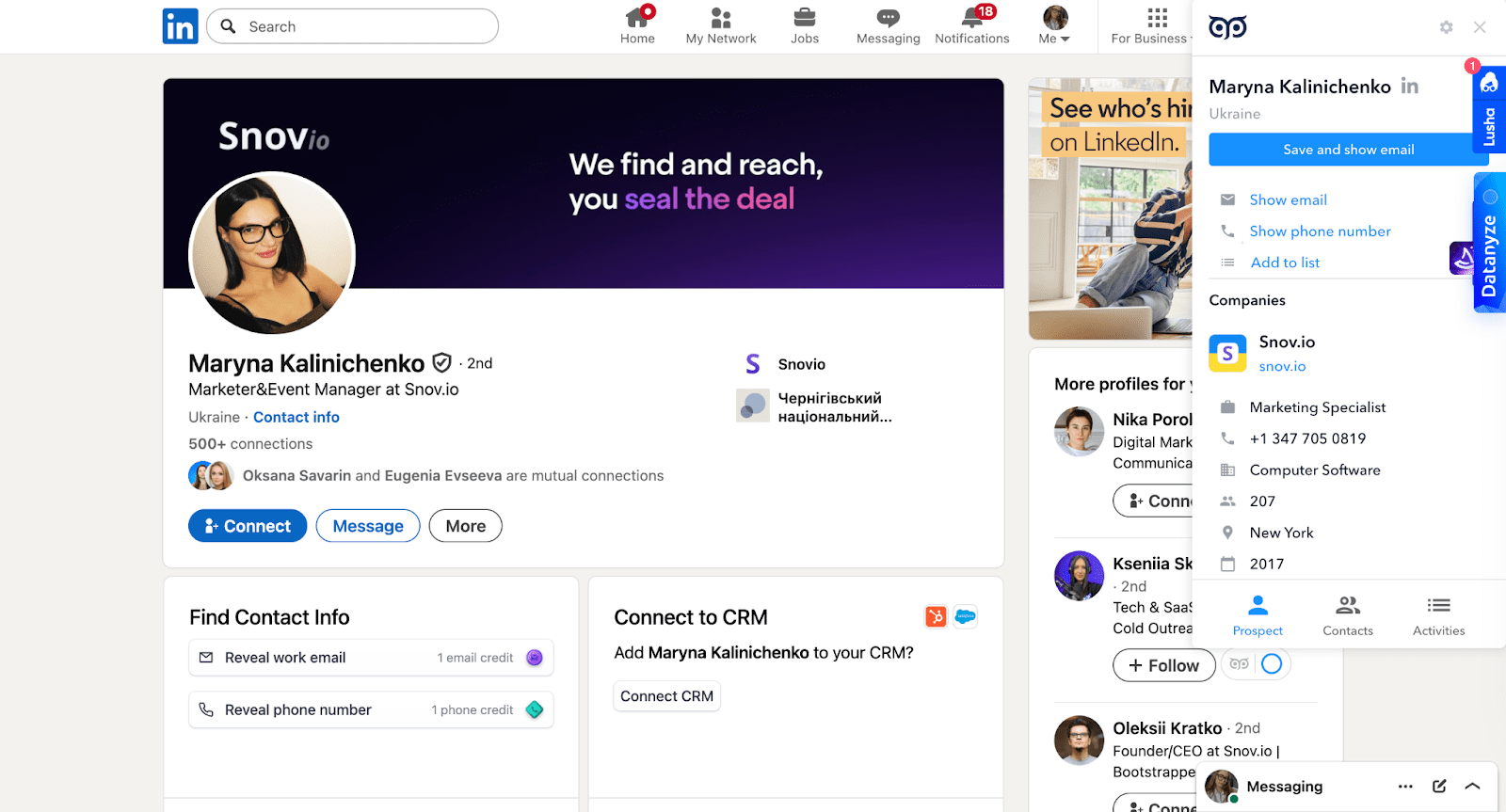
GetProspect is a lead generation platform with a Chrome extension that helps you find verified business email addresses directly from LinkedIn. It works across personal profiles, search result pages, groups, and event attendee lists. With this tool, you can do the lookup in Sales Navigator as well.
Key GetProspect features:
- Bulk email lookup
- B2B database for contact enrichment
- Email verification
The results I’ve got after testing GetProspect:
What users say about GetProspect:
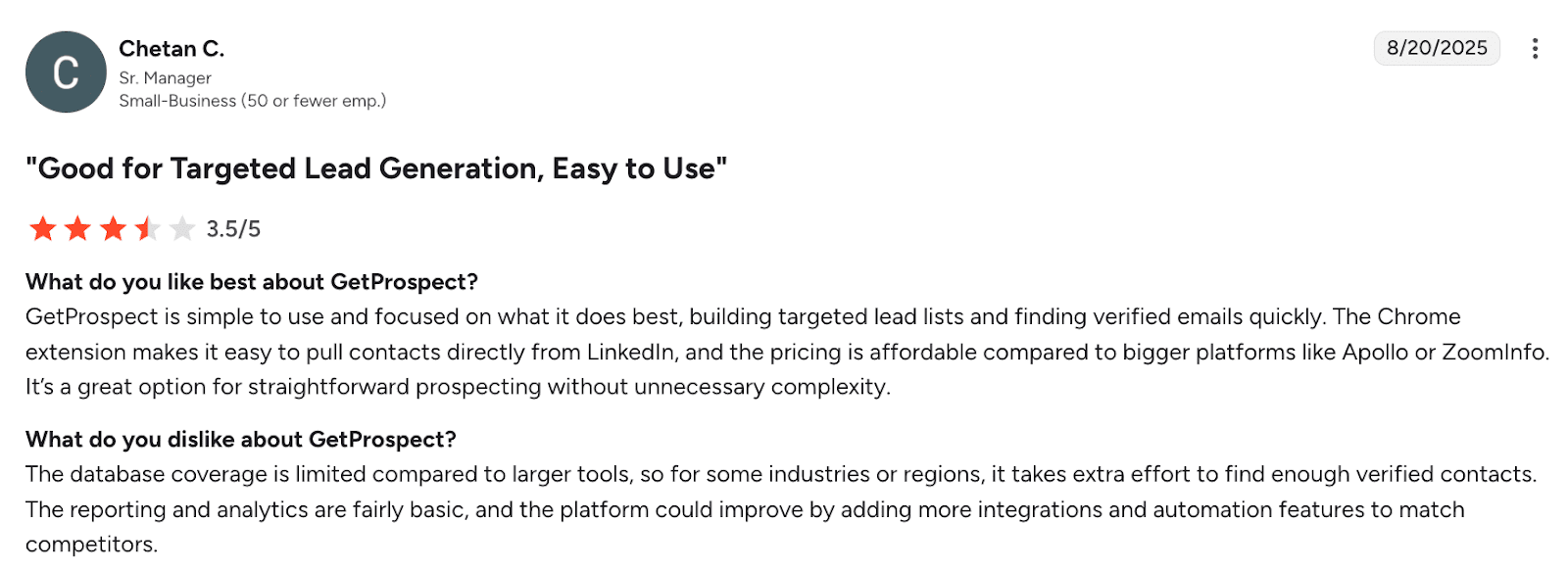
Users find it easy to build lead lists with GetProspect. But several people mention that the database doesn’t always work well in certain industries. The interface is simple to use, but email accuracy isn’t as good as that of the tool’s alternatives.
📍My final take on GetProspect:
If you want a basic LinkedIn lookup tool with a CRM included, GetProspect might work. My results, however, weren’t that great. I could get emails for only 5 out of 10 profiles. The price is reasonable, but I’d probably choose another solution with better results.
My overall rating: ⭐⭐⭐
3. Lusha
Emails found: 10/15
G2 rating: 4.3/5
Pricing: $49.90/month for 400 credits (Viewing all enriched details costs 6 credits per profile). Free 40 credits/month.
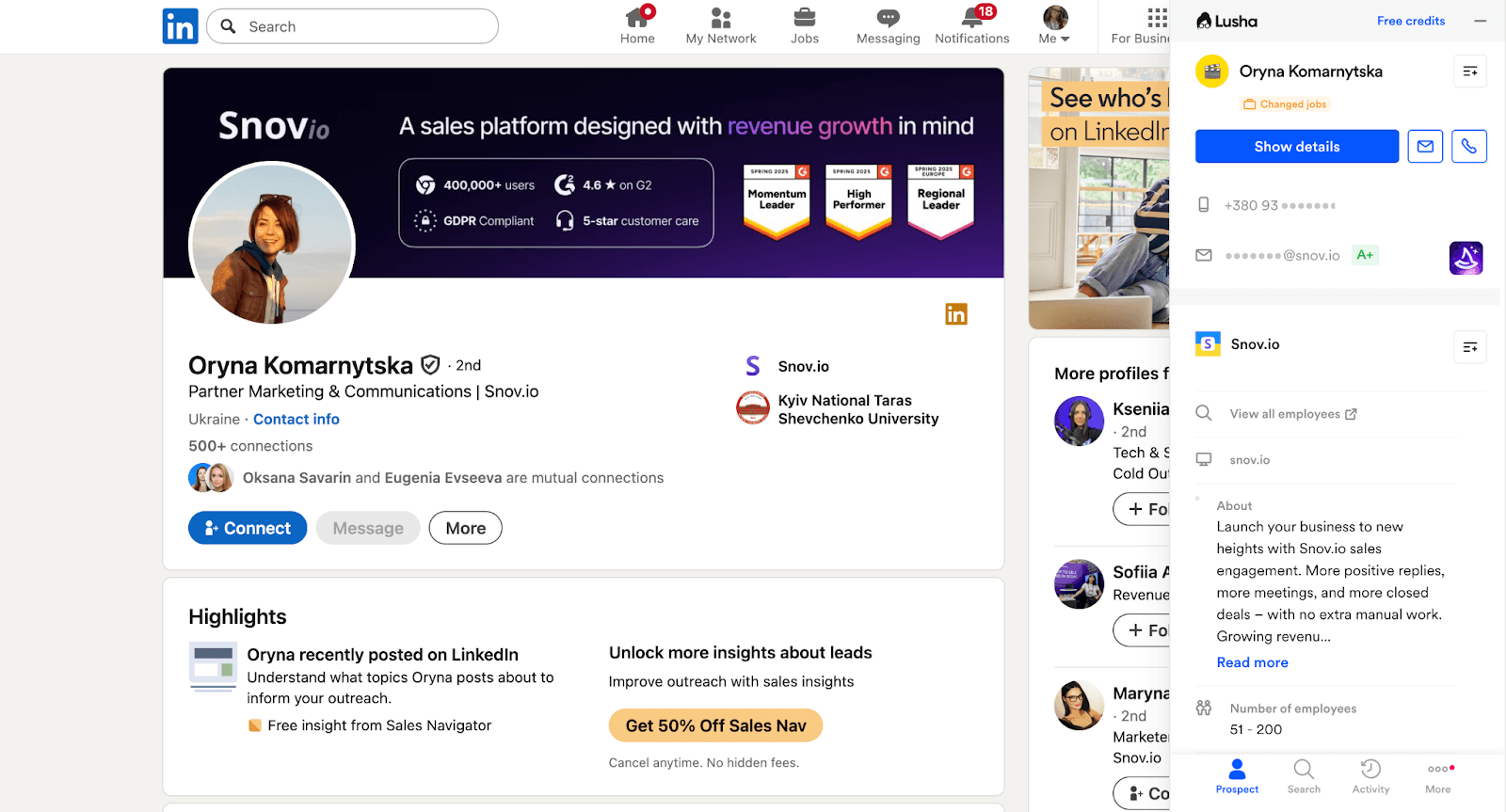
Lusha is a prospecting tool that offers one of the most reliable LinkedIn email finders. It’s a Chrome extension that works across personal profiles, company pages, and LinkedIn search results. In addition to finding emails on LinkedIn, the tool supports data enrichment, including phone numbers, company information, and locations.
Key Lusha features:
- LinkedIn + Sales Navigator search
- AI lead recommendations
- Activity signals
The results I’ve got after testing Lusha:
What users say about Lusha:
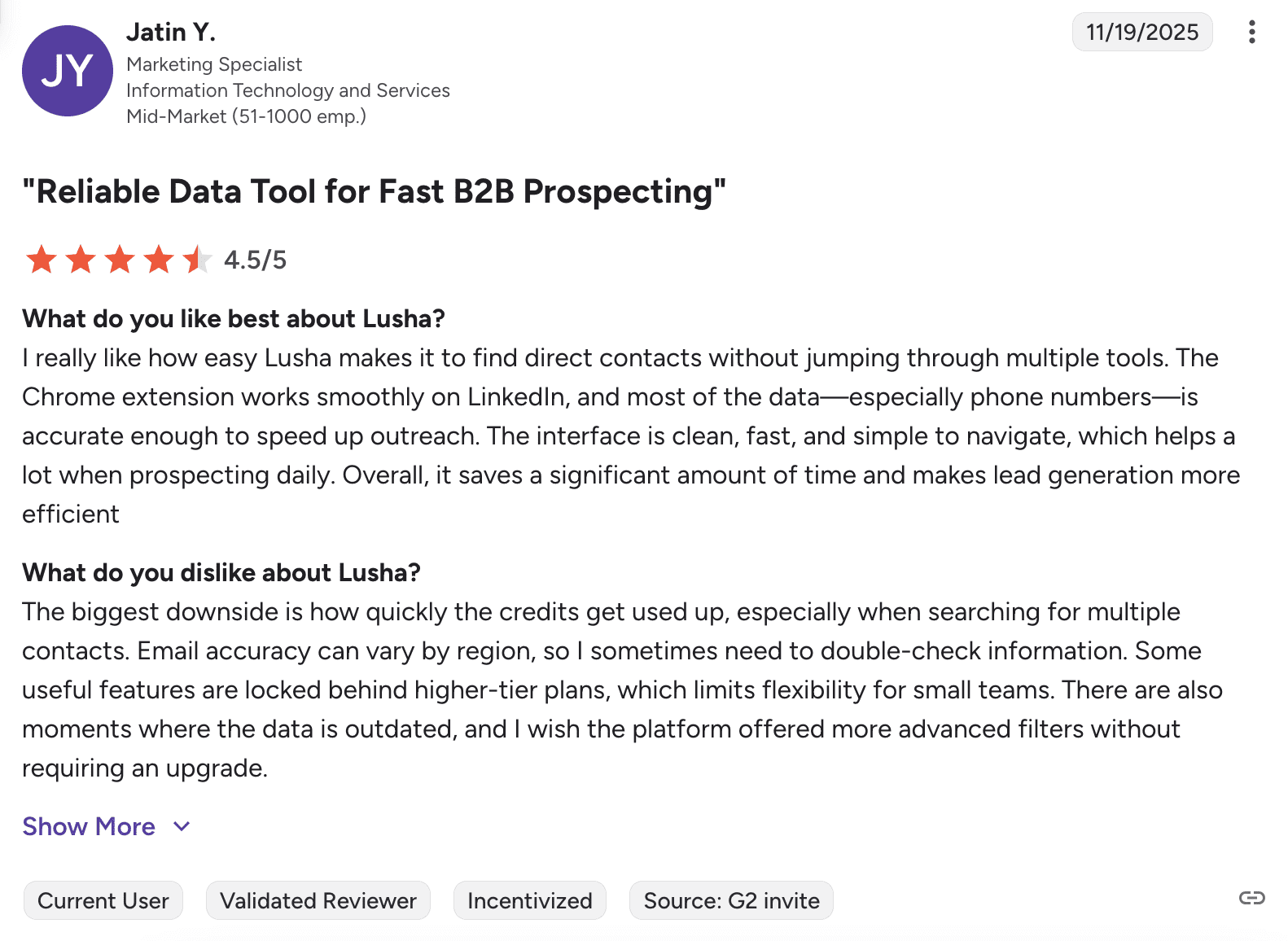
People like how fast Lusha finds contact information and how well it connects with their CRMs. The biggest complaint is that credits disappear quickly (as I’ve mentioned); users also report that the data the tool provides is sometimes inaccurate.
📍My final take on Lusha:
Lusha did the job well. Data enrichment is really detailed; plus, activity signals are useful for knowing when to reach out. But for me, using 6 credits just to see all the details feels over-the-top. It’s a good tool, but not the best choice if you’re doing a lot of prospecting.
My overall rating: ⭐⭐⭐⭐½
-
Apollo.io
Emails found: 10/15
G2 rating: 4.7/5
Pricing:$59/month per 2500 credits. Free 100 searches/month.
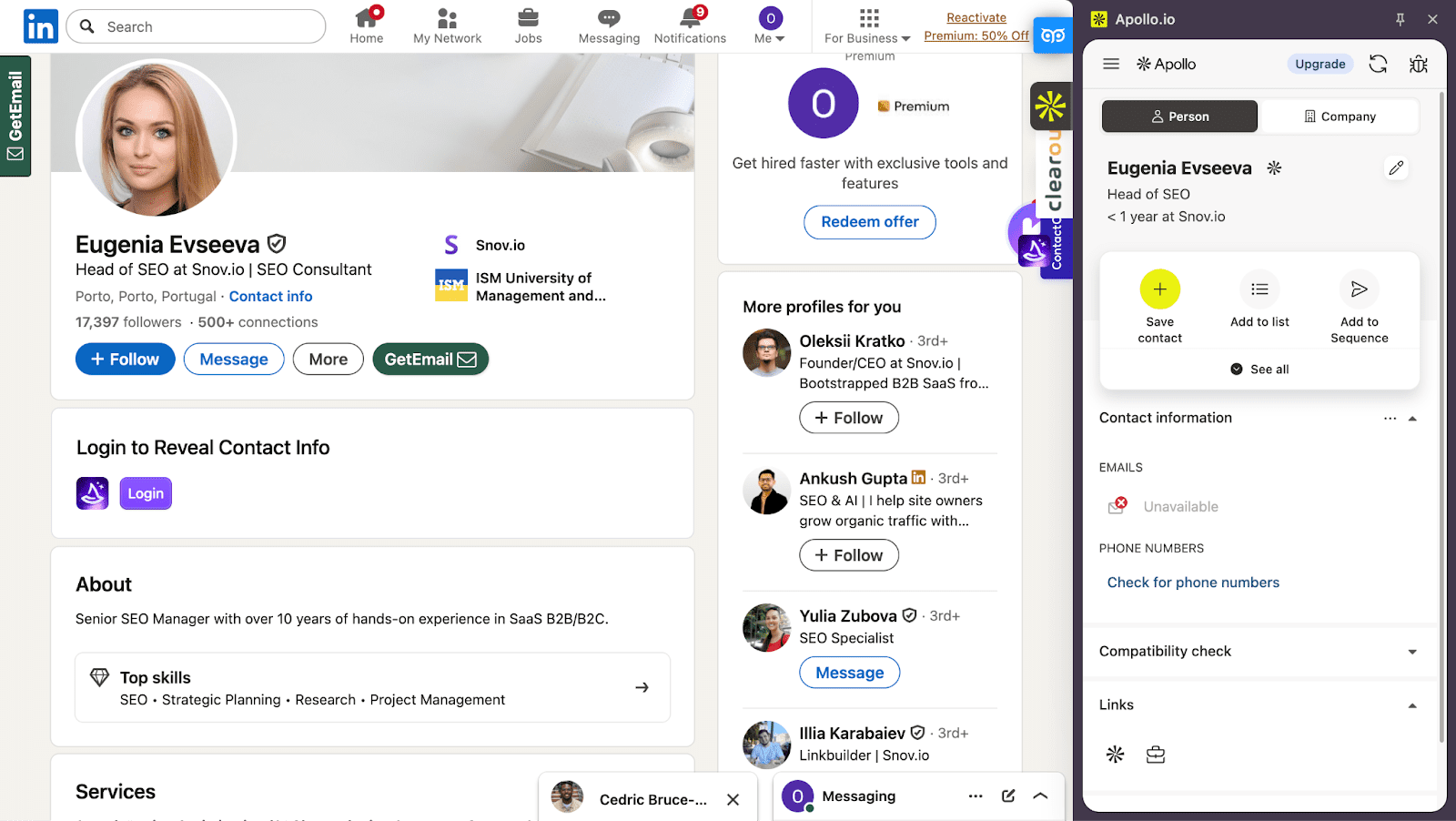
Apollo is a LinkedIn email finder that goes beyond basic scraping. It shows verified email addresses and phone numbers, along with useful details like activity signals. The tool works across personal profiles, search results, and company pages, so you can find contact data wherever you’re prospecting.
Key Apollo features:
- Data enrichment
- Multichannel outreach
- Customizable extension interface
The results I’ve got after testing Apollo.io:
What users say about Apollo:
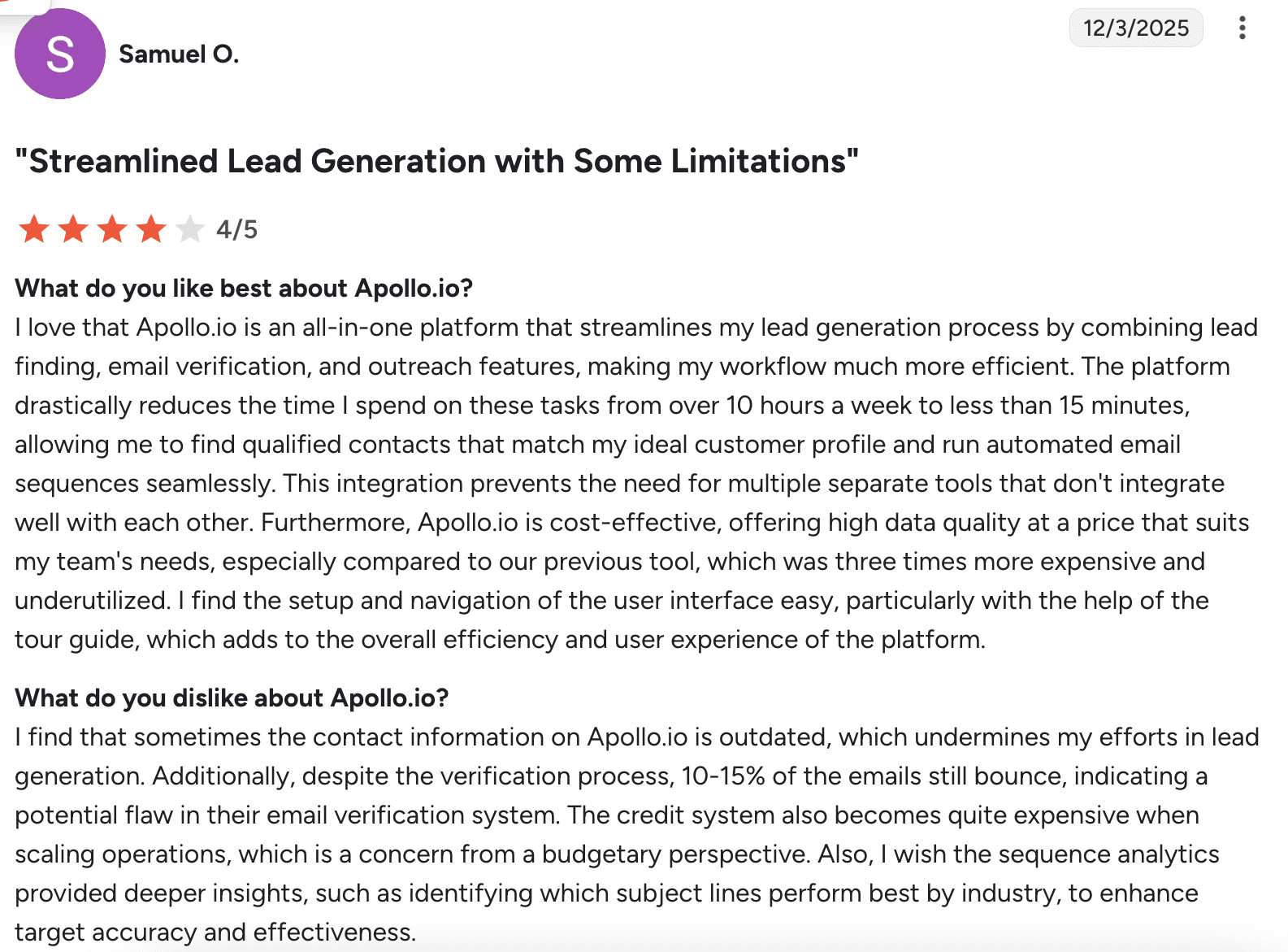
Most people admit it’s a complete solution that saves a lot of time on prospecting. Common complaints include emails bouncing even after verification, and costs rising quickly.
📍My final take on Apollo:
Apollo is a pretty solid tool. It coped well during my test and offers additional features like compatibility checks, which help personalize outreach. It costs more than some competitors, but if you want more than just basic email finding, it’s worth considering.
My overall rating: ⭐⭐⭐⭐½
→ Need a quick view on the best email finders in 2026? Watch this fresh video:
-
Wiza
Emails found: 10/15
G2 rating: 4.5/5
Pricing: $49/month per 100 searches. Annual plans provide unlimited searches. Free 20 credits/month.
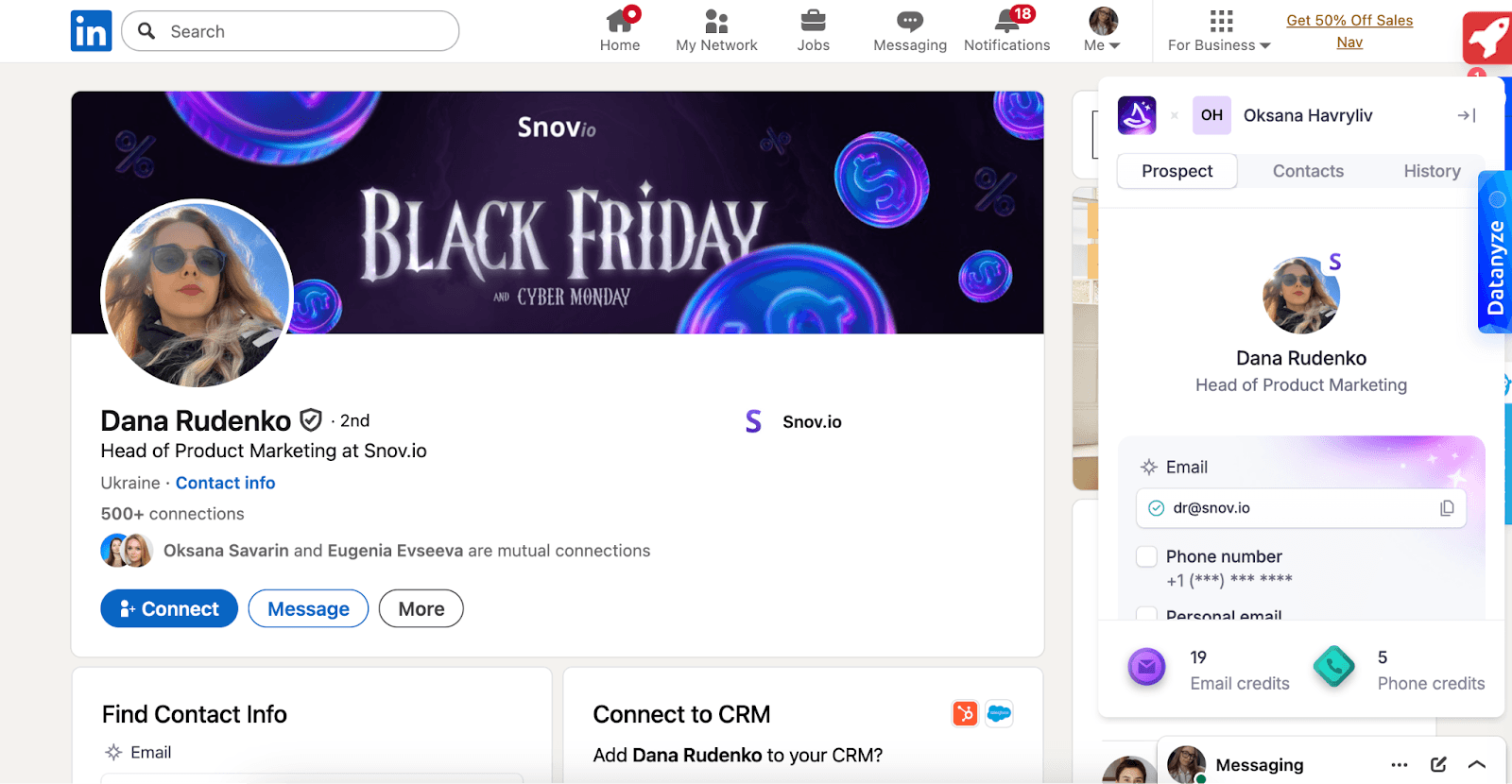
Wiza is a prospecting platform that offers a Chrome extension for LinkedIn, which helps you find real-time, verified business and personal email addresses, as well as phone numbers, directly from individual LinkedIn profiles. While it doesn’t work on company pages, it does support bulk exports from saved lead lists. Plus, Wiza is compatible with Sales Navigator.
Key Wiza features:
- B2B prospecting from LinkedIn
- Verified email and phone discovery
- AI search
The results I’ve got after testing Wiza:
What users say about Wiza:
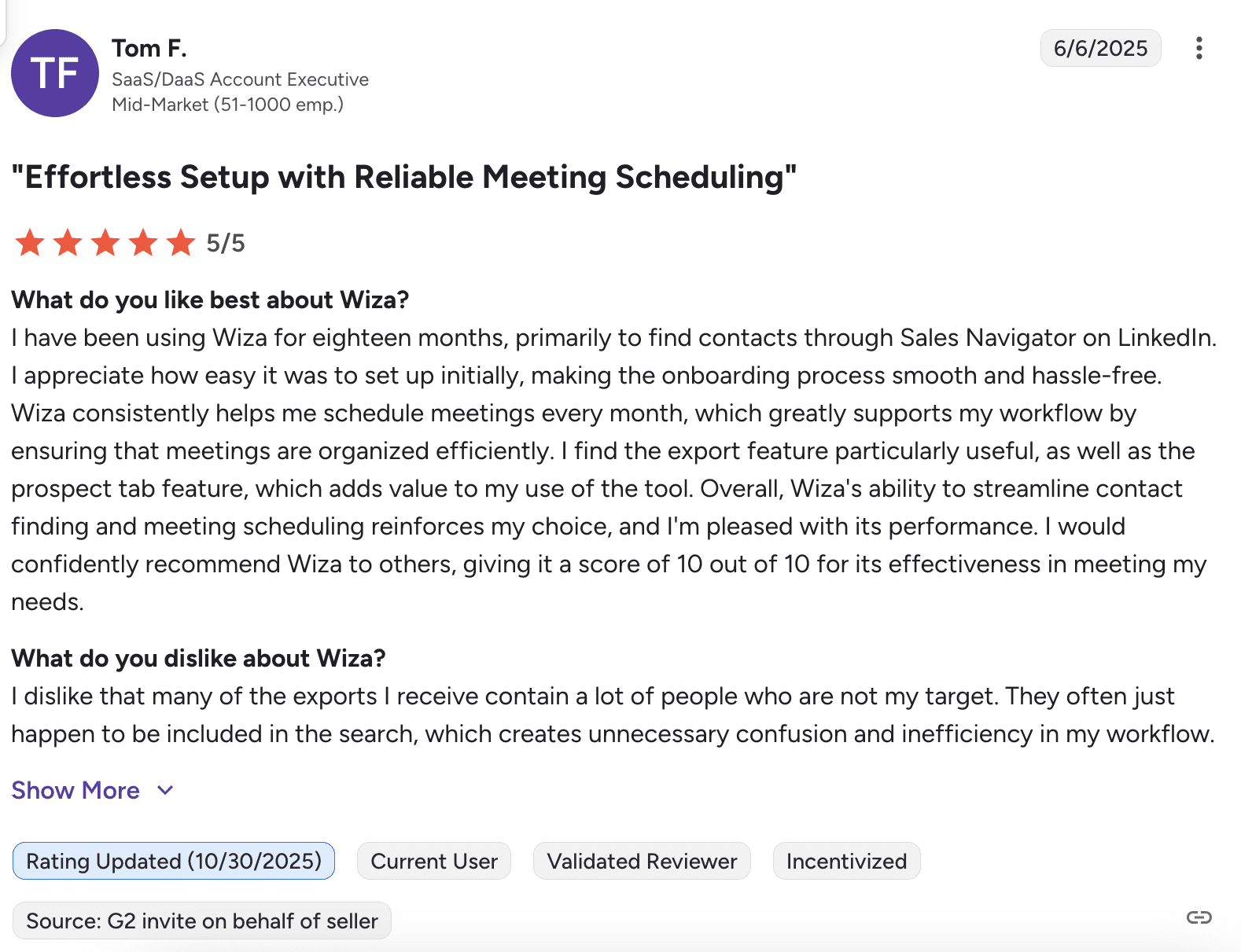
According to user reviews, Wiza is easy to set up and works well for booking meetings. The main complaint is that exports often include contacts that don’t match your search, so you have to spend extra time filtering them.
📍My final take on Wiza:
Getting 10 out of 15 emails is really a good result. Yet, if you compare this tool with similar solutions, Wiza offers fewer credits, plus, it doesn’t extract emails from company pages directly. You first need to open the list of employees. It doesn’t look like a limitation at first glance, but if your team’s productivity is at stake, it’s worth thinking twice before committing to this tool.
My overall rating: ⭐⭐⭐⭐
-
Adapt.io
Emails found: 5/15
G2 rating: 4.6/5
Pricing: $49/month per 500 searches. Free 25 searches and a 3-day trial.
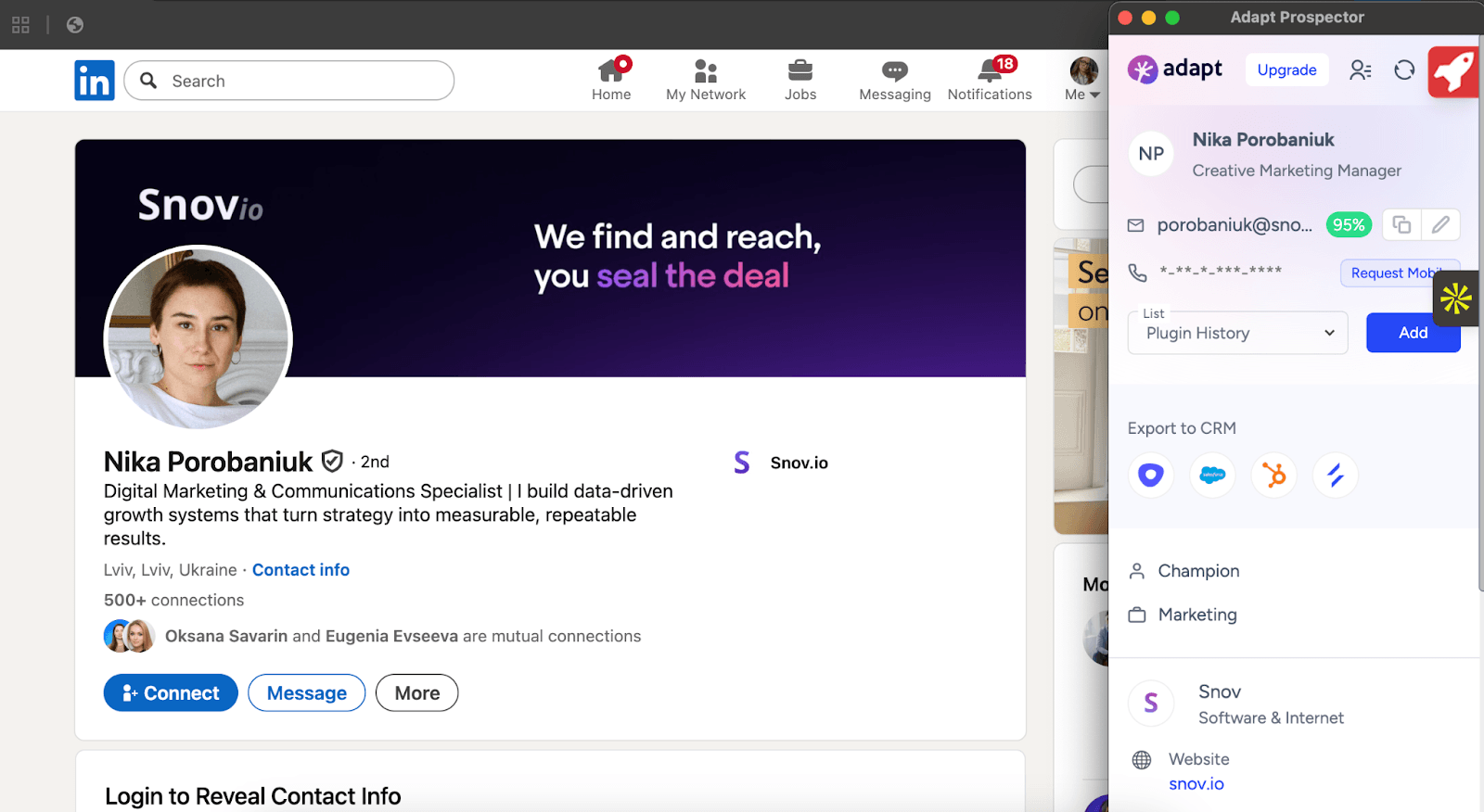
Adapt.io is a prospecting and enrichment tool that offers an email finder for LinkedIn as an extension. Once installed, the extension can be used on personal profiles and LinkedIn search results pages to retrieve addresses and phone numbers.
Key Adapt.io features:
- Chrome extension
- CRM export
- Real-time validation
The results I’ve got after testing Adapt.io:
What users say about Adapt.io:
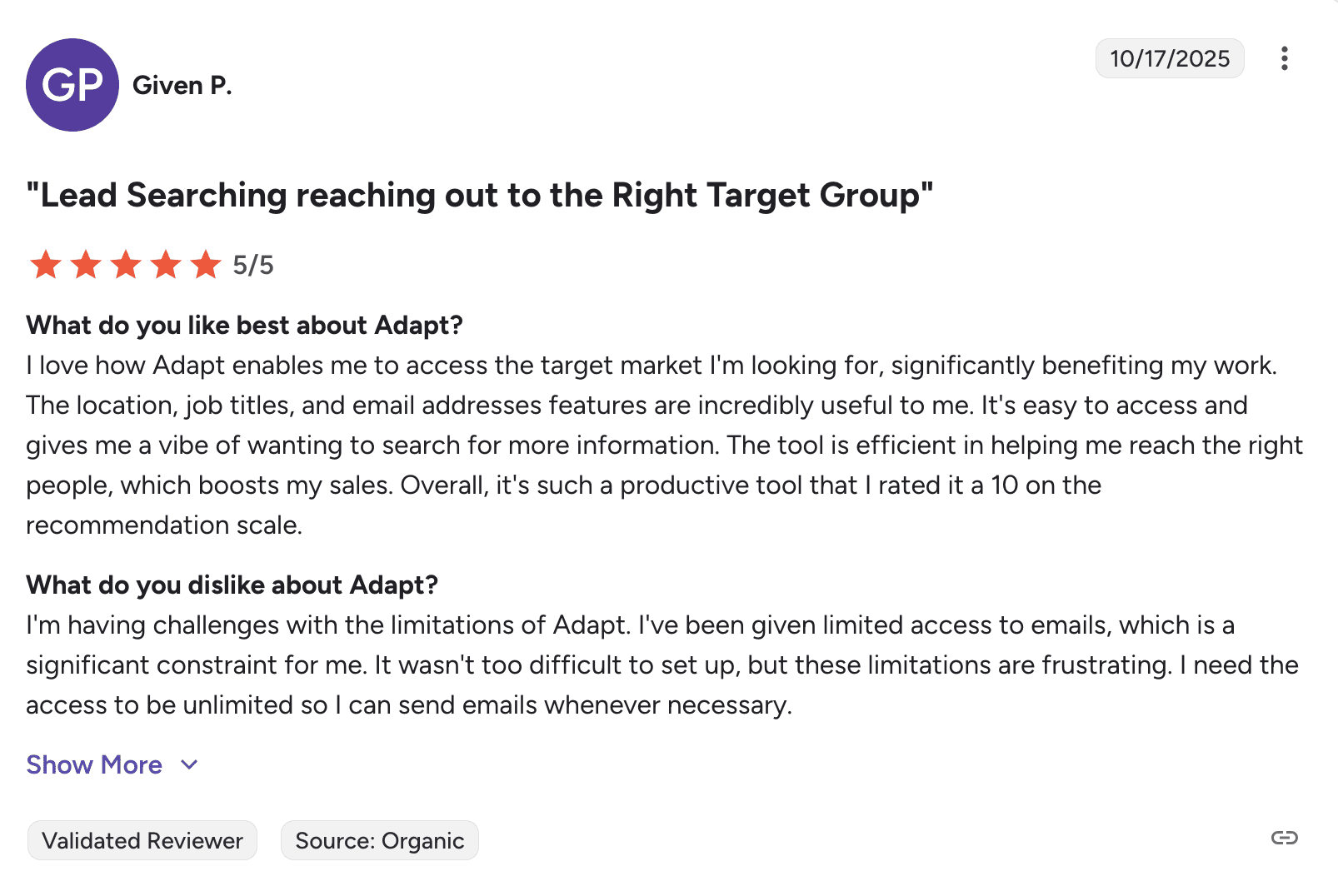
Users like how fast Adapt.io creates contact lists and find the Chrome extension useful overall. But some think the monthly credits are too limited for the price.
📍My final take on Adapt.io:
I wasn’t impressed with the results. At $49 a month, there are better options that find emails more consistently. Real-time verification sounds good, but it doesn’t help much when the tool struggles to find contacts in the first place. I’d pass on this tool.
My overall rating: ⭐⭐⭐
-
Aeroleads
Emails found: 7/15
G2 rating: 4/5
Pricing: $49/month for 2,000 credits total with unlimited search. Free 10 credits.
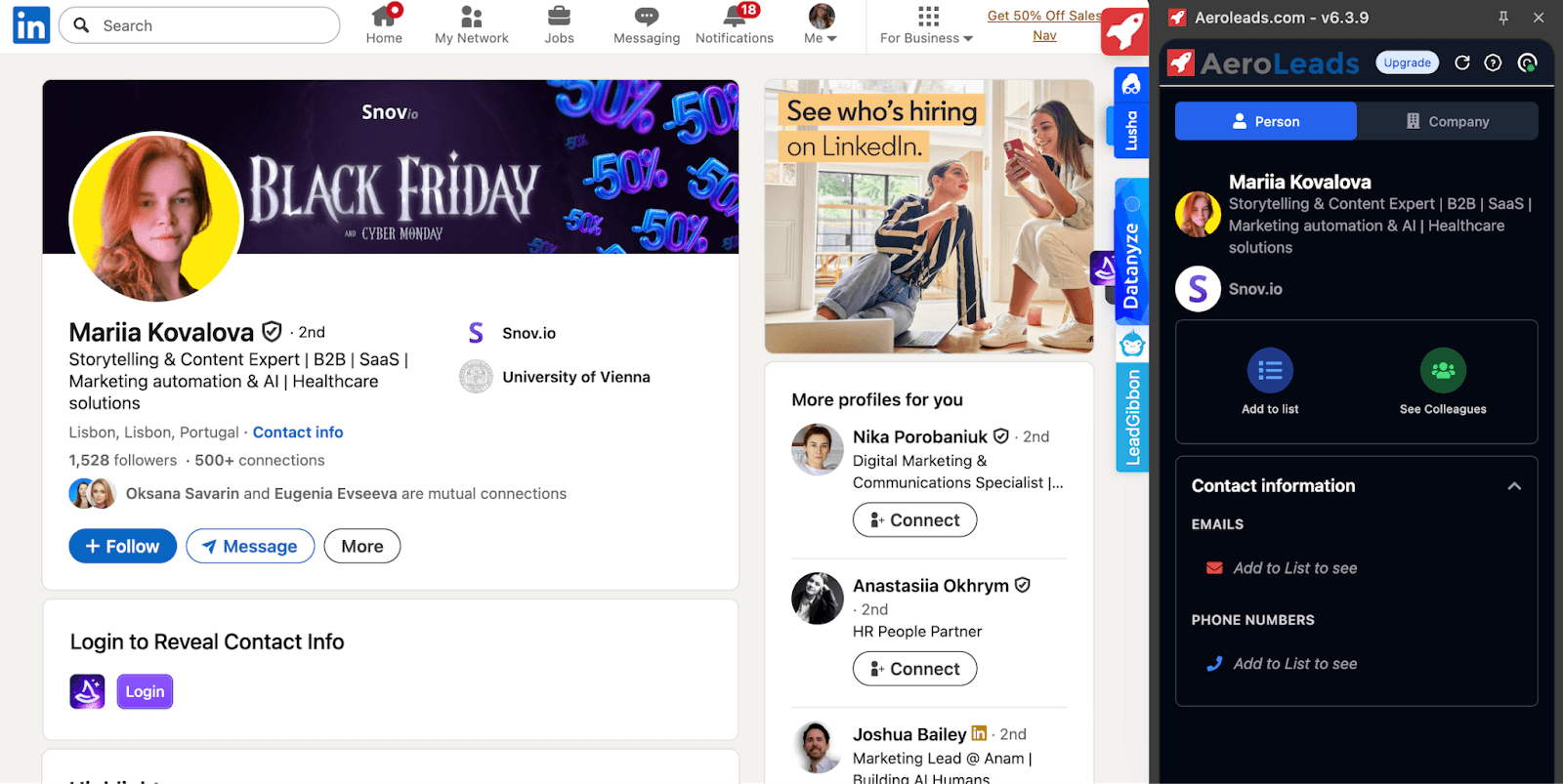
AeroLeads primarily provides solutions for B2B contact data discovery. Its LinkedIn email extractor simplifies the process of finding prospects’ email addresses and phone numbers across personal profiles and LinkedIn search results.
Key Aeroleads features:
- B2B lead generation
- Email and phone finder
- Contact enrichment and list export
The results I’ve got after testing Aeroleads:
What users say about Aeroleads:
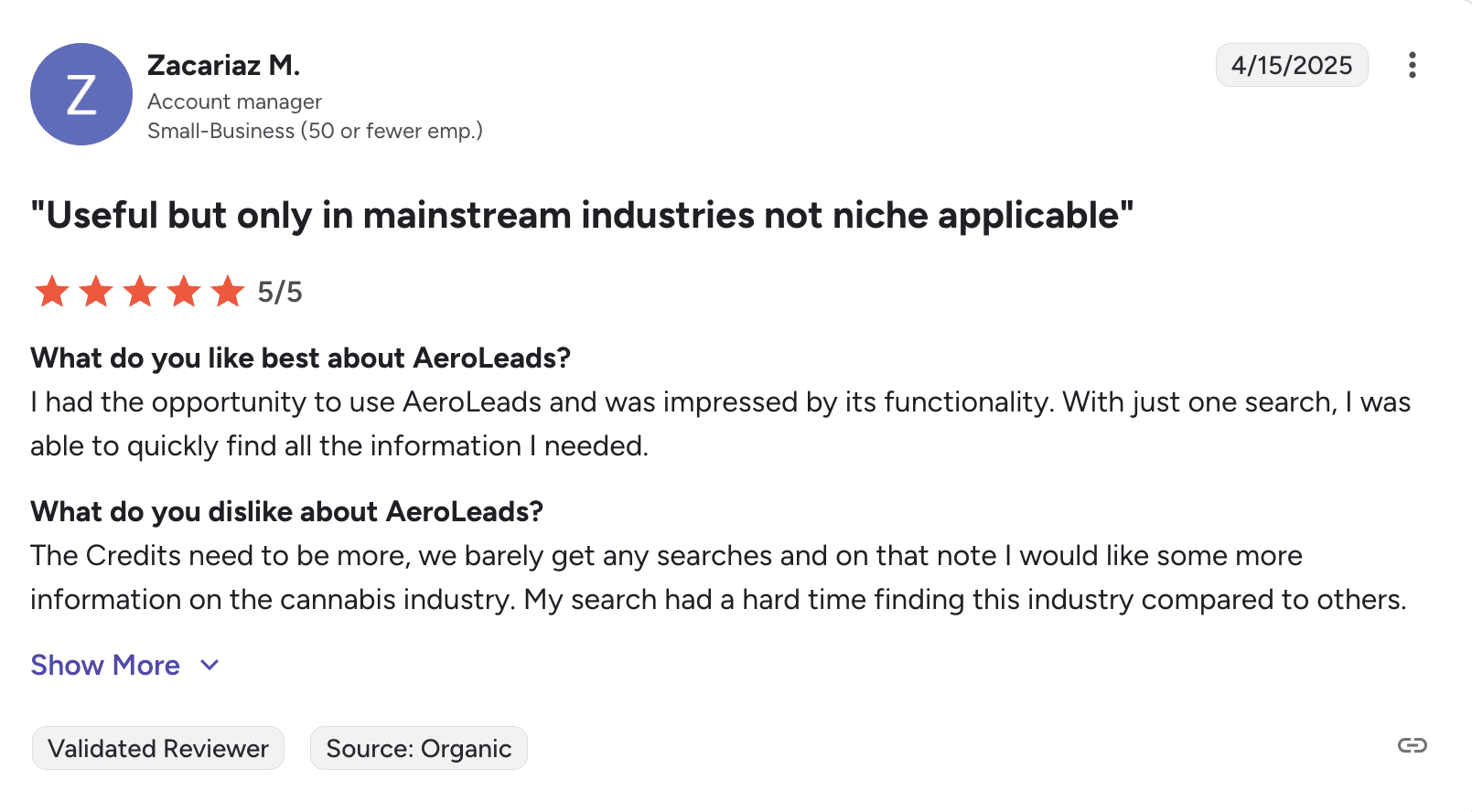
Users say that contact data is accurate and Aeorleads works well with LinkedIn for common industries, but struggles in more specialized markets. Many think the credit limits are too tight for the tool’s features.
📍My final take on Aeroleads:
I would say that this is a pretty average tool with some inconvenient workflow issues. The confidence score for each email is a nice feature, but getting only 10 free credits makes it hard to really test the service before you buy. If you need flexible pricing, you’d better consider other tools.
My overall rating: ⭐⭐⭐½
-
ContactOut
Emails found: 10/15
G2 rating: 4.4/5
Pricing: $25/month for unlimited searches under its fair policy* with 300 exports (the data excludes US/UK regions). The basic plan that includes US/UK data costs $49/month for unlimited searches with 300 exports. Free 5 searches/day.
*The fair use threshold is around 2,000 credits.
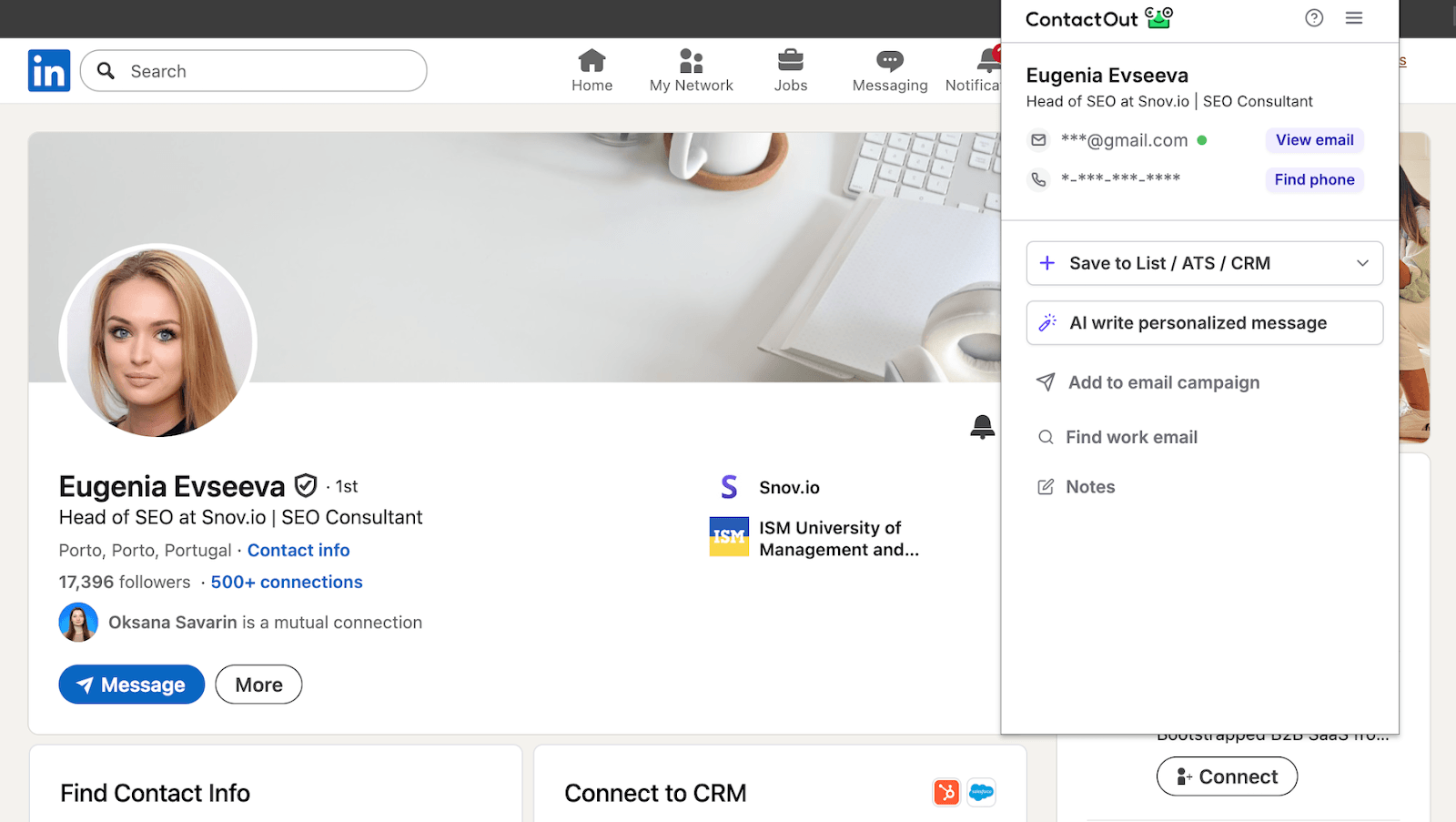
ContactOut offers more than just basic contact discovery; it also includes standard outreach automation. The tool helps find email addresses and phone numbers on LinkedIn across personal profiles, company pages, and search results.
Key ContactOut features:
- B2B and professional contact discovery
- Verified emails and direct dials
- Bulk enrichment and exports
The results I’ve got after testing ContactOut:
What users say about ContactOut:
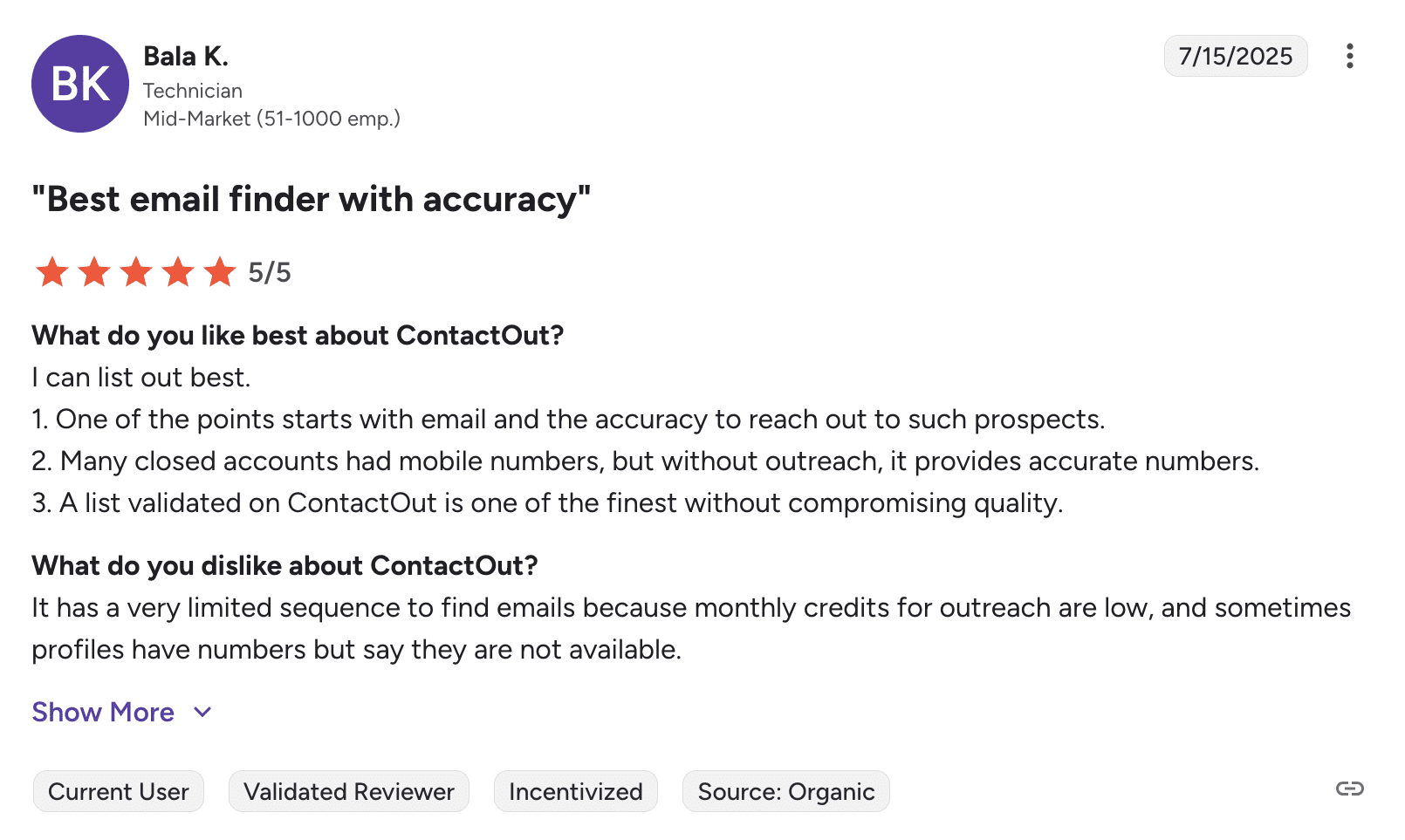
Users like how quickly ContactOut finds personal emails and phone numbers, but many say they run out of credits faster than they expected. They also mention that contact data is sometimes missing.
📍My final take on ContactOut:
It’s decent if you need to find contacts on LinkedIn and company websites. But some profiles only gave me personal emails instead of work ones, which was disappointing and influenced my rate. Overall, this tool is a reasonable choice, but it doesn’t stand out in terms of accuracy or value.
My overall rating: ⭐⭐⭐⭐
-
Findy (by Reply.io)
Emails found: 9/15
G2 rating: 4.6/5
Pricing: $59/month for 1,000 active contacts. 14-day free trial.
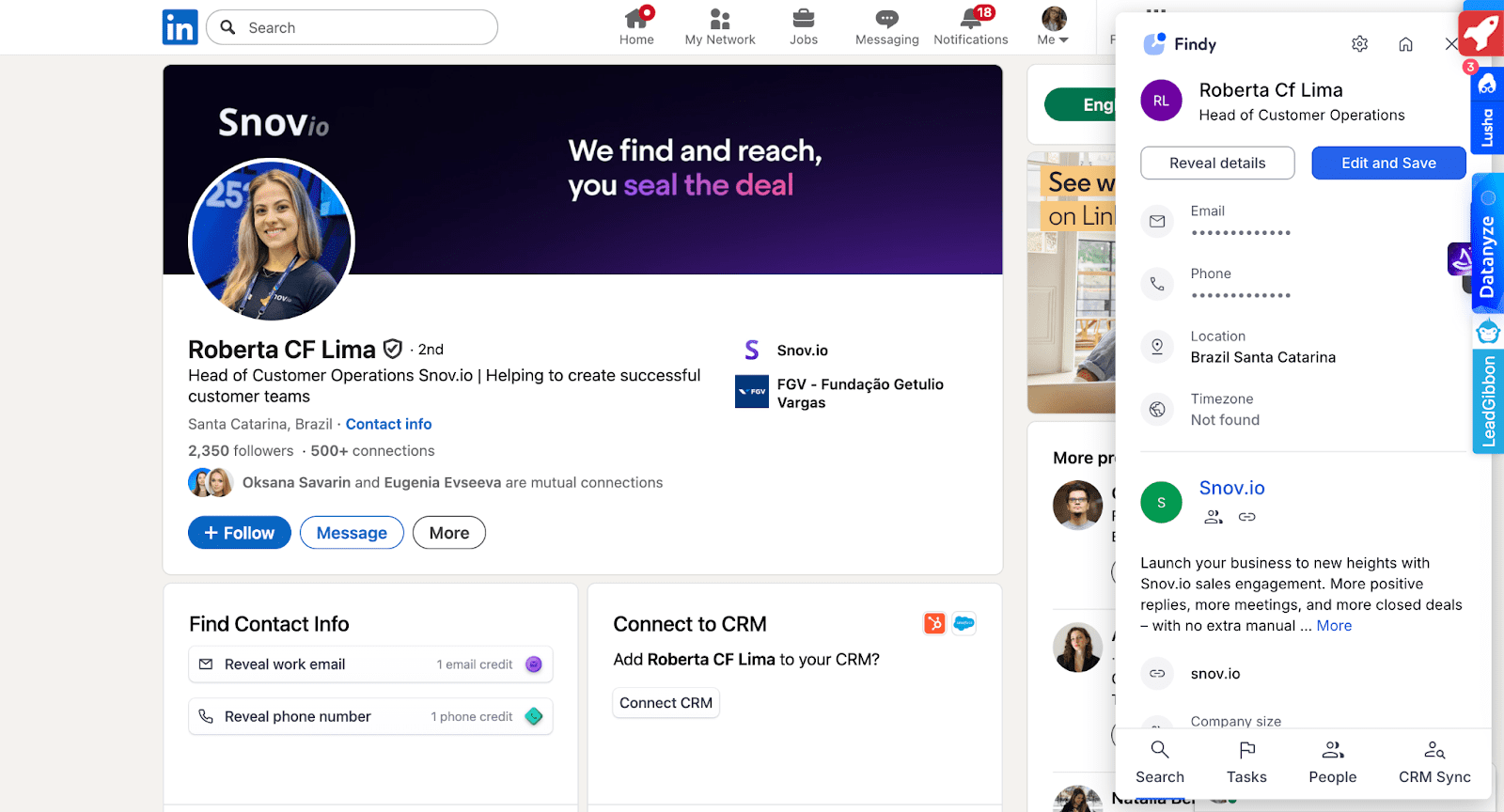
Reply.io is a sales automation platform that offers a browser extension called Findy to help users find emails from LinkedIn search results and individual profile pages. It includes real-time email verification and supports automatic CRM synchronization.
Key Reply.io features:
- Prospect enrichment
- Multichannel outreach (email, LinkedIn, calls)
- Extensive integrations
The results I’ve got after testing Reply.io (Findy):
What users say about Reply.io:
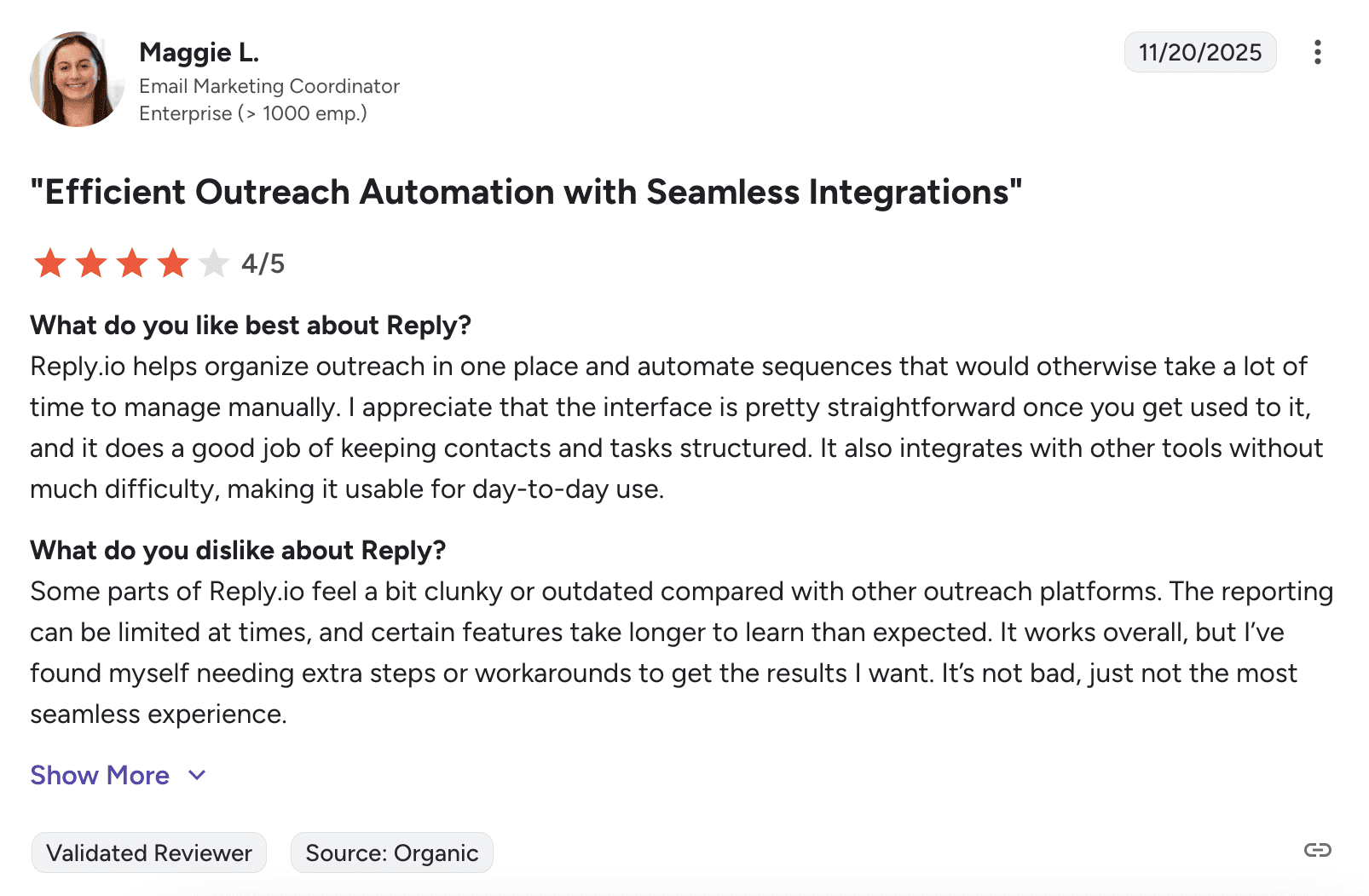
Users like Reply.io not just for finding contacts on LinkedIn but also for reaching out to leads across multiple channels. Many say their support team is top-notch. Yet some reviewers note that the interface looks outdated, while several wish for better reporting.
📍My final take on Reply.io:
This tool makes sense if you already use their platform because everything connects smoothly. As just an email finder, it’s not the best solution on my list.
My overall rating: ⭐⭐⭐⭐


-
Skrapp.io
Emails found: 9/15
G2 rating: 4.5/5
Pricing: $39/month for 1,000 credits. Includes 100 free monthly credits.
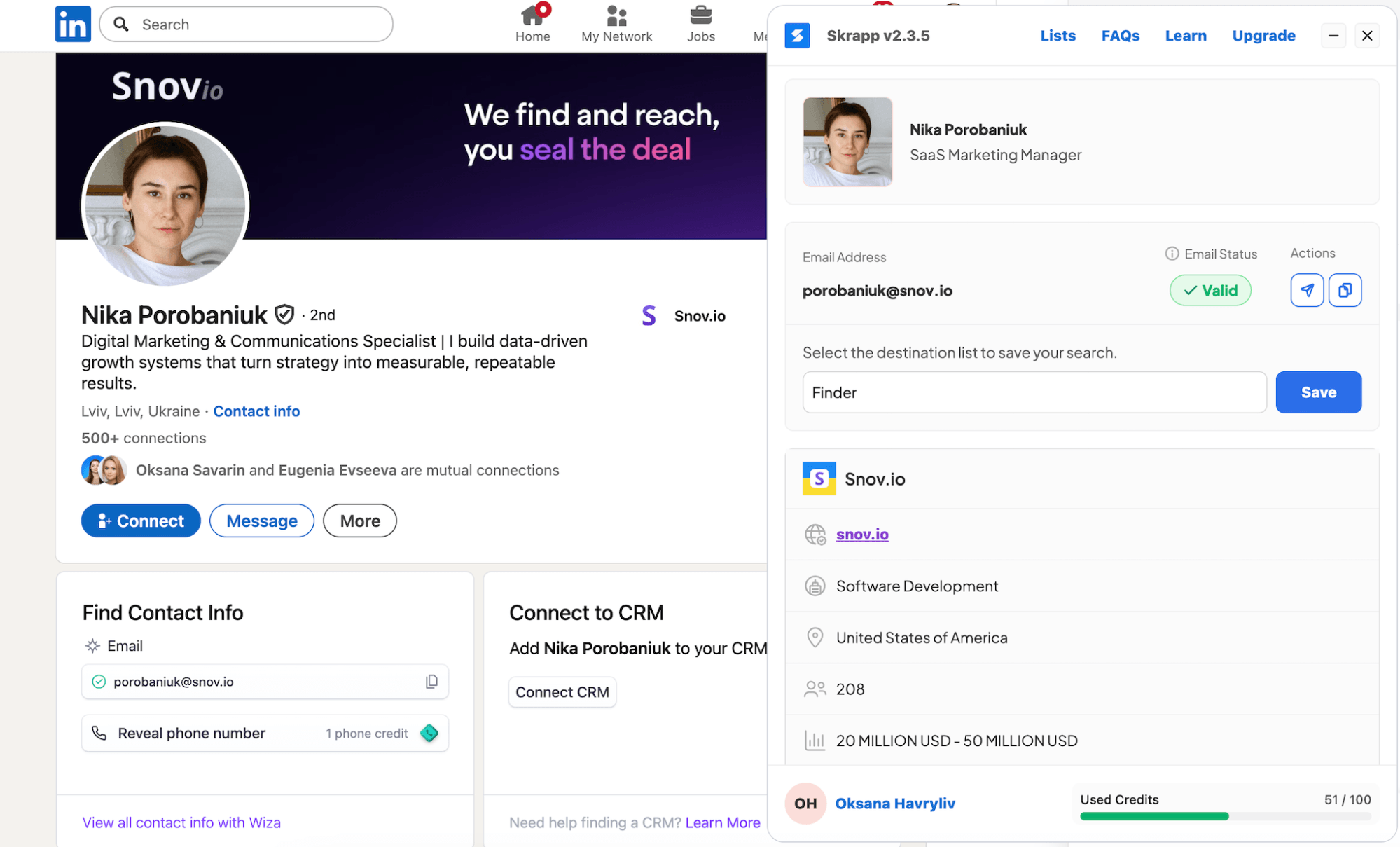
Skrapp.io is a platform primarily focused on prospecting. Its LinkedIn email extractor is compatible with all LinkedIn tiers but works only on profile and search results pages. With Sales Navigator, functionality expands slightly, allowing the extension to be activated in LinkedIn groups.
Key Skrapp.io features:
- LinkedIn basic + Sales Navigator prospect discovery
- Company insights
- Built-in verification
The results I’ve got after testing Skrapp.io:
What users say about Skrapp.io:
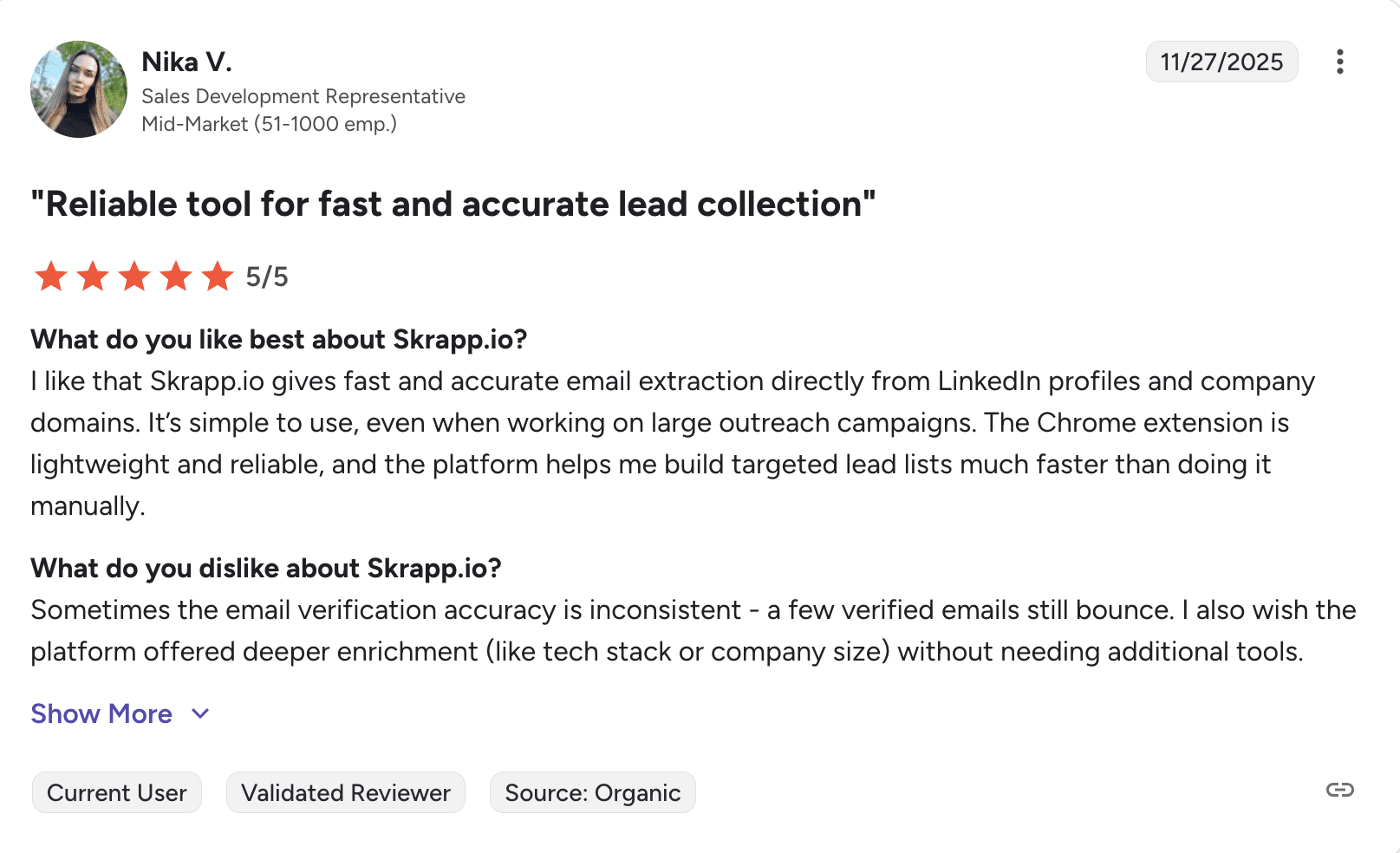
Users like the speed and the 100-credit trial that lasts a full month. The Chrome extension works well and feels reliable. Some mention that the built-in verification isn’t always perfect, and they would like more detailed enrichment features.
📍My final take on Skrapp.io:
Skrapp.io is good for basic prospecting with reliable verification most of the time. The 100-credit trial is more generous than most competitors. The main downside is the lack of any outreach automation. It finds and verifies contacts well, but you need other tools to actually reach out to them.
My overall rating: ⭐⭐⭐⭐
-
LeadLeaper
Emails found: 4/15
G2 rating: 4.5/5
Pricing:$49/month for 3,000 credits. Free plan with 100 email credits.
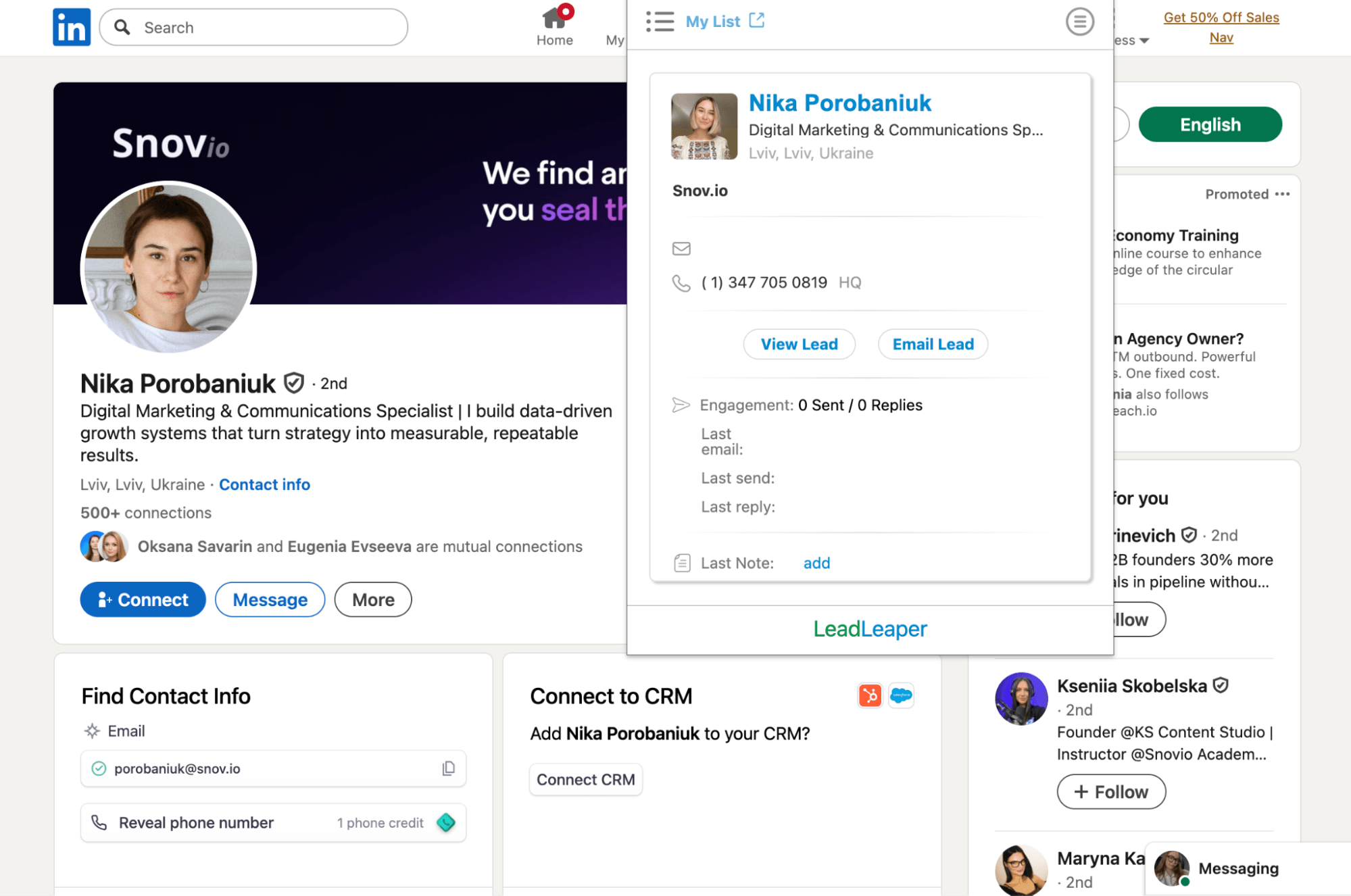
LeadLeaper positions itself as a sales engagement platform providing a LinkedIn email extractor that can also find phone numbers. It works across LinkedIn accounts but is limited to personal profiles. The browser extension allows you to track your engagement history with prospects and add notes.
Key LeadLeaper features:
- LinkedIn-based B2B prospecting
- Email and phone discovery
- Lead management and enrichment
The results I’ve got after testing LeadLeaper:
What users say about LeadLeaper:
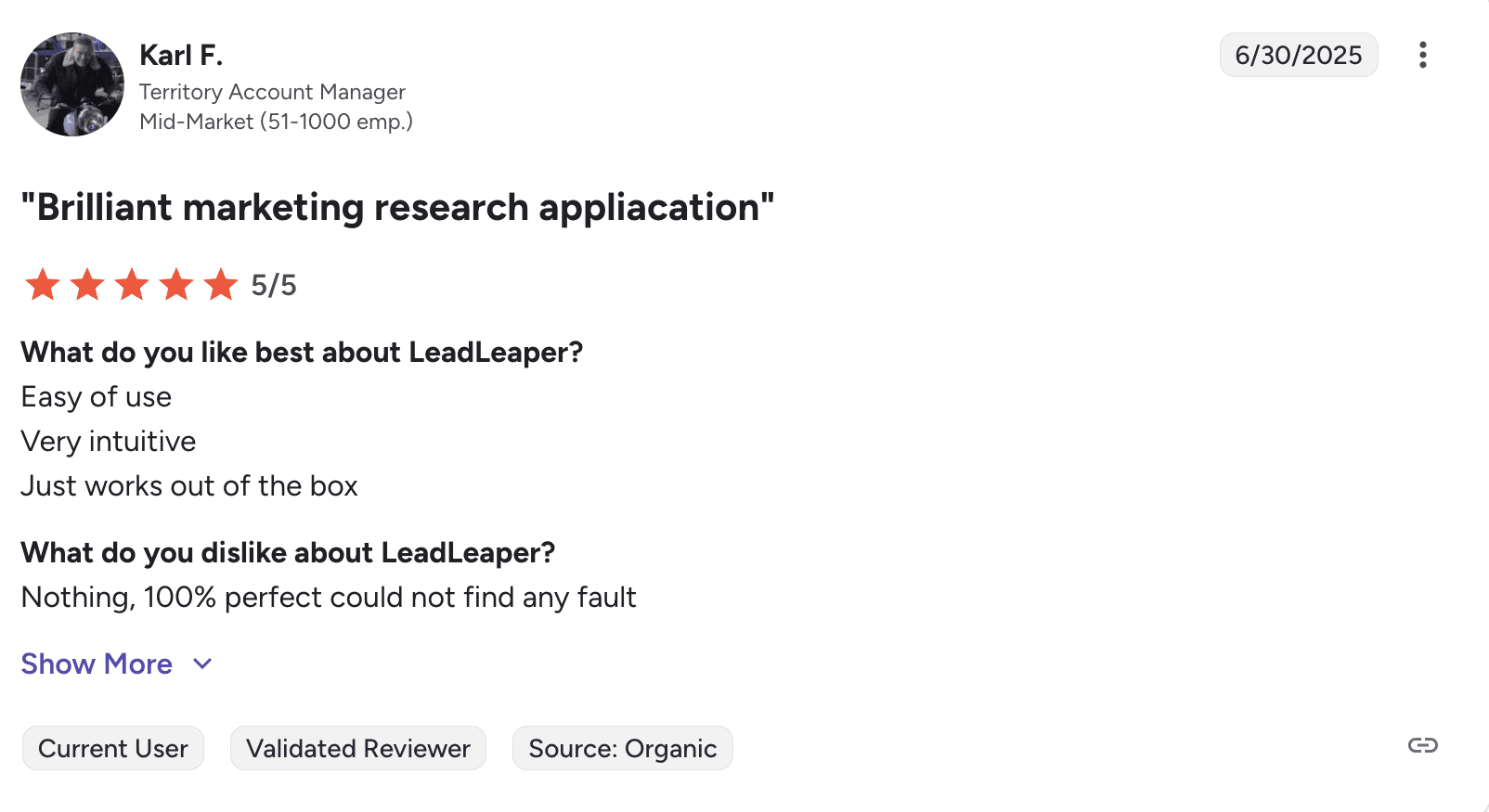
Some users who’ve used it for years like how easy it is and appreciate the data download feature. However, many complain that it feels outdated, data generation is inconsistent, and customer support is poor.
📍My final take on LeadLeaper:
Only 4 of 15 emails found make this the weakest performer I tested. The interface looks and feels outdated. Some longtime users are happy with it, but I really can’t recommend it. I wish I could rate this tool higher, but, unfortunately, my experience with it was unpleasant.
My overall rating: ⭐⭐½
-
SalesQL
Emails found: 8/15
G2 rating: 4.5/5
Pricing:$39/month for 2,000 credits. Includes 100 free credits.
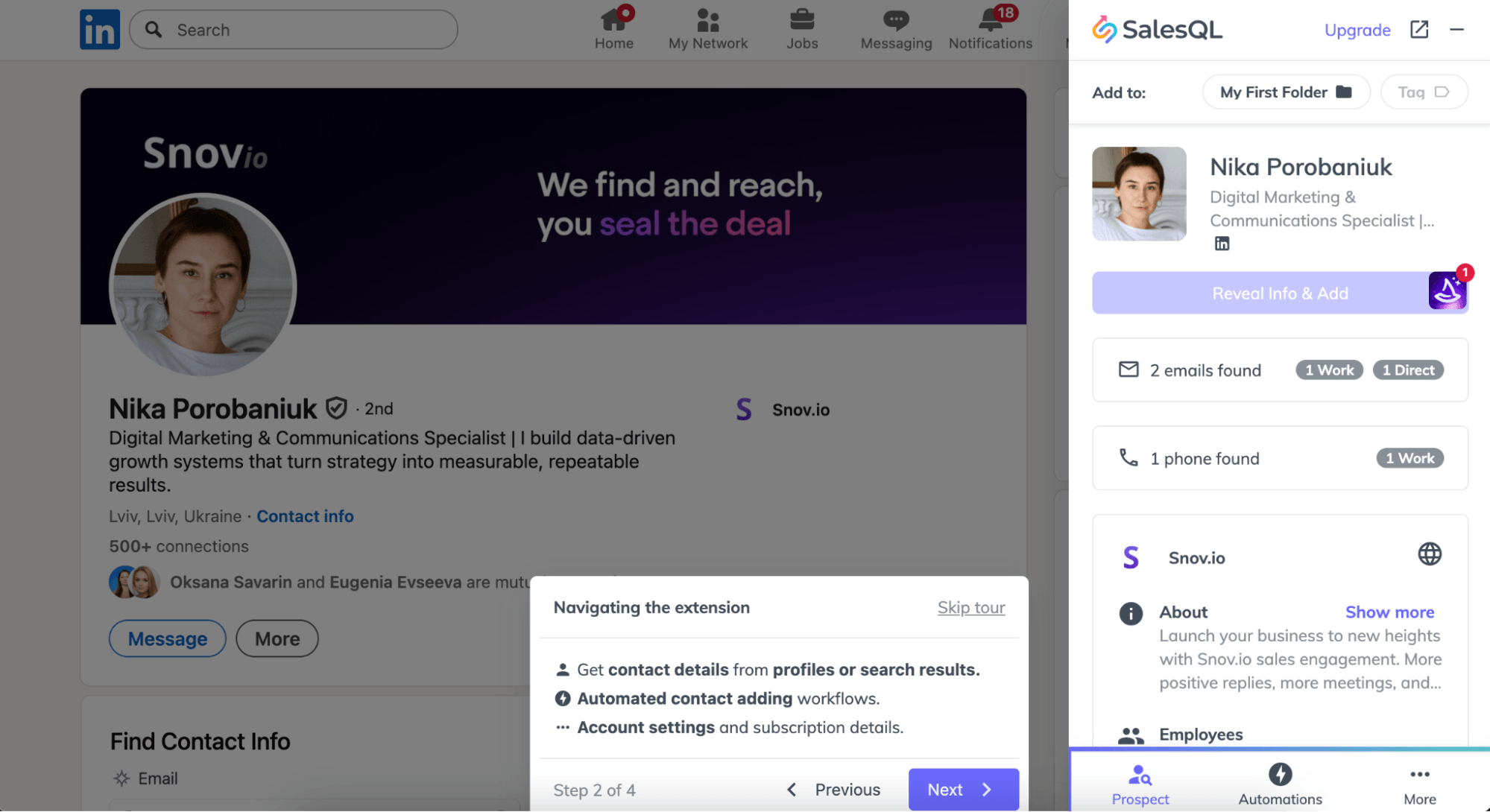
SalesQL is a prospecting tool designed to find emails from LinkedIn. It works with individual profiles and search results across LinkedIn, Recruiter, Recruiter Lite, and Sales Navigator, but does not support company profiles.
Key SalesQL features:
- Email and phone finder for a basic LinkedIn account, Recruiter, and Sales Navigator
- Real-time verification
- Contact list enrichment
The results I’ve got after testing SalesQL:
What users say about SalesQL:
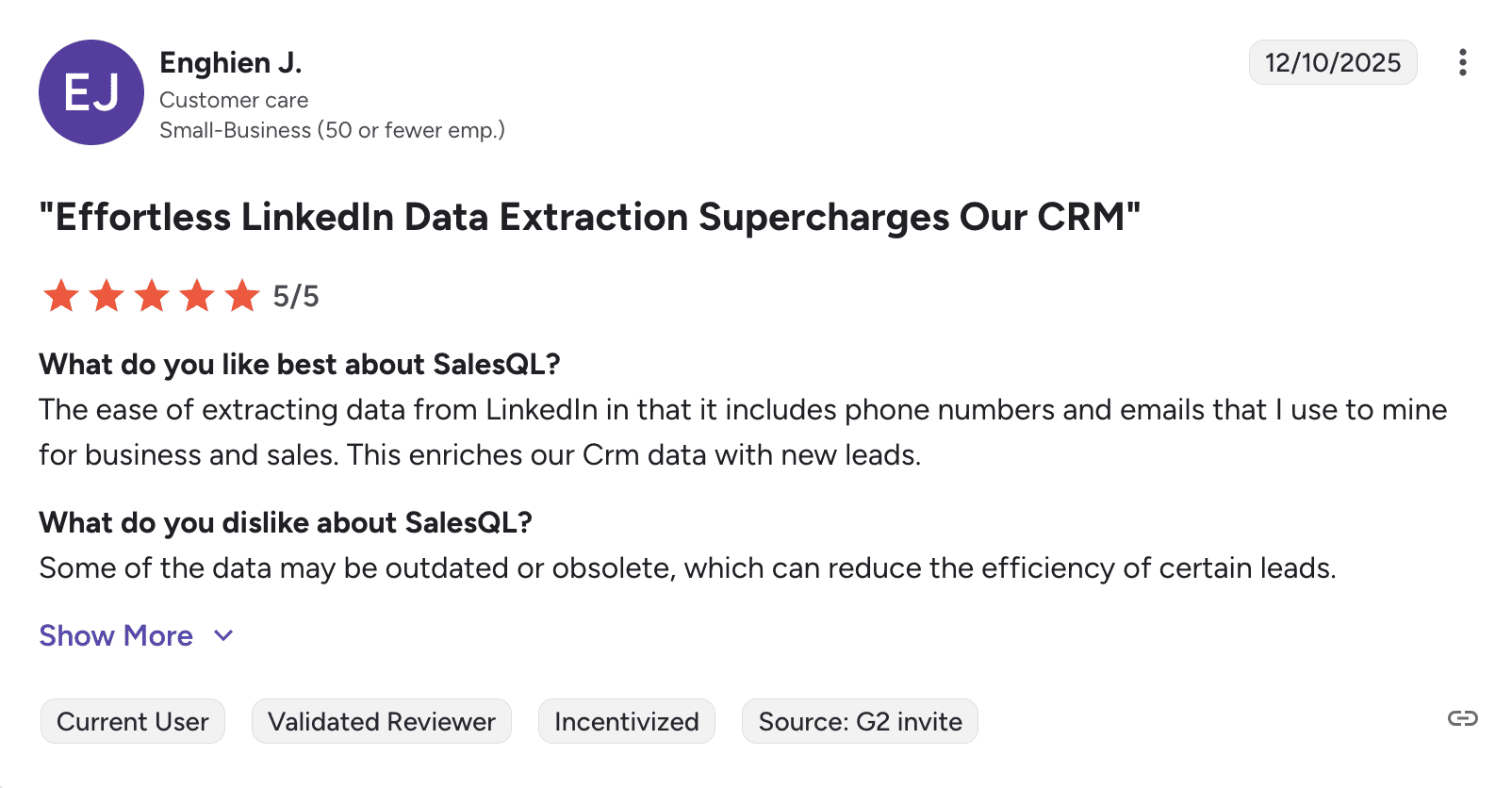
Users like that it provides both phone numbers and email addresses. The interface is simple and fast, while customer support responds quickly. On the other hand, some people mention occasional data accuracy issues and wish the free credits were more generous.
📍My final take on SalesQL:
I would highlight that SalesQL has an intuitive interface and a helpful guided tour, which makes your onboarding smoother. The data accuracy is not perfect, but overall, considering the pricing, I would say that the tool is quite promising.
My overall rating: ⭐⭐⭐⭐
-
Kaspr
Emails found: 8/15
G2 rating: 4.4/5
Pricing: €59/month for unlimited B2B email credits and 5 direct email credits. Includes 15 free B2B monthly credits.
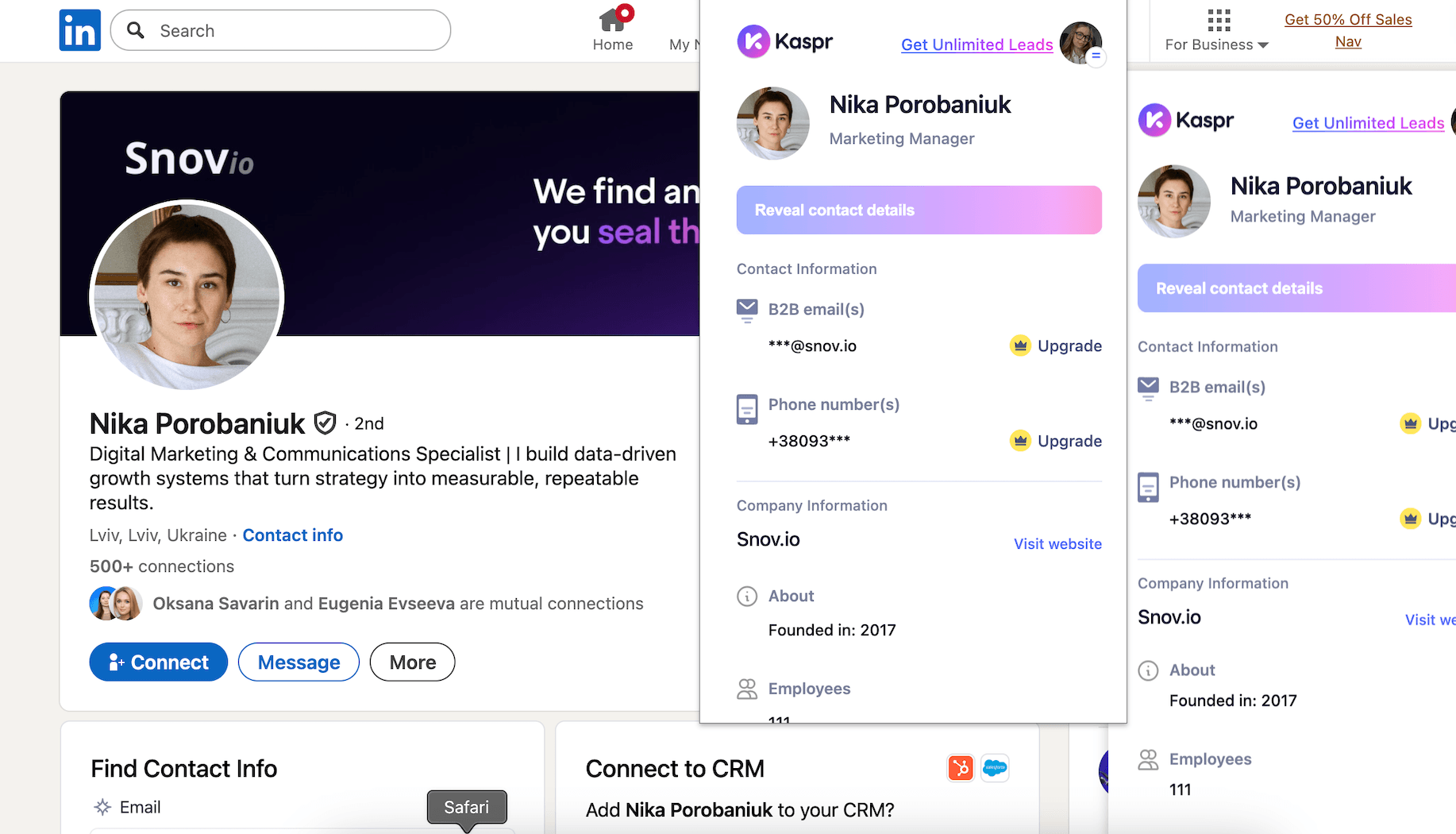
Kaspr is a LinkedIn prospecting tool that provides instant access to B2B phone numbers and email addresses through a Chrome extension. It works directly on LinkedIn profiles and search results, as well as Sales Navigator.
Key Kaspr features:
- LinkedIn contact discovery
- An enriched database of 500M+ emails and phone numbers
- CRM sync and data automation
The results I’ve got after testing Kaspr:
What users say about Kaspr:
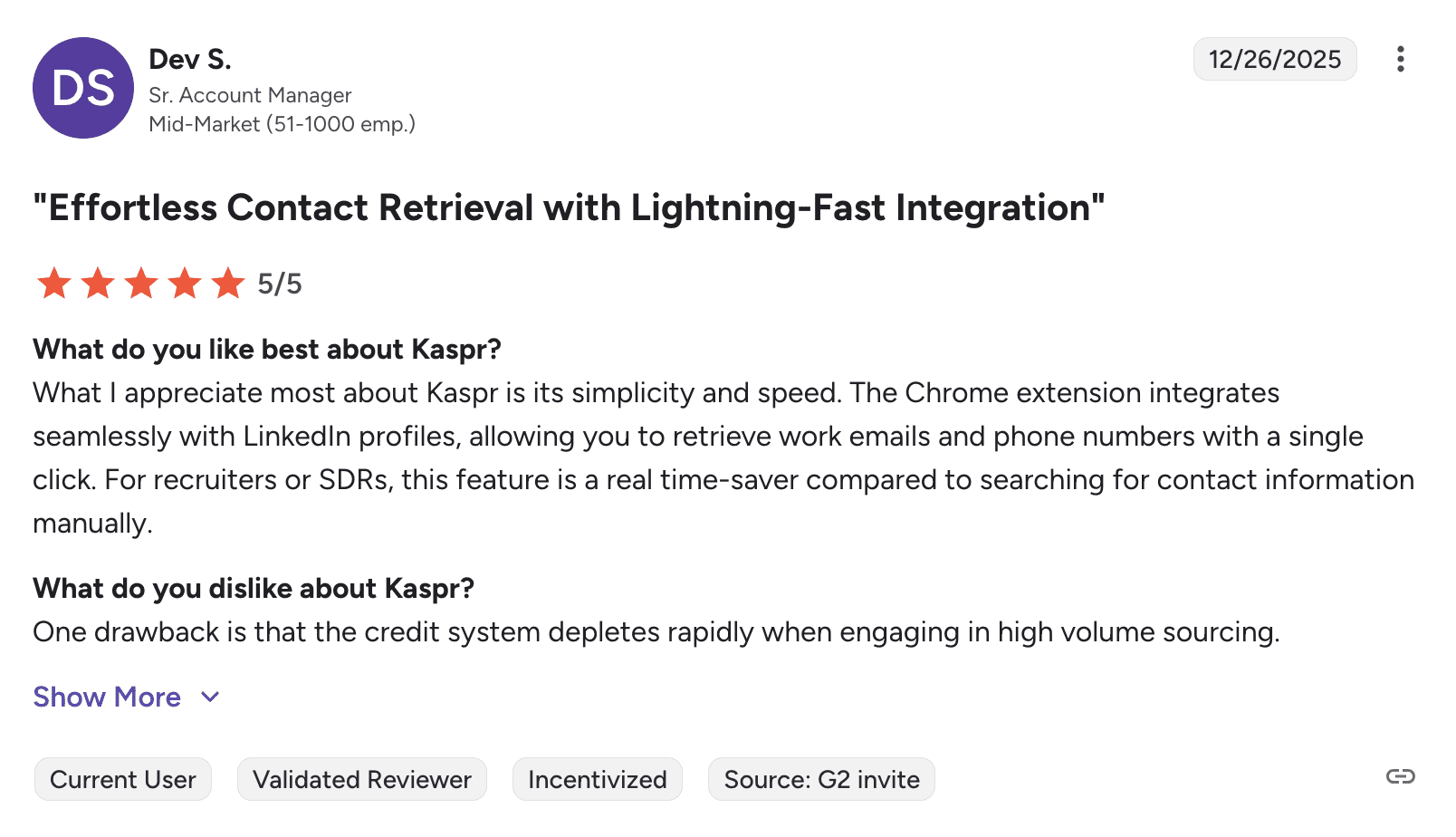
Users like how simple the Kaspr Chrome extension is. Main complaints are that credits run out too quickly during bulk prospecting and that phone numbers are often missing.
📍My final take on Kaspr:
This tool’s basic features work okay, but overall, the service quality feels inconsistent, especially with bulk operations. With only 15 free credits, it’s hard to test a plan properly before paying, so my impression of this service is dubious.
My overall rating: ⭐⭐⭐½
How to choose the best LinkedIn email finder tools: key factors to consider
Even after you’ve read my complete review of the best LinkedIn email finder tools, choosing the right fit may not be easy. So, I’m sharing these expert recommendations on which factors you should focus first while making your decision:
Workflow integration
Start by asking yourself one question: what happens after you find emails from LinkedIn? If you’re planning to manually copy contacts into another tool, a basic extractor works fine. But if you need to verify those contacts, organize them into campaigns, and actually send outreach messages, you’ll want something that handles the entire process.
Tools offering end-to-end solutions may save you from paying for 3 separate subscriptions. One platform that verifies, enriches, and sends beats, juggling multiple browser tabs any day.
Testing availability
Don’t blindly trust feature claims. During my testing, some tools with identical promises performed very differently. One found 13 out of 15 emails, another barely managed 4.
Look for tools with freemium plans. A solution should offer at least 50-100 free credits so you can test on your actual target audience, not just 5-10 searches that, frankly, will tell you nothing useful.
→ Learn how to get a free Snov.io account forever from these guidelines.
Real-time verification
Instant verification isn’t just a nice feature; it’s critical. Tools that verify emails in real time save you from building a list only to discover that half of it bounces. As a result, you might lose much of your time on list cleaning to save your sender reputation.
So, I’d recommend focusing on LinkedIn scrapers that verify emails as they find them.
After testing 90% of similar tools, I’ve concluded that Snov.io’s email verifier is the best on the market. You can be sure that if it’s verified (green), then it will hit the inbox.
Full–cycle sales specialist

Plus, if you choose a solution with a strong verification service on board, you can further do the regular email hygiene for your lists.
Pricing structure
Some tools cost $80+/month because they include unlimited searches. This certainly sounds great until you realize you only need 200 searches monthly. Meanwhile, budget options at less than $30 burn through credits so fast you’re constantly topping up.
Or else, you can read a user policy more attentively to realize that unlimited searches offered at a high price are not actually unlimited email exports.
Calculate your actual volume needs before choosing. I’ve found out that predictable monthly pricing with reasonable limits beats “unlimited” plans that come with sometimes hidden restrictions.

Key takeaways
Picking the right LinkedIn email finder can be harder than you may first think. That’s why I tested 13 tools myself to highlight their key strengths and weaknesses, so you see which ones are worth using.
Throughout this article, I’ve evaluated each LinkedIn email extractor based on real lookup results, data quality, pricing policy, and user experience.
Here’s my quick recap of what each solution is best suited for:
- Snov.io: Best lead generation and outreach solution with accurate LinkedIn/Sales Navigator email extraction, verification, and multichannel outreach all included in one price
- Wiza: Best for Sales Nagivagor users who want bulk exports from email lists with instant verification.
- Lusha: Best for data enrichment with activity signals for timing outreach
- Apollo.io: Best for advanced enrichment and lead prioritization with further outreach
- Reply.io (Findly): Best for teams that are already using Reply.io and want direct integration with outreach sequences
- SalesQL: Best for balanced prospecting, when you need both email and phone data coverage
- ContactOut: Best for quick extraction from both LinkedIn and company websites
- Skrapp.io: Best for basic LinkedIn contact extraction with a generous 100-credit trial
- GetProspect: Best for building lists and managing them with a lightweight CRM
- Aeroleads: Best for LinkedIn lead generation when you need additional company intelligence
- Adapt.io: Best for simple prospecting workflows (but you’d better test the tool first to ensure accurate email discovery)
- Kaspr: Best for teams looking for both emails and phone numbers with CRM integration possibilities
- LeadLeaper: Best for basic prospecting (though you’d better test the tool for free first, as the accuracy may not be consistent).
If you prefer working with a single comprehensive tool for LinkedIn lead generation and multichannel campaigns with powerful email finding, verification, and deliverability features, start with Snov.io. It brings together everything you need for effective prospecting and outreach.