
TL;DR
You might need to find out who owns an email address at different points in your life. Fortunately, there are smart ways to uncover email account or email domain ownership without violating email privacy laws. Identifying who owns an email address helps sales teams personalize outreach, recruiters validate candidates, and businesses avoid security risks like phishing.
You may need to check email ownership both before sending emails (to qualify and personalize leads) and after receiving them (to verify legitimacy).
The most effective ways to find an email owner include:
- Reverse email lookup tools (fastest and most reliable)
- LinkedIn and social media searches
- Google search with advanced operators
- Domain search to identify professional email addresses
Manual methods are useful for occasional lookups but can be time-consuming and unreliable at scale.
Snov.io automates the entire process: finding emails, verifying them, enriching contact data, and tracking outreach performance.
Have you ever received a letter from an unknown sender and wondered who was behind it? Whether you’re a sales representative, a recruiter, a business owner, or, frankly, anyone who wants to avoid malicious mail, identifying who owns an email address is essential.
Read on to discover how to do it – with or without software.
Outline:
When you need to find out who owns an email address
Different professionals may want to determine the owner of an email address for various reasons. Some need to know who the owner is after receiving mail in their inbox, others – before sending it themselves.
Sales professionals: qualifying leads and improving personalization
Sales representatives often encounter inbound inquiries, form submissions, or partial contact lists that contain only email addresses. It’s essential to verify whether the address belongs to a real decision-maker before making contact. Otherwise, a sales rep will just waste valuable time.
For example, imagine scraping a website and finding multiple employees’ addresses. You might have the names but no information about the particular person’s job position. Before crafting your outreach, you’d want to know which of the two John Smiths is the CMO and which is a customer support representative.
Also, hitting your leads with the same generic cold message rarely works. Knowing who owns the particular email address allows you to personalize outreach for better response rates.
Recruiters: validating candidates
Recruiters typically source talent through platforms such as LinkedIn and GitHub. Still, they receive resumes fairly often from unfamiliar email addresses. Verifying ownership helps ensure recruiters engage the actual candidate, not a ghost account or spammer.

11 Best Recruitment Automation Software For 2026
December 23 2025

Everyone else: preventing security threats
Mail can be a gateway to phishing attempts. Everybody knows it’s dangerous to click on any link or open any attachments from unknown senders. But receiving a strange letter in your private inbox is one thing. You can just toss it in spam and forget it.
At work, however, such carelessness can cost you a great deal or even your reputation. Imagine confusing phishing mail with an essential piece of business correspondence. Identifying the sender protects your brand from fraud while ensuring you don’t miss out on anything important.
How to find out who owns an email address
Now that we’ve established in which cases you might need to determine legal email ownership, let’s go over different methods of how to do it. All of them have been tested by the Snov.io experts to bring you only the working ones.
1. Use a reverse email lookup tool
Reverse lookup tools provide the easiest and most reliable way to find out who owns an email address. They scan public records, social profiles, websites, and databases to match the address with its owner’s name, company, or online activity. Simply paste the address into a reverse lookup platform, and it will return details such as full name, job title, LinkedIn profile, and more. The only limitation is that the results depend on whether someone’s legal email ownership is publicly available.
❗️Remember:
Just because you know who owns an email account doesn’t automatically give you the right to use it. Email privacy regulations, such as GDPR and CAN-SPAM, restrict how email addresses can be collected and used.
Ensure that any personal data you use in your outreach has been gathered in accordance with the applicable regulations.
2. Check LinkedIn and other social media profiles
Often, people register their social media accounts with their email addresses. If the address is associated with a LinkedIn or a Facebook profile, you can uncover the owner in seconds.
Copy and paste the email address of the person you want to find into the Facebook search box and click the Search button. If the sender has made their contact public on Facebook, their name will appear in the results. The same works for LinkedIn and many other social networking sites.
There is one big problem with this method, however. Not everyone shares their personal data or even business contacts on social media.
🔎 Pro-tip:
You can also use LinkedIn in the reverse scenario – having only the person’s name but no address. Discover how to do it by watching this short video:
3. Use Google search with advanced operators
The Internet has everything – you just have to know how to search. A well-crafted Google search can help uncover even well-hidden contact information. There are a couple of useful search queries for any occasion:
This method isn’t 100% reliable, of course, but it’s free. It is worth trying if you need to find out who owns an email address from time to time. However, if you’re constantly searching for people’s contact information, it’s best to use an automated lookup tool to save time and ensure accuracy.
4. Use a domain search and look for the particular address
You can usually tell if someone contacts you from their personal or professional account by assessing the email domain ownership. Email providers like Google, Yahoo, or ProtonMail offer free email accounts, but their owners can’t change the domain name. If the domain has the same name as one of the popular email providers, it’s usually a personal contact.
However, if the email domain ownership corresponds to the name of the particular company, the address is a professional one. The email provider can still be Google, for example, but the paid domain name would be company.com.
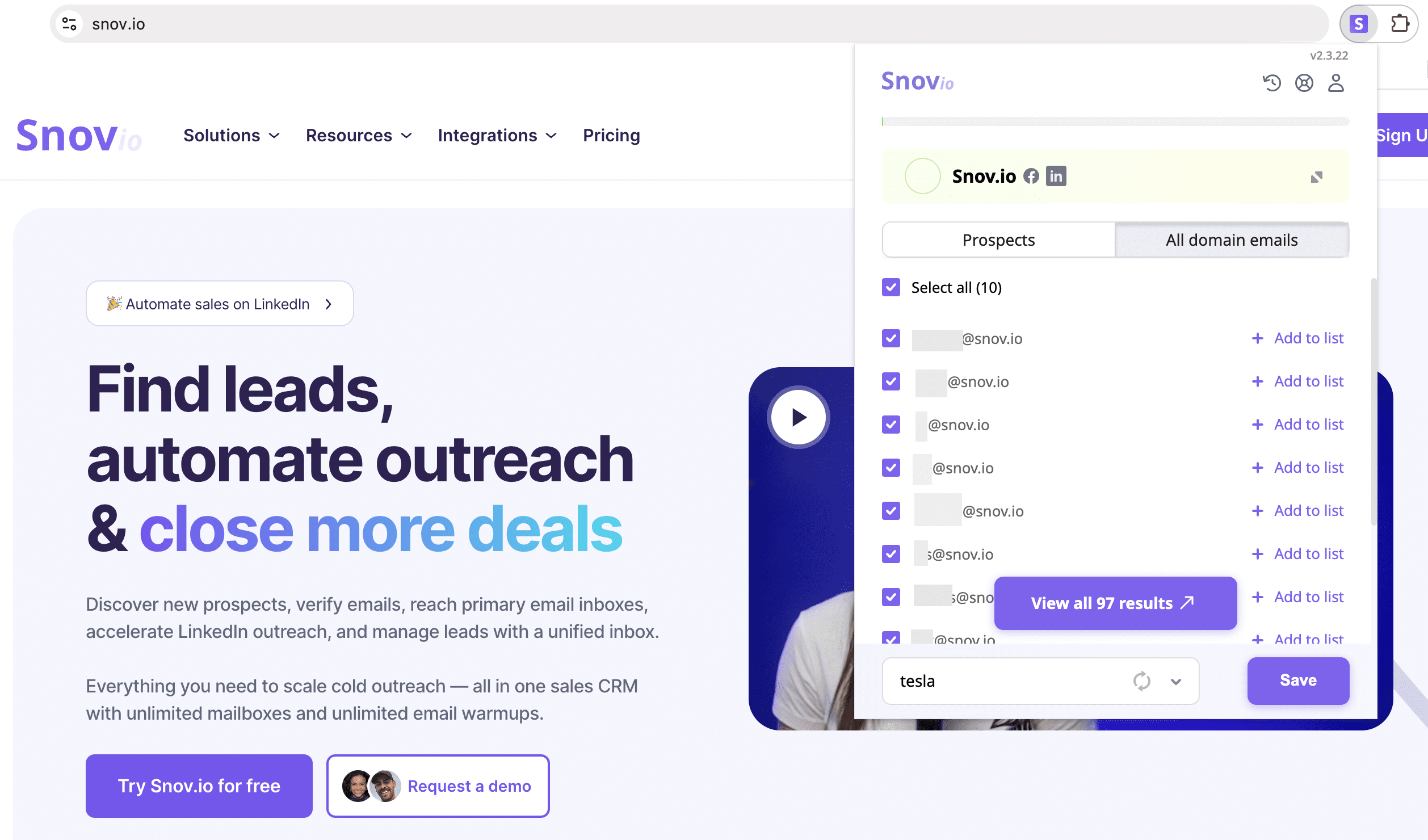
Using this information, you can employ the Domain Search feature of the Finder tool to find out who owns the email address itself. Simply put the domain name in the search bar, and you’ll get a list of the company’s mail addresses along with their owners’ names. You can then compare the address you have with the list and find your person of interest.
For instance, here is how you can find emails associated with domains using Snov.io Domain Search:
❗️Remember: If you’re not using software that has a built-in verifier to find out who owns an email address, you’ll have to additionally verify it by hand. The reason for this is that even if your Google search turns up the owner, it doesn’t mean the email account itself is still active and valid.
So if you plan, for example, to use the information you find for outreach, you must verify the address first. It’s an essential step to avoid bounce-backs, prevent spam traps, and preserve a good sender reputation.
How to automate email lookup and verification with Snov.io
Free platforms and Google searches are enough for occasional lookups. But when you’re dealing with more than a handful of letters, you’re going to need automated solutions. The Snov.io platform was specifically designed for professionals who regularly need to gather, verify, and send hundreds of contacts.
Here’s how Snov.io helps:
- Email Finder tool
Sales professionals and recruiters often encounter the opposite situation, when they have the prospect’s or candidate’s name but need to find their email.
In this case, Snov.io Email Finder will provide the needed address in seconds. And it will be automatically verified too, ready for you to use in any personalized outreach campaign.
- Bulk Email Finder tool
Upload a CSV file with up to 50,000 lines of lead names and company domains to find employees’ emails, along with personal data such as job title and location.
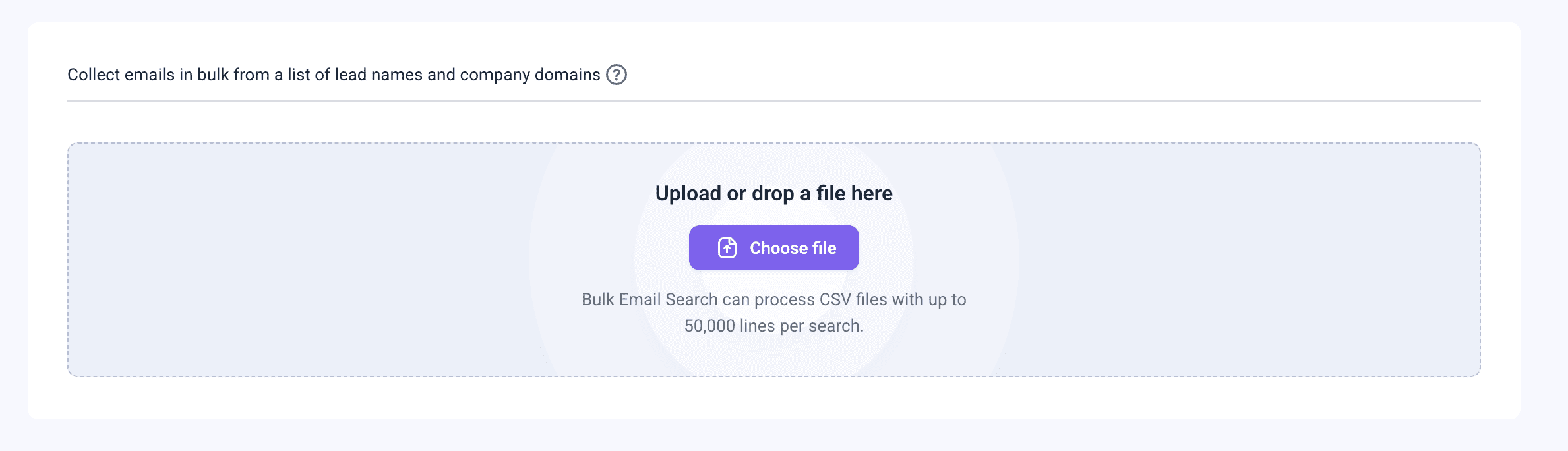
You can also perform a bulk domain search, processing up to 20,000 domains or companies at a time, to find contacts of employees based on job position and location.
Ensure the email addresses you found elsewhere are real and active. Clean your list automatically before any outreach campaign to remove fake, catch-all, or inactive addresses. With Snov.io, you can verify addresses one by one or in bulk.
💡 Pro-tip: Just because someone’s email address is real and valid doesn’t automatically mean your message will land in their inbox. This also depends on your sender reputation, the contents of your letter, and even the email provider.
To become an expert in reaching your leads’ inboxes, consult our free deliverability guide.
- AI Database Search
Our prospect database contains hundreds of millions of pre-verified leads. You simply need to define your ICP (Ideal Customer Profile) and enter it in the search bar.
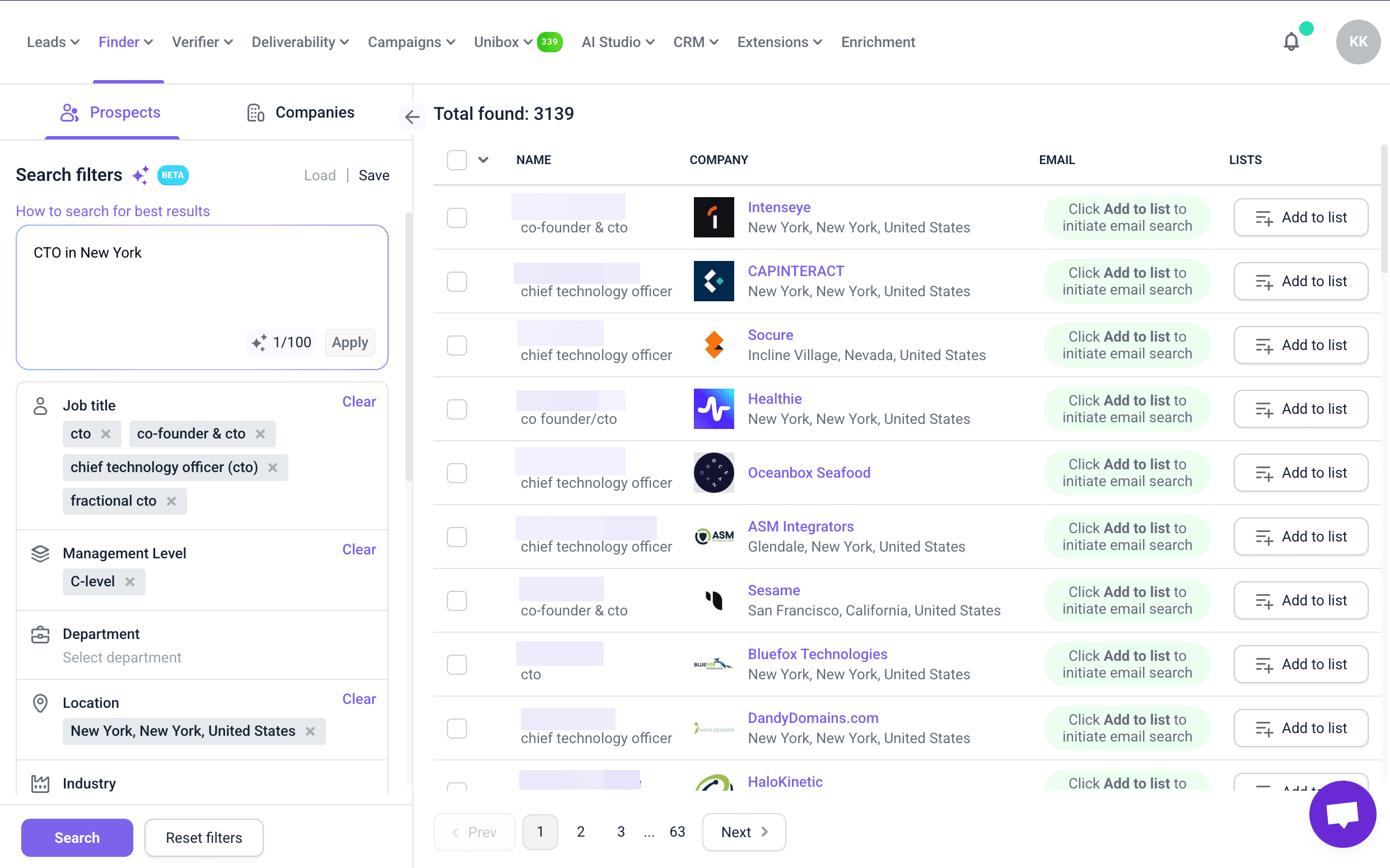
Snov.io’s AI Database automatically creates custom search filters and provides targeted lead contact information in seconds.
This way, you’ll snatch the best sales opportunities in no time.
- Tracking and analytics
Once you’ve launched your campaign, track its results to see how many of your messages are opened or clicked. This will help you prioritize leads who are engaging, optimize subject lines and timing, and avoid wasting time on dead ends.
Key takeaways
Identifying mail ownership is crucial for the success of sales, marketing, recruiting, and all other business interactions. Looking up email accounts through Google or on social media is one way to go, but it takes time and can often be unreliable.
Fortunately, specialized software is available to establish legal email ownership. Utilize reverse search tools to uncover the identity of the sender behind an email address. Then, use the verification tools to determine if this email account is active.
If you need to confirm someone’s email address for lead generation and outreach, the Snov.io platform has everything you need. Not just capabilities for uncovering and validating contact information, but tools to create targeted B2B email lists and launch personalized outreach campaigns.