Tokens let you use enrichment and AI tools to add more data to your prospects, get insights through AI research, and create messages.
This article explains how to manage your token balance and what each enrichment costs.
Check token balance and buy tokens

What's the difference between tokens and credits
Credits and tokens are separate balances.
Credits are spent on finding and verifying email addresses with Finder and Verifier.
Tokens are spent with Enrichment & AI tools.
Check token balance and buy tokens
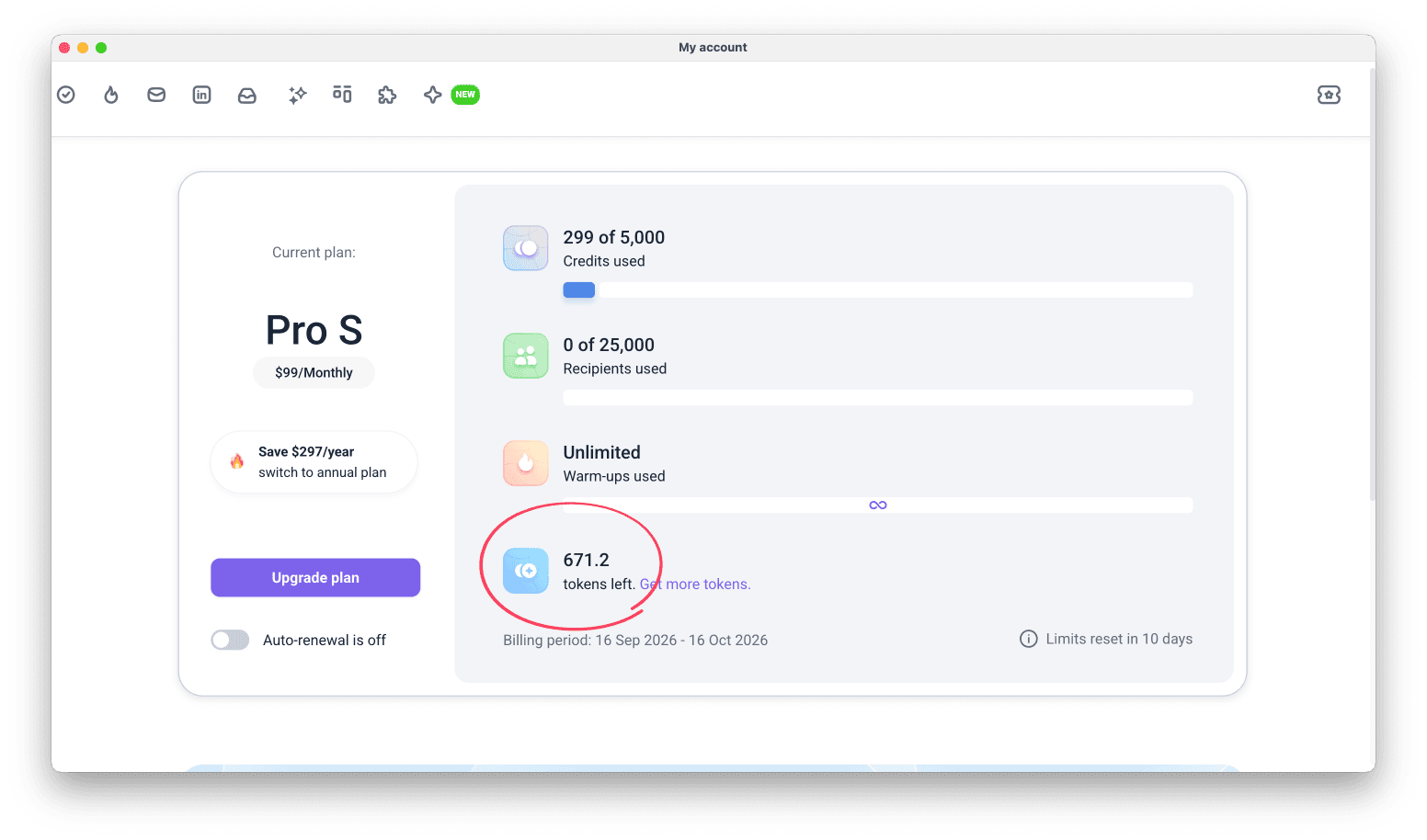
Go to Billing and find Tokens listed under account balances.

You get tokens in two ways:
Plan tokens: included in every Sales Suite plan. They reset every 30 days and don't roll over
Purchased tokens: one-time packages you buy in Billing. They roll over and add up on your balance, and each package is valid for 90 days
Plan tokens
Every Sales Suite plan (monthly and annual) includes a certain number of tokens, depending on the tier.
- Free: 25 tokens (given once and do not renew.)
- Starter: 75 tokens per month
- Pro S: 150 tokens per month
- Pro M: 300 tokens per month
- Pro L: 500 tokens per month
- Ultra: 750 tokens per month
Token packages
Tokens are also available as a separate purchase. To buy a package, go to Billing and click Get more tokens.
Token packages are available in the following sizes:
- 1,000 tokens
- 5,000 tokens
- 25,000 tokens
- 50,000 tokens
Each purchase is a one-time payment that doesn't renew. To top up your balance automatically instead, turn on Auto-refill.

Token roll-over
Here is how unused tokens roll over depending on whether they come from your plan or a separate package:
Unused plan tokens
Unused tokens included with plans don't roll over. On paid plans, they reset every month, when your plan renews.
Token packages (purchased separately)
These do roll over and remain valid for up to 90 days from the purchase date.
See token expiration for more details.
Auto-refill tokens
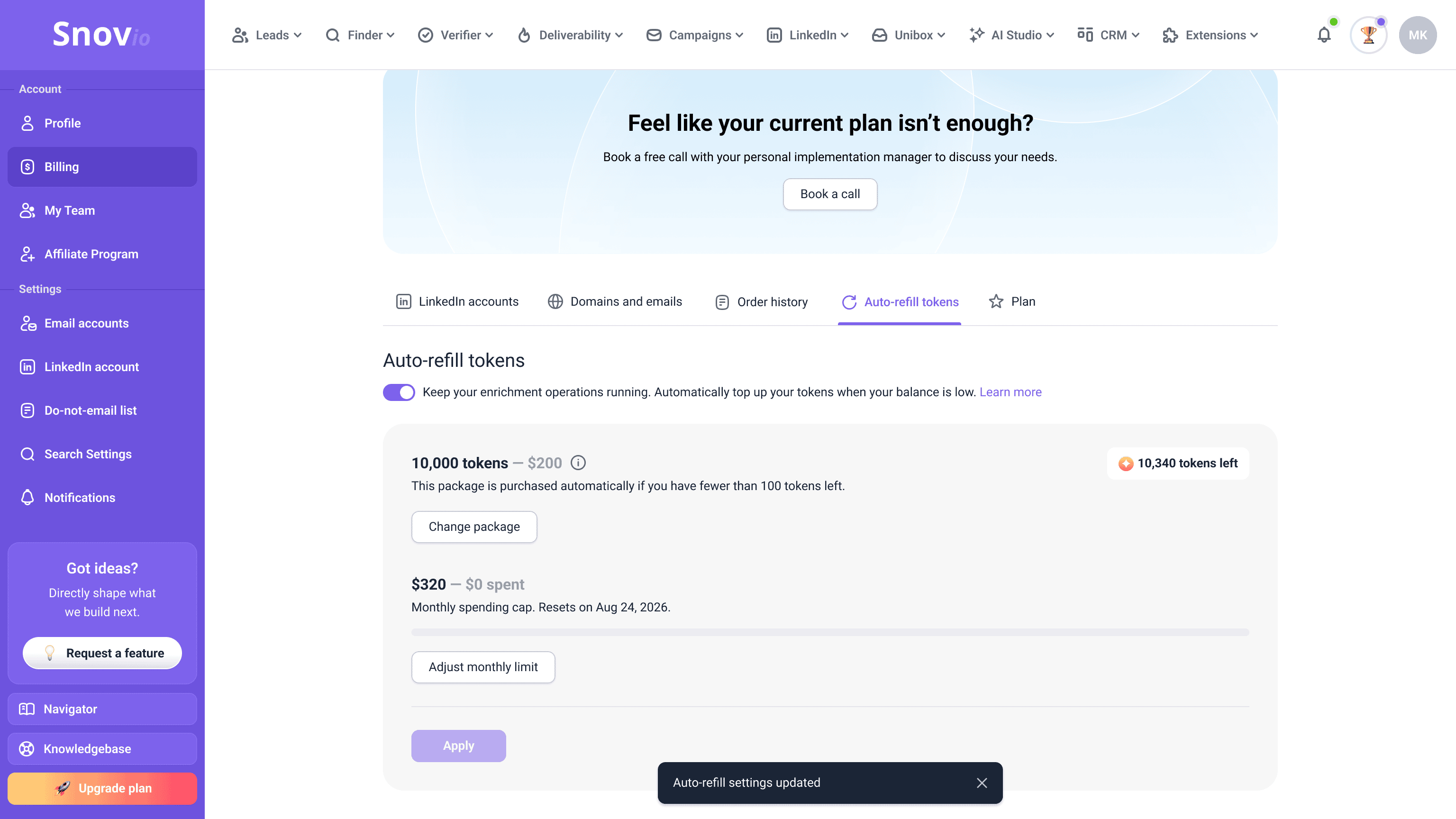
Auto-refill adds tokens to your balance automatically, so your enrichments don't stop when it runs out.
Open the Auto-refill tokens tab in Billing and turn on the toggle.
Then set your preferences. When you first set up or change these settings, click Apply to save them.
Token package
Choose the package to purchase with each refill.
Monthly spending cap
Set the maximum amount you want to spend on tokens per calendar month. This limit resets on the 1st of every month.
Track token expiration
Keep track of when your tokens expire so you can use them before they reset.
Token packages:
Tokens from purchased packages must be used within 90 days. After that period, any unused tokens expire.
Plan tokens:
On paid plans, plan tokens renew every month with your plan's billing period, and unused plan tokens reset at renewal.
Here's what else you should know about token package expiration:
- Tokens accumulate in your balance and don't all expire at once
- Each purchased package has its own 90-day expiration timer
- Snov.io spends whichever tokens expire earliest to protect your balance
- Plan tokens and older packages are used before newly added tokens
- Auto-refill packages follow the same rule and start a new 90-day timer on purchase
Track token spending
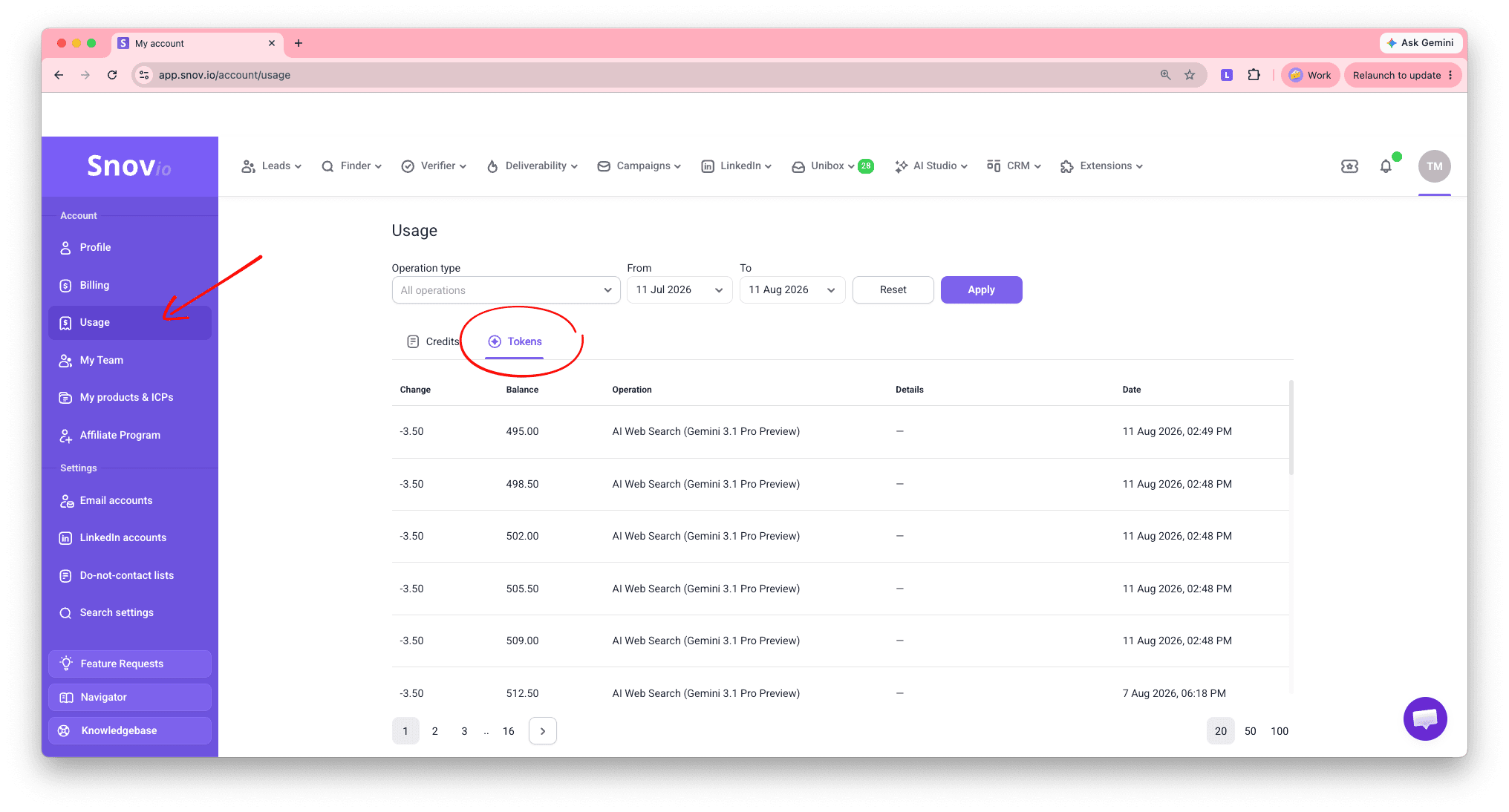
Track your token spending in the Usage section of your account. Switch to the Tokens tab to view token transactions.
Token cost of each enrichment
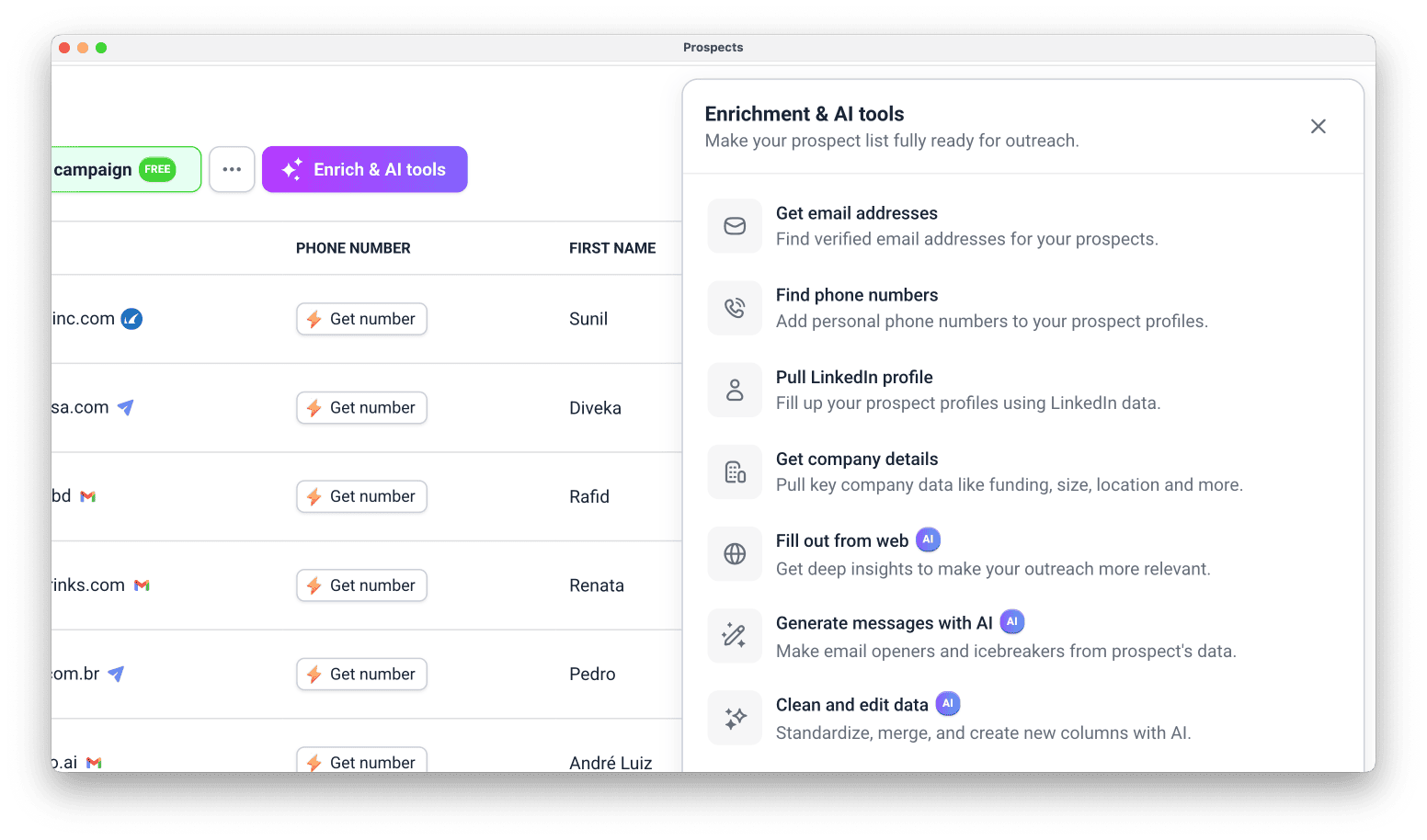
Go to your Prospects and choose the list you want to enrich.
Click Enrich & AI tools and choose the tool you need.
You can start enrichment on selected prospects, a segment filtered by tags, or your entire list.
See the full guide on how enrichment works in lists.
| Enrichment action | What it does | How tokens are charged | Learn more |
|---|---|---|---|
| Find phone numbers | Adds phone numbers for prospects in your list, so you can reach them by phone alongside email and LinkedIn. | Depends on the data provider you select.
Wiza: 10 tokens per prospect Zeliq: 22 tokens per prospect Charged only when a phone number is found. |
How to find phone numbers for prospects in your list |
| Get email addresses | Finds verified business email addresses for your prospects and adds them to the Email field. | Depends on the data provider you select.
Wiza: 5 tokens per prospect Zeliq: 5 tokens per prospect Charged only when a verified email is found. |
How to find emails via enrichment |
| Pull LinkedIn profiles | Enriches prospect profiles with professional background from their LinkedIn page, like bio, experience, and education. | Depends on the data provider you select.
Snov.io: 1 token per prospect, plus 0.2 tokens for each extra field Generect: 4 tokens per prospect Charged only for enriched data, but the fields provided may vary. |
What data you get from profile enrichment |
| Get company details | Pulls a full profile of a prospect's company, including their industry, specialties, funding, and more. | 1 token per prospect. Charged only when at least one field is enriched. | What data you get from company enrichment |
| Fill out from web | Finds public information about your prospects on the web, specified via prompt. | Depends on the AI model you select, and may vary based on your search prompt.
Complex tasks with multiple data variables may charge more. The recommended model, Gemini 3.1 Pro Preview, costs ~4.8 tokens per prospect. Charged for every prospect included, even if no public data is found. Prospects updated with new data through Overwrite also cost tokens. |
How to enrich prospect data using AI web search |
| Clean and edit | Updates your prospects' existing data to your preferred format, specified via prompt. | Depends on the AI model you select, but the price is fixed for any task.
The recommended model, GPT-5.6 Sol, costs 1 token per prospect. Charged only for newly generated or updated data. |
How to manage prospect data using AI |
| Generate messages with AI | Writes personalized outreach messages for your prospects, based on a prompt and their data. | Depends on the AI model you select, and may vary based on your prompt.
The recommended model, Gemini 3.1 Pro Preview, costs ~1.4 tokens per prospect. Charged for every prospect a message is generated for. |
How to generate personalized messages with AI writer |


Sorry about that 😢
How can we improve it?