This guide covers the enrichment tools available in Snov.io: what each one does, what starting data you need, what data you get back, and how tokens are charged.
Enrichment & AI tools in Snov.io let you add missing contact data, find insights through AI research, clean up and transform existing fields, and generate copy for relevant outreach.
With these tools, you can:
- Get verified email addresses and phone numbers, plus personal or company details
- Re-verify the emails in your list before you send, to avoid sending to outdated addresses
- Enrich pre-defined fields from data providers, request a specific insight found on the web, or compile a new one from your existing data
- Create emails and messages for the whole list using enriched data as context

Before you start. To run an enrichment, make sure you have:
1) Prospects with the required starting data. Each tool needs specific fields: LinkedIn URLs, emails, or company domains.
2) Tokens to run enrichments. Costs and charging rules vary by tool and provider. Check your monthly token limit or get tokens in Billing.
How to use Enrichment
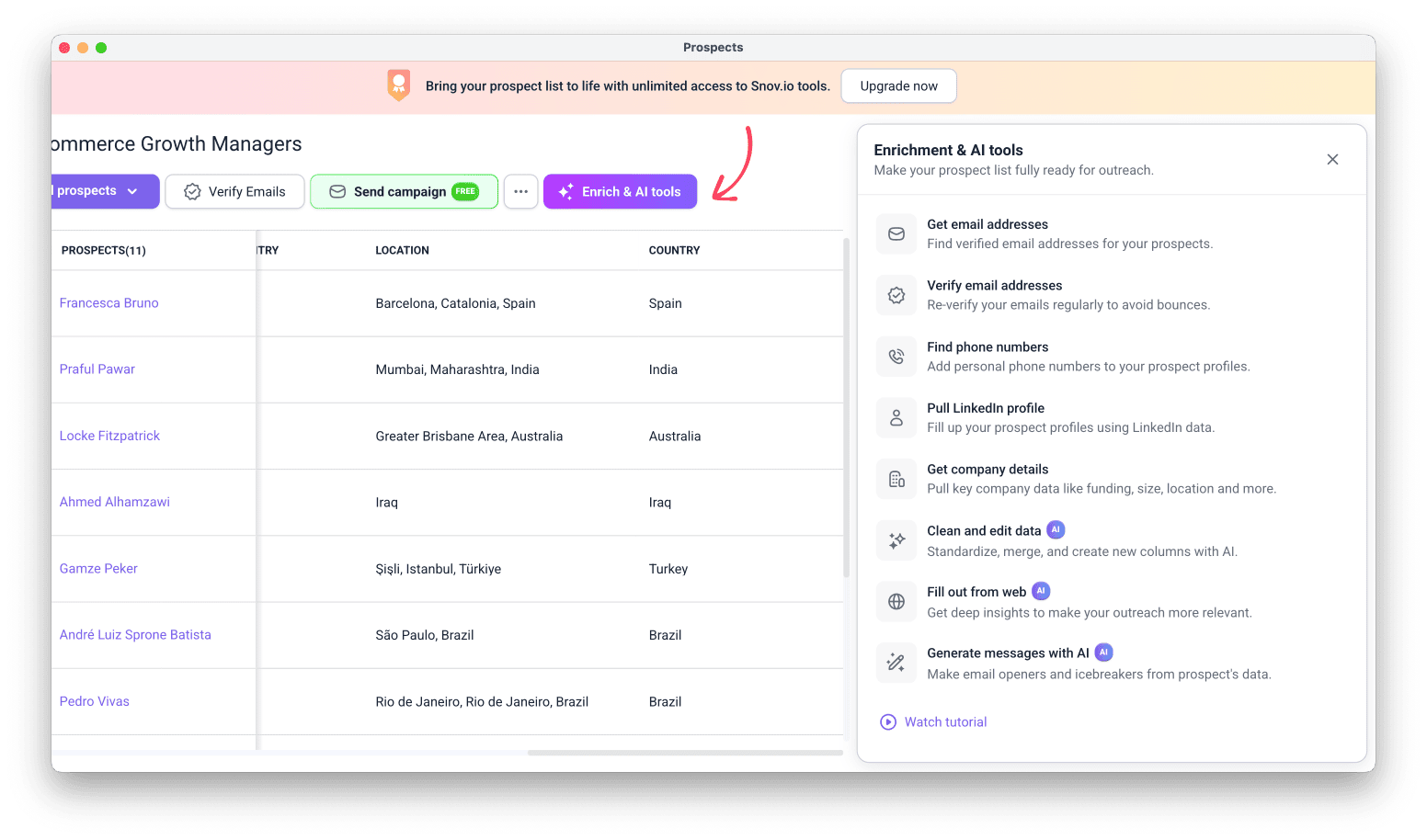
Go to your Prospects and choose the list you want to enrich. Click Enrich & AI tools and choose the tool you need.
You can start enrichment on selected prospects, a segment filtered by tags, or your entire list.
See the full guide on enrichment settings.

Each enrichment action requires specific initial data on the prospect profile. For enriching imported lists, follow these best practices:
1. Email should be a business email
2. Company domain works better than company name
3. Use LinkedIn URL if you don't have email address or company details
Get email addresses
To start, open your prospect list, click Enrich & AI tools, and select Get email addresses.
What it's for
This tool finds verified email addresses for prospects in your list.
Providers
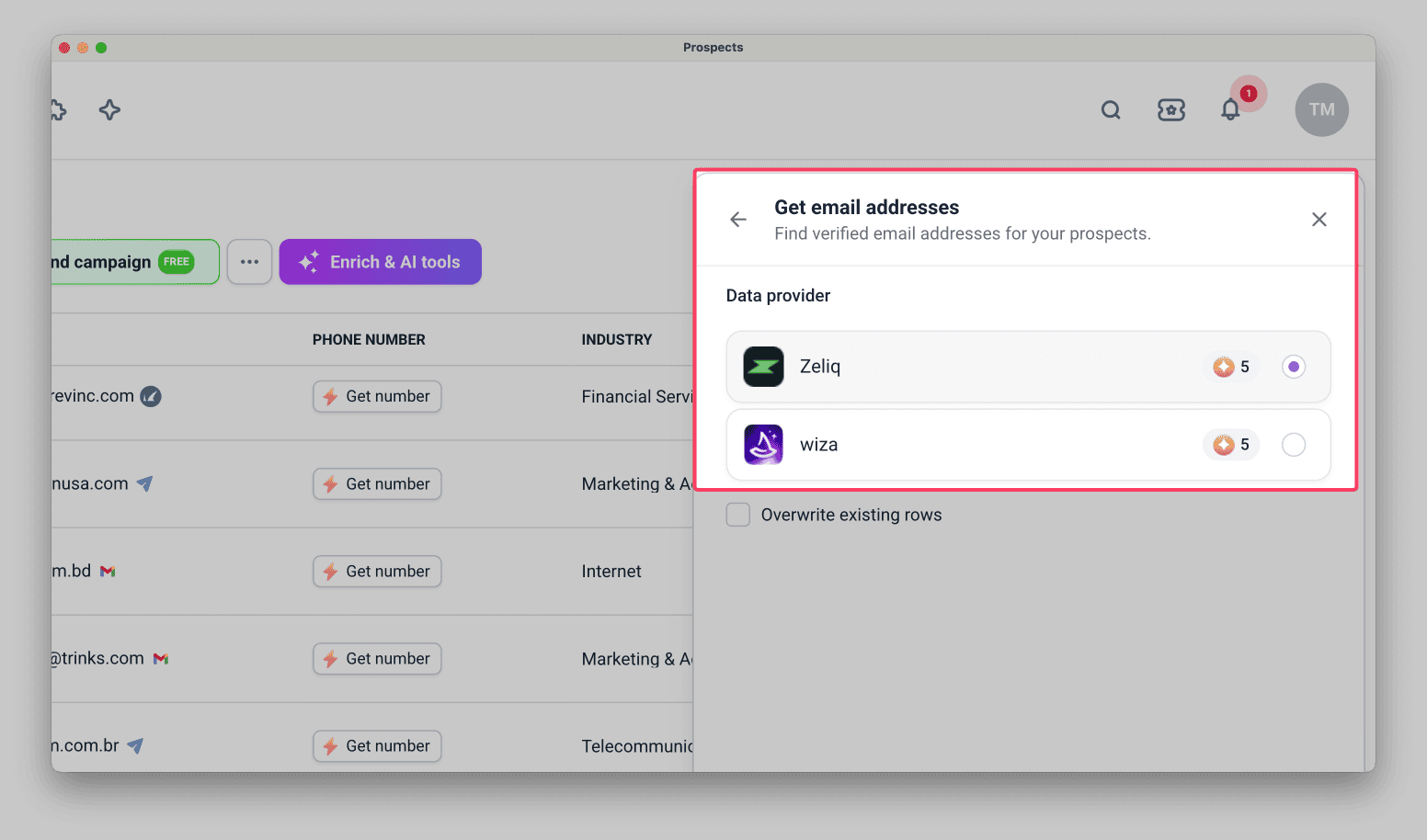
The Get email addresses tool works with the following data providers:
- Zeliq (5 tokens per email found)
- Wiza (5 tokens per email found)
Providers with the same token cost generally have a similar search success rate and coverage.
Initial data required
Here's the data you need on each prospect to start a search (applies to any provider):
- LinkedIn URL, or
- First Name, Last Name, and company domain or name
What data you get
- Email: A verified business email address added to the Email column
Verify email addresses
To start, open your Prospect list, click Enrich & AI tools, and select Verify email addresses.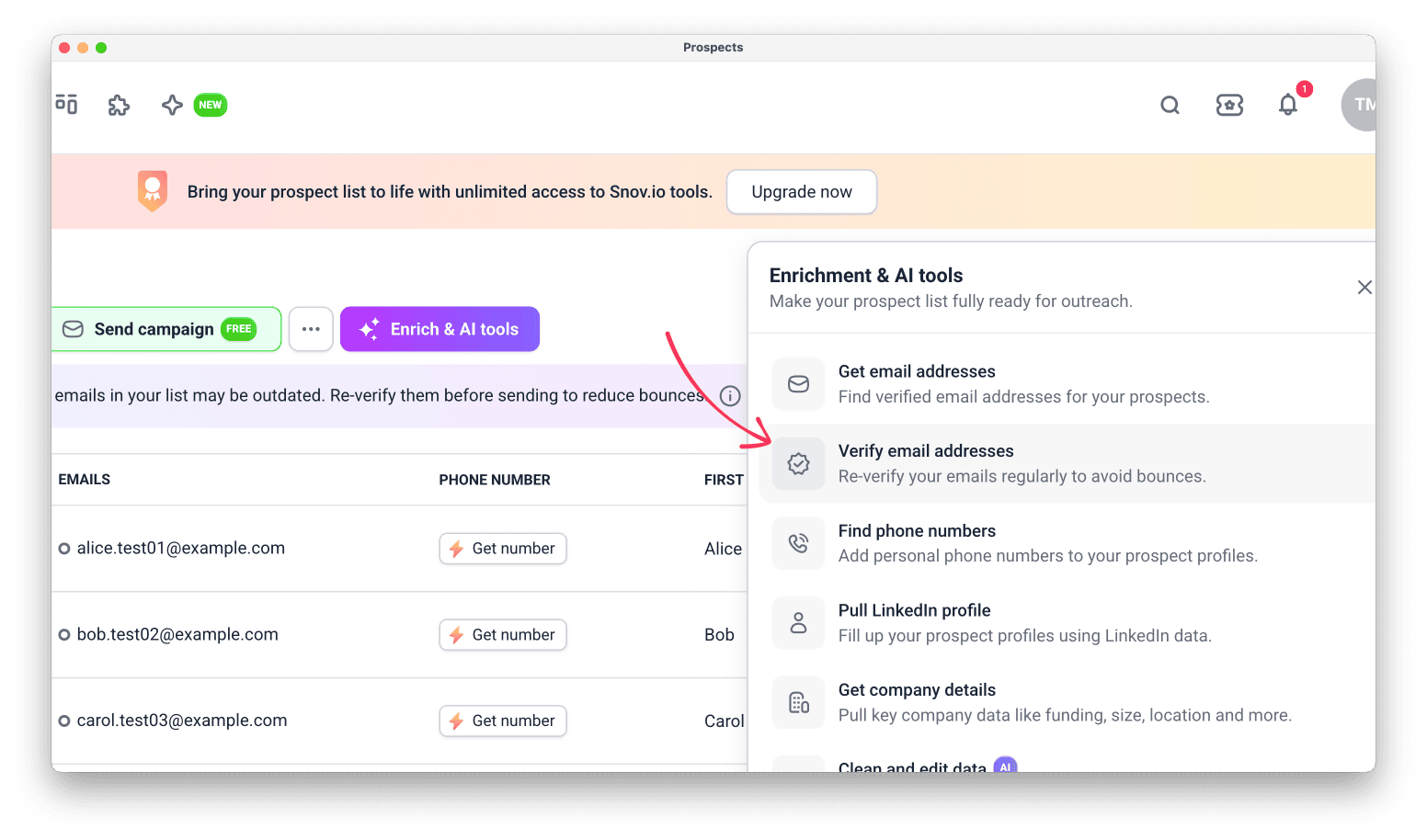
What it's for
This tool checks email statuses in your prospect list so you can avoid bounces.
Use this tool before you launch a campaign to check emails that are unverified or were verified more than 30 days ago.
See the full guide on keeping your list healthy with re-verification.
Providers
- Snov.io uses credits (1 credit per email address)
- Bouncer and MillionVerifier use tokens (0.5 tokens per email address)
Yellow statuses (catch-all or unknown) are free.
One provider per verification: Enrichment doesn't work as a waterfall, so you pick one provider for each verification.
Initial data required
- Prospect's name
- Email address
What data you get
Each verified email keeps a record of which provider verified it and when.
- Email address marked with a status: green, yellow, or red (learn more about what each status means)
Find phone numbers
Enrich your prospects with direct mobile numbers to reach them across multiple channels.
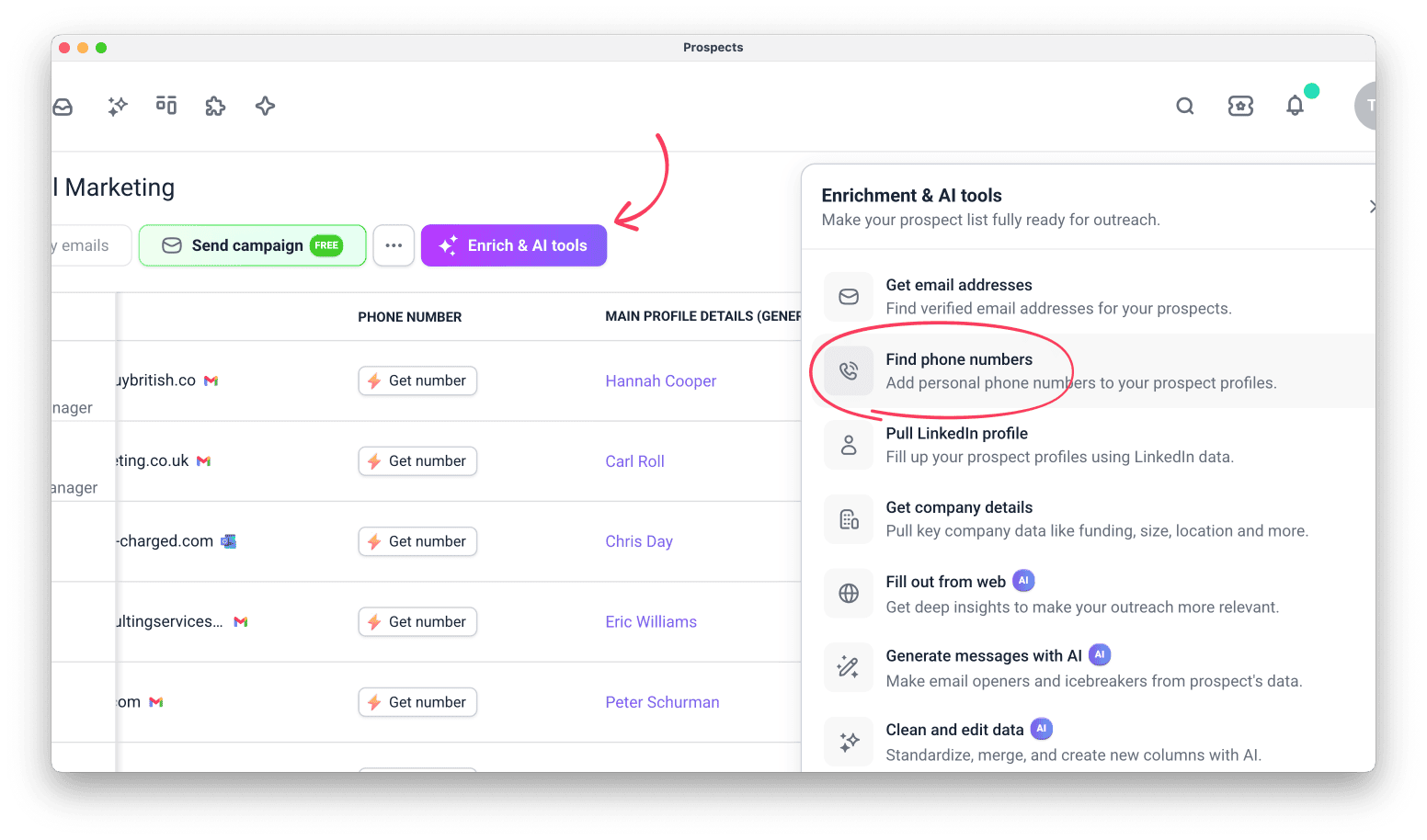
To start, open your prospect list, click Enrich & AI tools, and select Find phone numbers.
See the step-by-step guide on using phone number enrichment.
What it's for
This tool adds phone numbers to your prospect profiles so you have complete contact information for email, LinkedIn, and phone outreach.
Providers
The Find phone numbers tool works with the following data providers:
- Wiza (10 tokens per number found)
- Zeliq (22 tokens per number found)
Initial data required
Here's the data you need on each prospect to start a search (applies to any provider):
- LinkedIn URL, or
- First Name, Last Name, and company domain or name, or
- First Name, Last Name, and email
What data you get
- Phone number: A direct mobile number added to the Phone number column
Pull LinkedIn profile
Enrich your prospects with professional details from their LinkedIn profiles.
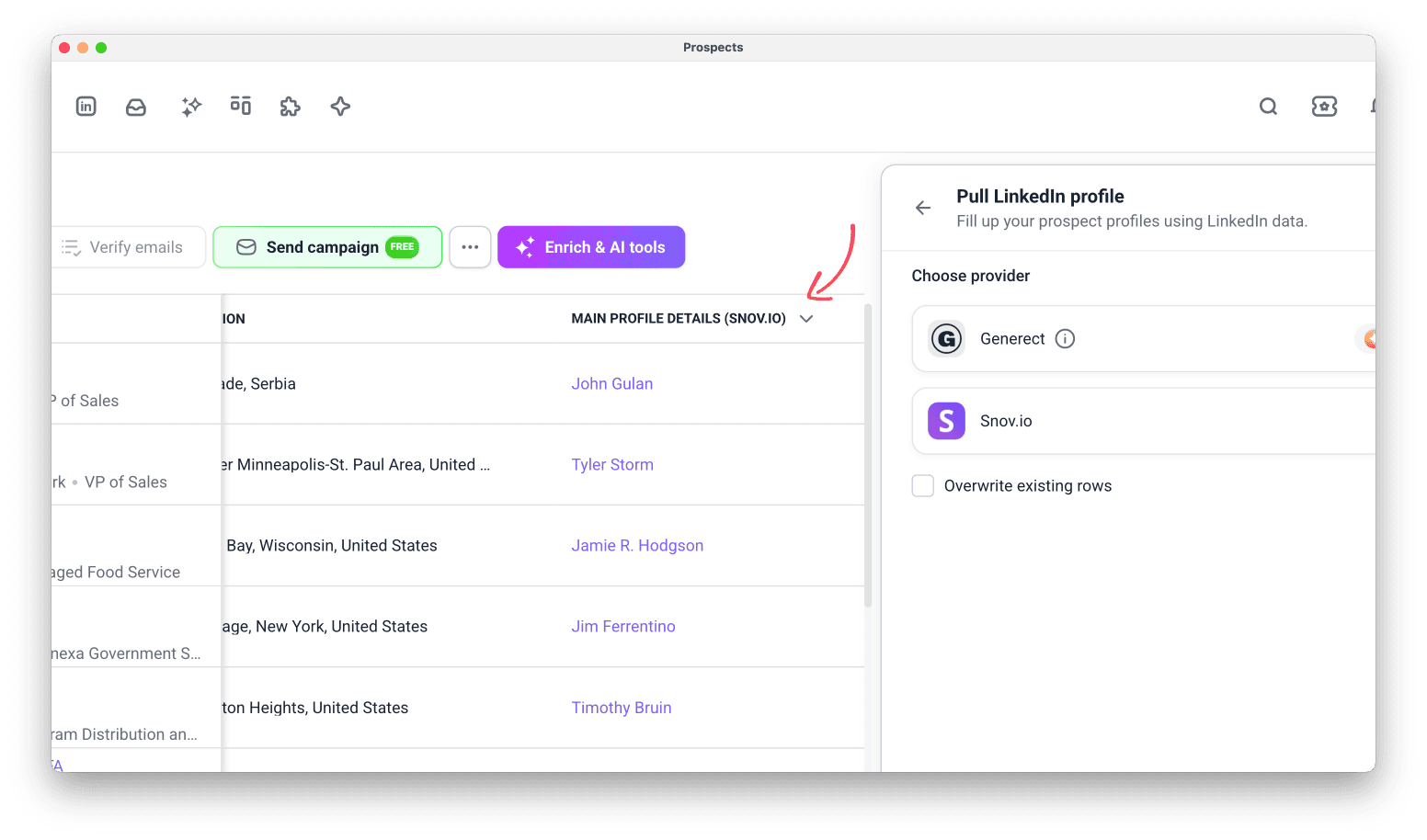
To start, open your prospect list, click Enrich & AI tools, and select Pull LinkedIn profile.
What it's for
This tool adds professional background information to your prospect profiles so you can personalize outreach and create stronger icebreakers.
Providers
The Pull LinkedIn profile tool works with the following data providers:
Snov.io (1 token per prospect)
Choose it when you need a quick prospect overview and don't plan outreach right away.
Generect (4 tokens per prospect)
Choose it when you need the latest data for outreach you plan to send right away.
Initial data required
The data needed to start a search depends on the provider:
Snov.io:
- LinkedIn URL, or
- First Name, Last Name, and company domain, or
- First Name, Last Name, and email
Generect:
- LinkedIn URL, or
What data you get
The data you get depends on the provider.
Snov.io
Some prospects may have fewer fields, depending on the data available.
The default Main profile details include:
- Bio: the About section of the LinkedIn profile
- Connections & followers: number of LinkedIn connections and followers
- External links: portfolio, personal websites, and other linked URLs
- Work experience: current and previous positions, companies, and roles
- Education: universities, degrees, and fields of study
- Certifications: professional certifications and licenses
- Courses: completed courses listed on the profile
- Volunteering: volunteer activities and causes
- Projects: notable projects listed on the profile
- Languages: languages the prospect speaks
Other fields covers secondary data. Select these data points on their own or alongside Main profile details:
- Publications
- Patents
- Awards
- Recommendations
- Profile activity
- Similar profiles
Generect
Generect returns 30+ data points per prospect, saved to a single Main profile details (Generect) column.
Inside the column, the data is grouped into categories:
- Person: full name, headline, profile summary, industry, gender, and nationality
- Location: full location, plus city, state, and country
- Current position: job title, start date, job location, whether the prospect still works there, and number of active roles
- Company: name, industry, website, LinkedIn URL, location, and description of the current employer
- Experience: current and past roles, each with its company details
- Skills: the full list of skills from the profile
- Links: LinkedIn and Sales Navigator URLs, personal website, number of connections, and profile indicators (Premium, OpenLink, job seeker, retired)
- Meta: LinkedIn ID and a flag that shows whether the full profile was pulled
- Other fields: education, past companies and job titles, and career start dates
Get company details
This action enriches your prospects with detailed information about their companies.
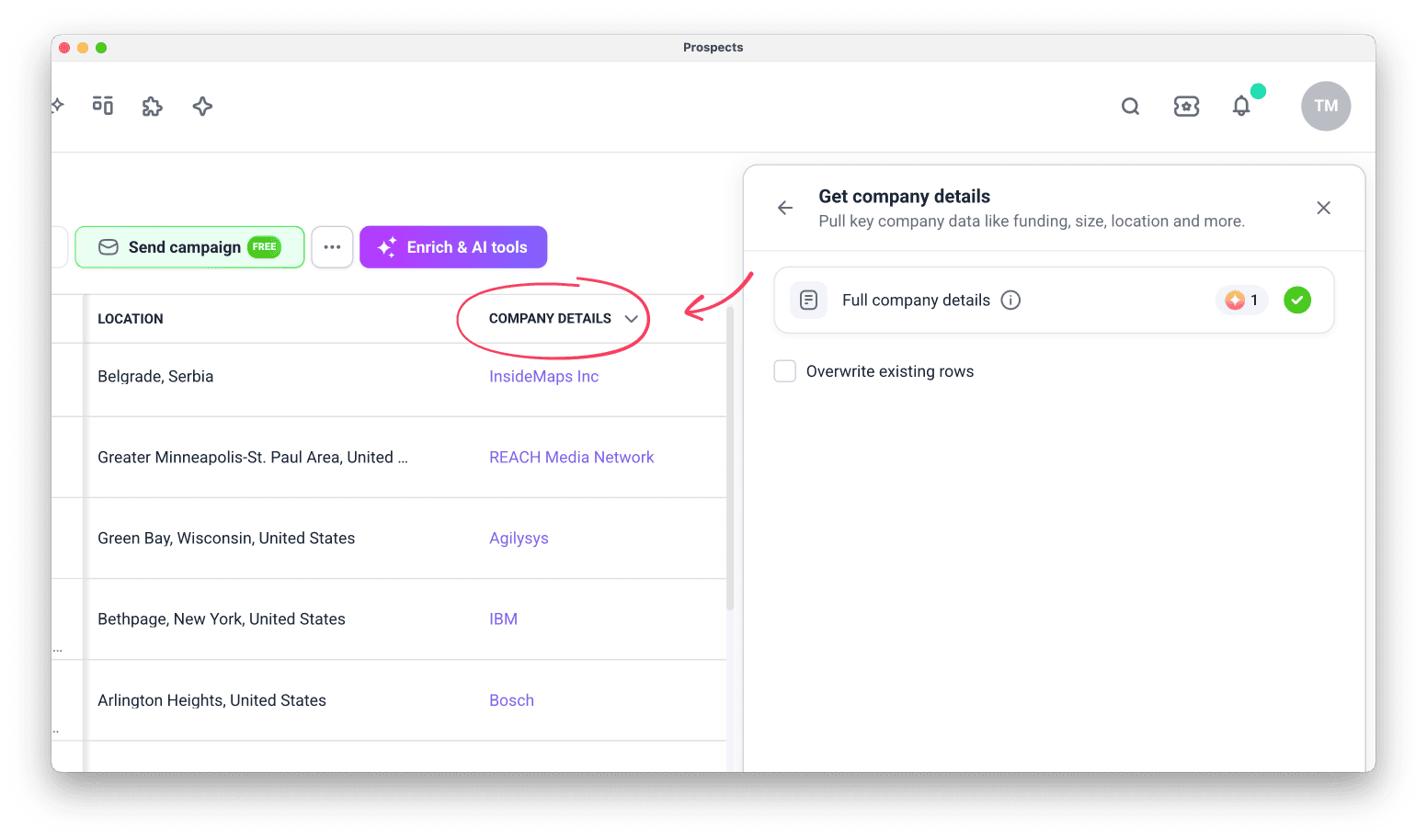
To start, open your prospect list, click Enrich & AI tools, and select Get company details.
What it's for
Get a full company profile for each prospect so you can determine whether the company matches your ICP.
Review how the company positions itself, its size, funding history, and areas of specialization. See which affiliated and similar companies are linked to it. Use this data for ICP validation and tailoring your offer.
Initial data required
To start enrichment, a prospect must have at least one of these data points. Snov.io skips prospects that have none of them:
- Company domain
- Company name
- Company LinkedIn URL
What data you get
-
Company location: Headquarters city, state/region, and country
-
Company industry: Primary industry, such as Computer Software or Financial Services
-
Company type: Business type, such as Privately Held, Public Company, or Partnership
-
Company size: Employee count range, such as 51–200 or 201–500
-
Company social followers: Number of followers on the company's LinkedIn page
-
Company slogan: Tagline or headline from LinkedIn
-
Company about us: Full company description from LinkedIn
-
Company Crunchbase URL: Link to the company's Crunchbase profile
-
Company LinkedIn URL: Link to the company's LinkedIn page
-
Company specialities: Areas the company specializes in, such as SaaS, lead generation, or email marketing
-
Similar companies: Companies with a similar industry and size
-
Affiliated companies: Subsidiary or parent companies linked to the main company
-
Company funding: Funding rounds, amounts, and investors from Crunchbase
Tokens you spend
1 token per prospect for the full set of company data.
Fill out from web
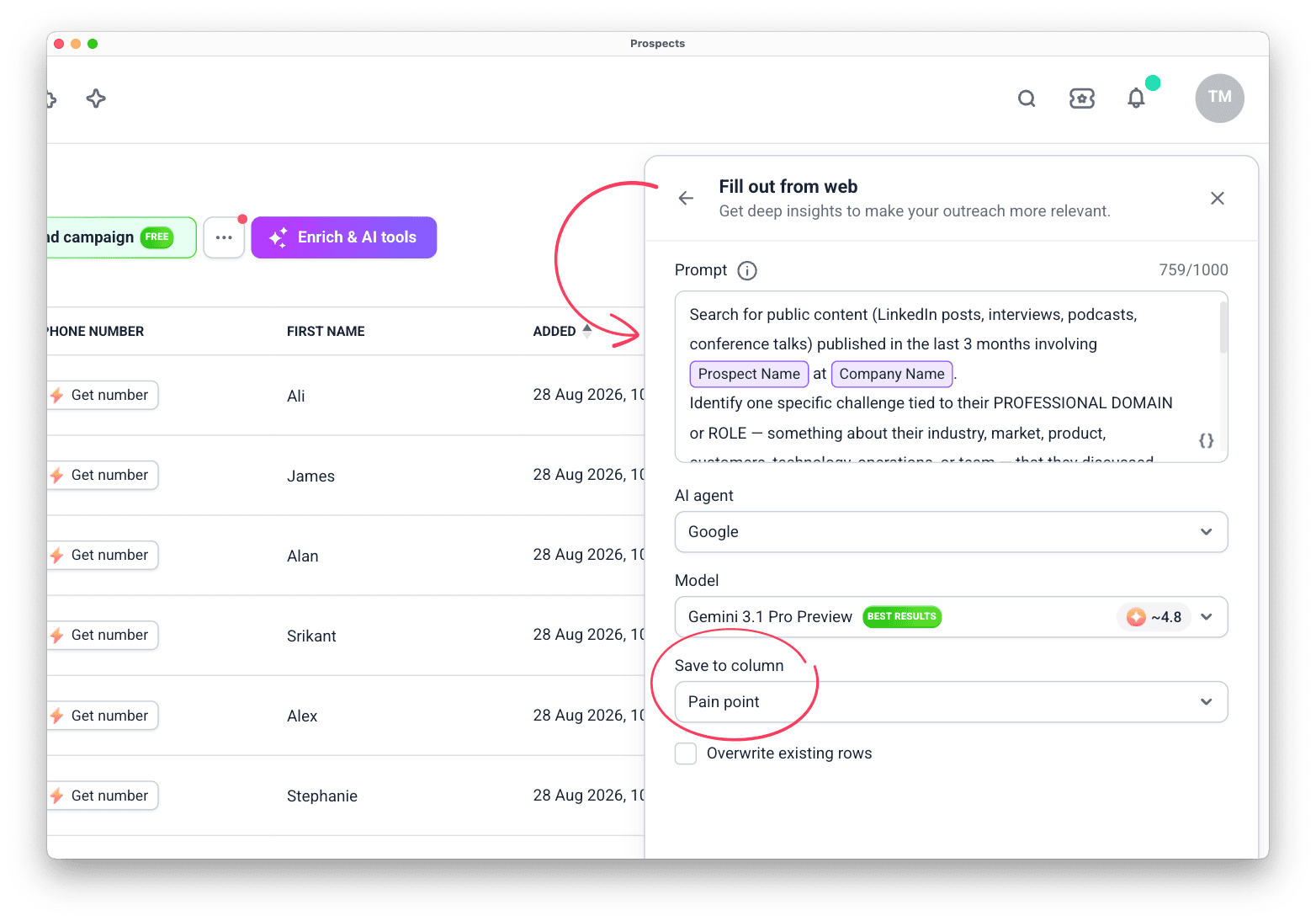
To start, open your prospect list, click Enrich & AI tools, and select Fill out from web.
What it's for
Research prospects based on the publicly available data.
Initial data required
Your prompt must reference existing data (at least one column) via enrichment variable.
Here's what you can use as a search context:
- Prospect name
- Company name or domain
- Any previously enriched column
Prospects with empty values in the referenced column will be skipped.
What data you get
Specify the data you want to search for in your prompt. Find events, interviews, or company blog posts, and extract insights from them.
You also control how the found data is processed. For example: a one-sentence summary of a prospect's latest public project, or a prospect's pain point, generated from a public interview.
The enrichment result is saved to a column you create.
Tokens you spend
Depends on the AI model you select, and may vary based on your search prompt. Complex tasks with multiple data variables may charge more.
When setting up the enrichment, you can check the exact price of each AI model and the total cost for the enrichment.
Clean and edit data
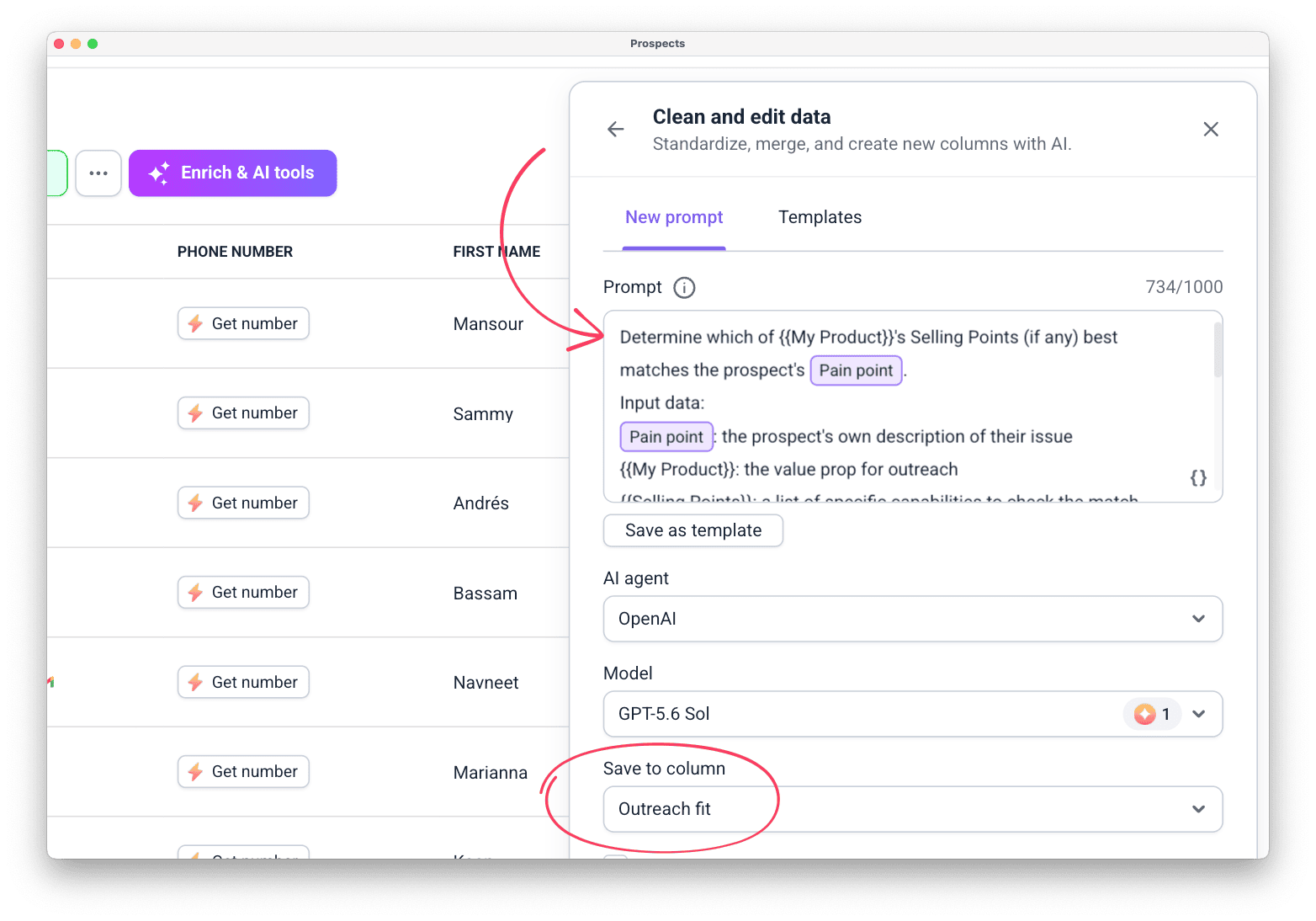
To start, open your prospect list, click Enrich & AI tools, and select Clean and edit data.
What it's for
Use it to clean up imported details or extract the data points you need from already enriched bulk fields.
Here's what you can use it for:
- Extract specific data from a larger field: get a company name from a website URL, or the last funding round from a company funding field
- Convert one data type into another: get a website URL from a company name
- Clean up data to a usable format: remove extra suffixes or symbols from company and prospect names
- Summarize data from multiple columns: combine work experience and education into a summary
Initial data required
Your prompt must reference at least one existing column with data, added as an enrichment variable.
You can reference any column in the list, including custom fields or columns added by other enrichment tools.
What data you get
The processed and updated data is saved to a separate enrichment column you choose, either a new one or an existing one.
When you save results to a new column, your original data stays in the list.
Tokens you spend
Depends on the AI model you select, but the price is fixed regardless of the prompt.
When setting up the enrichment, you can check the exact price of each AI model and the total cost for the enrichment.
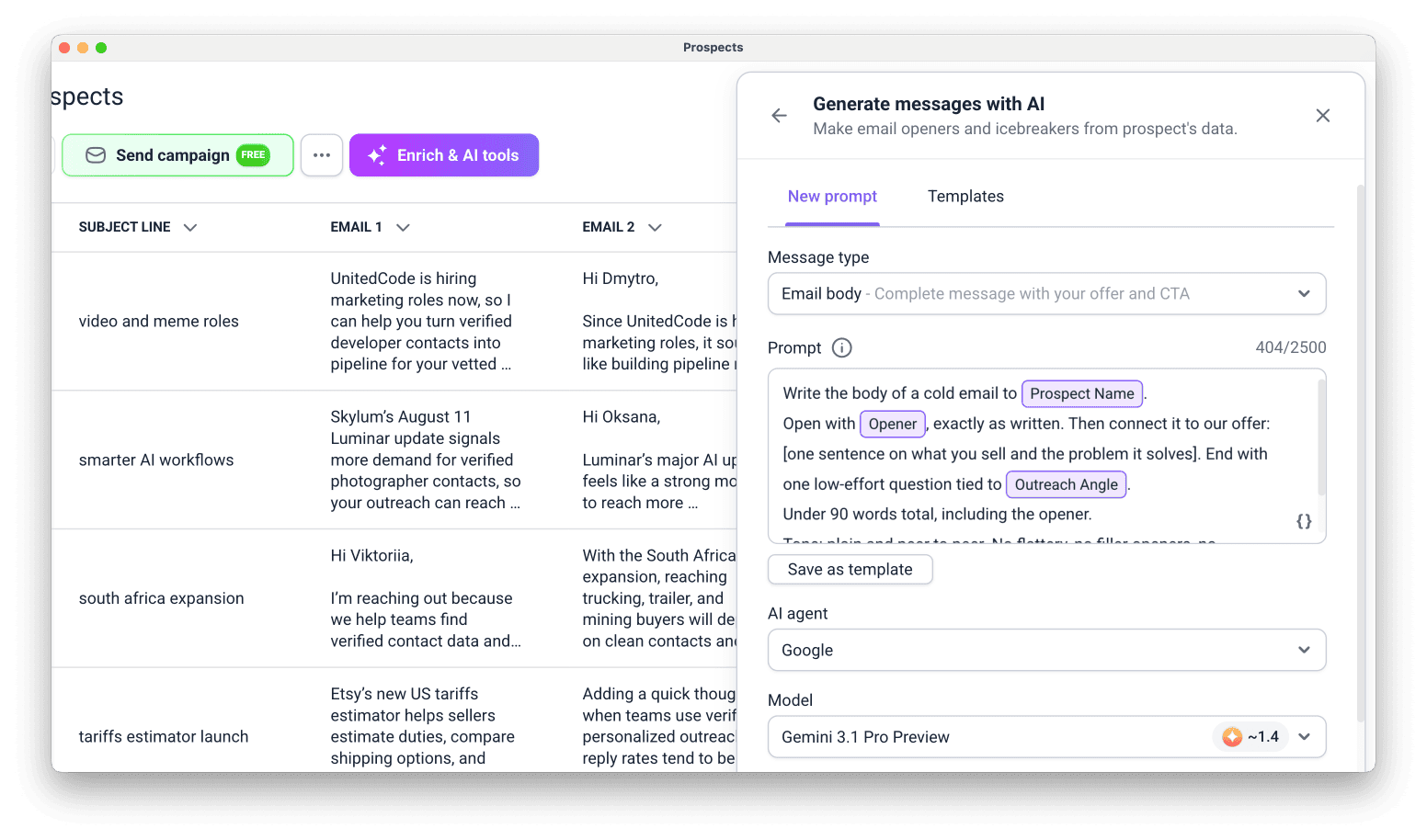
Generate messages with AI
To start, open your prospect list, click Enrich & AI tools, and select Generate messages with AI.
What it's for
Use it to write outreach copy for your whole list, based on the data each prospect already has.
Here's what you can use it for:
- One-liners and icebreakers built on a prospect's pain point or a recent signal
- Intros and email subject lines that open a cold email
- Email bodies with your offer and call to action
- Follow-ups that re-engage prospects after no reply
- Short LinkedIn messages and connection requests
Initial data required
Your prompt must reference at least one existing column with data, added as an enrichment variable.
Use any data to personalize the message, including custom fields or columns added by other enrichment tools.
What data you get
A ready-to-send message for each prospect, saved to a separate column in your prospect list.
You can then add that column as a variable in your campaigns.
Tokens you spend
Depends on the AI model and how complex your prompt is: longer prompts with multiple variables use more tokens.
When setting up the enrichment, you can check the estimated cost per prospect and the total cost.
Using enriched data
Enriched data appears in each prospect's profile and in your lists. A detail from a LinkedIn bio, a company's funding stage, or a Web search result makes a campaign feel personal to each prospect, based on something real and specific to them. Here's how you can work with this data next:
- Insert it into emails and LinkedIn messages as personalization variables in Campaigns
- Reference it in enrichment variables for AI tools
- Export it to CSV or Google Sheets


Sorry about that 😢
How can we improve it?