
Right now, Linked Helper is among the ten most popular LinkedIn automation tools on G2. It’s especially popular among small sales teams, recruiters, and freelancers looking to enhance their social media outreach. It promises to automate connection requests, messages, and follow-ups on LinkedIn at a relatively low price.
But is it worth investing in these days, when LinkedIn automation comes with high risks, strict limits, and growing concerns around account safety?
I looked at Linked Helper automation features, pricing, real user feedback, and best alternatives to come up with my personal inside-out Linked Helper review.
Ready to explore this tool together? Off we go!
Outline:
- TL;DR: Is Linked Helper worth it?
- What is Linked Helper?
- My full Linked Helper review
- Linked Helper features
- Linked Helper pricing plans
- Linked Helper advantages
- Linked Helper limitations
- Linked Helper reviews from real users
- What is a safer Linked Helper alternative?
- How to choose the right LinkedIn automation tool: step-by-step guidelines
TL;DR: Is Linked Helper worth it?
Linked Helper can work for basic LinkedIn message automation if you’re operating a single account, accept some risk, and don’t need email outreach. For most B2B teams in 2026, however, it’s hardly enough to succeed in social selling.
Just look how it compares to other similar tools:
| Tool | Key feature | Pricing | Best for |
|---|---|---|---|
| Linked Helper | LinkedIn messaging automation | From $15/month* | Sending bulk LinkedIn messages |
| Snov.io | Email extraction from LinkedIn profiles and AI-powered multichannel outreach automation | Free plan; paid from $39/month; LinkedIn Automation $69/month | Lead generation & outreach for B2B |
| Expandi | Cloud-based AI-driven LinkedIn automation | From $99/month | Safe LinkedIn outreach at scale |
| Phantombuster | LinkedIn data extraction and AI-assisted outreach personalization | From $30/month | Custom LinkedIn workflows & scraping |
*Pricing is subject to change; always check the vendor’s website for exact pricing.
So, as you can see, Linked Helper is affordable and flexible, but lacks multichannel capabilities, which are more effective in the long run. What’s more, you won’t find AI assistance among LinkedIn Helper features, which in 2026 is one of the key automation functionalities.
Anyway, you can still use this tool to automate LinkedIn outreach effectively. I suggest we explore the Linked Helper features in detail so that any questions that may arise about this tool get answered.
➡️For convenience, skip to the side-by-side comparison of Linked Helper and its safer alternative.
What is Linked Helper?
Linked Helper is a desktop-based automation tool designed to streamline routine LinkedIn actions. These include connection requests, message sequences, profile visits, endorsements, and basic follow-ups.
How does Linked Helper automation work?
Unlike cloud tools, Linked Helper runs locally on your computer, using a plug-in-based architecture, which simulates human behavior on LinkedIn. This gives users more control over workflows, but also places greater responsibility on them to stay within LinkedIn’s limits as well as their audience’s active times.
💡 Discover more info about the LinkedIn algorithm and how to make it work for you – not against you – in this video:
This short guide will help you safely scale your LinkedIn outreach.
Though the Linked Helper tool relies on configurable delays, action limits, and campaign logic to reduce detection, it still integrates with LinkedIn accounts directly and heavily automates LinkedIn activity. Thus, it operates in a gray area of LinkedIn’s Terms of Service.
Who is Linked Helper for?
The Linked Helper tool is typically used by:
- Entrepreneurs running solo LinkedIn outreach
- Small or medium sales teams in need of a simple, affordable tool to increase their engagement on social media
- Recruiters sourcing candidates via LinkedIn
- Anyone who wants to test automation for lead generation
That said, this software is not a great fit for:
- Entrepreneurs or SMBs that need to reach audiences beyond a single channel
- Agencies managing multiple client accounts
- Teams requiring advanced collaboration and reporting capabilities
- Users prioritizing strict compliance and account safety
Have you found yourself among the potential users? Don’t rush to install the Linked Helper tool just yet. Let’s go over the Linked Helper in more detail so you can decide whether this tool fits your workflow.
My full Linked Helper review
Let’s start with the essentials – what does Linked Helper actually offer?
Linked Helper features
The Linked Helper tool provides users with a wide range of LinkedIn automation features available as plug-ins you can install or remove when unnecessary. In my review, I’ll highlight the most effective of them:
- Automated connection requests with personalization options
The tool allows users to automatically send connection requests to second- and third-degree LinkedIn connections. Invitations can be personalized using dynamic variables such as first name, company name, or job title.
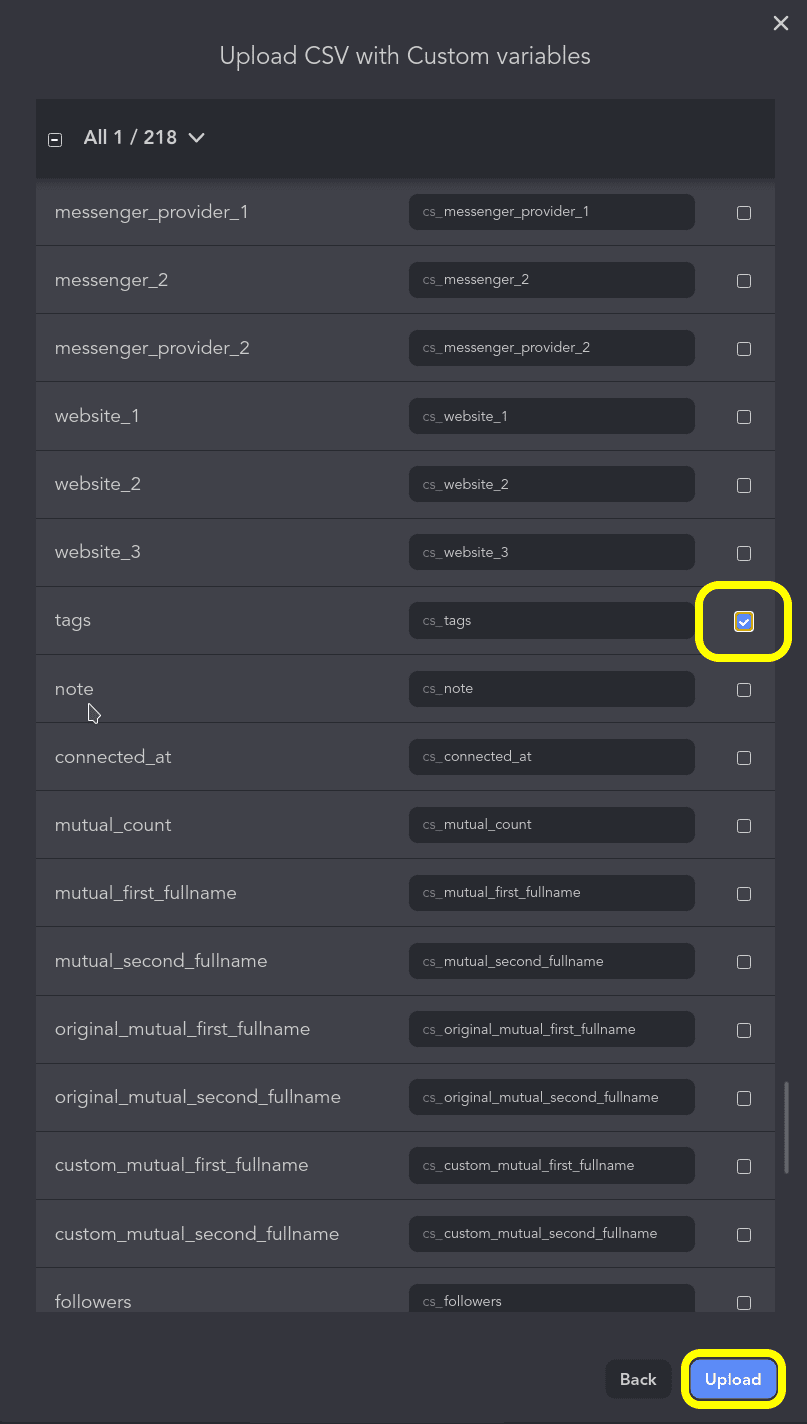
Users can create multiple invitation templates within a single campaign and rotate them to reduce repetition and make outreach feel more natural.
- Multi-step message sequences and follow-ups
Once a LinkedIn connection is accepted, you can start sending your outreach campaigns – the Linked Helper tool supports automated message chains that include initial messages and timed follow-ups.
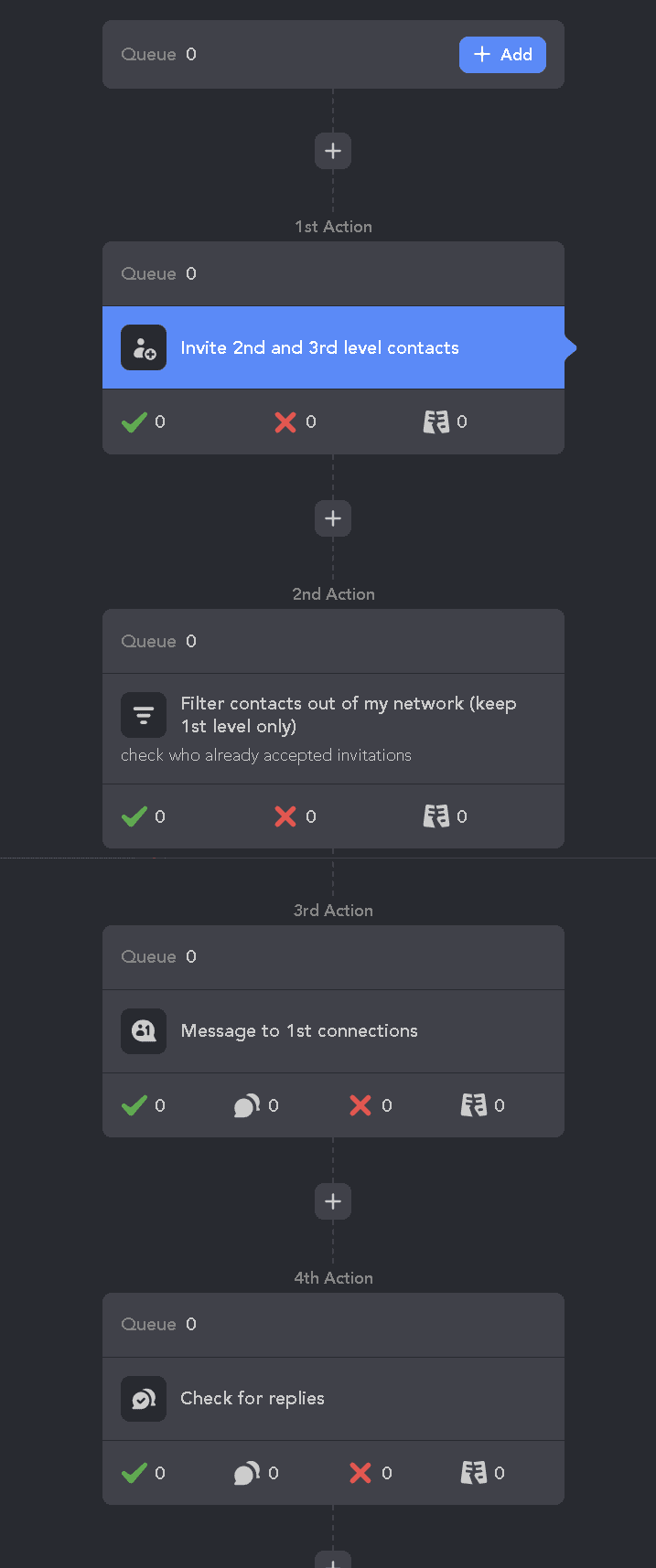
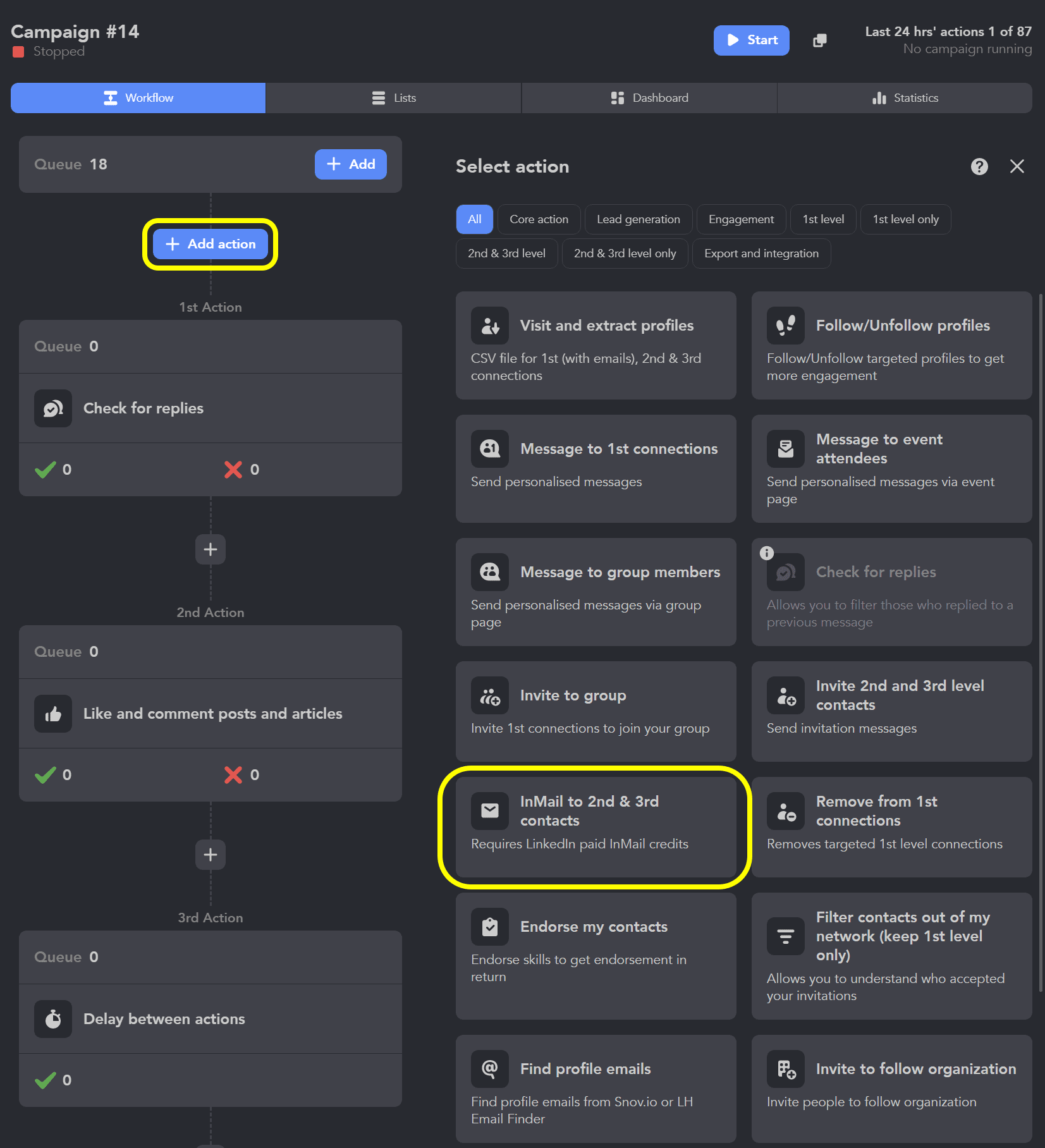
Apart from messages, you can add ImMail elements to your campaigns to reach out to 2nd or 3rd-level profiles.
Sequences can pause automatically when a prospect replies. This setup enables basic drip-style LinkedIn outreach without manual tracking.
- Profile visits and extracts, endorsements, and engagement actions
Beyond messaging, Linked Helper automation covers such LinkedIn actions as profile visits and extracts, skill endorsements, profile followings, as well as liking or commenting on posts.
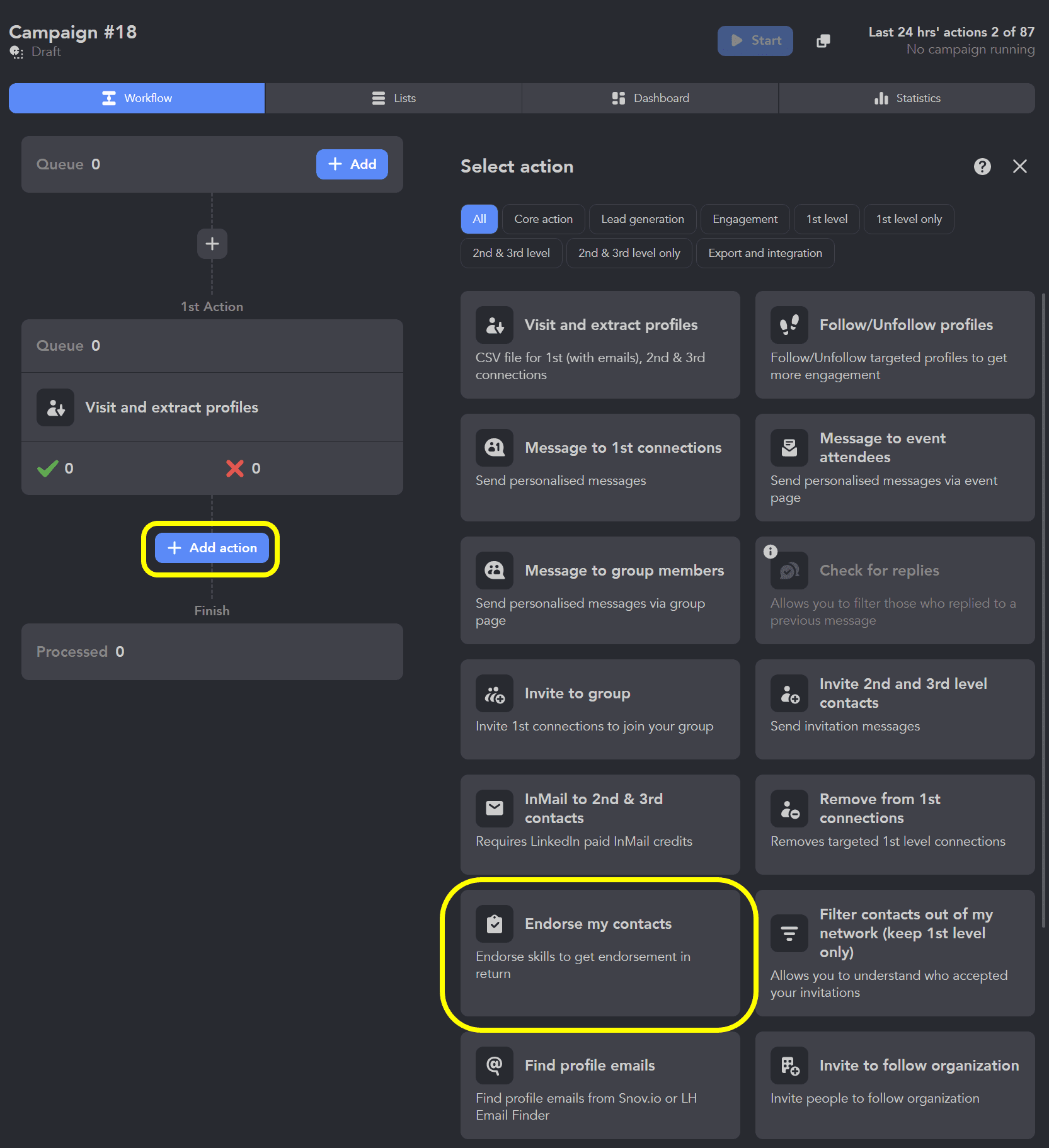
These actions are often used as “warm-up” steps before sending connection requests or messages. They help to increase users’ familiarity with your profile and improve acceptance rates.
- Campaign branching based on user actions
Linked Helper automation campaigns can be built with conditional logic. Different actions are triggered depending on whether a prospect accepts a connection request, replies to a message, or remains inactive. This allows users to create adaptive outreach flows rather than simple linear sequences.
- Exporting leads to CSV or CRM
All collected leads and engagement data can be exported as CSV files or synced with external CRMs and automation tools. This enables moving LinkedIn-generated leads into broader sales workflows.
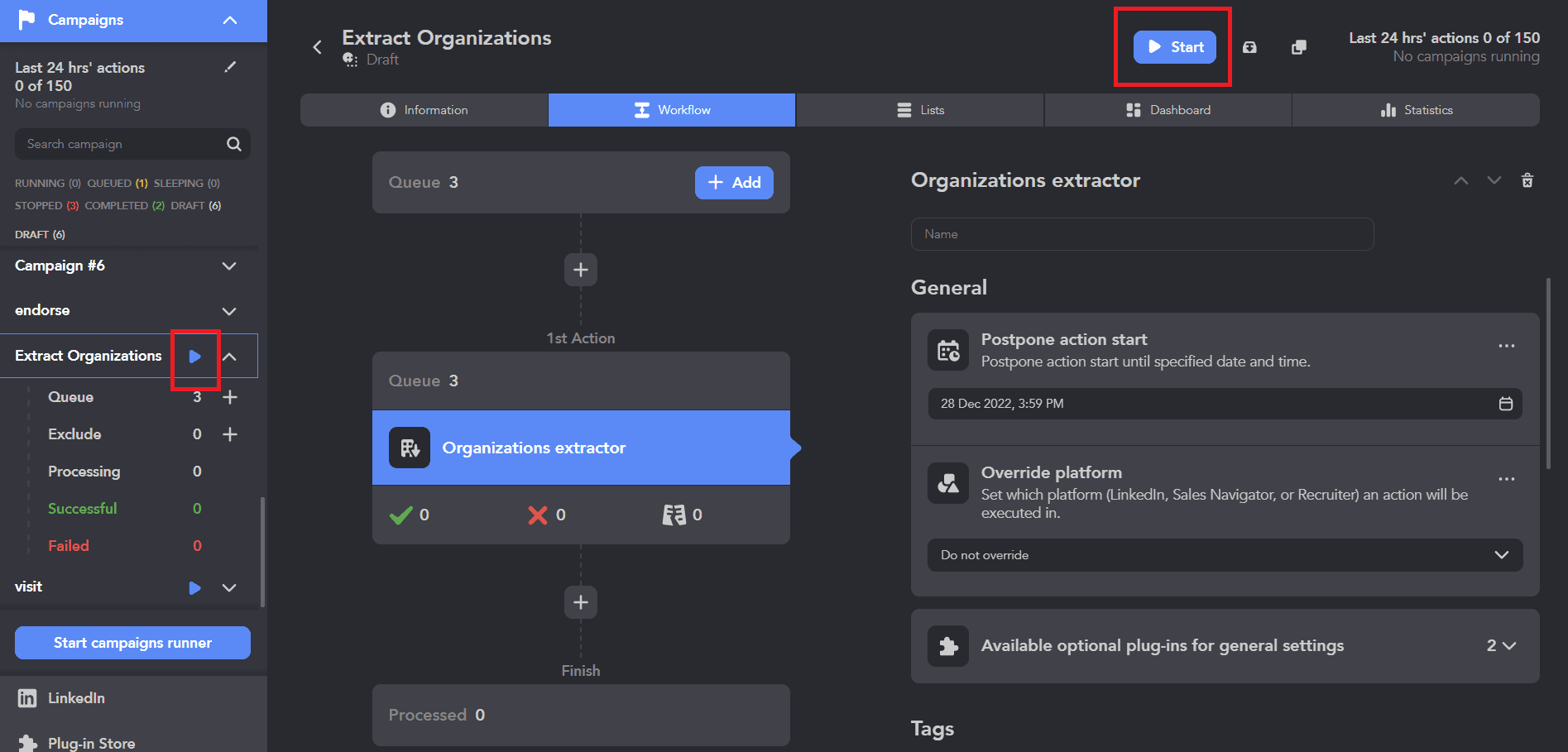
While the Linked Helper feature list looks impressive, it’s essential to remember that the tool is heavily centered on LinkedIn messaging. There are no native lead discovery, enrichment, or multichannel outreach capabilities, which may limit your outreach options.
Linked Helper pricing plans
Linked Helper has a free 14-day trial plan, after which you’ll have to switch either to a $15/month Standard plan or a $45/month Pro plan.
If you’re buying a subscription for a longer period (e.g., 3, 6, or 12 months), the price will be lower. For instance, if billed annually, Linked Helper will cost you $99 for a Standard or $297 for a Pro plan in total.
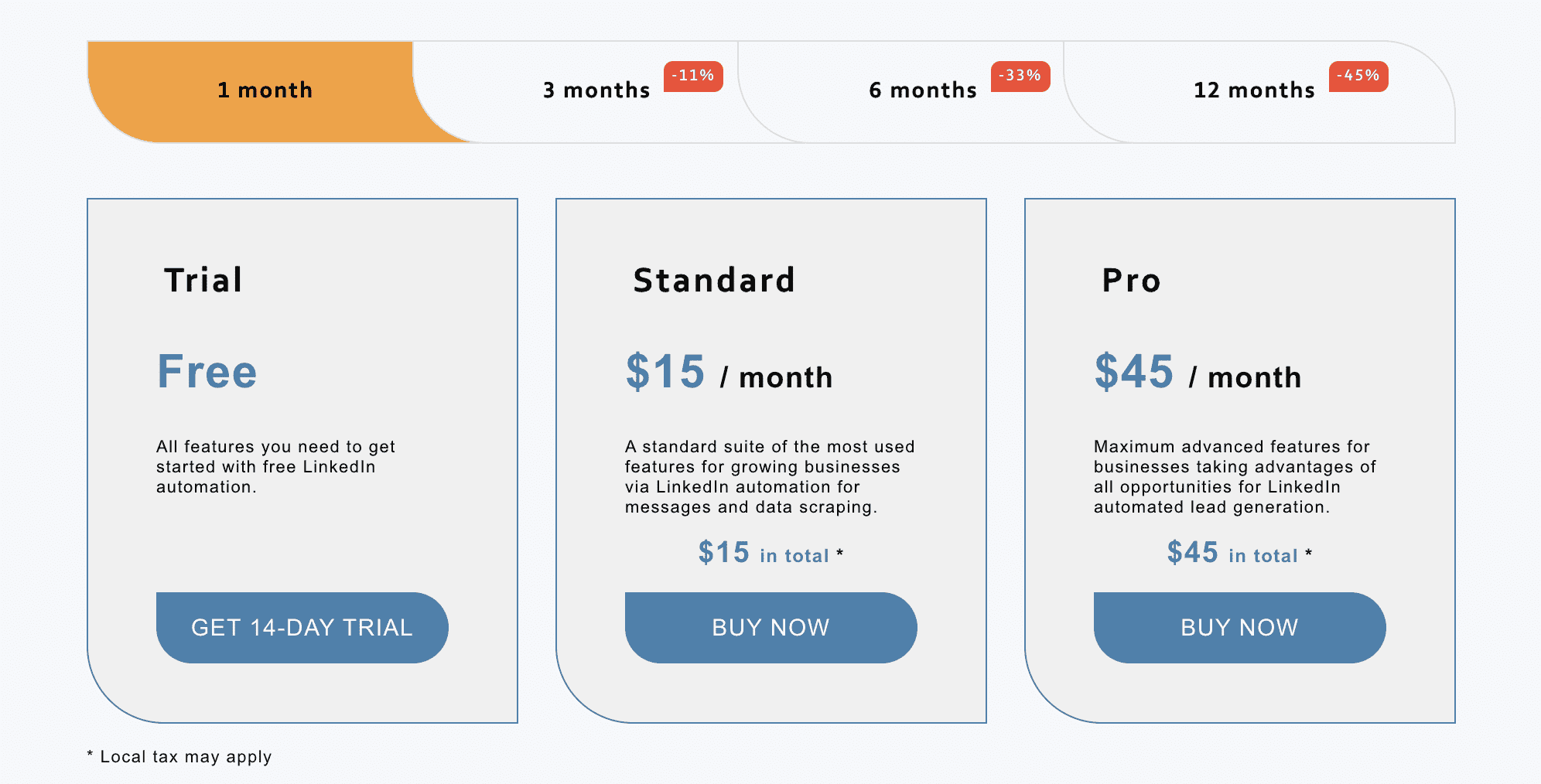
In theory, it looks like one of the most affordable LinkedIn automation tools. In practice, additional costs may include:
- Local taxes
- Proxies or VPNs for safer usage
- Time spent configuring limits and workflows
- Risk of losing a LinkedIn account if the algorithm flags you
If you take these into account, costs can add up quickly.
To see whether Linked Helper features are worth the money, let’s check out its pros and cons.
Linked Helper advantages
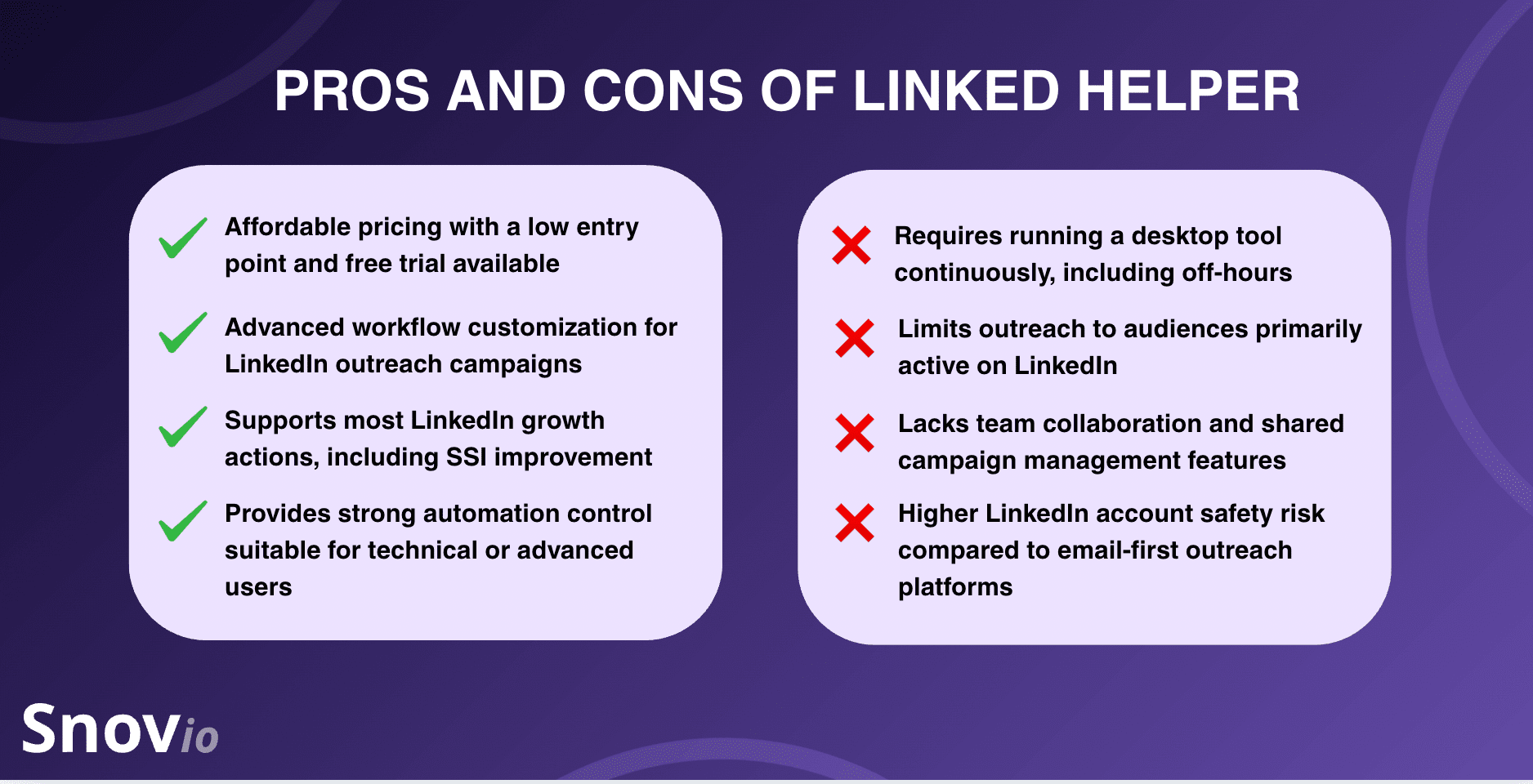
Linked Helper wouldn’t be one of the most popular automation solutions if it didn’t have a compelling list of benefits. In particular, users favor this tool because:
- It offers a low starting price compared to competitors, plus a free trial.
- Its workflow customization capabilities are pretty advanced for a LinkedIn-focused solution.
- It covers the majority of actions one might want to do on LinkedIn to grow their audience and Social Selling Index (SSI).
- It’s suitable for technical users who want more control over their automation.
However, Linked Helper automation also has downsides.
Linked Helper limitations
If you’re committed to trying this tool to improve your LinkedIn outreach, be prepared for its downsides:
- Requires running a desktop LinkedIn automation tool continuously, even running during off-hours
- Higher LinkedIn account safety risk compared to email-first outreach tools
- Limits the audience to users who are active only on LinkedIn
- Lacks collaboration and shared campaign management features.
These kinds of limitations can seriously hinder operations for B2B teams and agencies. Unless, of course, you’re using additional software to curb them, which may require extra costs.
Now let’s take a look at what users think of this tool. Below are real users’ LinkedHelper reviews I found on G2 – the most popular (and reliable) platform for gathering user feedback.
Linked Helper reviews from real users
At the moment, the Linked Helper tool is rated 4.6 out of 5 stars on G2* – a pretty high rating, isn’t it?
* Keep in mind that the rating may change slightly from time to time. So, always check the current data.
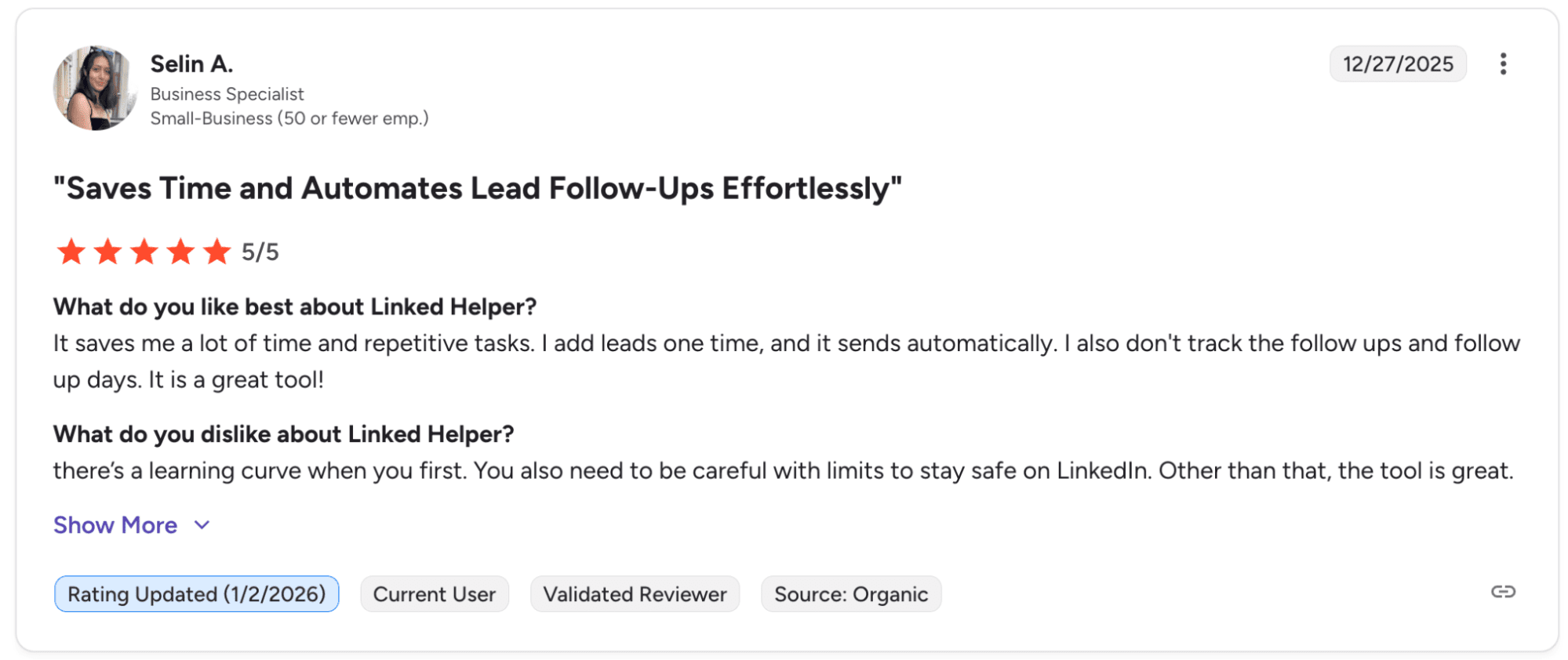
Some Linked Helper reviewers love this solution for saving them a lot of time.
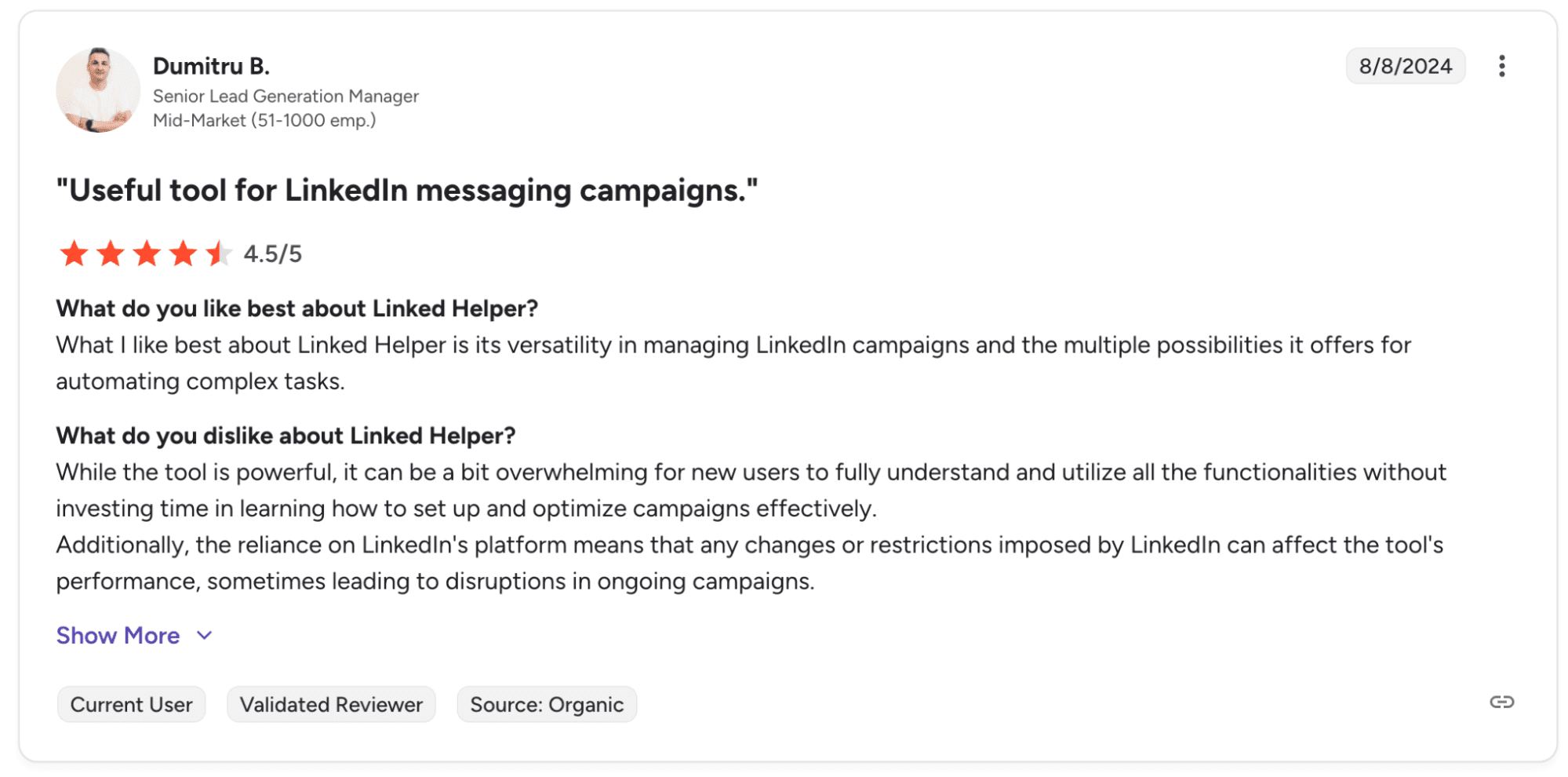
Others admire the robustness of Linked Helper features for such a low price.
However, some users complain about Linked Helper’s steep learning curve. Others consider its reliance on a single platform, LinkedIn, too risky as it may impose restrictions that affect the performance of outreach campaigns.
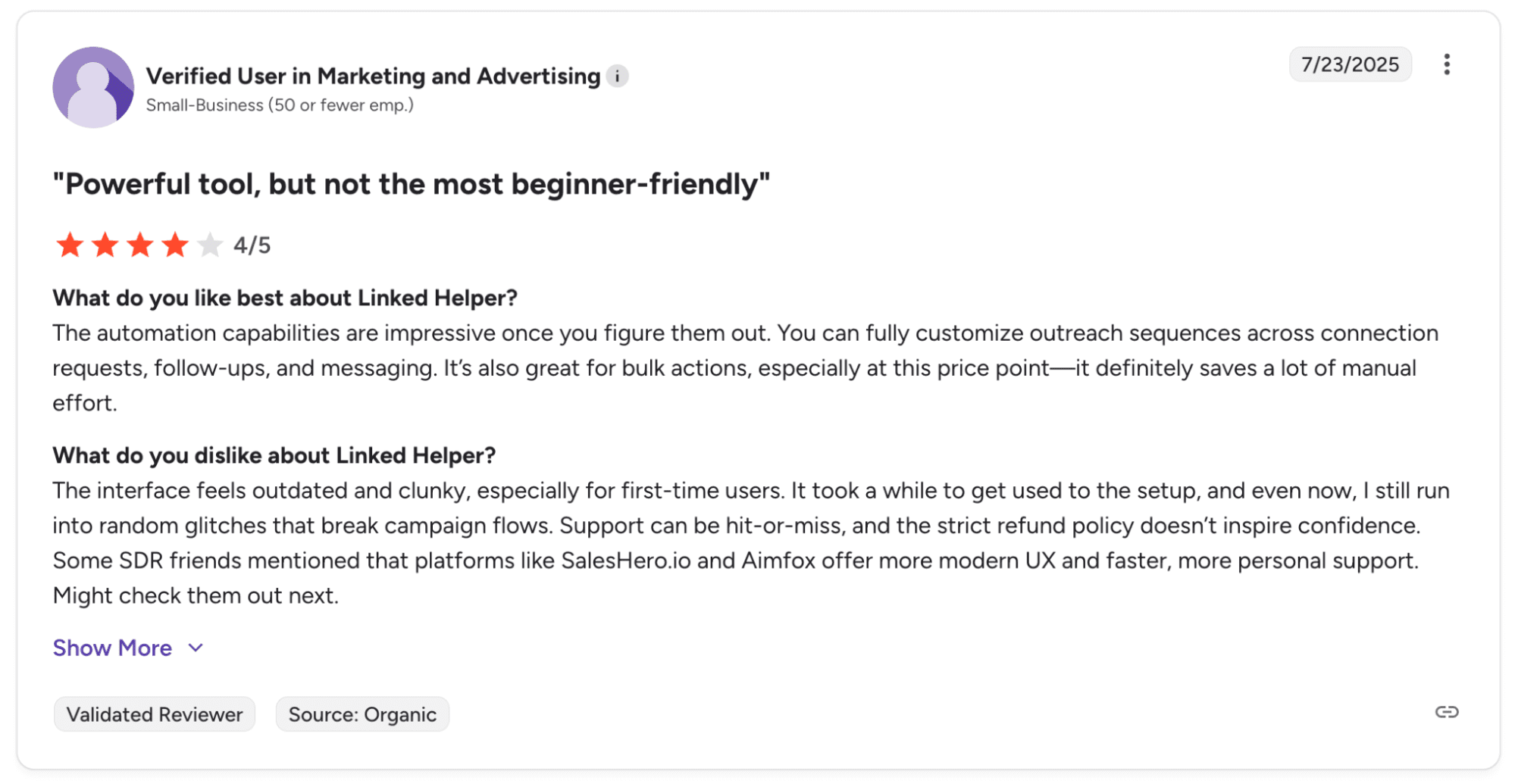
There are also reviewers who, while admiring the Linked Helper feature list, point out its clunky, outdated interface and voice concerns about the tool’s refund policy.
So, in a nutshell, most people like Linked Helper’s features and value for money, but criticize its unclear user interface and shaky safety guarantees. This mostly aligns with my experience – the Linked Helper tool works, but only if you’re careful with LinkedIn limits and don’t need to reach beyond social media.

How to Run a LinkedIn InMail Campaign That Gets Replies
February 18 2026

How to Find Someone’s Email on LinkedIn in 2026
March 16 2026
What is a safer Linked Helper alternative?
One of the safest alternatives to Linked Helper automation is using a multichannel outreach platform like Snov.io. With its LinkedIn Automation tool, you’ll be able to perform broader, safer outreach. Instead of just automating profile visits, messages, or connection requests, Snov.io focuses on compliant data discovery and controlled, cross-channel engagement.
Here’s what you can do with Snov.io’s LinkedIn Automation and Multichannel Outreach solutions:
- Gather prospects from LinkedIn
Discover prospects’ profiles and gather their contact information with Snov.io’s LinkedIn Email Finder Chrome extension or by using the LinkedIn Search feature inside the app.
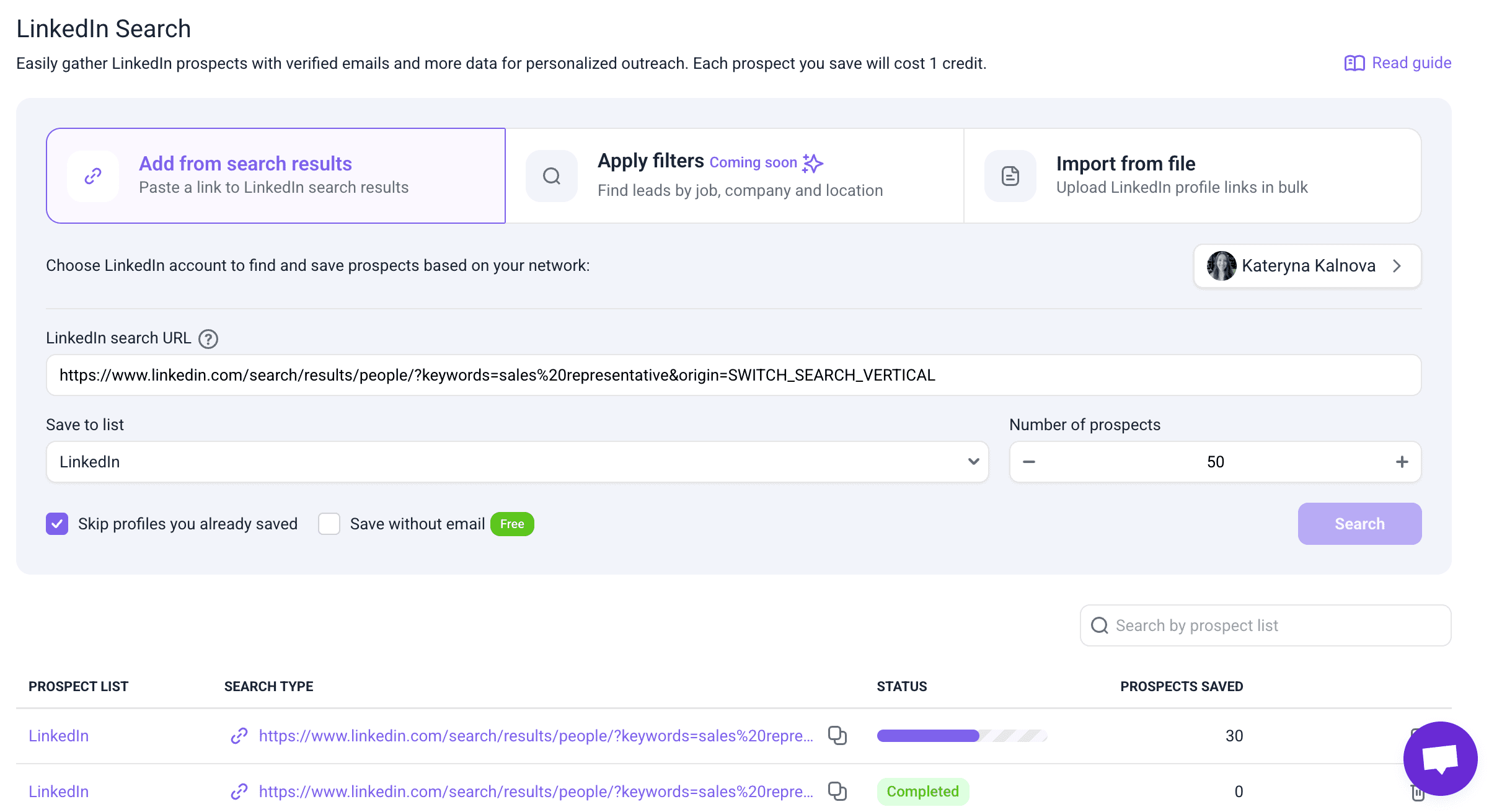
With these tools, you can not just find leads on LinkedIn but also save them to your prospect list together with their emails, which will be automatically verified to improve the effectiveness of your outreach.
- Enrich LinkedIn leads before outreach
Once prospects are identified, you can enrich their profiles using Snov.io’s native database to add missing information, such as company details, job titles, industries, and locations.
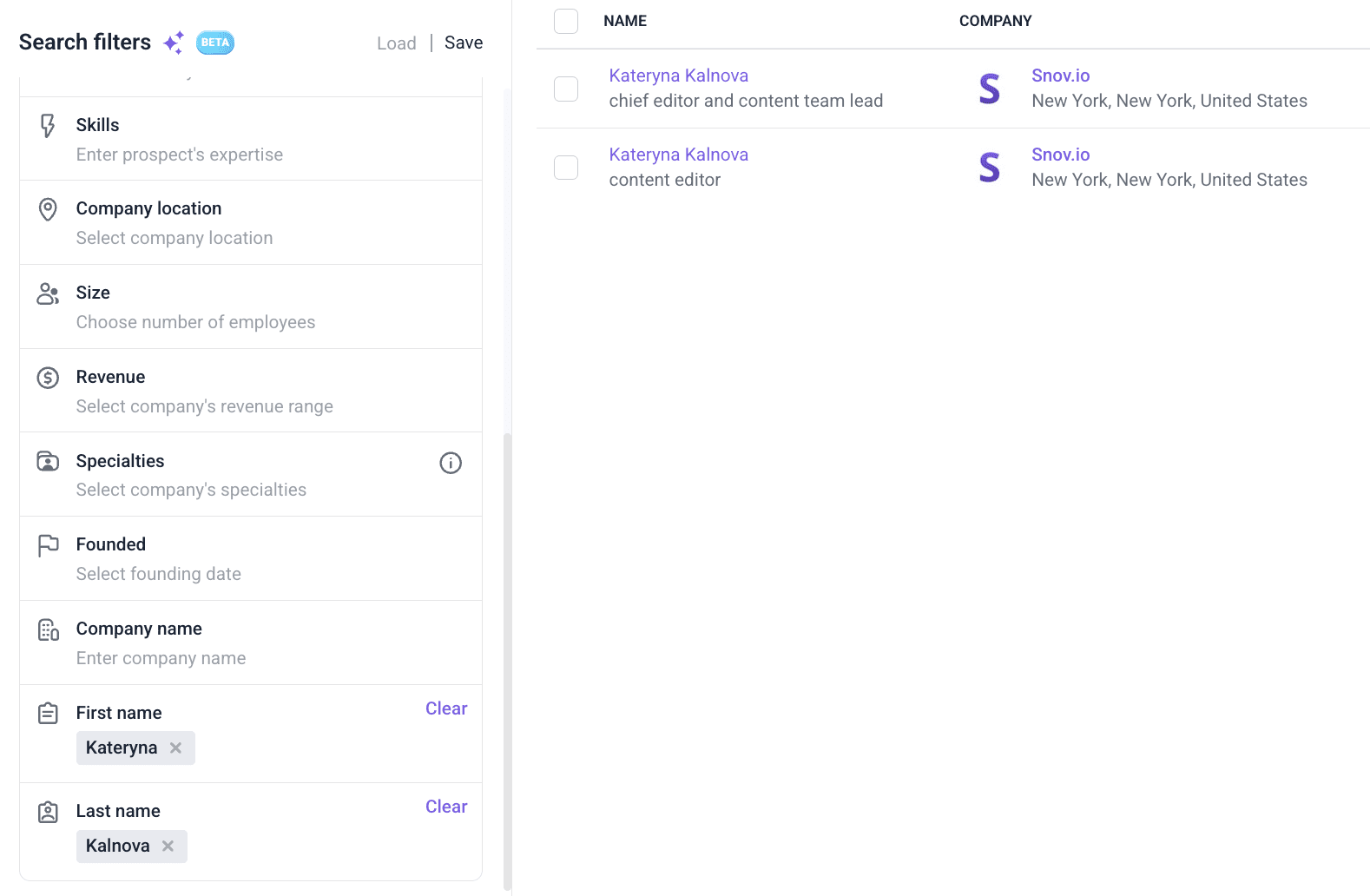
For even deeper enrichment, you can benefit from Snov.io’s integration with Clay. Connect your Clay account to Snov.io to pull additional firmographic and contextual data into a single lead record.
- Run multichannel campaigns with reduced LinkedIn account risk
After enrichment, add leads to Snov.io multichannel campaigns. These sequences combine email and LinkedIn touchpoints to minimize risk to your account.
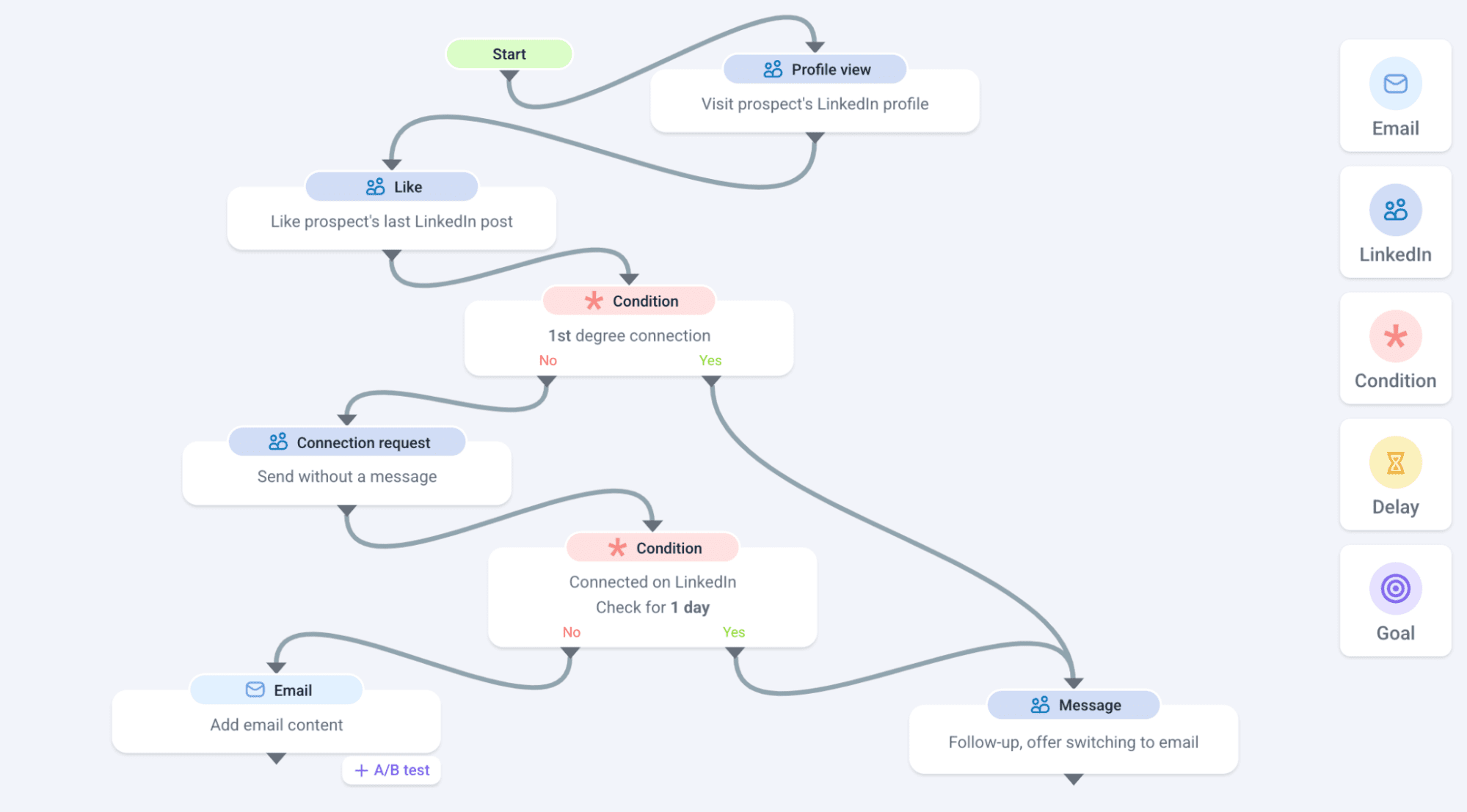
For example, you can start with a couple of automated LinkedIn actions (post like, profile view, sending a connection request), and, based on recipients’ reactions, either switch to email or stay on social media.
- Automatically assess lead interest and prioritize follow-ups
As prospects engage with your campaigns, Snov.io automatically analyzes replies and interaction signals. Its AI-enhanced Sentiment Analysis helps identify interested leads, so you could reach out to warm prospects immediately.

So, instead of wasting time on manually sorting responses, your team can start interacting with leads that show clear intent. At the same time, the automated campaign keeps running for prospects who aren’t ready to engage with a sales team. This improves your team’s efficiency and shortens the conversion time.
- Automate all LinkedIn actions safely
When you run automated campaigns with Snov.io, the platform applies multiple safeguards to reduce the risk of your LinkedIn account being flagged or restricted, such as:
- Location-based proxies that match your usual login location, making your LinkedIn actions appear less suspicious
- Safe daily limits to mirror typical human activity. Once limits are hit, the tool pauses automation until the next day.
- Warm-up mode that gradually increases the number of sent connection requests, which helps you avoid triggering LinkedIn algorithms.
- Scheduled human-mimicking automation, which allows you to set the programmed sequences so they run naturally and take control over them when needed.
- Dynamic personalization and Spintax, which let you vary your messages/inMails on autopilot so they never look template-like.
→ You can read more about how Snov.io protects your LinkedIn account in this quick guide.
Case example: How Anderson Digital Growth tripled the weekly number of meetings with Snov.io
Anderson Digital Growth primarily focuses on mid to large enterprises in the SaaS and IT services industries. The agency helps its clients to build genuine connections on LinkedIn and drive sustainable growth.
With Snov.io, we increased our response rate by 20% and tripled the number of meetings booked per week.
Chief Growth Officer at Anderson Digital Growth

Before implementing Snov.io, the Anderson Digital Growth team faced a number of challenges that hindered their agency’s growth:
- They spent hours sending tailored connection requests and follow-ups. These activities ate up time for engaging with their prospects and nurturing relationships.
- Despite all that manual effort, their connection acceptance rates stayed inconsistent. Moreover, it was often even lower than expected. Obviously, this negatively impacted revenue and team spirit.
- As the agency’s outreach grew, maintaining the same level of personalization while reaching a larger audience became increasingly difficult.
So, Anderson Digital Growth turned to Snov.io in search of a reliable yet safe LinkedIn automation solution. With this tool, the agency transformed its workflow:
- LinkedIn profiles the agency works with are now automatically warmed up.
- The team doesn’t waste time on profile visits, likes, or connection requests – all of these activities are done on autopilot.
- The agency can scale more effectively while keeping messages and InMails personalized.
- The team now has a clear insight into their campaign’s results, which can be used to optimize the future strategy.
This approach enabled Anderson Digital Growth to maintain consistent engagement while building genuine relationships with its prospects.
The results speak for themselves:
- Connection acceptance rate grew from approximately 25% to 50%
- Response rate improved from around 15% to 35%
- The number of meetings booked grew from 4 meetings per week to 12
All of it – without risking account safety.
Linked Helper vs. Snov.io: Side-by-side comparison
Now that you have an idea about what Snov.io and Linked Helper can do for you, let’s see how the two solutions compare side by side.
| Feature | Linked Helper | Snov.io |
|---|---|---|
| LinkedIn message automation | ✅ | ✅ |
| LinkedIn actions automation | ✅ | ✅ |
| Email discovery from LinkedIn | Limited | ✅ |
| Prospect research and data enrichment | Limited | ✅ |
| Multichannel outreach automation | ❌ | ✅ |
| ICP (Ideal Customer Profile) discovery | ❌ | ✅ |
| Cloud-based operation | ❌ | ✅ |
| Built-in proxy | ❌ | ✅ |
| Gradual account warmup | ✅ | ✅ |
| Team collaboration & multi-account management | Limited | ✅ |
| Leads’ interest level analysis | ❌ | ✅ |
| Analytics and reporting | ✅ (but LinkedIn-only) | ✅ (across all outreach channels) |
| Free plan / trial | 14-day free trial | Forever-free plan for LinkedIn email finder |
Basically, Snov.io offers more versatility and security for your outreach, while Linked Helper features are strictly focused on social media.
Linked Helper + Snov.io: Integration to empower your outreach automation
But what if you’re already an active user of Linked Helper? I know what dedication means, so I’m not going to talk you out of using the tool that you feel comfortable with, especially if it brings results.
I’m here to show how you can strengthen your chosen functionality by integrating it with Snov.io. While Linked Helper is limited to LinkedIn and lacks built-in email infrastructure, verification, or deliverability control, that’s where Snov.io can make a difference.
By using the Linked Helper + Snov.io combo, you can:
- Export leads from Linked Helper
- Enrich them and verify their emails in Snov.io
- Launch automated email sequences to shift volume to the alternative outreach channel
- Follow up automatically
- Warm up sending infrastructure
- Check deliverability and monitor bounce rates
- Manage your leads and cooperate with your team in Snov.io’s free sales CRM
By integrating Snov.io into your Linked Helper workflows, you add email automation, deliverability protection, and multichannel outreach to your LinkedIn-only strategy, making your outbound outreach scalable but safer.
→ Check out this quick guide on how to integrate Snov.io and Linked Helper step by step.
How to choose the right LinkedIn automation tool: step-by-step guidelines
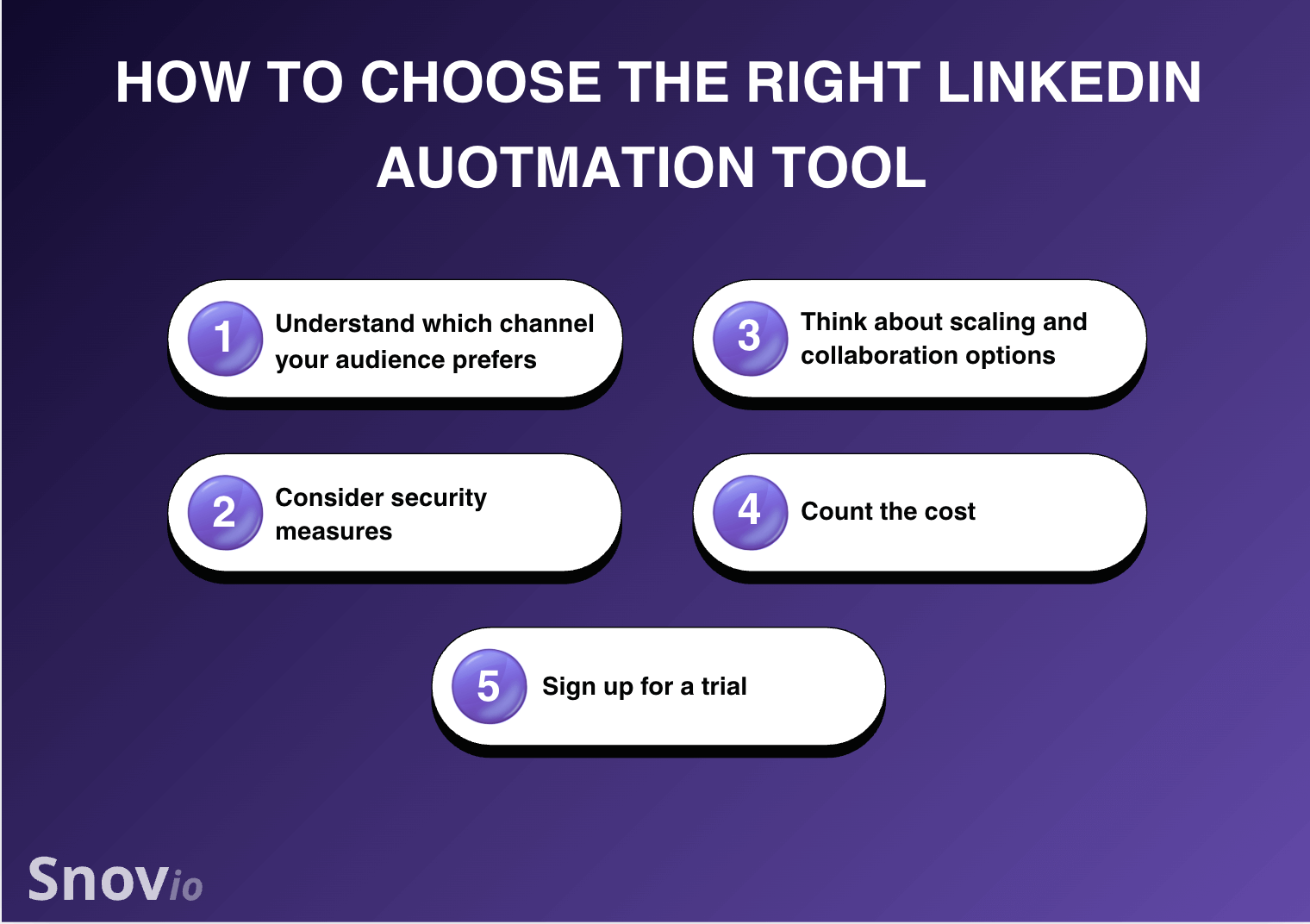
With a variety of LinkedIn automation solutions available, picking the right one for your team can be challenging. That’s why I created a short, step-by-step guide to help you make the right choice:
Step 1: Understand which channel your audience prefers
Make sure you know where your audience “lives.” It will help you to decide whether your outreach should be LinkedIn-only or multichannel. When it comes to safety, the latter always works best. You can use LinkedIn automation for warming up conversations, and email for outbound sales.
Step 2: Consider security measures
Any tool that automates LinkedIn actions involves some level of account risk, particularly as LinkedIn tightens enforcement measures. To keep your account as safe as possible, it’s best to choose a cloud-based solution that offers a built-in proxy, smart limits, and options to continue conversations off LinkedIn.
Step 3: Think about scaling and collaboration options
If you are planning to grow or are already working in a team, you’ll need shared workflows and in-depth reporting by hook or by crook. This demands having a CRM or integrating your LinkedIn automation solution with similar sales software.
Step 4: Count the cost
And that’s not just about looking at pricing plans. Consider the hidden fees. Some tools may look cheap at first glance but lack crucial functionality, forcing you to buy other apps, which increases your total spending.
Step 5: Sign up for a trial
Before you make a purchase, it makes sense to test the tool inside and out. The longer trial period the tool offers, the better insight into its effectiveness you’re going to get. Sometimes, platforms provide free plans with limited options instead of free trials, so you can test the basic features. Do that as well.
When following the steps above, I recommend sticking to a solution that maintains a balance between automation and safety. Slow, steady improvements usually beat quick, risky wins in the long run.
Key takeaways
Linked Helper remains a popular LinkedIn automation tool thanks to its low price and flexible workflows. However, in 2026, its limitations are more visible. Desktop dependency, lack of email integration, and LinkedIn compliance risks make it less suitable for growing teams.
If your goal is scalable, compliant outreach, multichannel solutions like Snov.io offer a safer and more effective alternative. By using LinkedIn as a data source and visibility channel, while letting email tackle outreach, you reduce account risk while improving overall results.