July was all about making Snov.io easier to connect with your existing workflows while giving you richer prospect data and more control over your outreach.
This month, we:
- Launched our official n8n integration
- Introduced the Snov.io MCP server for AI assistants like ChatGPT and Claude
- Added company enrichment for prospect lists
- Improved LinkedIn Automation with smarter engagement and expanded Do-not-contact protection
Let’s take a look at everything that’s new.
Company enrichment
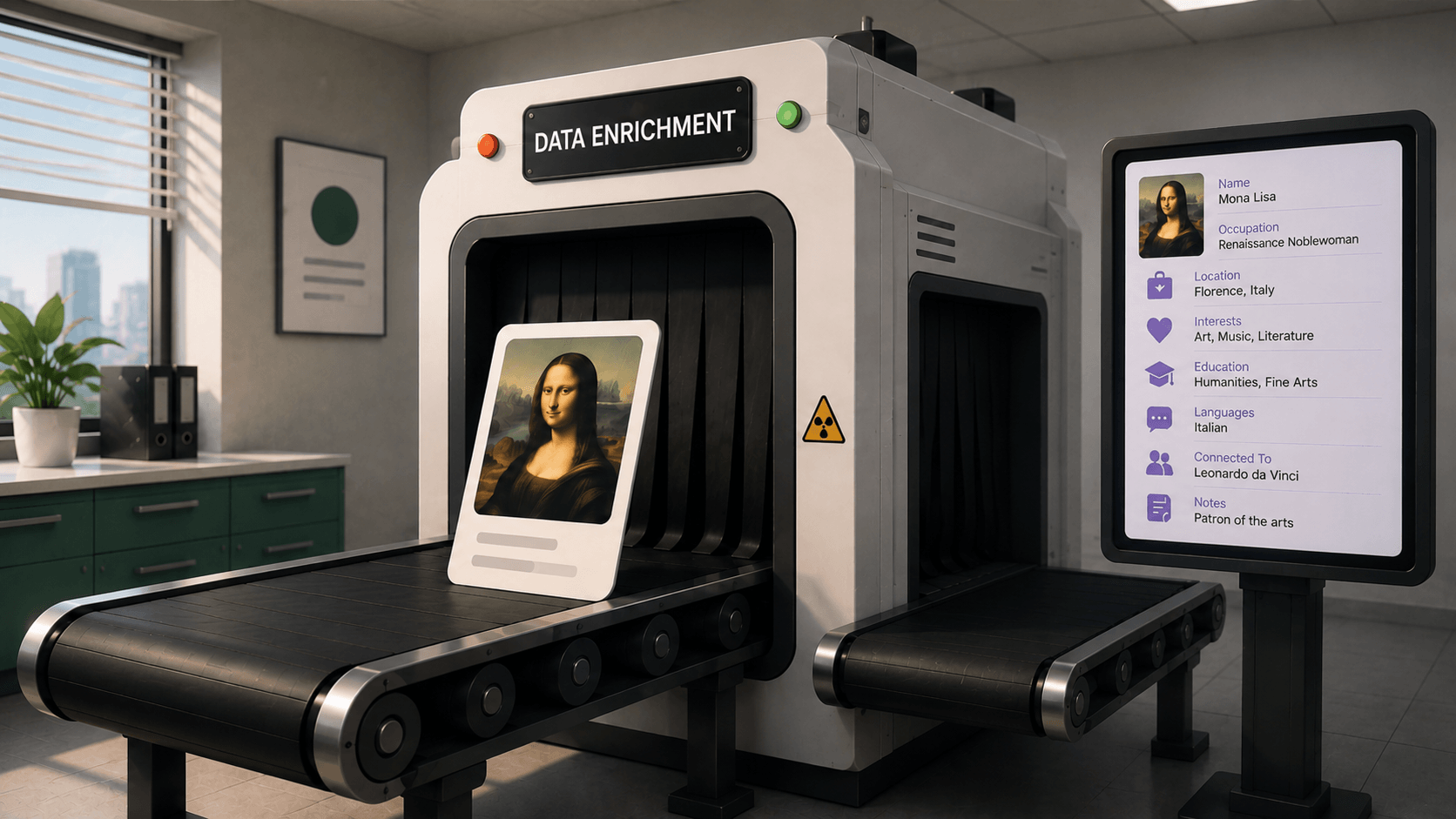
Company research before reaching out can take hours. Our new Company enrichment feature automatically enriches existing prospect lists with detailed company information, helping you qualify leads faster and personalize outreach without switching between LinkedIn, Crunchbase, and other sources.
Simply open any prospect list and select Get company details under the Enrich button. The enriched information appears in the new Full company details tab and can also be exported to CSV for additional segmentation or reporting.
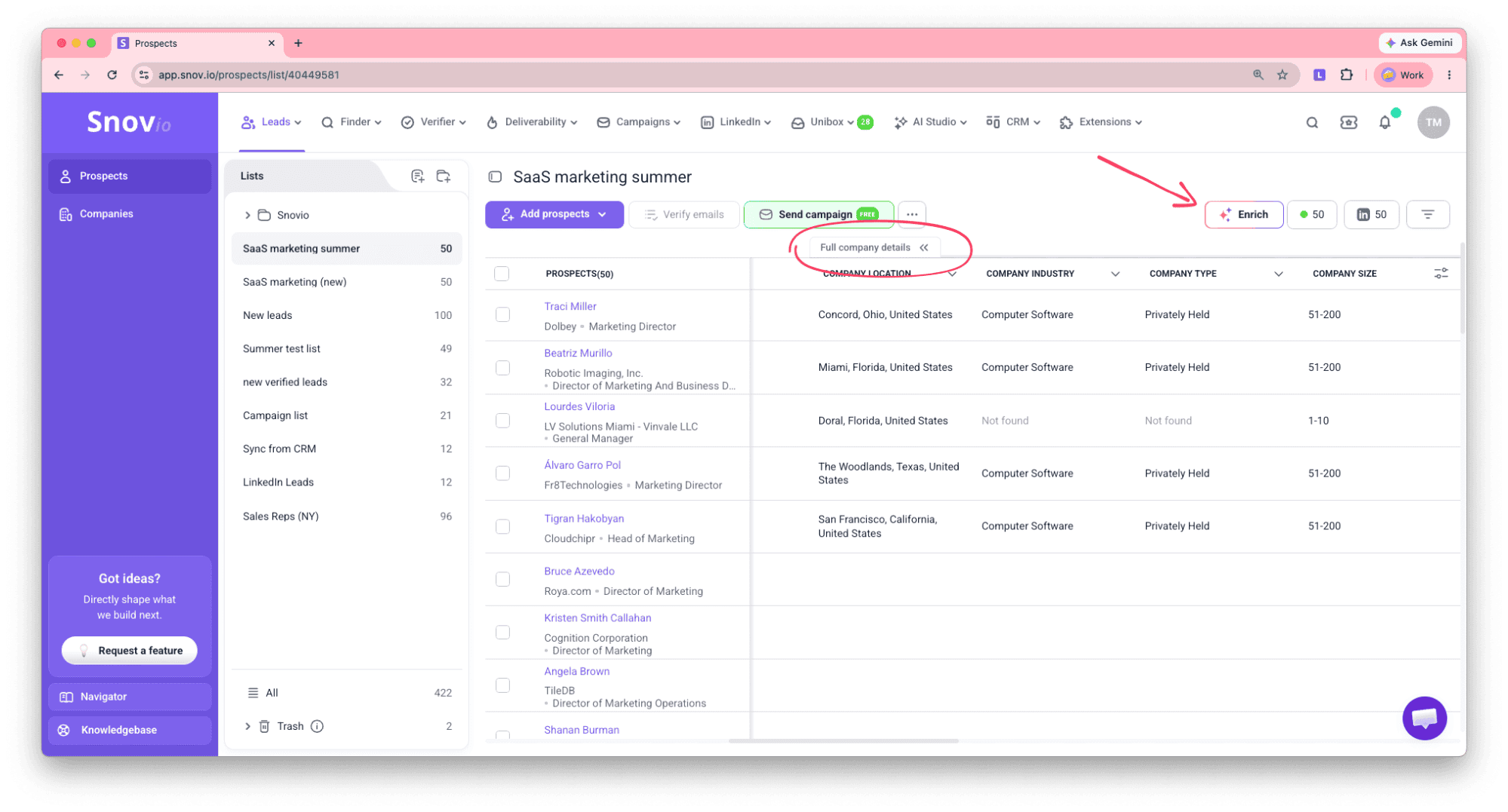
You can enrich your prospect lists with up to 13 company attributes, including:
- Company profile: location, industry, company type, size, slogan, and description
- Social presence: LinkedIn page, LinkedIn followers, and Crunchbase profile
- Expertise: specialties, similar companies, and affiliated companies
- Funding information: funding history, investment amounts, and investors
Use this data to improve ICP scoring, personalize your messaging, and prioritize the best opportunities.
👉 Learn more in our guide.
Smarter LinkedIn post likes
We’ve made LinkedIn Automation behave even more naturally.
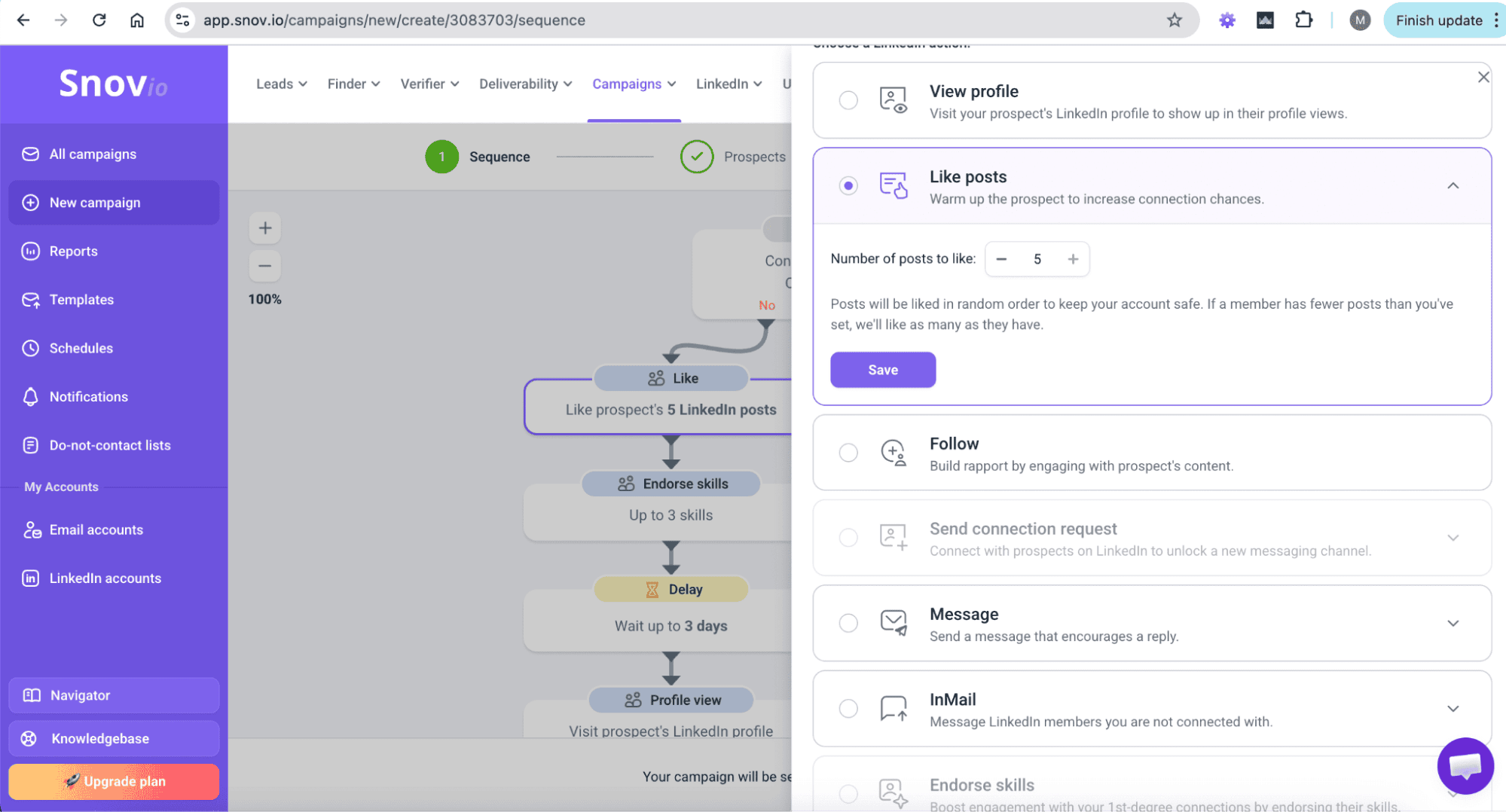
Previously, the Like post action always engaged with the latest post from each prospect. From now on, you can define how many posts should be liked, while Snov.io automatically determines which posts receive engagement.
What you can do now:
- Schedule up to 5 post likes per prospect
- Randomize post selection for more natural engagement
- Reduce repetitive activity patterns
- Keep your automation compliant with LinkedIn best practices
To enable this option, edit the Like post step inside your LinkedIn Automation sequence and specify the desired number of posts.
👉 Learn more in our LinkedIn Automation guide.
Snov.io MCP server
One of July’s biggest releases is the new Snov.io MCP server, which lets AI assistants interact directly with your Snov.io workspace.
After connecting your account, compatible AI assistants can search prospects, verify emails, manage CRM records, schedule follow-ups, and launch outreach using natural language conversations.
The MCP server works with any MCP-compatible AI assistant, including ChatGPT, Claude, Cursor, and Windsurf.

What you can do through AI:
- Search the lead database and manage prospect lists
- Find and verify email addresses
- Create and update CRM deals
- Schedule tasks and meetings
- Configure LinkedIn accounts
- Launch LinkedIn outreach and manage connections
Getting started only requires adding the Snov.io MCP server URL to your AI assistant, connecting your account, and approving permissions.
👉 This step-by-step guide will help you set it up.
Official n8n integration
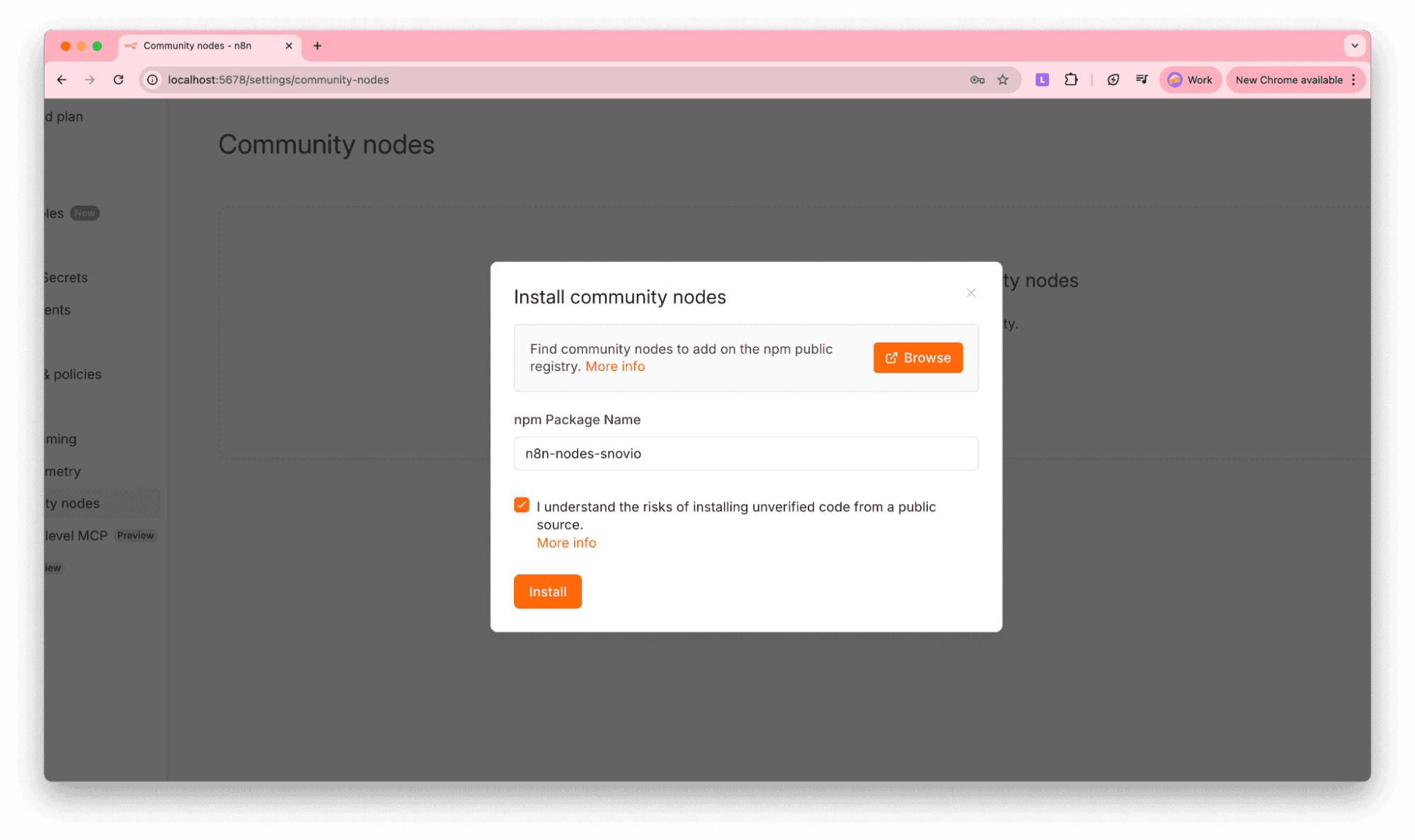
Automation just became much easier. Our official n8n Community node lets self-hosted n8n users integrate Snov.io into virtually any workflow using API credentials.
Whether you’re building lead generation pipelines or AI-powered automations, the new node gives you direct access to Snov.io inside n8n.
Build automated workflows for:
- Email verification and lead enrichment
- CRM and spreadsheet synchronization
- Lead management and reporting
You can also connect Snov.io with popular tools like Google Sheets, HubSpot, Salesforce, Slack, and thousands of other applications available in the n8n ecosystem.
👉 Learn how to set up the integration from this guide.
Do-not-contact lists supporting LinkedIn profile URLs
Protecting your sender reputation and respecting opt-outs just became easier across every outreach channel.
Do-not-contact lists now accept LinkedIn profile URLs in addition to email addresses and company domains.
This means you can now:
- Exclude prospects using their LinkedIn profile URL
- Prevent blocked prospects from entering email, LinkedIn, or multichannel campaigns
- Track excluded prospects with the new No-send status for more accurate reporting
This update helps maintain consistent suppression rules regardless of how your prospect data is stored.
👉 Learn how to set up do-not-contact lists from this guide.
What’s next?
July introduced several major building blocks for smarter sales automation – from AI-powered workflows and n8n integration to richer company intelligence and more flexible LinkedIn automation.
We’re already working on the next wave of improvements, so stay tuned for even more updates next month.