
TL;DR: Best LinkedIn email extractors test results
I put every LinkedIn email extractor through the same test—extracting emails from 10 profiles. Here are the overall results of my test:
Want to find emails on LinkedIn instantly with 100% guarantee? Start prospecting with Snov.io LinkedIn email extractor right now.
With over 1 billion members, LinkedIn is the #1 platform for business connections and client acquisition. However, bulk lead generation on LinkedIn is challenging since the platform limits non-stop outreach, and may even restrict your account for excessive activity.
LinkedIn email extractors solve this challenge very well by helping to find prospect contacts on autopilot. This way, you can use email as an alternative outreach channel, bypassing LinkedIn’s limitations.
But how do you know which LinkedIn email extractor is the best?
I’ve run a test and compared the top 10 LinkedIn email extractors in terms of features, usability, and pricing so you could choose the best fit for your team.
Here’s the article outline for a quick navigation:
Top 5 best LinkedIn email extractors (based on my test)
After testing 10 LinkedIn prospecting tools with identical parameters, I picked the top 5 solutions that, in my opinion, are worth your budget:
Scroll down for the nitty-gritty of each tool: extraction rates, credit costs, features, and usability.
How I chose and evaluated LinkedIn email extractors
The telling difference between LinkedIn scrapers only shows up when you actually use them. So I chose 10 LinkedIn email finders based on three non-negotiables: verified user reviews on G2, access to a free trial or a freemium plan, and the actual capabilities each tool offers.
Then, I put all LinkedIn email finders through the same test. I ran 10 identical personal LinkedIn profiles through every extension and tracked accuracy, speed, enrichment quality, and credit usage. Then I scored each LinkedIn email scraper on a 5-star scale across 4 key areas:
- Extraction accuracy: How accurately it was able to find emails on personal LinkedIn pages
- Additional features+integrations: What other features the tool provides and how it syncs with the most popular CRMs and apps.
- Pricing: How transparent the pricing is, and which credit system the LinkedIn email extractor offers
- Ease of use: How easy the onboarding process is, whether the interface is intuitive, and how professional the support team is.
Below, you’ll find my detailed description of these LinkedIn scrapers and the results they delivered.

Best LinkedIn email extractors compared
With the key evaluation criteria locked in, it’s high time to see in detail how each LinkedIn scraper actually behaved under identical conditions.
Emails found: 10/10
G2 rating: 4.5/5
Pricing: Starts from $39/month for 1,000 credits. A forever-free plan with 50 free credits/month.
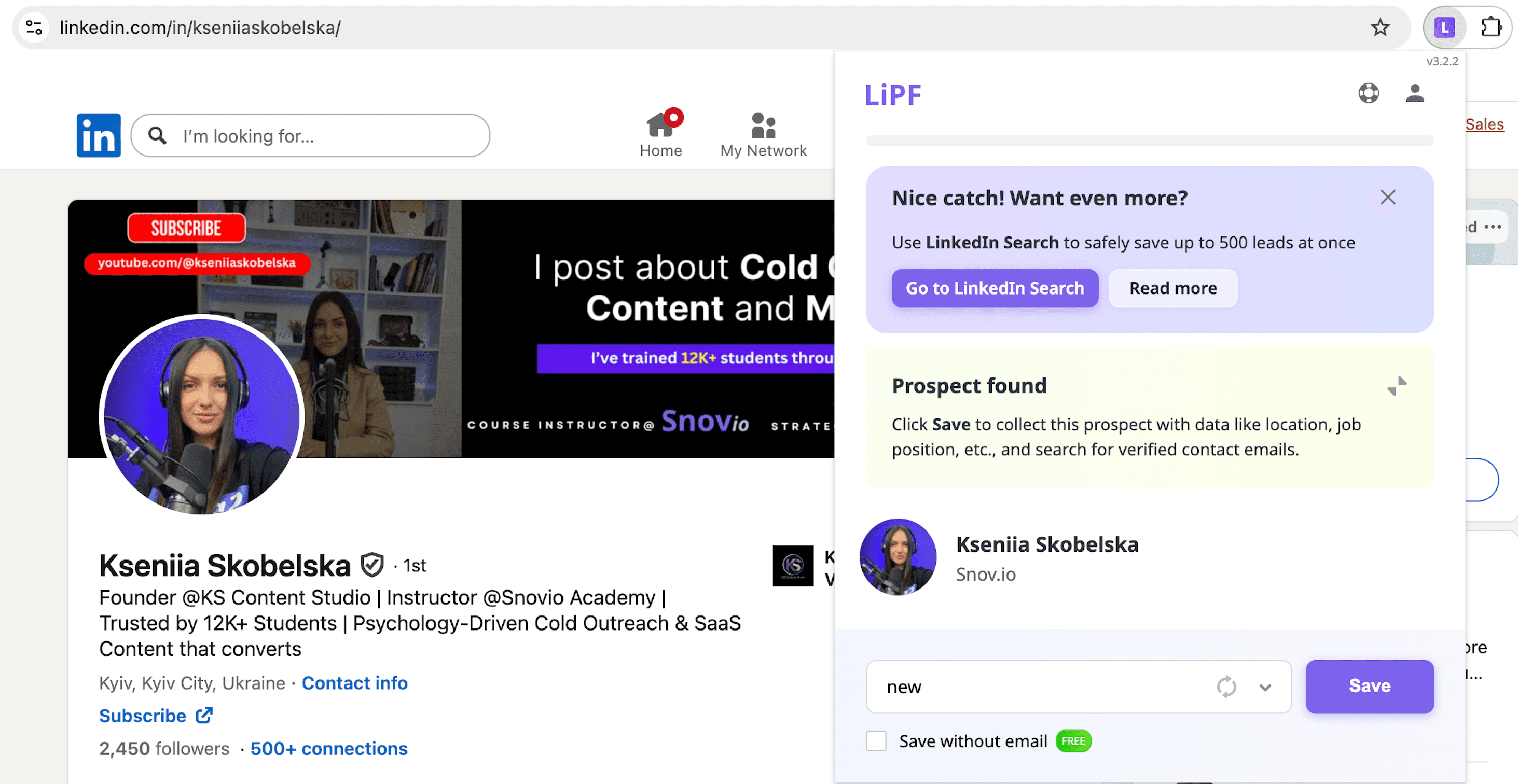
Snov.io is an outreach software platform offering one of the strongest LinkedIn email extractors on the market, with a clear focus on accuracy and data safety. Once installed, it works across LinkedIn profiles, search results, event attendee lists, and company pages.
In practice, this means you can find, enrich, save prospects, and launch campaigns all under the roof of a single tool.
🔑 Key Snov.io features for LinkedIn lead gen:
- LinkedIn search
You can extract emails from LinkedIn by pasting search URLs straight into the Snov.io app or uploading LinkedIn profile links in bulk.
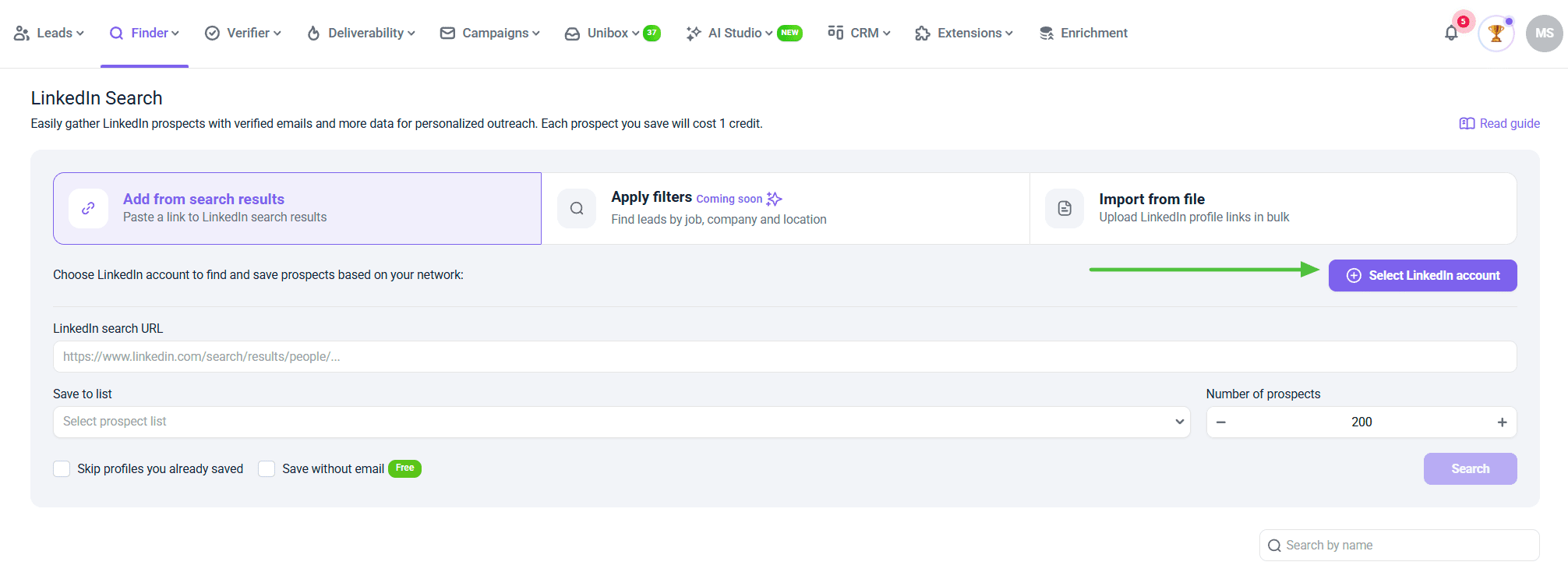 This saves you from the cross-platform navigation fatigue, with enriched results being imported safely on autopilot.
- LinkedIn Email Finder extension
Alternatively to in-app search, you can use Snov.io’s LinkedIn Email Finder extension for Chrome for extracting emails right in your LinkedIn tab. All you need to do is download the extension and click on the plugin when you are on a LinkedIn search, profile, company, or even an attendee list page.
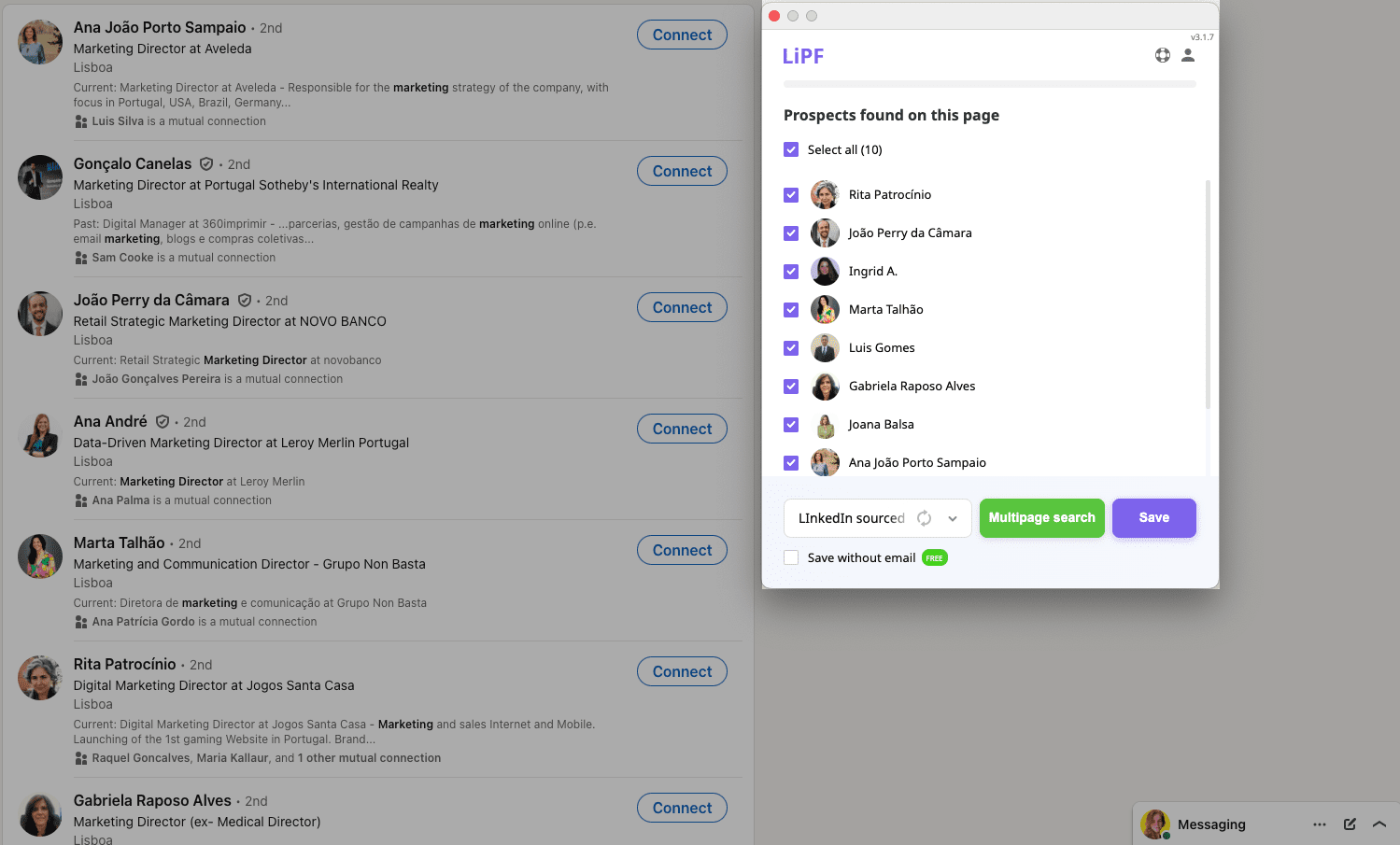
The tool will generate prospects as well as their verified email addresses in seconds. What’s more, this extension works similarly productively with Sales Navigator, so if you already use this premium LinkedIn plan for prospecting, you can easily combine it with Snov.io’s LinkedIn Email Finder extension for faster growth.
- Multichannel outreach
With Snov.io, you can build multistep conditional campaigns combining email and LinkedIn outreach in one powerful communication strategy.
Engage prospects with automated warm-up activities, such as profile views, post likes, or connection requests, then send your messages or emails along with pre-planned follow-ups. Use Snov.io’s AI Email Builder to personalize your outreach at scale.
Snov.io test results:
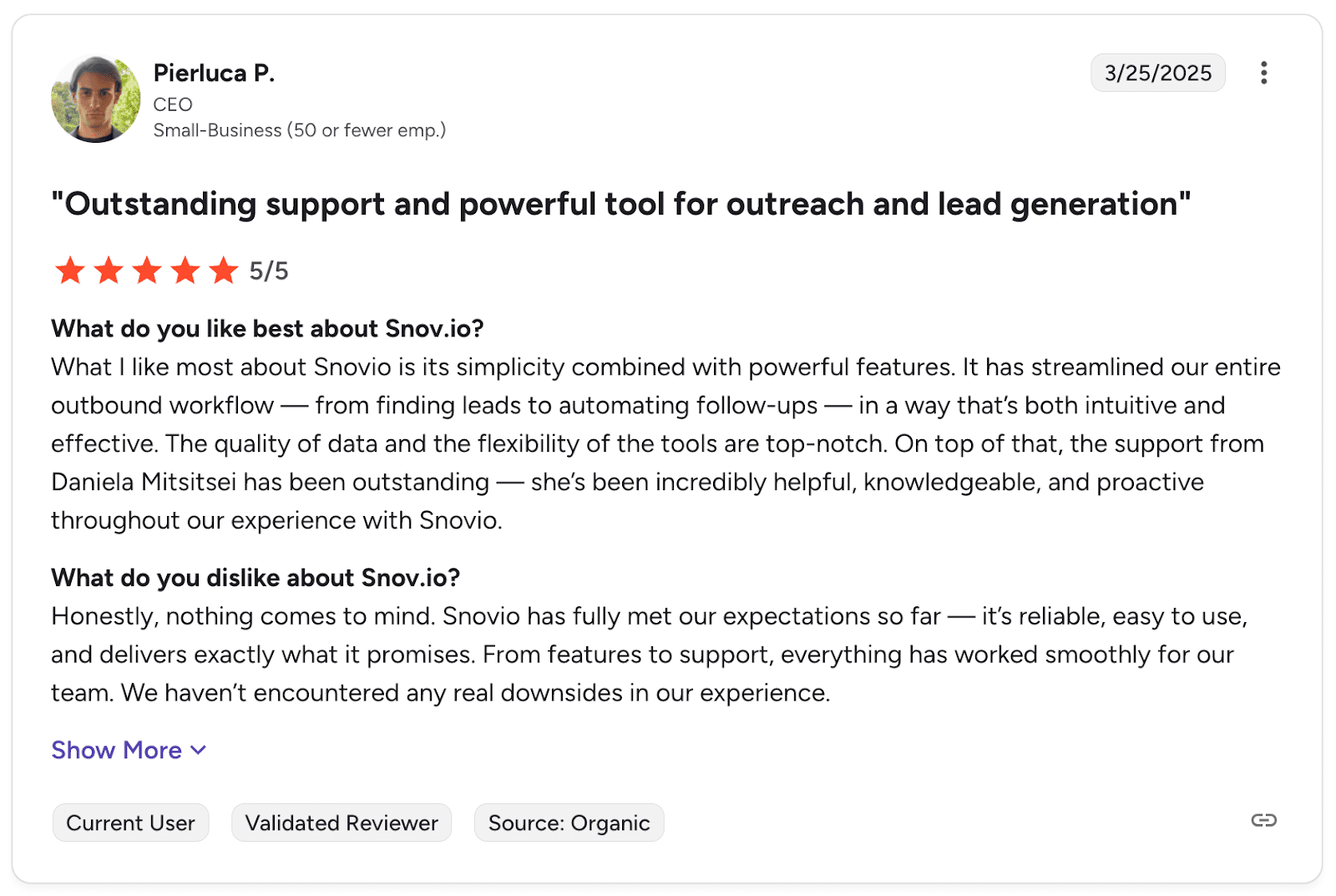
What users say about Snov.io:
Users love Snov.io for its simplicity, powerful functionality, data quality, and impeccable customer service.
📍My final opinion about Snov.io:
Installing and activating the LinkedIn extension was a fairly smooth ride. I managed to find all the contacts with their correct email addresses, so it’s definitely a reliable tool. I also appreciate that you can cover all your prospecting needs with just one subscription — that’s real value.
You pay once and get a platform for email finding, verification, multichannel outreach, powerful email deliverability, warm-up features, and personal CRM. That looks really like a Swiss knife for marketing or sales teams.
My overall rating: ⭐⭐⭐⭐⭐
-
GetProspect
Email found: 5/10
G2 rating: 3.9/5
Pricing: Starts from $49/month per 1000 valid searches. Free plan with 50 credits/month
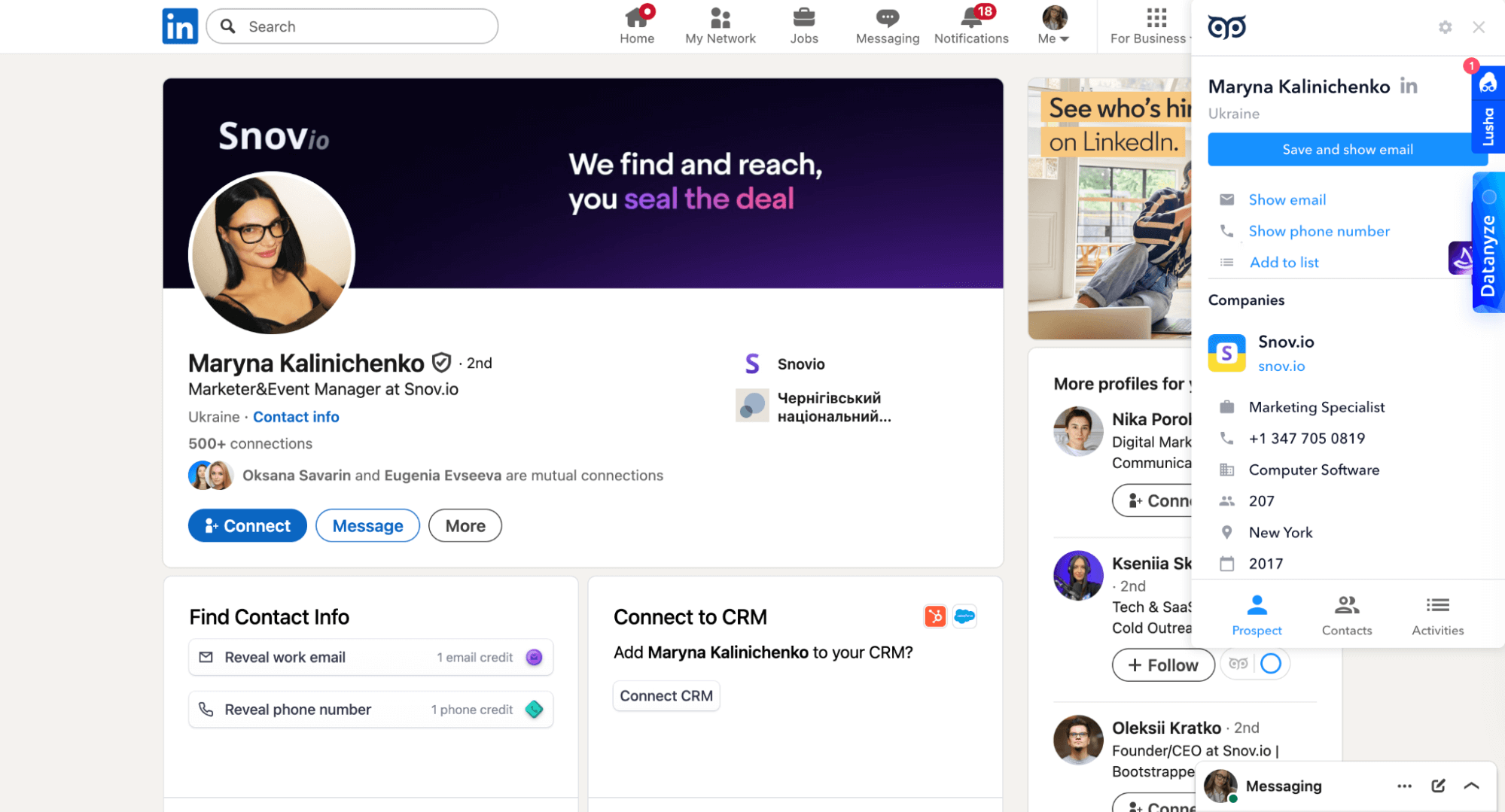
GetProspect offers a browser extension that helps extract emails from LinkedIn profiles, including 1st, 2nd, and 3rd+ connections. It supports bulk extraction from Sales Navigator, LinkedIn groups, and event attendee lists, with free verification included. The extension also enriches profiles with extra data such as job titles, company details, location, etc.
🔑 Key GetProspect features:
- Bulk email extraction: Extract emails from LinkedIn search results, groups, or Sales Navigator lead lists in bulk.
- Contact enrichment: Get the missing data about prospects owing to the vast B2B database.
- Cold email outreach: Send personalized emails and automate follow-ups.
GetProspect test results:
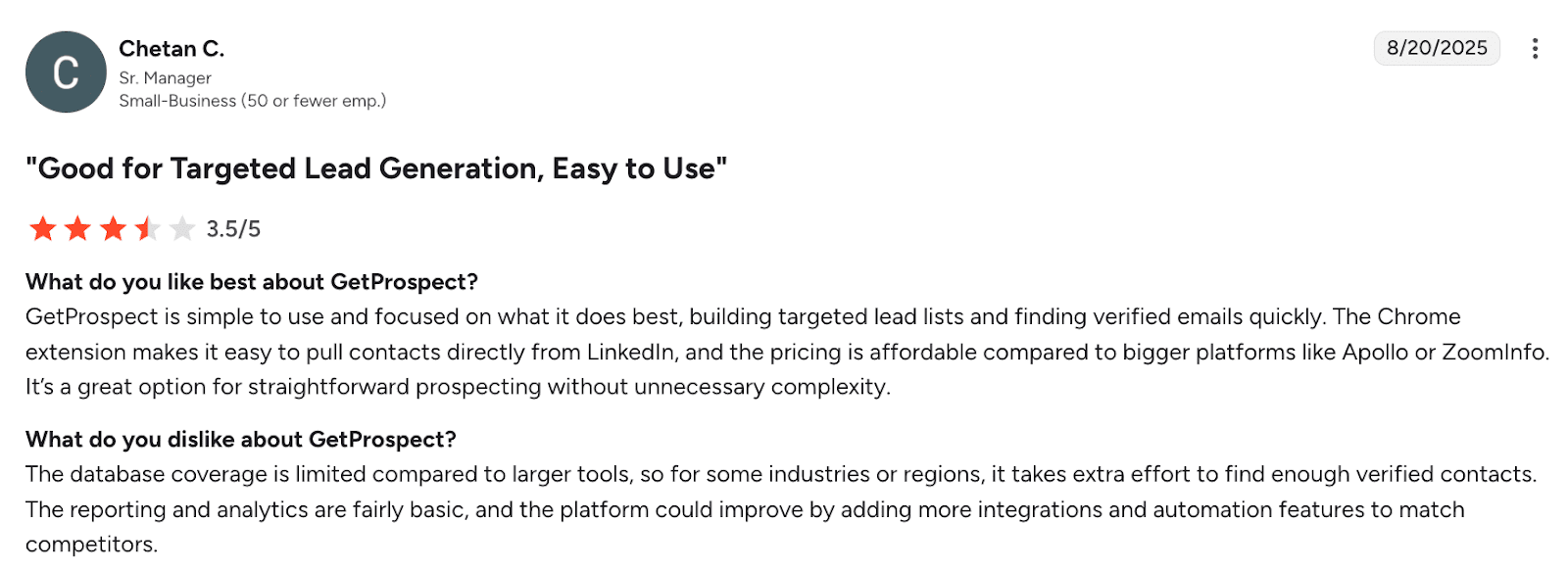
What users say about GetProspect:
Users find GetProspect simple for building lead lists, but many of them note that database coverage can be spotty in certain industries. The interface is easy to navigate, but email accuracy tends to fall short compared to other LinkedIn prospecting tools.
📍My final opinion about GetProspect:
GetProspect works well if you need a basic LinkedIn email finder with additional data enrichment features, but, frankly, my experience with email discovery wasn’t positive, as the tool extracted contact data from only half of the profiles. The pricing is not high for a platform that offers multiple features, but you’re probably better off with a tool that delivers stronger results.
My overall rating: ⭐⭐⭐½
-
Lusha
Emails found: 6/10
G2 rating: 4.3/5
Pricing: Starts from $29.90/month for 250 credits (Viewing all enriched details costs 6 credits per profile). Free plan with 40 credits/month.
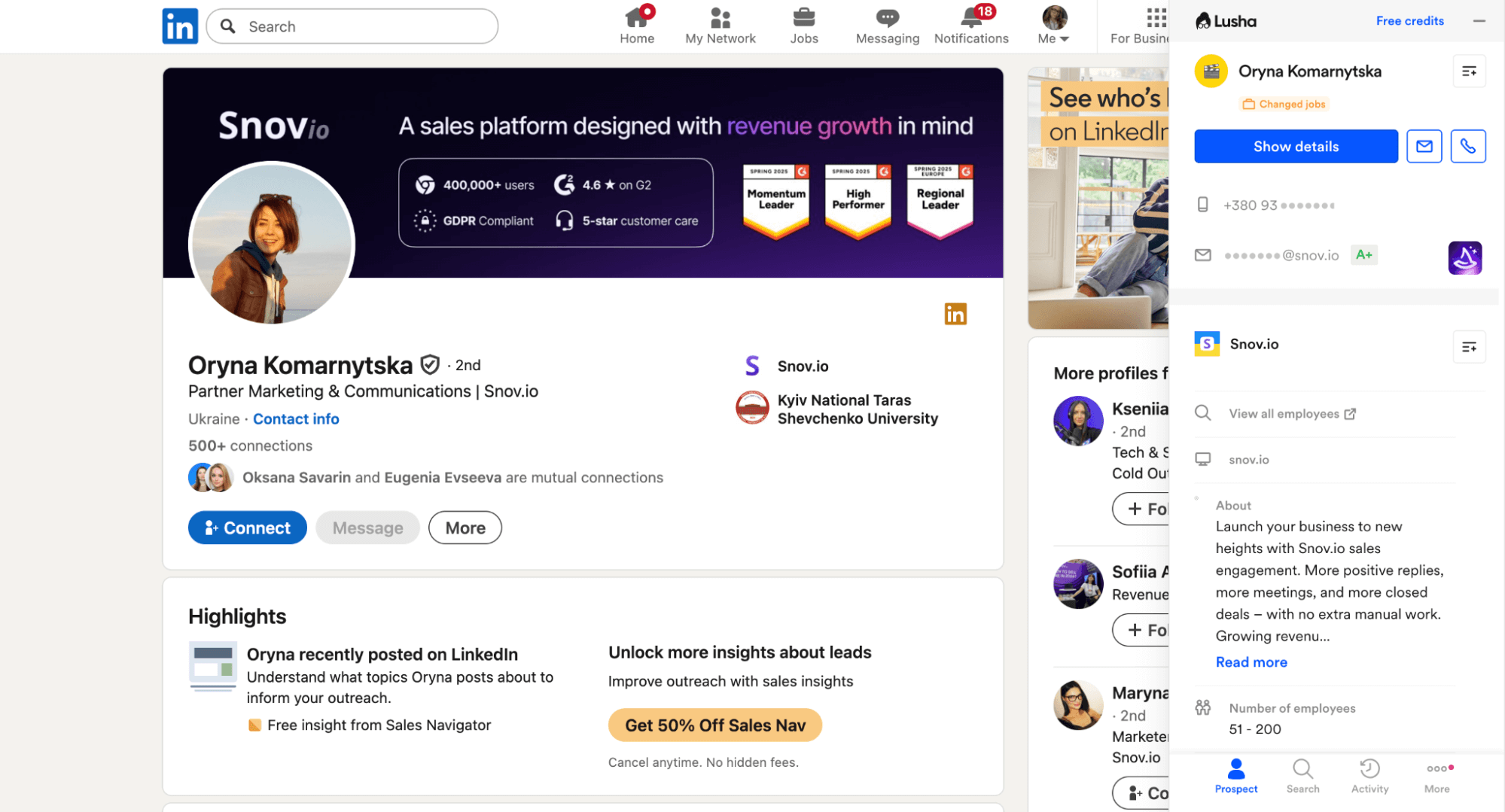
Lusha is a LinkedIn email scraper that provides verified contact details along with enriched profile and company data directly in your browser. It also lets you send emails from the extension or sync leads straight to your CRM for a seamless workflow.
🔑 Key Lusha features:
- Chrome extension: Extract email addresses from LinkedIn with AI-driven B2B data.
- Multi-platform functionality: Do prospecting across LinkedIn, Sales Navigator, company websites, Gmail, Google Calendar, etc.
- Activity signals: Track job changes, buyer intent signals, funding rounds, and other prospect activity to better time your outreach.
Lusha test results:
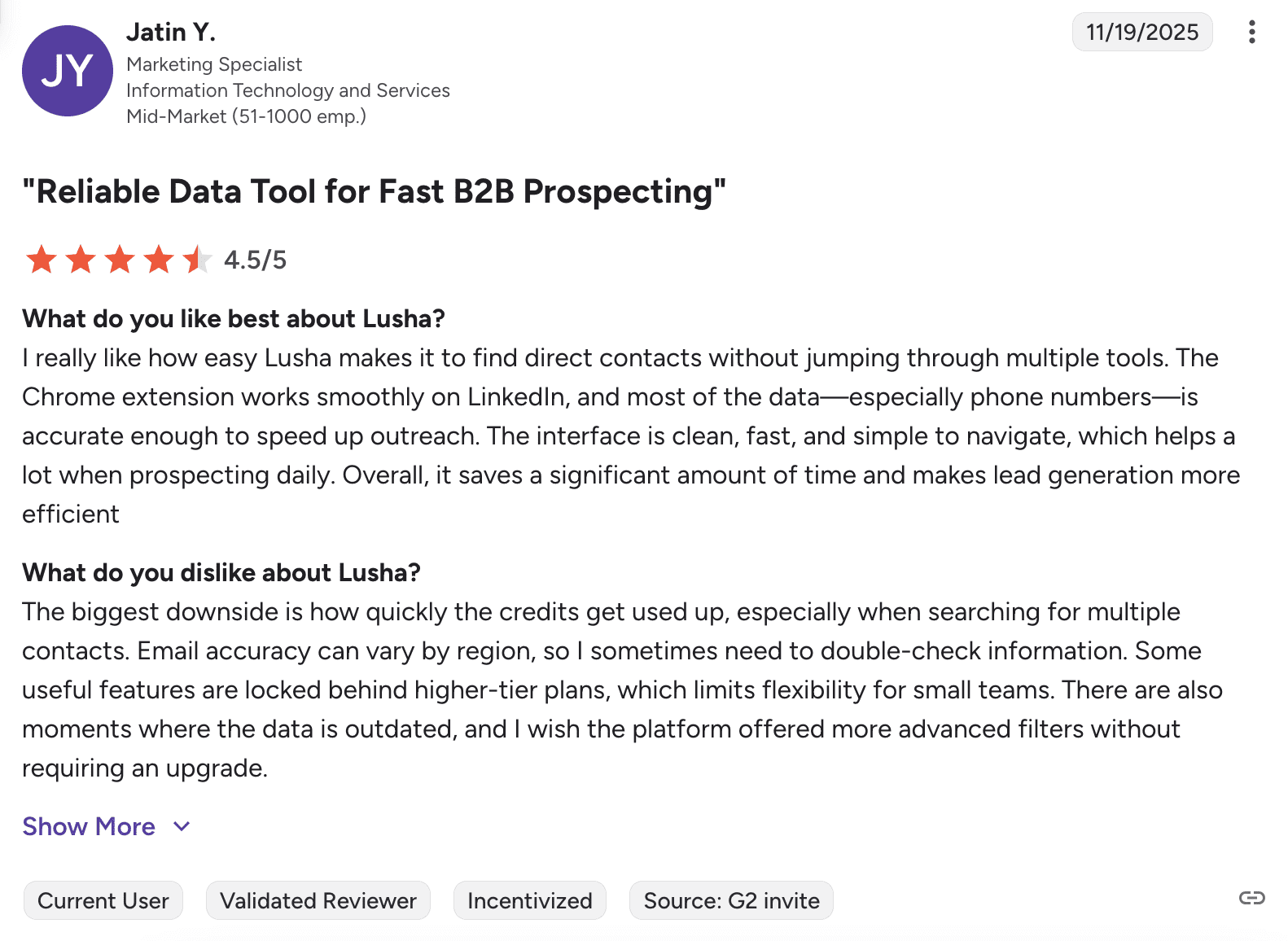
What users say about Lusha:
Users appreciate how quickly Lusha finds contact information and how well it integrates with their CRMs. The main concern is that credits deplete quickly. Plus, data accuracy can be inconsistent.
📍My final opinion about Lusha:
I feel that Lusha is worth considering when you’re interested in data enrichment. But it’s not the most cost-effective option for high-volume prospecting. The credit system feels expensive as you have to pay 6 credits just to see all the details. Plus, frankly, I’m more into the solutions that offer a human customer support ready to solve my concerns quickly.
Overall rating: ⭐⭐⭐⭐
-
Apollo
Emails found: 6/10
G2 rating: 4.7/5
Pricing: Starts from $59/month per 2500 credits. Free plan with 100 credits/month
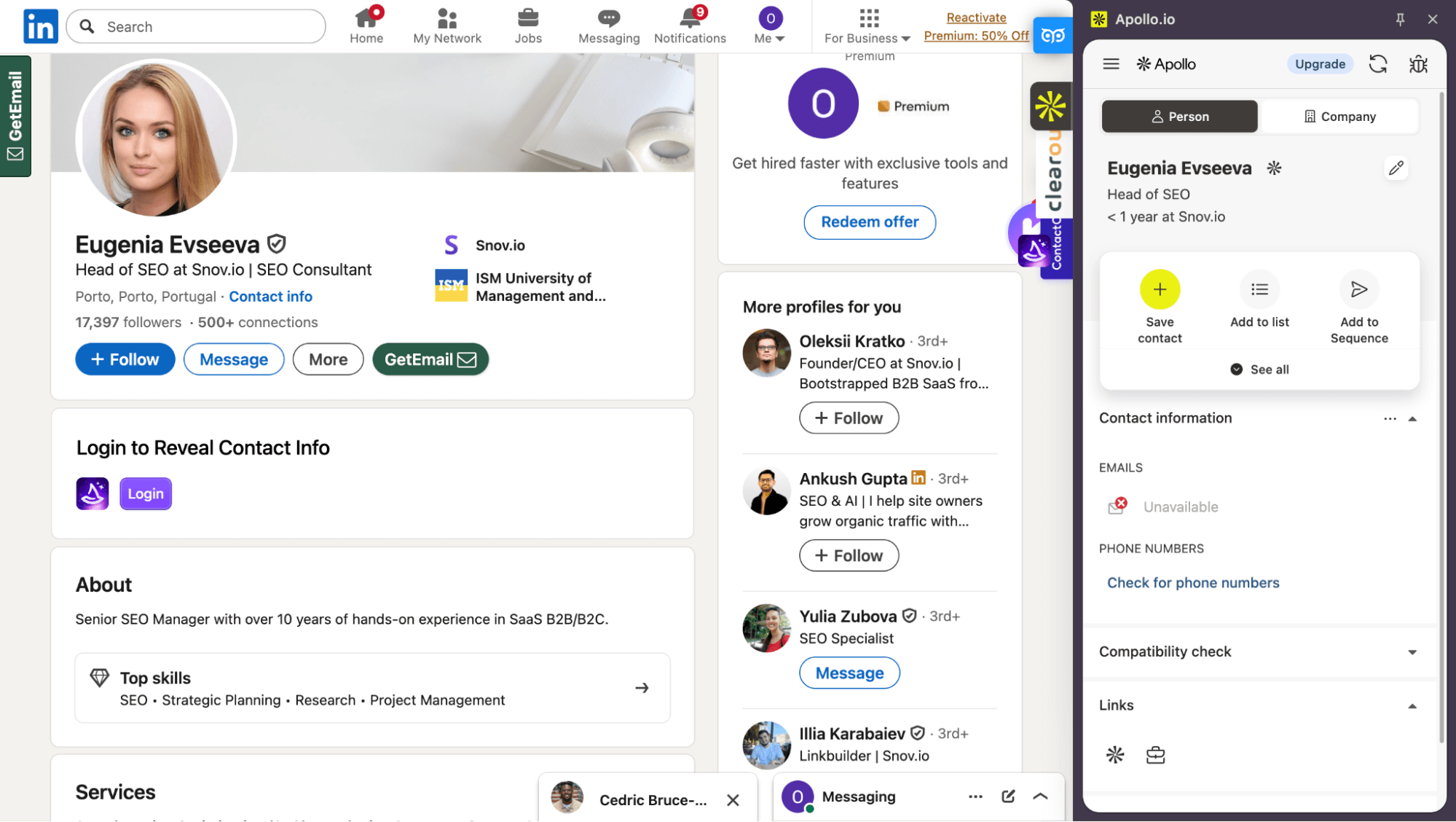
Apollo is a comprehensive LinkedIn email scraper that goes well beyond basic extraction. The tool provides verified email and phone numbers, along with AI features, data enrichment, and execution capabilities.
🔑 Key Apollo features:
- Chrome extension: Find emails and phone numbers on LinkedIn and add them to your list for further outreach.
- Data enrichment: Look up and add more data about prospects.
- Multichannel outreach: Supports automated outreach across email, LinkedIn, as well as phone calls.
Apollo test results:
What users say about Apollo:
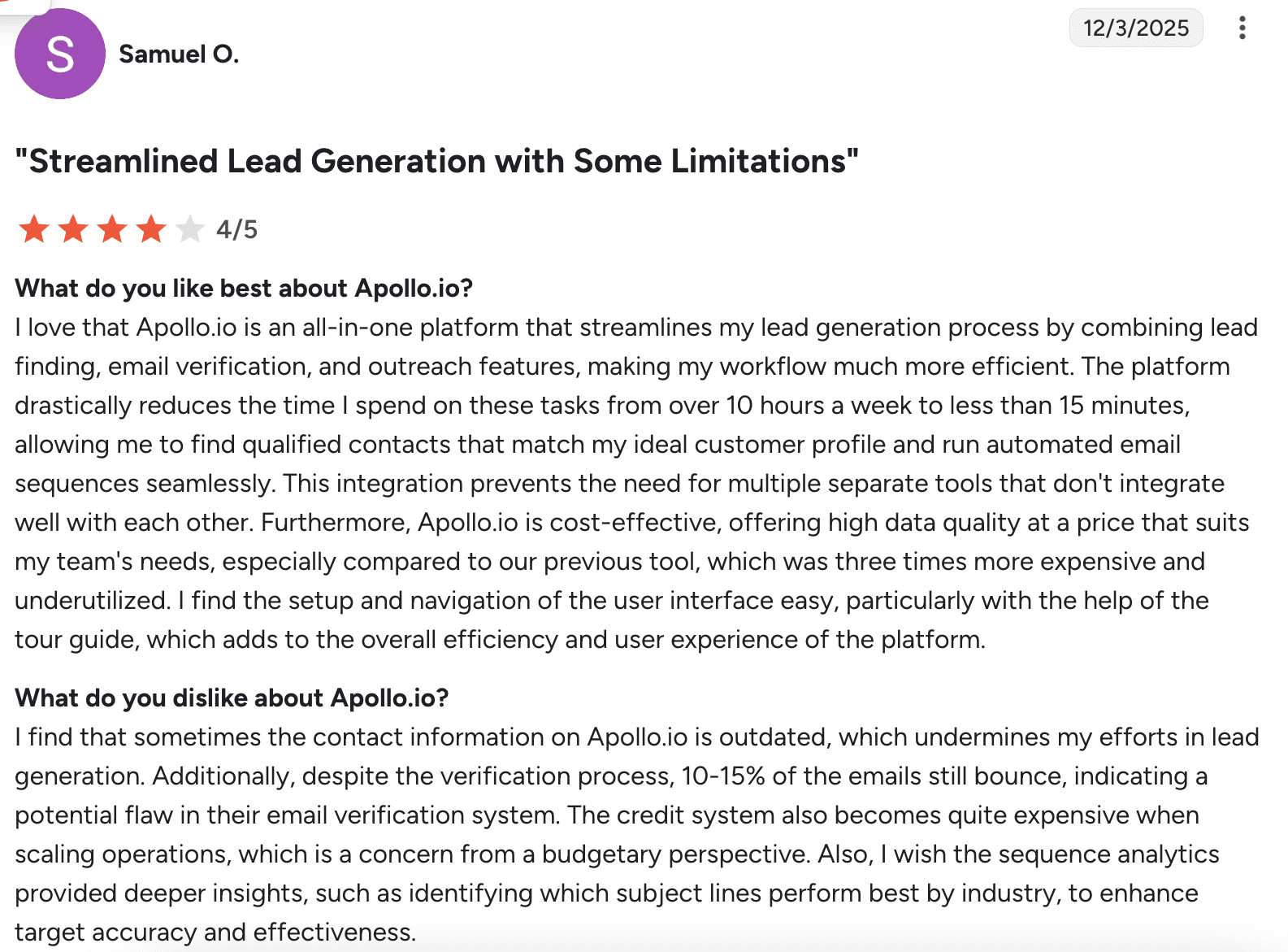
Most users praise it as an all-in-one platform that saves considerable time on prospecting as well as outreach. That said, it’s not without drawbacks. Common complaints include bounced emails despite verification, and costs rising significantly as operations scale.
📍My final opinion about Apollo:
You can consider trying the Apollo LinkedIn scraper if you want more than just getting contact info of your leads. The email discovery was not perfect, but the features like compatibility checks and talking points actually help you personalize outreach. Yet the tool is not very cheap, so you should be ready for rising costs as you scale.
My overall rating: ⭐⭐⭐⭐
-
LeadGibbon
Emails found: 5/10
G2 rating: 4.3/5
Pricing: Starts from $39/month for 1,000 verified emails. Free 15 credits/week.
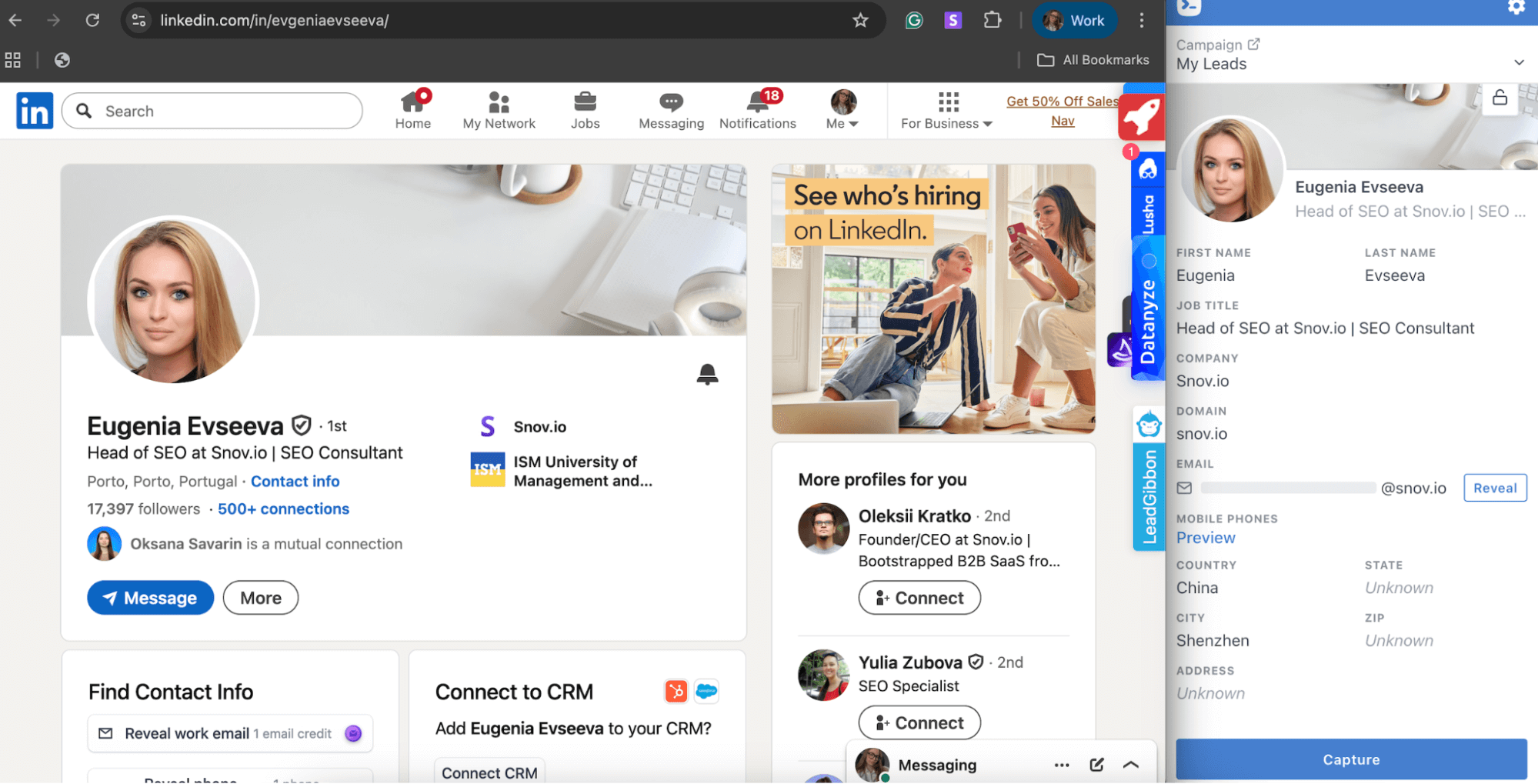
LeadGibbon is an extension that positions itself as a Sales Navigator email finder, but also works well on a free LinkedIn plan. It lets you extract emails from LinkedIn in bulk, verify them, and either send them to your CRM or download them as a CSV.
🔑 Key LeadGibbon features:
- LinkedIn extension: Get emails from Sales Navigator profiles or the search page.
- Built-in verification: Verify emails in real time during extraction to protect your sender reputation.
- Email enricher: Find addresses in bulk by first name, last name, and domain through the uploaded file.
LeadGibbon test results:
What users say about LeadGibbon:
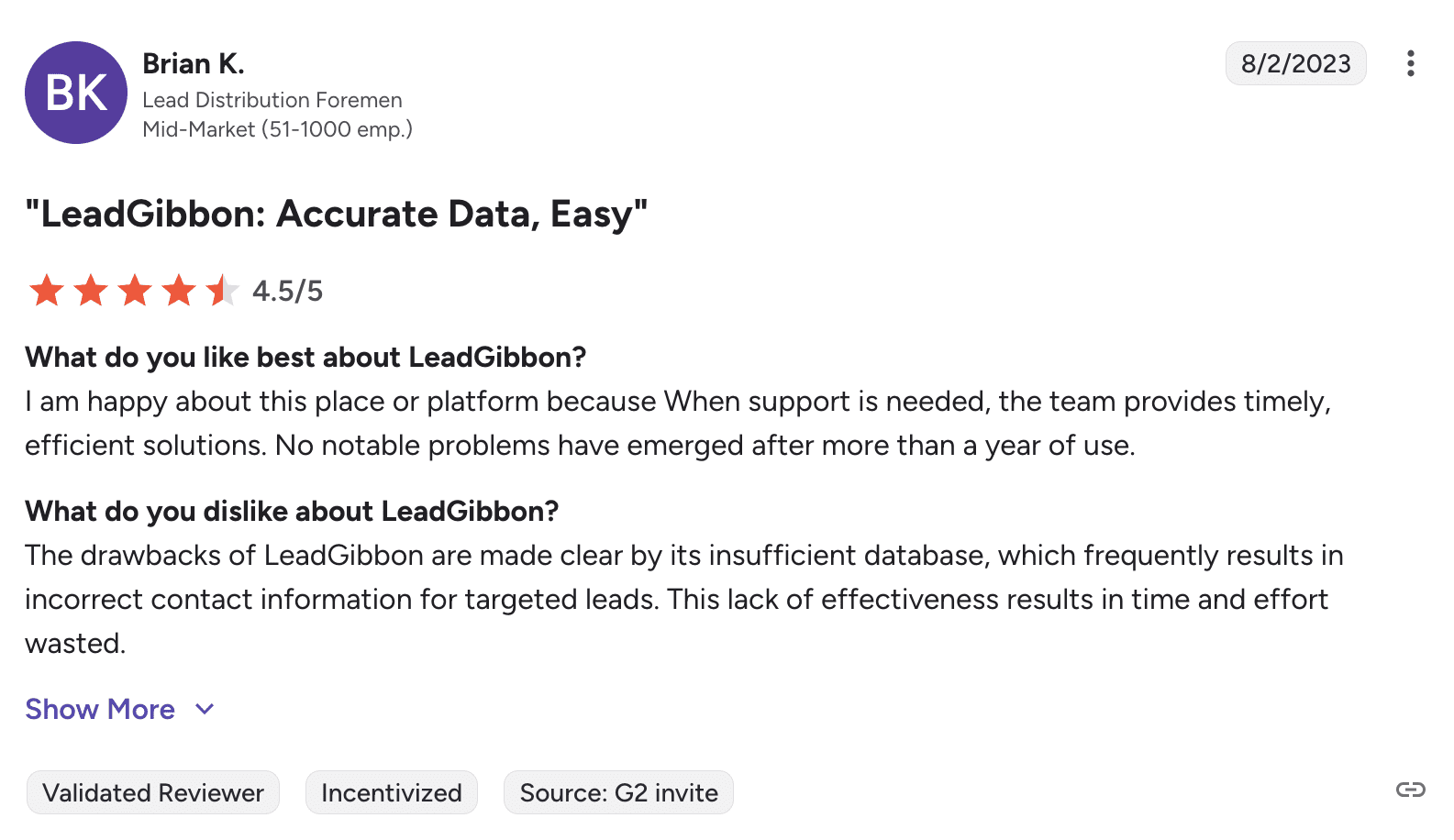
While some users appreciate LeadGibbon, most report disappointing results in practice. They frequently encounter outdated contact information, and the tool often seems to guess addresses rather than finding verified ones.
📍My final opinion about LeadGibbon:
Based on the results LeadGibbon demonstrated, you may find stronger alternatives to this tool. The built-in verification is nice, but the overall email discovery left me wanting more. At $39/month, you can find a better value elsewhere.
My overall rating: ⭐⭐⭐½
-
Findy (by Reply.io)
Emails found: 6/10
G2 rating: 4.6/5
Pricing: Starts from $59/month for 1,000 active contacts. 14-day free trial
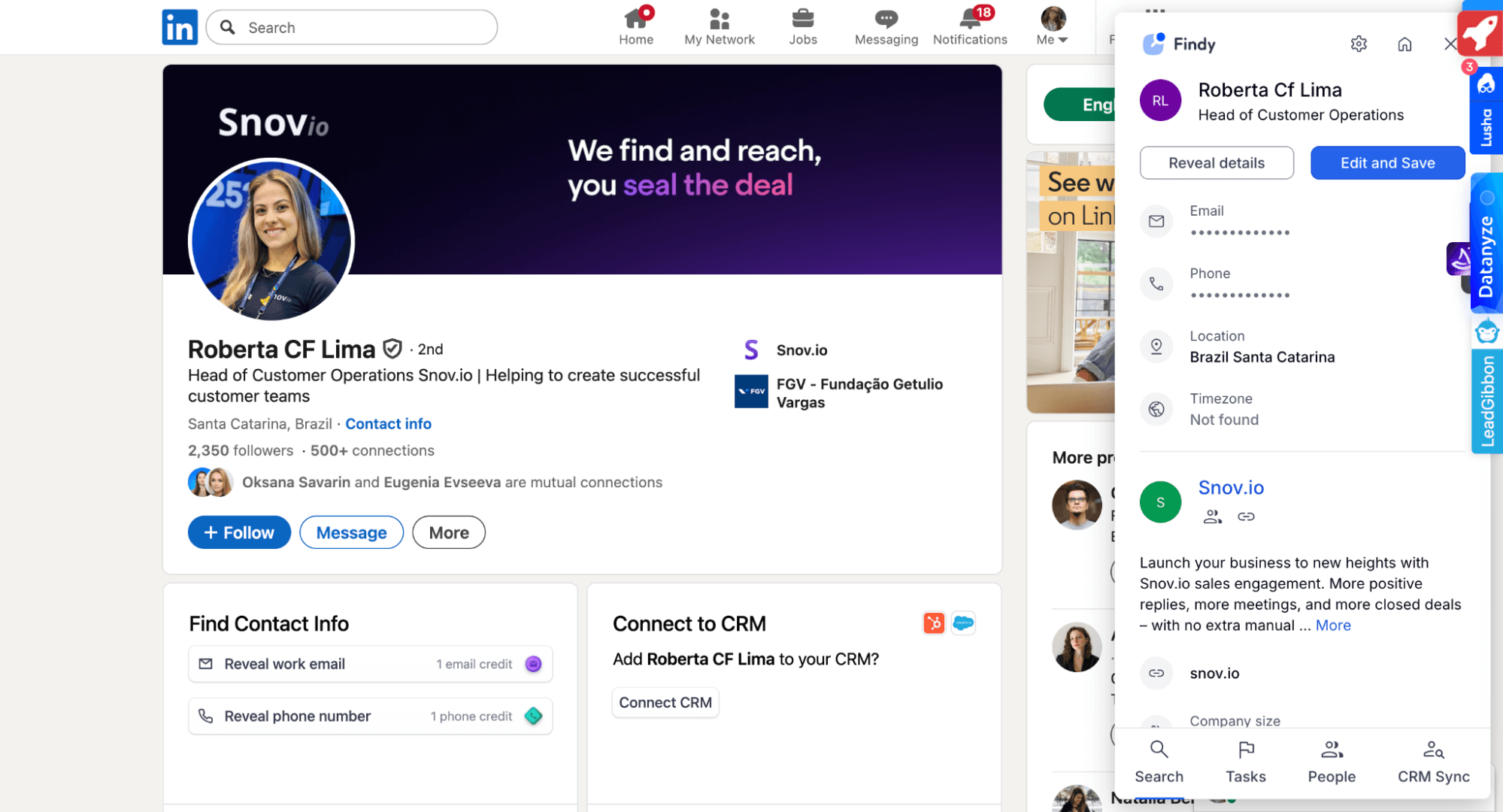 Findy by Reply.io is a browser extension that helps extract emails from LinkedIn and add prospects directly into automated sequences. It’s simple to use, lets you verify emails in real time, and offers automatic CRM synchronization with Gmail, Salesforce, and HubSpot.
🔑 Key Reply.io features:
- LinkedIn Chrome extension (Findy): Search for contacts on LinkedIn with real-time verification.
- Multichannel outreach automation: reach out to contacts via unlimited mailboxes, LinkedIn, and calls.
- Extensive integrations: Connect with Zapier, Clay, Salesforce, HubSpot, as well as various sales engagement platforms for workflow automation.
Findy test results:
What users say about Reply.io (Findy):
Users find Reply.io helpful for multichannel outreach. They also consistently praise the responsive customer support. Some mention the interface feels somewhat outdated, while several wish for better control over sequence execution and more comprehensive reporting.
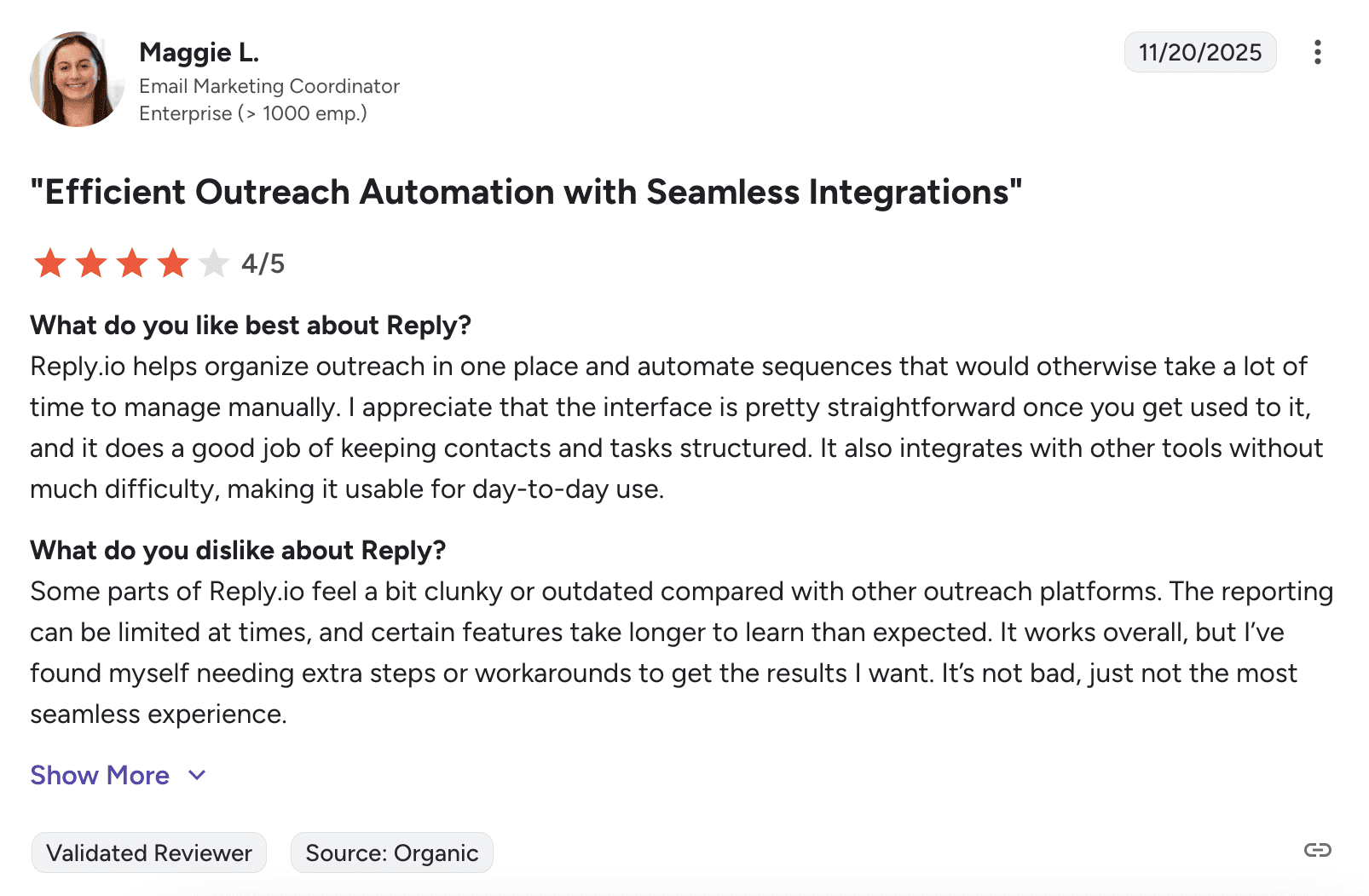
📍My final opinion about Reply.io (Findy):
Reply.io is worth considering if you’re already using their platform for outreach automation, as the integration is seamless. But as a standalone LinkedIn email scraper, it feels just average.
My overall rating: ⭐⭐⭐⭐
-
Wiza
Emails found: 8/10
G2 rating: 4.5/5
Pricing: Starts from $49/month for 100 emails. Free plan with 20 credits/month.
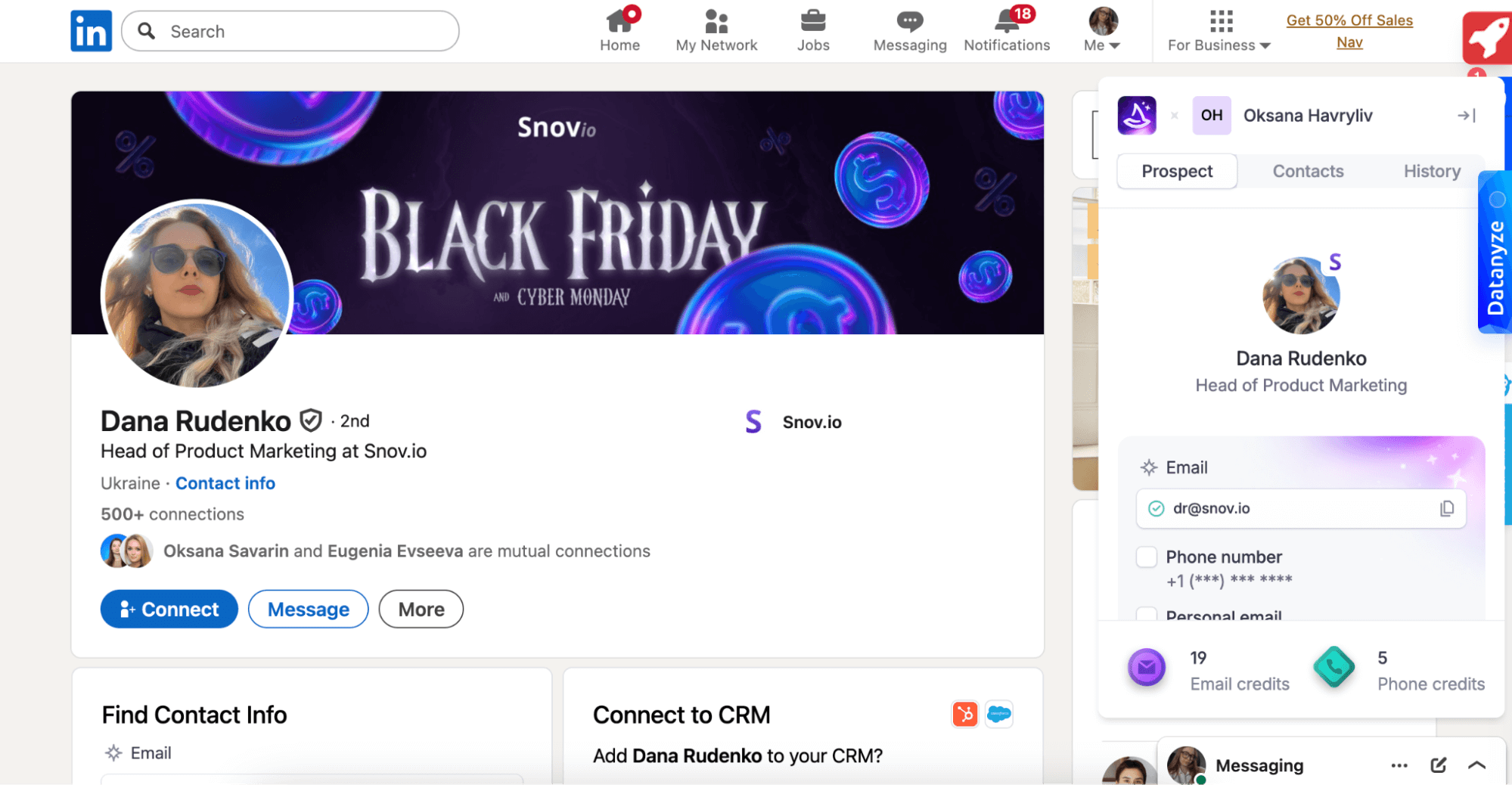
Wiza is a prospecting tool that syncs with a LinkedIn Standard, Recruiter, and Sales Navigator email finder Chrome extension. It provides both business and personal contact data, plus 30+ data points such as contact name, employer, job title, etc.
🔑 Key Wiza features:
- Dual extraction: Find both business and personal email addresses in real time for multiple contact options per prospect.
- One-click CRM sync: Move contacts directly to HubSpot, Salesforce, or other CRMs.
- AI research: Get contact information via a direct prompt.
Wiza test results:
What users say about Wiza:
Users find the platform straightforward to set up and appreciate its reliability in terms of finding contacts through LinkedIn Sales Navigator. The recurring complaint is that exports frequently include contacts outside the target criteria. This, in turn, requires additional time to filter through irrelevant results.
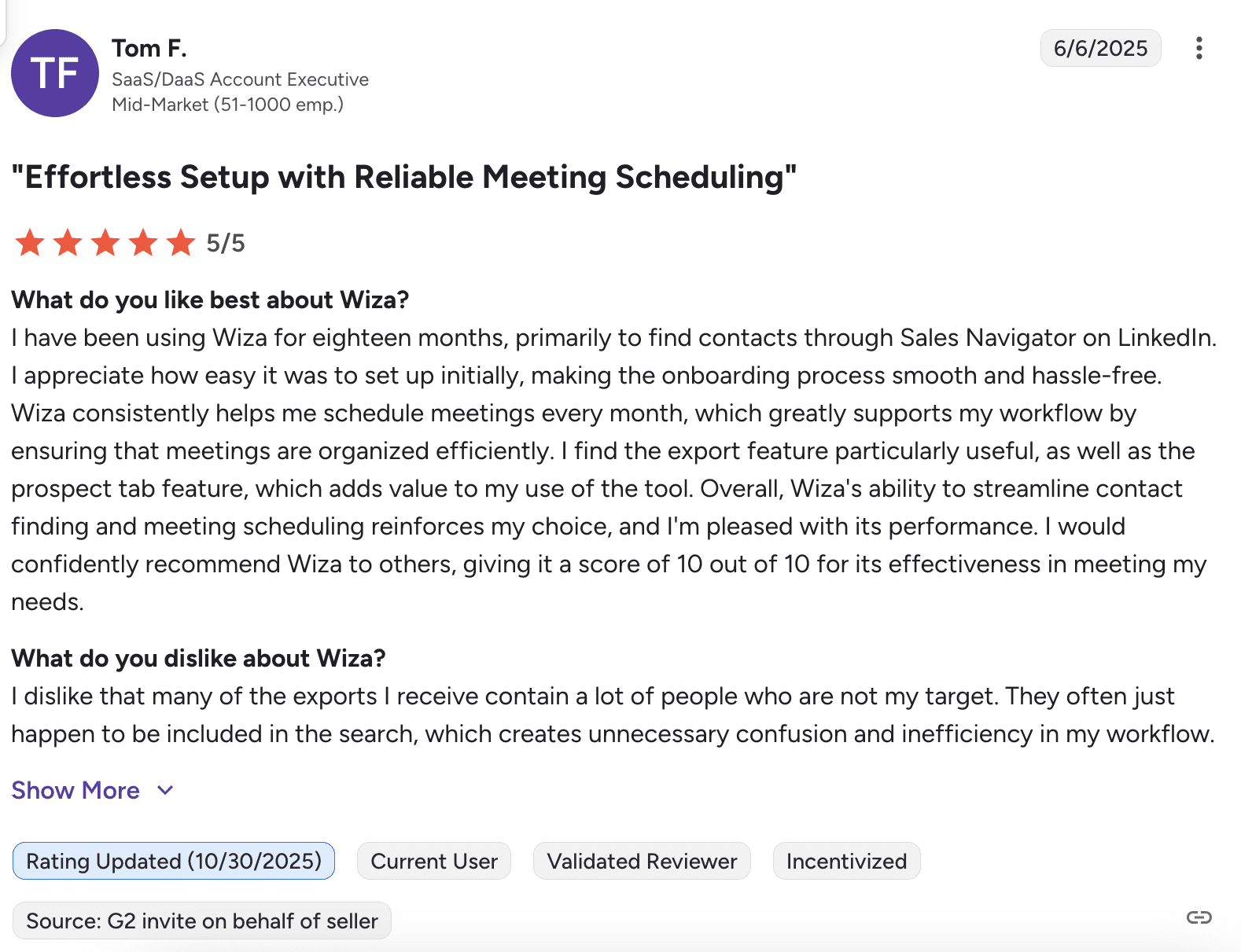
📍My final opinion about Wiza:
Wiza delivered strong contact discovery in my testing, making it one of the more reliable options to find emails on LinkedIn. If you’re looking for a pay-as-you-go email finder, Wiza is not the best option. However, if you’re interested in getting the unlimited searches, the annual plan at $83 looks quite a bargain.
My overall rating: ⭐⭐⭐⭐½
-
Adapt.io
Emails found: 4/10
G2 rating: 4.6/5
Pricing: Starts from $49/month per 500 searches. Free plan with 25 credits/month
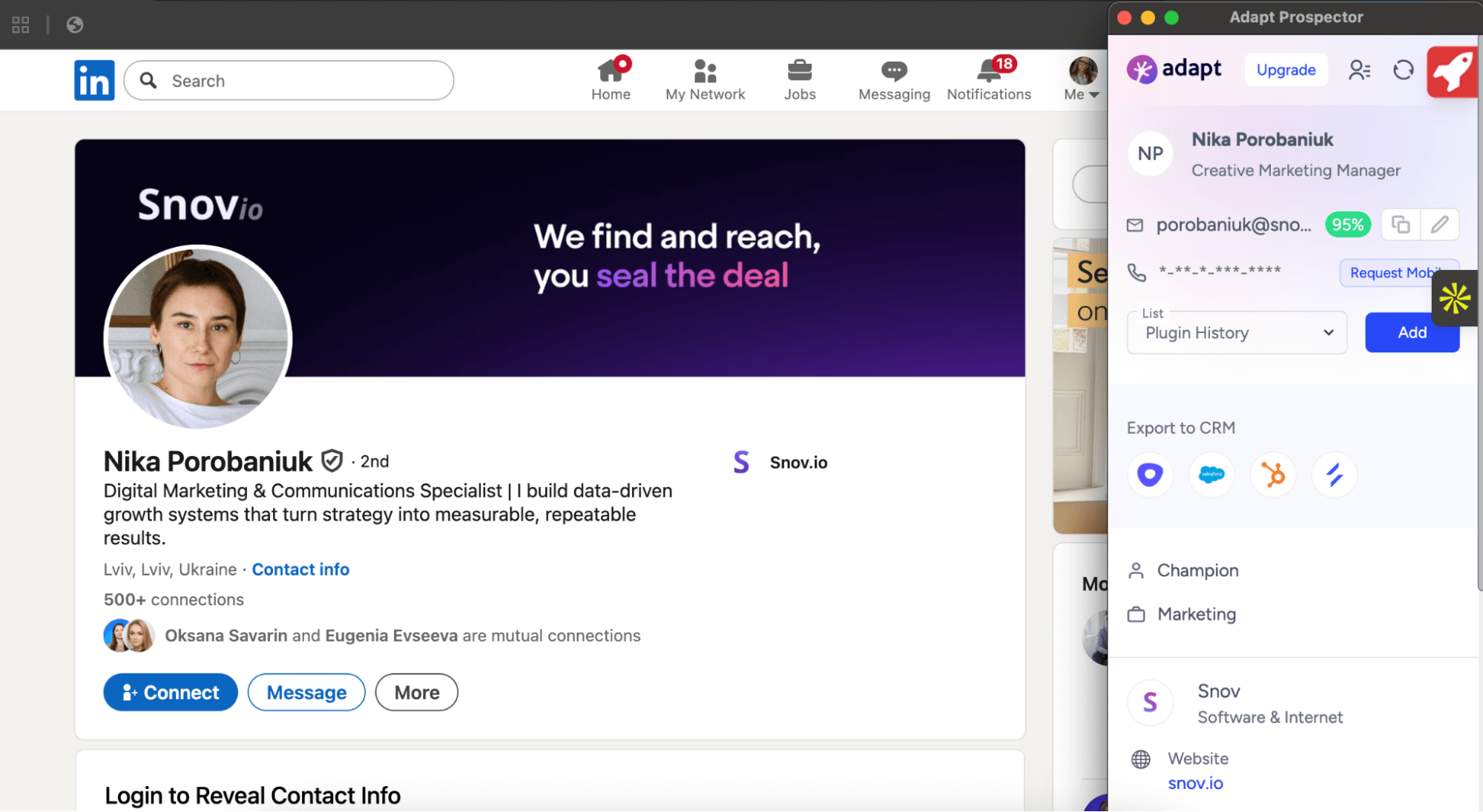
Adapt.io is a LinkedIn email scraper that finds verified business contacts with details like job titles, phone numbers, LinkedIn profiles, etc. You can copy emails directly from the extension, add contacts to lists, or export them to your CRM.
🔑 Key Adapt.io features:
- Chrome extension: Find emails on LinkedIn or company websites.
- Direct CRM export: Add contacts to lists and export directly to your CRM without extra steps.
- Real-time validation: Verify emails in real time, ensuring clean contact data.
Adapt.io test results:
What users say about Adapt.io:
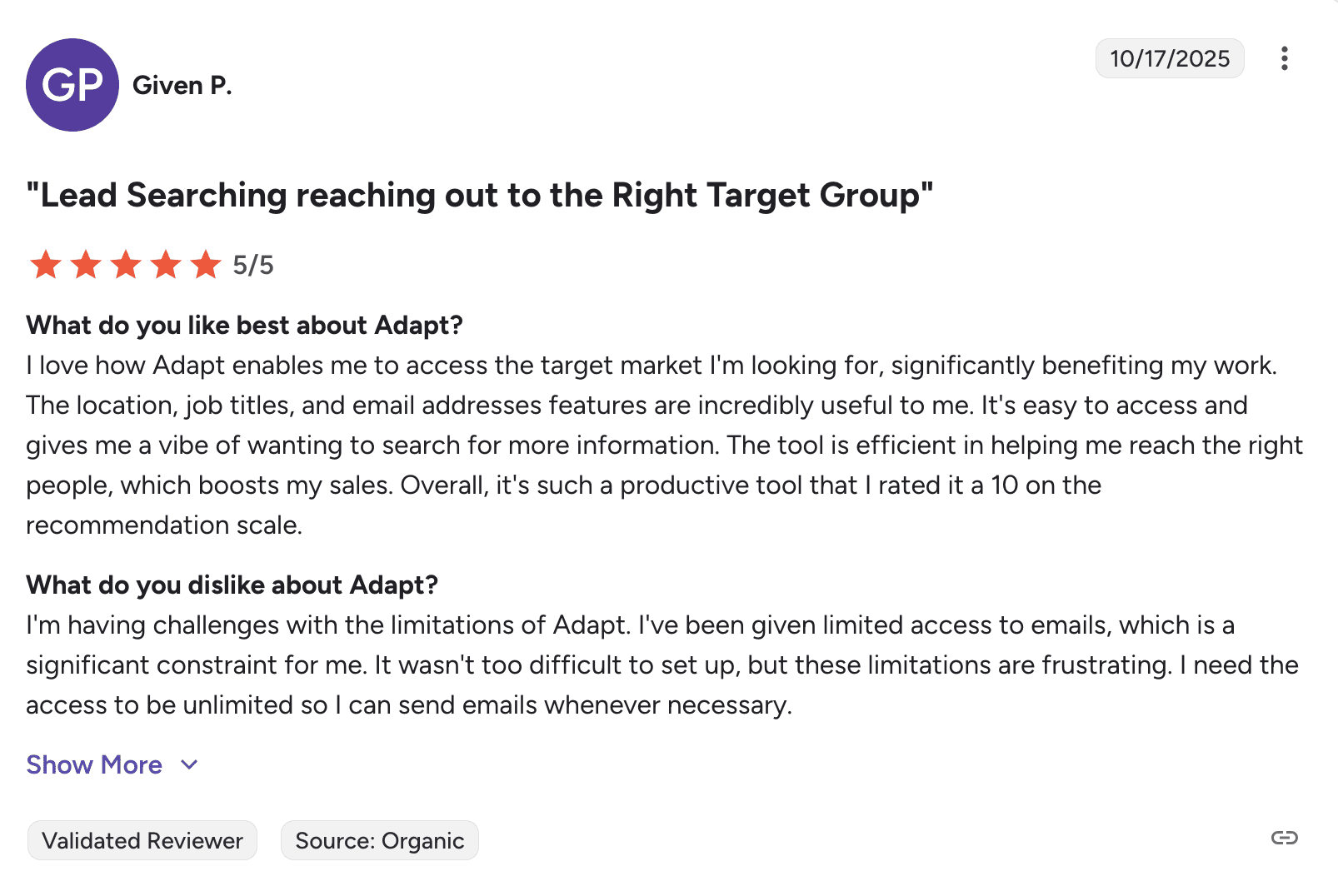
Users appreciate how quickly it generates contact lists and find the Chrome extension overall useful. But frustration arises when contacts marked as verified can’t actually be extracted. Some users also feel that the monthly credit allocation is a bit limiting.
📍My final opinion about Adapt.io:
Honestly, Adapt.io didn’t impress me with its email discovery. At $49/month, you’re better off with LinkedIn scrapers that deliver stronger results. It’s helpful to verify emails in real time, but if the tool isn’t consistently finding contact data, the real value is questionable.
My overall rating: ⭐⭐⭐
-
Aeroleads
Emails found: 5/10
G2 rating: 4/5
Pricing: Starts from $49/month for 2,000 credits total with unlimited search. Free 10 credits.
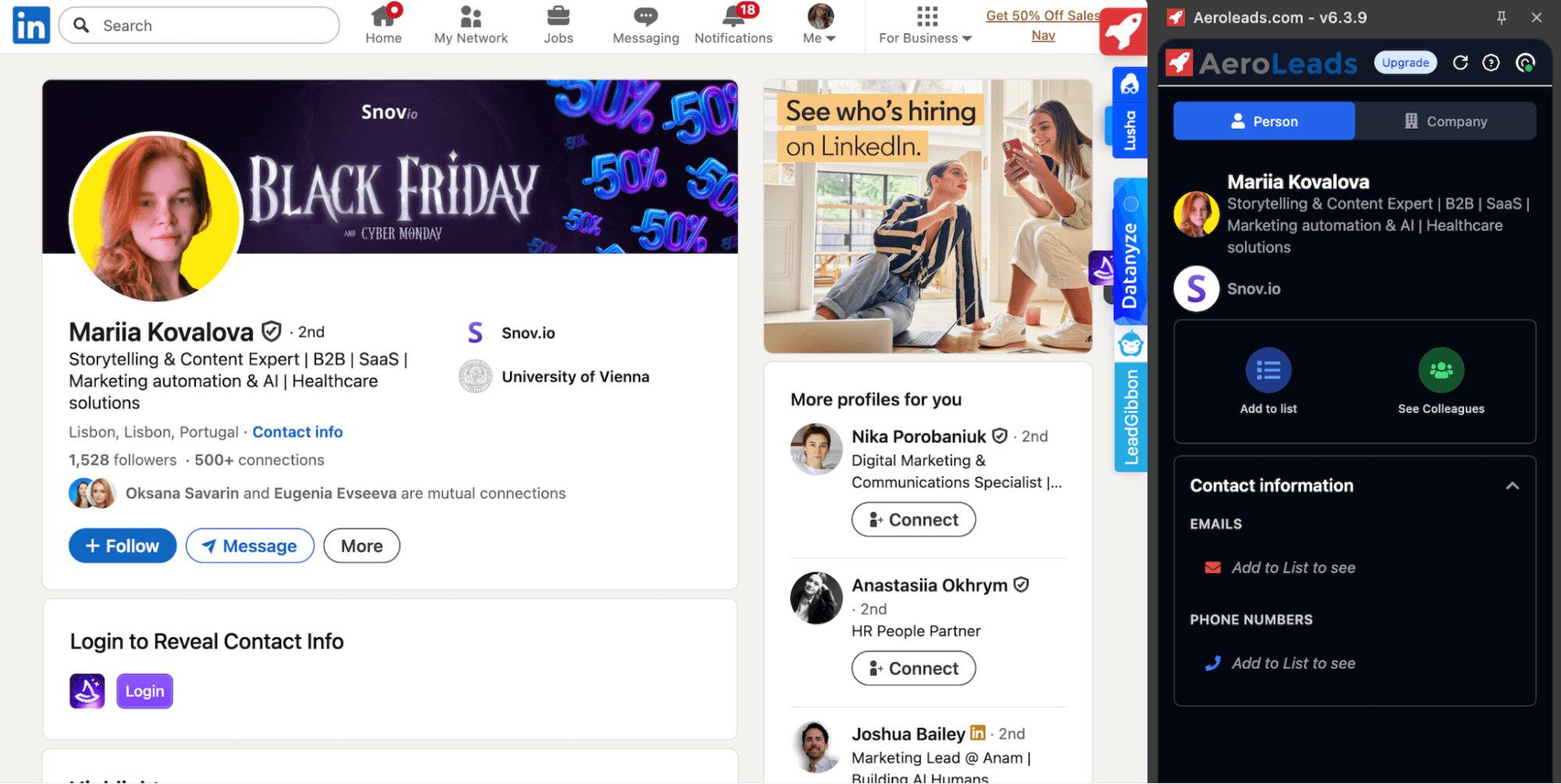
AeroLeads is a prospecting tool that helps extract emails from LinkedIn, company websites, and other online sources. Besides, it provides access to B2B phone numbers and allows you to export contacts to CSV or Excel.
🔑 Key Aeroleads features:
- Chrome extension: Find email addresses and phone numbers from LinkedIn and websites.
- Email verification: Prioritize contacts through a percentage score indicating how reliable each address is.
- Company insights: Get information about companies, like news, year founded, similar company suggestions, view colleagues at the same organization, etc.
Aerloleads test results:
What users say about Aeroleads:
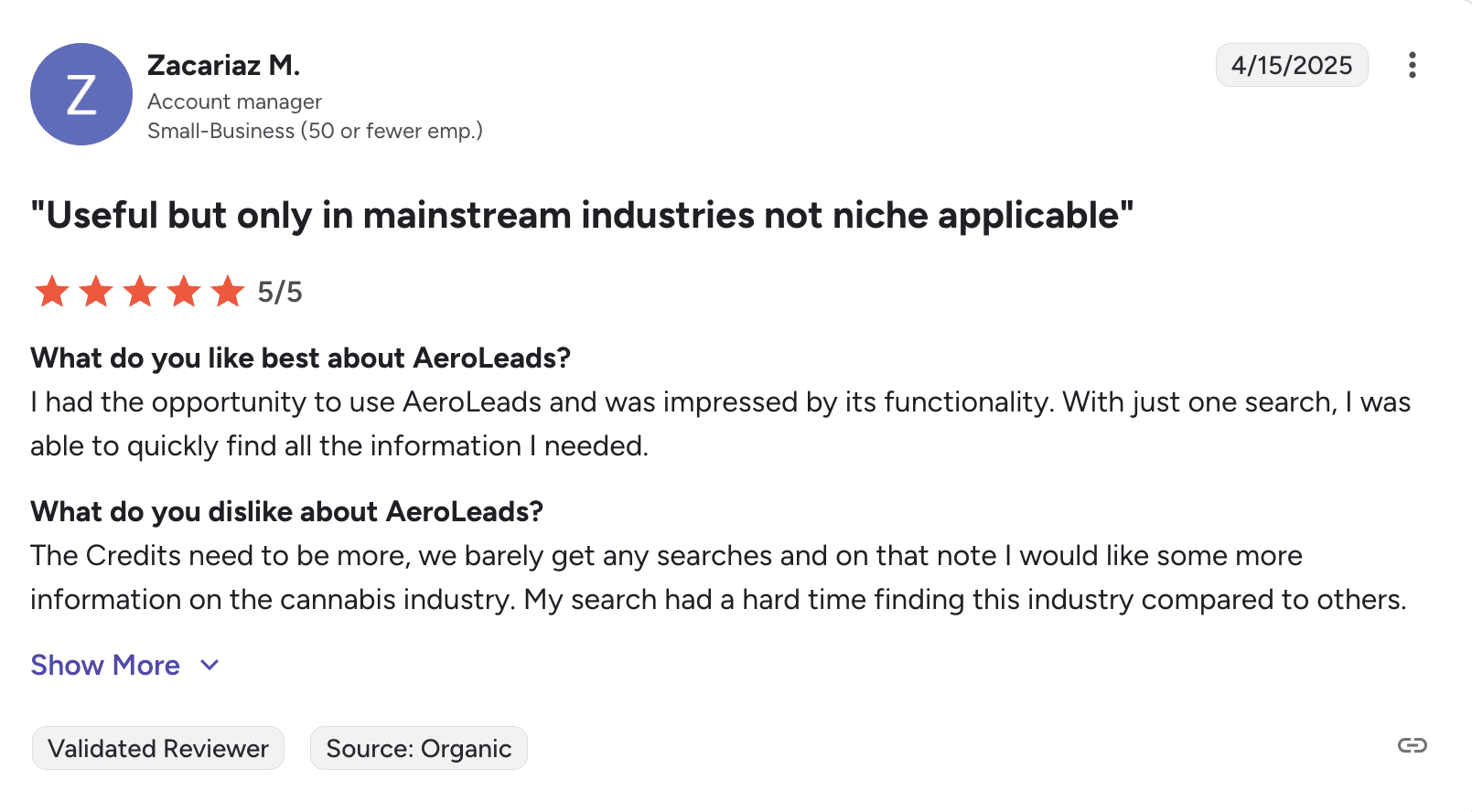
Users like the accurate contact data and smooth LinkedIn integration for mainstream industries, but claim it struggles in niche markets. Many feel the credit allocation is too restrictive and should be increased.
📍My final opinion about Aeroleads:
Among the LinkedIn prospecting tools, Aeroleads falls into the average category. It doesn’t offer lots of features, so the basic pricing plan looks affordable. You should consider, however, that Aerlodeas is not a pay-as-you-go email finder — you pay for 2,000 credits minimum.
To be honest, with only 10 free credits and no real freemium option, it’s hard for a user to test the tool properly before committing. Taking all this into account, I would consider alternative tools.
My overall rating: ⭐⭐⭐½
-
ContactOut
Emails found: 6/10
G2 rating: 4.5/5
Pricing: Starts from $49/month for unlimited lookups. Free plan with 5 searches/day
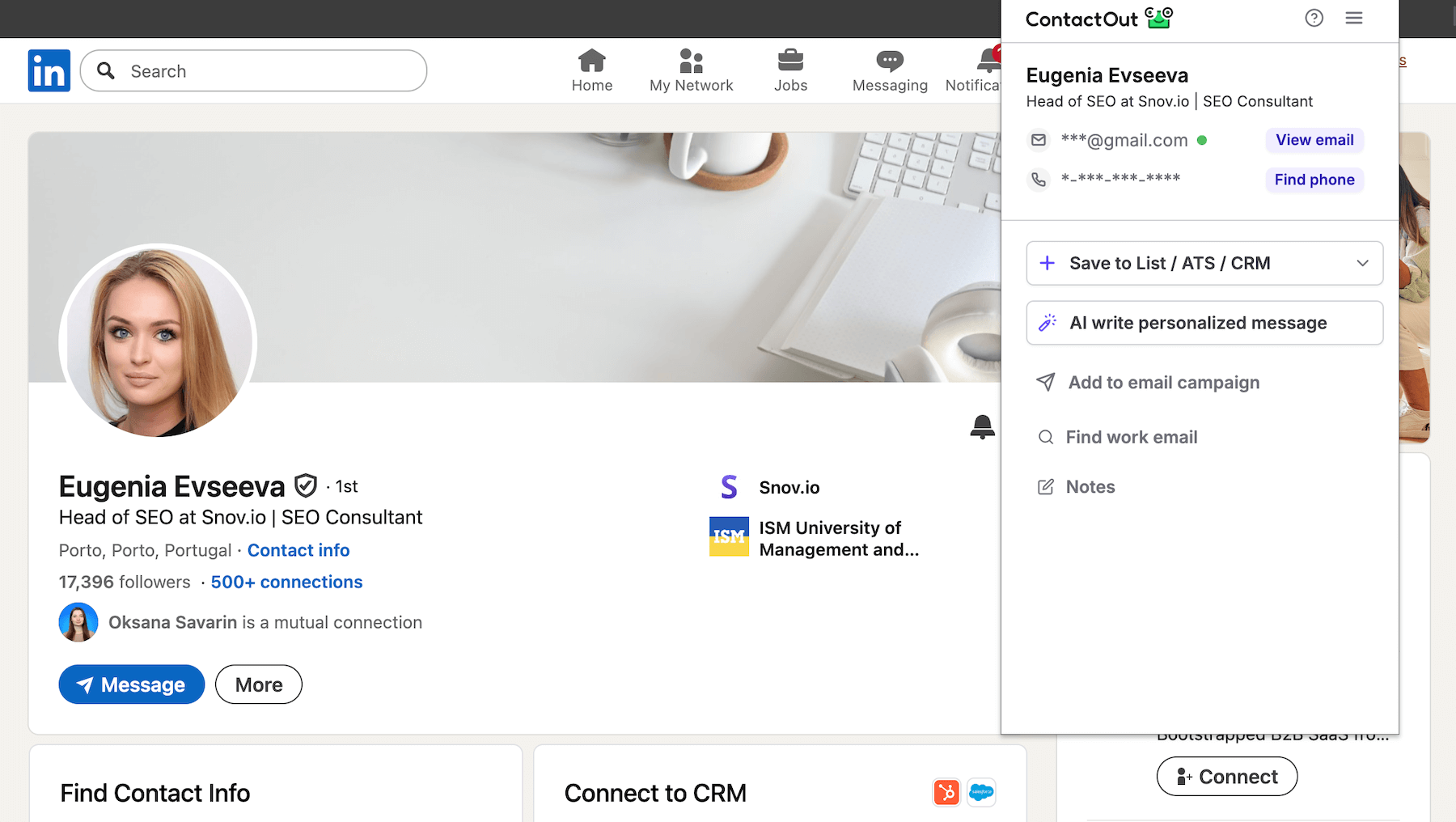
ContactOut is a sales intelligence platform that offers a Sales Navigator email finder as a Chrome extension. Besides LinkedIn, it can find data on company websites, uncovering both professional and personal addresses. The extension also lets you build lead lists, sync with your CRM, and engage prospects through automated campaigns.
🔑 Key ContactOut features:
- Chrome extension: Discover decision-makers and their contact information on any company website, not just LinkedIn profiles.
- AI-powered personalization: Generates personalized messages with ChatGPT integration and adds contacts directly to multi-stage campaigns.
- Email campaigns: Run automated multi-stage campaigns and measure their performance.
ContactOut test results:
What users say about ContactOut:
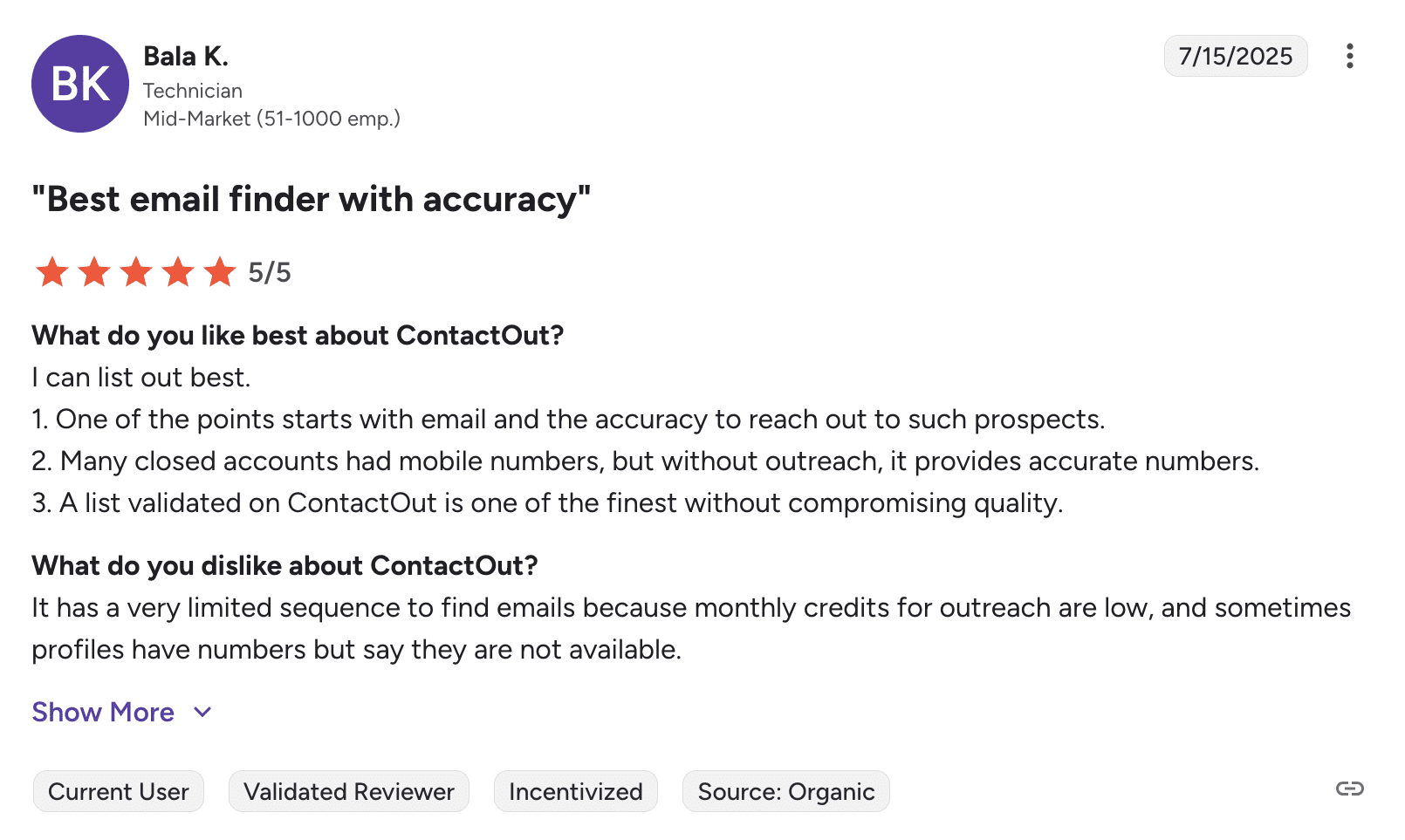
Users appreciate ContactOut for quickly sourcing personal emails and phone numbers, though many mention hitting credit limits sooner than anticipated. People also say that contact data is occasionally unavailable.
 📍My final opinion about ContactOut:
ContactOut can be considered for both LinkedIn and website contact discovery, but, frankly, getting personal contacts instead of business ones for some contacts was disappointing. For me, this tool turned out to be not the most impressive performer in terms of accuracy or value.
My overall rating: ⭐⭐⭐⭐
What’s a LinkedIn email extractor?
A LinkedIn email extractor, or LinkedIn scraper, is a software tool, commonly available as a Chrome extension or web app, that helps you find and extract addresses from LinkedIn profiles.
By choosing an effective LinkedIn email extractor, you can find prospects, qualify them, and build a quality list for your sales and marketing outreach campaigns.
How to choose the right LinkedIn email extractor for your business?
I did my best to review the best LinkedIn email extractors in detail, but I understand that choosing one, particularly for your business, can still be a challenge. That’s why, in this final chapter, I’m sharing top recommendations from marketing and sales experts on how to pick the software without disappointment.
These are the key factors you should take into account while searching for your best fit:
Price
This factor matters for both startups and mature companies. Look for a tool that offers a freemium or free trial so you can test the functionality before making a final decision.
As for the paid plans, pay attention not just to the price itself but to the value you’ll get. There are services that provide you only with an email finding tool, and those that combine the LinkedIn scraper with additional features you might need for sales automation. Getting an all-in-one service may be a real bargain and productivity booster.
If you need more flexibility, however, consider a pay-as-you-go email finder that charges solely for the number of contacts you extract.
Extracting opportunities
It’s clear that your LinkedIn email extractor should effectively find both individual and bulk addresses. Almost all Chrome extension tools do this job well. Yet LinkedIn email finders, which you can use as a web app, can offer you something more.
For instance, in Snov.io’s app, you can collect prospects’ contact information based on the list of URLs you upload to the system. It’s super fast and easy, so your team can spare time for more strategic tasks.
Additional features
Think about why you actually need a LinkedIn email finder. What’s your final goal? Will you be reaching out to your prospects with cold emails afterward? (I guess, yes). Do you want a service that will also help you with lead management, or is it high time you adopted a full-fledged CRM?
There are many services that combine all these features, so you don’t need to get used to head-breaking algorithms. Instead, you have a LinkedIn extractor, an email service, integrations with other tools and CRMs, or even your own CRM for managing your sales deals and leads, as well as vast possibilities for teamwork.
Real-time verification
Many extractors will provide you with a verification tool, yet not all of them can verify emails in real-time. And while you can easily find additional tools for verification, you can just assume how much time you’ll invest.
That’s why marketing experts urge you to stick to combo solutions that include instant validation, so you know from the start which emails deserve to be added to your list.

Is it legal and safe to use LinkedIn email extractors?
Yes and No.
From a legal standpoint, scraping public information doesn’t violate the CFAA or DMCA as long as you’re not bypassing security measures or accessing private content.
Yet, LinkedIn email extractors sit in a high-risk zone because they often violate LinkedIn Terms, which may result in account suspension.
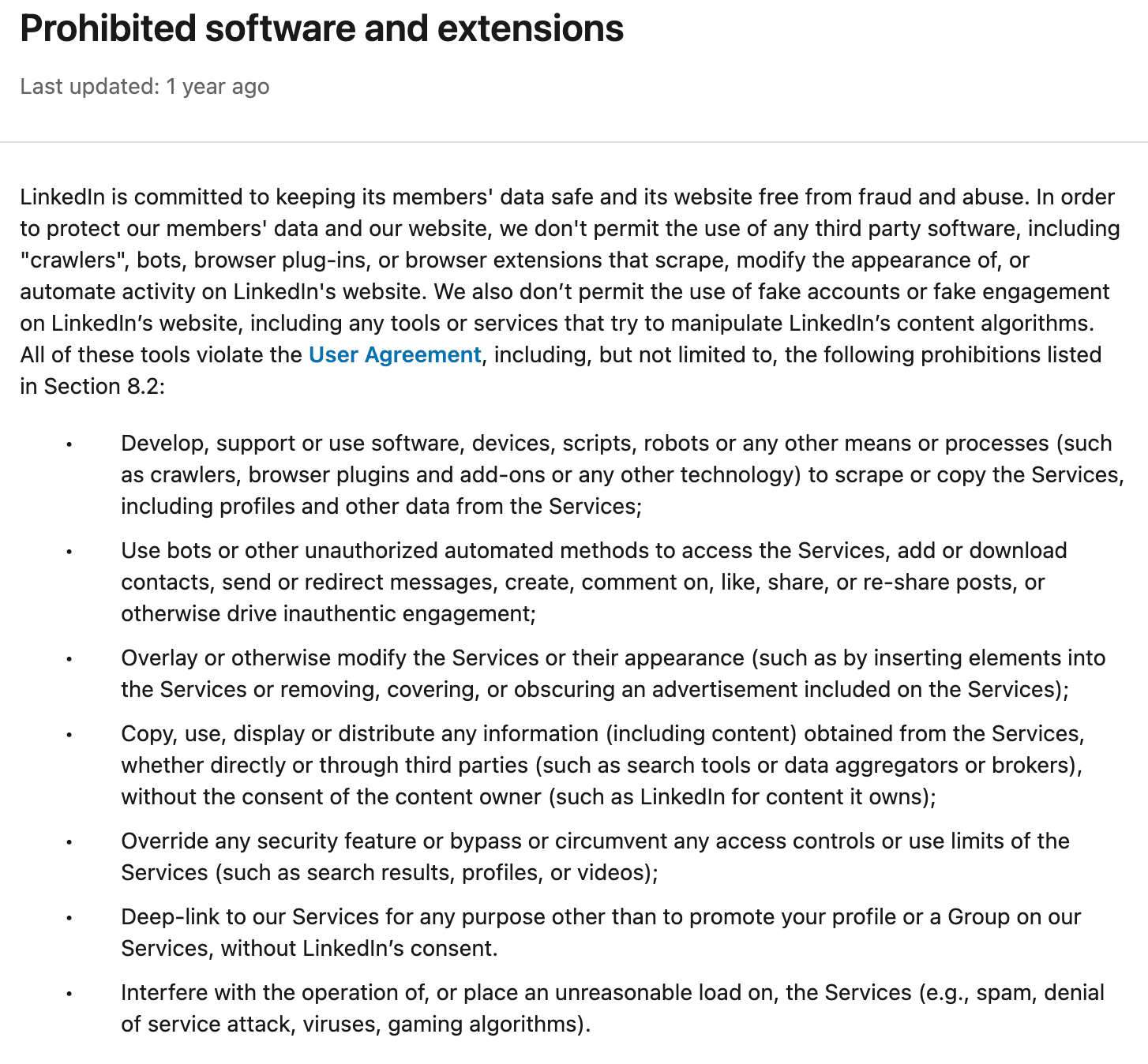
As you may conclude, LinkedIn terms explicitly ban scraping, but actual enforcement targets high-volume operations or disruptive behavior. Push too far beyond reasonable limits, and you risk warnings, account suspensions, or permanent bans.
That’s why it’s important to stay mindful of your activity. At Snov.io, we recommend the following daily caps:
- Free tier: approximately 100 profiles
- Premium tier: around 500 profiles
- Sales Navigator: up to 1,000 profiles
The safest approach is simply using tools that handle the technical complexities for you. Snov.io, for example, manages location-matched proxies, enforces daily limits automatically, and runs everything in the cloud. This way, you don’t have to worry about the technical details of safe scraping.
Plus, if you’re operating in Europe, GDPR comes into play. You need a lawful basis for processing personal data, transparency about how you use it, and, sometimes, explicit consent from users. Ignoring these rules invites substantial penalties.
Therefore, ensure you use LinkedIn software that complies with GDPR.
From LinkedIn to first reply: a Snov.io playbook
Finding emails on LinkedIn is just step one, but getting replies is a completely different challenge. Here’s an action plan to connect those two dots:
- Extract: Use Snov.io LinkedIn email finder to pull emails from profiles, search results, and event attendees. With one click, contacts move straight into Snov.io.
- Verify: Run every address through Snov.io Verifier, which flags them as Valid (green), Unverifiable (yellow), or Invalid (red). Skipping this step puts your sender reputation at risk and leads to avoidable bounces.
- Personalize: LinkedIn gives you job titles, company size, and recent role changes. Snov.io’s variables and dynamic fields help you turn that data into personalized messages at scale.
Also, don’t forget to layer in Snov.io LinkedIn automation: profile views, post engagement, and personalized connection requests. This way, your name appears familiar when the email hits their inbox.
- Sequence: Sync emails with LinkedIn actions triggered by prospect behavior. Meaning, if someone doesn’t reply, a follow-up is automatically scheduled for 3 days later. The cadence feels human and natural.
- Measure: Reports show which subject lines get opens, which CTAs get clicks, and which follow-up timing gets responses. Observe what’s working, adjust what’s not.
Put together, this workflow turns LinkedIn research into targeted outreach.
Key takeaways
LinkedIn is, without a doubt, the primary source for B2B lead generation. You can find dozens of tools on the market that will help you automate your prospecting on this platform by extracting email addresses to enrich your list.
In this article, I’ve provided you with the list of the most popular solutions, compared them against their essential features, and shared some tips on choosing the best LinkedIn email extractor for your business. Now, let me recap which solution fits each use case best:
- Snov.io: Best for all-in-one prospecting, verification, LinkedIn automation, and multichannel outreach
- Wiza: Great option if you prioritize unlimited searches
- Apollo: Perfect choice for extracting both emails and phone numbers for further AI-powered outreach
- Lusha: Best for enrichment with 30+ data points per contact
- Reply.io: Ideal for direct sequence integration from LinkedIn
- GetProspect: Best for straightforward extraction with folder organization
- LeadGibbon: Perfect for getting verified emails from Sales Navigator searches
- ContactOut: Ideal for ChatGPT-powered personalization at scale
- Adapt.io: Best for clean, verified data with minimal duplicates
- Aeroleads: Perfect for evaluating email confidence before sending
And if you, like me, prefer having it all in one place, Snov.io is that Swiss knife you’ll always wish to carry in your pocket as soon as you test its powerful functions.