
TL;DR
LinkedIn scraping is the process of extracting publicly available data for sales, marketing, recruitment, etc. But scraping can lead to bans or account restrictions if not done safely; proxies, human-like behavior, and daily activity limits help reduce this risk.
LinkedIn scraping tools like LinkedIn Email Finder automate the entire process and handle safety measures for you. Once installed, the extension collects leads from LinkedIn profiles, search results, company pages, and event lists (individually or in bulk), and automatically saves verified emails with key details such as name, title, company, and location.
LinkedIn is a vital source for B2B contact data, and automating its collection can significantly improve sales, marketing, and recruitment efforts. But there’s a catch. LinkedIn makes scraping tricky and limits API access a lot.
This article explores those limitations, outlines LinkedIn scraping best practices, and highlights tools that can help you collect data not only responsibly but also safely.
Outline:
- What is LinkedIn scraping?
- Types of LinkedIn data you can extract
- LinkedIn data scraping tools comparison
- Why scrape data from LinkedIn?
- Advanced LinkedIn scraping best practices
- LinkedIn scraping: common mistakes and safety measures
- How to scrape LinkedIn profiles safely step-by-step
- How to leverage the scraped LinkedIn data
- Is it legal to do LinkedIn scraping?
What is LinkedIn scraping?
LinkedIn scraping is the extraction of publicly available data from LinkedIn’s 1+ billion professional profiles. It is an invaluable practice for sales teams, recruiters, marketers, or researchers.
There are a few ways to collect this data: manually copying information, using API-based solutions, or employing web scraping tools.
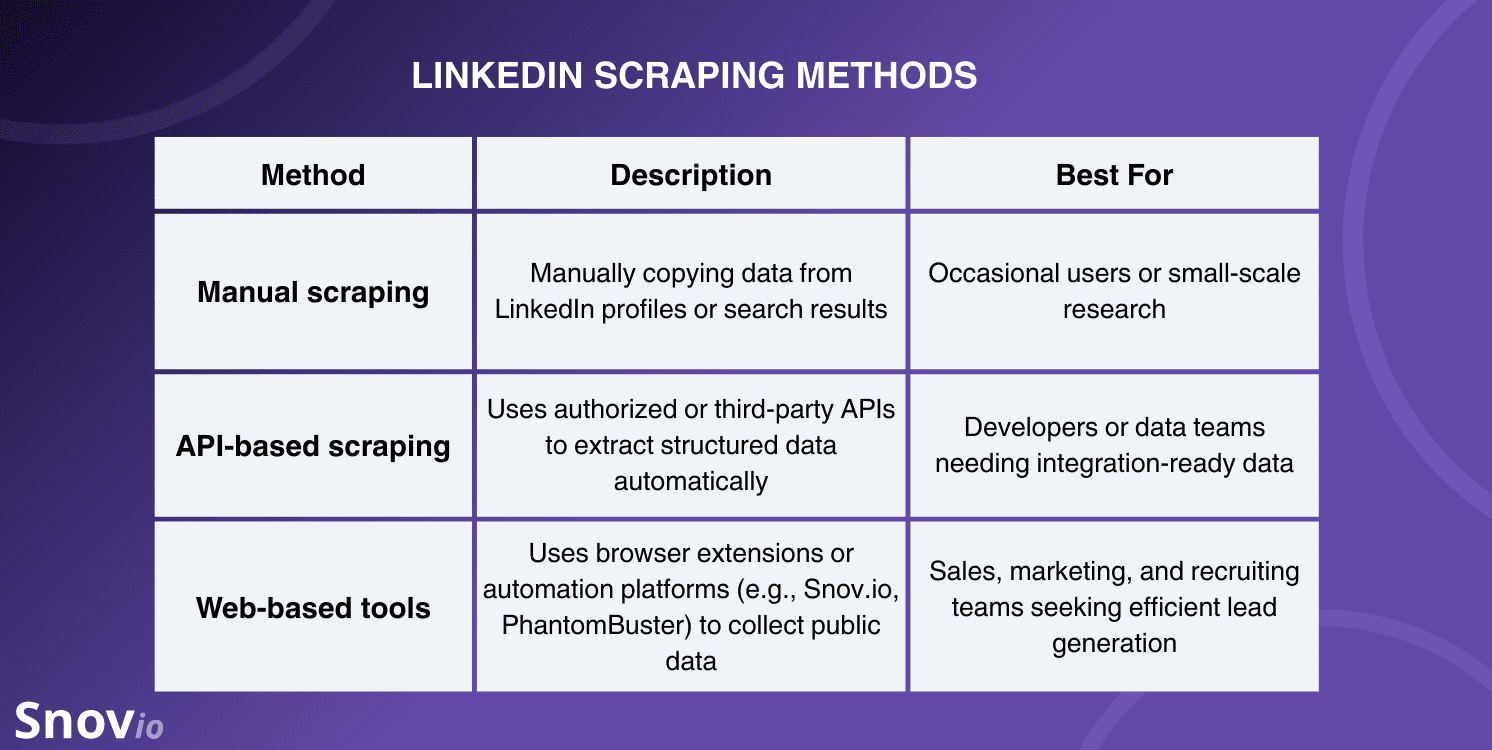
Automated LinkedIn scraper tools are by far the most efficient option. They can quickly gather details like names, job titles, and skills, organizing everything into structured databases. Essentially, they take scattered profile information and turn it into something you can work with.
Having said that, scraping at scale comes with risks, as LinkedIn takes user privacy seriously and has strict policies in place. If you’re not careful, you could face account restrictions or even get banned. This is why choosing safe tools matters a lot.
Take LinkedIn Email Finder as an example. It balances efficiency with compliance, using built-in safety features that keep data extraction within safe limits.
Or, if you prefer, try LinkedIn Search just by pasting a profile or search results URL straight from LinkedIn to instantly collect verified emails.
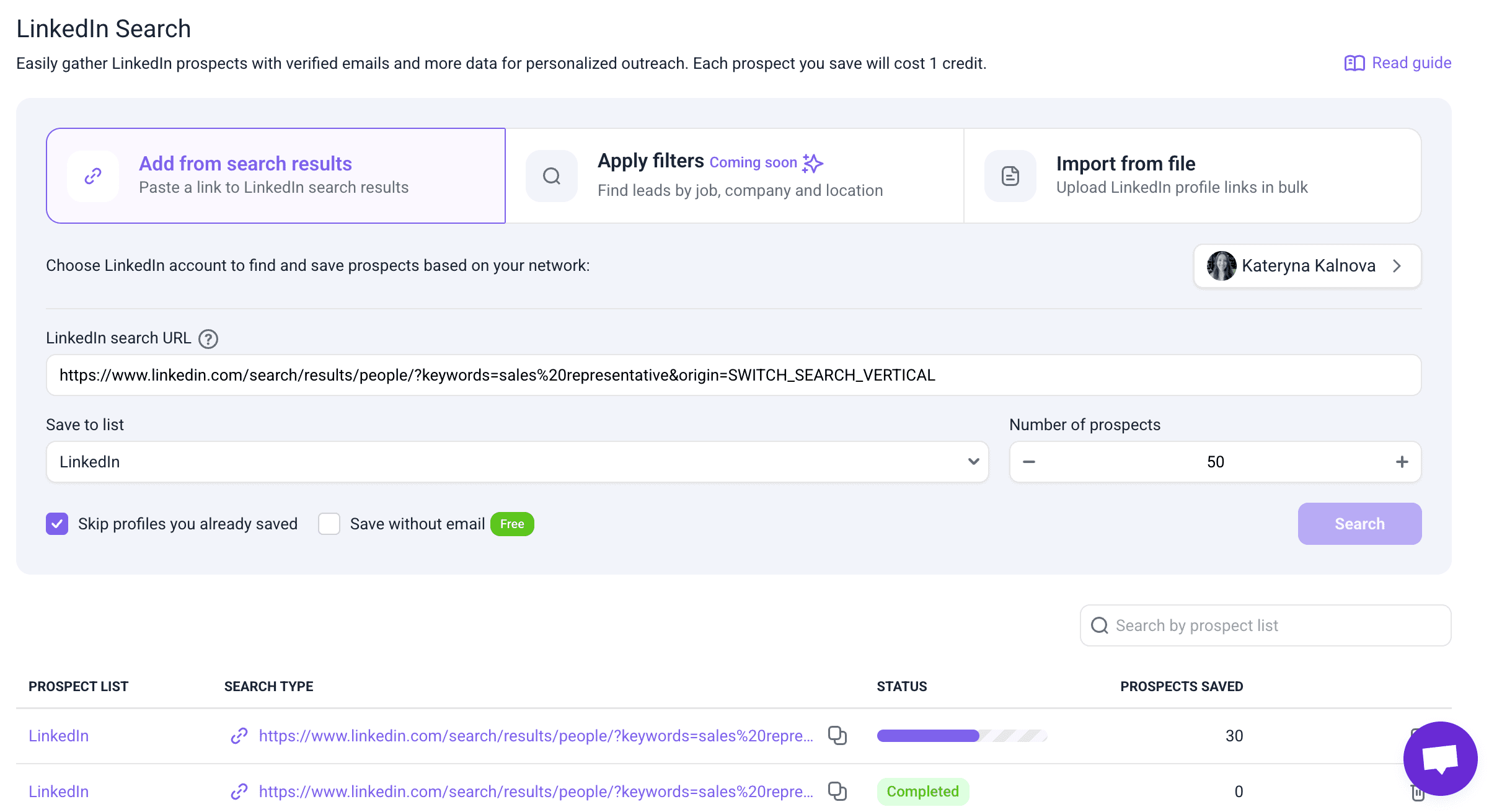
It speeds up lead collection and keeps everything organized in one place, rather than scattered across platforms.
Types of LinkedIn data you can extract
When you scrape LinkedIn profiles, you can extract publicly available data, including names, job titles, company details, locations, industries, etc. But bear in mind that the level of detail you can access depends on whether you’re using a Free or Premium LinkedIn account.
Here’s a quick comparison:
No matter which type of LinkedIn account you use, the LinkedIn Email Finder extension removes the usual communication and data barriers. With it, you can actually extract data at scale and uncover information that’s not easily visible on LinkedIn, such as business emails.
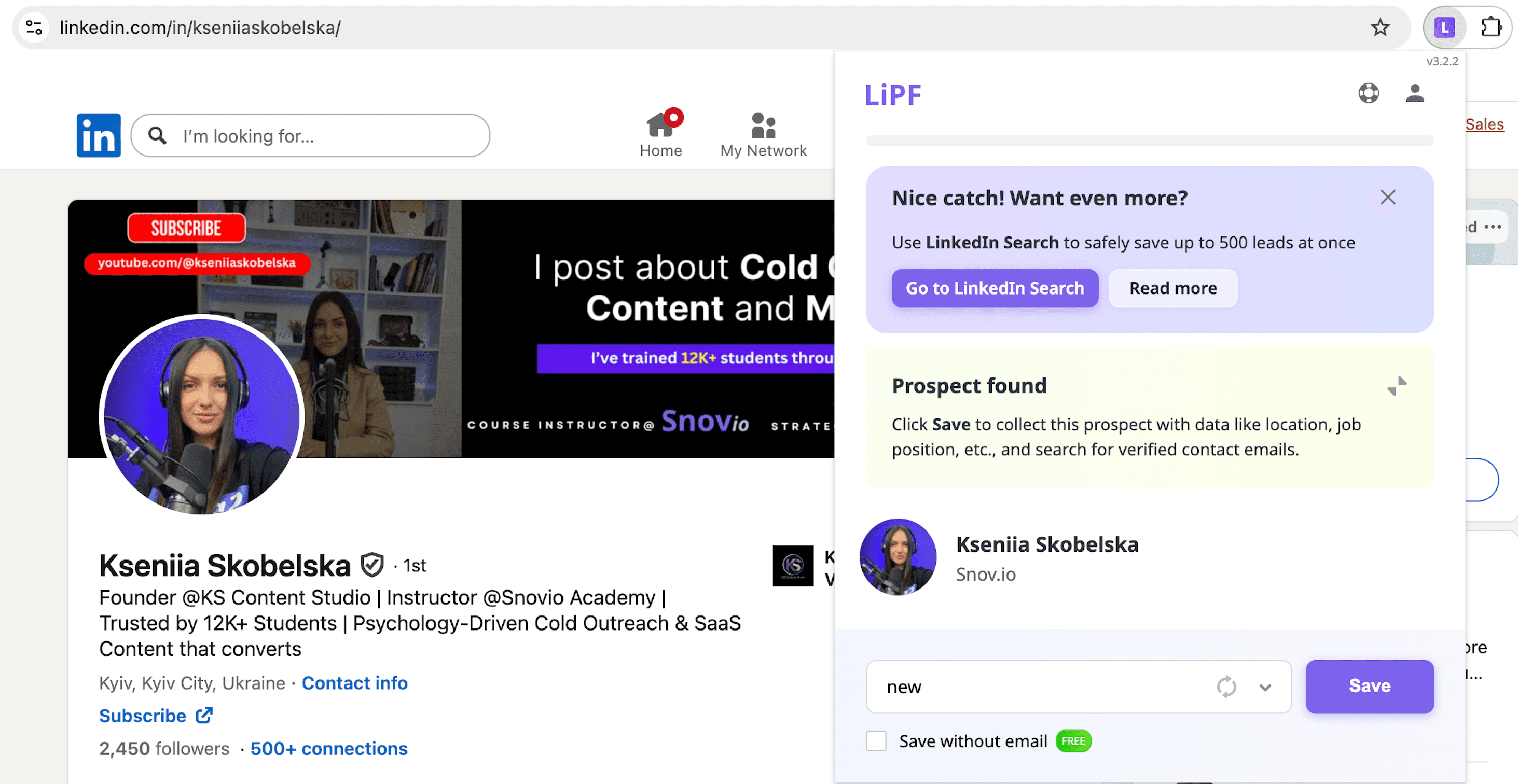
To be more specific, you can capture important details, including first and last names, social profiles, job titles, countries, and industries. It also provides company data such as name, website, size, location, headquarters address, and phone number.
All this information is then saved to your list inside the Snov.io app for easy access anytime.
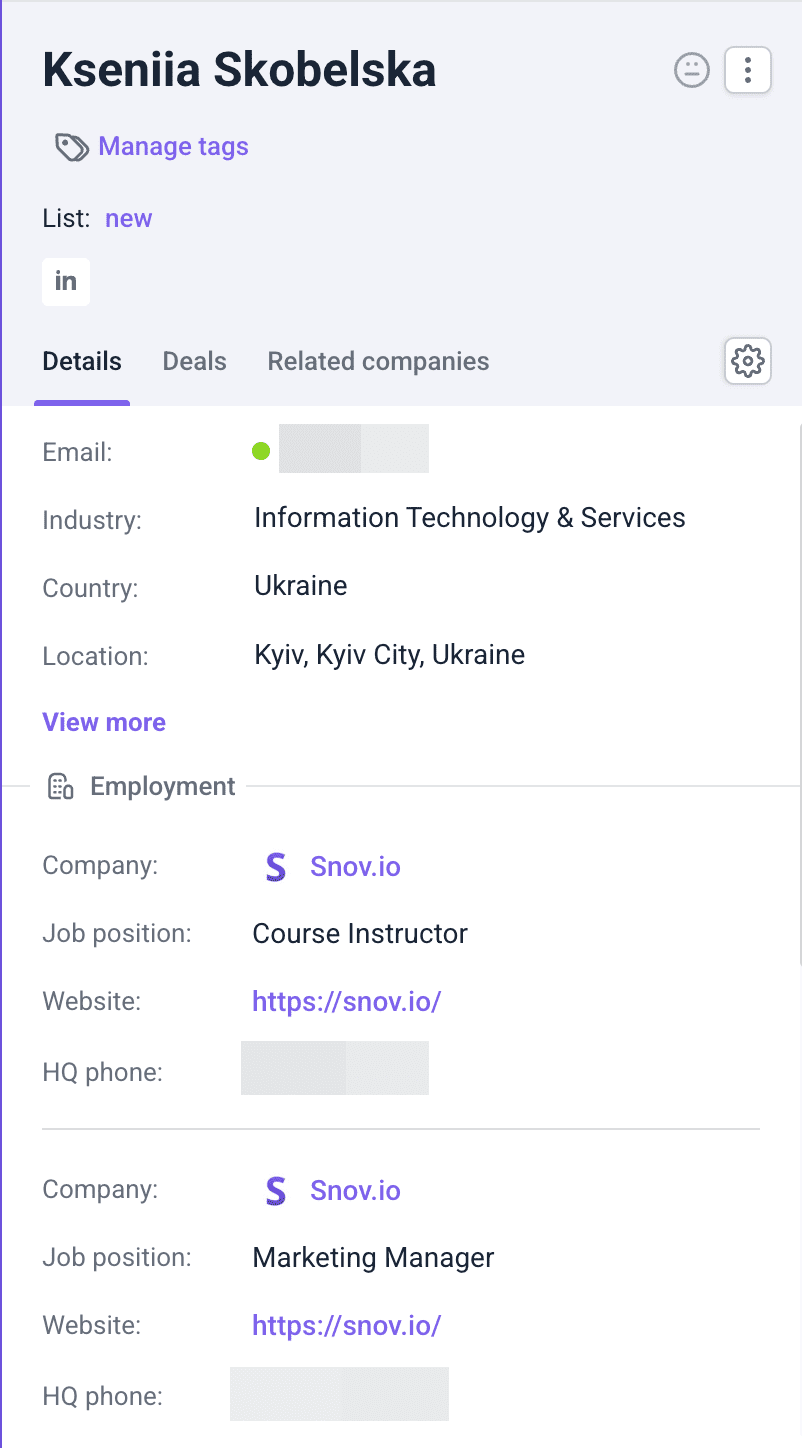
The extension works across search results, individual profiles, company pages, and event attendee lists, giving you multiple ways to collect leads:
- From search results: Apply filters based on your Ideal Customer Profile (ICP) to find and collect targeted leads in bulk.
- From personal profiles: When you already have a specific prospect, scrape their profile and automatically save their verified details.
- From company pages: If you’re targeting a specific organization, go to its page and extract all the relevant contacts for your outreach.
This also makes outreach easier for everyone. For example, free users can go beyond LinkedIn’s messaging restrictions by finding verified business emails and contacting prospects directly. Premium users gain even more efficiency with bulk data extraction.
In Snov.io sales CRM, you can also segment them for your automated outreach campaigns by creating the needed lists.
Why scrape data from LinkedIn?
Let’s check out the most common reasons to scrape LinkedIn profiles.
Market research & competitive intelligence
By scraping data, businesses can analyze industry trends to stay competitive. For example, companies can review hiring patterns to identify which roles and expertise are in demand.
In addition, scraped data can help businesses keep up with their competitors, identify weaknesses, refine strategies, etc. Regular LinkedIn scraping keeps companies agile, well-informed, and ready to adapt to market changes.
Recruitment agencies
Recruiters can scrape LinkedIn profiles, creating lists of potential candidates with specific skills, experience, or qualifications. This may help a lot, especially in terms of recruiting for hard-to-fill positions.
Scraped data also lets recruiters reach candidates who aren’t actively searching, yet remain open for new opportunities.
In general, LinkedIn scraping saves hours that otherwise would be spent manually searching for qualified candidates.
B2B sales teams
LinkedIn scraping automates lead generation while improving prospect targeting. Sales or marketing teams can use this data for identifying high-potential prospects. With these insights, marketers can tailor messaging based on each prospect’s role, needs, or preferences, resulting in more effective outreach.
Scraping also helps build targeted lead lists, which proves especially useful for high-volume outreach. This capability allows teams to reach more people while maintaining focus on high-quality prospects.
Take Belkins, for example. Using Snov.io, they collected over 80,000 hand-verified leads in a single month.
Their team combined LinkedIn insights with Snov.io’s tools, creating massive and accurate lists. This resulted in higher email deliverability, more meaningful conversations, and lower costs per lead.
|
💡Bonus tip Interested in unlocking automation benefits while boosting your business performance? With Snov.io’s automation for LinkedIn, you can:
This approach reduces manual work and provides visibility into what’s working. |
Insights from scraping cut time on mismatched leads, streamline sales workflow, and boost chances of closing deals.
Networking & partnership
By collecting data on key decision-makers, industry leaders, or influential companies, businesses can target those most relevant to their networking goals.
LinkedIn scraping also lets companies identify the right individuals to connect with. A data-driven approach increases the chances of building successful connections that will result in effective professional network expansion.
CRM data enrichment
A 2025 Salesforce report found that 70% of data and analytics leaders believe the most valuable insights for their organizations are trapped in unstructured data.
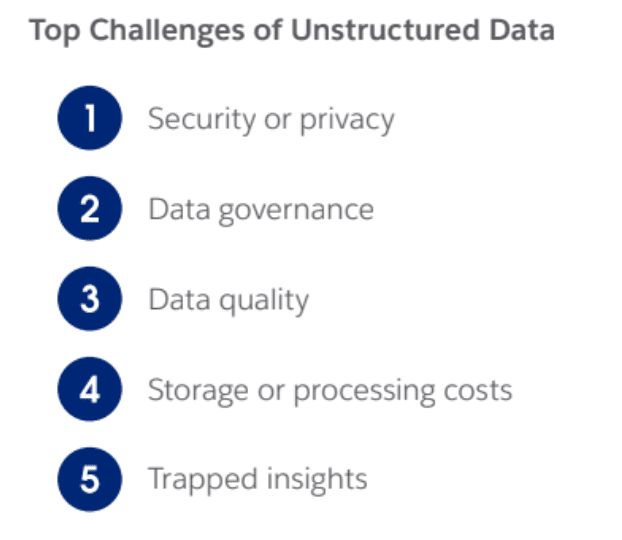
LinkedIn scraping maintains accurate, up-to-date CRM databases by collecting real profile details. This ensures contact information stays fresh and well-enriched, which in turn improves results for sales teams.
Such data collected by LinkedIn scraper tools also enables a more personalized approach. With enriched profiles in CRM, teams can tailor their communication strategies more precisely, increasing conversion rates.
Building cold emailing lists
Another reason to scrape LinkedIn profiles is to create targeted contact lists for cold email campaigns. Collect profile information and use criteria such as industry, role, company size, or others as filters. Thus, you can identify prospects who are more likely to convert and start reaching out to them through email.
What’s more, having actual prospects’ data, you can personalize your cold email and, thus, make your cold outreach more impactful.
LinkedIn data scraping tools comparison
Now that we have figured out the basics, let us share some efficient LinkedIn scraping tools.
Let’s review these scraping tools in detail, shall we?
-
Snov.io
G2 rating: 4.6/5
Snov.io pricing: Free plan available. Paid plans start from $39/mo. LinkedIn add-on $69.
LinkedIn data Snov.io collects: first name; last name; prospect’s social profile; job position; country; industry; company name; company website; company size; company location; company HQ phone number.
Snov.io is a lead generation and multichannel outreach automation platform that provides powerful features for business growth. Although the tool is mainly known for its excellent email and LinkedIn automation, Snov.io also offers features for effective scraping.
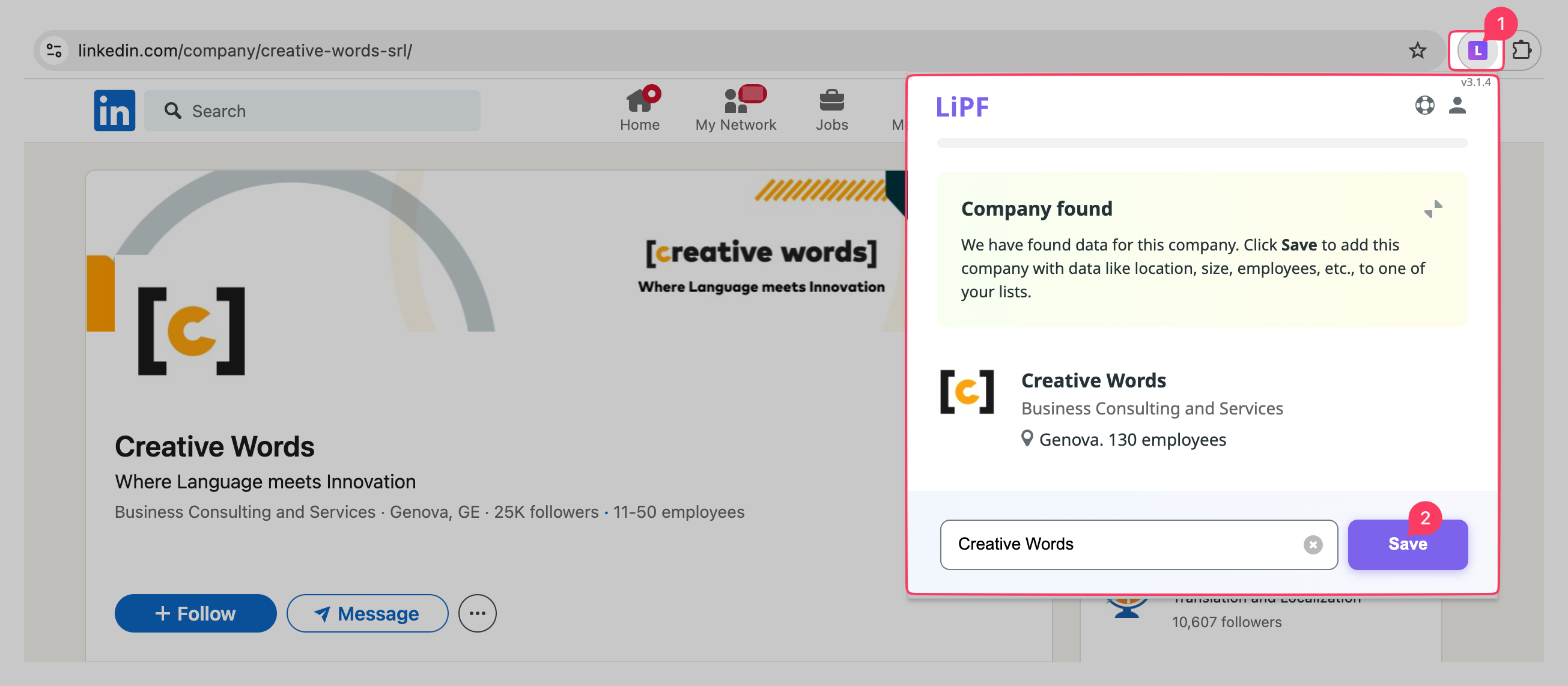
You can quickly extract valuable lead information from profiles using LinkedIn Email Finder. The free Chrome extension enables you to find pre-verified lead contacts and collect their profiles, which include details such as job title, company website, location, and more.
The best part is that Snov.io LI Prospect Finder supports bulk search, which makes LinkedIn scraping even more time-saving. You can also collect leads from Sales Navigator searches for a more advanced approach.
Snov.io also includes the LinkedIn Search feature, which enables you to pull lead data directly from LinkedIn search URLs and profile links by pasting them into the tool.
Besides LinkedIn data scraper options, Snov.io offers the Email Finder Chrome extension to help you collect high-quality contacts from various websites.
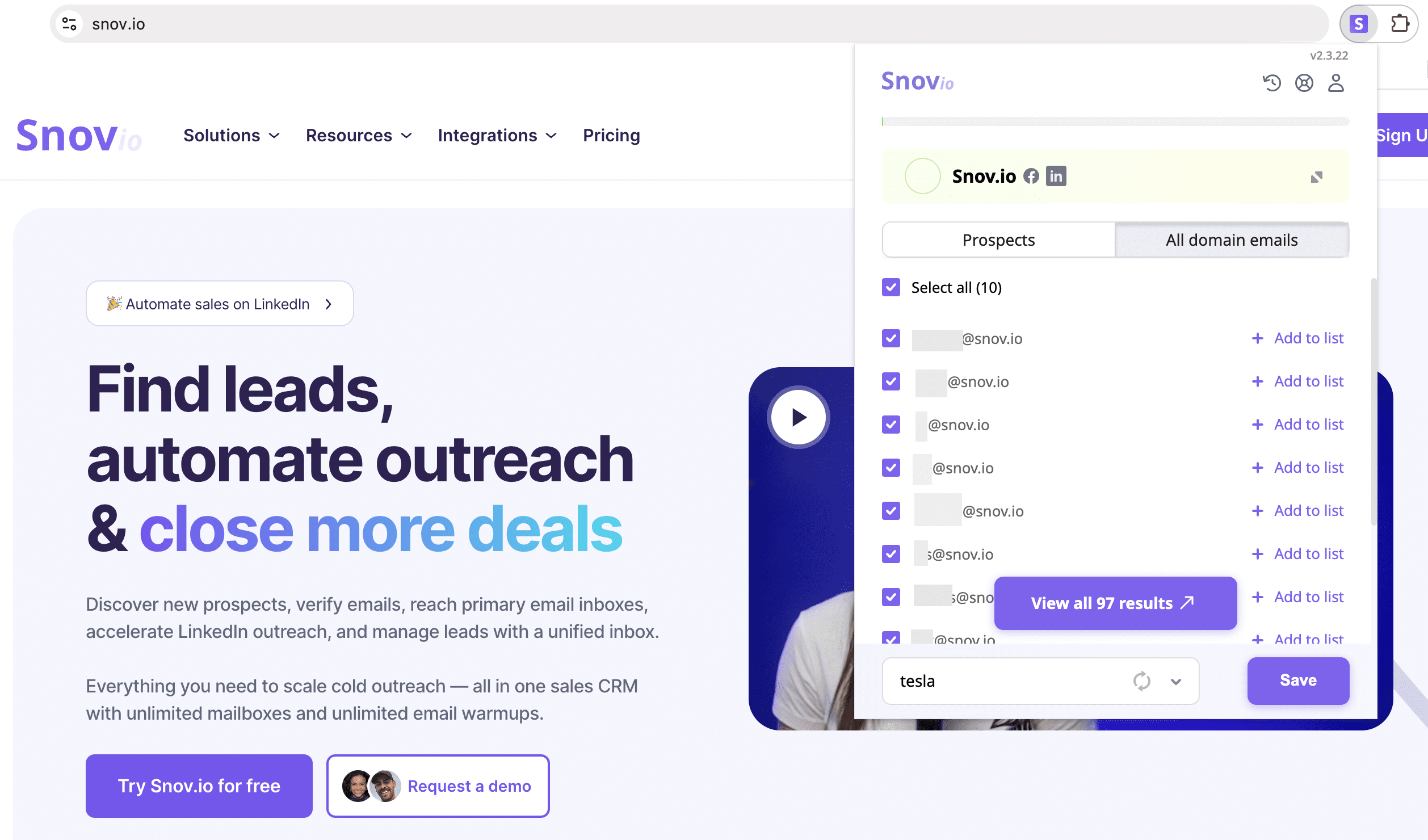
Scrape LinkedIn profiles and use the collected emails and data received to empower your outreach with multichannel campaigns. In Snov.io, you can create, personalize, adjust, and track your campaigns.
What users say about Snov.io:
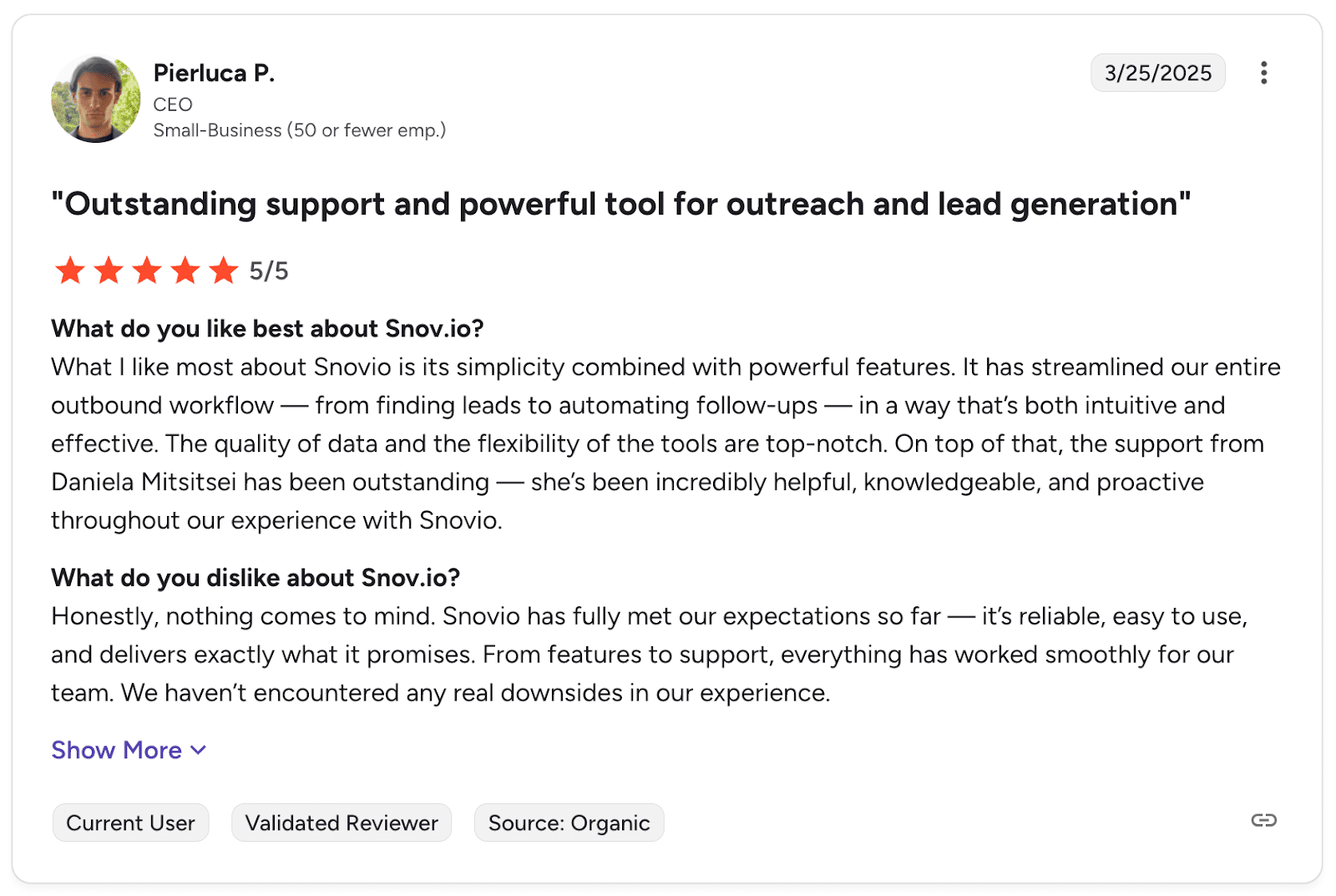
Users appreciate Snov.io’s clean interface and reliable email verification, which makes lead generation straightforward. The support team is responsive, and integrations work well. The main trade-off is getting comfortable with all the features.
-
Lemlist
G2 rating: 4.5/5
Lemlist pricing: 14-day trial available. Paid plans start from $69/mo
LinkedIn data Lemlist collects: LinkedIn profile data (from LinkedIn URL); email addresses; phone numbers; job title; company name; industry.
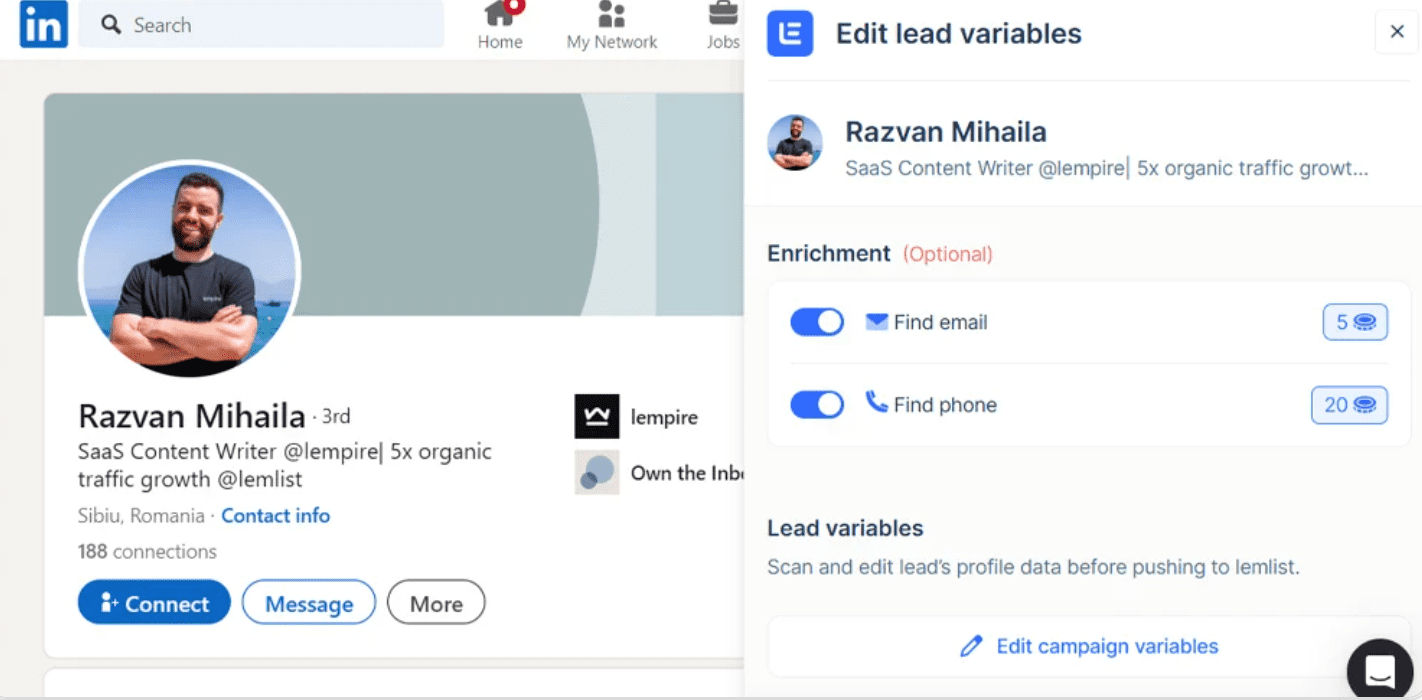
Lemlist is a cold email and outreach automation platform known for its personalization features. It helps identify prospects, validate emails, and create personalized multichannel campaigns.
Lemlist offers a LinkedIn scraper as a Chrome extension that helps find leads from a LinkedIn or Sales Navigator search.
This extension captures details such as first name, company name, and LinkedIn URL, and then adds them to your selected Lemlist campaign. You can also add leads individually to Lemlist, including extra details from their profiles, like job titles, certifications, industries, etc.
What users say about Lemlist:
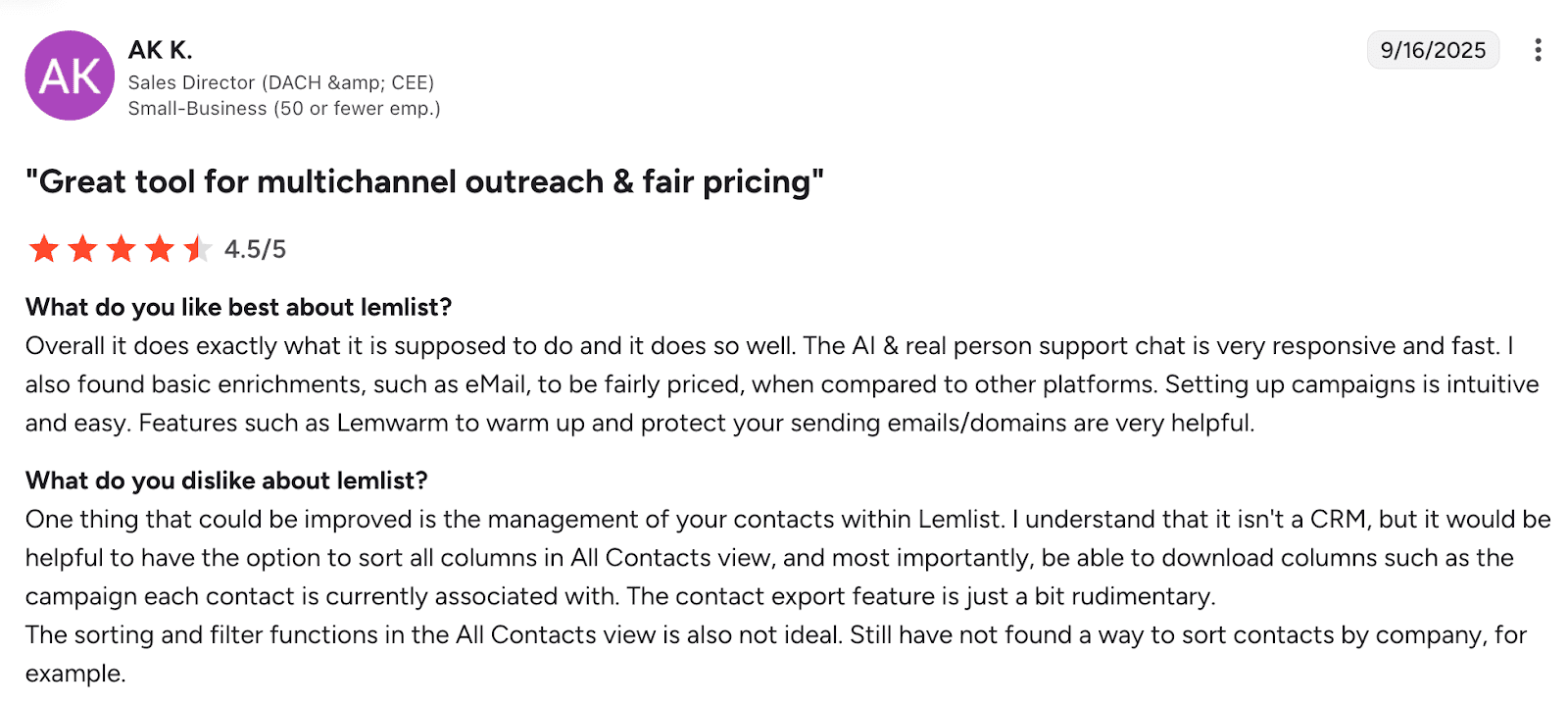
Lemlist excels at personalized outreach with strong deliverability, but comes with a learning curve and higher pricing. Users also note that analytics and CRM integrations could be more robust.
-
PhantomBuster
G2 rating: 4.4/5
PhantomBuster pricing:14-day trial available. Paid plans start from €69/mo
LinkedIn PhantomBuster collects: name; role (job title); company name; company industry; emails; phone numbers.
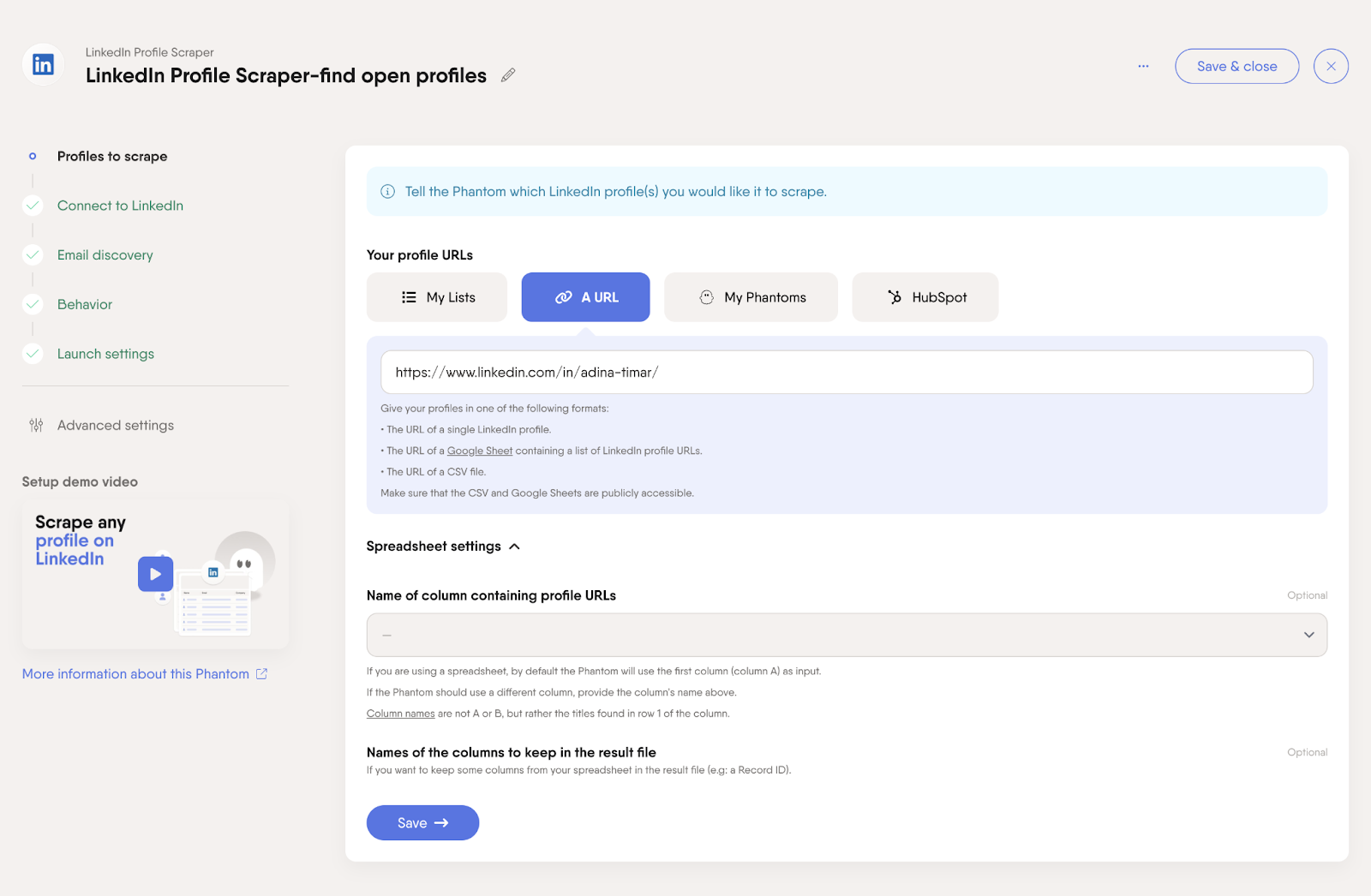
PhantomBuster is an automation and LinkedIn data extraction platform that helps businesses generate leads, collect audience data, and streamline actions across multiple websites and social media channels.
Phantombuster is among the LinkedIn scraping tools that let you pull public data from profiles, including emails. With it, you can also extract lead lists from other platforms and export them directly to spreadsheets.
What users say about PhantomBuster
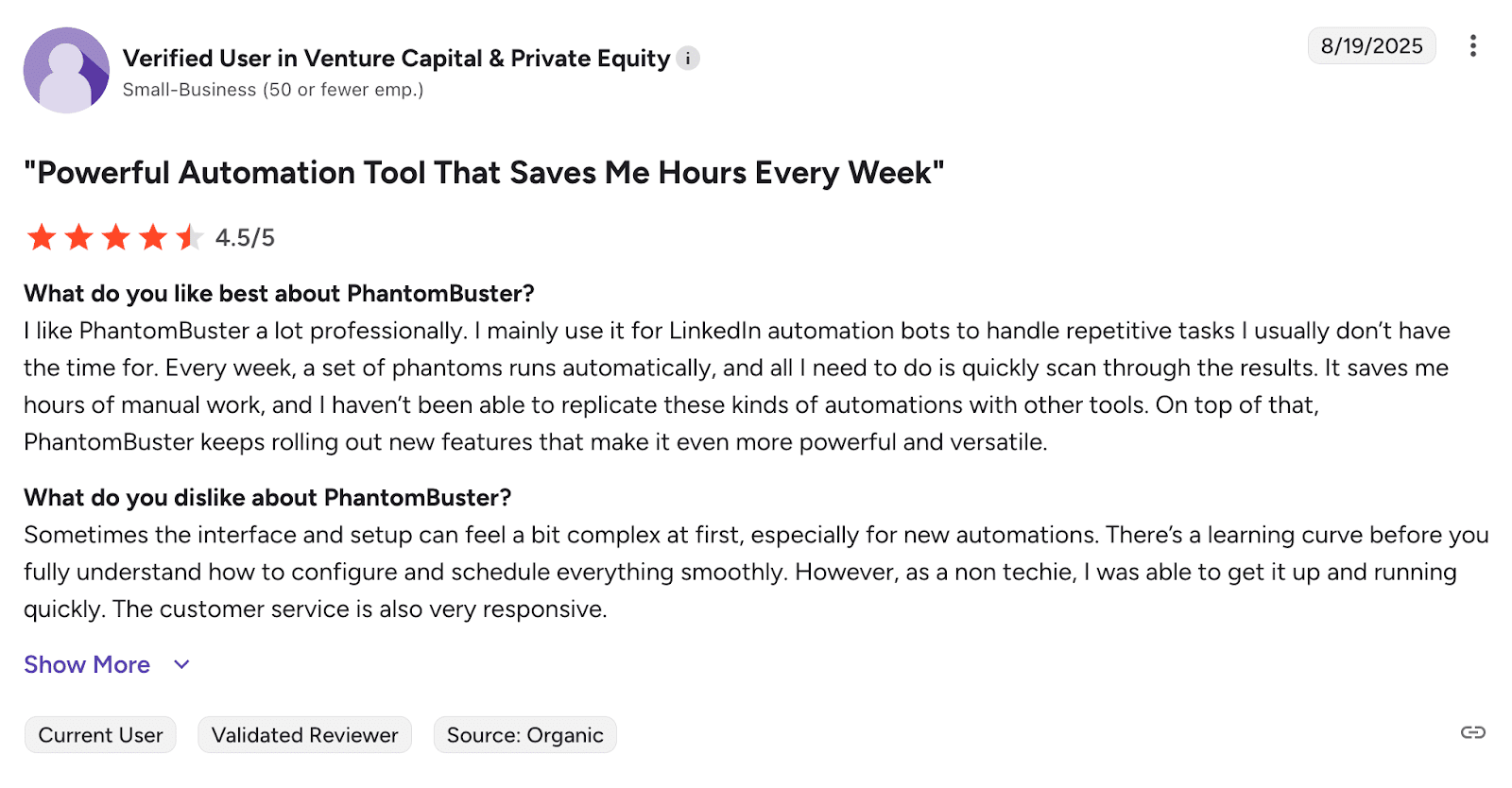
PhantomBuster automates hours of tedious work, but it might take time to learn and isn’t cheap. Most users say it’s worth pushing through the initial complexity.
🧐 Did you know?
Snov.io offers over 5,000 integrations, including with PhantomBuster!
-
Evaboot
G2 rating: 4.6/5
Evaboot pricing: paid plans start from $9/mo
LinkedIn data Evaboot collects: verified professional emails; job title; job description; company LinkedIn URL; company size; industry; location.
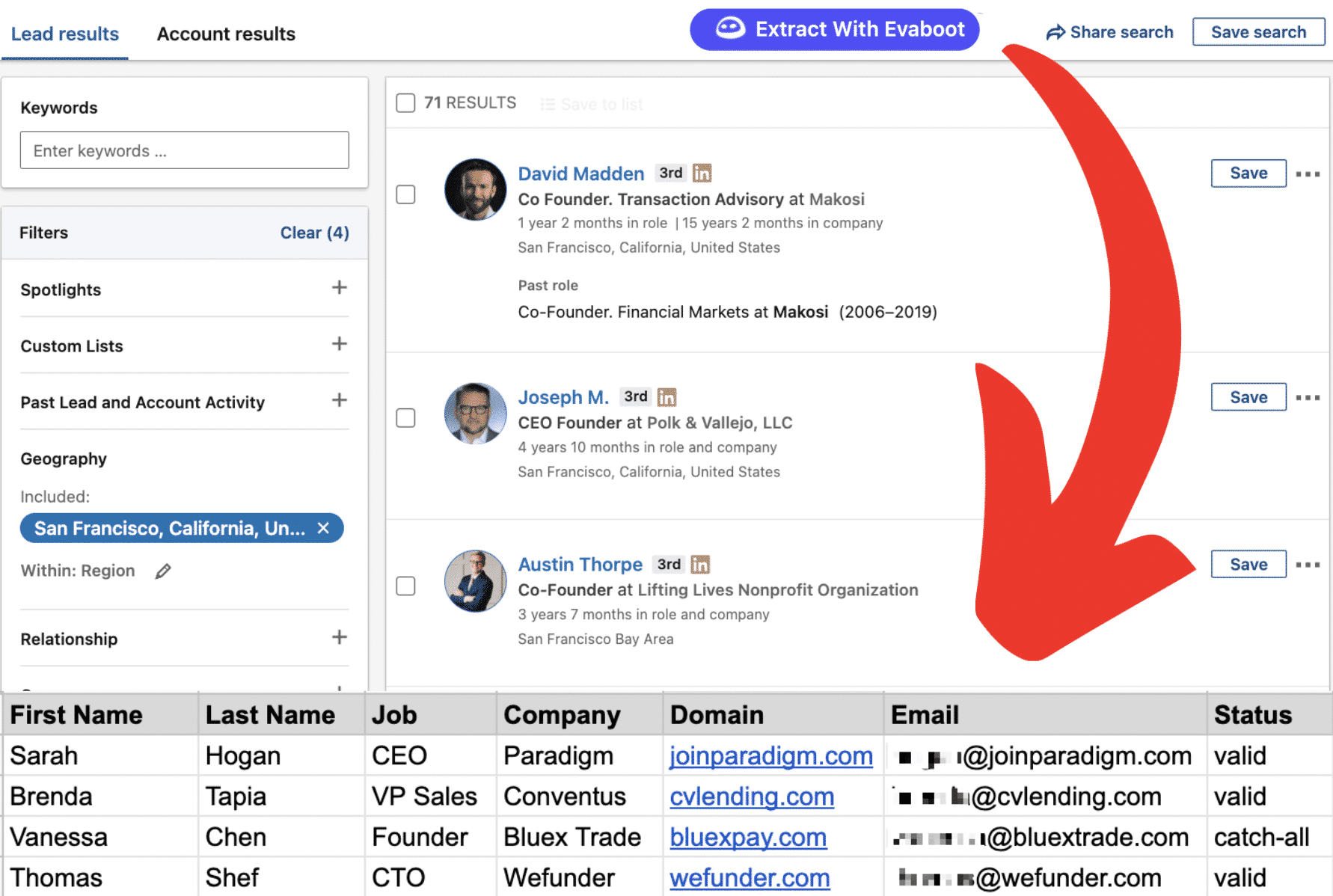
Evaboot is a Sales Navigator scraping tool that extracts leads and emails from Sales Navigator. It operates through a Google Chrome extension.
The main difference between Evaboot and other LinkedIn scraping tools is that this platform requires a Sales Navigator subscription.
After installing the extension, you can scrape data on Sales Navigator and export it back to Evaboot. The tool collects basic information such as full name, company, job role, and profile URL, and exports it as an Excel file.
What users say about Evaboot

Evaboot gets straight to the point: quick LinkedIn data extraction that actually works. Users appreciate how simple and reliable it is.
-
Captain Data
G2 rating: 4.7/5
Captain Data pricing: 14-day trial available. Paid plans start from 412/year
LinkedIn data Captain Data collects: lead profile data, including job titles; company info; contact information (emails/phones); real‑time signals; intent data.
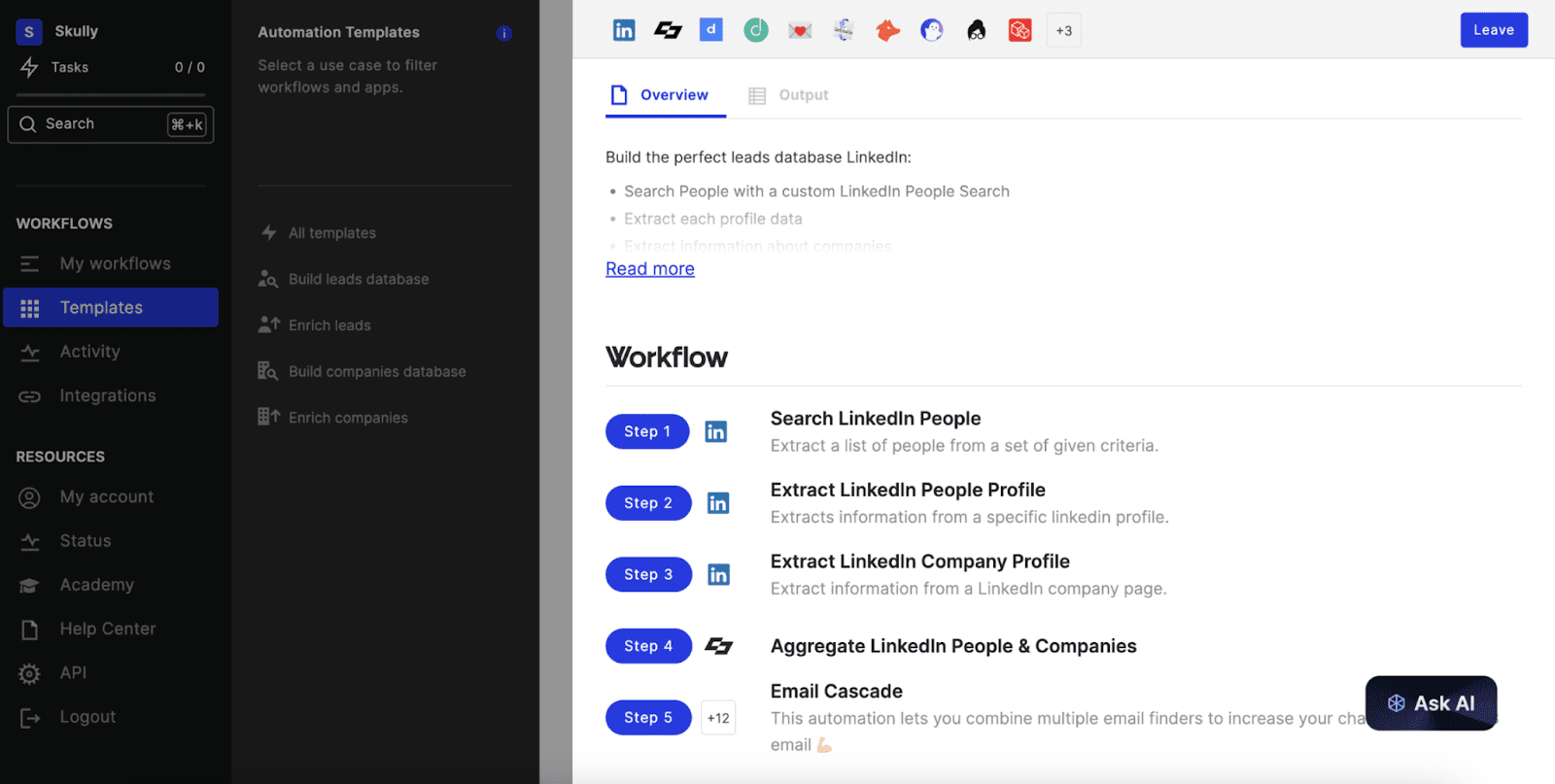
Captain Data is a code-free platform that helps extract, compile, and integrate data from various sources easily. This tool allows you to automatically scrape LinkedIn profiles from specific companies, making it easy to gather data from thousands of profiles.
You can export the information as a CSV file or directly integrate it into your CRM. The platform also enables profile enrichment with additional details like email addresses and phone numbers.
In addition to LinkedIn scraping, Captain Data integrates with various sales automation tools, which allows it to build a complex prospecting process.
What users say about Captain Data
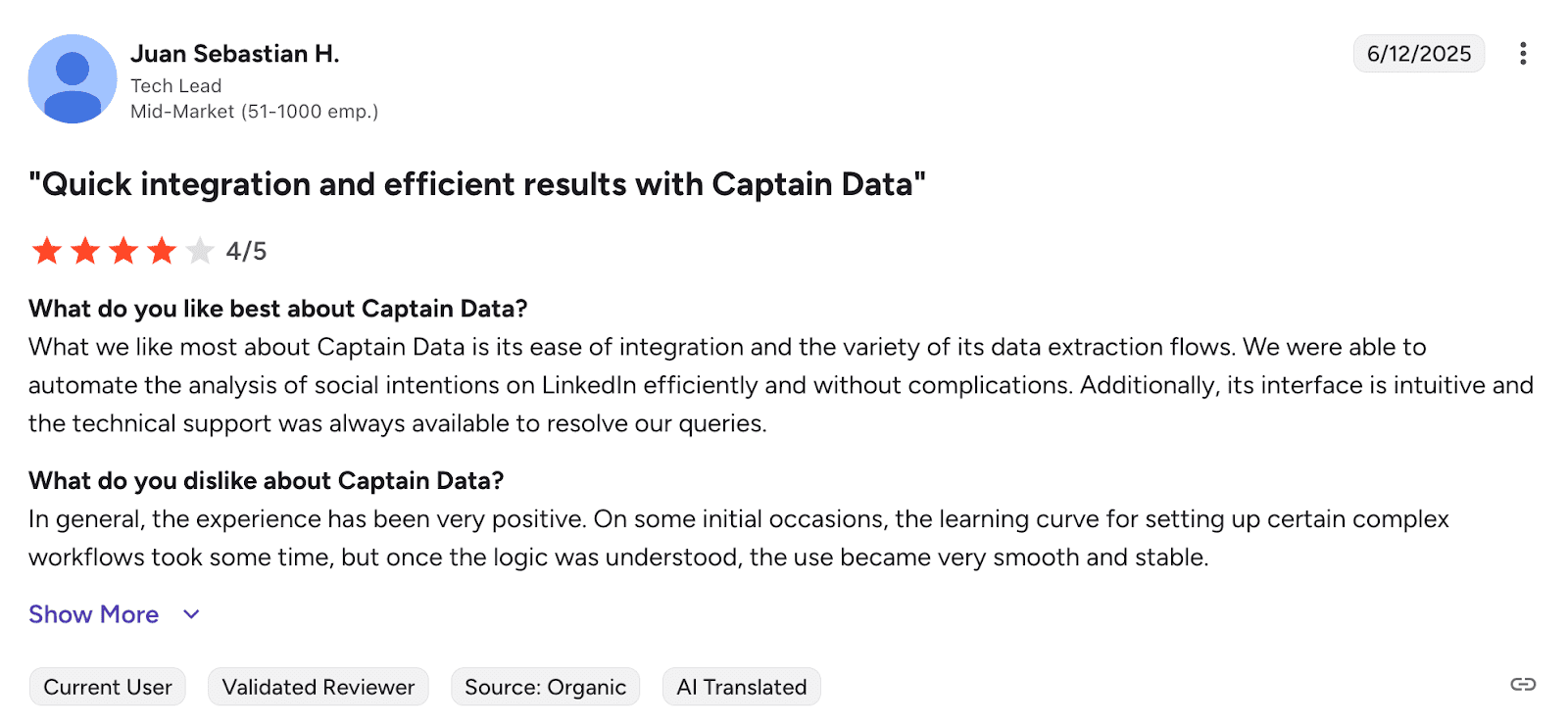
Users praise Captain Data for automating hours of manual work, especially when it comes to lead generation. The integrations work smoothly, and support responds fast. Some find it a bit pricey or intimidating initially, but most say the time savings justify the cost.
⚠️ IMPORTANT: Ensure the LinkedIn data scraper you use is secure
Before you scrape LinkedIn profiles, ensure your tool of choice provides safe operation on the platform. It is essential to save your business data and avoid restrictions.
For example, Snov.io takes data safety seriously:
- You will get a location-based proxy for each LinkedIn account you connect to
- Smart delays between actions imitate human behavior and protect your account from getting flagged
- You can warm up your account to prepare it for bulk outreach
- Cloud-based operation ensures that the automation works even when your computer is off.
Advanced LinkedIn scraping best practices
Those with technical knowledge can benefit from advanced scraping techniques. The key is finding the right balance between completing tasks efficiently while maintaining account security.
Python is among the best options for building automation that stays within safe boundaries. A typical compliant setup uses a few core tools:
- Selenium automates browser interactions so you can load pages, scroll through content, and extract profile data just like a person would
- BeautifulSoup parses the HTML to pull out specific information like job titles, company names, and locations
- Requests handle authorized HTTP calls for lighter tasks, like grabbing data from public pages
- CSV or database storage keeps everything organized for analysis or importing into your CRM
These tools work together in a straightforward flow: automate the browser, parse what you need, and store it properly. The most important thing is not to overdo it. Flooding LinkedIn with too many requests or moving through profiles too quickly is what gets accounts flagged.
LinkedIn scraping: common mistakes and safety measures
One of the biggest mistakes with scraping is doing too much too quickly. LinkedIn watches for unnatural behavior, which is what usually gets accounts flagged.
Now, let’s go over some other common issues and our tips for handling them safely.
- Mistake 1: Improper proxy use or location mismatches
If your account is registered in one country but you’re working from another, use static proxies to avoid location mismatches that trigger alerts.
- Mistake 2: Robotic, perfectly timed behavior
Add random pauses, natural scrolling, realistic clicking patterns, etc. Perfectly timed movements are an obvious red flag.
- Mistake 3: Not being cautious with LinkedIn limits
All LinkedIn accounts have limits. The difference is that Premium and Sales Navigator users have higher thresholds, so they are less likely to trigger restrictions or alerts.
If you’re using a free account, note that LinkedIn imposes stricter monthly search limits, so plan activity accordingly.
As a general guideline, keep your daily profile views within these safe ranges:
- Safe: 10–20 views
- Moderate: 30–40 views
- Risky: 50+ views
This will help you minimize detection risks.
- Mistake 5: Not warming up new accounts
Fresh accounts that immediately start scraping will get flagged. Spend at least 2 weeks slowly increasing your activity.
Being aware of these mistakes is key to staying safe. But the good news? Snov.io takes care of these complexities for you. No manual proxy setup, timing adjustments, or constant monitoring needed.
Snov.io manages location-matched proxies, enforces safe daily limits, and runs everything in the cloud. There’s no need to learn how to scrape LinkedIn profiles safely; simply collect your data.
How to scrape LinkedIn profiles safely step-by-step
LI Prospect Finder can significantly simplify scraping LinkedIn data for your outreach efforts. Despite being super fast and easy to use, the tool collects leads across the platform and supports automatic bulk LinkedIn data extraction.
Here is a step-by-step guide on how to scrape LinkedIn data with Snov.io to get you started. Let’s dive in!
Step 1: Install the LinkedIn Email Finder extension
Start by downloading the LinkedIn Email Finder.
Step 2: Add to the dashboard
Pin it in your extension bar on the top of the browser for easy access.

Step 3: Log in to your Snov.io account
Sign in to your Snov.io account or create a new one to sync the extension. This step ensures that the data you scrape on LinkedIn is directly saved to your account for further processing.
Step 4: Perform a LinkedIn search
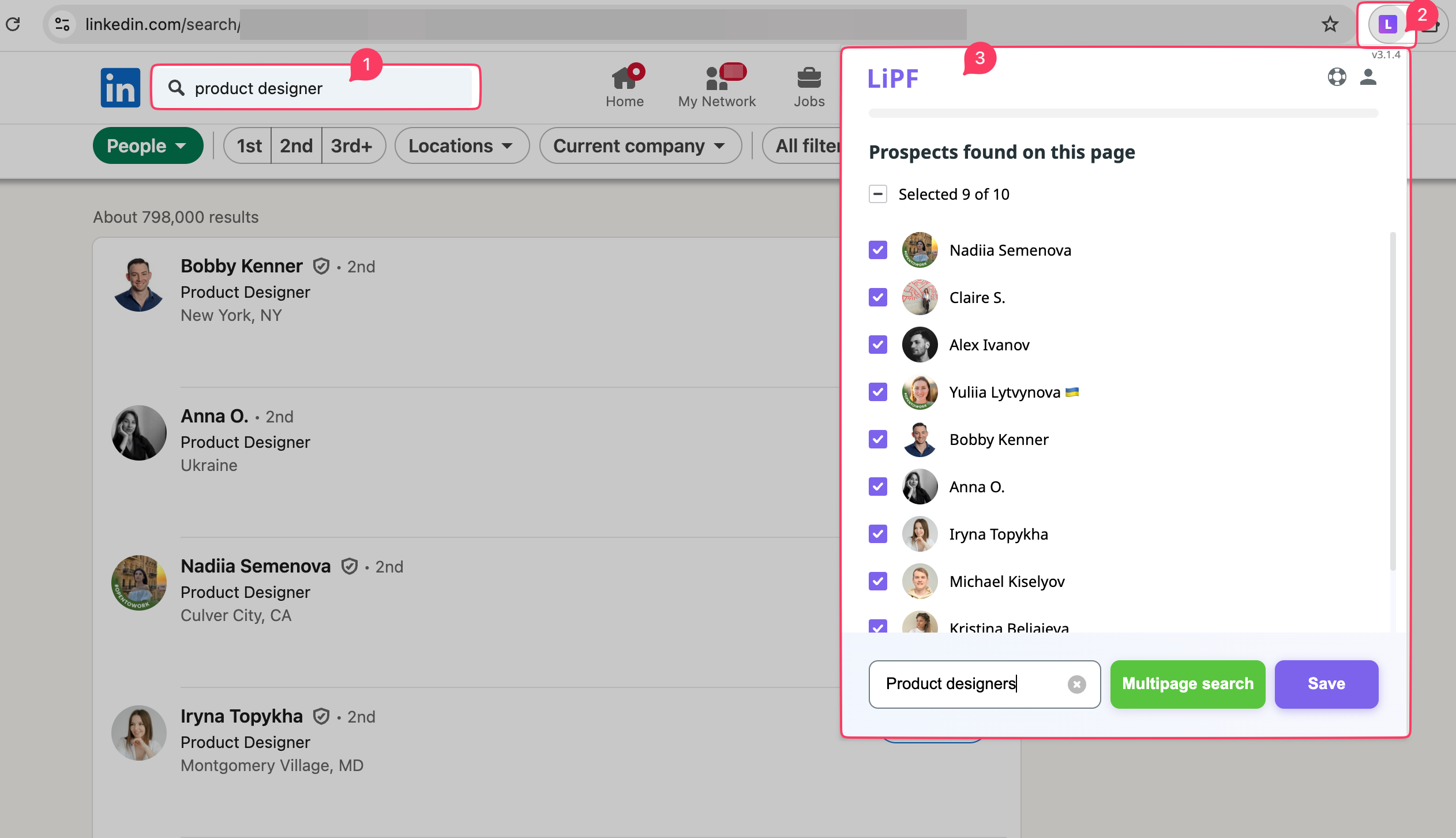
Go to LinkedIn. Open the lead’s profile, a company page, or a search results page with specific filters and launch LI Prospect Finder by clicking its icon in the top-right corner of your browser.
Step 5: Collect the data
Collect prospects with verified contact emails to your lists. If you are scraping data from search results or company pages, you can select the leads by clicking them to extract only the needed data.
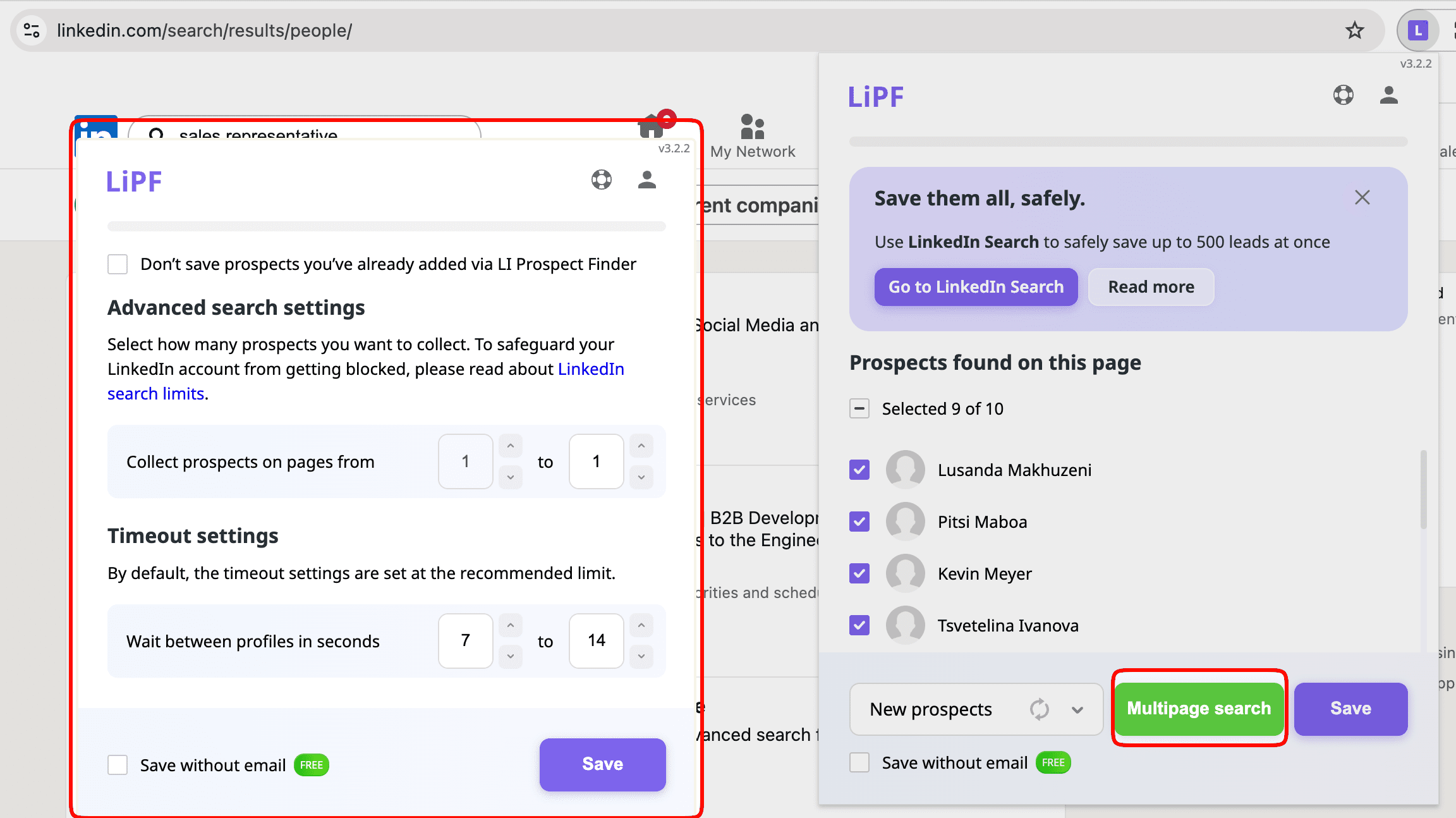
Note: To perform a bulk search, click the Multipage search and adjust your safety settings. Specify the number of pages you want the extension to process, starting from the page you’re currently viewing.
Now, it’s time to start contacting your leads and turning them into clients. Leverage the data you received from LinkedIn scraping to build outreach campaigns and reinforce your sales strategy.
🧐 Did you know?
With Snov.io, you can create automated cold outreach sequences and add LinkedIn actions to your campaigns.
Thanks to Snov.io’s intelligent technologies, all automated actions are performed as naturally as a human would.

How to leverage the scraped LinkedIn data
Now that you’ve scraped LinkedIn profiles, what’s next? Here are our recommendations on leveraging this information effectively.
Analyze your data
Start by examining your scraped data to discover trends and valuable insights that can improve your business strategy. Look for patterns that reveal which prospects are more likely to convert, what they care about, and what problems they’re trying to solve.
We recommend focusing on behavioral signals rather than just demographics. If someone recently posted about hiring or funding, that’s a stronger indicator than their job title alone. You might notice hiring surges in a particular sector or spot leads based on industries that align with your target audience. These behavioral signals often reveal more than static profile data.
Think of your analysis as forming hypotheses you’ll test: “Series A HR tech founders care more about scalability than cost.” When you organize your data this way, you can compare what works across different groups and refine your ideal customer profile over time.
Optimize targeting
Use your scraped data to pinpoint prospects who genuinely match your ideal customer profile. The goal is building segments that let you test assumptions and learn from results, not just sort contacts into folders.
Build micro-segments rather than broad categories. “Marketing Directors in B2B SaaS startups in Europe” will outperform generic “Marketing Directors” every time. Start with a few carefully defined segments, test your messaging with each one, and expand the approaches that show promise. Trying to scale too quickly with massive lists usually backfires.
Snov.io’s tagging system keeps this process organized. You can label prospects based on their status or activities and filter by those tags, making it straightforward to manage multiple segments.
💡 Bonus tip
But here’s where theory meets reality: prioritizing leads seems simple at first, yet proves tricky in practice. Without clear data, you’re mostly guessing.
Once you start running campaigns through Snov.io email automation, AI sentiment analysis kicks in, providing clearer insights.
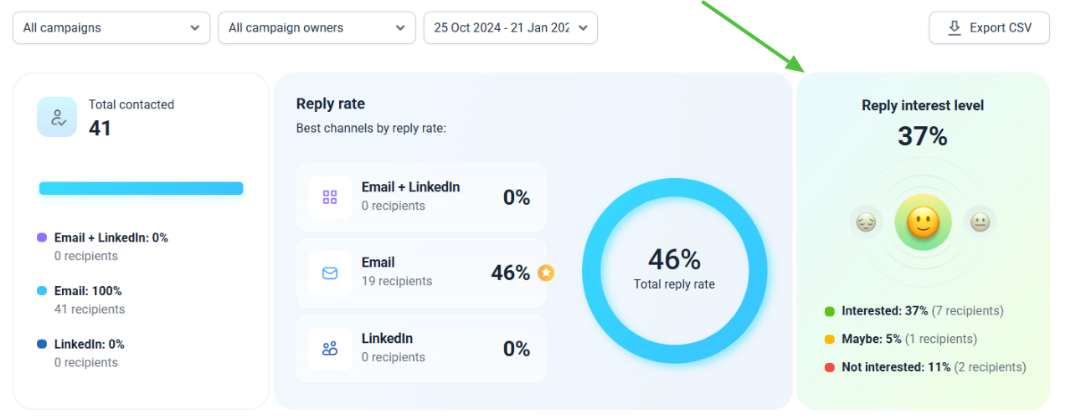
The feature reads replies while tagging them as:
- Interested (🙂)
- Maybe (😐)
- Not Interested (🙁)
This helps you quickly prioritize hot leads as well as focus your efforts where they matter most.
Personalize outreach
Here’s where the scraped LinkedIn details come into play. Use job titles, company information, and other profile data to write emails that feel personal
- Variables let you drop in specific details like names, companies, and job roles. Each email ends up feeling like it was written for that person.
- Spintax helps you add natural variations to your messaging. This keeps things fresh and can improve deliverability.
- Dynamic content changes what people see based on their industry, location, or other factors. The result? Every message feels custom-made.
When your outreach feels personal and relevant, people are more likely to engage. It’s a simple way to improve your email marketing results while making lead generation less of a grind.
Integrate data with CRM tools
Integrate your scraped data with your CRM to centralize your lead information and streamline your workflow. By syncing data such as job titles, company details, and contact information, you can turn your CRM into a powerful platform for sales engagement.
By the way, Snov.io provides a free built-in CRM to help you organize your lead base and manage your sales processes in one place. Collect prospects’ profiles using our LinkedIn scraping tool and keep all your leads in one place to focus on the right deals.
Leveraging your LinkedIn data not only enhances your outreach but also empowers your team with the insights needed to drive growth and build stronger connections with prospects.
Track performance
After you launch your campaigns, monitoring performance becomes your best teacher. Whether you’re working with Snov.io or another tool, tracking shows you two critical things: how reliable your data is and whether your message actually resonates with the audience.
Pay attention to these important metrics:
- Lead conversion rate: Measure how many of your collected emails turn into qualified leads. A strong conversion rate shows that your targeting aligns well with your audience.
- Open rate: See how many people actually open your emails. Low open rates (below 20%) may indicate issues with deliverability or ineffective subject lines.
- Reply rate: Track how often recipients respond. When replies fall below 2–3%, take a closer look. Your message might miss the point, either in relevance, tone, or targeting.
- Bounce rate: Watch for messages that never reach inboxes. A bounce rate above 10% indicates poor list quality, which can harm your sender reputation.
When you track consistently, you start seeing clear patterns. You learn what engages people and what misses.
Is it legal to do LinkedIn scraping?
Now, let’s explore a very delicate nuance: is LinkedIn scraping legal?
Scraping exists in a legal gray area. While collecting publicly available data isn’t illegal, it may conflict with LinkedIn’s terms of service.
To successfully navigate this gray area, it is crucial to understand legal nuances and platform limitations. That’s why we’ve prepared the essential information you should know before scraping profiles.
Legal perspective
Scraping publicly accessible data is generally legal if it does not harvest private information or bypass security measures. Unless you scrape the data that is publicly available, you don’t violate the Computer Fraud and Abuse Act (CFAA) and the Digital Millennium Copyright Act (DMCA).
To strengthen this point, we mention the case of LinkedIn Corporation versus hiQ Labs. The court’s ruling favoring hiQ Labs demonstrates the difference between public data scraping and unauthorized access to private information.
Data protection laws
However, it is important to consider the specifics of your operating region. In Europe, LinkedIn scraping must also follow the General Data Protection Regulation (GDPR), which includes lawful processing, transparency, and respect for individuals’ rights.
For instance, if data includes personal identifiers, proper measures such as user consent or anonymization may be required. Otherwise, there may be significant legal and financial consequences.
Risk mitigation
Although LinkedIn prohibits scraping in its TOS, the enforcement is often limited to high-volume or disruptive activities. Exceeding daily scraping limits or attempting to extract private or sensitive information can trigger warnings, temporary restrictions, or even permanent bans on your LinkedIn account.
Although there are no strictly defined limits for scraping, we recommend considering the following:
- Free account: approximately 100 prospects per day
- Premium account: around 500 prospects per day
- Sales Navigator account: up to 1000 prospects per day at max
Staying below these limits while focusing on public data will help you protect your data.
⚠️ Visit Snov.io’s Security Center to learn why this is the best-protected work environment for your business.
Key takeaways
When used wisely, LinkedIn scraping becomes a valuable asset, enabling businesses to make data-driven decisions.
Automated LinkedIn scraper tools help professionals gain valuable insights for growth while saving time for more priority tasks.
However, the effectiveness of LinkedIn scraping hinges on a responsible approach. Respect privacy laws, follow platform guidelines, and prioritize ethical practices for long-term success.
With the right tool, results improve fast. Snov.io provides compliant, efficient, and personalized workflows crafted around your goals.